Site survey software
Site survey softwarefrom the first walk to the signed-off report.
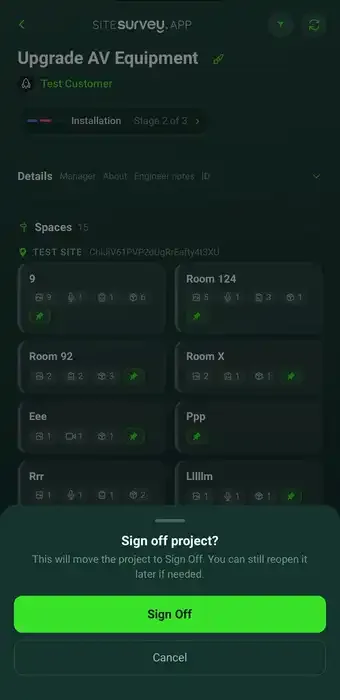
Map every space on the floor plan, complete the right form in each one, and capture the photos, measurements and spoken notes that back it up — offline, on a phone. The report is generated from what the survey already recorded, so nothing is typed up twice.
7-day free trial · full access · no card required
8
Spaces
23
Forms
1
Report
One floor of a live survey
The survey is finished on site. The paperwork takes another evening.
Most site surveys are captured across a camera roll, a notebook, a measuring app and a spreadsheet, then rebuilt into a report hours later by someone working from memory. The information was all there on site — it just never stayed together long enough to be useful.
Evidence with no location
A folder of photographs tells nobody which room, riser or unit each one came from.
Typed up twice
Notes written on site get rekeyed into a document that evening, and detail is lost in the transfer.
No signal, no capture
Plant rooms, basements and half-built floors rarely have coverage, so capture stops where the signal does.
How a site survey runs end to end.
What site survey software has to do.
A survey is only worth capturing if the answer, the place it belongs and the evidence behind it stay together. Everything here is built around that one requirement.
✓Spaces on the floor plan
Walk room to room naming each space and the measured plan draws itself underneath, so every result has a location.
✓Forms built for the job
Describe the form you need and it is created, then assign it to the spaces or products it applies to.
✓Evidence at the source
Photographs, on-image annotations and measurements, scans, signatures and structured answers, captured where they happen.
✓Spoken notes that write themselves
Record a clip while you talk through what you are looking at and live voice-to-text writes the answer for you.
✓Offline by default
Capture everything with no coverage at all. It syncs to the project as soon as you are back in range.
✓The report builds itself
The finished record exports as the report, handover pack or client PDF without anything being retyped.
Start from a site survey template.
Open a ready-made survey form, adjust it to the way your team works and assign it to the spaces you are walking. Every field below is editable, in chat or visually.
✓Space reference and location on the plan
✓Condition and observations
✓Photo evidence, marked up on the image
✓Measurements taken on site
✓Products, assets and serial details
✓Sign-off with date and signature
What is a site survey?+
A site survey is a structured visit to a building or site to record what is actually there, rather than what the drawings say should be. It typically covers the spaces themselves, their condition, the equipment or assets installed, measurements, and photographic evidence of anything notable. The output is a record that other people can act on — a report, a schedule of works, an asset register or a handover pack — so the value of a survey depends almost entirely on how completely and how accurately it was captured at the time.
What is site survey software?+
Site survey software replaces the camera roll, notebook and spreadsheet method of running a survey. It gives each space on the floor plan its own record, holds the forms, photographs, measurements and notes against that space, and then generates the report from what was captured. Because the answer, its location and its evidence never separate, the report can be produced from the survey itself rather than rebuilt from memory afterwards.
How do you do a site survey?+
Plan it first: add the project, bring in the floor plan and map the spaces you intend to walk, so you arrive knowing what has to be covered. On site, work space by space, completing the same form in each one and attaching photographs, measurements or spoken notes as you go. Capture the evidence in front of the thing you are describing rather than writing it up later. When the walk is finished the record is already complete, so reporting is an export rather than a writing exercise.
What is the difference between a site survey app and site survey software?+
They are two halves of the same thing. The app is what the field team carries — it captures forms, photographs, measurements and voice notes on a phone or tablet, and works without a signal. The software is the management side in a browser, where projects are set up, floor plans and spaces are prepared, results are reviewed and reports are issued. Work captured in the app appears against the right space in the portal automatically.
Does site survey software work without an internet connection?+
It has to. Plant rooms, basements, risers and half-built floors rarely have usable coverage, and a survey that stops when the signal does is not much use. Everything is captured on the device — forms, photographs, annotations, measurements and video — and syncs to the project automatically once connectivity returns.
Can the report be produced without retyping the survey?+
Yes, and that is the point of capturing it this way. Because every answer is already attached to a space, a product or a stage of work, the finished record exports directly as the report, handover pack or client PDF. Nothing is rekeyed from notes, which is where most of the time and most of the errors come from.
What kinds of site survey does it cover?+
The same structure — spaces, forms, evidence, report — covers condition and building surveys, pre-start and dilapidation records, asset and equipment registers, commissioning and testing, safety and compliance inspections, and snagging before handover. The forms differ by job; the way the record is built does not.
Go deeper
Guides and tools behind this workflow.
See it on your next job