Site inspections and progress tracking
Site inspection app that leaves a record, not a memory.
Most site inspections are done properly and written up badly. Run the inspection on the phone as you walk it, with every finding photographed, located and assigned, and the report exists by the time you get back to the van.
The Works £25 per user per month (Base from £13) · trial from £1, cancel any time
See a sample report ↓Start from the site inspection report template ↓
9
Areas inspected
1
New finding
2
Closed this visit
Level 2 fit-out, visit 6, the sample report below
What is a site inspection app?
A site inspection app replaces the clipboard and camera on a site visit. The inspector works through the checks on a phone, photographs each finding, records who owns it and when it is due, and produces the report on site. SiteSurvey is site inspection software for iOS, Android and web, at £25 per user per month on The Works.
Last updated .
CDM 2015 inspection duties at a glance
What the Construction (Design and Management) Regulations 2015 say about monitoring the construction phase and inspecting excavations, cofferdams and caissons.
| Duty | Who | When | Regulation |
|---|---|---|---|
| Plan, manage and monitor the construction phase | Principal contractor | Throughout the construction phase | Regulation 13 |
| Inspect excavations, cofferdams and caissons | A competent person | At the start of each shift, and after any event likely to have affected strength or stability | Regulations 22 and 23 |
| Tell the person the inspection was for when work is not safe | The inspector | Before the end of the shift in which the inspection is completed | Regulation 24(1)(a) |
| Give that person a written report | The inspector | Within 24 hours of completing the inspection | Regulation 24(1)(c) |
| Keep the report available for HSE | The person the inspection was for | On site until the work is complete, then for 3 months | Regulation 24(3) |
The report duties apply when the inspector is not satisfied that work can be carried out safely. Facts checked on 4 October 2026. Scaffolding and work at height inspections fall under other regulations and are not covered here.
Sources: CDM 2015 regulation 13, regulation 22, regulation 23, regulation 24 and HSE: principal contractors.
SiteSurvey for site inspections, at a glance
- What it is
- A mobile site inspection app for iOS and Android, with a web portal, used to run inspections space by space and report on site.
- Who it is for
- Principal contractors, site managers, clerks of works, project managers and field teams on routine inspection rounds.
- What it records
- Your own checks, findings tied to a room or zone, photos marked up and measured, severity, owner and due date, and Walk Cam video with voice-to-text.
- Evidence
- Every entry is dated and attributed to the inspector, it works fully offline, and each site keeps every past inspection and its report.
- Price
- £25 per user per month on The Works plan, which includes the form builder, floor plans and reports. Trial from £1, cancel any time.
- What it does not do
- It does not decide whether work is safe, replace a competent person, send action reminders, or on its own meet CDM 2015 duties.
The inspection happens on site. The record happens hours later.
Notes in a pad, photographs in a camera roll, and an evening spent matching one to the other. The inspection itself was thorough, but what reaches the client or the file is whatever survived the write-up, and it arrives days after anyone could have acted on it.
Photos that lost their context
Four hundred images in a camera roll, and no reliable way to say which room each one came from.
Findings nobody owns
An issue written in a notebook has no owner and no due date, so nobody knows who is meant to act on it.
No last report to hand
Without the last inspection on site with you, it is hard to say whether something is new, worse or already fixed.
How does a site inspection work, from walking the site to sending the report?
01 · Set up the site
Add the building and its spaces once, or capture the floor plan as you walk it on the first visit.02 · Inspect space by space
Work through the rooms on your phone, answering the same checks in the same order every time.03 · Evidence each finding
Photograph it, annotate the photo where it helps, and record severity and who needs to act.04 · Report before you leave
Generate the inspection report on site and send it while the detail is still fresh.Walk Cam, point by point
A site inspection, point by point.
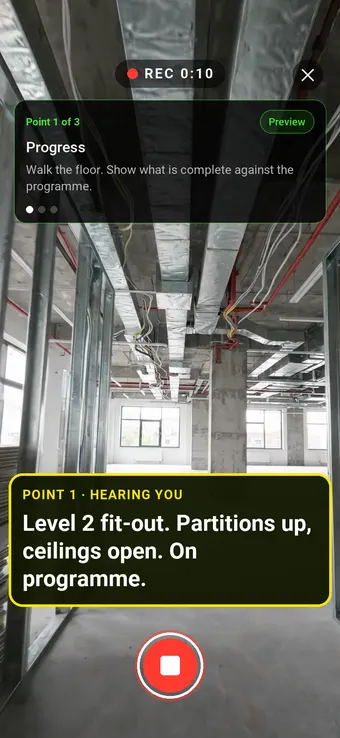
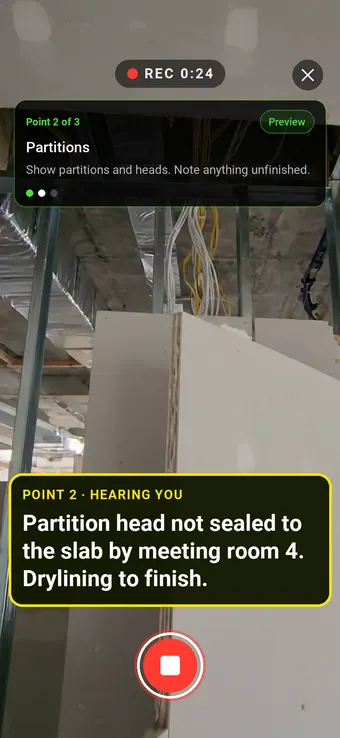
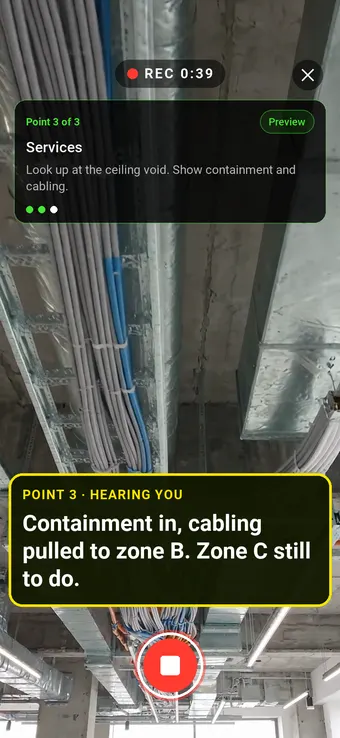
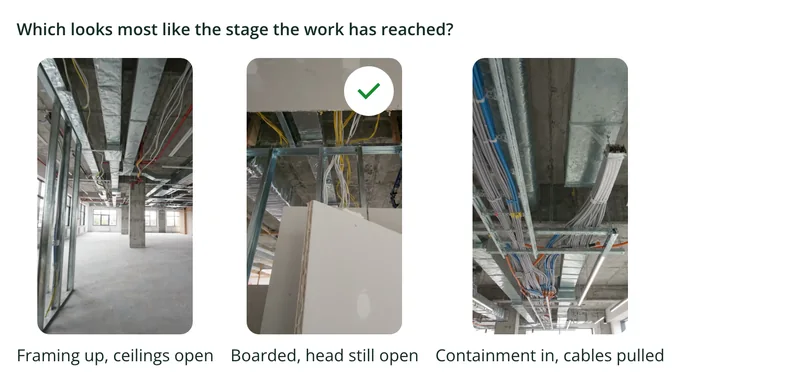
Walk Cam takes the inspector through each area in turn, films progress and issues, and writes down what they say.
Point 2 of 3
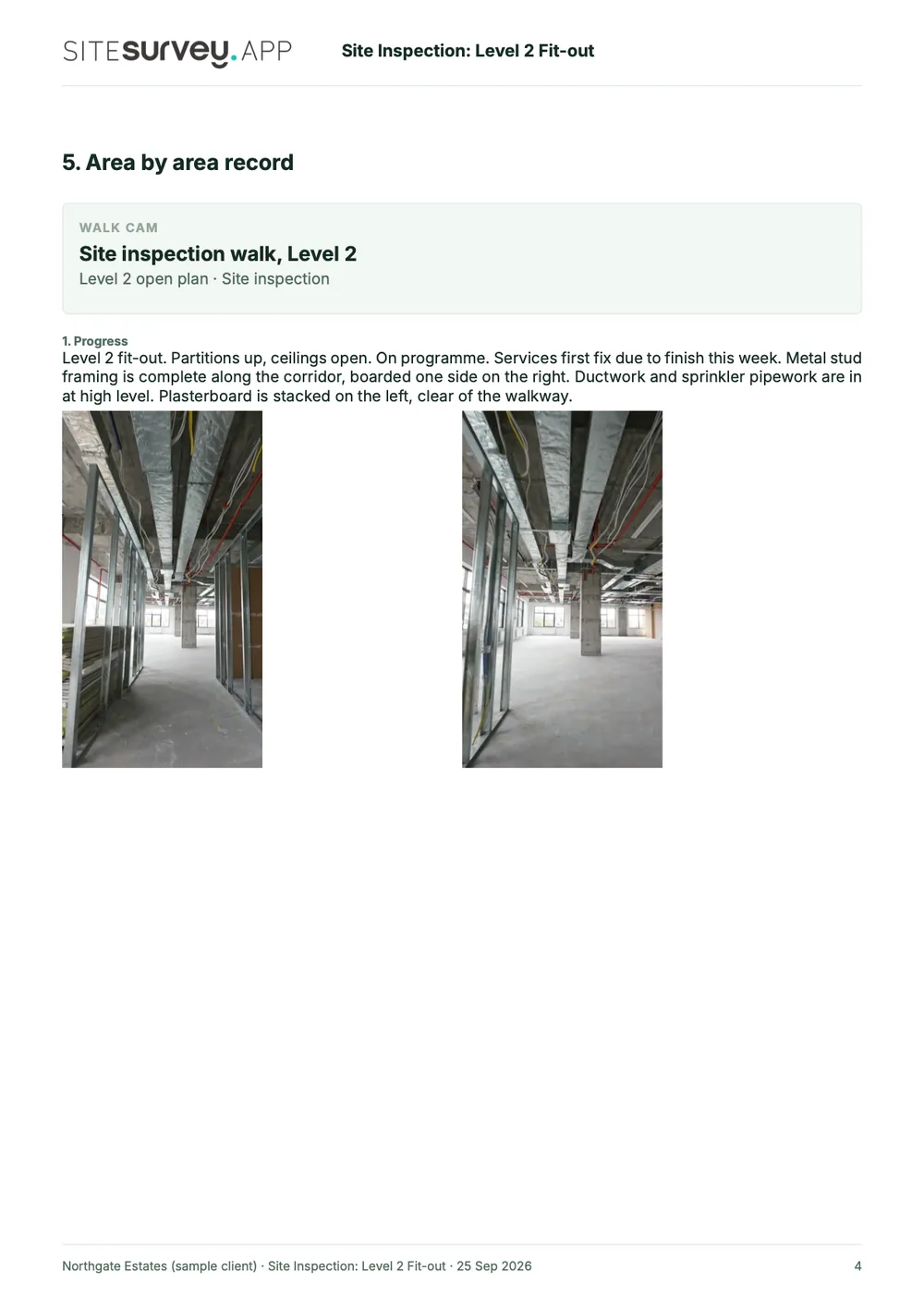
Partitions
Unfinished work called out, with the contractor who needs to finish it.
Point 3 of 3
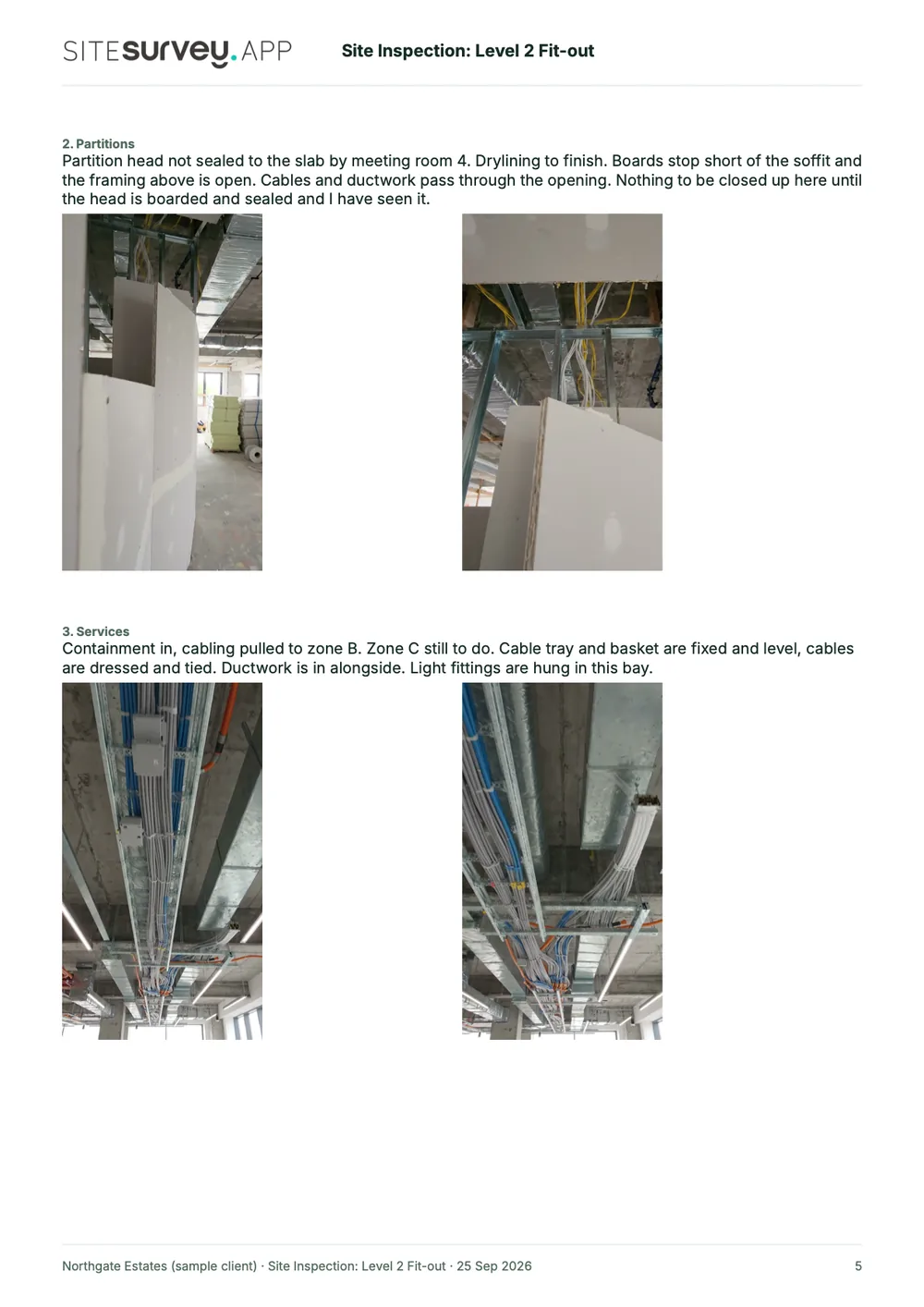
Services
Services checked, with what is done and what is outstanding.
What the report looks like
What a site inspection report looks like.
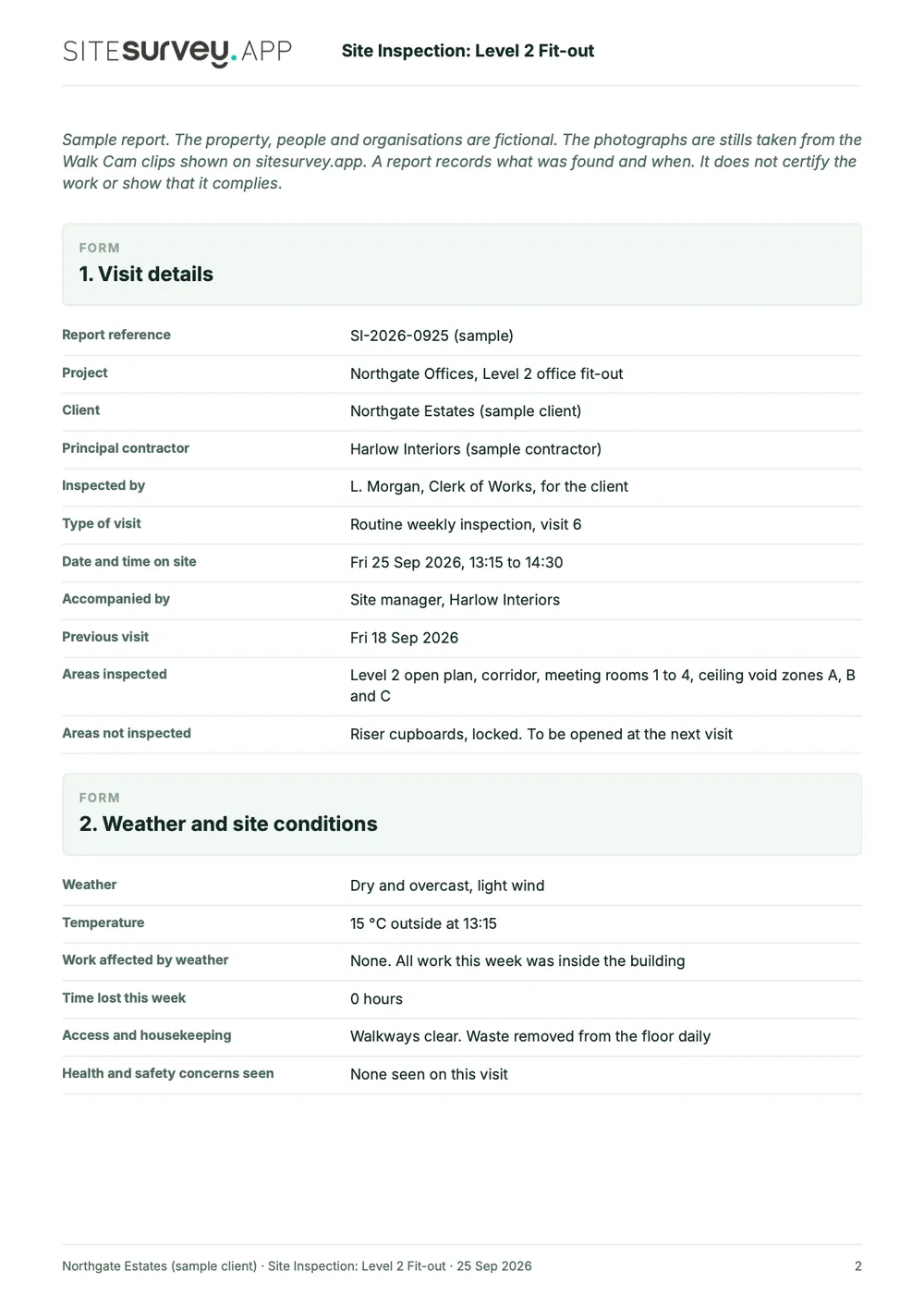
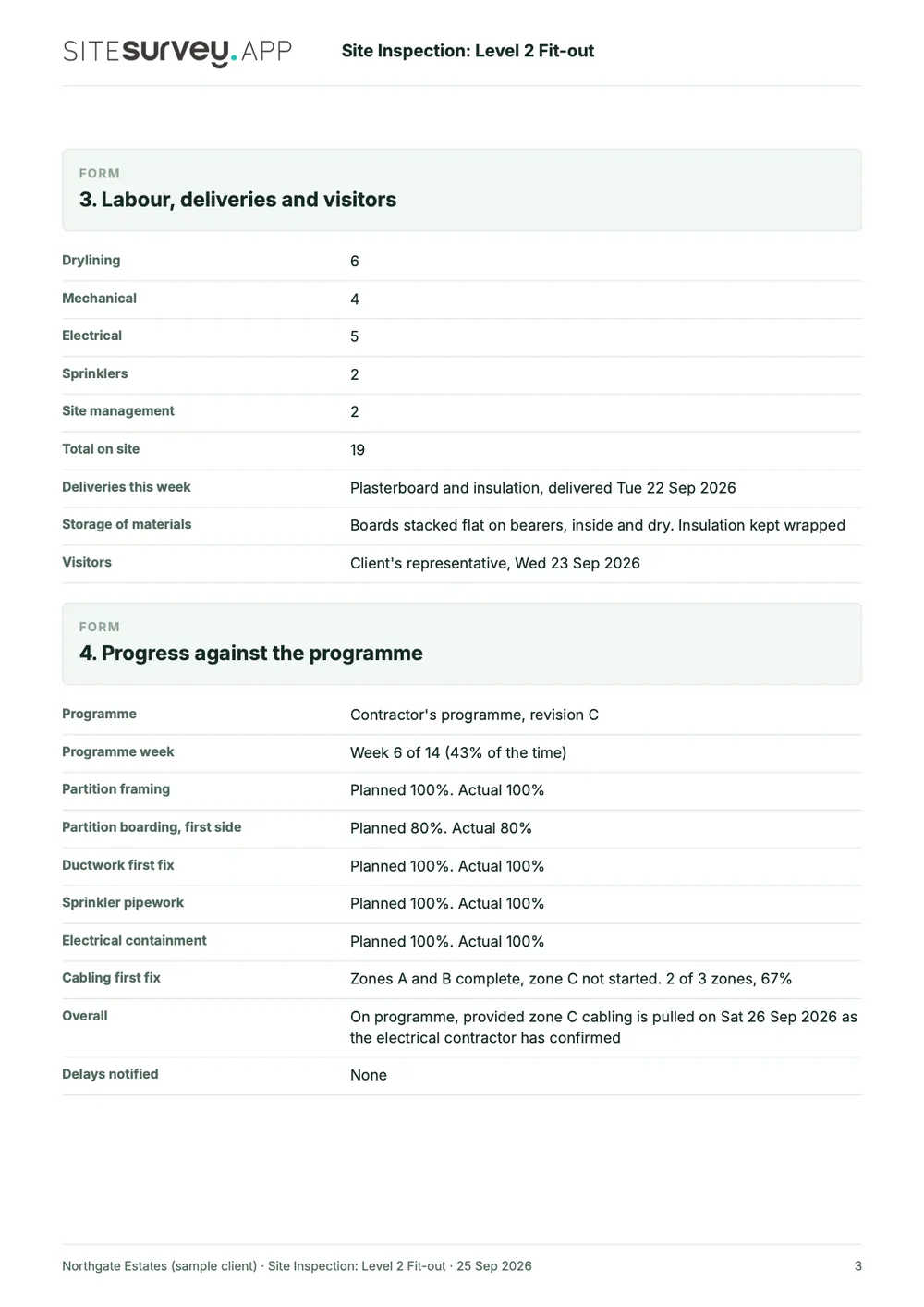
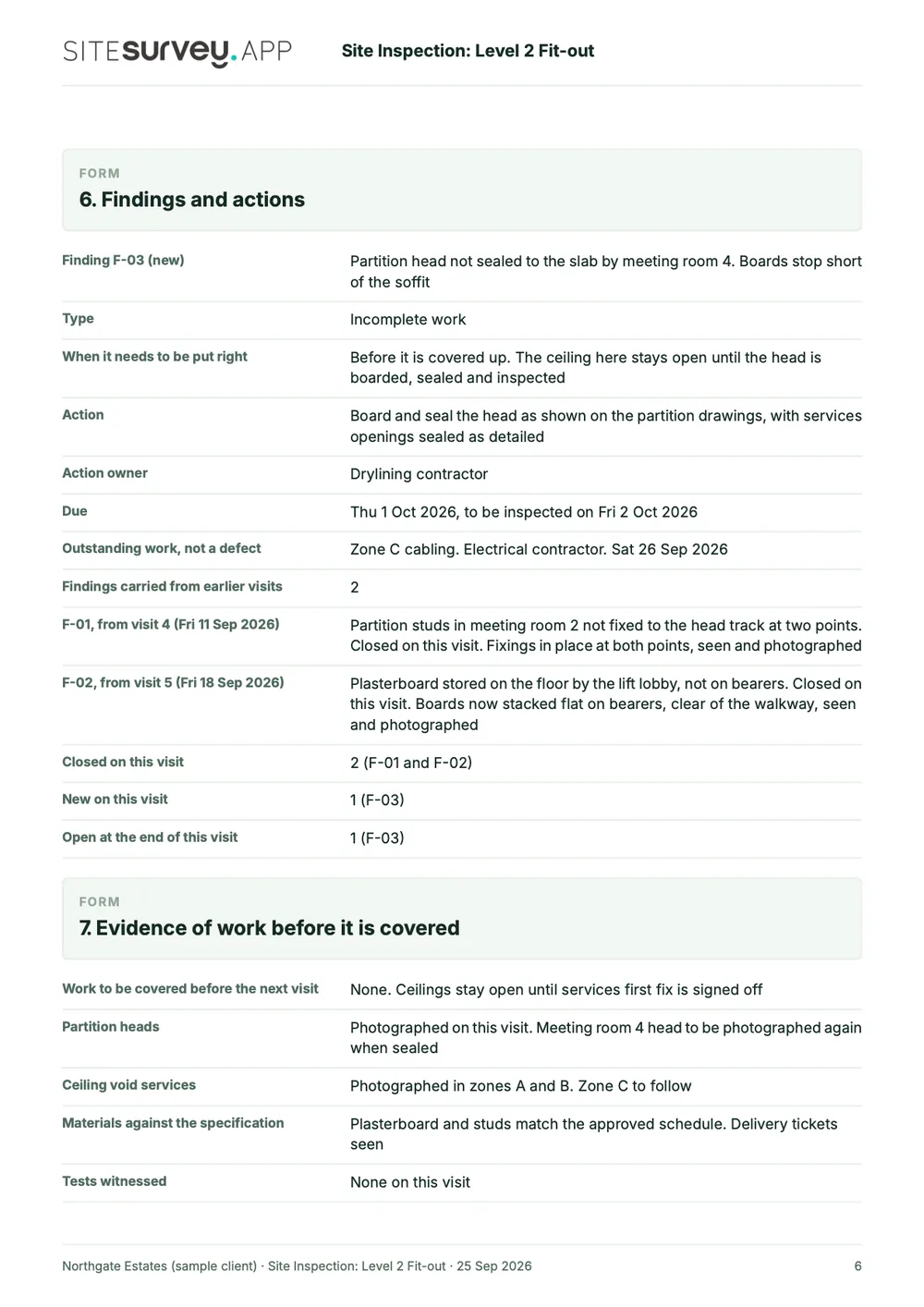
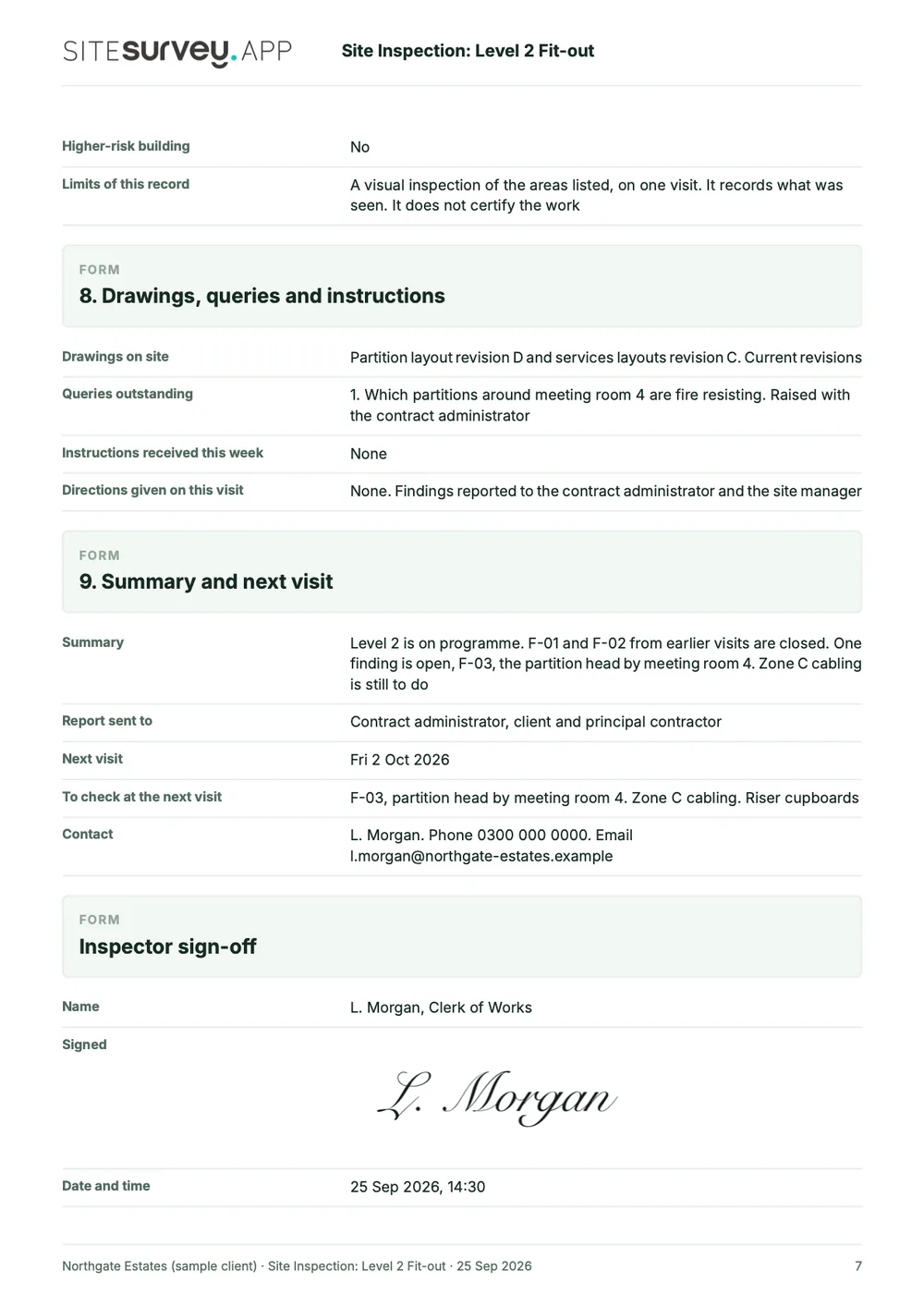
This is a full sample report, made with the SiteSurvey report builder. Scroll through it here or download the PDF. The photographs are stills from the Walk Cam clips on this page.
- 1The visit and the conditionsWho inspected, when, which areas were seen and which were not, the weather and who was on site.
- 2Progress against the programmePlanned and actual progress for each activity, with what is still to do and when.
- 3Area by area, with photosEach Walk Cam point has its stills and the inspector's spoken notes, written down as they were said.
- 4Findings, evidence and sign-offEach finding with its owner and due date, what was photographed before it is covered, and a dated signature.
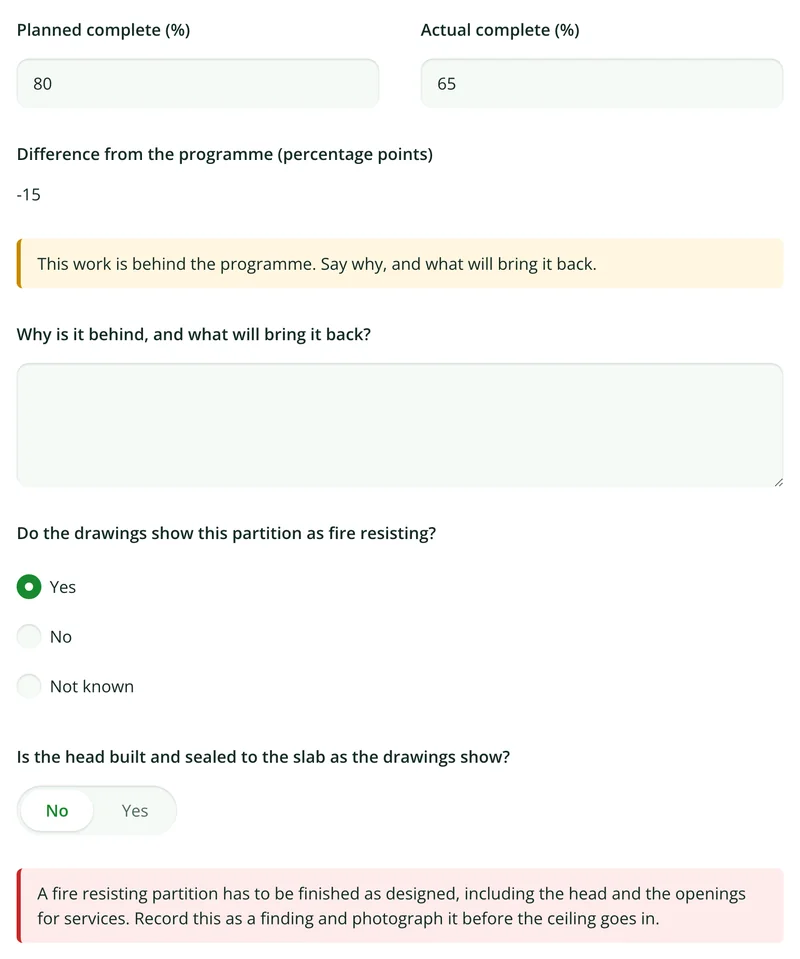
Try the form
The form behind the report. Open it and try it.
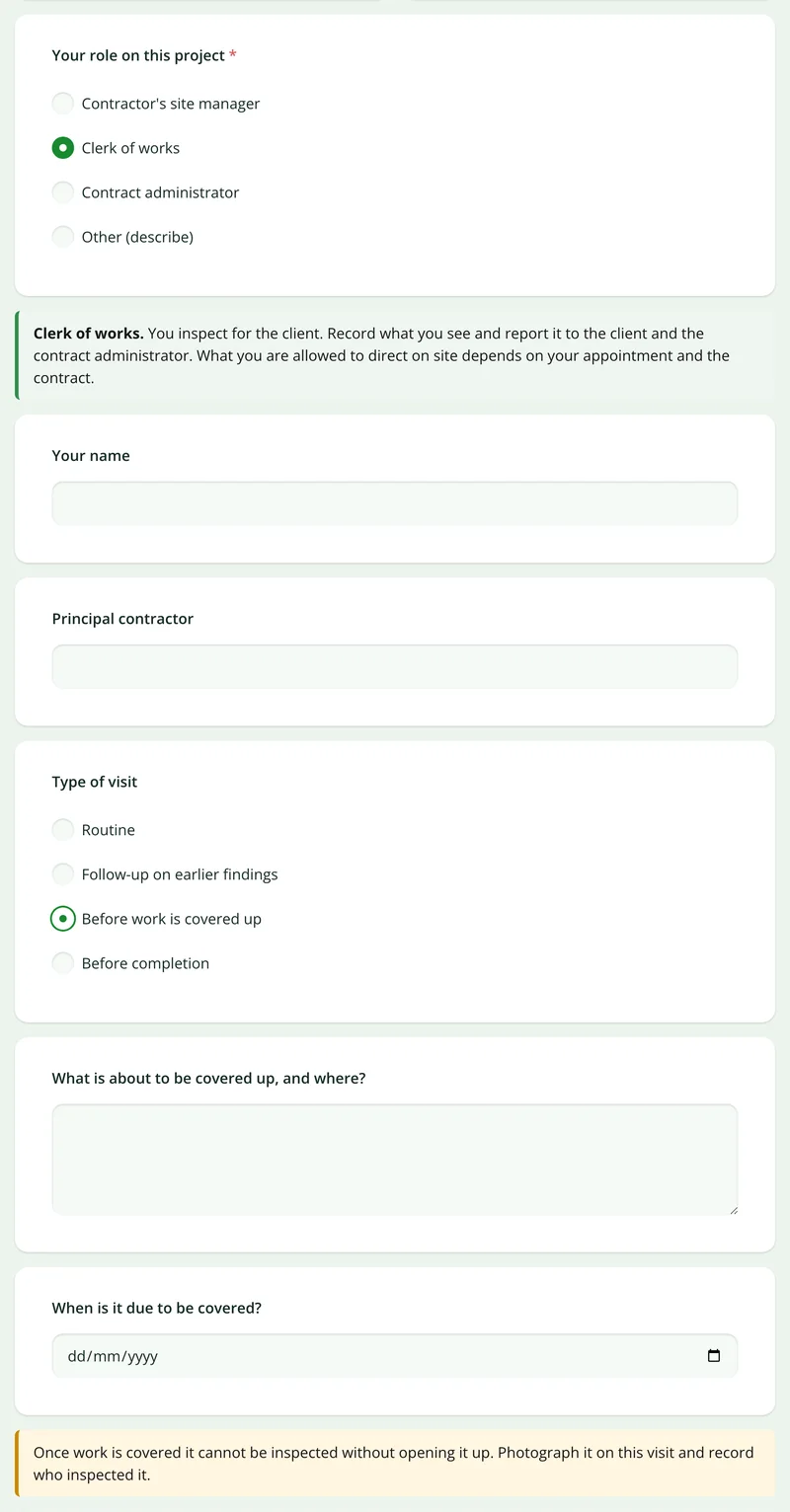
A live SiteSurvey form, shared by link with no login. It asks only what applies, works out progress against the programme and takes a separate record for each area. Answers are cleared every night.
Open the live form →See every question in the site inspection report template →Or see it filled in: the finished record with every answer, and the Walk Cam report with its clips, stills and spoken notes. See the finished record → Watch the Walk Cam report →
More than Walk Cam
Build the form. Share it by link.
Walk Cam films the inspection. The form behind it is yours to build, and anything you capture can be sent to someone outside your team as a link, with no login or app needed.
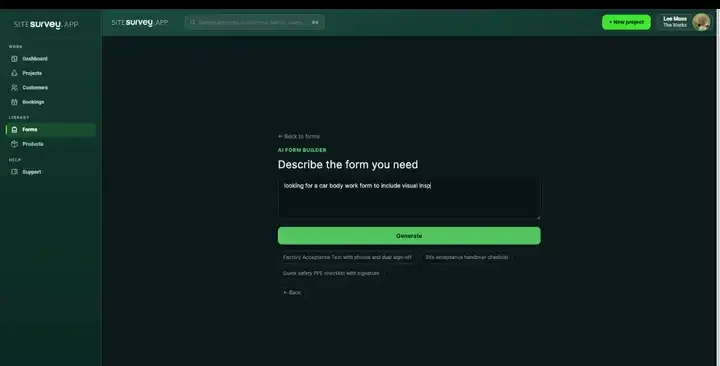
Build your site inspection form with AI
Describe the checks you carry out and the AI assistant builds the form: fields, required photos, readings as numbers and follow-up questions that only appear when something fails. Refine it in chat, edit it visually, or start from a template.
How the form builder works →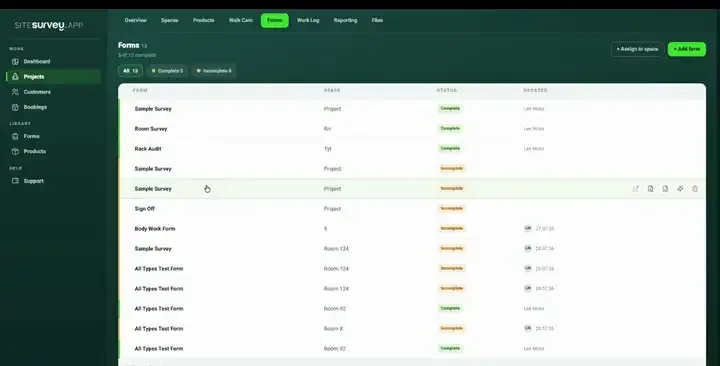
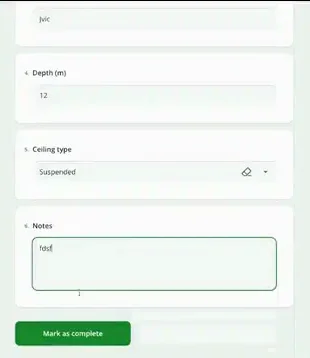
Share by link, no login needed
Make any form shareable and SiteSurvey gives it a unique URL, with an optional password. Customers, tenants or contractors fill it in on their phone’s browser, and their answers land in the same project. Walk Cam recordings and finished reports can be shared the same way, by link or by email.
How Walk Cam sharing works →What should a site inspection app record?
An inspection is a sequence of spaces, a set of checks and a pile of evidence. Each one is a real record here, kept against the site, so the last report is to hand on the next visit.
Your own inspection form
Build the checks you actually run, with conditional questions that only appear when they are relevant.
Findings tied to spaces
Every issue sits in a specific room or zone on the floor plan, not in a free-text location field.
Photographic evidence
Capture, annotate and measure on the image itself, so the finding is self-explanatory to whoever reads it.
Works with no signal
Plant rooms, basements and half-built floors. The whole inspection is captured on the device and syncs later.
Past inspections to hand
Each site keeps every past inspection, so the next visit starts from the last report.
Reports on the spot
The captured inspection becomes the PDF or export, with nothing retyped into a separate document.
Start from a site inspection template.
Open the ready-made inspection form, adjust the checks to match your own procedure, and assign it to the spaces you are inspecting.
Site, building and inspector
Date, time and weather conditions
Space-by-space condition checks
Finding description with photograph
Severity and priority rating
Action owner and due date
Next visit date
Sign-off signature on site
Try it on your phone
Try it on this phone
Fill in the site inspection report template on your phone now
See how the site inspection report template looks on your phone
Scan the code with your phone camera. It opens the real form, no sign-up needed.
Open the live example and fill it in, just as your team would on site. No sign-up needed.
See it on this phoneEvery question is editable. Add this form to your account, then change the wording, add or remove questions and options, and make it fit your own jobs.
Records for this workflow
Keep the inspection connected to the decisions around it.
Use separate records for coordination, proposed materials and observed work. Refer to the same project and drawing revisions so the team can follow the sequence.
1. Before work starts
Record the agreed scope, access decisions and outstanding actions. Give each unresolved point an owner before issuing the meeting record.
Pre-start meeting template →2. Before materials are accepted
Track the proposed item, supporting documents and recorded review decision. A submitted item is not necessarily an approved item.
Construction submittal template →3. When quantities are checked
Record the measured location, dimensions, deductions and drawing basis separately from inspection findings and daywork resources.
Construction measurement sheet →
What is the difference between a site inspection and a site diary?
A site inspection is a visit to check work or conditions against a standard, with findings, owners and due dates. A site diary is the daily record of everything that happened on site: weather, labour, deliveries, delays and progress. Most sites keep both. SiteSurvey does both, with the diary on the site diary app page.
What is the best site inspection app?
The best site inspection app is the one that fits the inspections you run and who reads the result. A site manager doing daily checks needs speed and a form that matches their procedure. A clerk of works or project manager needs findings tied to a location, photos, owners and the last report to hand. Check whether you can build your own form, whether findings are located on a plan, whether it works offline, and how the report is shared. SiteSurvey is strong on findings pinned to the floor plan, photo markup, Walk Cam video and offline capture. It does not send reminders or keep an action register, and it does not decide whether work is safe or replace a competent person.
What should a site inspection report include?
A site inspection report should include the site, the date and time, who inspected, and for each finding its location, a description, photographs, the severity, the action needed, who owns it and when it is due. For an excavation, cofferdam or caisson inspection under CDM 2015 where the inspector is not satisfied work is safe, regulation 24 lists what the report must contain, including the place inspected, the date and time, the risks found, the action taken and further action needed, and the name and position of the person making the report. The sample report above is a full SiteSurvey site inspection report, from the cover and summary through each area's findings with photographs and actions to the sign-off.
What does CDM 2015 require for site inspections?
CDM 2015 requires the principal contractor to plan, manage and monitor the construction phase (regulation 13). Excavations, cofferdams and caissons must be inspected by a competent person at the start of each shift and after any event likely to have affected their strength or stability (regulations 22 and 23). If the inspector is not satisfied the work is safe, they must tell the person the inspection was for before the end of the shift and give a written report within 24 hours, which is kept on site until the work is complete and then for 3 months (regulation 24). Check legislation.gov.uk and HSE for the full requirements.
Can we use our own inspection checklist?
Yes. Forms are built to match the procedure you already follow, including conditional questions that only appear when an earlier answer makes them relevant. You are not fitting your inspection to somebody else's fixed template.
How do I compare one inspection with the last?
Each site keeps every past inspection and its report. Open the last one before you start, then record progress and any change on the new inspection. The owner and due date for each finding are questions on the form. SiteSurvey does not send reminders or keep a separate action register.
Does it work without a signal?
Yes. Inspections are captured on the device, including photographs and annotations, and sync when connectivity returns. Basements, risers and early-stage construction sites are exactly where inspections happen and signal does not.
Can more than one person inspect the same site at once?
Yes. Multiple team members can capture against the same project at the same time, each working through different spaces, and the results come together in one record.
What happens to the photographs?
They stay attached to the finding and the space they were taken in, rather than sitting in a camera roll. That is what makes them usable months later, when someone needs to prove the condition of a room on a particular date.
Who is it for?
People who inspect sites and buildings and have to report on them: principal contractors and site managers, clerks of works, project managers, and field teams running routine inspection rounds.
How much does it cost?
Pricing is per user, not per inspection or site. The Works plan, which includes the custom form builder, floor plans and reports used for site inspections, is £25 per user per month. The Base plan starts at £13 per user per month. Every plan starts with a trial from £1, cancel any time.
Go deeper
Guides and tools behind this workflow.
See it on your next job