Inventories, check-ins and voids
Property inventory app finished before you leave.
Walk the property room by room, photograph the condition of each item as you go, and produce the inventory, check-in or void inspection on site: signed, dated and ready to send, rather than typed up that evening.
£25 per user per month on The Works, Base from £13 · trial from £1, cancel any time
See a sample report ↓Start from the property inventory template ↓
5
Rooms
42
Photos
10
Keys counted
Flat 6 check-in, the sample report below
What is a property inventory, and why does it matter for the deposit?
A property inventory is a dated, room by room record of a rented home's contents and condition, made at check-in so the check-out can be read against it. If a deposit deduction is disputed, the money stays in the deposit scheme until the dispute is resolved, and the inventory is the evidence of the condition at the start.
Last updated 4 October 2026. Facts checked on 4 October 2026 against GOV.UK tenancy deposit protection.
Tenancy deposit deadlines in England and Wales
The deposit clock starts when the landlord receives the deposit. The inventory is the evidence if the amount returned is disputed.
| Step | Deadline |
|---|---|
| Protect the deposit in a government-approved scheme | Within 30 days of receiving it |
| Give the tenant the prescribed information about the deposit | Within 30 days of receiving it |
| Return the deposit at the end of the tenancy | Within 10 days of both sides agreeing the amount |
| If the amount is disputed | The deposit stays protected in the scheme until the dispute is resolved |
Source: GOV.UK tenancy deposit protection.
SiteSurvey for property inventories, at a glance
- What it is
- A mobile app for iOS and Android, with a web portal, used to record inventories, check-ins, check-outs and void inspections room by room.
- Who it is for
- Letting agents, landlords and inventory clerks, and housing associations and councils inspecting void homes.
- What it records
- Room condition, fixtures, fittings and appliances, cleanliness, meter readings and keys, with marked-up photos, dictated notes and signatures.
- Evidence
- Every entry is dated and attributed, signatures are taken on the device, and it works fully offline in empty properties.
- Price
- £25 per user per month on The Works plan, which includes the form builder, floor plans and reports. Trial from £1, cancel any time.
- What it does not do
- It does not protect deposits, calculate deductions, judge fair wear and tear or automatically compare check-out with check-in.
The inventory that gets disputed is the one written from memory.
When a deposit is argued over, the question is whether the condition at the start can be shown, not described. A report typed up hours later from a folder of unsorted photographs is exactly the kind of evidence that fails when someone looks at it closely.
Photos with no room
Sixty images in a camera roll cannot show which of them was the second bedroom.
Written up afterwards
Detail recalled at a desk that evening is weaker than a note dictated in the room.
No agreed starting point
Without a signed check-in record, the condition at the end is being argued against nothing.
How does a property inventory app work, from check-in to report?
01 · Set up the property
Add the address and walk the rooms, naming each one as you go and letting the plan build itself.02 · Record each room
Photograph the condition, mark up anything notable, and dictate the description rather than typing it.03 · Capture the meters
Photograph meter readings and record the keys handed over, against the property record.04 · Sign and send
Take the tenant's signature on the device and send the report before you leave.Walk Cam, point by point
A check-in, room by room.
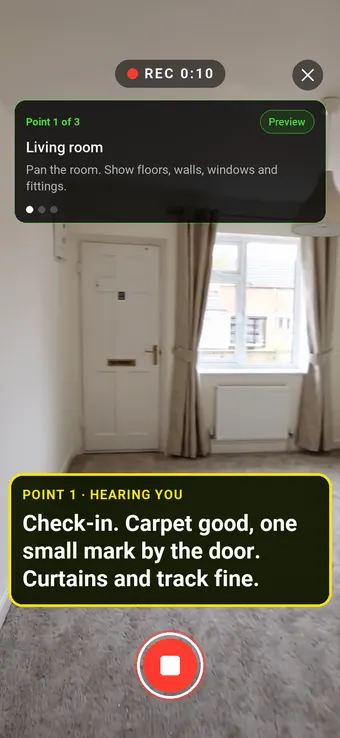
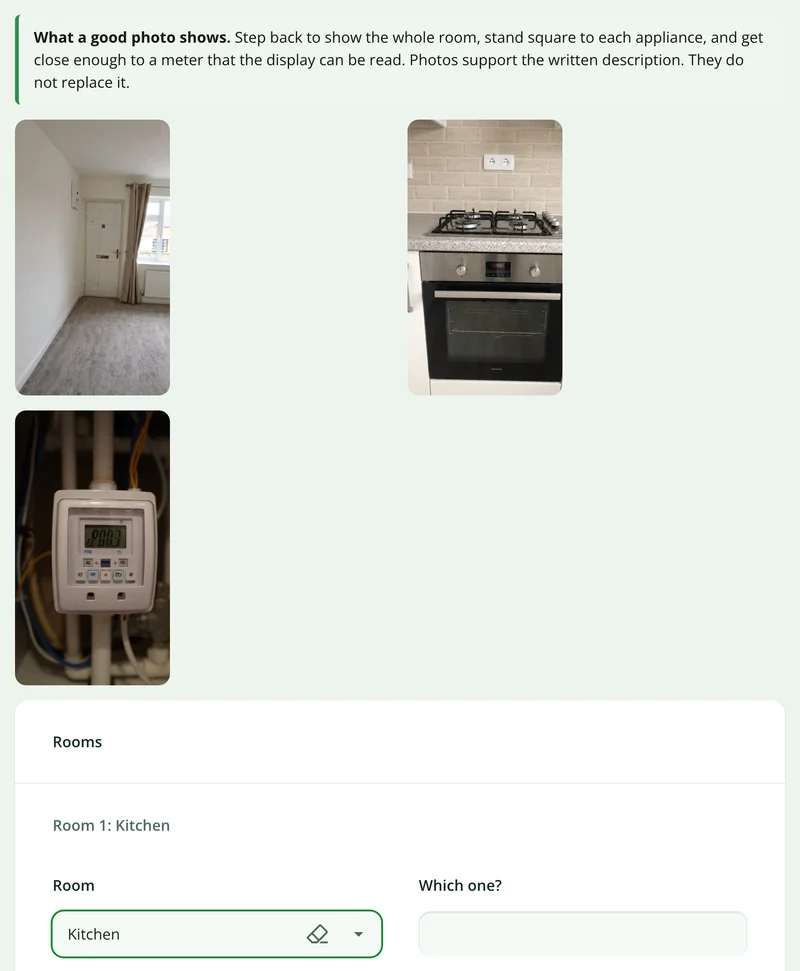
From the living room in the clip above, Walk Cam takes the clerk through each room in turn, films its condition and writes down what they say as they speak.
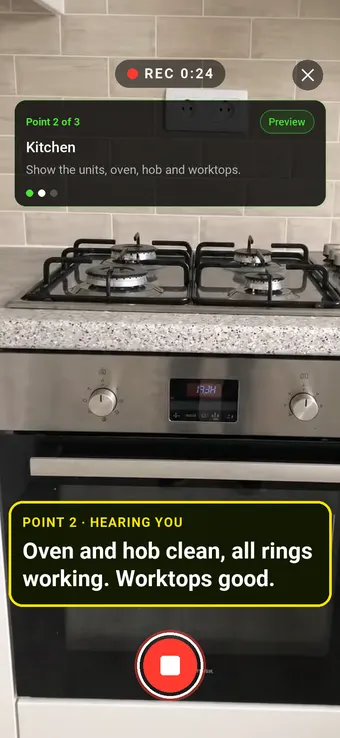
Point 2 of 3
Kitchen
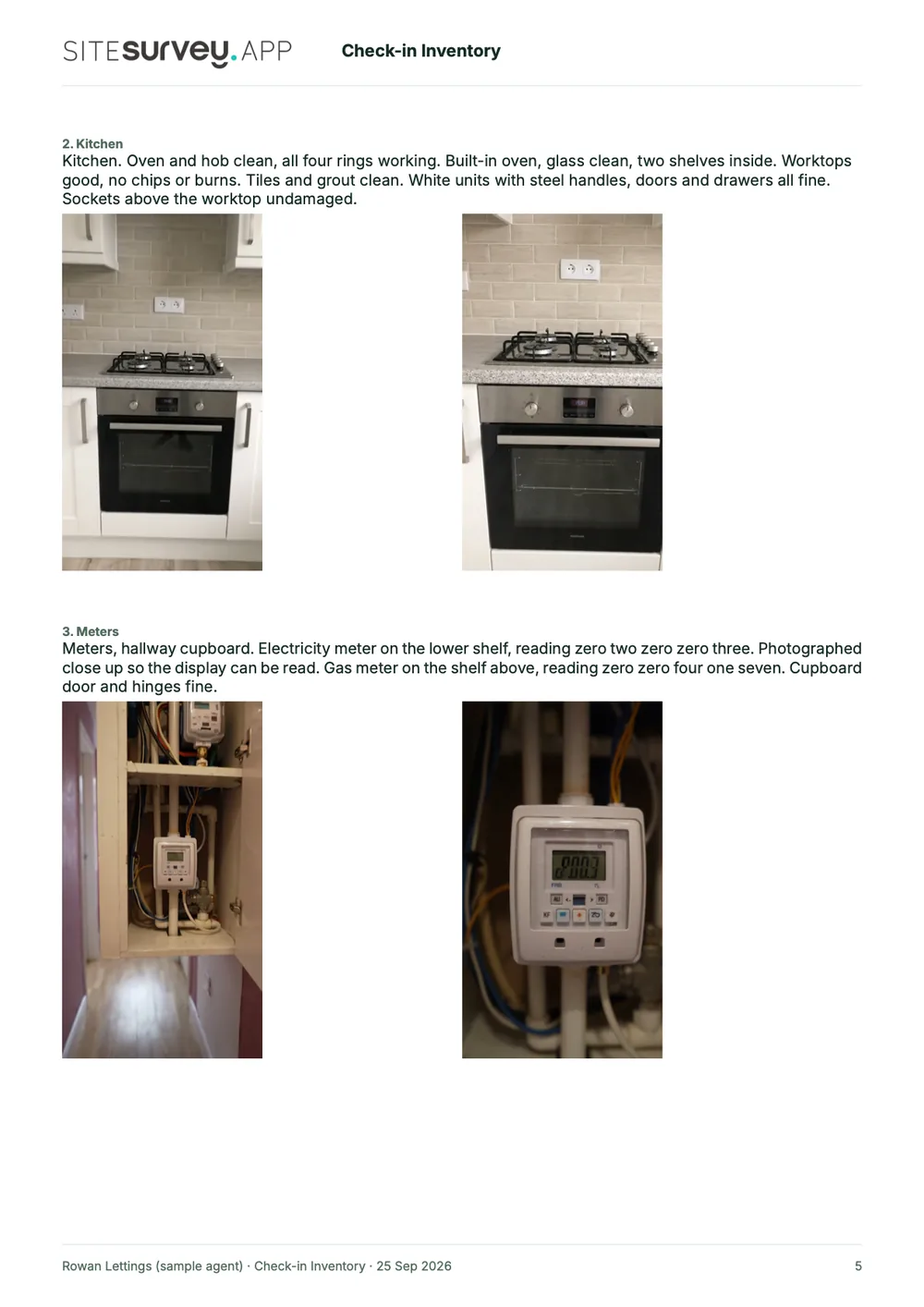
Appliances and fittings checked and recorded as working.
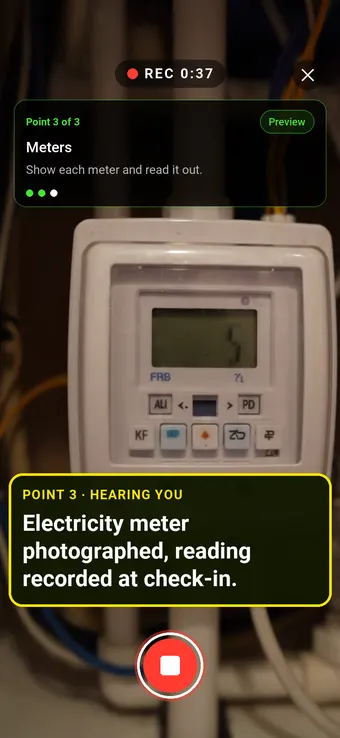
Point 3 of 3
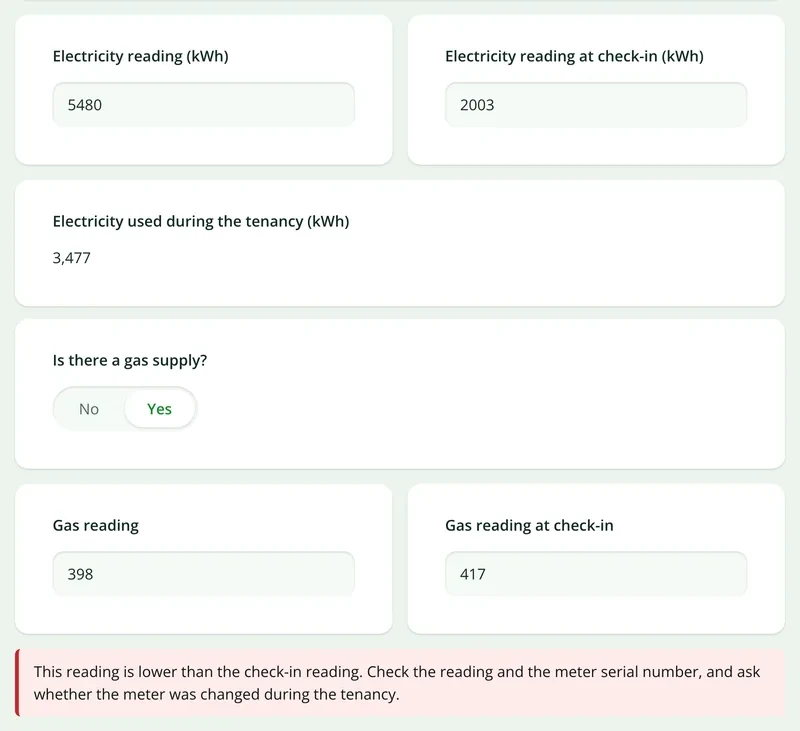
Meters
Meters photographed and readings recorded at handover.
What the report looks like
What a property inventory report looks like.
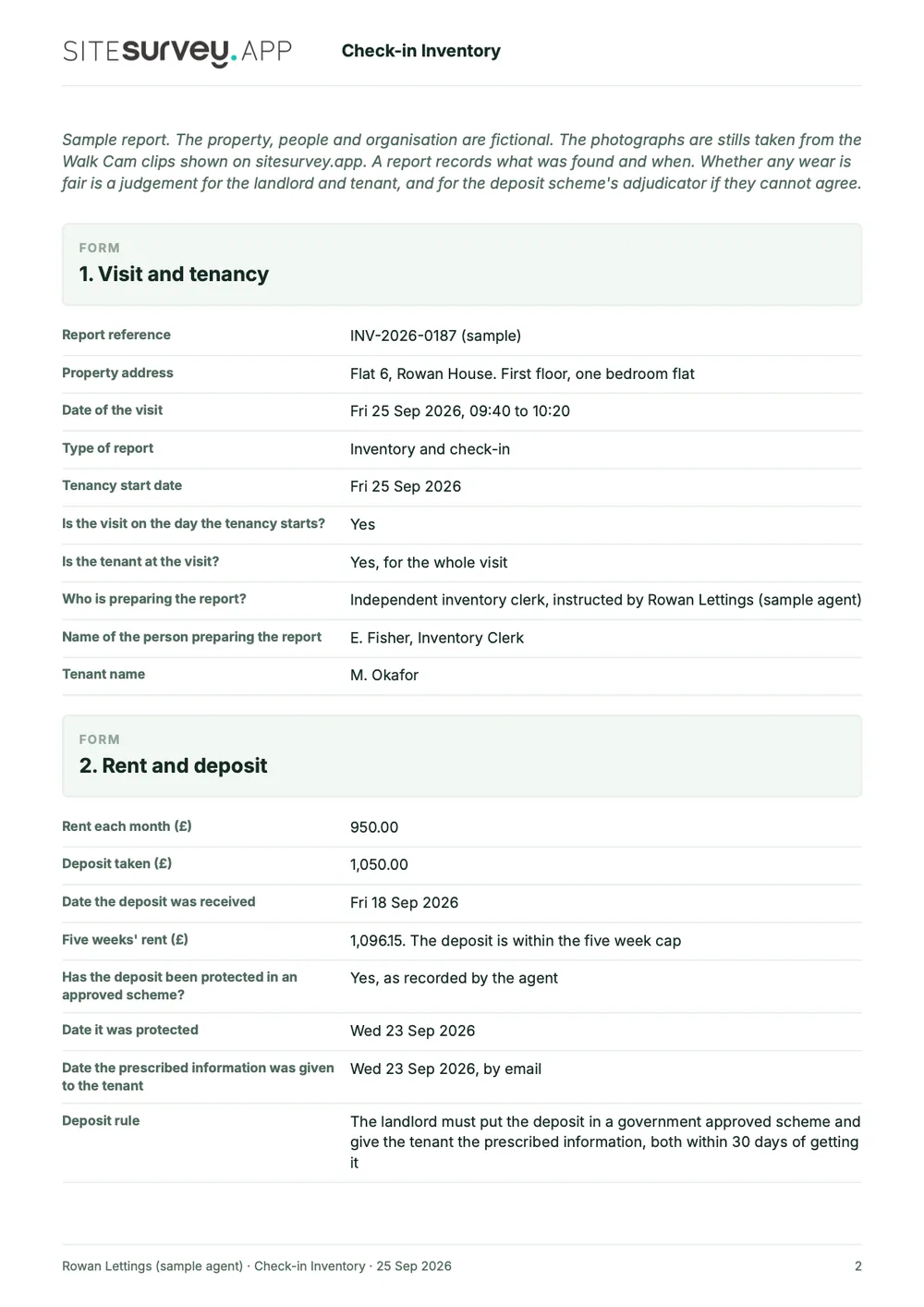
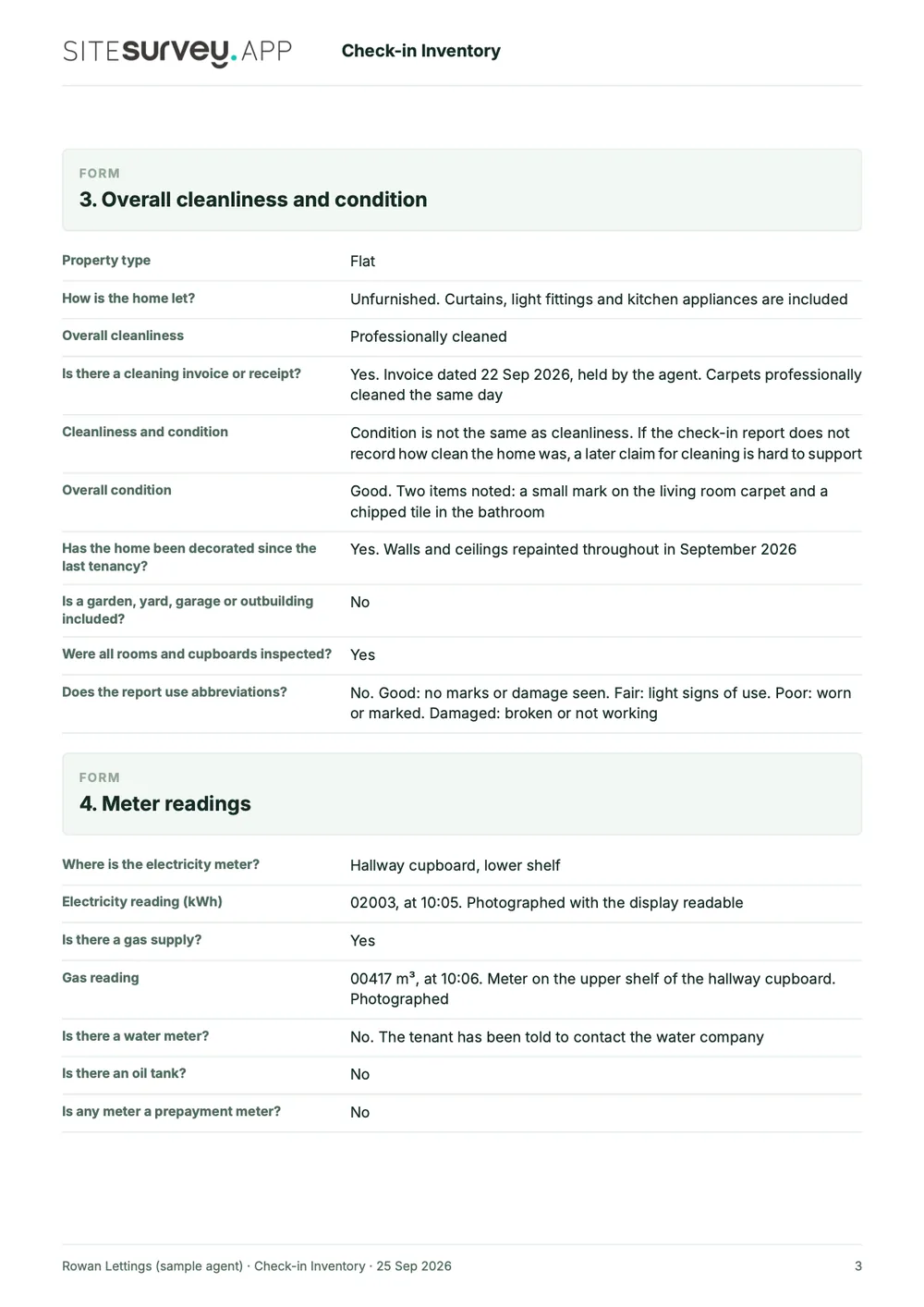
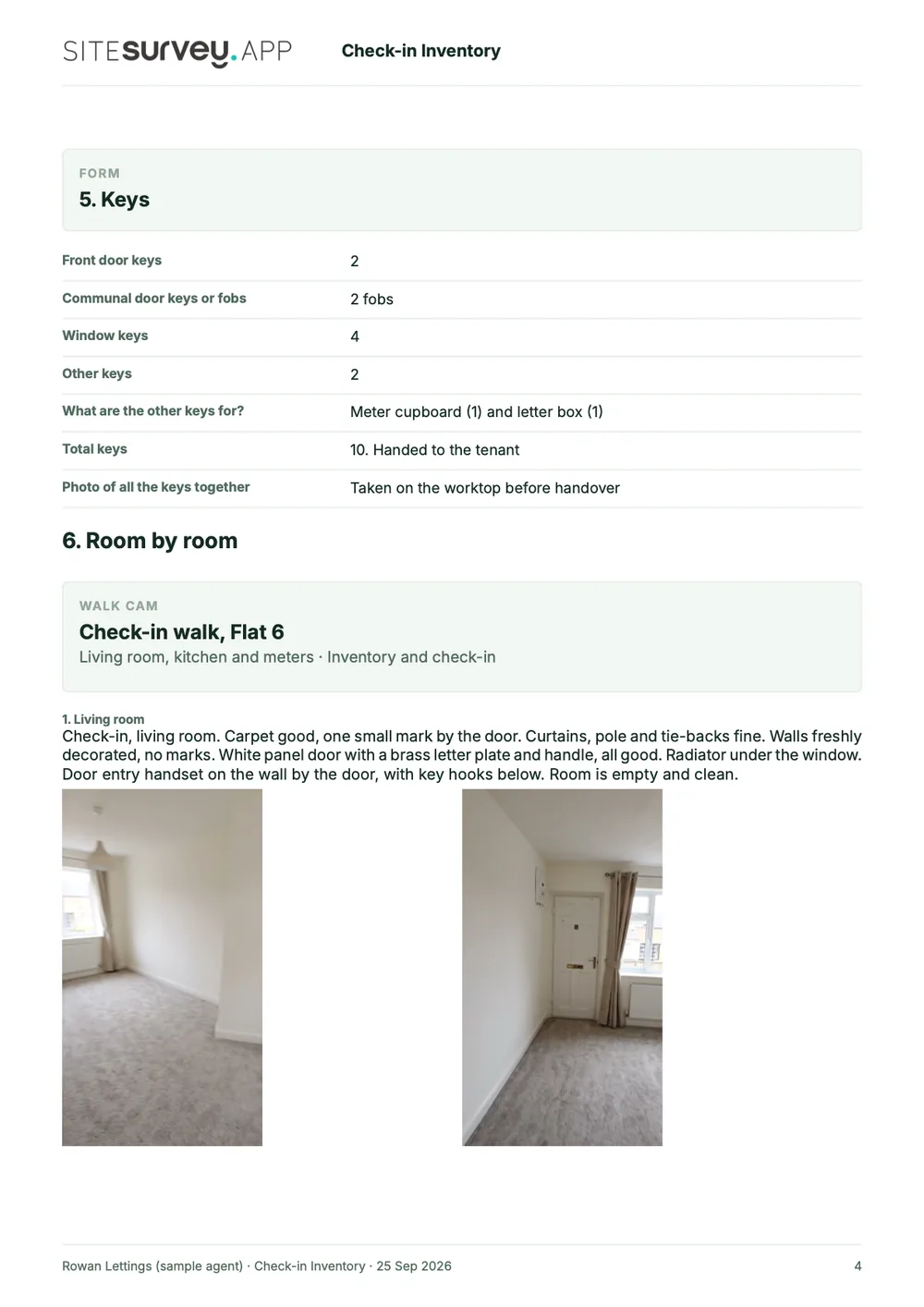
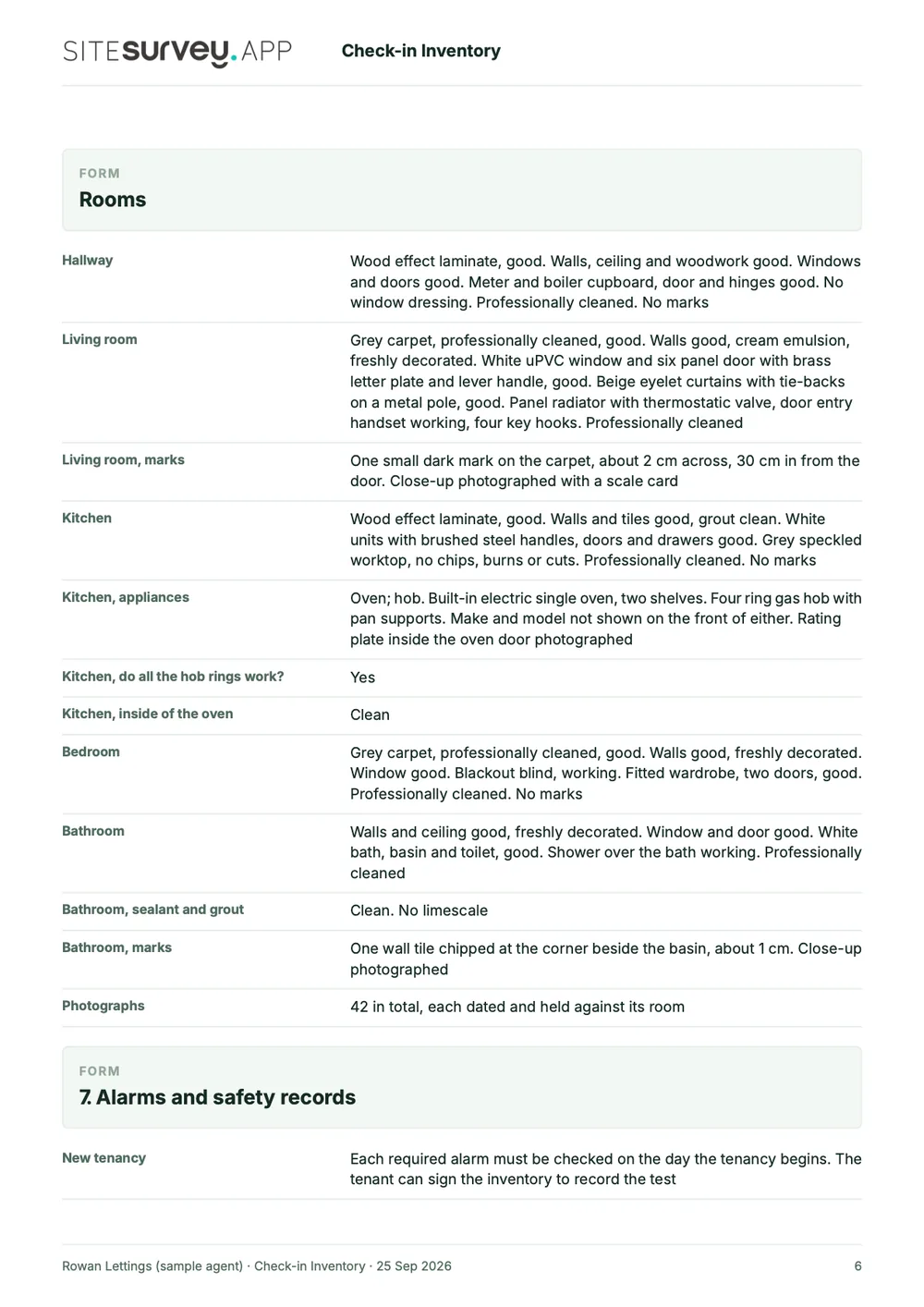
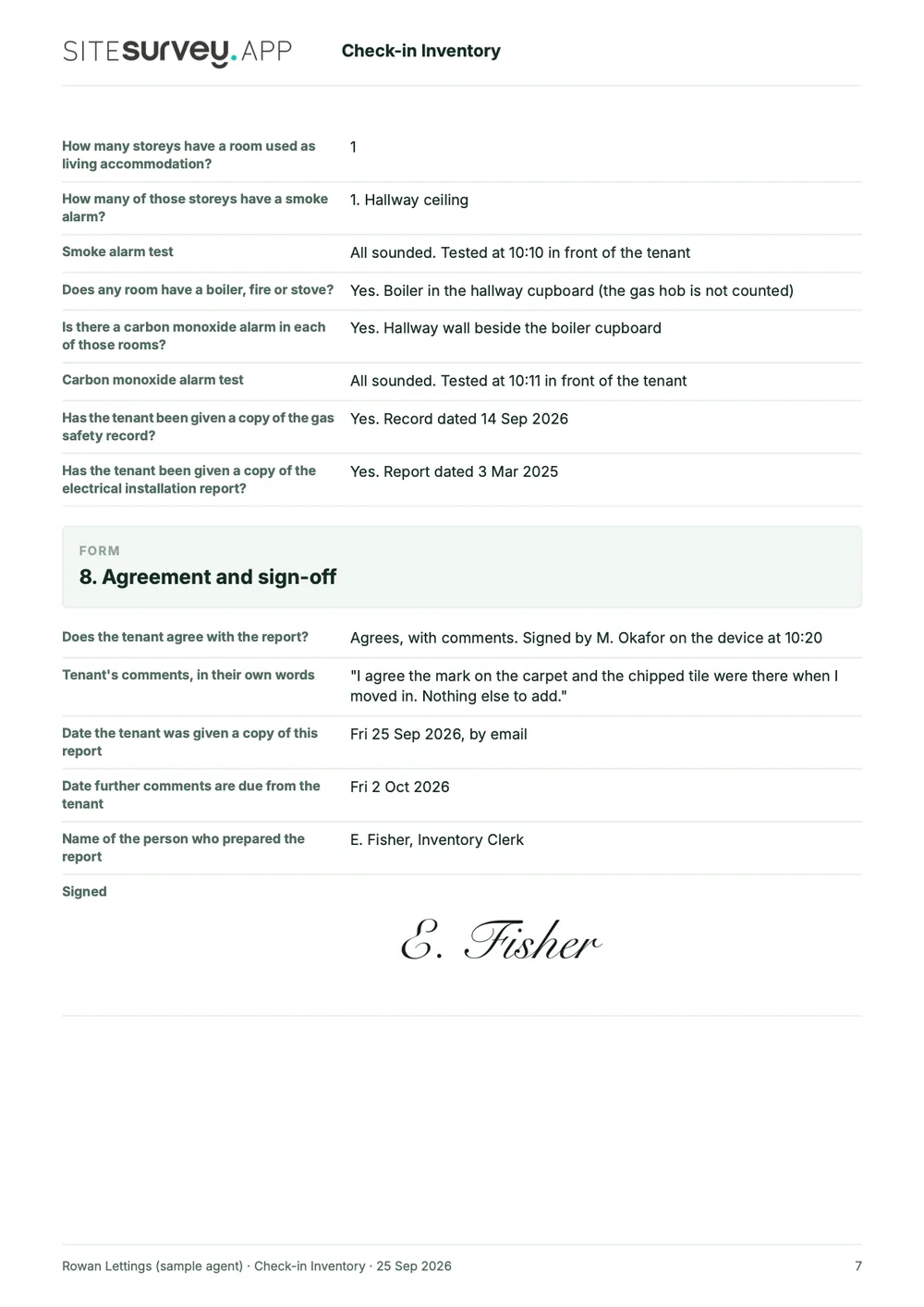
This is a full sample check-in inventory, made with the SiteSurvey report builder. Scroll through it here or download the PDF. The photographs are stills from the Walk Cam clips on this page.
- 1The tenancy and the visitWho prepared the report, when the tenancy started, whether the tenant was there, and the rent and deposit on record.
- 2Cleanliness and condition, kept apartAn opening summary, then each room with its photos, the clerk's spoken notes and the condition of every item.
- 3Meters, keys and alarmsEach meter reading with its time, every key counted, and the smoke and carbon monoxide alarm tests on the day the tenancy began.
- 4Agreed and signedThe tenant's comments, the date further comments are due, and a dated sign-off by the clerk.

Try the form
The form behind the report. Open it and try it.
A live SiteSurvey form, shared by link with no login. It serves check-in, check-out and void inspections, asks only what applies to each, and takes a separate record for every room. Answers are cleared every night.
Open the live form →See every question in the property inventory template →Or see it filled in: the finished record with every answer, and the Walk Cam report with its clips, stills and spoken notes. See the finished record → Watch the Walk Cam report →
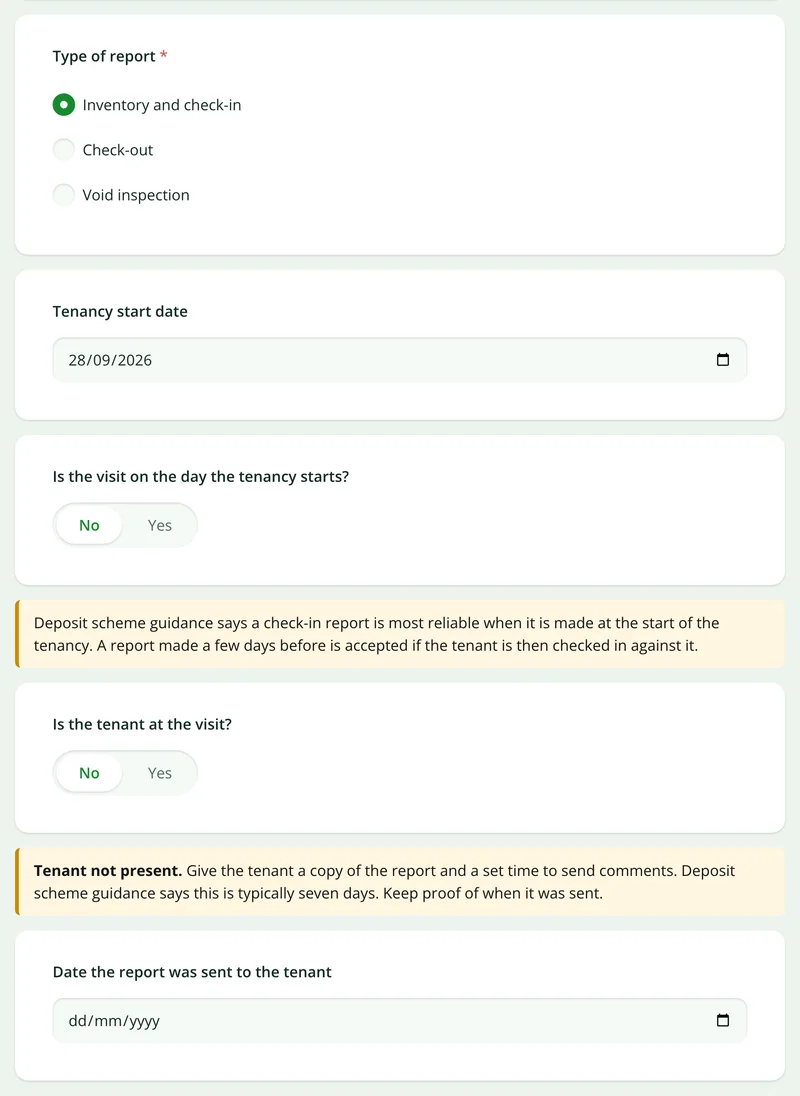
Questions that follow the answers
Choose check-in and it asks for the tenancy start date. Say the tenant is not there and it asks when the report was sent to them.
More than Walk Cam
Build the form. Share it by link.
Walk Cam films the inspection. The form behind it is yours to build, and anything you capture can be sent to someone outside your team as a link, with no login or app needed.
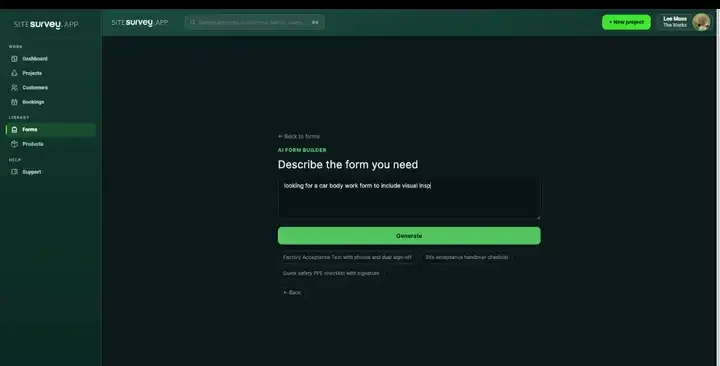
Build your inventory template with AI
Describe the checks you carry out and the AI assistant builds the form: fields, required photos, readings as numbers and follow-up questions that only appear when something fails. Refine it in chat, edit it visually, or start from a template.
How the form builder works →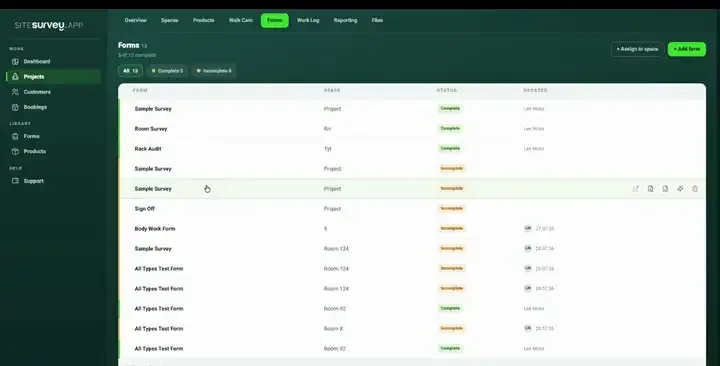
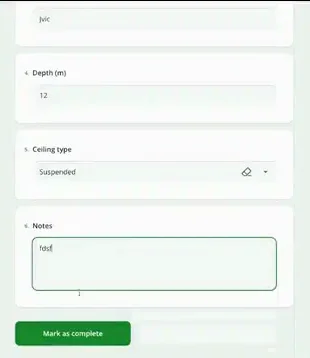
Share by link, no login needed
Make any form shareable and SiteSurvey gives it a unique URL, with an optional password. Customers, tenants or contractors fill it in on their phone’s browser, and their answers land in the same project. Walk Cam recordings and finished reports can be shared the same way, by link or by email.
How Walk Cam sharing works →What should property inventory software record?
The value of an inventory is entirely in its evidence and its dates. Both are captured at the moment of the visit rather than reconstructed.
Room by room
Each space is its own record, so every photograph and note is attributable to a specific room.
Dictated descriptions
Speak the condition and it is written out as text, which is far faster than typing on a phone.
Marked-up photographs
Circle the scuff, label it and measure it on the image, with the untouched original always kept.
Signed on the device
Capture the tenant or contractor signature at the visit, timestamped against the record.
Works with no signal
Empty properties rarely have wifi. Capture everything offline and sync when you are back in range.
Report issued on site
Export as a PDF or share a link before leaving, rather than writing it up that evening.
Start from a property inventory template.
Open the ready-made inventory or void inspection form, adjust the rooms and items to your own schedule, and reuse it across the portfolio.
Property address and visit date
Room by room condition with photographs
Fixtures, fittings and appliances
Meter readings and keys handed over
Smoke and carbon monoxide alarm checks
Cleanliness and damage notes
Tenant and agent signatures
Try it on your phone
Try it on this phone
Fill in the property inventory template on your phone now
See how the property inventory template looks on your phone
Scan the code with your phone camera. It opens the real form, no sign-up needed.
Open the live example and fill it in, just as your team would on site. No sign-up needed.
See it on this phoneEvery question is editable. Add this form to your account, then change the wording, add or remove questions and options, and make it fit your own jobs.
Frequently asked questions
Property inventories, check-ins and voids: common questions.
Browse every FAQ →What is a property inventory app?
A property inventory app records the condition and contents of a rental property at a point in time, typically at check-in, at check-out, or when a property becomes void. It captures each room separately with photographs, descriptions of condition, fixtures and fittings, meter readings and signatures, and produces a dated report. Because the evidence is captured in the property rather than written up afterwards, it is much harder to dispute.
Is an inventory a legal requirement?
No law requires a landlord to have an inventory, but without one it is hard to show what condition the property was in at the start. In England and Wales the deposit must be protected in a government-approved scheme, and the tenant given the prescribed information about it, within 30 days, and if landlord and tenant cannot agree deductions at the end, the money stays in the scheme until the dispute is resolved. A dated, signed check-in record is the evidence that process turns on.
Can a landlord or agent charge the tenant for the inventory?
Not in England. GOV.UK's list of fees that can be charged as part of a tenancy, under the Tenant Fees Act 2019, covers rent, the tenancy deposit, a holding deposit, changes to the tenancy requested by the tenant, a payment when the tenant does not give the correct notice, utilities, communication services and council tax, late rent and replacing a key, and says you cannot charge any payment that is not on the list. Inventory, check-in and check-out fees are not on it. Wales has a similar ban under the Renting Homes (Fees, Discrimination etc.) (Wales) Act 2019: a landlord or agent cannot require any payment that is not on its list of permitted payments, and inventory fees are not on that list either.
Sources: GOV.UK fees you can charge as part of a tenancy and the Renting Homes (Fees, Discrimination etc.) (Wales) Act 2019.
What should a property inventory report include?
At a minimum: the property address, the date and who carried it out, and for each room its condition with photographs, the fixtures, fittings and appliances, cleanliness and any damage, plus meter readings, keys handed over, smoke and carbon monoxide alarm checks, and the tenant's and agent's signatures. The full sample report above shows how SiteSurvey lays one out.
What is the best property inventory app?
It depends on who produces your inventories. Look for an app that records each room separately with photographs, lets you dictate descriptions, takes signatures on the device, works offline in empty properties and issues the report on site. If you need deposit registration, rent or tenancy management, that is letting software, a different category. SiteSurvey is a capture and reporting app: strong on room by room evidence, voice notes, Walk Cam video and same-visit reports, and it does not protect deposits, calculate deductions or compare two inventories for you.
Can check-out be compared against check-in?
Yes, by reading one against the other. The check-in record stays on the property with its photographs and dates, so the check-out can be carried out against the same rooms and items and the two records read together. What the app gives you is dated evidence at both ends; the judgement about fair wear and tear remains yours, and the deposit scheme's if it goes to dispute.
Can it be used for void and mid-term inspections too?
Yes. The inventory is a reusable form, so the same room by room structure serves check-in, check-out, void inspections between lets and pre-works surveys, with the fields adjusted for each. For routine inspections during a tenancy, see our property inspection app page.
Does it work in an empty property with no wifi, and can descriptions be dictated?
Yes to both. Void and pre-tenancy properties rarely have a connection, so the whole inventory, including photographs, dictated notes, readings and signatures, is captured on the device and syncs when you are back in coverage. Voice notes are recorded against the photograph or the room and written out as text automatically.
Who is it for?
Letting and managing agents, landlords and inventory clerks producing check-in and check-out reports, and housing associations and councils carrying out void and pre-tenancy inspections on their own homes.
How much does it cost?
Pricing is per user, not per property or report. The Works plan, which includes the custom form builder, floor plans and reports used for inventories, is £25 per user per month. The Base plan starts at £13 per user per month. Every plan starts with a trial from £1, cancel any time.
Go deeper
Guides and tools behind this workflow.
See it on your next job