RAMS for construction contractors
RAMS software that the crew reads and signs before work starts.
Most RAMS are copied from the last job, emailed as a PDF and signed by whoever is in the cabin. Write the method statement step by step instead, with each step's hazards and controls and a link to the risk assessment, then brief the crew and have every one of them sign on the device before work starts.
£25 per user per month on The Works, Base from £13 · trial from £1, cancel any time
See a sample report ↓Start from the method statement template ↓
4
Work steps
3
Hold points
3
Crew signatures
One method statement on a fit-out, the sample report below
What is RAMS in construction?
RAMS stands for risk assessment and method statement. The risk assessment identifies a job's hazards and the controls needed. The method statement sets out, step by step, how the job will be done safely with those controls. HSE says method statements are not required by law, although they are prepared for many construction activities. The risk assessment is a legal duty.
Last updated . Facts checked on 4 October 2026 against HSE on construction health and safety paperwork and regulation 3 of the Management of Health and Safety at Work Regulations 1999.
Risk assessment, method statement and RAMS: which is which?
The two documents do different jobs. RAMS is the usual name for them together, often asked for by a principal contractor or client before a contractor starts.
| Risk assessment | Method statement | |
|---|---|---|
| What it does | Identifies the hazards, who might be harmed and the controls needed | Sets out in order how one job will be done safely, with the controls at each step |
| Required by law? | Yes, a suitable and sufficient assessment (MHSWR 1999, regulation 3) | Not for most work. Demolition and dismantling arrangements must be in writing (CDM 2015, regulation 20) |
| Scope | A site, workplace or activity | One task, one crew, one set of dates |
| In SiteSurvey | Our risk assessment app, hazard by hazard | This page: steps, hold points, crew briefing and sign-off |
Sources: HSE on construction health and safety paperwork, regulation 3 of the Management of Health and Safety at Work Regulations 1999 and CDM 2015, regulation 20.
SiteSurvey for RAMS, at a glance
- What RAMS is
- Risk assessment and method statement: the hazards and controls for a job, and the step-by-step method for doing it safely.
- What it is
- A mobile inspection and forms app for iOS and Android, with a web portal, used to write, brief and sign method statements on site.
- Who it is for
- Contractors, subcontractors, supervisors and site managers who write RAMS for a job and brief the crew before work starts.
- What it records
- Job and CDM details, crew and competence, each step with hazards, controls and hold points, permits, emergencies, briefing signatures and approval.
- Price
- £25 per user per month on The Works plan, which includes the form builder and reports. Trial from £1, cancel any time.
- What it does not do
- It does not write the RAMS for you, judge whether they are adequate, keep a library of pre-written method statements, or run a document approval workflow.
A RAMS pack nobody reads protects nobody.
Construction RAMS often grow into long documents written for the approver rather than the crew. When something goes wrong, the questions are practical ones: did the method match the job, were the controls in place at each step, was the crew competent and supervised, and had they been told what was in it.
Copied from the last job
A method statement lifted from another site describes another site. The steps, the access and the crew need to be this job's.
Written for the approver
Pages of generic text get the pack approved but are hard to brief. Short steps with their own hazards and controls are easier to explain.
Signed after the event
A sign-on sheet collected at the end of the week says little about what the crew knew before they started.
How do you write and brief RAMS with an app?
01 · Describe the job
Scope, site, dates, the CDM role and the construction phase plan reference, with the risk assessment linked by its reference.02 · Write the steps
One entry per step, in the order the work is done, each with its hazards, controls, photos or drawings and any hold point.03 · Brief the crew
Go through it on site, note questions and language needs, and have each person sign on the phone or tablet.04 · Approve and send
The author and an approver sign, and the RAMS goes out as a PDF or a link to the principal contractor or client.Walk Cam, point by point
The RAMS, checked against the job.
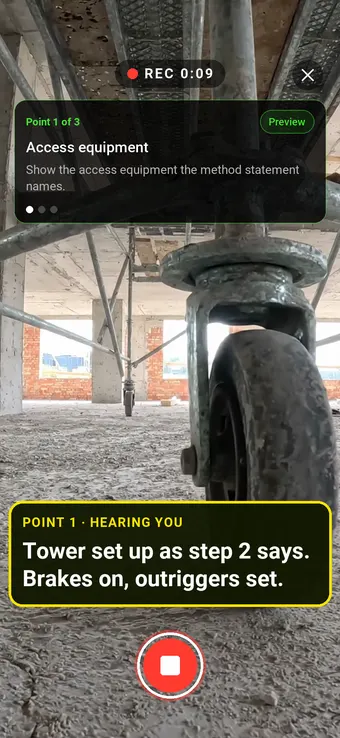
Walk Cam takes the supervisor round the points the method statement names before and during the work, films what is there and writes down what they say.
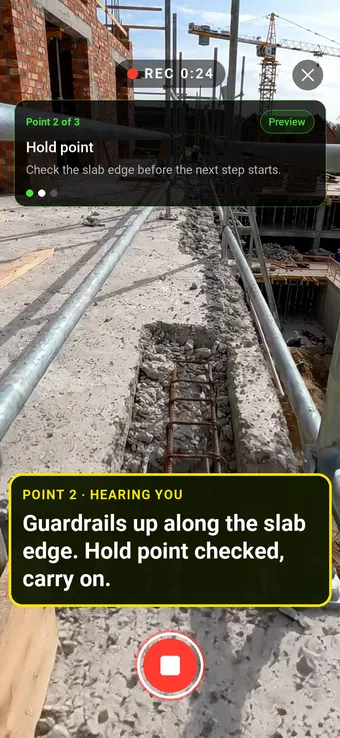
Point 2 of 3
Hold point
The edge protection checked before the next step starts.
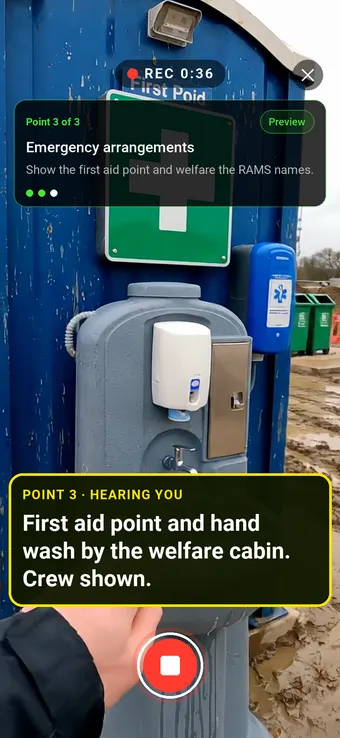
Point 3 of 3
Emergency arrangements
First aid and welfare shown to the crew where the RAMS says they are.
What the report looks like
What a finished method statement looks like.
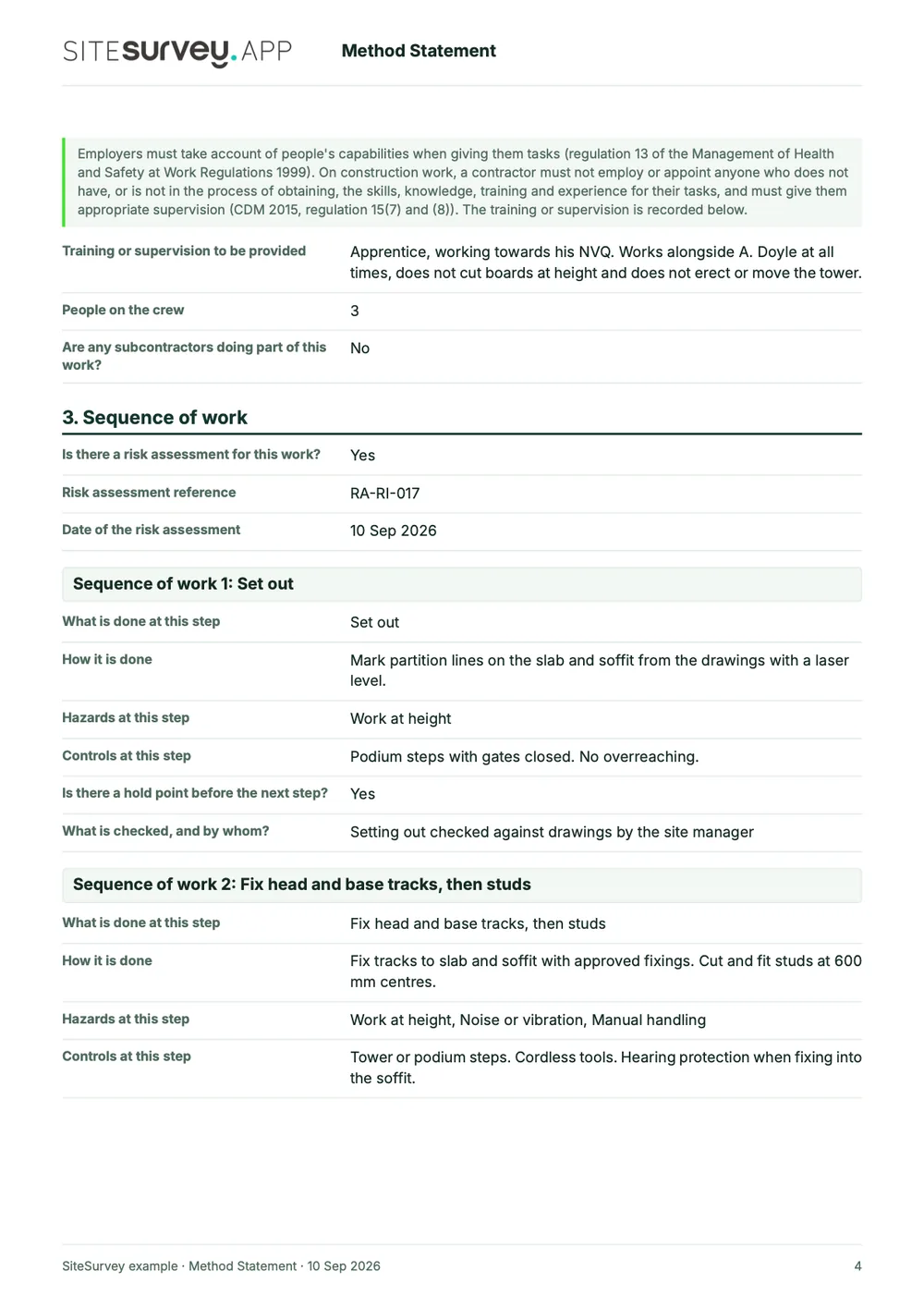
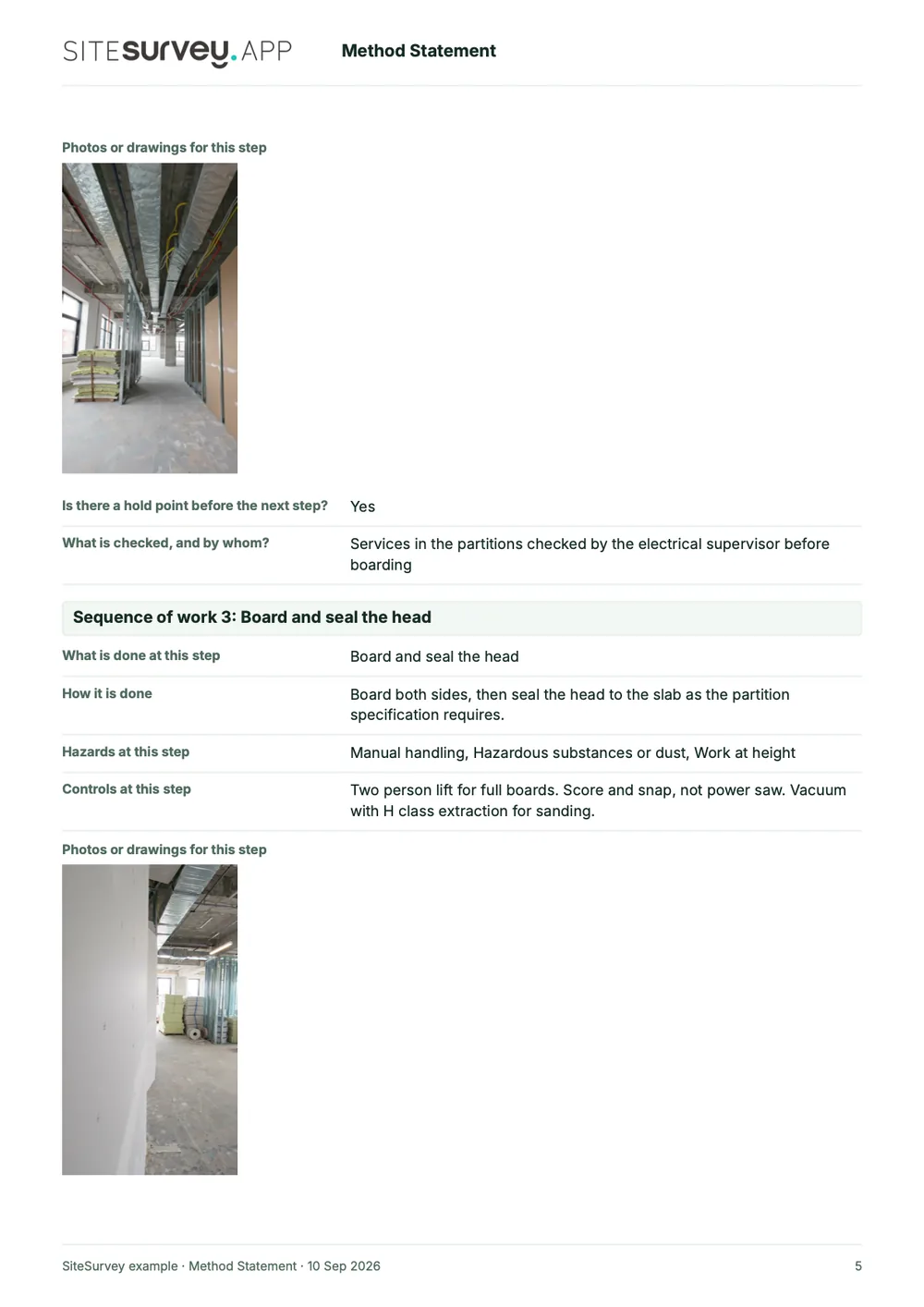
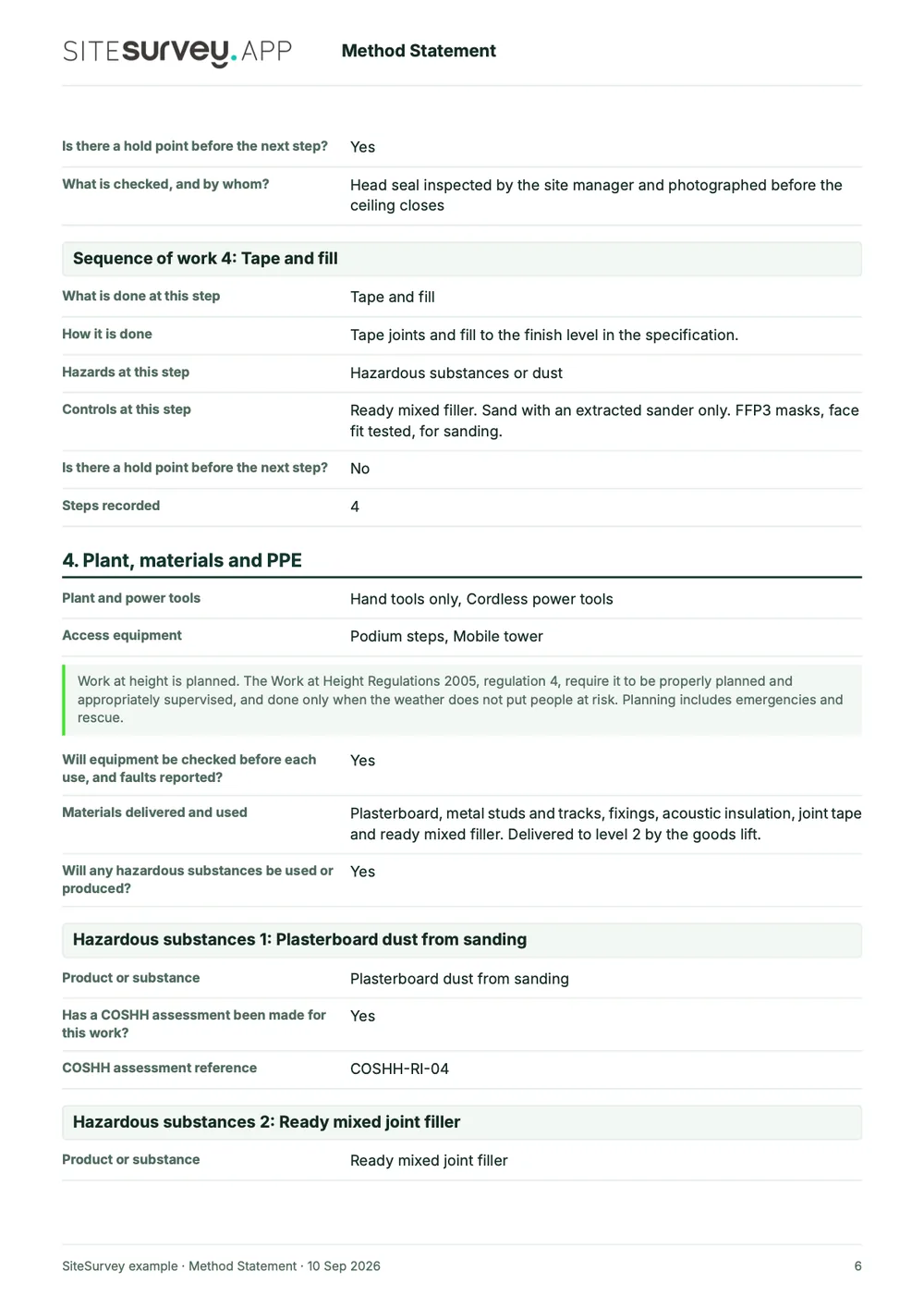
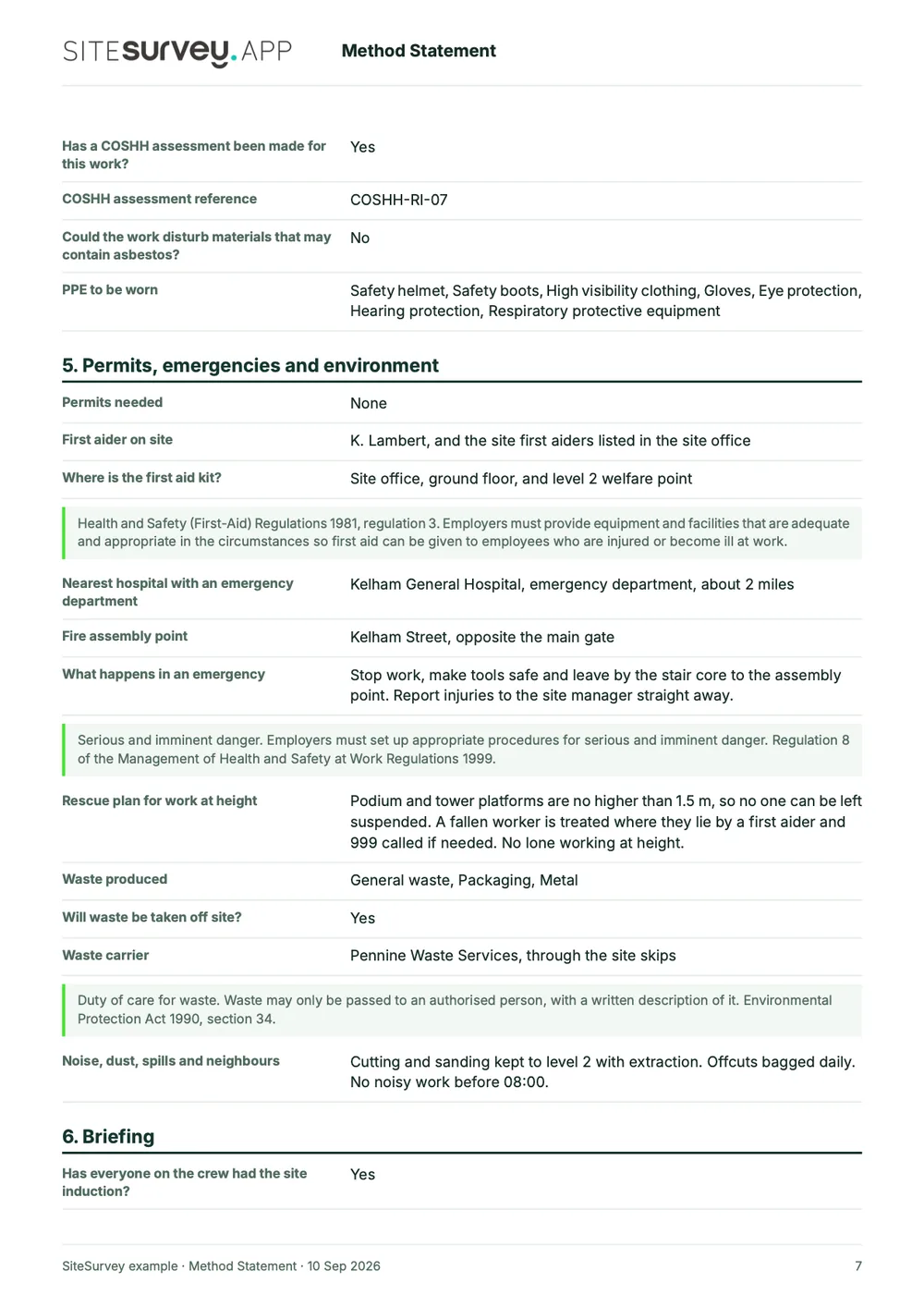
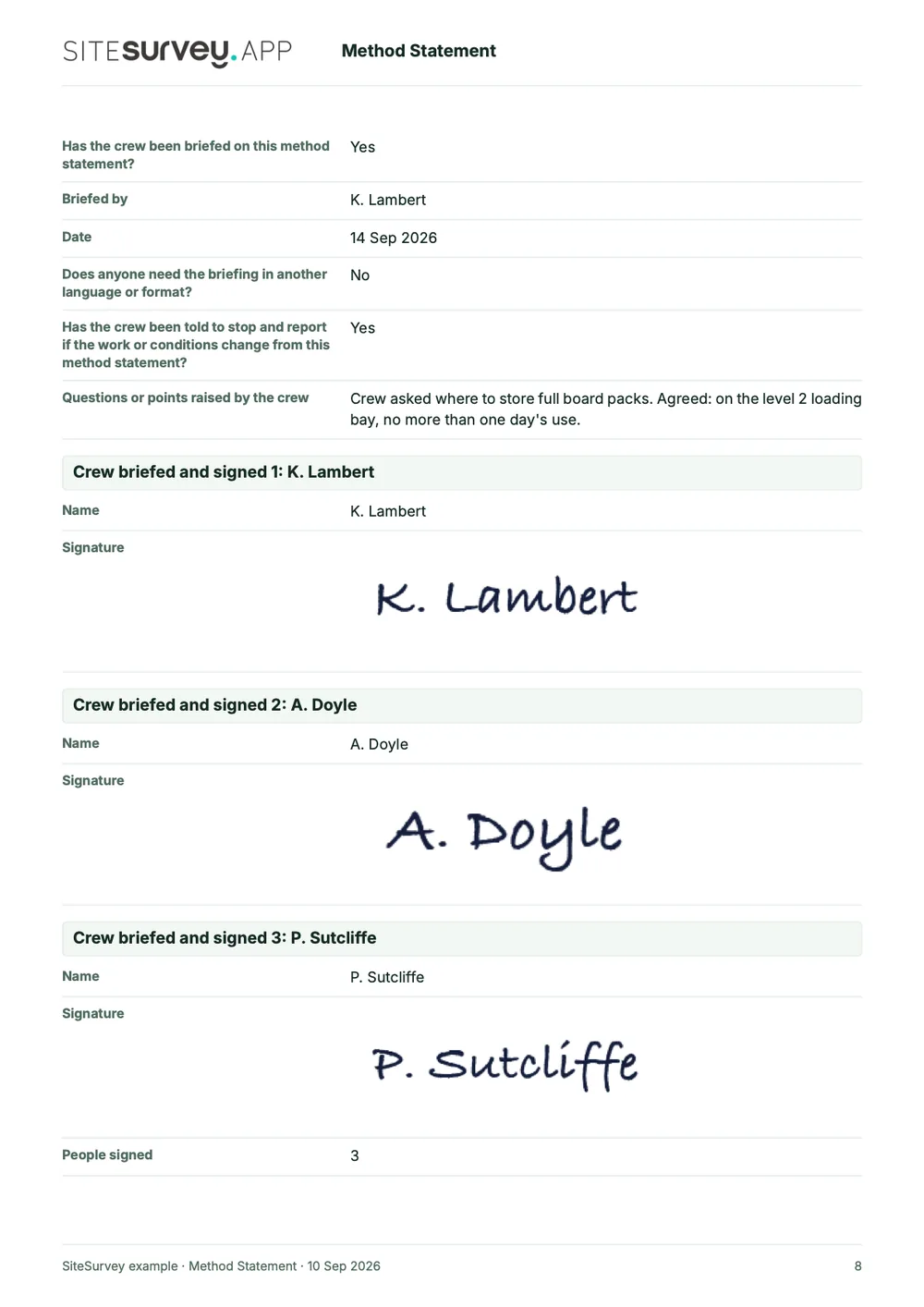
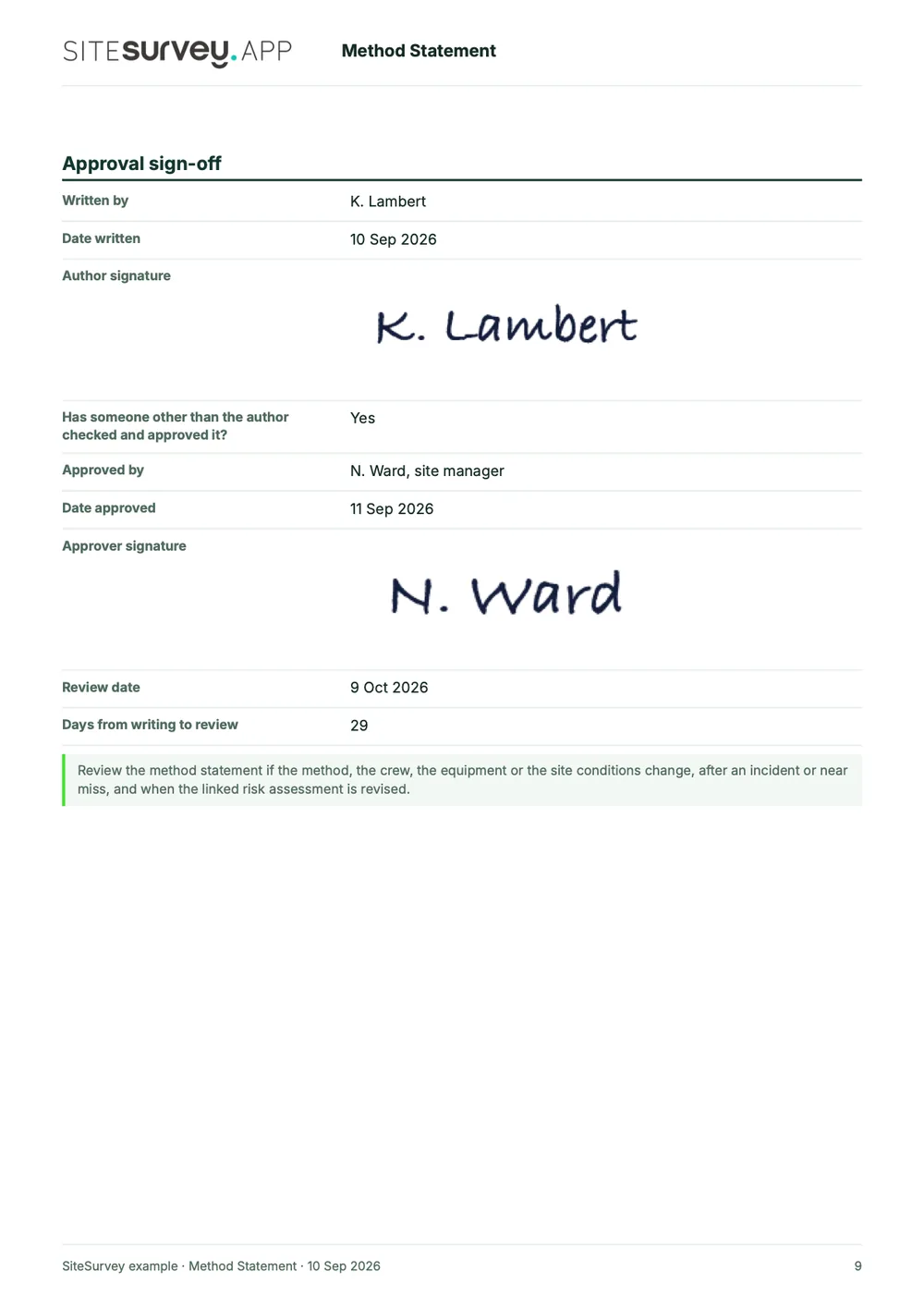
This is a completed method statement from the SiteSurvey form library, made with the report builder: a partition and drylining job on a level 2 fit-out. Scroll through it here or download the PDF.
- 1The job and the crewScope, dates, CDM role and construction phase plan, then each person's cards, competence and any supervision.
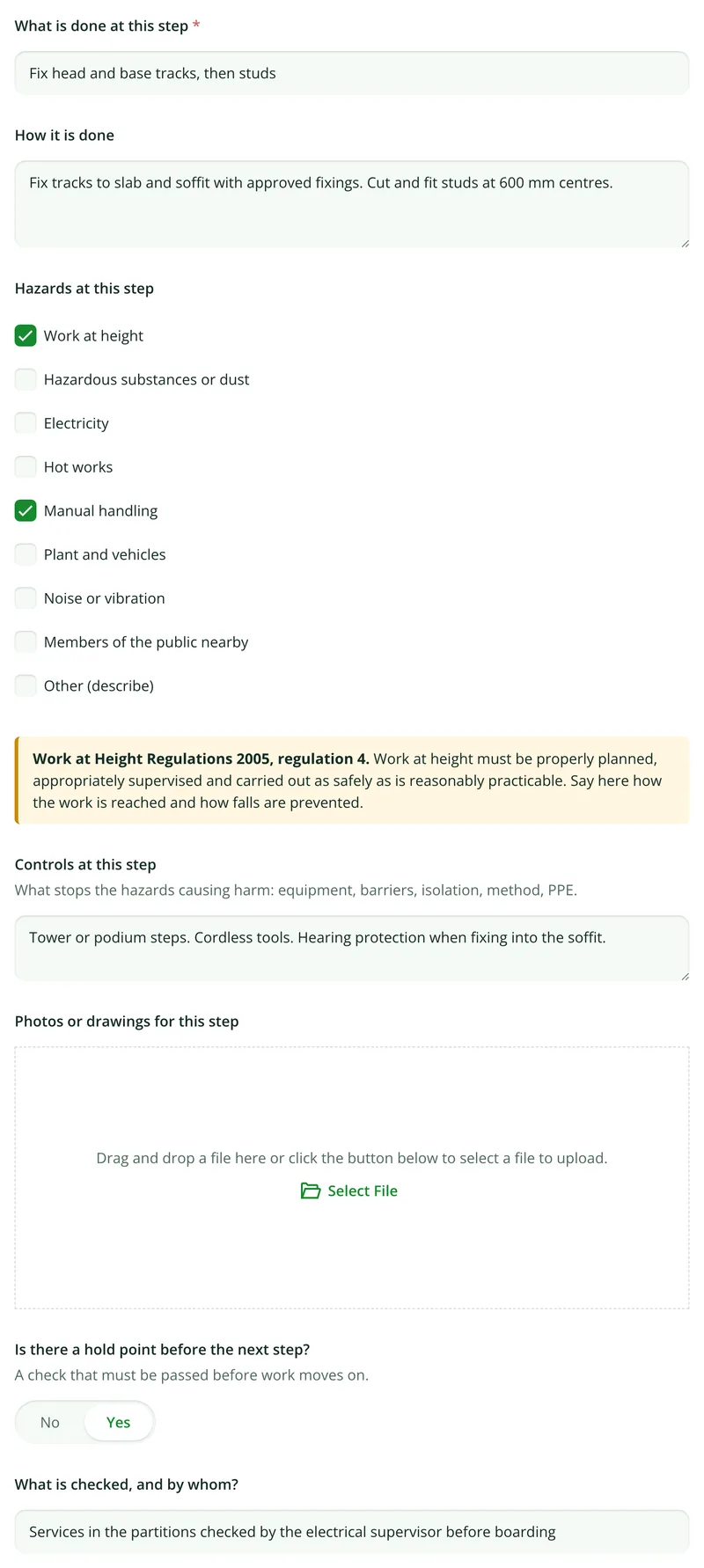
- 2Step by stepEach step in order with how it is done, its hazards, its controls, photos and the hold point before the next.
- 3Equipment and emergenciesPlant, access, COSHH references and PPE, then first aid, the emergency procedure and the rescue plan.
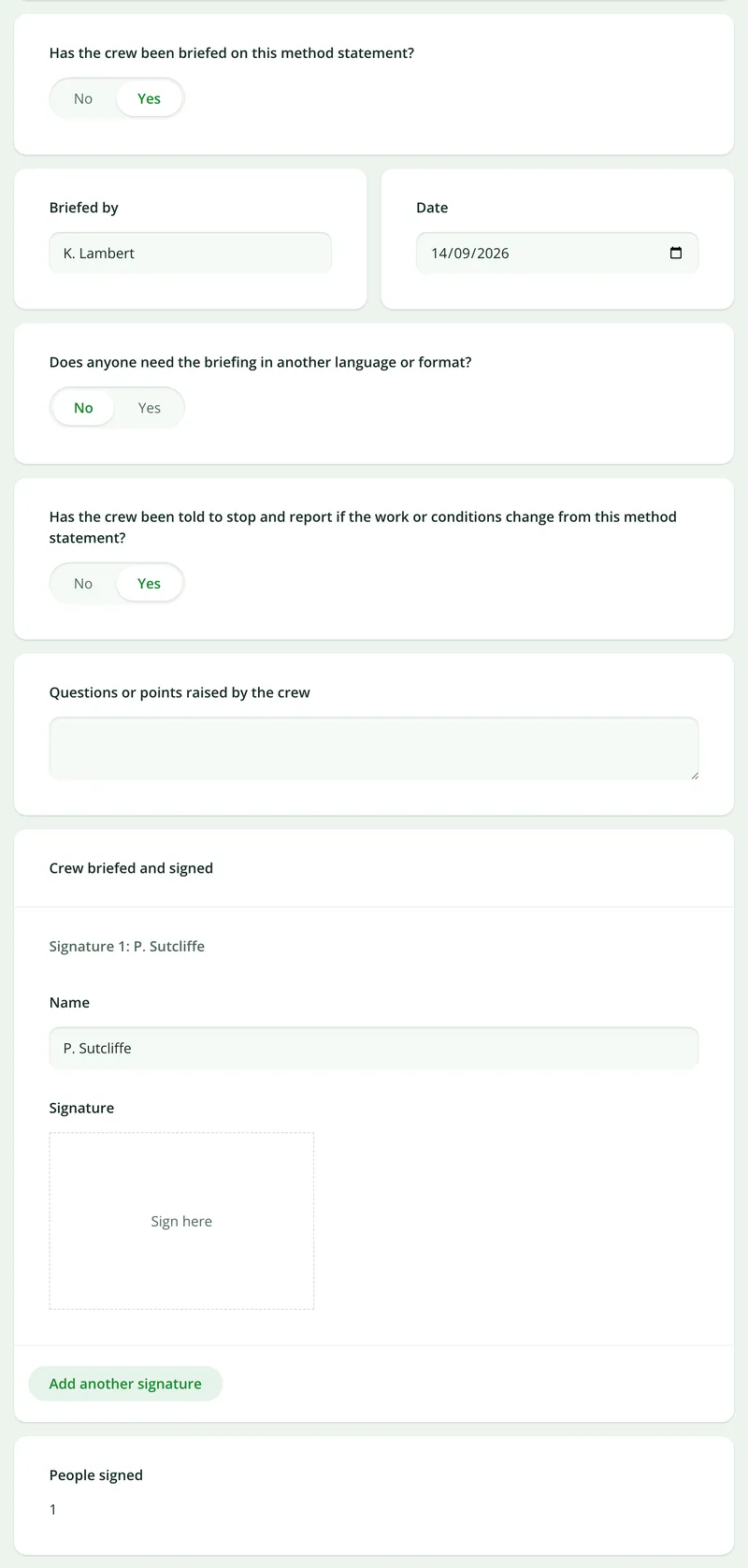
- 4Briefed, signed and approvedWho briefed the crew and when, each crew signature, and the author's and approver's dated sign-off.
Try the form
The form behind the report. Open it and try it.
A live SiteSurvey method statement, shared by link with no login. It asks only what applies, takes a separate entry for each step and each crew member, and flags the gaps an approver would ask about. Answers are cleared every night.
Open the live form →See every question in the method statement template →Want to see one filled in? The completed sample method statement is read-only and fictional. See the finished record →
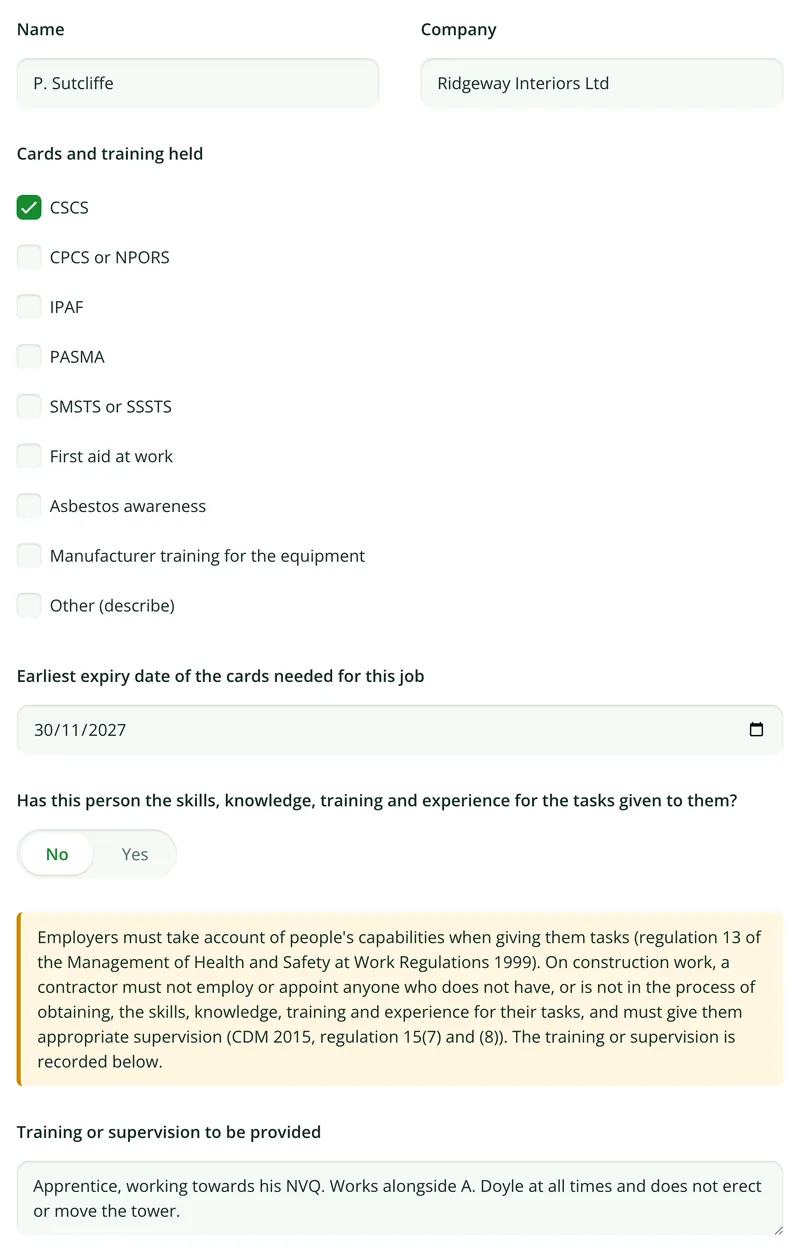
Competence, not just cards
Answer no to the competence question and it asks what training or supervision the person will have, citing CDM 2015, regulation 15.
More than Walk Cam
Build the form. Share it by link.
Walk Cam films the checks the method statement names. The form behind it is yours to build, and anything you capture can be sent to someone outside your team as a link, with no login or app needed.
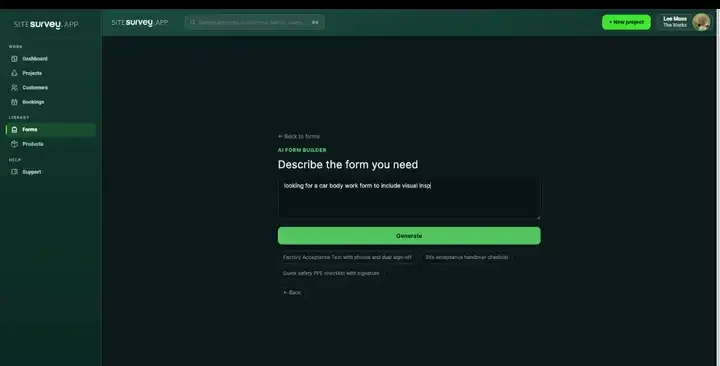
Build your method statement with AI
Describe how the job is done and the AI assistant builds the form: steps with their own hazards and controls, hold points, crew signatures and notices that appear when something is missing. Refine it in chat, edit it visually, or start from a template.
How the form builder works →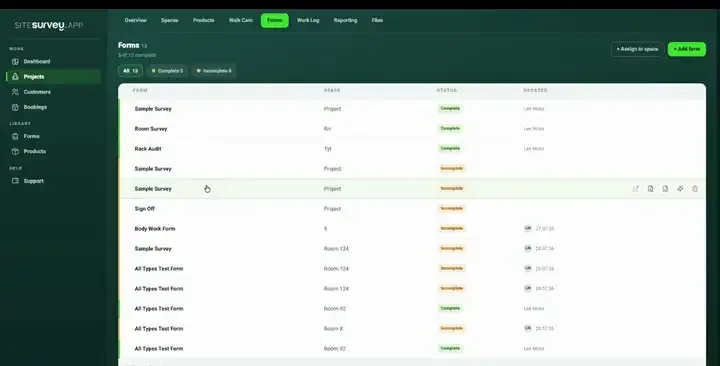
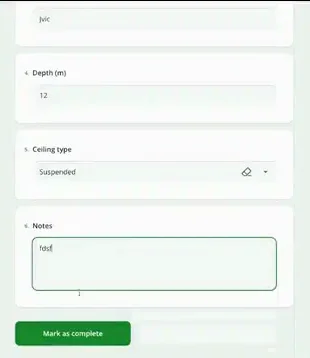
Share by link, no login needed
Make any form shareable and SiteSurvey gives it a unique URL, with an optional password. Customers, tenants or contractors fill it in on their phone’s browser, and their answers land in the same project. Walk Cam recordings and finished reports can be shared the same way, by link or by email.
How Walk Cam sharing works →What should RAMS software record?
The method statement is a form like any other in SiteSurvey, so it carries the same photos, logic, signatures and offline working as the rest of your site record, and reaches the report the same way.
Steps with their own controls
Each step in the sequence holds its hazards, controls and photos, so the crew can be briefed one step at a time.
Hold points
Mark the steps that must be checked before work moves on, and record what is checked and by whom.
Crew and competence
Record each person's cards and their earliest expiry, and the training or supervision for anyone still gaining the skills.
Checks that flag gaps
Conditional questions raise a notice for a missing risk assessment reference, a hot works step with no permit, or fewer signatures than crew.
Signed on the device
Briefing, author and approver signatures are captured on site, timestamped, with no paper sheet to chase.
Works with no signal
Brief and sign in a basement or on a new-build plot, and let it sync when the device is back online.
Start from the ready-made method statement.
Open the method statement from the form library, change the steps, hazards and controls to suit your work, and pair it with the risk assessment. Every field is editable, in chat with the AI assistant or visually.
Job, site, dates and CDM role
Crew, cards and competence
Risk assessment reference
Sequence of work, step by step
Hazards, controls and hold points per step
Plant, access, COSHH and PPE
Permits, first aid, emergency and rescue
Briefing, crew signatures and approval
Try it on your phone
Try it on this phone
Fill in the method statement template on your phone now
See how the method statement template looks on your phone
Scan the code with your phone camera. It opens the real form, no sign-up needed.
Open the live example and fill it in, just as your team would on site. No sign-up needed.
See it on this phoneEvery question is editable. Add this form to your account, then change the wording, add or remove questions and options, and make it fit your own jobs.
What is RAMS software?
RAMS software lets a contractor write the risk assessment and method statement for a job on a phone, tablet or computer, brief the crew from it and collect their signatures, then send the finished RAMS document as a PDF or link. In SiteSurvey the method statement is a form: the job details, the crew and their competence, each step in order with its hazards and controls, permits, emergency arrangements, the briefing and the approval. It links to the risk assessment by its reference.
What does RAMS stand for?
RAMS stands for risk assessment and method statement. It is the name used across the construction industry for the two documents together, not a term from the law. The risk assessment identifies the hazards and the controls. The method statement sets out, in order, how the job will be done safely with those controls in place.
Is a method statement a legal requirement?
Not for most work. HSE says method statements are not required by law, although they are prepared for many construction activities. The legal duties behind them are a suitable and sufficient risk assessment, under regulation 3 of the Management of Health and Safety at Work Regulations 1999, and the information, instruction, training and supervision needed, under section 2 of the Health and Safety at Work etc. Act 1974. One exception: under regulation 20 of CDM 2015, the arrangements for demolition or dismantling a structure must be recorded in writing before the work begins.
What is the difference between RAMS and a risk assessment?
A risk assessment is the employer's assessment of the hazards of a site or activity and the controls needed. RAMS add the method statement: how one particular job will be carried out, step by step, by a named crew, with each step's controls, permits and hold points. The method statement shows how the controls are put into practice and does not replace the assessment. For a general site or workplace assessment, hazard by hazard, see our risk assessment app.
What should a method statement include?
It should cover the scope of the work, the site and dates, who supervises and who does the work, and then each step in order with its hazards and controls. It should also cover plant, access equipment, materials and PPE, any hazardous substances and their COSHH references, permits, first aid, emergency and rescue arrangements, waste, the crew briefing and the approval. The sample report above is a completed SiteSurvey method statement with all of these.
How does the crew sign the RAMS?
The briefing section records who briefed the crew and when, any language or format needs, questions the crew raised, and that they have been told to stop and report if the work or conditions change. Each person then signs on the phone or tablet. The form compares the number of signatures with the number of people on the crew and flags anyone who has not signed.
Can the principal contractor or client approve it?
The form records who wrote the method statement and who approved it, with dates and signatures, and flags an approval dated after the start date. You can send the finished RAMS as a PDF or a share link, or share the form by link so someone without an account can fill in or sign their part in a browser. SiteSurvey does not run a separate document approval workflow or keep a register of document versions.
Is it a RAMS generator?
No. SiteSurvey does not write your method statement or decide your controls. It gives you a structured form that asks the right questions, flags gaps such as a missing risk assessment reference or an unsigned crew member, and turns the answers into a clean report. You can build or change the form by describing it to the AI assistant, but the content of the RAMS, and whether it is adequate for the job, stays with you.
What does CDM 2015 say about briefing the crew?
Regulation 15 of CDM 2015 says a contractor must give each worker under their control appropriate supervision, instructions and information. That information must include a suitable site induction where the principal contractor has not already given one, the procedures for serious and imminent danger, and the risks identified by the risk assessment. A contractor must also not appoint anyone who does not have, or is not in the process of obtaining, the skills, knowledge, training and experience for their tasks.
Sources: CDM 2015, regulation 15, CDM 2015, regulation 20 and section 2 of the Health and Safety at Work etc. Act 1974.
Does it work without a signal?
Yes. The method statement, its photos, Walk Cam clips and every signature are completed on the device and synced to the project when it is back online, so briefings in basements, plant rooms and new-build plots are no obstacle.
How much does it cost?
Pricing is per user, not per document or site. The Works plan, which includes the custom form builder and reports used for RAMS, is £25 per user per month. The Base plan starts at £13 per user per month. Every plan starts with a trial from £1, cancel any time.
Go deeper
Guides and tools behind this workflow.
See it on your next job