Create with AI
Describe what the team needs to capture in plain English and SiteSurvey AI builds the pages, fields and evidence requirements—then refine it conversationally or edit anything visually.
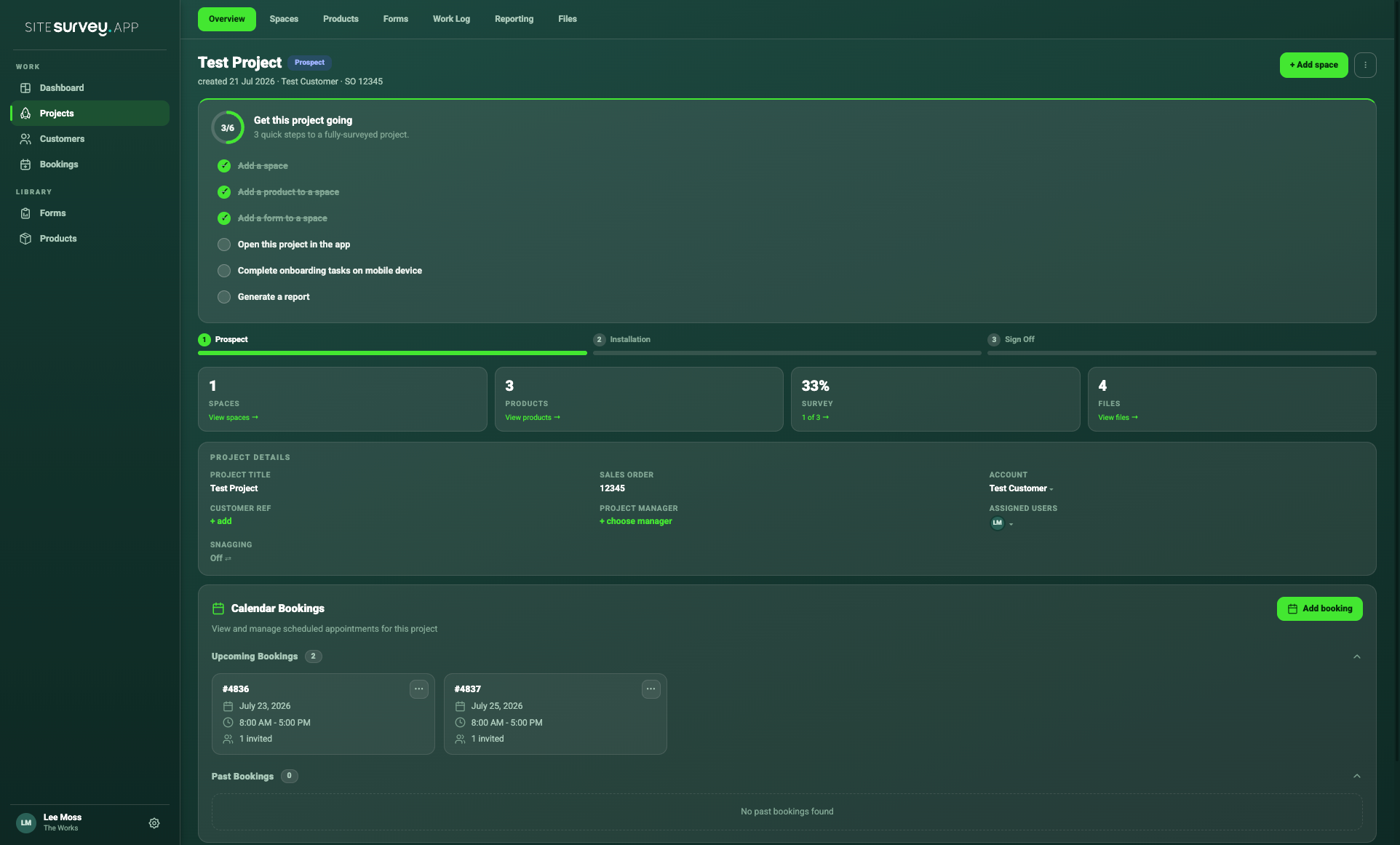
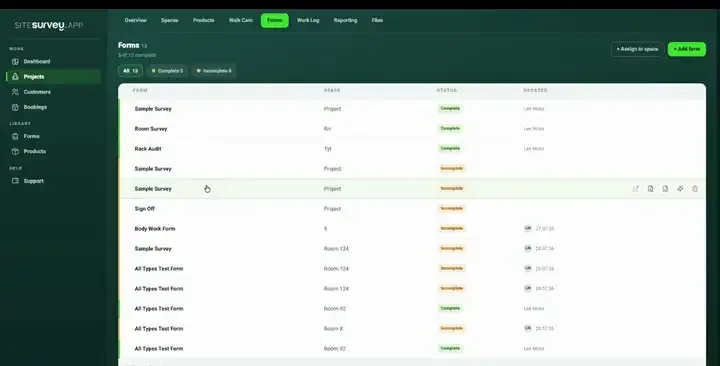
Create forms with AI, assign a different form to every space or product, and keep every response connected from survey to commissioning and sign-off.
7-day free trial · full access · no card required
SiteSurvey · AI form assistant
Describe the form
Fire door inspection — schools
DraftOne response per door · works offline
More than a standalone form builder
Generic form tools collect answers. SiteSurvey connects every response to its project, floor-plan space, product and stage of delivery—so the captured information is useful immediately.
Project
The job and customer context.
Space
The exact room or zone.
Product
The item being surveyed or tested.
Stage
Survey, install, commission or sign-off.
Assign by space
A meeting room, comms room and workshop should not collect identical information. Select a space below to see how each receives its own form set while your reusable standards stay consistent.
Project form assignment
Everything you can do with forms
From the first AI prompt to the final signed report, SiteSurvey keeps every question, answer and piece of evidence connected to the place and product it describes.
Create
Describe what the team needs to capture in plain English and SiteSurvey AI builds the pages, fields and evidence requirements—then refine it conversationally or edit anything visually.
Tell the assistant what to change—"add a photo when the answer is No" or "split this into more pages"—and review the summary of what it did. Suggestion chips keep the likely next edits one tap away.
Text, long text, yes/no, dropdown, radio, checkboxes, photo and file capture, signature, rating, embedded Walk Cam inspections and html content blocks—all usable in the same form.
Split a long form into pages the field team can move through one at a time. Add, rename, reorder and delete pages as the process evolves.
Customer email
Constrain answers with email, phone, date, number and URL input types so information arrives in a usable format. Mark any field required—including required only while it is visible.
Auto-fill answers from the project, customer, site, space, product, contacts, managers and booking date. Dropdown, radio and checkbox choices can be fed by products, spaces, sites, customer contacts or team members by role.
Serial number
SN-48291 · mock data
Fill the form with realistic mock data in List or Focus mode before anyone sees it on site. Undo any change, copy the form JSON or save the finished form as a reusable template.
Assign
Meeting room
4 forms
Comms room
3 forms
Workshop
2 forms
A plant room, ward and meeting room do not need the same questions. Assign the right form set to each floor-plan space.
Display · MR-01
Commissioning 75%
Capture serial numbers, IP and MAC addresses, test readings and commissioning evidence against the exact installed product.
Capture
Show or hide questions with rules joined by AND or OR, using operators such as equals, not equals, any of, all of, empty and not empty. A failed test can reveal defect details, evidence and remedial actions automatically.
Require photographs, annotations, signatures, files, ratings, Walk Cam video inspections, measurements and pass/fail results—not just written answers.
12 responses saved
Securely stored on this device
Complete assigned forms in basements, plant rooms and remote sites. Everything synchronises when connectivity returns.
Review
See which spaces and products are complete, which evidence is missing and where follow-up is required.
Bring answers, evidence, product data and approvals into a consistent client-ready record without rebuilding it afterwards.
Start from a template
Recognise the job? Open a template, make it yours, and assign it to real spaces — every one is fully editable, in chat or visually.
Nothing here fit? Describe the form you actually need and the AI assistant builds it — that’s the animation at the top of this page.
Mobile and offline
Field teams open a project, choose the space or scan a product label, then capture its assigned forms, photographs, readings and notes—even without a signal.
✓Forms remain connected to the project and space
✓Required evidence keeps capture consistent
✓Offline work synchronises when connectivity returns


Share with customers
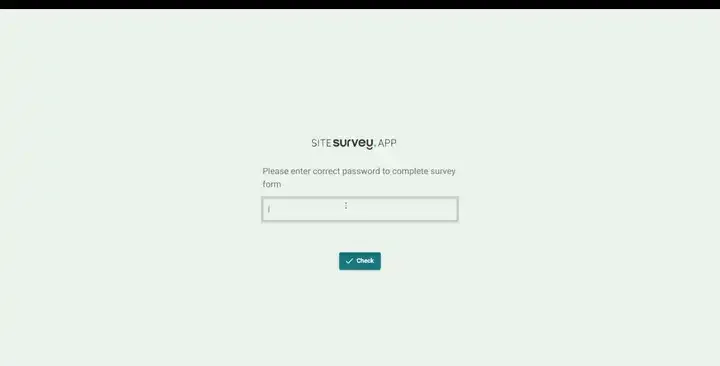
Make any form shareable and SiteSurvey generates a unique URL — add an optional password, send it to the customer and they complete the survey in their phone's browser. Responses land back in the project like any other submission.

01 · Toggle sharing on, set an optional password, save — the unique URL is ready to send.

02 · They enter the password, fill in the survey and sign off — straight from the link, no login or install.
Shared web forms cover questions, choices, photos, signatures and ratings. App-only capture — such as Walk Cam inspections and label scanning — stays with your team in the mobile app.
One connected process
Ask AI, build visually or use a template.
Add the form to a project or space.
Complete it on mobile, online or offline.
See progress and follow up missing details.
Bring the evidence into sign-off and reports.
Step 05 · Report
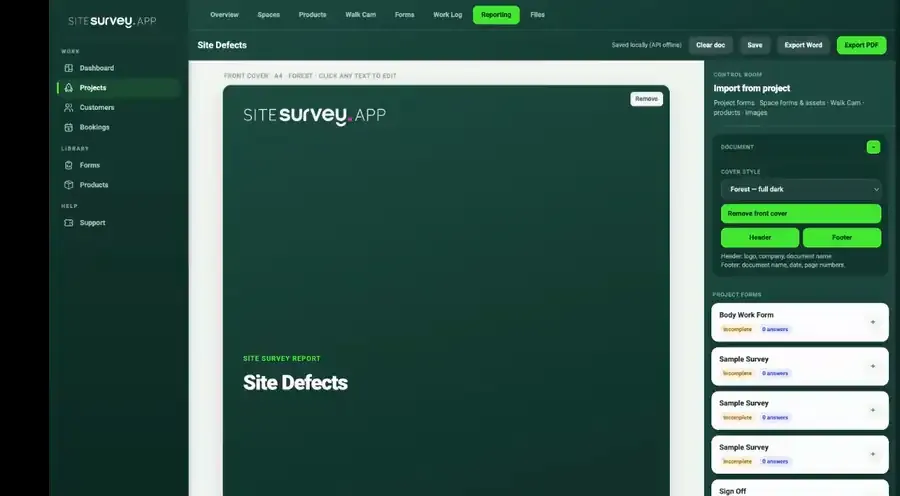
Every submitted form feeds the project’s client-ready PDF — the responses, the photos and the sign-off arrive formatted, in the right section, with nothing retyped. The form you built in chat is the report your client receives.
✓Responses grouped by space, ready to send
✓Photos and annotations placed with their answers
✓Signatures and completion status on the record

A digital site survey form is a structured mobile form for collecting measurements, answers, photographs, signatures and product information on site. SiteSurvey keeps every response connected to the relevant project and space.
Read the full answer →Describe what you need to the AI assistant and refine it conversationally, build visually or start from a reusable template. Forms can span multiple pages and include text, choices, ratings, photographs, signatures, embedded Walk Cam inspections and conditional questions.
Read the full answer →Conditional logic shows or hides questions based on previous answers, combining rules with AND or OR. A failed test can reveal fields for a defect category, photograph and remedial action, while a pass keeps the form focused.
Read the full answer →Yes. Field teams can complete assigned forms and capture evidence offline. Information is held securely on the device and synchronised when connectivity returns.
Read the full answer →Yes. Add photograph fields, set them as required and use them to capture the visual evidence needed for surveys, installation, commissioning and sign-off.
Read the full answer →Yes. Each project space can have its own unique forms, products and captured information, while reusable templates maintain your company standards across sites.
Read the full answer →Integrations
Once a form is submitted, what it captured goes where it’s actually needed — expenses to the ledger, photos and PDFs to your document library, the record to the AI assistant that drafts the write-up.
Build your first form
Create the form, assign it to a real space and start collecting better site information today.