Commissioning and handover
Commissioning software that turns the install into the handover pack.
Record what was installed, where it went, what it tested at and who signed it off, room by room, as the work completes. Built around AV and network installs, and used the same way for M&E test sheets. When the job finishes, the commissioning record is already assembled instead of being rebuilt from photos and emails.
The Works £25 per user per month (Base from £13) · trial from £1, cancel any time
See a sample report ↓Start from the commissioning sheet template ↓
2
Spaces
3
Systems
24
Cable tests
The sample commissioning record on this page
What is commissioning software, and what do the Building Regulations require?
Commissioning software records the testing and sign-off of installed systems, product by product and room by room. In England, Approved Document L says fixed building services should be commissioned to CIBSE Code M and a notice confirming commissioning must go to building control. SiteSurvey does this on iOS, Android and web, at £25 per user per month on The Works.
Last updated 10 October 2026. Facts checked on 4 October 2026 against Approved Document L Volume 2, Section 8 and Building Regulations 2010, regulation 44.
Commissioning under Part L, step by step
Approved Document L Volume 2 sets out this procedure for buildings other than dwellings in England. It covers fixed building services: heating, hot water, air conditioning, mechanical ventilation and fixed lighting (regulation 2). It applies to the M&E side of a project, not to AV or IT systems.
| Step | When | Source |
|---|---|---|
| Appoint a commissioning manager whose competence meets CIBSE Code M | When the project is large or complex (decided case by case) | Approved Document L Vol 2, 8.3 |
| Prepare a commissioning plan: systems, tests, schedule, roles and documents | When installing a fixed building service | Approved Document L Vol 2, 8.4 |
| Give building control the plan and the design-stage energy and emission rate calculations | Early enough for building control to check commissioning as the work proceeds | Approved Document L Vol 2, 8.4 |
| Commission to CIBSE Code M and the relevant CIBSE codes or BSRIA guides, including ductwork leakage tests | For every service with more than on and off controls (8.5) | Approved Document L Vol 2, 8.6 |
| The person carrying out the work gives a commissioning notice to building control and the building owner | Within 5 days of completion, or 30 days under a competent person scheme | Building Regulations 2010, reg 44; Approved Document L Vol 2, 8.7 and 8.8 |
A 2026 edition of Approved Document L Volume 2 takes effect in England on 24 March 2027 for most building work, and on 24 September 2027 for higher-risk building work. Facts checked on 4 October 2026.
Sources: Approved Document L Volume 2, Section 8, Building Regulations 2010, regulation 44, regulation 2 (fixed building services) and Approved Document L Volume 2, 2026 edition (GOV.UK).
SiteSurvey for commissioning, at a glance
- What it is
- A mobile app for iOS and Android, with a web portal, used to record commissioning product by product and room by room.
- Who it is for
- M&E contractors, AV and IT integrators, and the main contractors who collect their records at handover.
- What it records
- Products per room, serial, model and MAC codes read from the label, test values with units, pass or fail, as-installed photos and signatures.
- Evidence
- Every entry is dated and attributed to the engineer, and works fully offline in risers and plant rooms, syncing when back in signal.
- Price
- £25 per user per month on The Works plan, which includes the form builder, floor plans and reports. Trial from £1, cancel any time.
- What it does not do
- It does not give the commissioning notice to building control, replace CIBSE or BSRIA procedures or a commissioning manager, or write the O&M manual.
Handover is where a good install loses a fortnight.
The work is done, the client wants the pack, and someone spends two weeks reconciling serial numbers from photographs, chasing test sheets and rebuilding a document that describes work everyone has already forgotten the detail of.
Serials in a camera roll
Photographs of rating plates are only useful if someone can tell which room each one came from.
Test results on paper
Values written on a sheet in a riser have to be transcribed later, usually by someone who was not there.
The pack built twice
The information was captured once on site and then assembled again from scratch weeks afterwards.
How does commissioning work, from install to handover?
01 · Set out the rooms
Map the spaces and the products expected in each before the install team arrives.02 · Record what went in
Scan the rating plate for serial and model rather than photographing it to read later.03 · Capture the test
Enter the values as typed fields against the product, with a photograph of the finished installation.04 · Sign off and hand over
Take the client signature on the device and export the commissioning record and handover pack.Walk Cam, point by point
Commissioning, room by room.
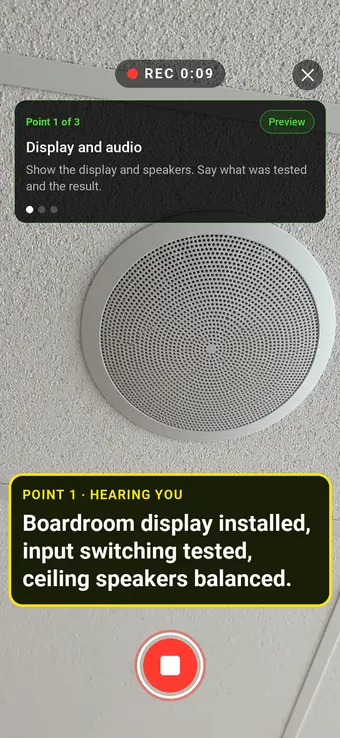
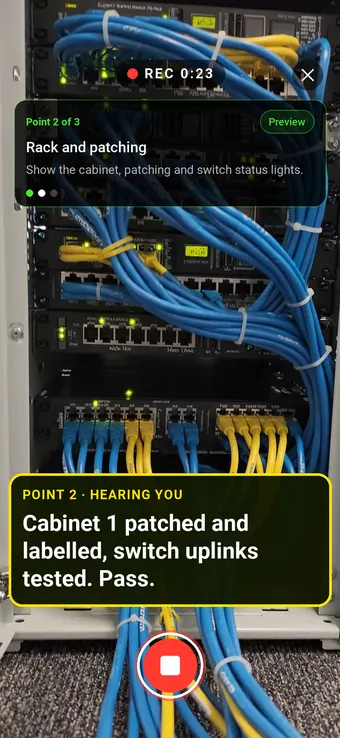
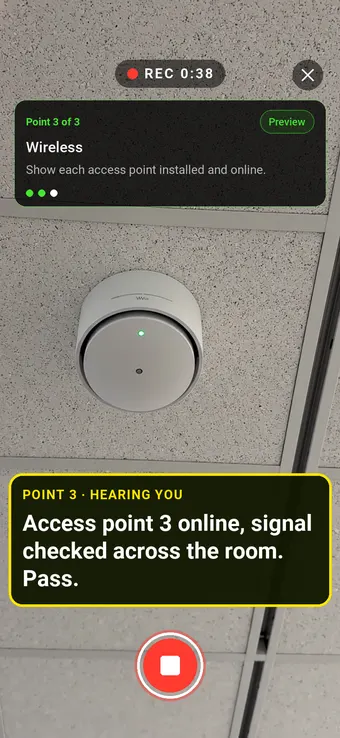
Walk Cam takes the engineer through each system in turn, films it working and writes down the test results as they speak.
Point 2 of 3
Rack and patching
Racks and patching filmed as finished, with the tests recorded.
Point 3 of 3
Wireless
Each access point confirmed online and recorded against its room.
What the report looks like
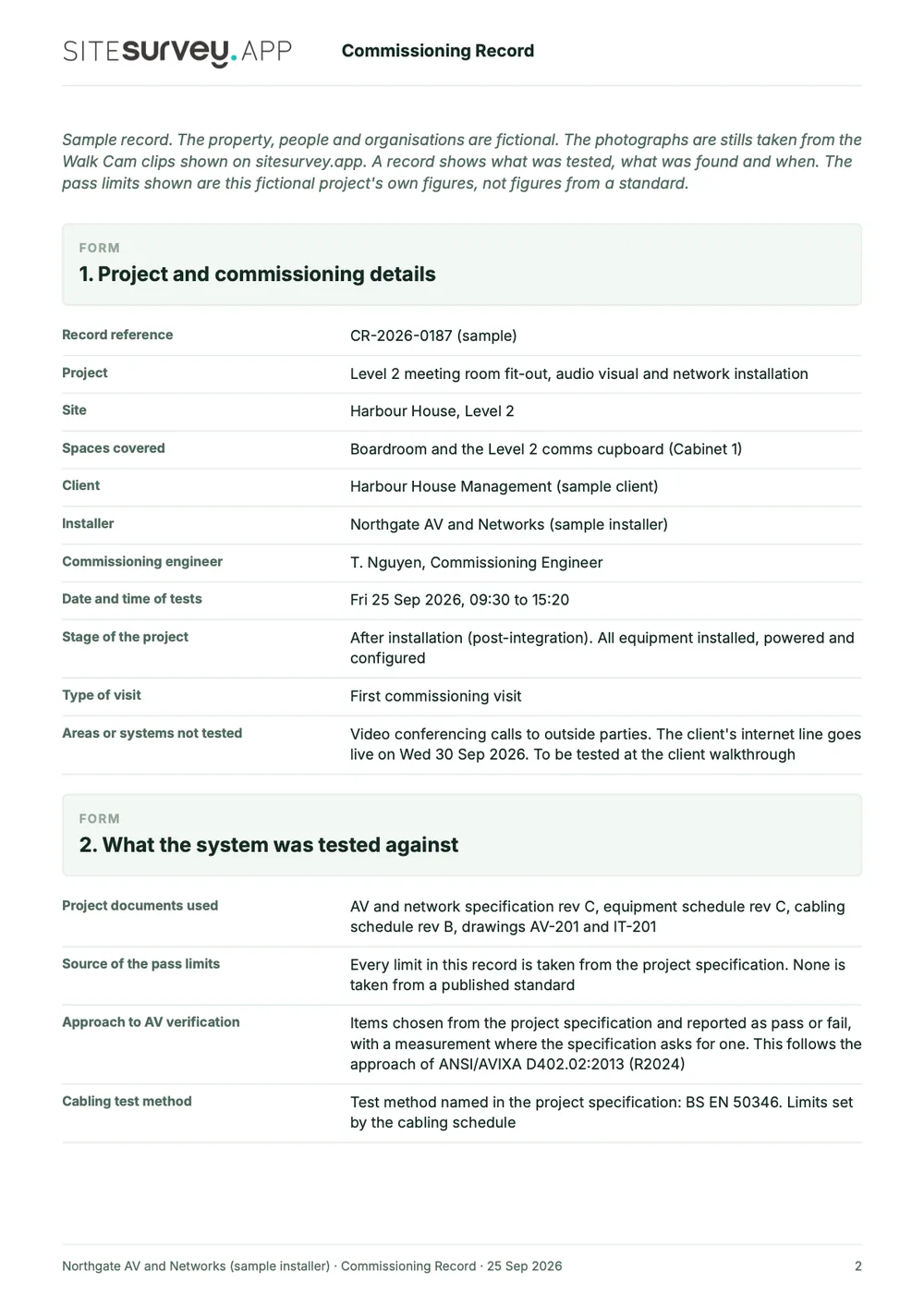
What a commissioning report looks like.
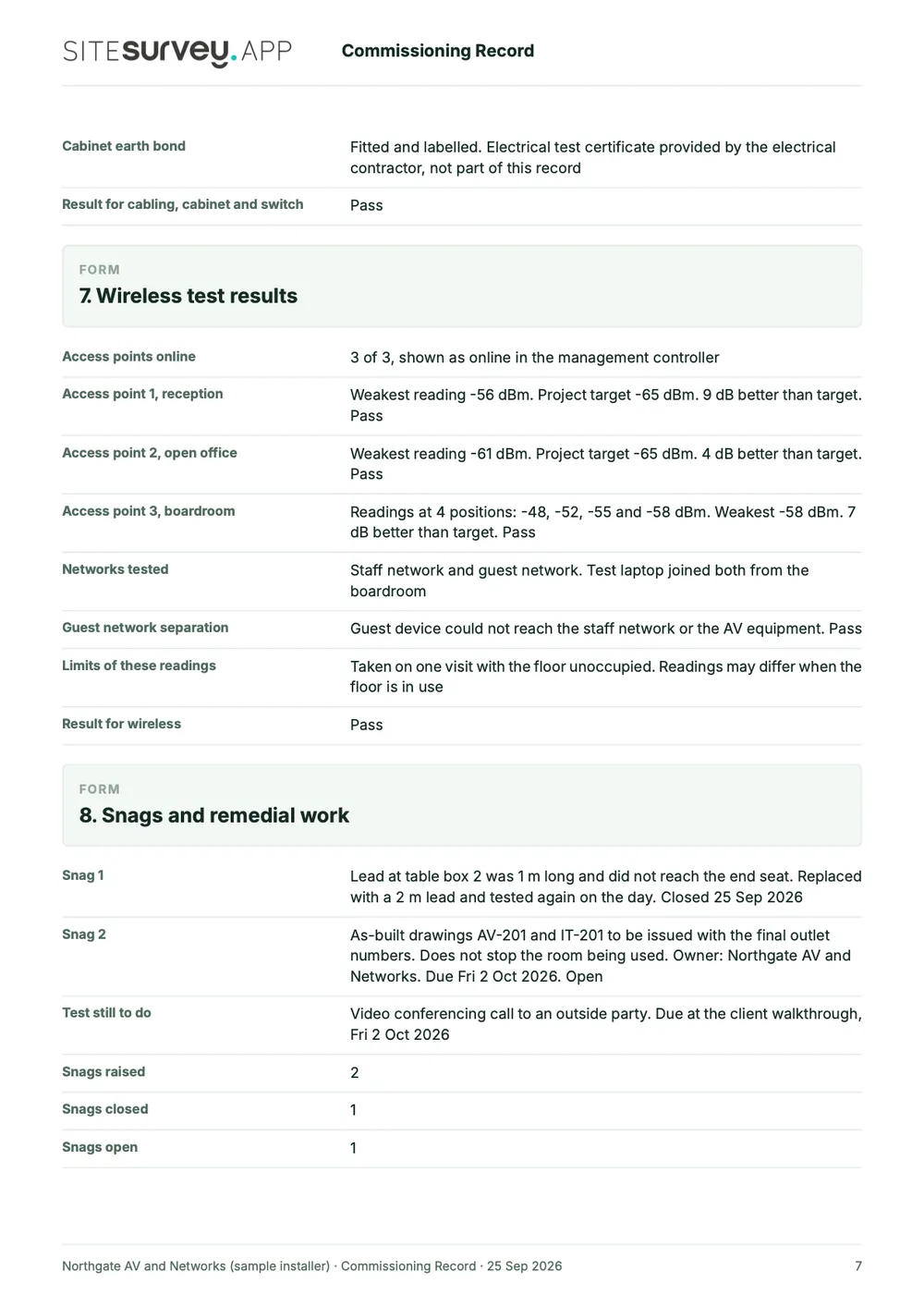
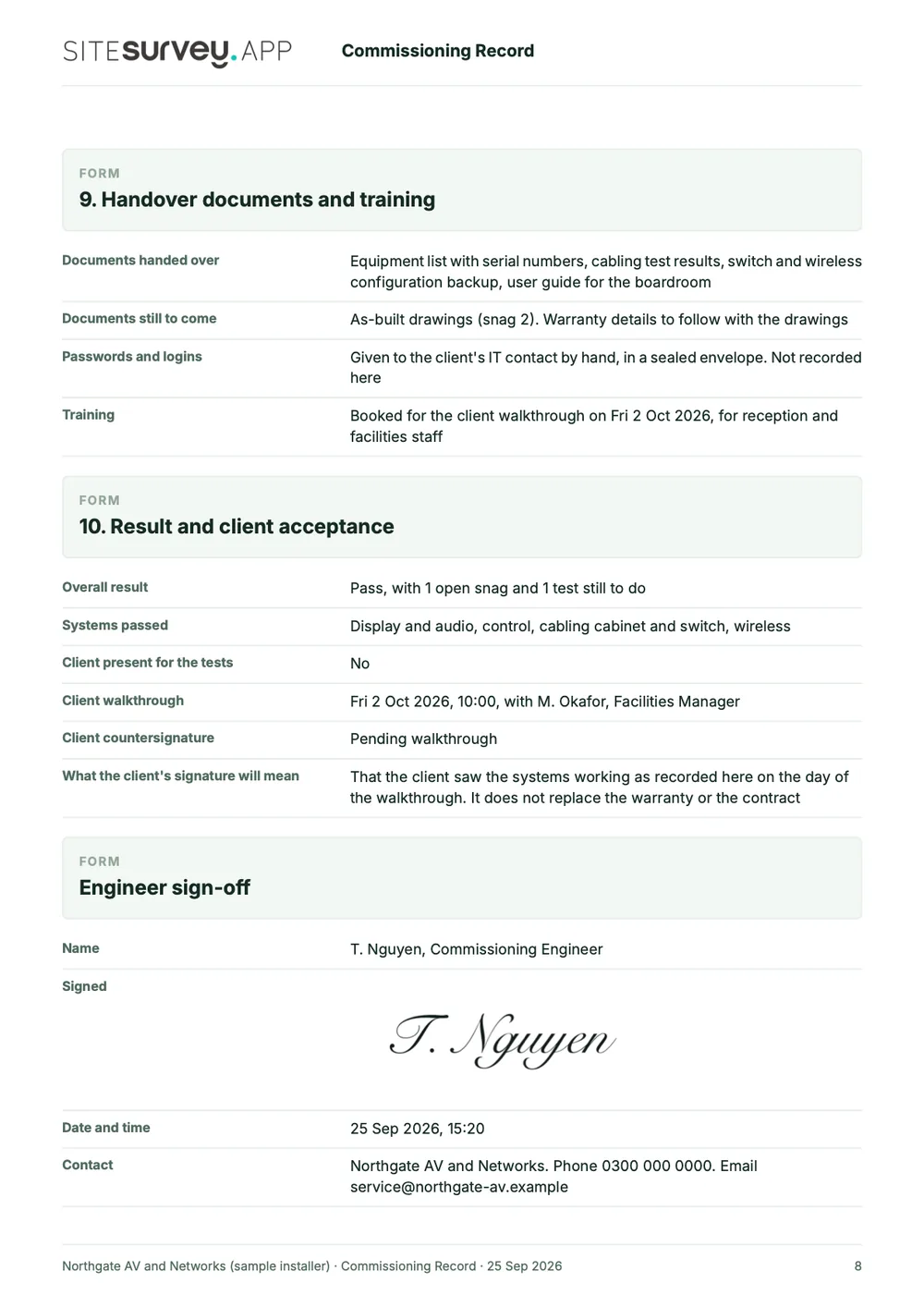
This is a full sample commissioning record for a meeting room AV and network installation, made with the SiteSurvey report builder. M&E teams use the same structure with their own test sheets. Scroll through it here or download the PDF.
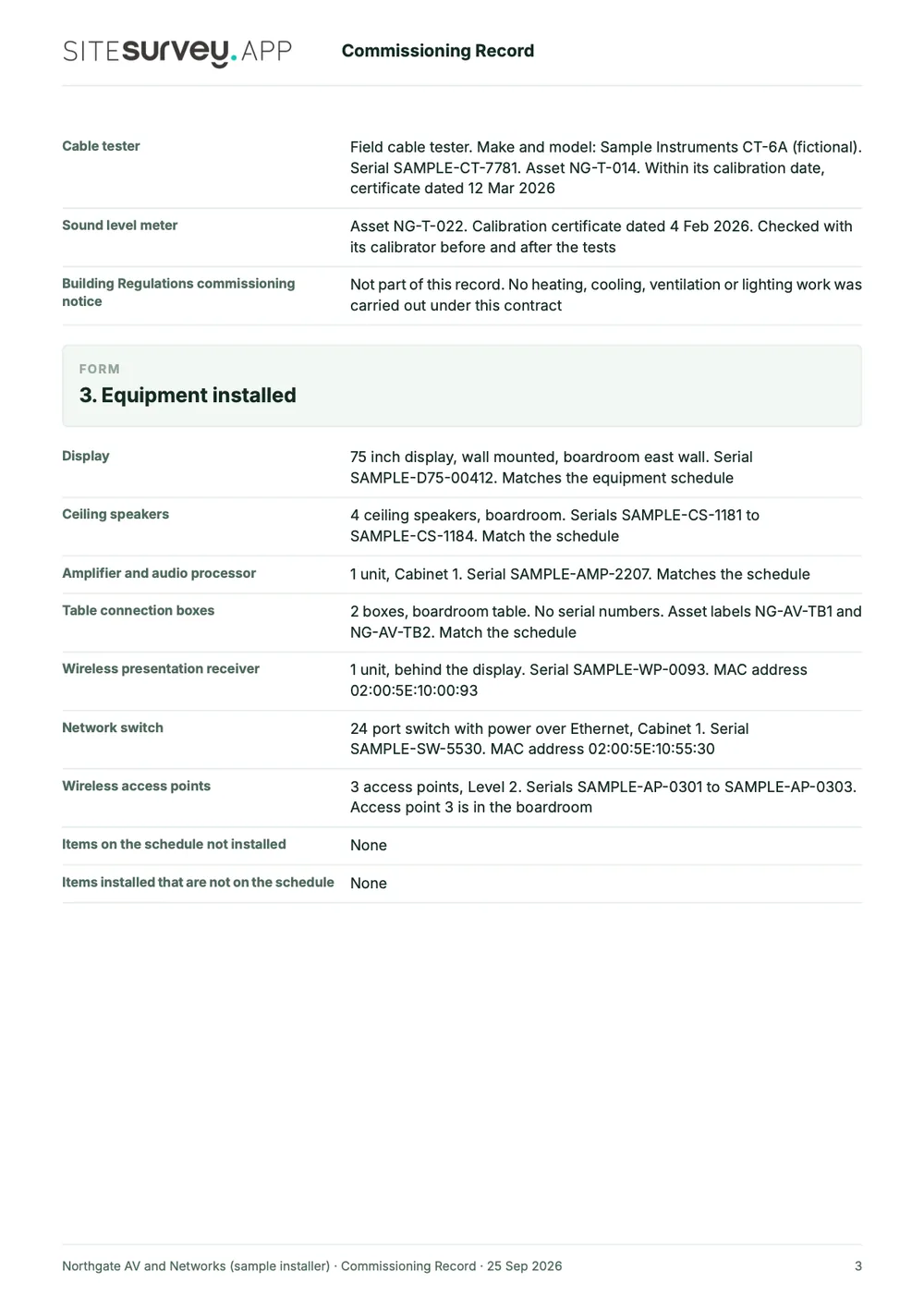
- 1What it was tested againstThe project documents and revisions used, the test instruments and their calibration dates, and anything that could not be tested.
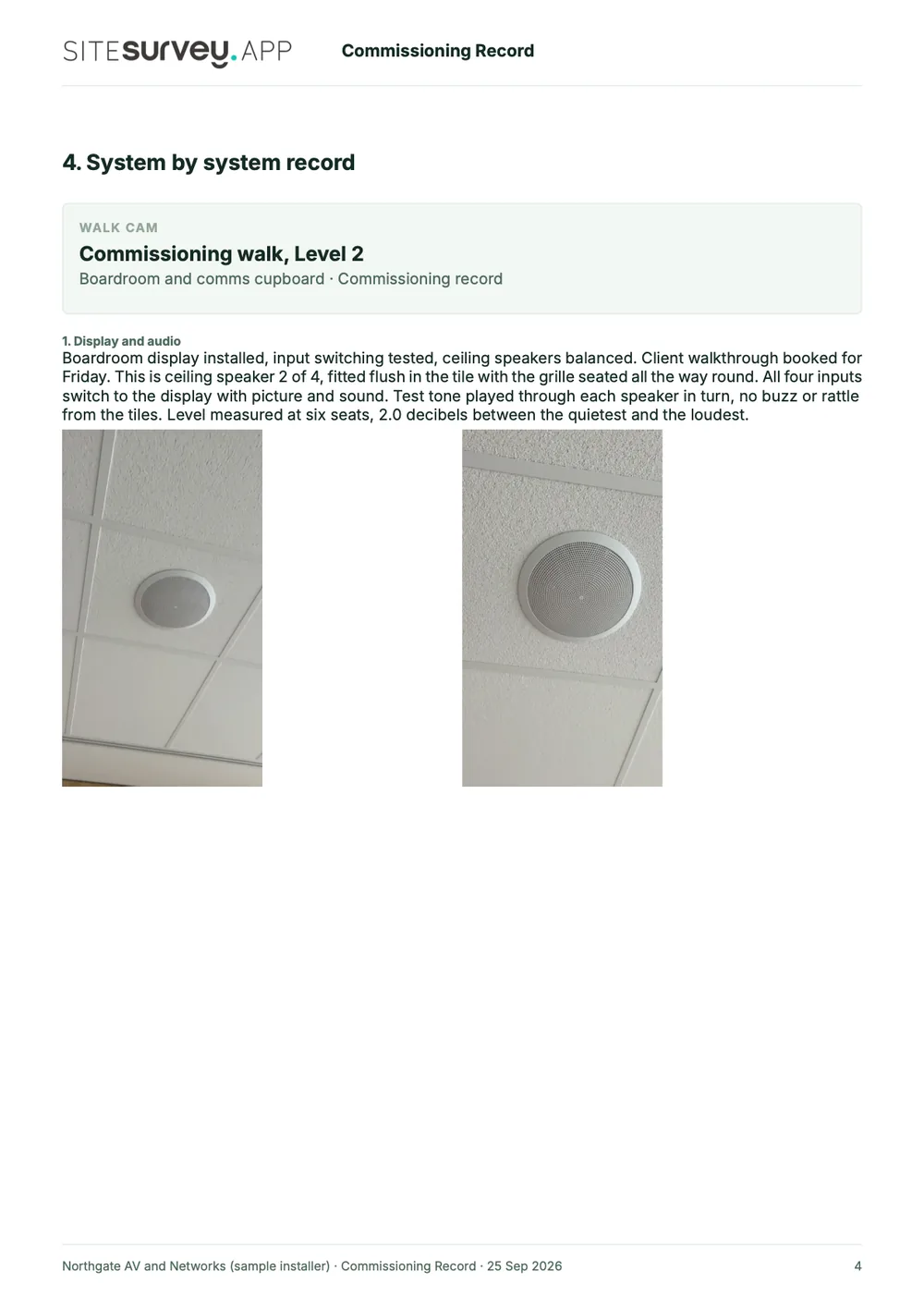
- 2Equipment, room by roomEach product with its serial number or MAC address, where it is installed and whether it matches the schedule.
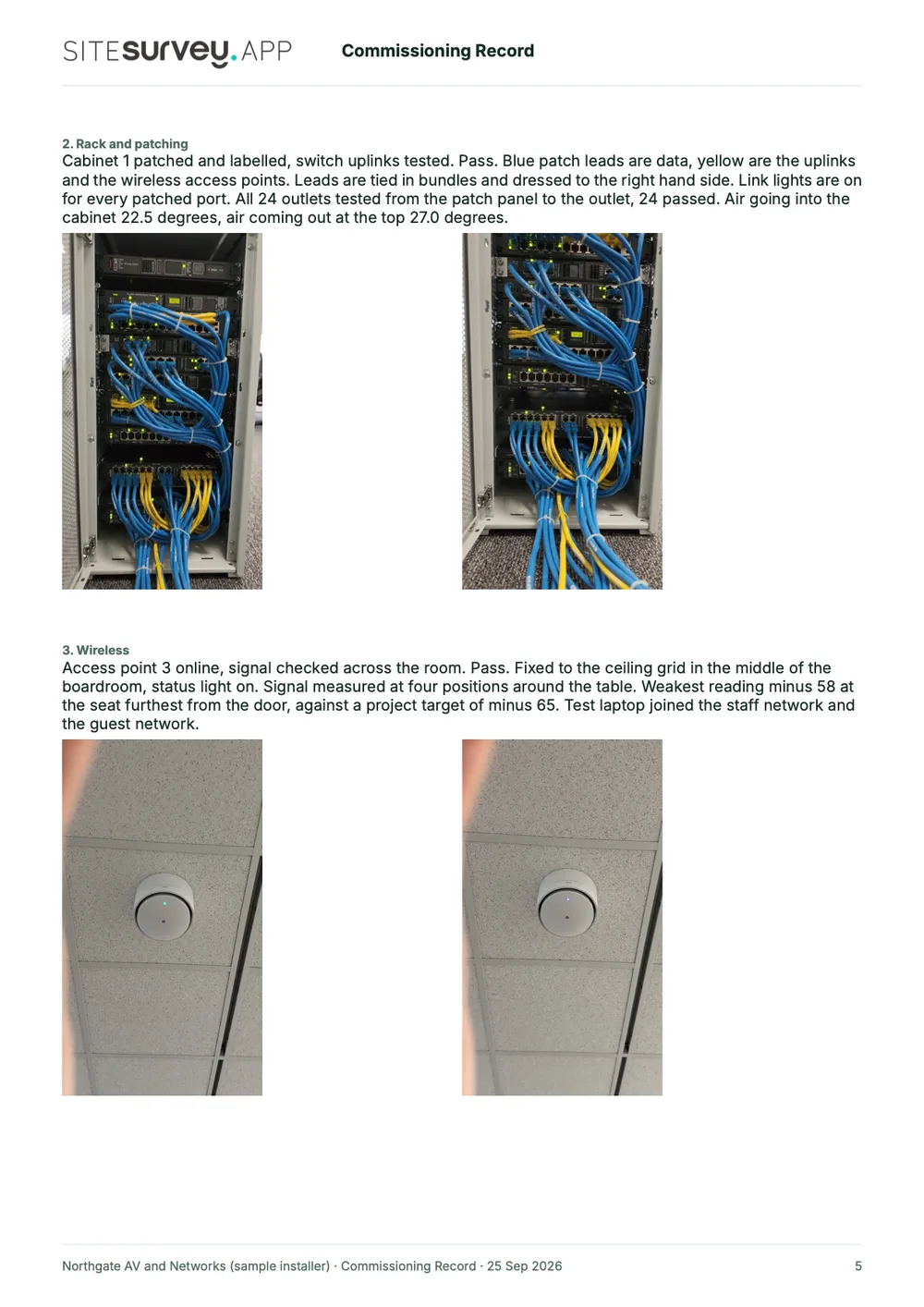
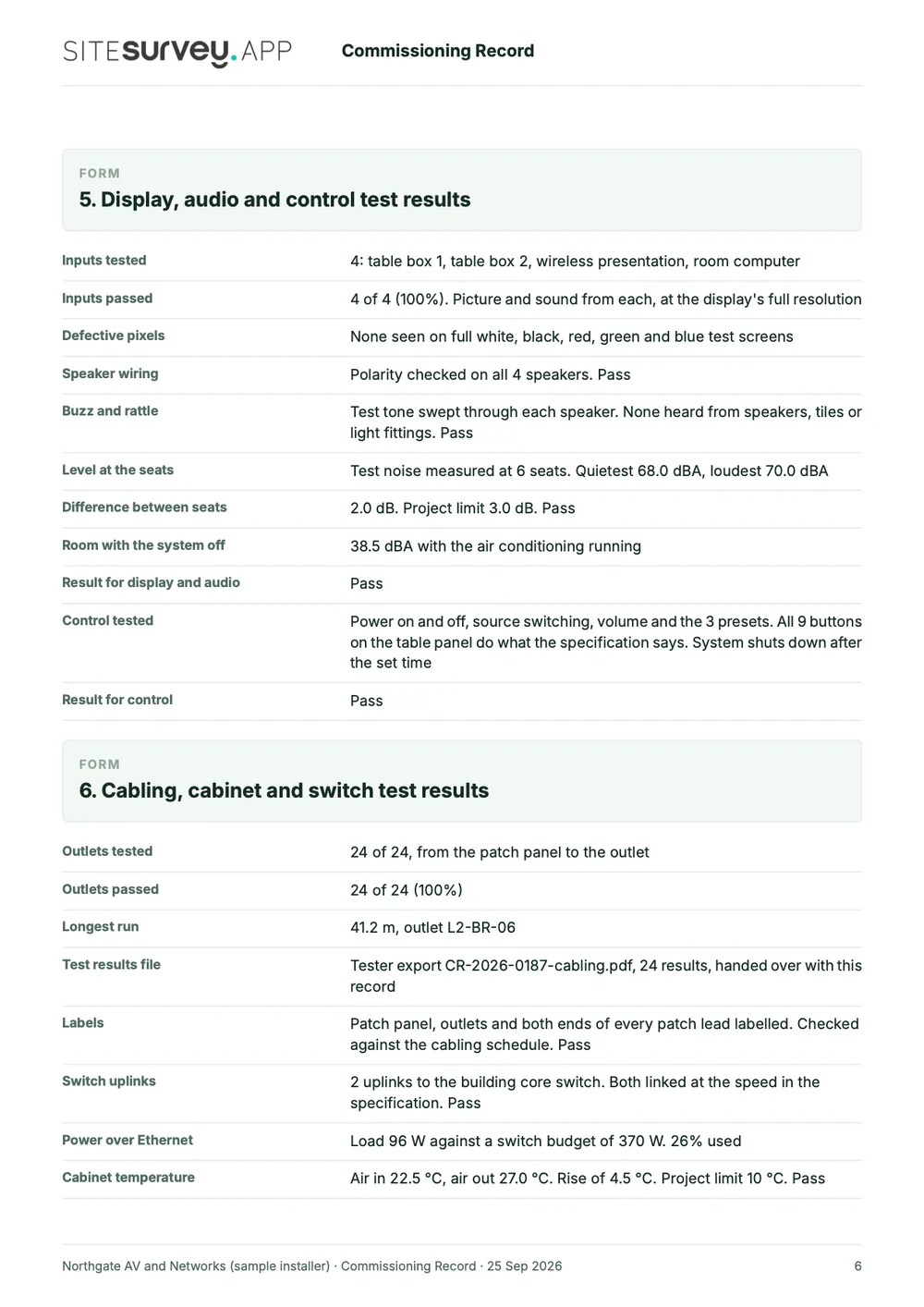
- 3Test values with pass or failInputs, sound levels, outlets tested, switch power, cabinet temperature and wireless signal, each set against the project's own limit.
- 4Snags, handover and sign-offOpen and closed snags with due dates, the documents handed over, the engineer's dated signature and the client countersignature still to come.

Try the form
The form behind the report. Open it and try it.
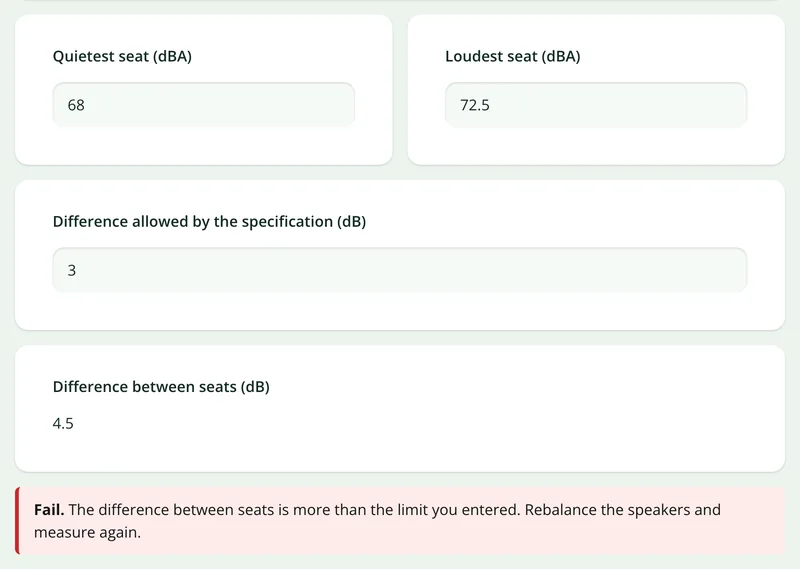
A live SiteSurvey form, shared by link with no login. It asks only about the systems in scope, marks a reading pass or fail against the limit you enter and takes a separate record for each product. Answers are cleared every night.
Open the live form →See every question in the commissioning sheet template →Or see it filled in: the finished record with every answer, and the Walk Cam report with its clips, stills and spoken notes. See the finished record → Watch the Walk Cam report →
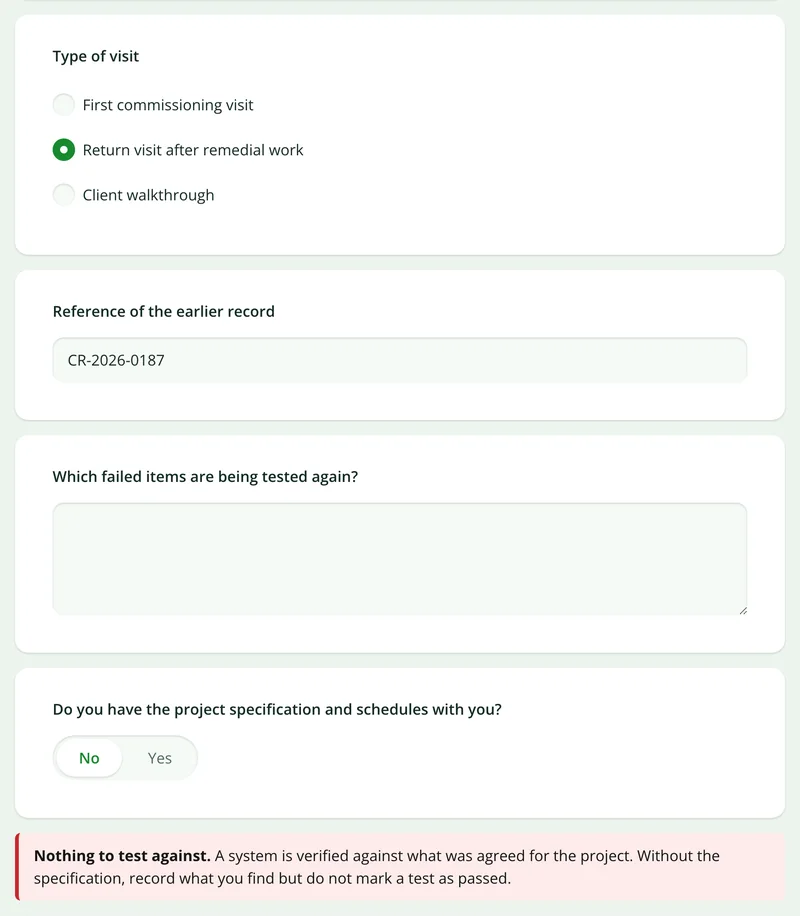
Questions that follow the answers
Choose a return visit and it asks for the earlier record and what is being tested again. Say the specification is not to hand and it warns against marking a pass.
More than Walk Cam
Build the form. Share it by link.
Walk Cam films the commissioning. The commissioning form behind it is yours to build, and anything you capture can be sent to someone outside your team as a link, with no login or app needed.
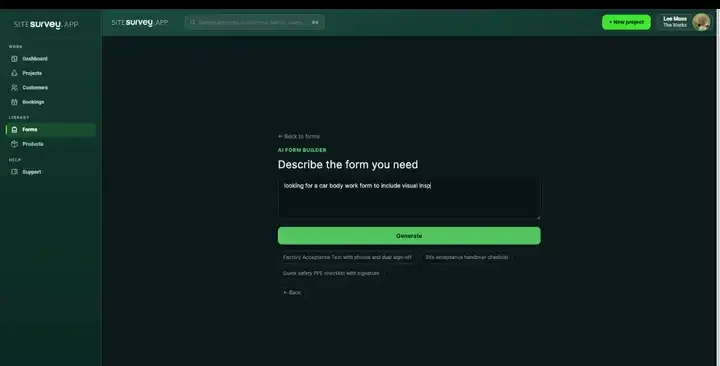
Build your commissioning checklist with AI
Describe the tests you run and the AI assistant builds the form: fields, required photos, readings as numbers with units and follow-up questions that only appear when a test fails. Refine it in chat, edit it visually, or start from a template.
How the form builder works →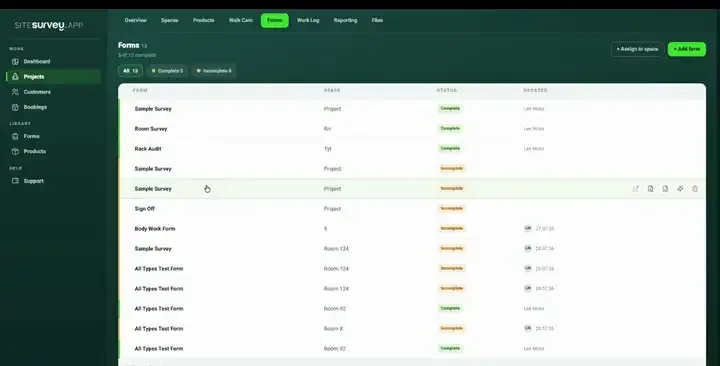
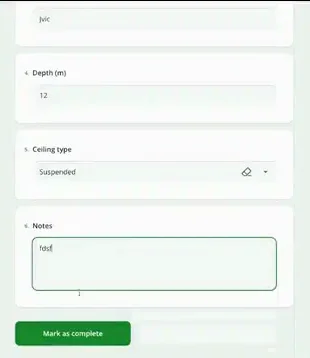
Share by link, no login needed
Make any form shareable and SiteSurvey gives it a unique URL, with an optional password. Customers, tenants or contractors fill it in on their phone’s browser, and their answers land in the same project. Walk Cam recordings and finished reports can be shared the same way, by link or by email.
How Walk Cam sharing works →What should commissioning software record?
Commissioning data is structured by nature: a product, a location, an identifier and a set of values. Captured that way on site, it needs no reassembly afterwards.
Serials scanned from the plate
Read serial, model, MAC or part codes from the label straight into the product's data points.
Test values as typed fields
Readings are numbers with units, not free text, so they can be checked, compared and reported on.
Product per space
Each item is recorded against the room it was installed in, so the pack reads room by room.
Photographs of the finish
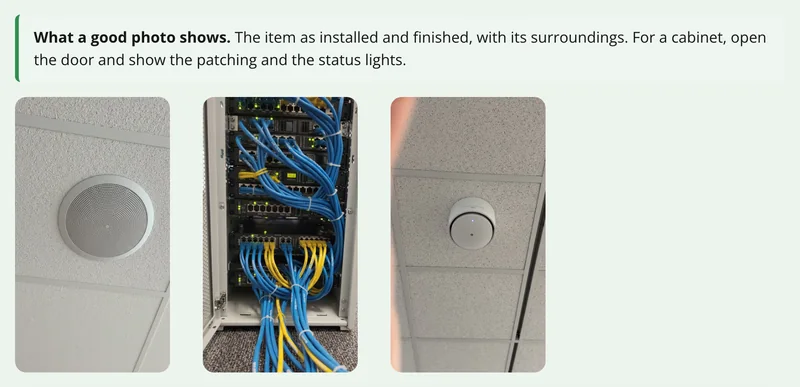
Attach as-installed images to the product itself, annotated where something needs pointing out.
Client sign-off on device
Capture the countersignature at handover and keep it attached to the record it approves.
Pack exported, not rebuilt
The commissioning record comes out of what the install team already captured.
Start from a commissioning checklist template.
Open the ready-made commissioning form, which is set up for AV and network installs. Change the tests and data points to suit your discipline, for example heating or ventilation test sheets, and assign it to the rooms being handed over.
Product, make and model
Serial or MAC, scanned from the plate
Room or space installed in
Test values with units
Pass or fail with remedial action
As-installed photograph
Commissioning engineer sign-off
Client countersignature
Try it on your phone
Try it on this phone
Fill in the commissioning sheet template on your phone now
See how the commissioning sheet template looks on your phone
Scan the code with your phone camera. It opens the real form, no sign-up needed.
Open the live example and fill it in, just as your team would on site. No sign-up needed.
See it on this phoneEvery question is editable. Add this form to your account, then change the wording, add or remove questions and options, and make it fit your own jobs.
Records for this workflow
Keep the approval, test and handover evidence traceable.
Commissioning evidence is easier to review when proposed equipment, test results and outstanding handover work retain their own references.
1. Track the proposed equipment
Record the submittal revision, supporting documents and reviewer’s decision. Keep any resubmission traceable to the earlier record.
Construction submittal template →2. Record acceptance testing
Retain the site acceptance test basis and observed results, including failed or incomplete checks and the next action.
Site acceptance test template →3. Record the handover position
State what has been completed and what remains outstanding. Link the supporting evidence so the recipient can review the basis for sign-off.
Work completion and sign-off template →
What is commissioning software?
Commissioning software records the process of proving that installed equipment works as specified before a project is handed over. Typically it captures what was installed, its identifiers such as serial or MAC address, the room it went into, the test values recorded against it, whether it passed, and the sign-off from the engineer and the client. Doing this on site as the work completes means the handover record is a report of captured data rather than a document assembled afterwards.
What is the best commissioning software?
The best commissioning software is the one that matches your discipline and what the client needs at handover. An AV or IT installer needs products per room, serials and MAC addresses captured from the label, and a record the client can sign. An M&E contractor on a building subject to Part L needs test results that follow the commissioning plan and support the notice to building control. Check how products are tied to rooms, whether test values are typed fields, whether it works offline, and how the record is exported. SiteSurvey is strong on products per space, label capture, typed test fields and offline capture. It does not give the commissioning notice to building control or replace a commissioning manager.
What should a commissioning record include?
A commissioning record should include the project, the date and the engineer, and for each system or product: the room it is in, make, model and serial, the tests carried out, the values measured with units, pass or fail, any remedial action, an as-installed photograph, and the engineer's sign-off and client countersignature. For fixed building services under Part L, Approved Document L also expects a commissioning plan and a notice confirming it was followed. The sample record above is a full SiteSurvey commissioning record, covering each system with its tests, measured values and photographs through to the sign-off.
What do the Building Regulations require for commissioning?
In England, regulation 44 of the Building Regulations 2010 requires the person carrying out the work to give building control a notice confirming that fixed building services have been commissioned to an approved procedure. Approved Document L Volume 2 (Section 8) sets that procedure out: prepare a commissioning plan, commission to CIBSE Commissioning Code M together with the relevant CIBSE Commissioning Codes or BSRIA Commissioning Guides, and give the notice to building control and the building owner, generally within five days of completion, or within 30 days where a competent person scheme member does the work. A 2026 edition of Approved Document L takes effect on 24 March 2027 for most building work (24 September 2027 for higher-risk building work). Check GOV.UK for the full requirements.
Can serial and MAC addresses be scanned?
Yes. Label capture reads serial, model, MAC or part codes from the equipment's own rating plate and assigns them to the product record, which avoids the usual cycle of photographing plates and transcribing them later.
Can test values be recorded as numbers?
Yes. Measurement fields are typed as numbers with units rather than free text, so readings can be validated, compared across a project and reported on properly.
Does this produce an O&M or handover pack?
It produces the commissioning record (products, locations, identifiers, test results, photographs and sign-offs) as a client-ready PDF or shared link. That is the evidence portion of a handover pack. A full O&M manual usually also includes manufacturer documentation and drawings, which you would assemble alongside it.
Can different rooms have different commissioning forms?
Yes. Each space can be assigned its own forms and expected products, so a plant room, a meeting room and a comms room each carry the right checks rather than one generic list.
Does it work in risers and plant rooms with no signal?
Yes. The whole record (scans, values, photographs and signatures) is captured on the device and syncs to the project when connectivity returns.
Who is it for?
Installers and engineers who commission systems room by room and hand them over to a client: AV and IT integrators, M&E contractors, and the main contractors who collect their records at handover. The examples on this page are an AV and network install; M&E teams use the same structure with their own test sheets.
How much does it cost?
Pricing is per user, not per project. The Works plan, which includes the custom form builder, floor plans and reports used for commissioning records, is £25 per user per month. The Base plan starts at £13 per user per month. Every plan starts with a trial from £1, cancel any time.
Go deeper
Guides and tools behind this workflow.
See it on your next job