Risk assessments on site
Risk assessment app filled in at the hazard, not at the desk.
Most risk assessments are written in an office and signed in a hurry. Do it standing in front of the work instead: photograph the hazard, record the control you actually put in place, and have the team sign it on the device before they start.
£25 per user per month on The Works, Base from £13 · trial from £1, cancel any time
See a sample report ↓Start from the risk assessment template ↓
3
Hazards assessed
2
Actions done that day
4
Crew signatures
One assessment on a live site, the sample report below
What does the law require of a risk assessment?
In Great Britain, employers must make a suitable and sufficient assessment of the risks to employees and others, review it when it may no longer be valid, and record the significant findings if they employ five or more people. HSE's steps are: identify hazards, assess the risks, control the risks, record your findings and review the controls.
Last updated 4 October 2026. Facts checked on 26 September 2026 against regulation 3 of the Management of Health and Safety at Work Regulations 1999 and HSE's steps to manage risk.
SiteSurvey for risk assessments, at a glance
- What it is
- A mobile inspection and assessment app for iOS and Android, with a web portal, used to complete risk assessments on site.
- Who it is for
- Site managers, supervisors, health and safety teams, and contractors who brief crews before work starts.
- What it records
- Task, location and date, each hazard with photos, who might be harmed, controls evidenced by photo, residual risk, and briefing signatures.
- Evidence
- Every entry is dated and attributed to the assessor, signatures are timestamped, and it works fully offline.
- Price
- £25 per user per month on The Works plan, which includes the form builder and reports. Trial from £1, cancel any time.
- What it does not do
- It does not judge whether an assessment is suitable and sufficient, or replace a competent assessor. Scores in the example form are worked out from the ratings the assessor enters.
A generic assessment describes a generic site.
A template copied from the last job rarely matches the conditions in front of the crew. When something goes wrong, what gets examined is whether the assessment reflected the actual site, whether the controls were really in place, and whether the people doing the work had seen it.
Written away from the work
An assessment produced in the office cannot describe the hazard that appeared on site this morning.
Controls with no evidence
Recording that edge protection was in place is weaker than a dated photograph showing it.
Signatures collected late
Briefing records chased up afterwards prove very little about what the crew knew before starting.
How do you carry out a risk assessment on site with an app?
01 · Open it on site
Open the assessment on the project. The project name fills itself in; add the area you are standing in and the work it covers.02 · Record the hazard
Photograph it, mark up the image or record a clip while voice-to-text writes the description.03 · Evidence the control
Capture what was actually done about it, with a photograph of the control in place.04 · Brief and sign
Everyone on the job signs on the device before work starts, and the record is closed.Walk Cam, point by point
A risk assessment, hazard by hazard.
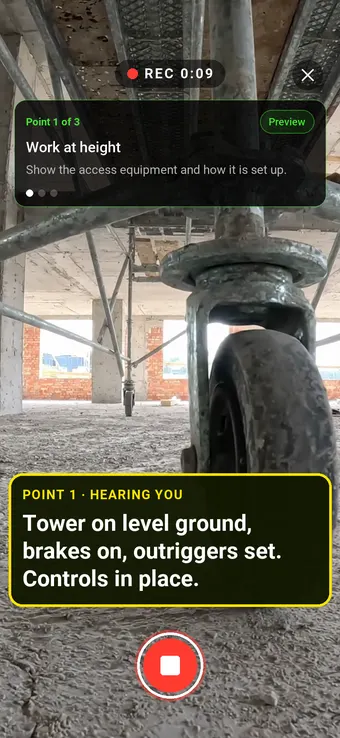
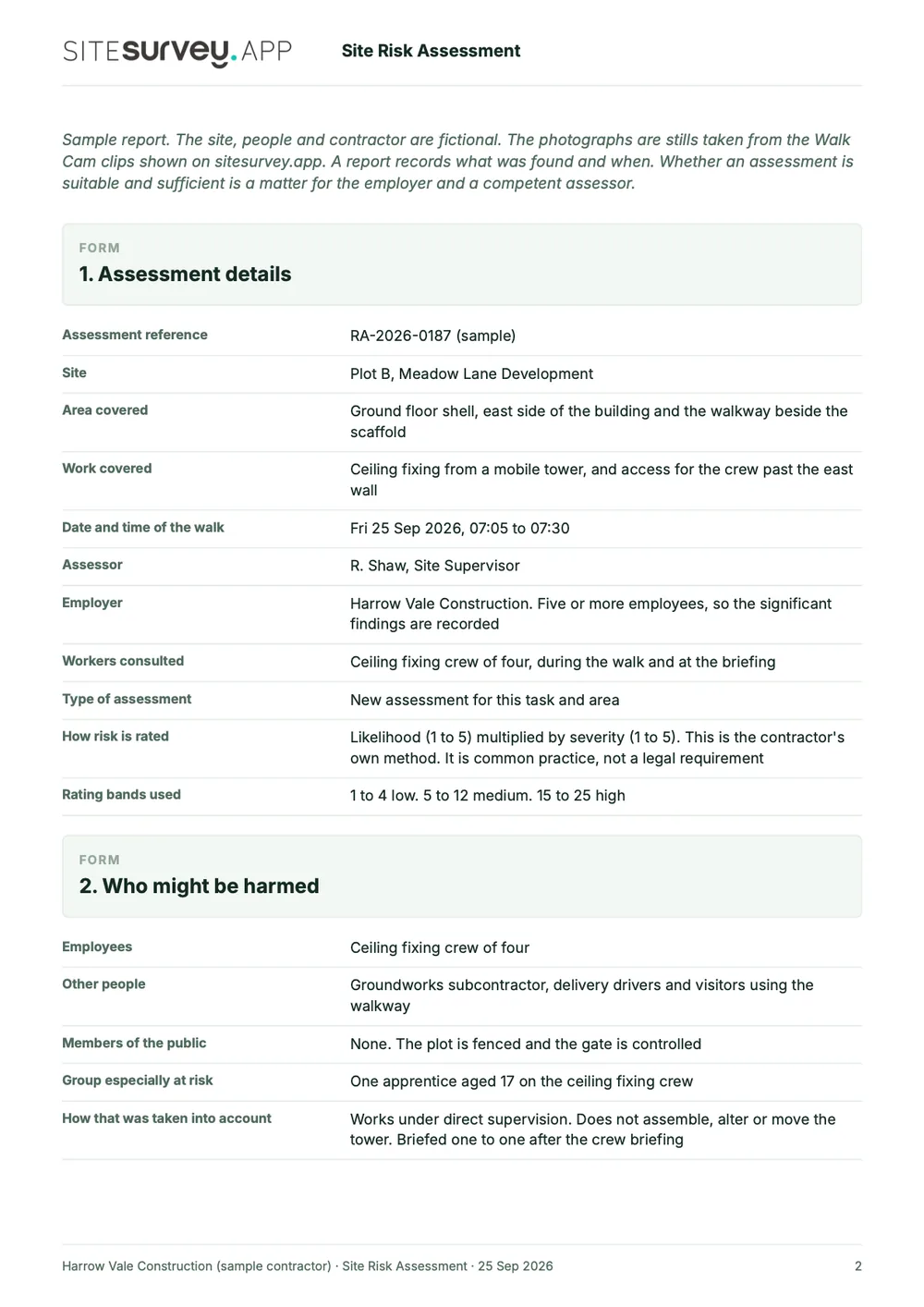
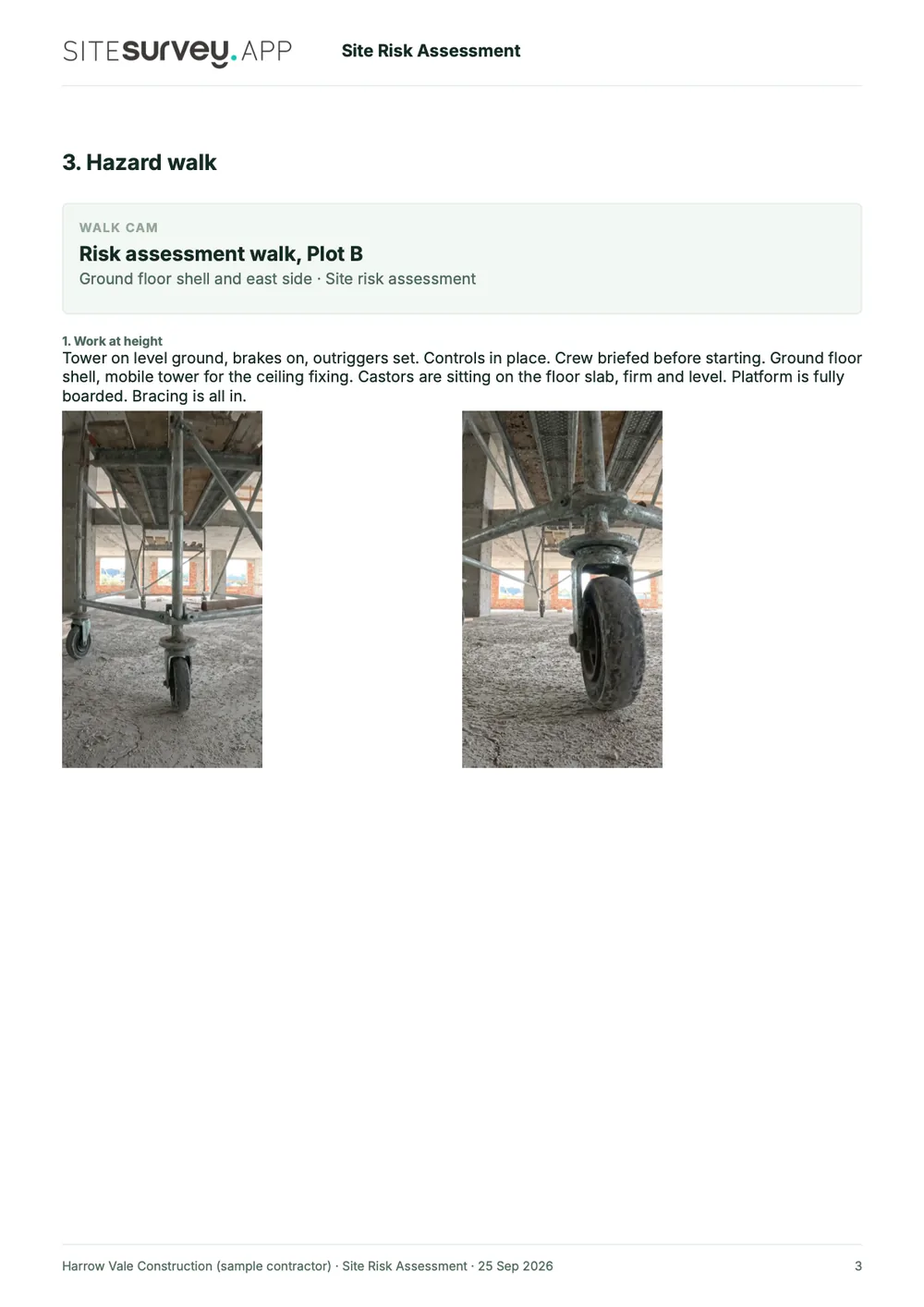
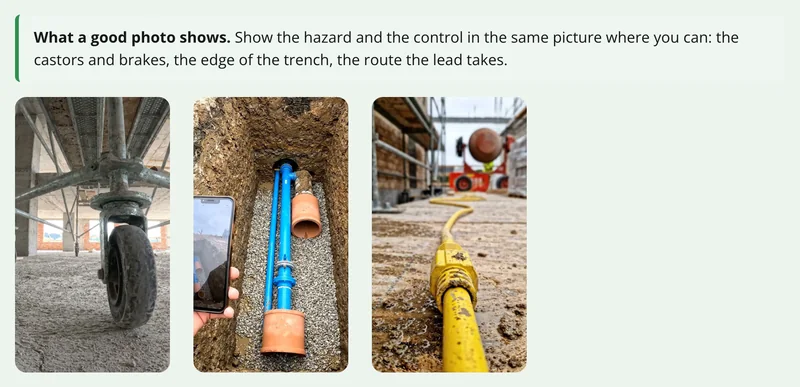
Walk Cam takes the assessor round each hazard in turn, films the controls in place and writes down what they say. Point 1, work at height, is the clip at the top of the page.
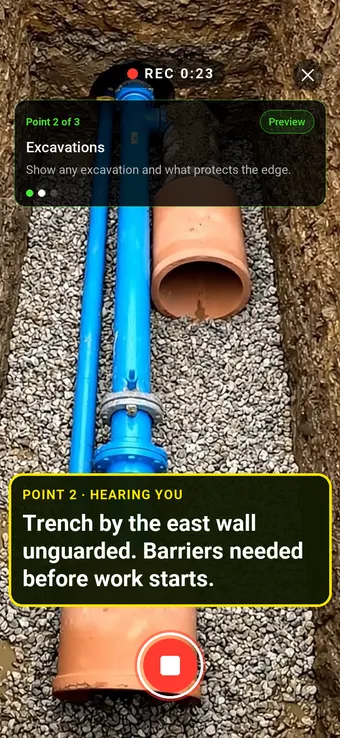
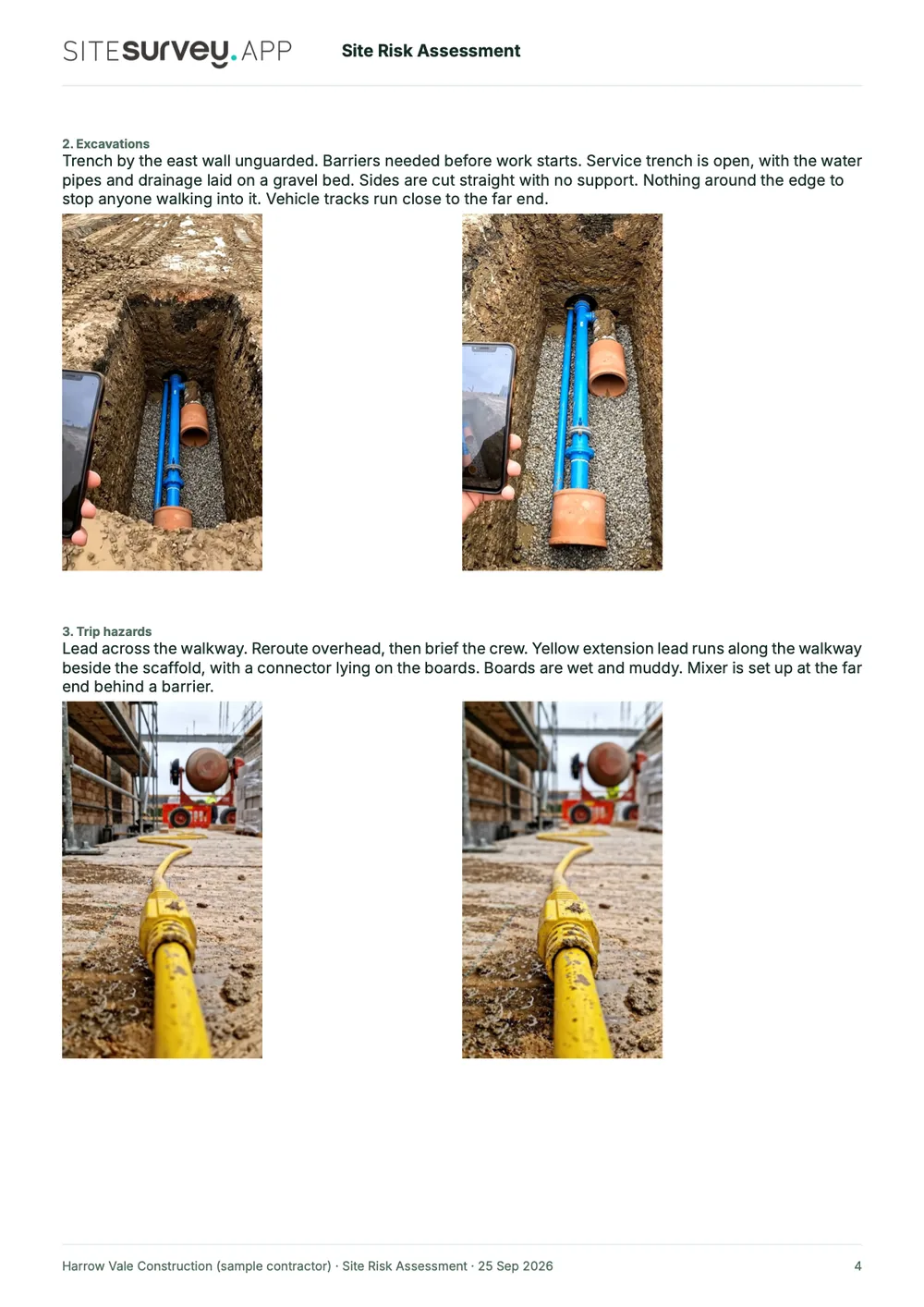
Point 2 of 3
Excavations
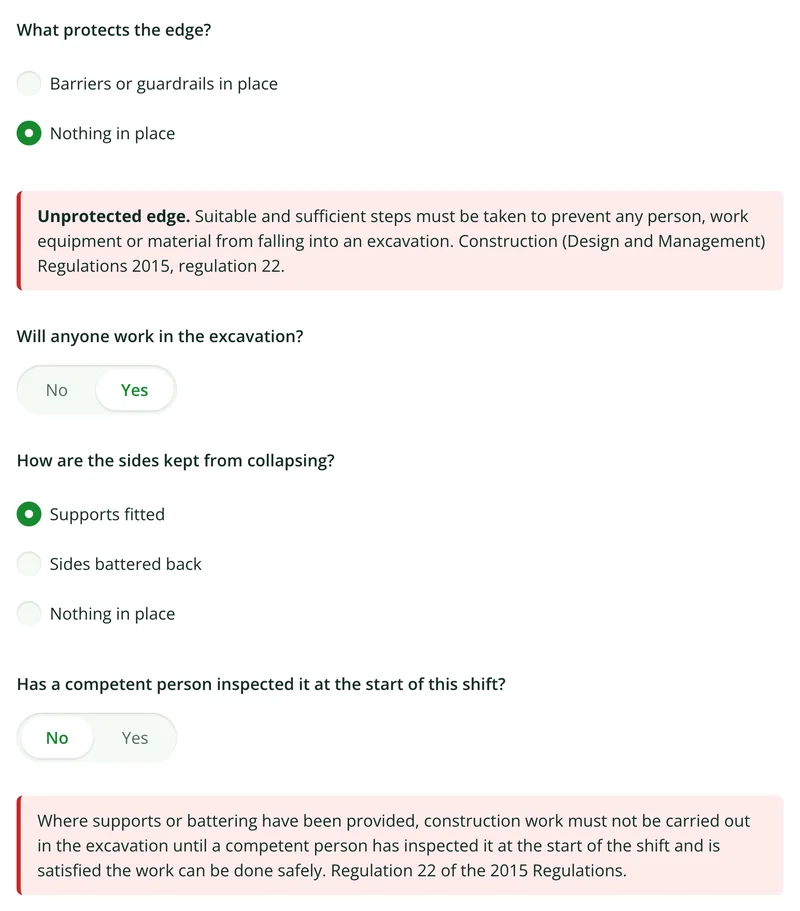
Unprotected hazards found and the required controls recorded before work starts.
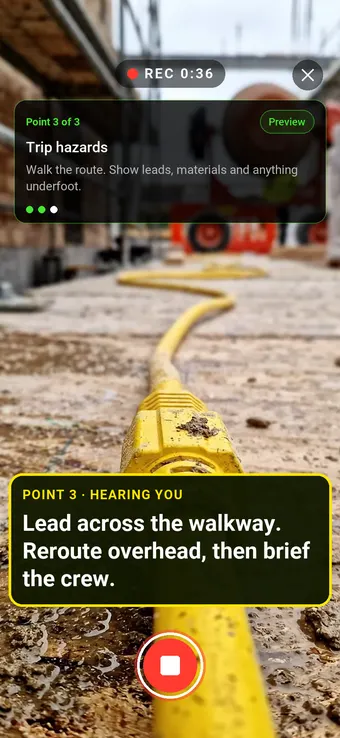
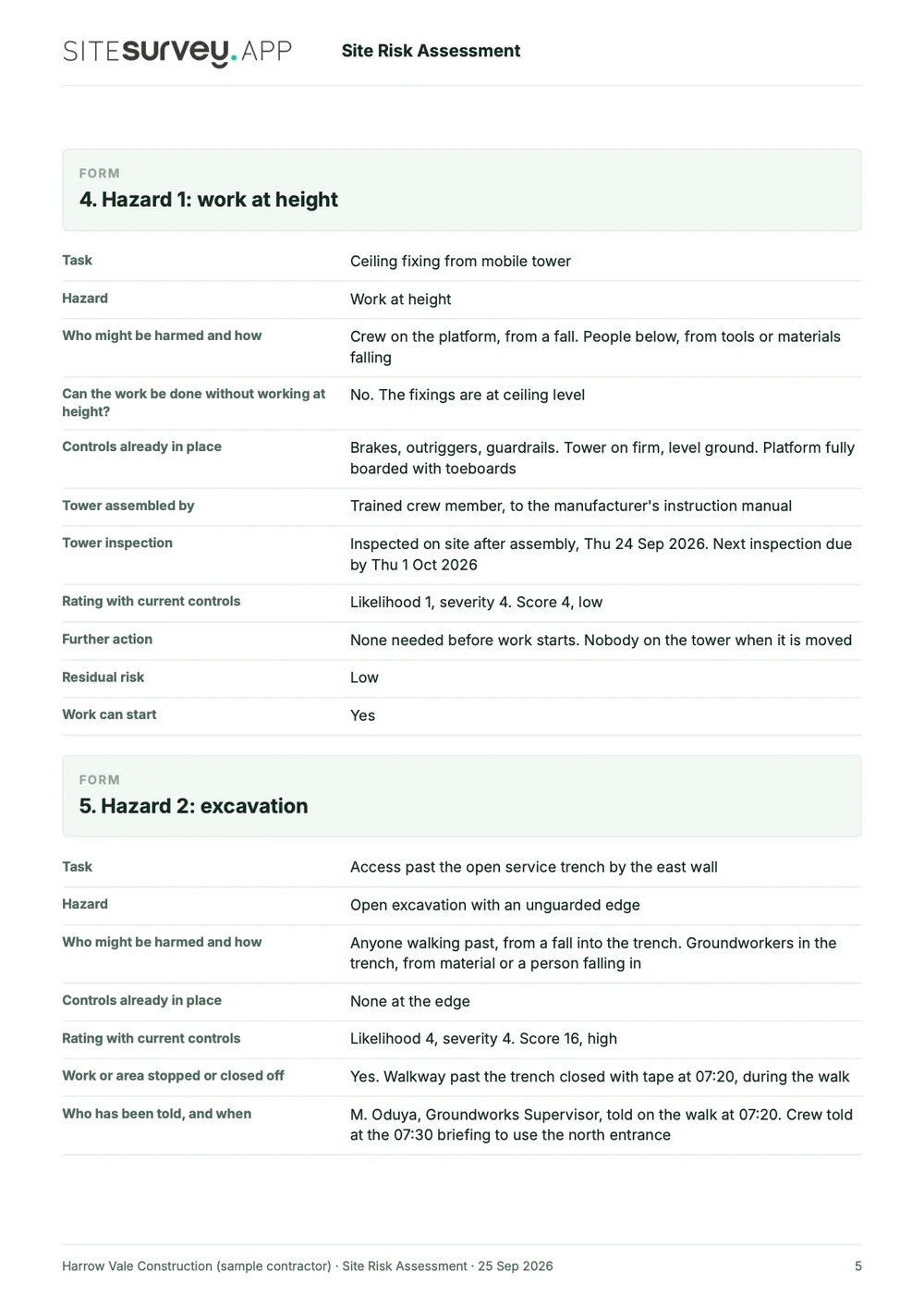
Point 3 of 3
Trip hazards
Trip hazards called out, with the fix and the crew briefing.
What the report looks like
What a site risk assessment report looks like.
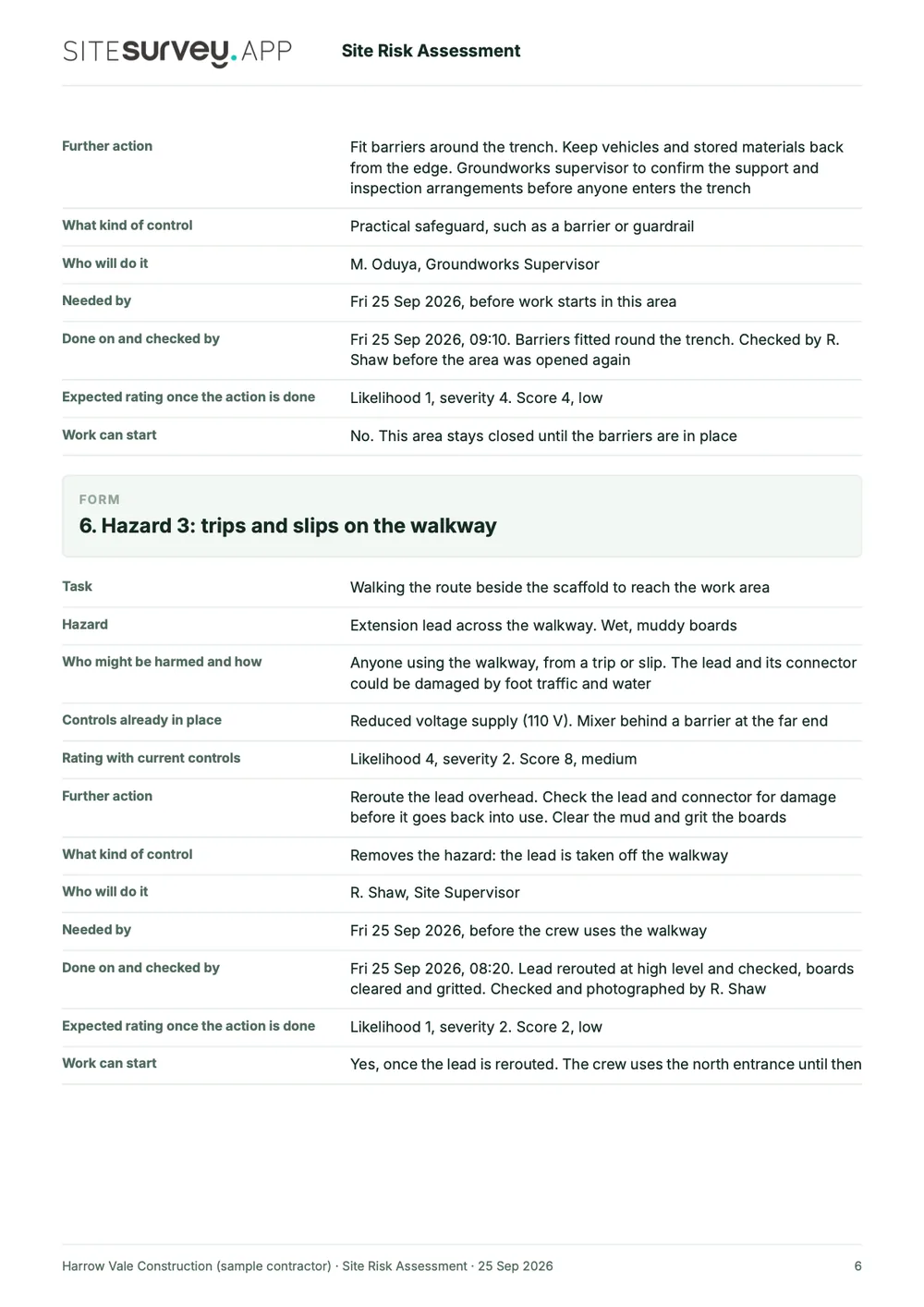
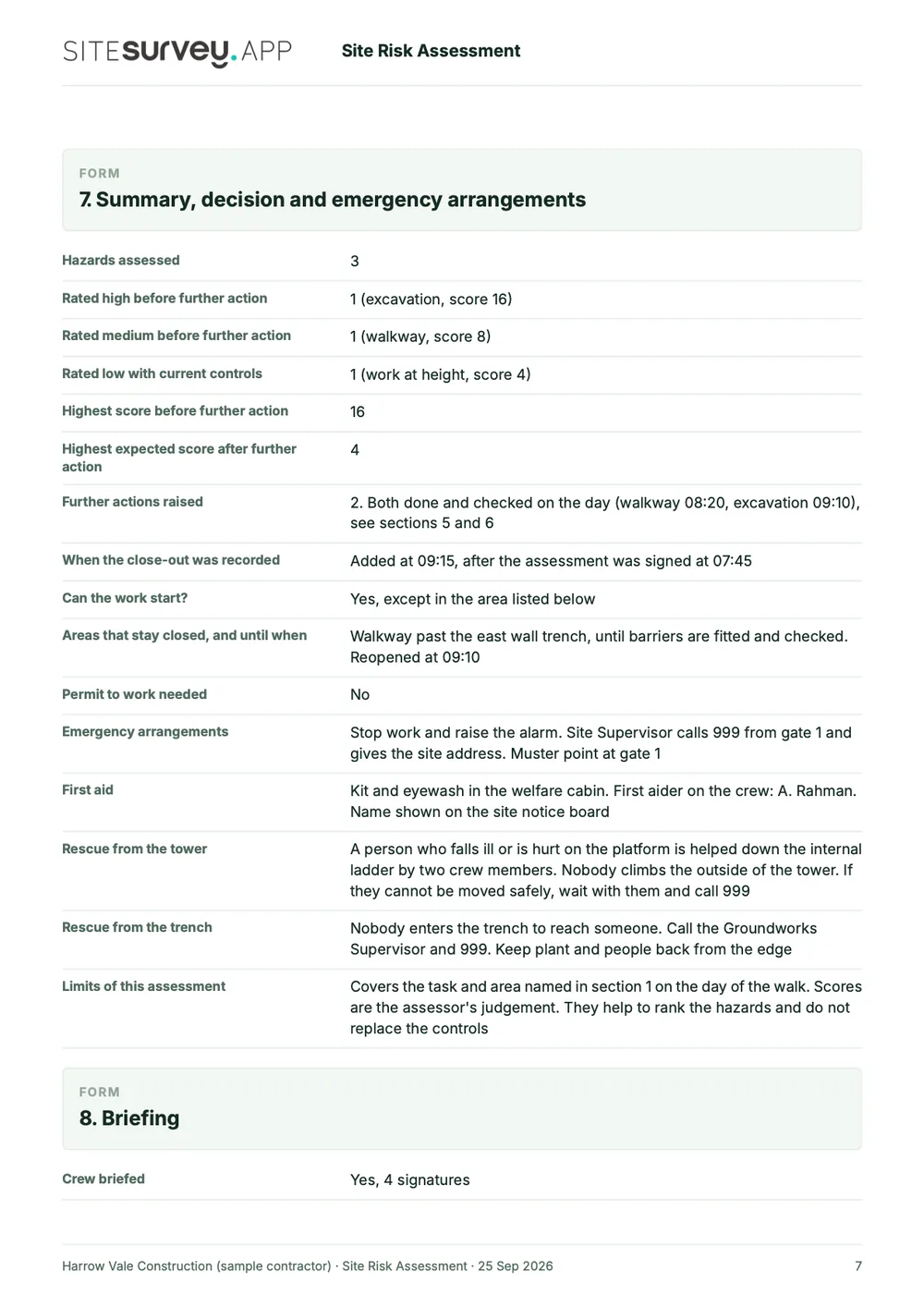
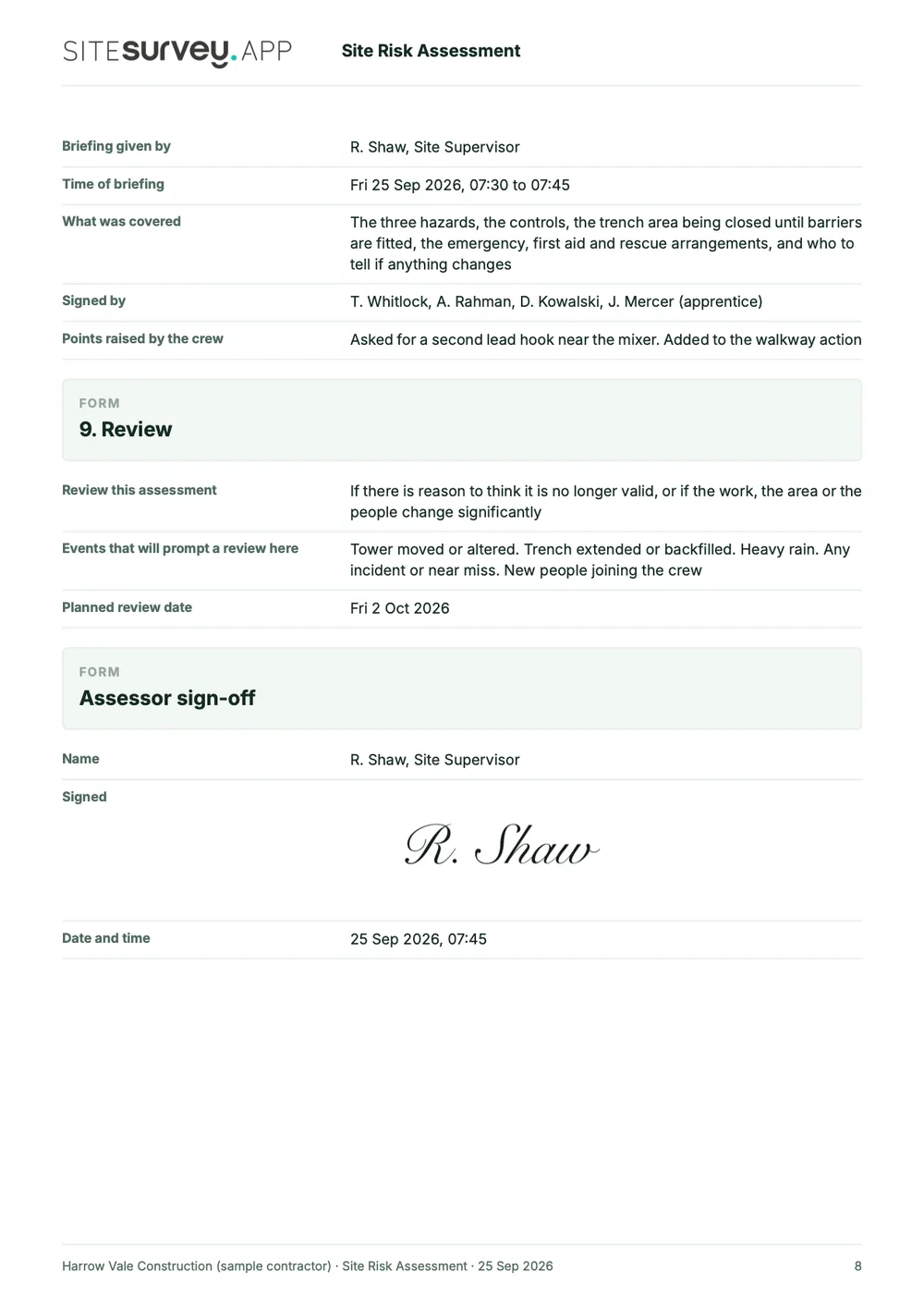
This is a full sample report, made with the SiteSurvey report builder. Scroll through it here or download the PDF. The photographs are stills from the Walk Cam clips on this page.
- 1The work and the peopleWhat the assessment covers, who carried it out, who might be harmed and anyone especially at risk.
- 2Hazard by hazard, with photosEach Walk Cam point has its stills and the assessor's spoken notes, written down as they were said.
- 3Controls, scores and actionsThe controls in place, likelihood and severity, the further action needed, who will do it and by when.
- 4Briefing, review and sign-offWho was briefed and signed, what would prompt a review, and a dated sign-off by the assessor.
Try the form
The form behind the report. Open it and try it.
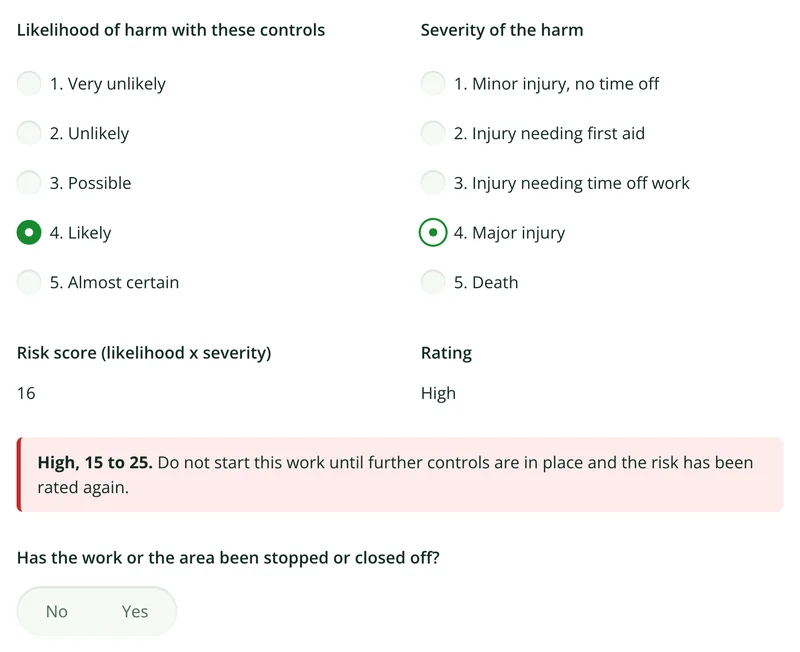
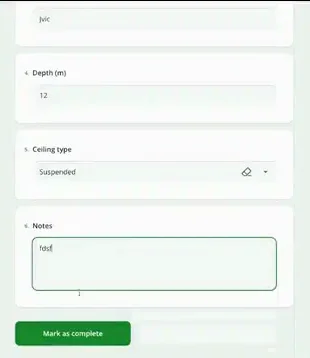
A live SiteSurvey form, shared by link with no login. It asks only what applies to each hazard, works out the risk score from likelihood and severity, and takes a separate record for each hazard. Answers are cleared every night.
Open the live form →See every question in the risk assessment template →Or see it filled in: the finished record with every answer, and the Walk Cam report with its clips, stills and spoken notes. See the finished record → Watch the Walk Cam report →
More than Walk Cam
Build the form. Share it by link.
Walk Cam films the inspection. The form behind it is yours to build, and anything you capture can be sent to someone outside your team as a link, with no login or app needed.
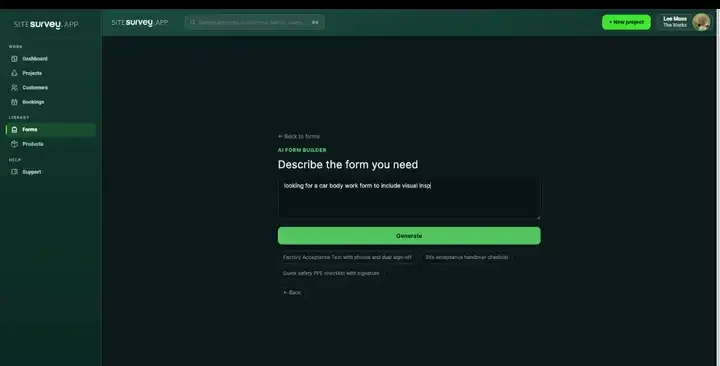
Build your risk assessment form with AI
Describe the checks you carry out and the AI assistant builds the form: fields, required photos, readings as numbers and follow-up questions that only appear when something fails. Refine it in chat, edit it visually, or start from a template.
How the form builder works →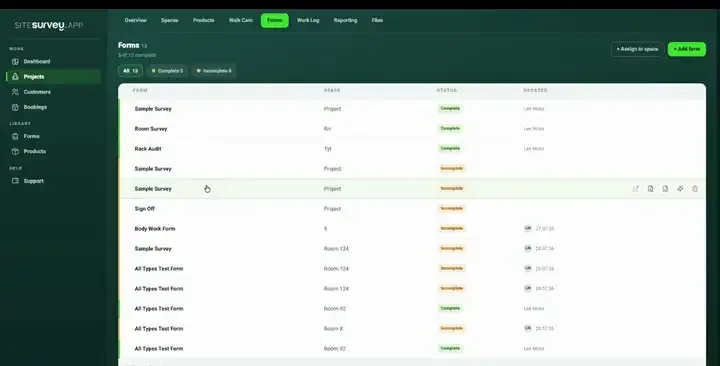
Share by link, no login needed
Make any form shareable and SiteSurvey gives it a unique URL, with an optional password. Customers, tenants or contractors fill it in on their phone’s browser, and their answers land in the same project. Walk Cam recordings and finished reports can be shared the same way, by link or by email.
How Walk Cam sharing works →What should risk assessment software record?
Because the assessment is a form like any other, it carries the same evidence, logic and location handling as the rest of your site record, and reaches the report the same way.
Photo against each control
Attach the visual evidence to the specific control measure, not to the document as a whole.
Signed on the device
Collect briefing signatures from everyone on the job, timestamped, before the work begins.
Conditional follow-ups
A high-risk answer can open extra questions: additional controls, a permit reference or a second sign-off.
Tied to the space
Each assessment sits against the project and the area it covers, so it is findable months later.
Works with no signal
Complete and sign the assessment anywhere, and let it sync when the site regains coverage.
Reusable across jobs
Keep your standard assessment as a template and adapt it per site instead of rewriting it each time.
Start from a site risk assessment template.
Open the ready-made assessment, change the hazards and controls to match your work, and assign it to the jobs you are running. Every field is editable, in chat or visually.
Task, location and date
Hazard description with photo
Who might be harmed
Control measures, each evidenced
Residual risk rating
Additional controls on a high rating
Briefing signatures from the crew
Assessor sign-off
Try it on your phone
Try it on this phone
Fill in the risk assessment template on your phone now
See how the risk assessment template looks on your phone
Scan the code with your phone camera. It opens the real form, no sign-up needed.
Open the live example and fill it in, just as your team would on site. No sign-up needed.
See it on this phoneEvery question is editable. Add this form to your account, then change the wording, add or remove questions and options, and make it fit your own jobs.
What is a risk assessment app?
A risk assessment app lets you complete a workplace or site risk assessment on a phone or tablet at the location the work will happen, rather than filling in a document beforehand at a desk. It typically captures the task and location, the hazards identified, who might be harmed, the control measures put in place, and a residual risk rating, with photographs attached as evidence and signatures collected from the people being briefed. Because it is completed on site, the assessment describes the conditions that were actually there on the day.
What is the best risk assessment app?
The best risk assessment app or risk assessment software is the one that fits the work you assess. For task and site assessments done at the location, look for a mobile app that runs your own format, attaches photographs to each hazard and control, collects briefing signatures, works offline and produces a clear signed record. If you need a library of pre-written assessments, COSHH registers or a full health and safety management system, choose a tool built for that. SiteSurvey is strong on evidence captured on site: photos against each control, Walk Cam video, signatures and offline working. It does not judge whether an assessment is adequate.
What are the five steps of a risk assessment?
HSE sets out five steps: identify hazards, assess the risks, control the risks, record your findings, and review the controls. The legal duty behind them is regulation 3 of the Management of Health and Safety at Work Regulations 1999, which requires employers to make a suitable and sufficient assessment of the risks to employees and others, and to review it when it may no longer be valid or there has been a significant change.
What should a risk assessment include?
A risk assessment should record the hazards, who might be harmed and how, and what you are doing to control the risks. If you employ five or more people, you must record these significant findings. On site it is also worth recording the task, location and date, the residual risk, any additional controls needed, who was briefed and the assessor's sign-off. The sample report above is a full SiteSurvey risk assessment, from the cover and summary through each hazard with its controls and residual risk to the sign-off.
Can photographs be attached to individual control measures?
Yes. Photo fields sit against specific questions, so the evidence attaches to the control it relates to rather than being dumped at the end of the document. You can also mark up the image (draw on it, label it or measure something on it) before saving.
Can the crew sign the assessment on site?
Yes. Signature fields are captured on the device, so everyone being briefed signs before work starts and the record is timestamped. That is considerably stronger evidence than a briefing sheet signed retrospectively.
Does it work without a signal?
Yes. The whole assessment, with its questions, photographs, video and signatures, is completed on the device and synced to the project when connectivity returns, so remote sites and basements are no obstacle.
Can we keep our existing risk assessment format?
Yes. Describe your current assessment to the AI assistant or build it visually, and it becomes a reusable template. Multi-page forms, choice and rating questions, required photographs, conditional questions and signatures are all supported, so your existing format transfers rather than being redesigned.
Does this make our risk assessments legally compliant?
No software can do that. SiteSurvey gives you a consistent way to record assessments and the evidence behind them, but the adequacy of the assessment, the competence of the assessor and compliance with your duties under health and safety law remain yours. Treat it as the record, not the judgement.
Who is it for?
It is for the people who carry out and brief risk assessments on site: site managers and supervisors, health and safety teams, and contractors who need each crew to see and sign the assessment before work starts, including on sites with no signal.
How much does it cost?
Pricing is per user, not per assessment or site. The Works plan, which includes the custom form builder and reports used for risk assessments, is £25 per user per month. The Base plan starts at £13 per user per month. Every plan starts with a trial from £1, cancel any time.
Go deeper
Guides and tools behind this workflow.
See it on your next job