Findings without proof
A failed check with no photograph, measurement or location is an opinion, not evidence.
Health & safety audits and inspections
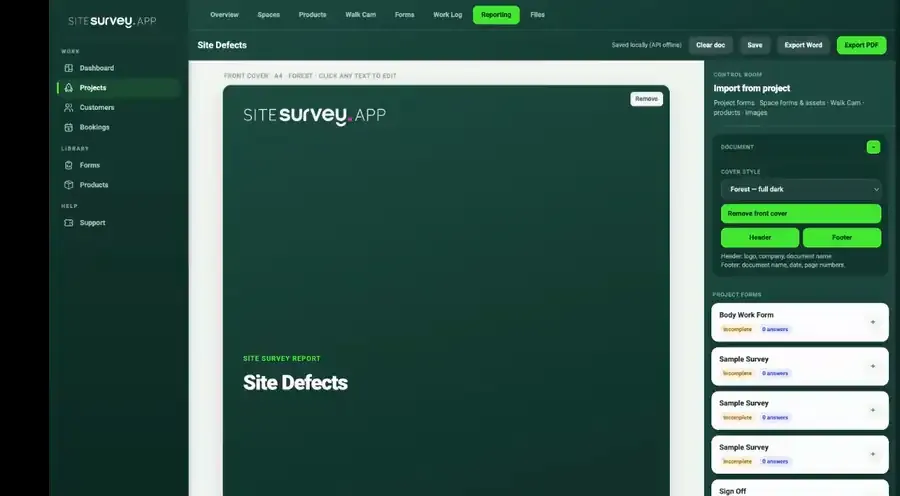
Run safety inspections and audits on the phone — fire doors, PAT, plant and workplace rounds — with photo, measurement and video evidence attached to the exact place it was found. The finished record is the audit report.
From £25 per user per month · trial from £1, cancel any time

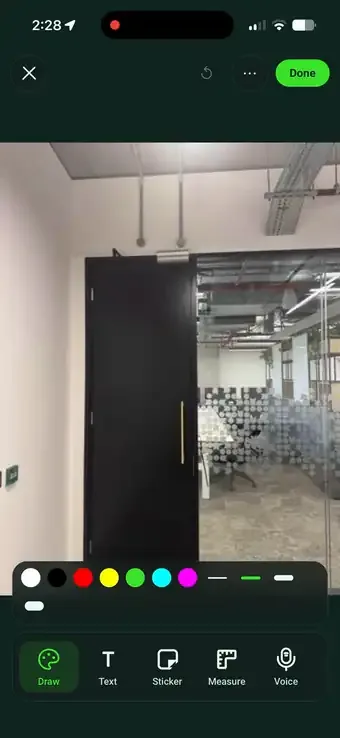
24 doors checked, 3 nonconformities raised with photo evidence.
It replaces paper checklists with a mobile app that records each check and the evidence behind it: photos, measurements and video, tied to the place they were found. Failed checks raise a finding with a corrective action, capture works offline, and the completed record exports as the inspection or audit report.
Last updated 26 September 2026.
Health & safety forms
Each one is in the SiteSurvey form library. See every question and try it live, then use it on your projects and change anything you need.
Hazards, who might be harmed, controls and risk scores, with a briefing record and review date.
Record an accident, injury, near miss, dangerous occurrence, ill health or damage, with people involved, witness statements, RIDDOR checks, investigation and actions.
Fire risk assessment following the five steps in GOV.UK guidance: hazards, people at risk, fire precautions, emergency plan and training, findings with actions and review.
Assessment for a task that uses or creates hazardous substances: products and hazard symbols, who is exposed and how, controls, PPE, emergencies and review.
Permit for hot work, work at height, confined space entry and other high risk jobs: precautions, isolations, authorisation, hand-back and close-out.
Risk assessment for a task at height: can it be avoided, how falls are prevented, access equipment, fragile surfaces, falling objects, rescue and scored hazards.
Workplace audit with walkways, first aid, fire equipment and records, findings and corrective actions, closing meeting.
How a task will be done safely: scope, crew and competence, numbered work steps with hazards and controls, permits, emergency arrangements, briefing and approval. Links to the risk assessment by reference.
Check of a first aid box against its contents list: each item present and in date, expiry dates, restocking, the box itself and the next check date.
Health & safety FAQ
Health and safety inspection software replaces paper checklists with a mobile app that records both the answer and the evidence behind it. A typical system lets you build inspection forms, complete them on site — usually offline — attach photographs and notes to individual questions, raise findings when a check fails, assign corrective actions, and export a report for the client, insurer or auditor. The better systems tie every finding to a specific location so the record still makes sense months later.
Yes. Inspections run entirely on the device, so plant rooms, risers, basements and remote sites are no obstacle. Photos, measurements, video and answers are held securely on the phone and sync to the project when connectivity returns.
Walk Cam records a short clip at each inspection point while live voice-to-text writes the inspector's spoken observation on screen. The clip, its transcript and the still frames are saved against the question and the space they belong to, so the evidence shows the condition rather than describing it. Clips work offline and appear in the exported report.
Yes. Each regime is a reusable form with its own questions, required evidence and conditional follow-ups, assigned to the doors, appliances or fittings you are inspecting. One project can run several regimes across the same building, each keeping its own record.
It supports the evidence and findings side of them. Inspections capture objective evidence, conditional logic raises a finding when a check fails, and the corrective action stays attached to the record through to close — which is what ISO 19011 asks of an audit trail. SiteSurvey supplies the evidence; the judgement on conformity and the certification itself stay with your auditor and certification body.
Yes. Any completed record can be shared as a link, so the responsible person sees the findings and their evidence while the team is still on site, rather than receiving a report days later.
Yes. A failed check can capture the defect photograph, the remedial action and a priority, all held against the same record. Progress and sign-off stay connected to the inspection that raised the finding.
Yes. Describe the checklist to the AI assistant or build it visually — multi-page forms, choice and rating questions, measurements, required photographs, signatures and embedded Walk Cam inspections are all supported, so your existing regime transfers rather than being redesigned.
The best health and safety inspection software is the one your inspectors will use on every round and that records the evidence behind each finding, not just the tick. Look for forms you can change yourself, photos and measurements on each failed check, findings tied to a location, offline capture and a report produced from the record. If you need incident reporting, training records or a full safety management system, check for those specifically. SiteSurvey is strong on evidenced inspections, Walk Cam video and offline working. It does not certify compliance or replace a competent person.
It is for health and safety managers, internal auditors, compliance leads and site supervisors who run inspections and audits across buildings and sites, and for consultants who report to clients.
Pricing is per user, not per inspection or site. The Works plan, which includes the custom form builder and reports used for safety inspections, is £25 per user per month. The Base plan starts at £13 per user per month. Every plan starts with a trial from £1, cancel any time.
Go deeper
See it in your environment