Audit management and internal audits
Audit management software built around the evidence, not the checklist.
Plan the audit, gather objective evidence on site, grade each finding, agree it with the auditee before you leave, and record the corrective action with the finding, all on one record rather than across a spreadsheet, a camera roll and an inbox.
The Works £25 per user per month (Base from £13) · trial from £1, cancel any time
See a sample report ↓Start from the safety audit checklist ↓
18
Checks
4
Findings
4
Actions
A single internal audit round
What is audit management software?
Audit management software runs an audit in one record: planning against set criteria, capturing evidence, grading findings and recording the corrective action with each finding. HSE says larger organisations should formally audit health and safety performance. SiteSurvey is audit management software for iOS, Android and web, at £25 per user per month on The Works (Base from £13).
Last updated 10 October 2026. Facts checked on 4 October 2026 against Management of Health and Safety at Work Regulations 1999, regulation 5 and HSE: Plan, Do, Check, Act.
Audit finding grades, and the usual response
These are the grades the SiteSurvey safety audit form uses. Your certification body or audit procedure may define its own, and the form can be changed to match.
| Grade | What it means | Usual response |
|---|---|---|
| Conforms | The requirement is met, and the evidence seen shows it | None. The evidence is kept with the result |
| Major nonconformity | A requirement is not met in a way that puts people at risk or shows the control is missing | Make the area safe now, record who was told, then a corrective action with an owner and target date |
| Minor nonconformity | A requirement is only partly met, or met inconsistently | A corrective action with an owner and target date |
| Observation | The requirement is met, but something could be improved | Record the improvement. No corrective action is required |
SiteSurvey for audit management, at a glance
- What it is
- A mobile inspection and audit app for iOS and Android, with a web portal, used to run internal, supplier and site audits on reusable forms.
- Who it is for
- Health and safety, quality and compliance teams, and anyone who audits sites, suppliers or stores in person.
- What it records
- Scope and criteria, the area audited, each observation with its evidence, the finding and its grade, and the corrective action with its owner, target date and completion evidence.
- Evidence
- Photos, on-image measurements and Walk Cam video, every entry dated and attributed to the auditor, captured fully offline and synced later.
- Price
- £25 per user per month on The Works plan, which includes the form builder and reports. Trial from £1, cancel any time.
- What it does not do
- It does not certify you to any standard, replace a competent auditor, act as a document control system, keep a separate action register or send action reminders.
Where internal audits fall down
They fall down in three predictable places: findings recorded without the evidence that supports them, observations the auditee first sees in a report days later, and corrective actions that drift away from the finding that raised them.
Findings without objective evidence
A nonconformity noted in a spreadsheet cell is an assertion until something shows what was observed.
Agreed too late
If the auditee first reads the finding in a report, the closing discussion has already been lost.
Actions that lose their thread
A corrective action kept in a separate list soon loses the finding and the evidence that raised it.
How does audit management software work, from plan to corrective action?
01 · Plan the audit
Build the audit as a reusable form covering the criteria and scope you audit against.02 · Gather the evidence
Photograph, measure or record what you observe, tied to the area and process being audited.03 · Raise the finding
Grade it, attach its evidence, and share the record so the auditee sees it before the audit closes.04 · Record the action
Note the corrective action, its owner and target date with the finding. A follow-up visit is a new audit on the same project.Walk Cam, point by point
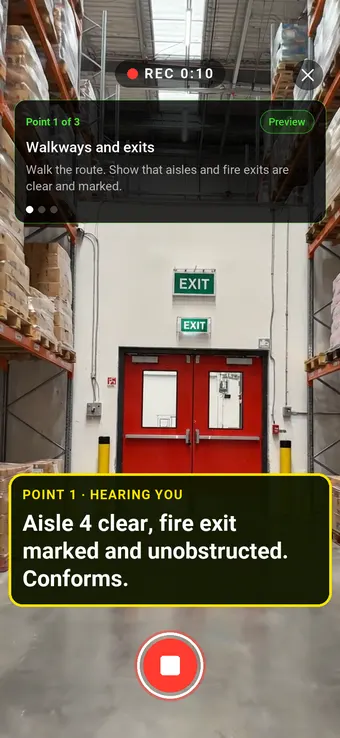
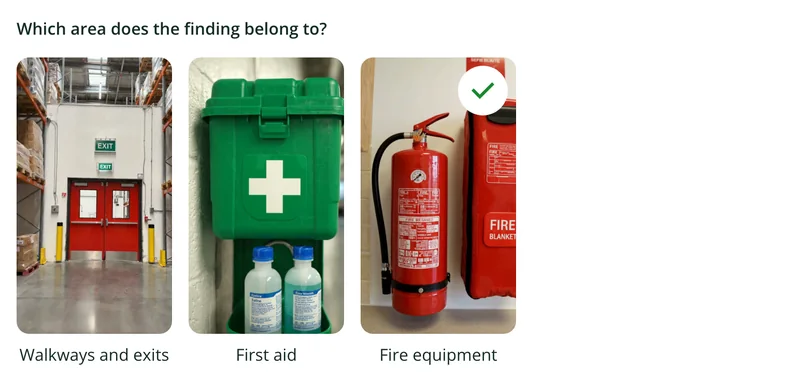
An audit, point by point.
Walk Cam takes the auditor through each requirement in turn, films the evidence and writes down the finding as they speak.
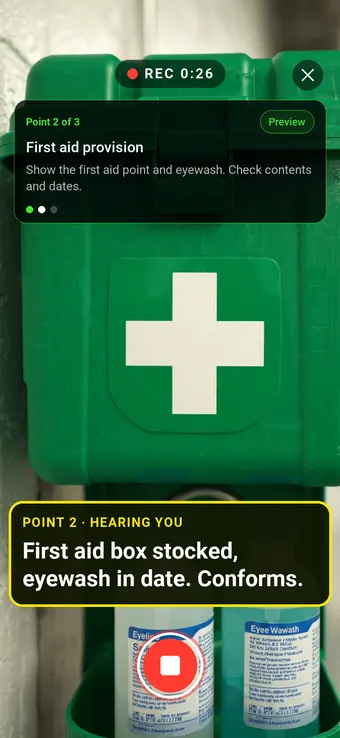
Point 2 of 3
First aid provision
First aid provision checked, with contents and dates said and recorded.
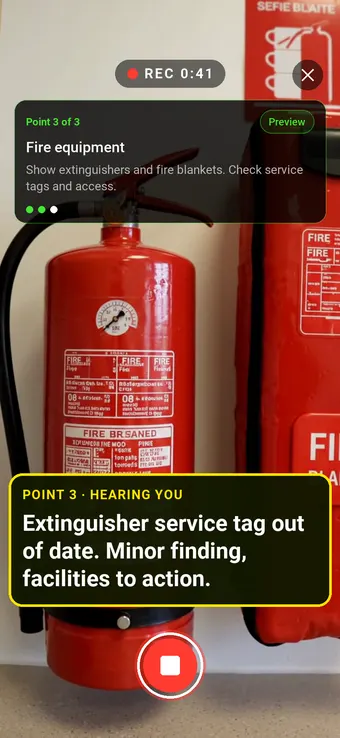
Point 3 of 3
Fire equipment
Fire equipment checked, with any finding raised as it is found.
What the report looks like
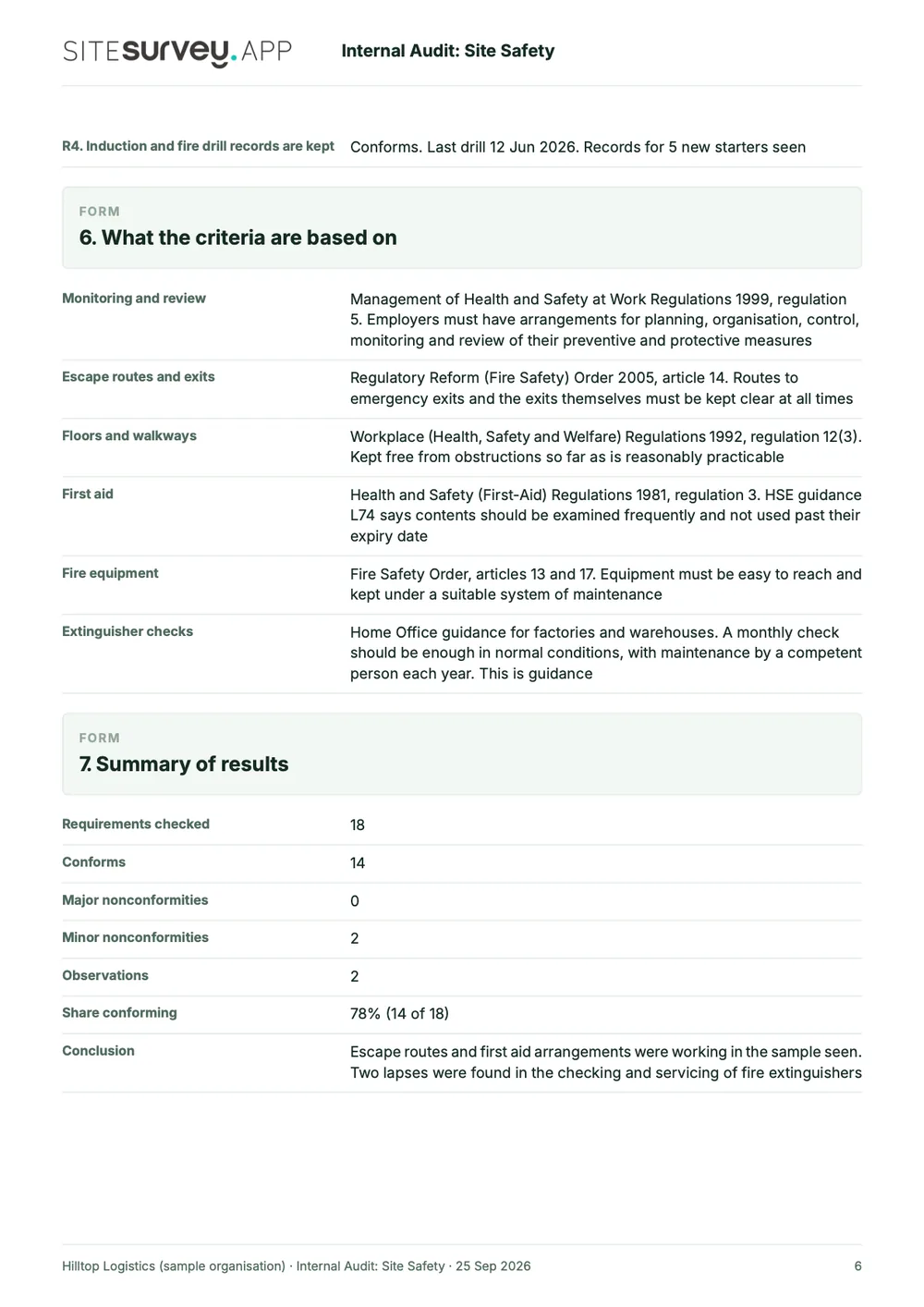
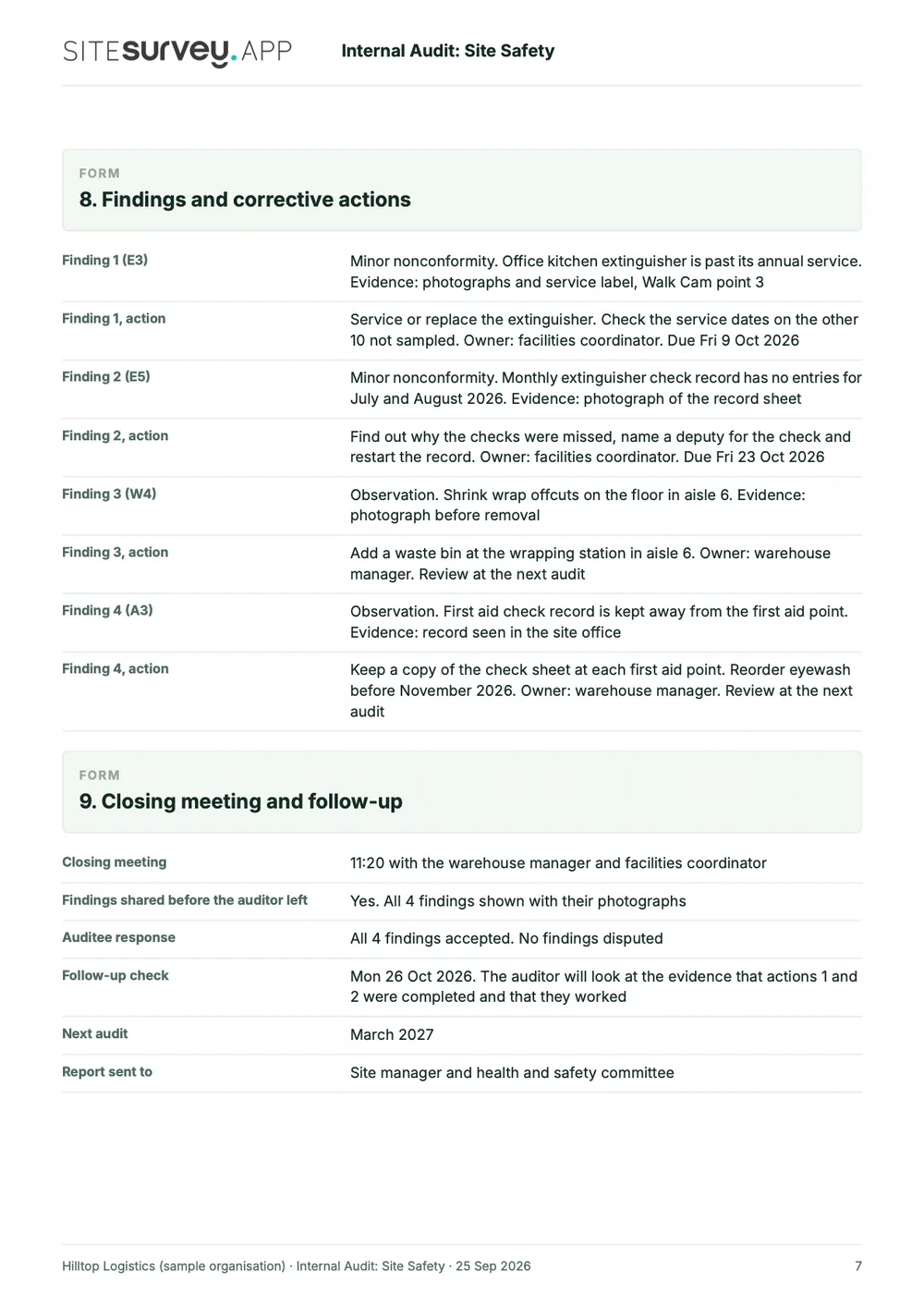
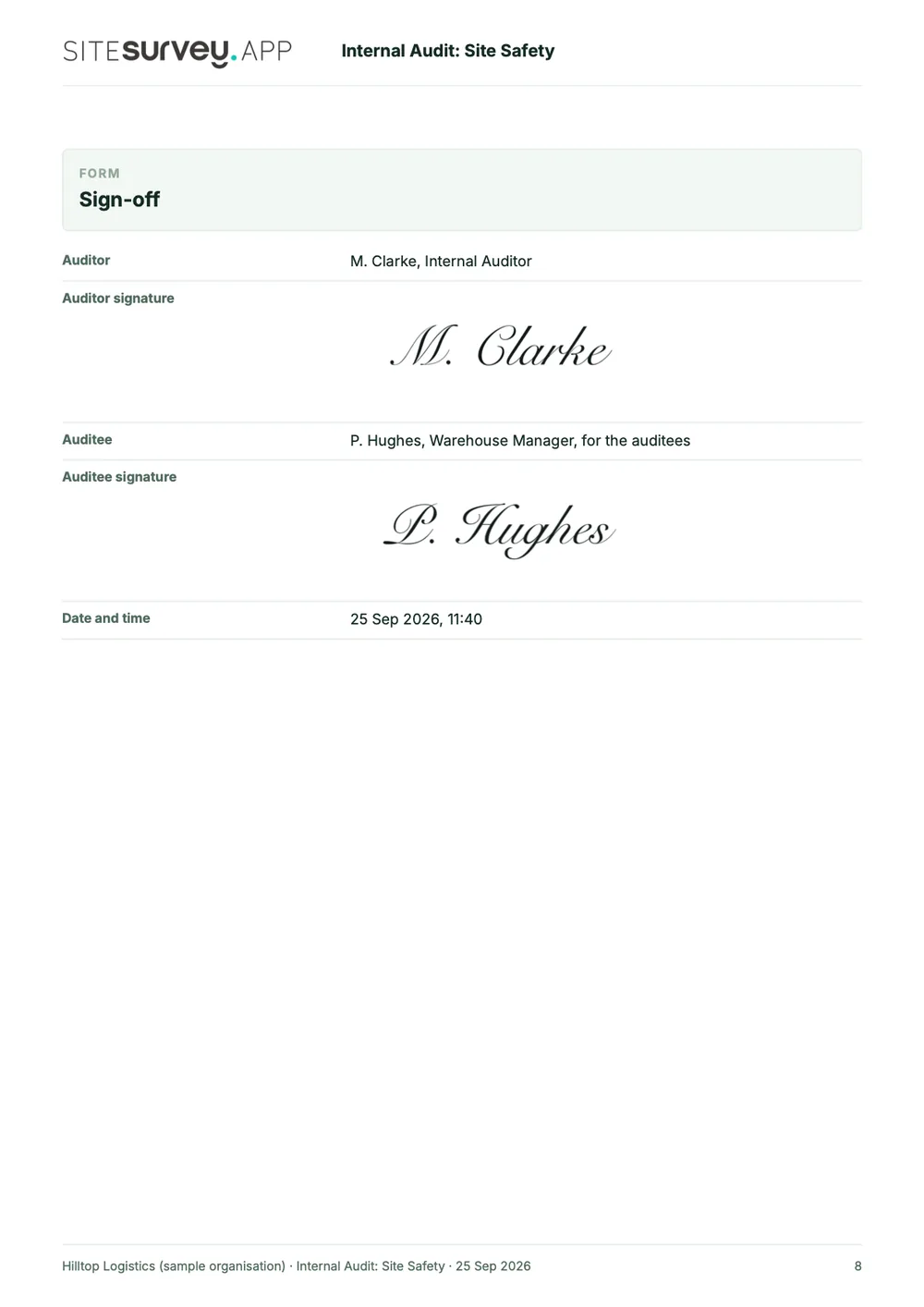
What an internal safety audit report looks like.
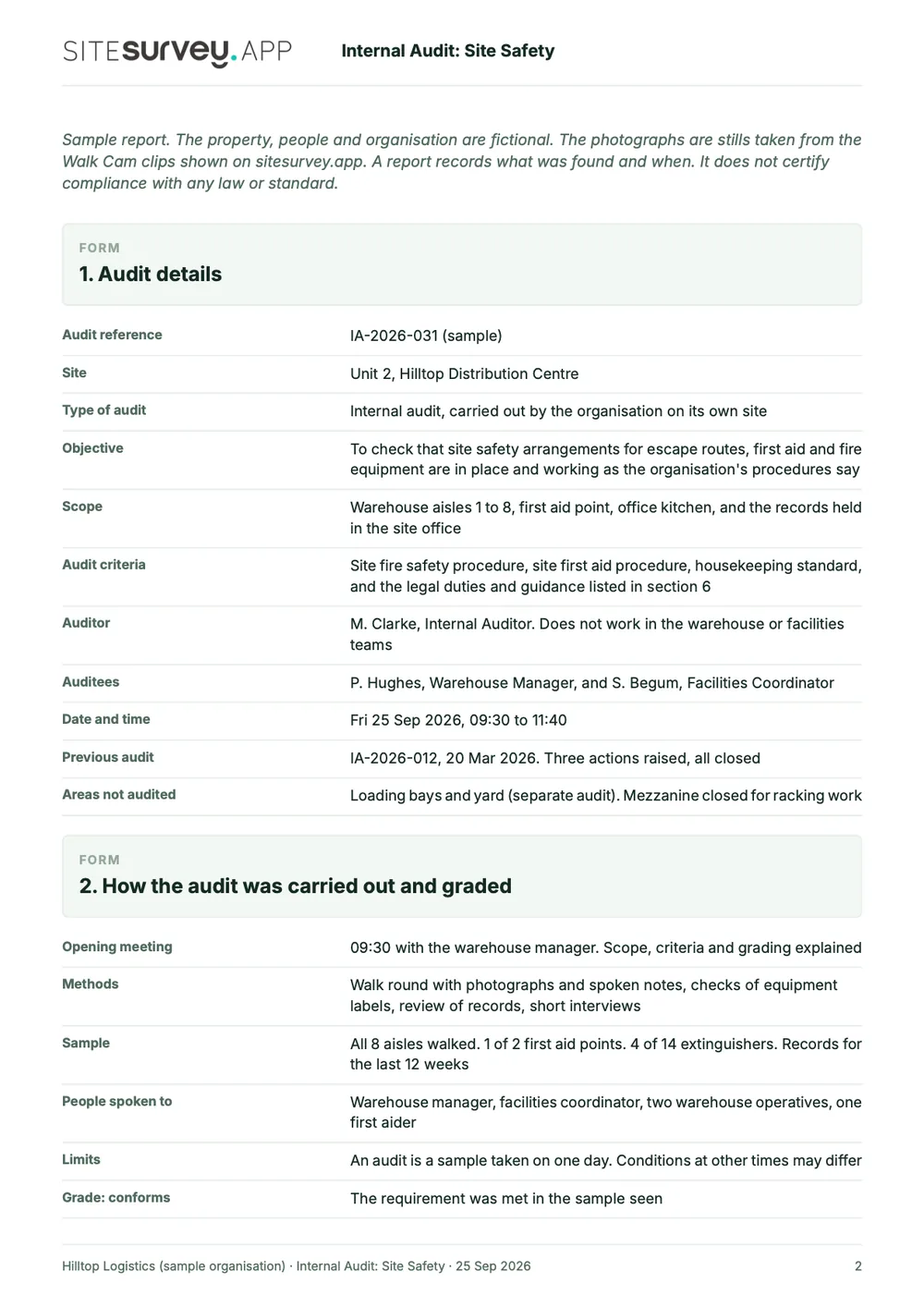
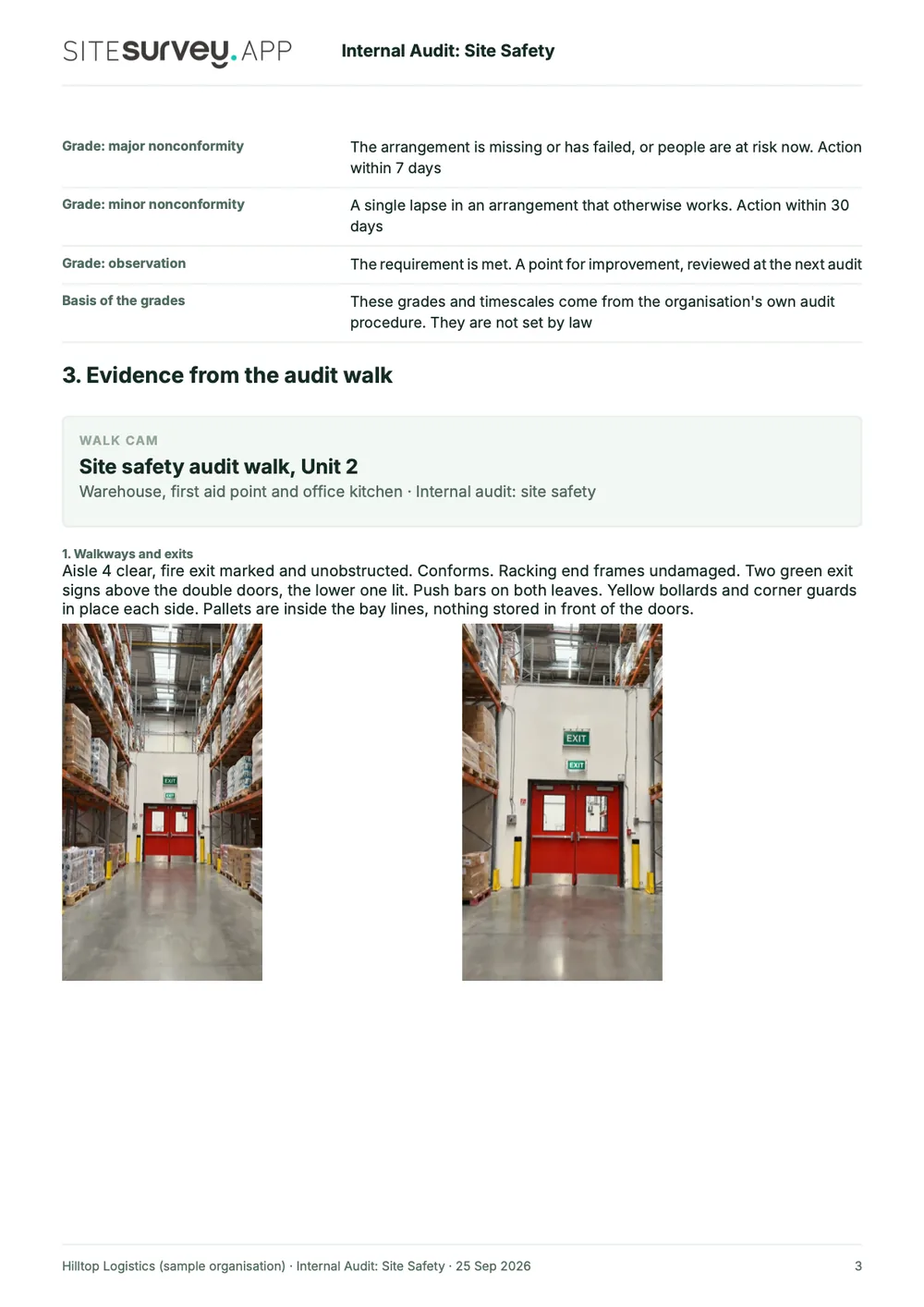
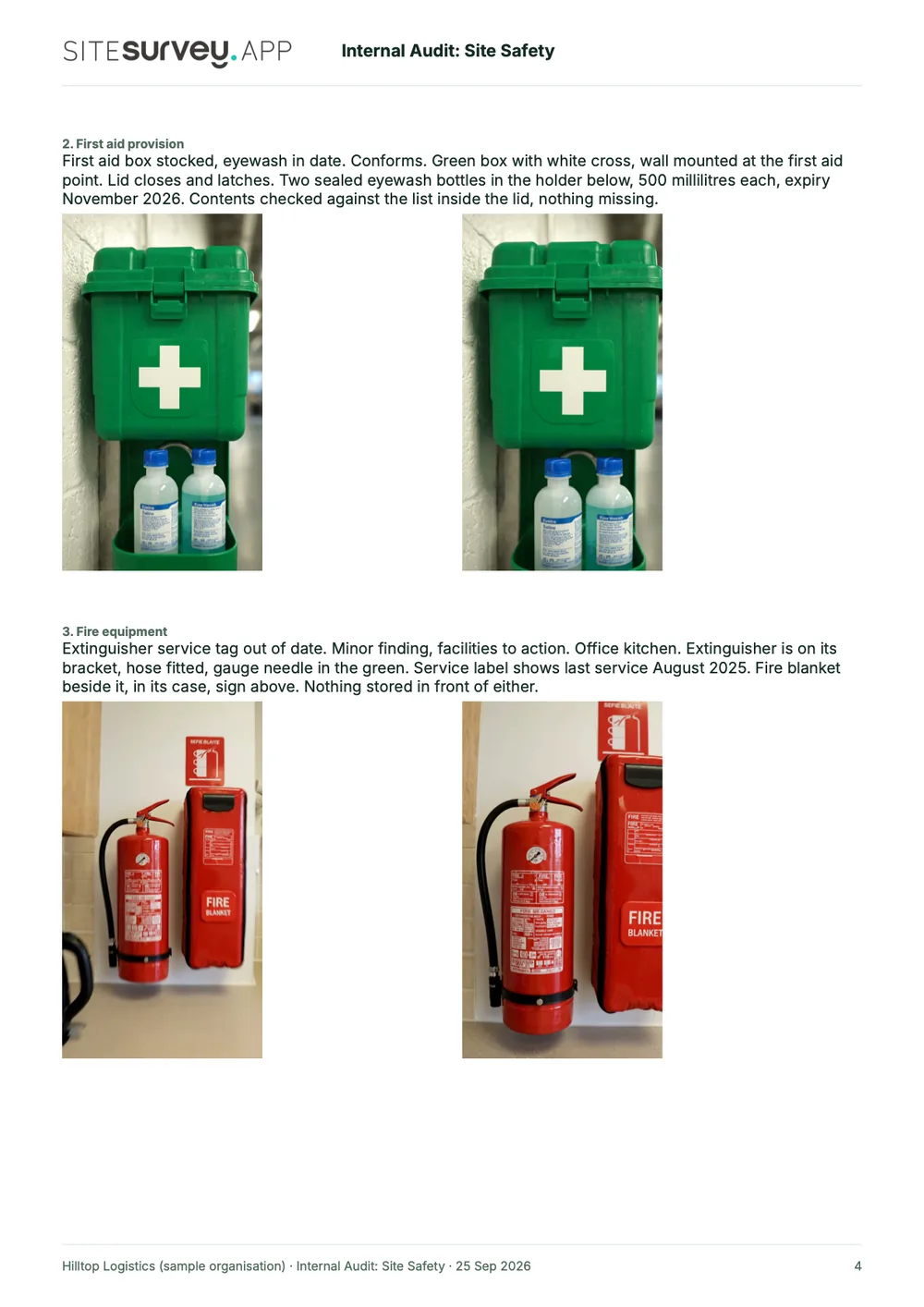
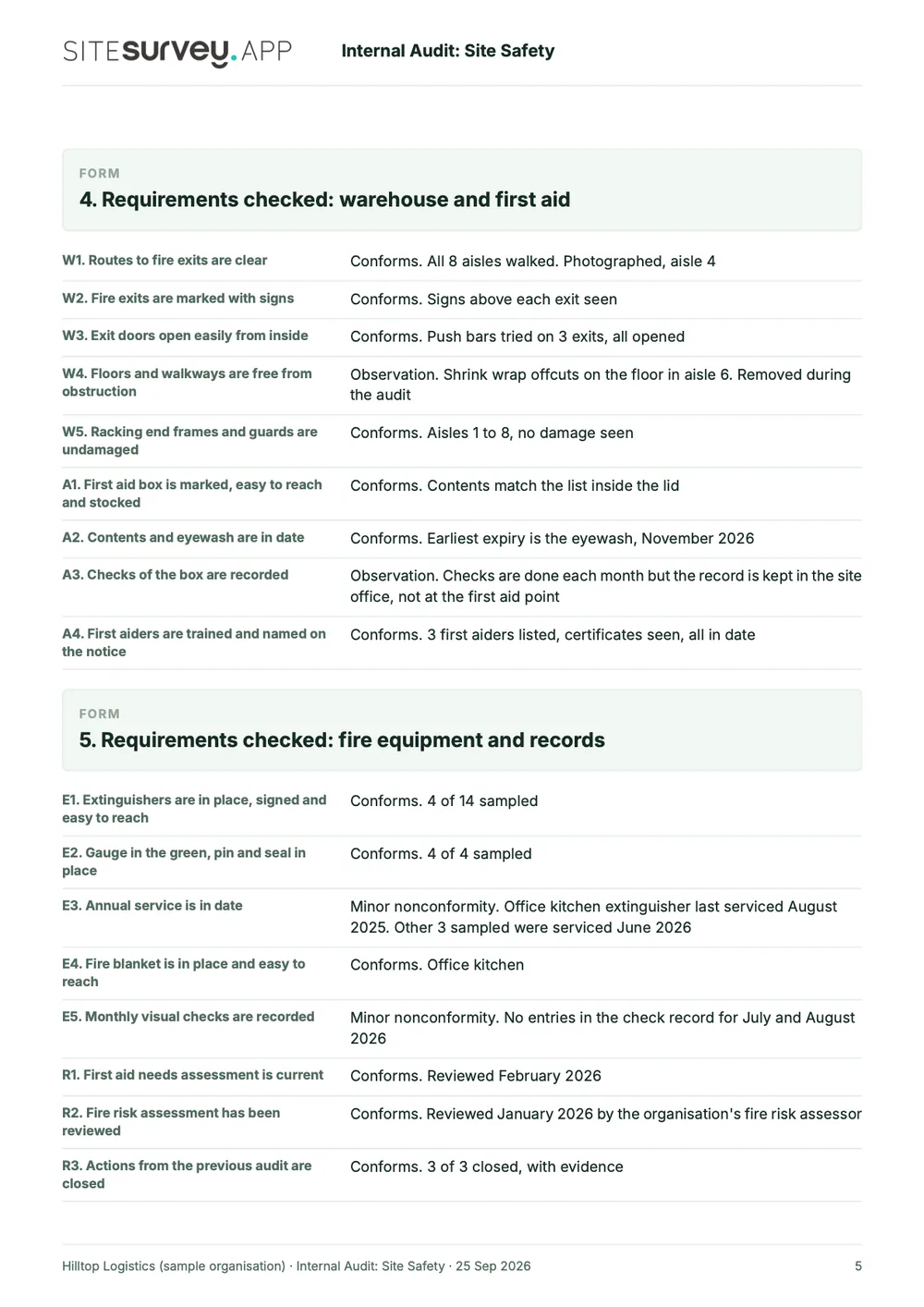
This is a full sample report, made with the SiteSurvey report builder. Scroll through it here or download the PDF. The photographs are stills from the Walk Cam clips on this page.
- 1Scope, criteria and methodWhat was audited, what it was checked against, who was spoken to and how much was sampled.
- 2Evidence from the walkEach Walk Cam point has its stills and the auditor's spoken notes, written down as they were said.
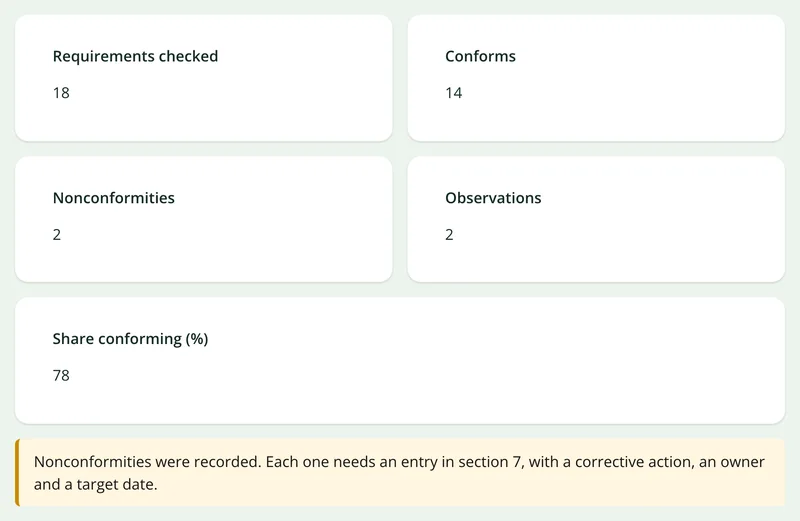
- 3Every requirement and its resultEighteen requirements, each marked as conforms, nonconformity or observation, with a count and a share conforming.
- 4Findings, actions and sign-offEach finding with its grade and evidence, the corrective action, its owner and target date, the auditee's response and a dated sign-off.
Try the form
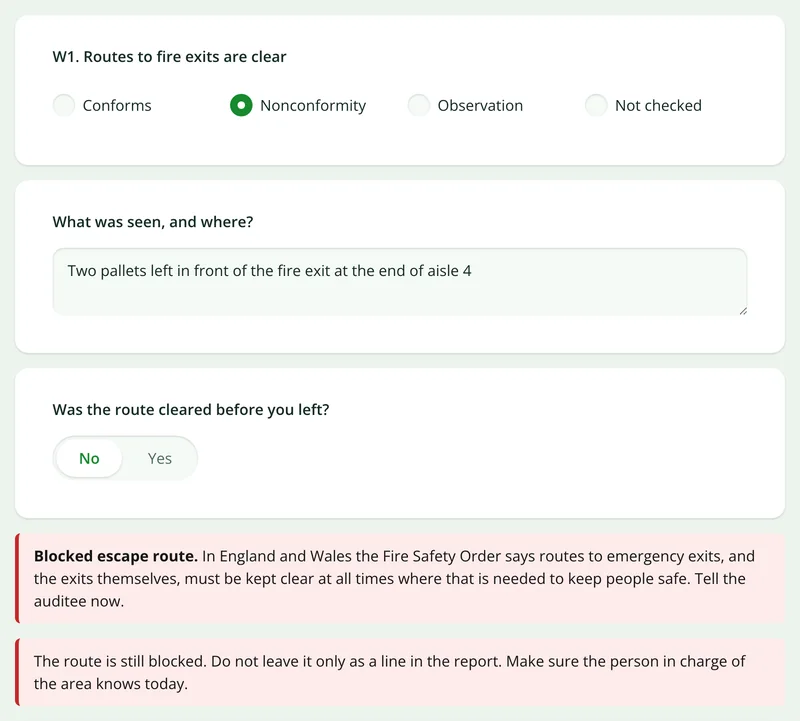
The form behind the report. Open it and try it.
A live SiteSurvey form, shared by link with no login. It asks only what applies, counts the results as you go and takes a separate record for each finding. Answers are cleared every night.
Open the live form →See every question in the safety audit checklist →Or see it filled in: the finished record with every answer, and the Walk Cam report with its clips, stills and spoken notes. See the finished record → Watch the Walk Cam report →
More than Walk Cam
Build the form. Share it by link.
Walk Cam films the audit. The audit form behind it is yours to build, and anything you capture can be sent to someone outside your team as a link, with no login or app needed.
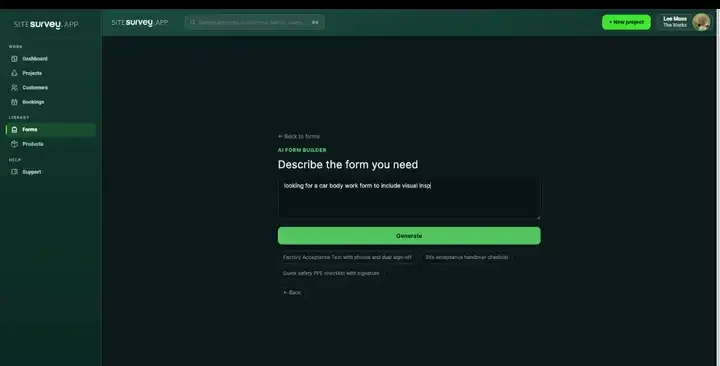
Build your audit checklist with AI
Describe the requirements you audit against and the AI assistant builds the form: fields, required photos, finding grades and follow-up questions that only appear when a requirement is not met. Refine it in chat, edit it visually, or start from a template.
How the form builder works →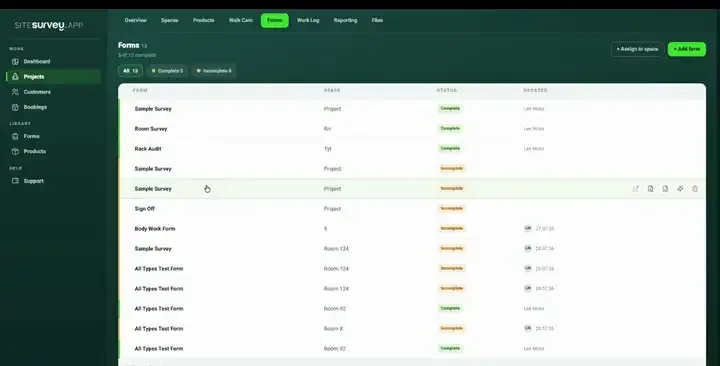
Share by link, no login needed
Make any form shareable and SiteSurvey gives it a unique URL, with an optional password. Customers, tenants or contractors fill it in on their phone’s browser, and their answers land in the same project. Walk Cam recordings and finished reports can be shared the same way, by link or by email.
How Walk Cam sharing works →What should audit management software record?
An audit trail holds up when each finding rests on evidence, the auditee has seen it before the audit closes, and the corrective action sits with the finding that raised it. These are the parts of that a survey app can genuinely carry.
Objective evidence
Photographs, on-image measurements and video with a spoken observation transcribed as text, captured at the point of observation.
Findings, graded
Mark each requirement as conforms, nonconformity or observation, grade a nonconformity as major or minor, and attach the evidence.
Agreed before close
Share the record as a link so the auditee reviews findings and evidence while you are still on site.
Corrective actions in place
The action, its owner, target date and evidence of completion are questions on the same record as the finding.
Repeatable across audits
Keep each audit as a template so the same criteria are applied consistently, round after round.
Works offline
Audit plant rooms, warehouses and remote sites with no connection, and sync when you are back in range.
Start from a safety audit template.
Open the ready-made safety audit form, set it against your own criteria and scope, and reuse it every cycle. Every field below is editable, in chat or visually. For a general quality or process audit, the internal audit checklist is also in the form library.
Audit scope, criteria and date
Area, process or department audited
Observation with objective evidence
Finding grade: major, minor or observation
Reference to the requirement
Corrective action, owner and target date
Evidence of completion
Auditor and auditee sign-off
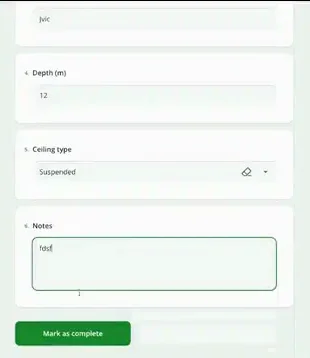
Try it on your phone
Try it on this phone
Fill in the safety audit checklist on your phone now
See how the safety audit checklist looks on your phone
Scan the code with your phone camera. It opens the real form, no sign-up needed.
Open the live example and fill it in, just as your team would on site. No sign-up needed.
See it on this phoneEvery question is editable. Add this form to your account, then change the wording, add or remove questions and options, and make it fit your own jobs.
Records for this workflow
Turn an observation into a traceable follow-up.
Keep a wider audit separate from an individual walk or non-conformance. Linking their references preserves the context without repeating the same findings in disconnected records.
1. Capture the observed process
Use a gemba walk to record what was observed at the work location and the improvement opportunities identified.
Gemba walk checklist →2. Record the audit evidence
Assess the relevant scope against the audit criteria and reference supporting observations. An isolated walk is not the whole audit.
Internal audit checklist →3. Follow up a non-conformance
Record the specific issue, supporting evidence and response so the person reviewing closure can see what changed.
Non-conformance report template →
What is audit management software?
Audit management software runs an internal, supplier or site audit in one record: planning what will be audited and against which criteria, recording observations with their evidence, grading each finding and recording the corrective action, its owner and target date with it. The point of difference from a checklist tool is that the evidence, the finding and the action stay together, so the audit trail can be reconstructed later. In SiteSurvey a follow-up is a new audit against the same project.
What counts as objective evidence in an audit?
Objective evidence is a record, statement of fact or other information that can be verified, as opposed to an auditor's recollection. In practice that means a dated photograph of the condition observed, a measurement, a document reference, or a recording of what was said during the audit. Capturing it at the moment of observation, tied to the location, is what makes it verifiable afterwards.
Can findings be shared with the auditee before the audit closes?
Yes. A completed record can be shared as a link, so the auditee reviews the findings and their evidence while the audit is still open. That matters because a finding the auditee has already seen and discussed is far easier to agree and act on than one that first appears in a report.
Can corrective actions be tracked to verified close?
Partly. The corrective action, its owner, target date and completion evidence are questions on the same audit record as the finding, so they stay together and appear in the report. SiteSurvey does not run a separate action register or send reminders; a follow-up visit is a new audit against the same project.
Does this make us ISO 45001 or ISO 9001 certified?
No. SiteSurvey records audits and the evidence behind them; it does not certify anything and does not replace an auditor's judgement. Certification is granted by an accredited certification body, and competence requirements for auditors remain yours to satisfy. What the software provides is a consistent, evidenced audit trail.
Can the same audit be reused each cycle?
Yes. Audits are reusable forms, so the same criteria are applied the same way every round, which is what makes results comparable between cycles and between auditors.
Can it be used for supplier and site audits as well as internal ones?
Yes. The audit is a form assigned to a project and its spaces, so it works equally for an internal process audit, a supplier visit or a site inspection. The difference is the criteria you build into it, not the tool.
What is the best audit management software?
The best choice depends on where your audits happen and what you need to do with the results. For audits carried out on site, in warehouses, plant rooms or stores, look for mobile capture that works offline, evidence tied to the area audited, findings and corrective actions on the same record, and forms you can reuse each cycle. If you need document control, a management system register or certification body workflows, choose a tool built for that. SiteSurvey is strong on the site side: evidence capture, Walk Cam video, reusable forms and offline working. It does not certify anything, act as a document control system or keep a separate action register.
What should an audit report include?
An audit report should state the scope, the criteria audited against, the date and who carried out the audit, and for each area the observation, the evidence behind it and the finding, such as conforms, a major or minor nonconformity or an observation. For each nonconformity it should record the corrective action, its owner and, later, the evidence that it was completed. The sample report above is a full SiteSurvey internal safety audit report, from the scope and summary through each area's observations and findings to the corrective actions and sign-off.
Who is it for?
Health and safety, quality and compliance teams who run internal audits, and the people who audit suppliers, sites and stores. It suits audits carried out in person, where the evidence is on the shop floor, in the warehouse or in the plant room rather than in a document.
How much does it cost?
Pricing is per user, not per audit or site. The Works plan, which includes the custom form builder and reports used for audits, is £25 per user per month. The Base plan starts at £13 per user per month. Every plan starts with a trial from £1, cancel any time.
Go deeper
Guides and tools behind this workflow.
See it on your next job