Snagging and punch lists
Snagging app for the room, not the spreadsheet.
Log a snag against Plot 14's en-suite rather than row 87 of a spreadsheet. Mark up the photo on the spot, assign the trade, and export the snagging list or handover pack from what the site already captured, fully offline.
£25 per user per month on The Works, Base from £13 · trial from £1, cancel any time
See a sample report ↓Start from the snagging list template ↓
8
Snags
6
Trades
9
Areas inspected
Plot 14 before handover, the sample report below
What is snagging, and what does the New Homes Quality Code require?
Snagging is finding, recording and putting right defects in a building before and after handover. For a home reserved from a registered developer from 2 March 2026, the New Homes Quality Code gives the buyer the chance of a pre-completion inspection and requires an after-sales service for at least two years, in which the developer must, in most cases, resolve a reported snag within 30 days.
Last updated 10 October 2026. Facts checked on 26 September 2026 against the New Homes Quality Code (Version 2) and NHQB: which Code applies.
SiteSurvey for snagging, at a glance
- What it is
- A mobile snagging and inspection app for iOS and Android, with a web portal, used to record snags against the room, unit or plot they are in.
- Who it is for
- Main contractors, housebuilders, fit-out contractors, subcontractors and independent snagging inspectors in the UK.
- What it records
- Location, description, trade, priority and status for each snag, with photos marked up and measured, and Walk Cam video with voice-to-text.
- Evidence
- Every entry is dated and attributed to the person who captured it, works fully offline, and a snag can be closed with a photo of the fix.
- Price
- £25 per user per month on The Works plan, which includes snagging, floor plans, the form builder and reports. Trial from £1, cancel any time.
- What it does not do
- It does not reproduce the NHQB Pre-Completion Inspection Checklist, manage New Homes Quality Code complaints or ombudsman cases, or judge warranty standards.
A snag in a spreadsheet loses the one thing that matters: where it is.
Most snagging still ends up as a photo in a camera roll and a line in a spreadsheet, joined by nothing. By the time the trade reads it, nobody can say which door, which room or which floor, so someone walks the building again to find out.
Photos with no location
A folder of images named IMG_4471 tells the joiner nothing about which plot to visit.
Rebuilt in the evening
Site notes get retyped into a spreadsheet hours later, and detail is lost in the transfer.
No proof of the fix
Items are closed on someone's word, with no before-and-after evidence when the client queries it.
How does snagging work, from walking the plot to closing the list?
01 · Walk the plot
Open the project and pick the space: the room, unit or plot you are standing in.02 · Snag it in place
Photograph the defect, draw on it, measure it on the image or record a spoken note that writes itself out.03 · Assign the trade
Set the category, priority and responsible trade while you are still in front of the problem.04 · Issue and close
Export the snagging list per plot or per trade, then close each item with evidence of the fix.Walk Cam, point by point
A snag walk, point by point.
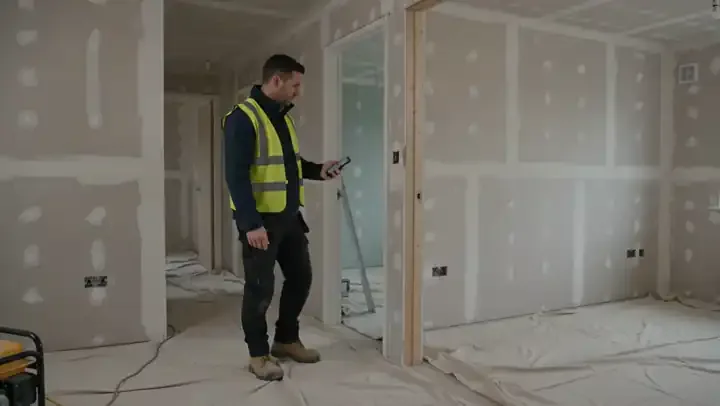
Walk Cam takes the inspector through each area in turn, films every defect and writes down what they say, so the snag list is written as they walk.
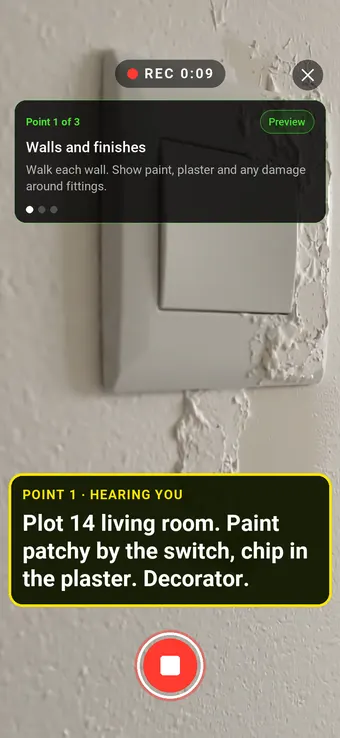
Point 1 of 3
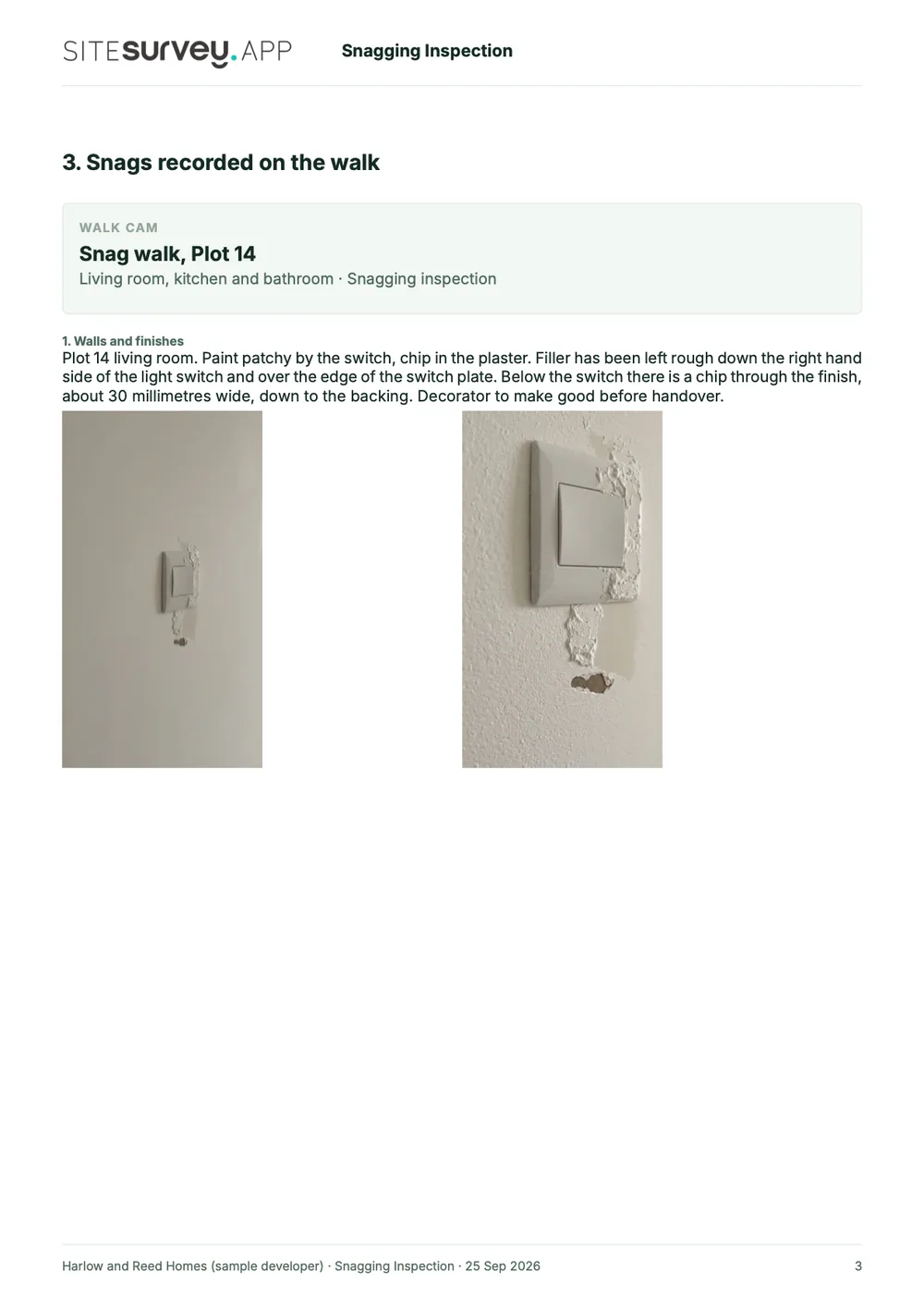
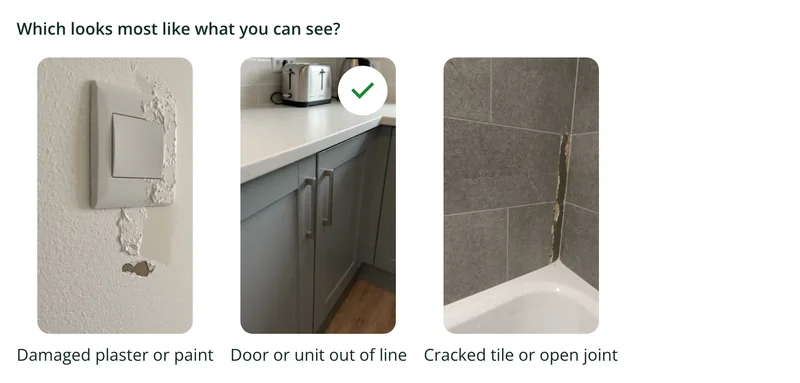
Walls and finishes
Paint and plaster defects filmed where they are, with the trade that fixes them.
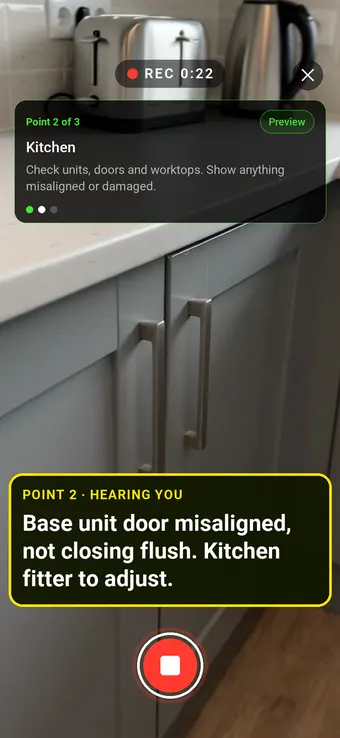
Point 2 of 3
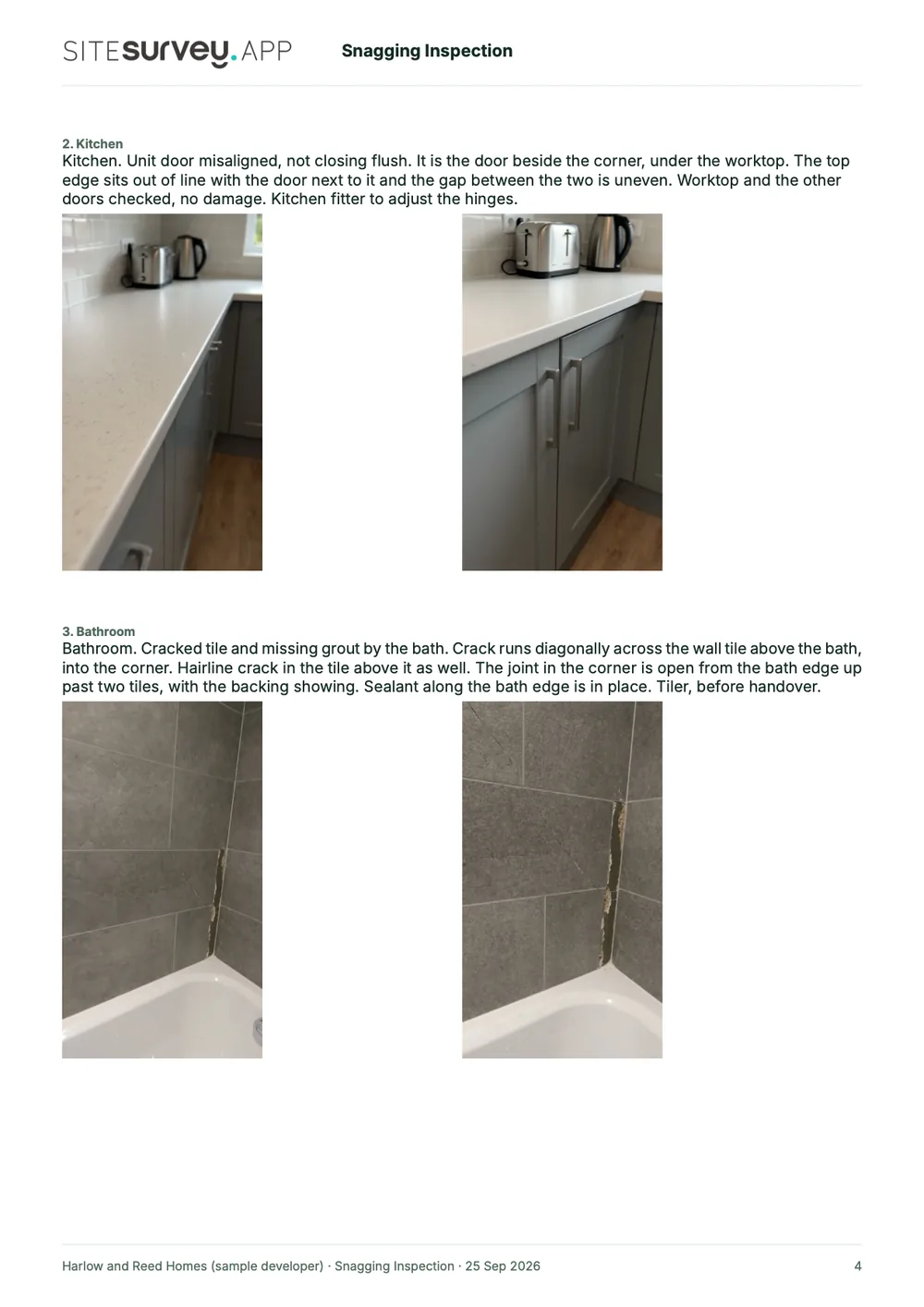
Kitchen
Doors, units and worktops checked, with anything out of line called out.
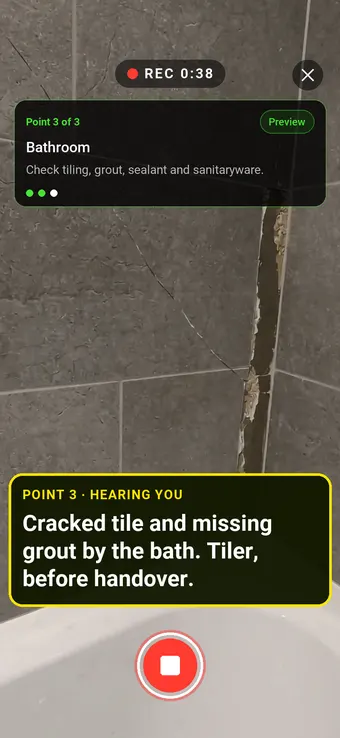
Point 3 of 3
Bathroom
Tiling, grout and sealant checked before the keys are handed over.
What the report looks like
What a snagging report looks like.
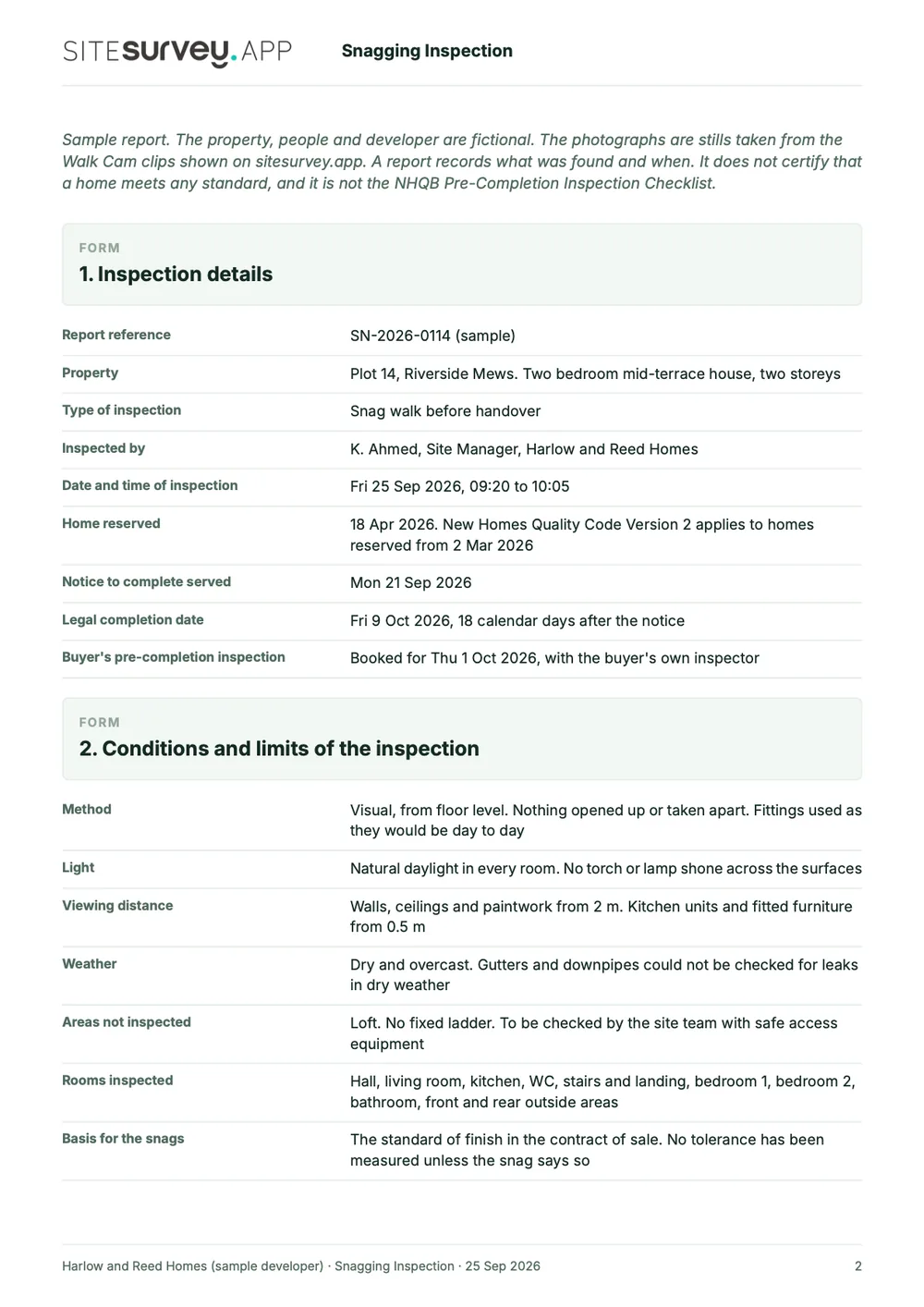
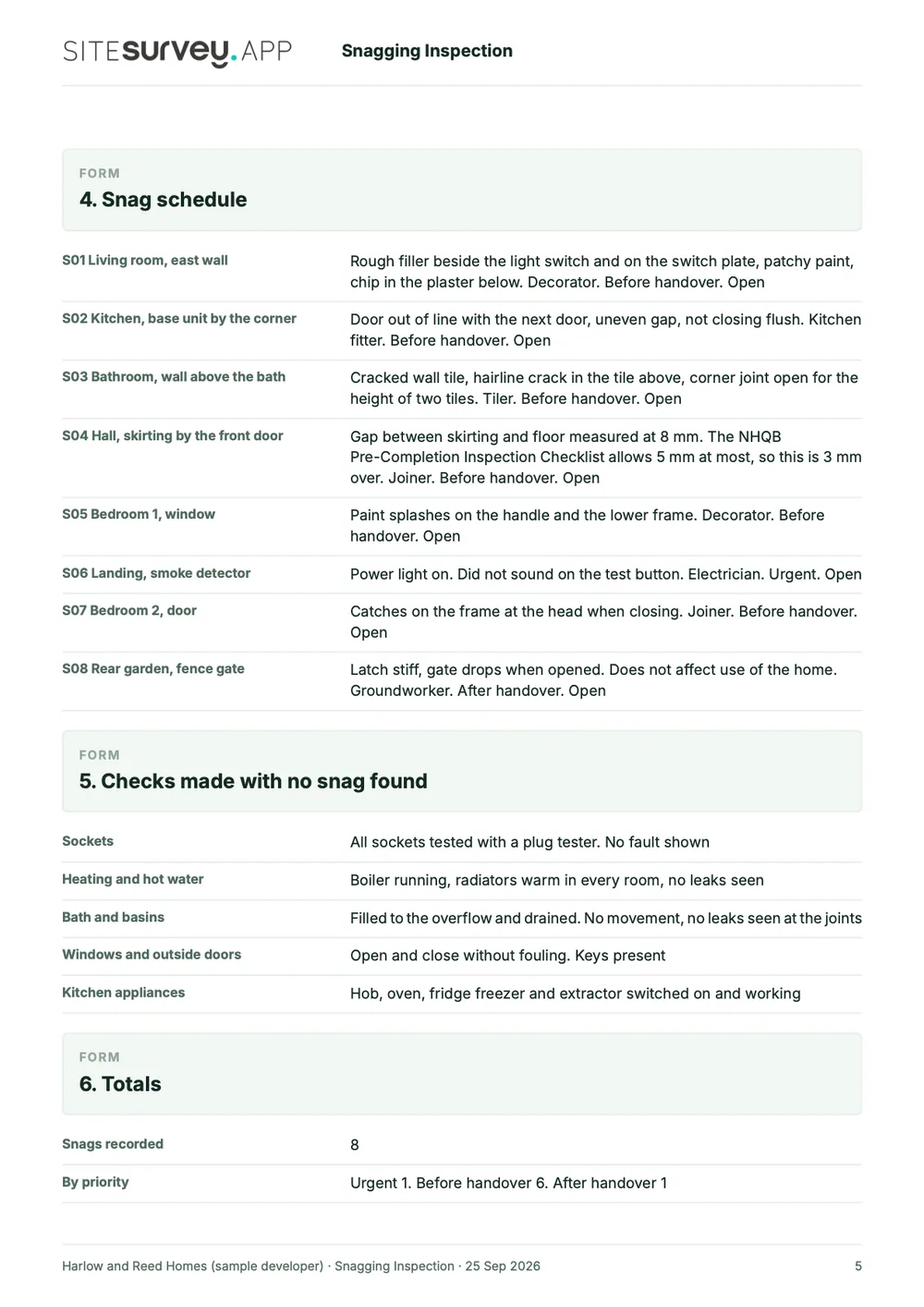
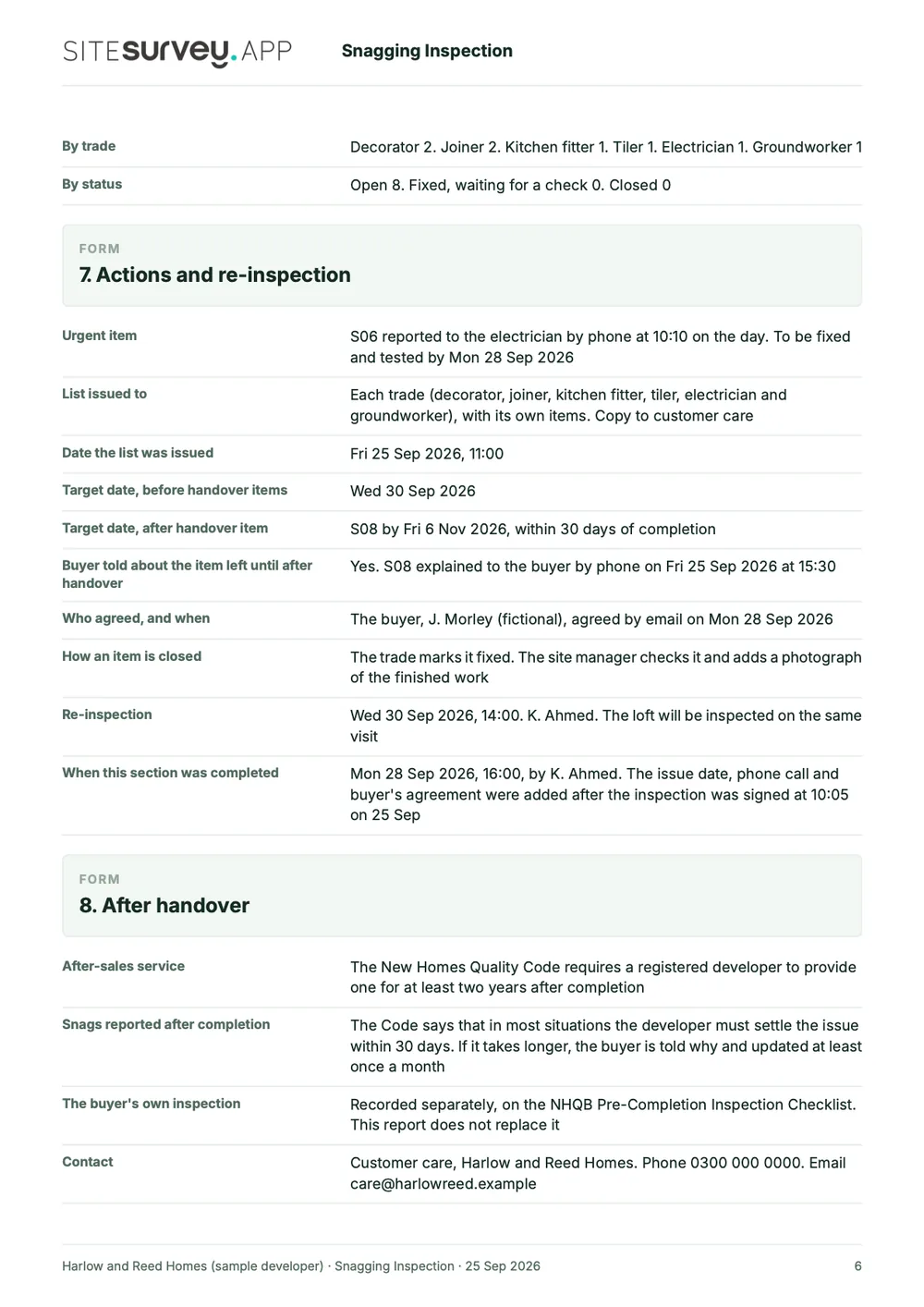
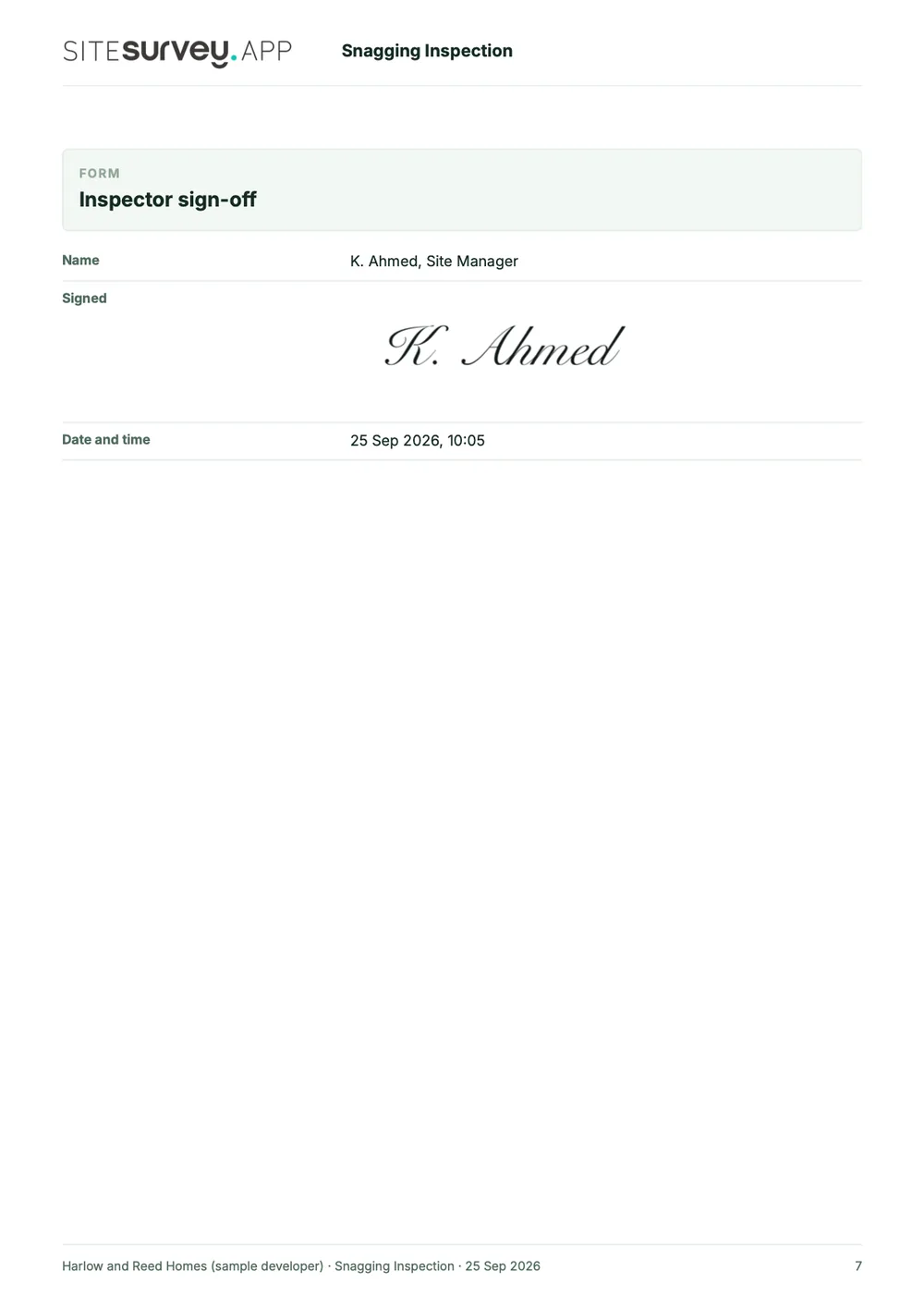
This is a full sample snagging report, made with the SiteSurvey report builder. Scroll through it here or download the PDF. The photographs are stills from the Walk Cam clips on this page.
- 1The stage and the datesWhat kind of inspection it was, who carried it out, and the handover and target dates the snags are working to.
- 2Conditions and limitsThe light, the weather, the viewing distances and the areas that could not be inspected, such as the loft.
- 3Each snag, with photosThe Walk Cam stills and spoken notes, then a schedule giving every snag its room, trade, priority and status.
- 4Totals, actions and sign-offCounts by priority, trade and status, what was tested and found working, the re-inspection date and a dated signature.
Try the form
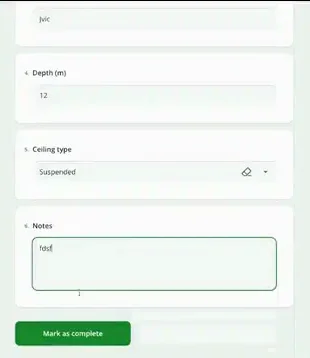
The form behind the report. Open it and try it.
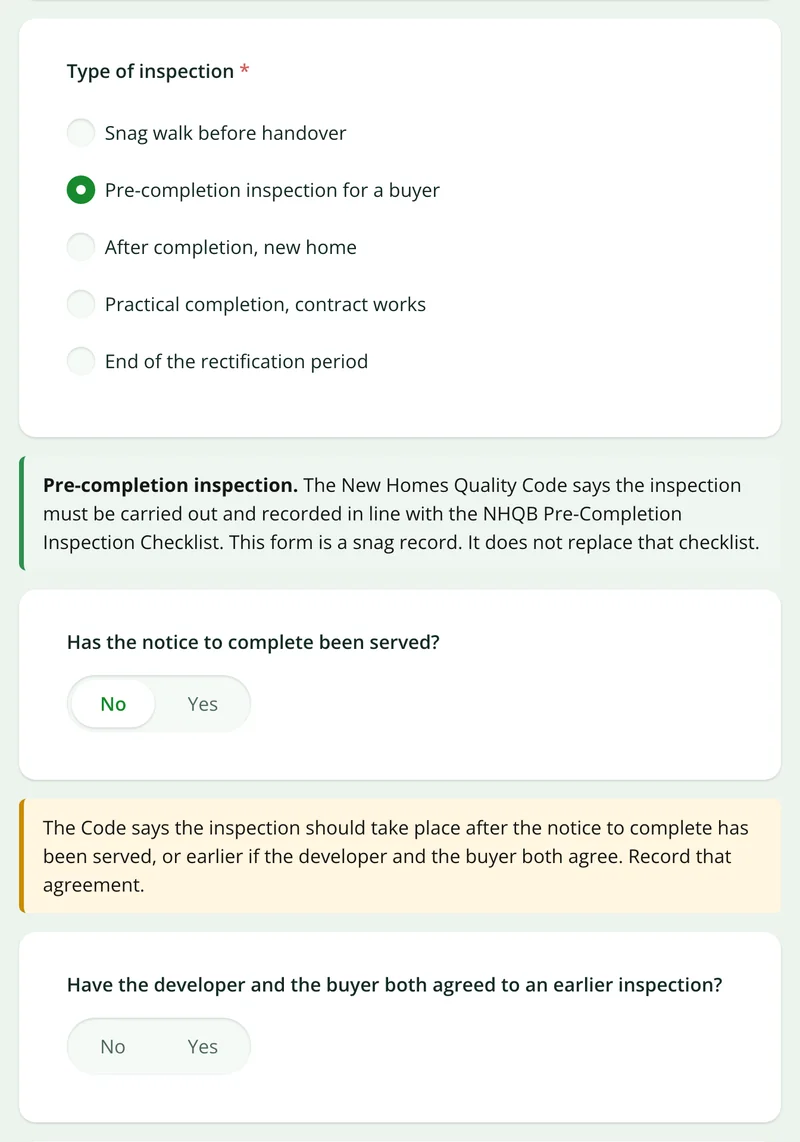
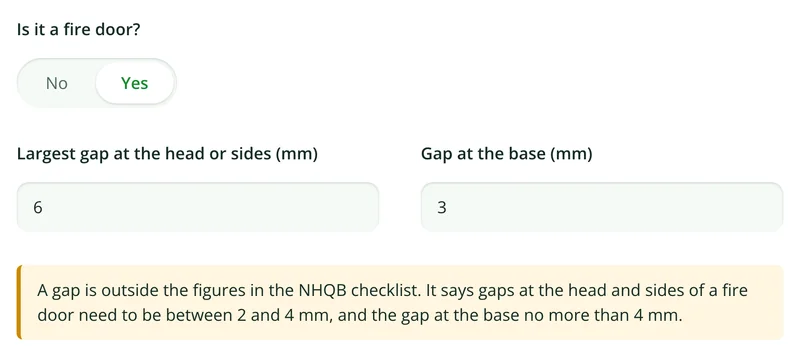
A live SiteSurvey form, shared by link with no login. It asks only what applies to the kind of inspection, takes a separate entry for each snag and adds up the list by priority and status. Answers are cleared every night.
Open the live form →See every question in the snagging list template →Or see it filled in: the finished record with every answer, and the Walk Cam report with its clips, stills and spoken notes. See the finished record → Watch the Walk Cam report →
More than Walk Cam
Build the form. Share it by link.
Walk Cam films the inspection. The form behind it is yours to build, and anything you capture can be sent to someone outside your team as a link, with no login or app needed.
Build your snagging form with AI
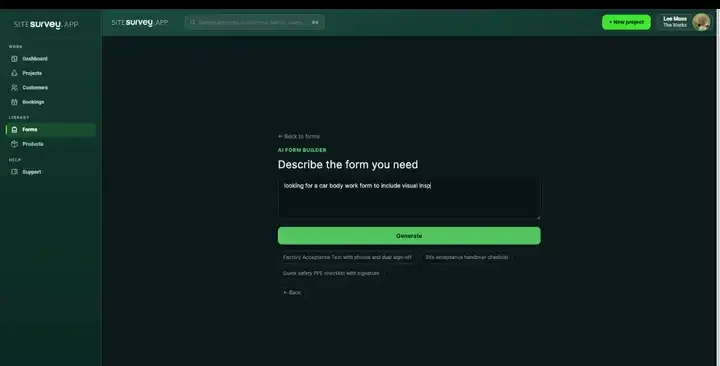
Describe the checks you carry out and the AI assistant builds the form: fields, required photos, readings as numbers and follow-up questions that only appear when something fails. Refine it in chat, edit it visually, or start from a template.
How the form builder works →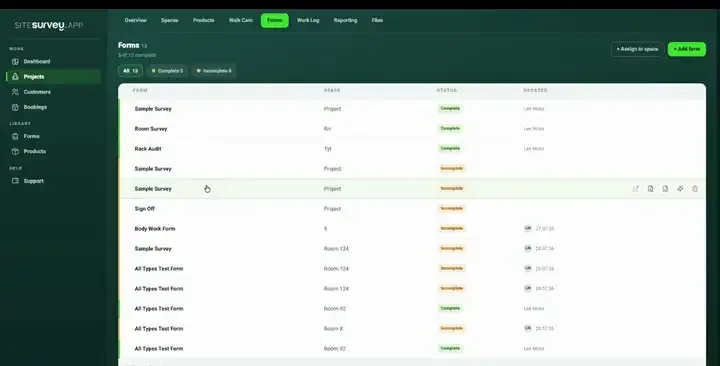
Share by link, no login needed
Make any form shareable and SiteSurvey gives it a unique URL, with an optional password. Customers, tenants or contractors fill it in on their phone’s browser, and their answers land in the same project. Walk Cam recordings and finished reports can be shared the same way, by link or by email.
How Walk Cam sharing works →What should snag list software record?
Snagging is only useful if the item, its location and its evidence stay together. Each snag carries all three from the moment it is raised to the moment it is signed off.
Pinned to the space
Every snag sits against a room, unit or plot on the floor plan, so there is no argument about which one.
Marked-up photos
Draw on the defect, add a label, and measure it on the image itself. The original photo is always kept alongside.
Walk Cam video
Record a clip while you talk through the issue, and live voice-to-text writes the note as you speak.
Trade and priority
Categorise by trade and priority so each subcontractor gets only their own list.
Works with no signal
Capture everything in a half-built block with no coverage and sync when you are back in range.
Exports as the list
The captured record becomes the snagging list, handover pack or client PDF with nothing retyped.
Start from a snagging list template.
Open the ready-made snagging form, adjust the categories to your trades and standards, and assign it to the plots you are walking. Everything below is editable in chat or visually.
Snag description and location
Photo evidence, marked up on the image
Trade responsible for the fix
Priority and target date
Defect category for reporting
Sign-off with evidence of the fix
Try it on your phone
Try it on this phone
Fill in the snagging list template on your phone now
See how the snagging list template looks on your phone
Scan the code with your phone camera. It opens the real form, no sign-up needed.
Open the live example and fill it in, just as your team would on site. No sign-up needed.
See it on this phoneEvery question is editable. Add this form to your account, then change the wording, add or remove questions and options, and make it fit your own jobs.
Records for this workflow
From the first defect to a reviewable handover.
Keep the location, observation and follow-up evidence together so the next person can understand what remains open.
1. Describe a specific snag
Identify the room or plot and record the defect with a photo and a clear observation. Use the list template when you need a standalone record.
View the snagging list template →2. Show the detail
Mark the relevant point on a photograph so the recipient can locate the issue. Preserve the observation and distinguish it from a later follow-up.
See photo annotations →3. Review the handover evidence
Open the fictional sample report to see how recorded locations and findings are presented. Check outstanding items before sharing your own report.
Open the sample snagging report (PDF) →
What is a snagging app?
A snagging app replaces the spreadsheet-and-camera-roll method of recording defects at the end of a build or fit-out. It lets you log each snag on a phone or tablet while standing in front of it, attach a photograph, tie the item to the specific room or plot, assign the trade responsible and set a priority. Because the item, its location and its evidence are captured together, the resulting snagging list can be issued to subcontractors and closed out with proof, rather than relying on someone's memory of which door was sticking.
What is the best snagging app?
The best snagging app is the one that fits who is snagging and what happens to the list next. A site manager needs speed on a phone, snags pinned to the plot, offline working and a list per trade. An independent inspector needs a report the buyer or client can read. A developer handling after-sales needs to track each item to closure. Check how a snag is located, whether photos can be marked up, whether it works with no signal, and how the list is shared. SiteSurvey is strong on pinning snags to the floor plan, photo markup, Walk Cam video and offline capture. It does not manage New Homes Quality Code complaints or ombudsman cases.
What should a snagging report include?
A snagging report should include the property or plot, the date and who inspected, and for each snag the room and exact location, a description, a photograph (marked up where it helps), the trade responsible, the priority and the status. Closed items should carry evidence of the fix. The sample report above is a full SiteSurvey snagging report for one plot, room by room with every snag, its photographs and status, and the same record can be exported per plot or per trade.
What does the New Homes Quality Code say about snagging?
It requires registered developers to give the buyer the opportunity of a pre-completion inspection before completion, carried out with the NHQB Pre-Completion Inspection Checklist, and to provide an after-sales service for at least two years after completion. In most situations the developer must settle an after-sales issue, including a snag, within 30 days. Buyers have two years from reservation or completion, whichever is later, to complain and refer the complaint to the New Homes Ombudsman Service. The Code applies only to developers registered with the New Homes Quality Board, and Version 2 applies to homes reserved from 2 March 2026. Check nhqb.org.uk for the full requirements.
Can I use SiteSurvey for a new build pre-completion inspection?
Yes, as the tool you record it in. The Code says the Pre-Completion Inspection Checklist can be reproduced in a digital format, as long as the checks on the original template are carried out. The library snagging form has a pre-completion option and checks some measurements against the NHQB checklist figures, but it is not the NHQB Pre-Completion Inspection Checklist itself. To use that checklist, build it as a form from the NHQB original.
Can a snagging list be produced per trade or per plot?
Yes. Snags are categorised by trade and tied to a space, so the same walk can produce a list for the joiner, a list for the decorator, and a plot-by-plot pack for the client, all from one capture rather than three separate exercises.
Does snagging work without a signal?
Yes. Half-built blocks rarely have coverage. Everything is captured on the device (photos, markup, measurements, video and answers) and syncs to the project automatically when connectivity returns.
Is snagging the same as a punch list?
Yes. Punch list is the North American term for what UK construction calls snagging. The workflow is identical: identify outstanding defects before handover, assign them to whoever is responsible, and close each one with evidence.
Can you prove a snag was actually fixed?
Yes. Closing an item can require its own photograph, so the record holds both the original defect and the completed remedial work. That evidence flows into the handover pack, which is what protects you if the item is questioned later. A completed record can be exported as a PDF or shared as a link, so the client can review it without an account.
Who is it for?
UK site teams who snag buildings before handover: main contractors and housebuilders, fit-out and interiors contractors, the subcontractors who fix the snags, and independent snagging inspectors who report to a buyer or client.
How much does it cost?
Pricing is per user, not per plot or per snag. Snagging is part of The Works plan, with floor plans, the custom form builder and reports, at £25 per user per month. The Base plan starts at £13 per user per month. Every plan starts with a trial from £1, cancel any time.
Go deeper
Guides and tools behind this workflow.
See it on your next job