A photo with no address
Three hundred snag photos in a camera roll and nothing to say which plot, which level or which door frame each one belongs to.
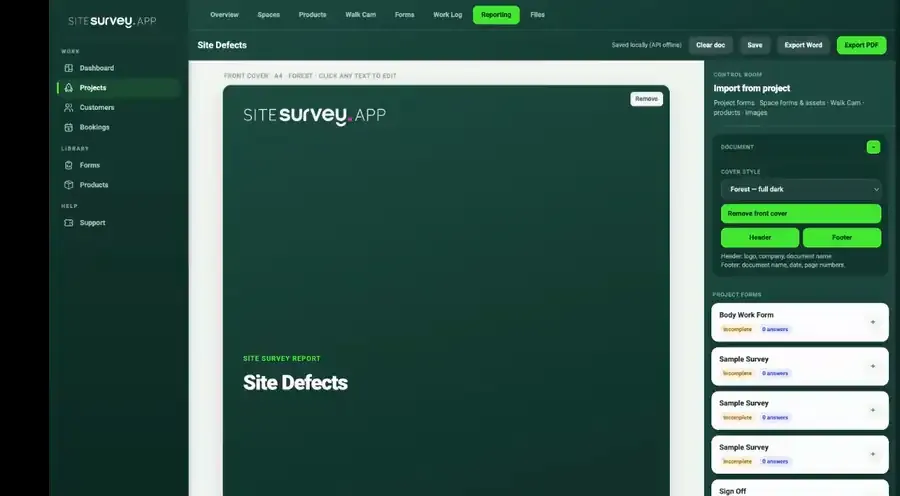
Log a snag against Plot 14's en-suite, sign off the riser fire-stopping, film a defect with Walk Cam while voice-to-text writes the note, then export the snagging register or handover pack from what the site already captured. Works with no signal.
From £25 per user per month · trial from £1, cancel any time
Level 02 · East corridor
Needs actionFire-stopping check captured with 3 photos and assigned to the correct space.
It lets site teams log snags, run QA and commissioning checks and record pre-start conditions on a phone, pinned to the plot, level or room on the floor plan. Photos, measurements and video are captured offline, and the snagging register or handover pack is exported from that record instead of being retyped.
Last updated 26 September 2026.
Construction site survey software is a mobile app and web portal used to record what is actually happening on a site, in place of paper sheets, camera rolls and spreadsheets. Site teams capture photos, video, measurements, checklist answers and asset details against a specific plot, level or room, and the office receives a structured, timestamped record it can search, report on and hand over. On a construction project it typically covers pre-start condition surveys, progress records, snagging and defect lists, M&E installation and commissioning sign-off, and the evidence that goes into the handover and O&M documentation. The difference from a shared photo folder is location and structure: every observation keeps the space it came from and the form it was captured under, so the record still makes sense at practical completion months later.
Yes. A defect is logged where it is found — photo, severity, trade responsible and a note — and pinned to the correct plot or space on the floor plan. Open snags stay visible to the site team and the subcontractor until they are closed out, and the full snagging register can be exported for practical completion instead of being retyped from a notebook.
It is assembled as the work happens rather than written afterwards. Because inspections, commissioning records, photos and sign-off forms are already attached to the room or asset they belong to, the handover and O&M documentation is produced from data that already exists. The finished report can be branded and shared with the client without asking them to dig through raw site data.
Yes. Products and assets can hold any custom data point — serial number, IP address, circuit reference, pressure or test result — and a label can be scanned to capture the identifier rather than typing it. The commissioning form, the test values and the photograph of the installed unit stay on the same record, in the space it was installed in.
Yes. Each space carries its own forms, products and data points, so a plant room can follow a different inspection path from an apartment, a corridor or an external area. Existing QA sheets, pre-start surveys and induction forms can be rebuilt as reusable templates with mandatory fields, conditional logic and the question types the process needs.
Yes. Forms, photos, measurements and Walk Cam clips are captured and stored on the device with no connection at all, and sync securely once the phone reaches coverage again. Basements, lift shafts, plant rooms and early-stage frames are the normal case rather than the exception.
Yes. Walk Cam records a short clip at each inspection point while live voice-to-text writes the observation as it is spoken — useful for water ingress, a run of poor pointing or anything faster shown than described. The clips work fully offline and land in the report alongside their transcripts and still frames.
Yes. Multiple users work across the same projects and sites, with bookings, progress visibility and a record of who captured each update. Each defect keeps the trade it was assigned to, so responsibility for a snag does not get lost between the main contractor and the package.
The best construction site survey app is the one your site team will use on every walk and that keeps each snag, check and photo against the plot or space it belongs to. Look for offline capture, forms you can change yourself, defects pinned to the plan, and a snagging register and handover pack produced from the record. If you need programme scheduling, estimating or design, those are separate tools. SiteSurvey is strong on snagging, commissioning records, Walk Cam video and offline working. It does not schedule the programme or certify the work.
It is for main contractors, site managers, QA and compliance teams, M&E contractors and subcontractors who need one shared record of snags, checks and sign-off from pre-start to handover.
Pricing is per user, not per project or plot. The Works plan, which includes the custom form builder, floor plans, snagging and reports used on construction sites, is £25 per user per month. The Base plan starts at £13 per user per month. Every plan starts with a trial from £1, cancel any time.
Go deeper
Ready for the next site?
Records for this workflow
Use a shared project reference across separate records, then review the outstanding work before issuing the handover report.
Record scope, access arrangements and open actions in the pre-start meeting record.
Pre-start meeting template →Keep the daily record of work, delays and observations distinct from individual snag records.
Construction daily report template →See how locations and findings appear in the fictional snagging report before preparing your own handover evidence.
Sample snagging report (PDF) →Construction forms
Each one is in the SiteSurvey form library. See every question and try it live, then use it on your projects and change anything you need.
How a task will be done safely: scope, crew and competence, numbered work steps with hazards and controls, permits, emergency arrangements, briefing and approval. Links to the risk assessment by reference.
Hazards, who might be harmed, controls and risk scores, with a briefing record and review date.
Permit for hot work, work at height, confined space entry and other high risk jobs: precautions, isolations, authorisation, hand-back and close-out.
Site diary for one day: weather, labour and plant, work done by area, deliveries, delays, instructions, safety and the plan for tomorrow, with photos.
Site induction for a worker, contractor or new starter: topics covered, competence cards and training with expiry dates, PPE issued, questions and signatures.
Construction site safety walk: perimeter, work at height, welfare, housekeeping, plant, hazards and actions.
Inspection record for a scaffold, ladder, harness and lanyard or pallet racking. The checks change with the equipment, with defects, photos and a result.
Snag by snag record with room, element, photo and priority, checks with no snag, totals and re-inspection.
Record a toolbox talk: topic, key points, attendees with signatures.
Record construction pre-start coordination, agreed responsibilities, outstanding information and actions before the planned work begins.
Raise one construction clarification with controlled drawing references, the question, response and next action.
Record measured construction work by location and drawing: dimensions with a quantity worked out, gross, deductions and the checked net with an arithmetic check, totals by unit and review points.