Form library · Construction and handover
Construction daily report template
A site diary for one day on a construction project. Record the weather and hours, who and what was on site, the work done in each area with photos, deliveries, delays and their causes, instructions received, safety checks and incidents, and the plan for tomorrow. Every question is listed below, and you can fill the live form in on this page.
Ready to use from the form library, and every question is yours to edit. Trial from £1, cancel any time.
Try it on your phone
Try it on this phone
Fill in the construction daily report on your phone now
See how the construction daily report looks on your phone
Scan the code with your phone camera. It opens the real form, no sign-up needed.
Open the live example and fill it in, just as your team would on site. No sign-up needed.
See it on this phoneEvery question is editable. Add this form to your account, then change the wording, add or remove questions and options, and make it fit your own jobs.
What should a construction daily report include?
A construction daily report should record the date, weather and site hours, the labour on site by trade with numbers and hours, plant, visitors, the work done in each area with photos, and progress against the programme. It should also record deliveries, delays with their cause and hours lost, instructions received, information needed, safety checks and incidents, and the work planned for tomorrow.
Last updated . Facts checked by the SiteSurvey team on 5 October 2026 against HSE on RIDDOR reporting and regulation 4 of the Reporting of Injuries, Diseases and Dangerous Occurrences Regulations 2013.
Try the construction daily report form live
Answer a few questions and watch it adapt. Your answers are not saved, and any photos you add are deleted within the hour.
This is the real form as your team would use it: questions appear as you answer, scores work themselves out and you can add photos and signatures. No sign-up needed.
Want to see one filled in? See a completed construction daily report report (PDF), made by SiteSurvey from a fictional site visit.
Fill it in on a phone or tablet
Your team completes the construction daily report on site in the SiteSurvey app on iPhone, iPad and Android phones and tablets. The project name and address fill in for them, it works without signal, and it syncs when the device is back online with photos kept against the question they answer.
Customers and subcontractors do not need the app: send them a link and they can fill it in from any browser.
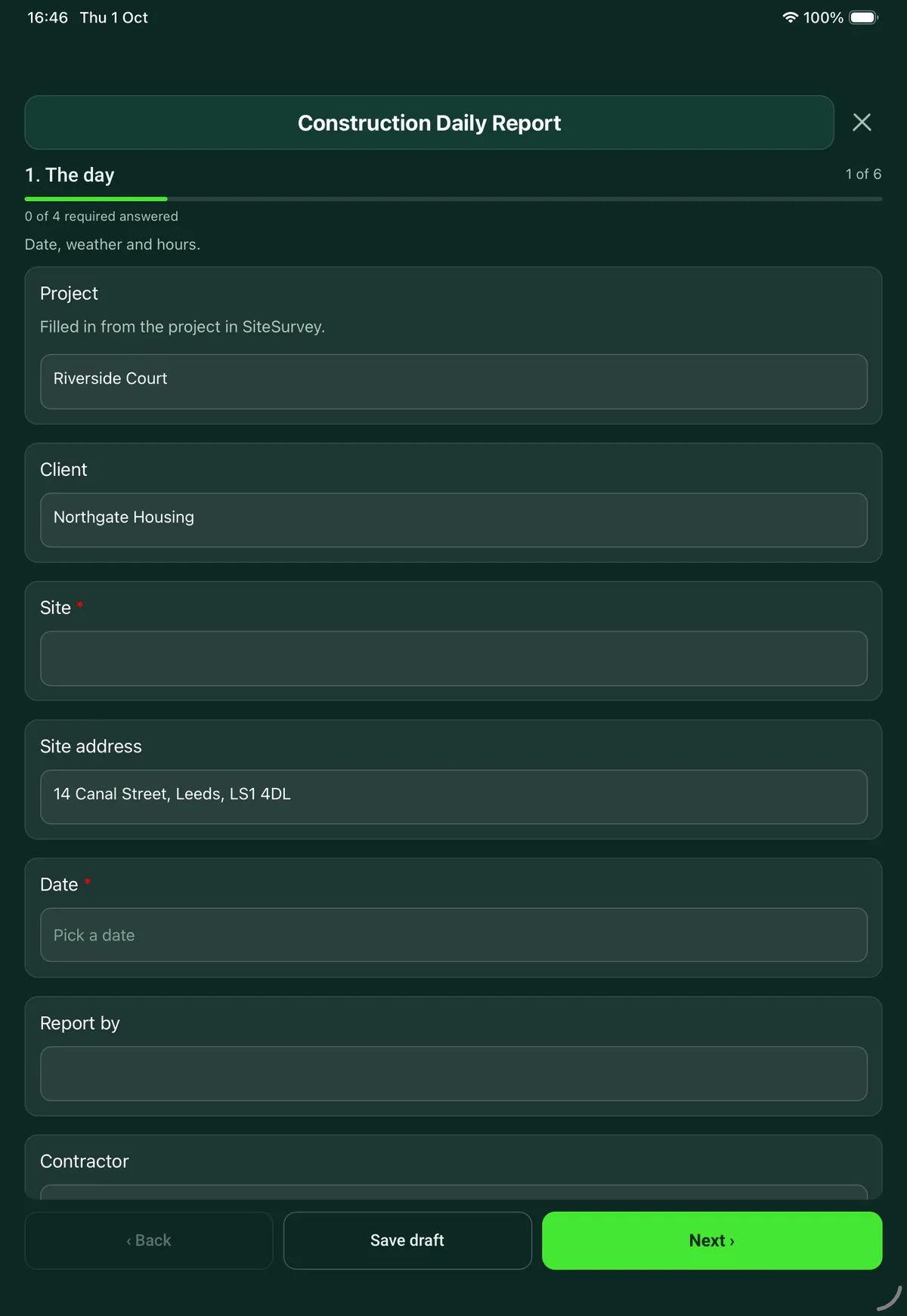
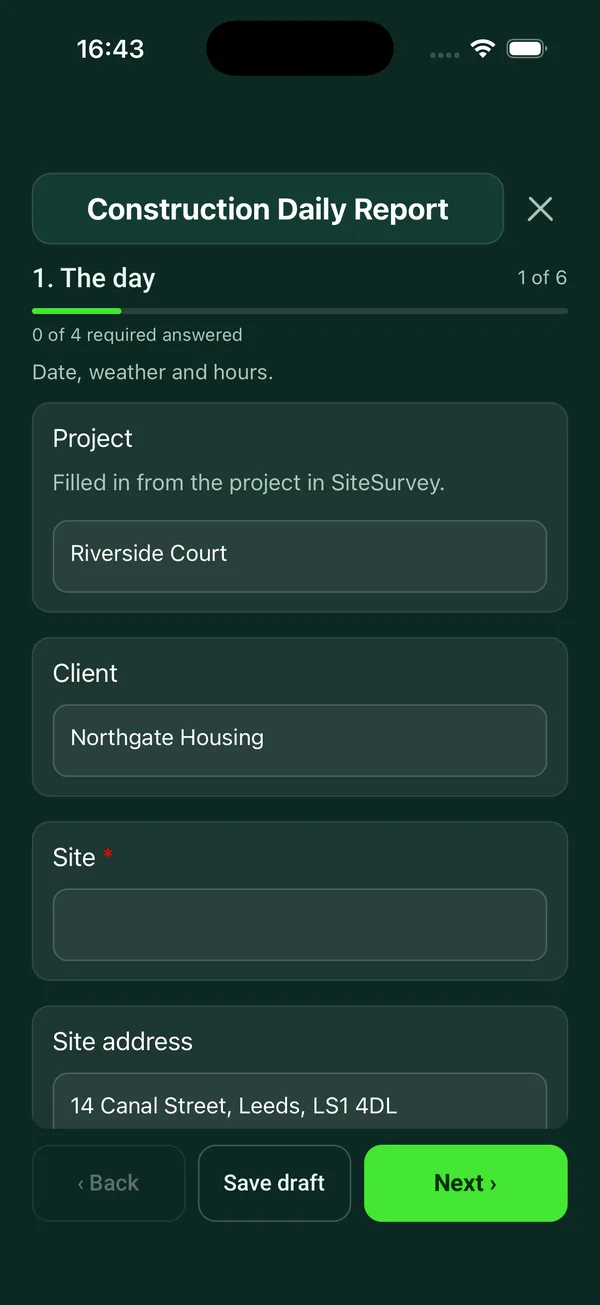
Every question in the construction daily report template
Site diary for one day: weather, labour and plant, work done by area, deliveries, delays, instructions, safety and the plan for tomorrow, with photos. 6 sections and 57 questions. Follow-up questions and guidance appear only when an answer calls for them, so the person on site never sees the ones that do not apply.
Make it your own: every question is editable
This is a starting point, not a fixed form. Once it is in your SiteSurvey account you can reword any question, add or remove questions, sections and answer options, and add your own logo, so it fits the way your team works and the jobs you do.
Details you only enter once
Add this form to a project in SiteSurvey and it fills in what the project already knows, so nobody on site retypes it and every form on the job uses the same names. Anything filled in can still be changed.
- Project: the project name
- Client: the project's customer
- Site: the site, when the form is opened for a space or a product
- Site address: the site address, from the space or the project
The day
Date, weather and hours.
- ProjectShort answer
Filled in from the project in SiteSurvey.
Fills in from the project name - ClientShort answerFills in from the project's customer
- Site*Short answerFills in from the site, when the form is opened for a space or a product
- Site addressShort answerFills in from the site address, from the space or the project
- Date*Date
- Report byShort answer
- ContractorShort answer
- Weather, morningChoose one
- Dry
- Showers
- Rain
- High wind
- Frost or ice
- Snow
- Fog
- Hot
- Weather, afternoonChoose one
- Dry
- Showers
- Rain
- High wind
- Frost or ice
- Snow
- Fog
- Hot
- Temperature (°C)Number
- Site openedTime
- Site closedTime
Labour and plant
Who and what was on site.
- LabourRepeat for each labour. Each one asks:
- Trade or company*Short answer
- Number of peopleNumber
- Hours eachNumber
- Hours in totalWorked out by the formShown when “Number of people” is answered and “Hours each” is answered
- People on siteWorked out by the form
- Was there plant on site?Yes or No
- PlantRepeat for each plant. Each one asks:Shown when “Was there plant on site?” is Yes
- Item*Short answer
- TodayChoose one
- Working
- Standing
- Broken down
- NotesShort answer
- Visitors to siteShort answer
Client, design team, building control, inspectors.
Work done
One entry for each area or activity, with photos.
- Work doneRepeat for each area. Each one asks:
- Area or plot*Short answer
- What was done today?Notes
- Complete (%)Number
- PhotosPhotos
- Against the programmeChoose one
- Ahead
- On programme
- Behind
- Days behindNumberShown when “Against the programme” is “Behind”
- Why, and what is the plan to recover?NotesShown when “Against the programme” is “Behind”
Deliveries, delays and instructions
What arrived, what held the job up and what was asked for.
- Any deliveries?Yes or No
- DeliveriesRepeat for each delivery. Each one asks:Shown when “Any deliveries?” is Yes
- Material*Short answer
- SupplierShort answer
- QuantityShort answer
- Checked against the orderChoose one
- Correct
- Short or wrong
- Damaged
- Photos of the delivery note or damagePhotos
- Any delays or stoppages?Yes or No
- DelaysRepeat for each delay. Each one asks:Shown when “Any delays or stoppages?” is Yes
- Cause*Choose one
- Weather
- Late information or drawings
- Late materials
- Labour shortage
- Plant breakdown
- Access or working area not available
- Design change
- Client instruction
- Utilities or third party
- Other (describe)
- Hours lostNumber
- What happened, and who was told?Notes
- Hours lost todayWorked out by the formShown when “Any delays or stoppages?” is Yes
- Instructions receivedNotes
Who from, the reference, and whether in writing.
- Information or decisions neededNotes
Safety and quality
What was checked, and anything that went wrong.
- Was a toolbox talk given?Yes or No
- TopicShort answerShown when “Was a toolbox talk given?” is Yes
- Site inductions todayNumber
- Inspections done todayTick all that apply
- Scaffold
- Excavations
- Plant daily checks
- Lifting equipment
- Edge protection
- Temporary works
- Fire points
- Other (describe)
- Permits issuedShort answer
- Any accident, incident or near miss?Yes or No
- What was it?Choose one
- Near miss
- First aid injury
- Injury needing treatment or time off
- Dangerous occurrence
- Damage only
Shown when “Any accident, incident or near miss?” is Yes - What happened?NotesShown when “Any accident, incident or near miss?” is Yes
- Incident report or accident book referenceShort answerShown when “Any accident, incident or near miss?” is Yes
- CheckRecord it on an incident report as well. Under RIDDOR 2013 the responsible person must report deaths, specified injuries to workers, injuries that stop a worker doing their normal work for more than seven consecutive days, injuries to people not at work who are taken from the scene to hospital for treatment, and dangerous occurrences.Shown only when the answers above make it relevant
- Quality checks, tests and inspections by othersNotes
Cube samples, air tests, building control visits and their results.
Tomorrow and sign-off
What is planned and what it needs.
- Work planned for tomorrowNotes
- What it needsNotes
Deliveries, plant, labour, information, access.
- General progress photosPhotos
- Site managerShort answer
- Site manager signatureSignature
See it filled in
A completed construction daily report report, made by SiteSurvey from a fictional site visit: every answer, the photos, the guidance that applied and the sign-off, ready to send as a PDF.
Construction daily report FAQs
Is this the same as a site diary?
Yes. It is a site diary kept as a form, one per day, so the entries are consistent and searchable and the photos sit with the area they belong to. The site manager signs it on the phone or tablet at the end of the day.
How does it record labour?
One entry for each trade or company with the number of people and hours each. The form works out the hours for each entry and the total number of people on site. Plant is recorded as working, standing or broken down.
How are delays recorded?
Each delay has a cause, such as weather, late information, late materials, plant breakdown or a client instruction, with the hours lost and who was told. The form adds up the hours lost in the day. If the job is behind programme it asks for the days behind and the plan to recover.
Does it cover deliveries and instructions?
Yes. Deliveries are checked against the order as correct, short or wrong, or damaged, with a photo of the delivery note. Instructions are recorded with who they came from, the reference and whether they were in writing, alongside any information or decisions the site is waiting for.
What does it record on safety?
Toolbox talks, inductions, the inspections done that day, permits issued, and any accident, incident or near miss. For an injury needing treatment or time off, or a dangerous occurrence, it reminds you to complete an incident report and that RIDDOR 2013 requires certain events to be reported, including injuries that stop a worker doing their normal work for more than seven consecutive days, which must be reported within 15 days of the accident.
Can it be filled in without signal?
Yes. In the SiteSurvey app the report works offline and syncs when the device is back online. The project, client and site address fill in from the project, and the report goes out as a PDF or a share link.
Related
Related templates
Templates that go with the construction daily report form
Site visit report: weather, labour, progress against programme, area by area record, tests, queries and instructions.
Construction site safety walk: perimeter, work at height, welfare, housekeeping, plant, hazards and actions.
Snag by snag record with room, element, photo and priority, checks with no snag, totals and re-inspection.
Record a toolbox talk: topic, key points, attendees with signatures.
Use this construction daily report form with your team
Add it from the form library in one click, change any question, and every completed form becomes a branded PDF report.
Start your trial →