Site diaries and daily reports
Site diary app written on site every day, with the photos.
The site diary is the record everyone reaches for when a delay, a variation or a dispute comes up, and it is usually written last thing, from memory. Keep it on the phone through the day instead: the weather, who was on site, what got done, what arrived and what held the job up, with the photos where they belong.
The Works £25 per user per month (Base from £13) · trial from £1, cancel any time
See a sample report ↓Start from the construction daily report template ↓
15
On site
3
Areas
2
Hours lost
One day on the level 2 fit-out in the sample report
What is a site diary app?
A site diary app keeps the site manager's daily record on a phone: weather, labour, plant, work done, deliveries, delays and instructions. No law sets its form; CDM 2015 reg 13 requires the principal contractor to monitor the construction phase. SiteSurvey is a site diary app for iOS, Android and web, at £25 per user per month on The Works.
Last updated . Facts checked on 4 October 2026 against CDM 2015, regulation 13.
Site diary or site inspection: which record is which?
Both happen on the same sites and both end in a report. They answer different questions, so most teams keep both.
| Site diary | Site inspection | |
|---|---|---|
| What it records | Everything that happened on site that day | Whether work or conditions meet a standard |
| How often | Every working day | On a schedule, or before work is covered up |
| Who keeps it | The site manager | A site manager, clerk of works or project manager |
| What it contains | Weather, labour, plant, progress, deliveries, delays, instructions | Findings by location, photos, severity, owner and due date |
| In SiteSurvey | This page: one daily report per day, per project | Our site inspection app, findings tied to the floor plan |
SiteSurvey as a site diary app, at a glance
- What it is
- A mobile forms app for iOS and Android, with a web portal, used to keep the daily site diary on the phone and share it as a report.
- Who it is for
- Site managers, project managers, main contractors and subcontractors who keep a daily record of the site.
- What it records
- Weather and hours, labour by trade, plant, work done by area with photos, programme, deliveries, delays, instructions, safety and tomorrow's plan.
- Evidence
- Every entry is dated and attributed, photos sit with the area they show, it works fully offline and every day's diary stays with the project.
- Price
- £25 per user per month on The Works plan, which includes the form builder and reports. Trial from £1, cancel any time.
- What it does not do
- It does not fill in the weather for you, work out delay claims or extensions of time, or replace the accident book or an incident reporting system.
The day is busy. The diary gets written at six o'clock, from memory.
A paper diary or a notebook depends on someone sitting down at the end of a long day and remembering it all: which gang was short, when the delivery turned up, what the client said on the walk round. Months later, when the record is needed to show why a week was lost, it is thin, illegible or missing the photos that would have settled it.
Delays nobody wrote down
Two hours lost to a short delivery is easy to forget by the evening, and hard to prove three months later.
Instructions with no trace
A verbal instruction on a walk round needs to be written down that day, with who gave it and whether it is confirmed.
Photos in the wrong place
Progress photos sit in one phone's camera roll, with no link to the area or the day they show.
How does a site diary app work, from the morning to sign-off?
01 · Open today's diary
The project, client and site address fill in from the project. Add the date, weather and site hours.02 · Log it as it happens
Add labour by trade, plant, visitors, deliveries and delays through the day, with photos and voice notes. Assistants and subcontractors can add their part from their own phone.03 · Walk the areas
Record what was done in each area, how far it has got and whether the job is on programme.04 · Sign and share
Note tomorrow's plan and what it needs, sign on the phone and share the day's report as a PDF or link.Walk Cam, point by point
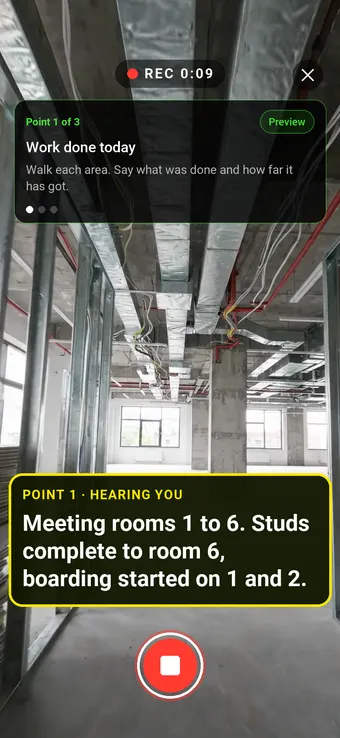
The day on site, point by point.
Walk Cam takes the site manager round the areas at the end of the day, films what is done and what is not, and writes down what they say.
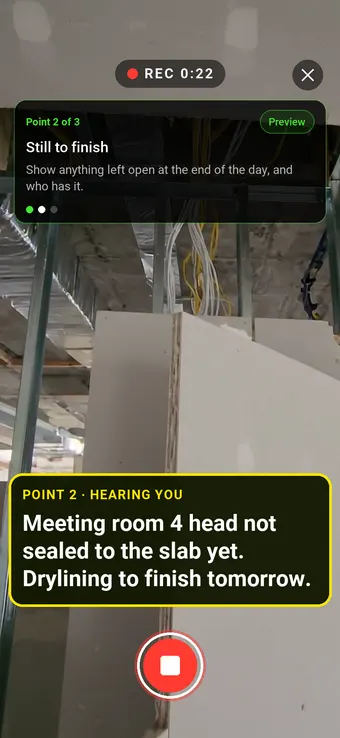
Point 2 of 3
Still to finish
What is left open tonight, and who finishes it tomorrow.
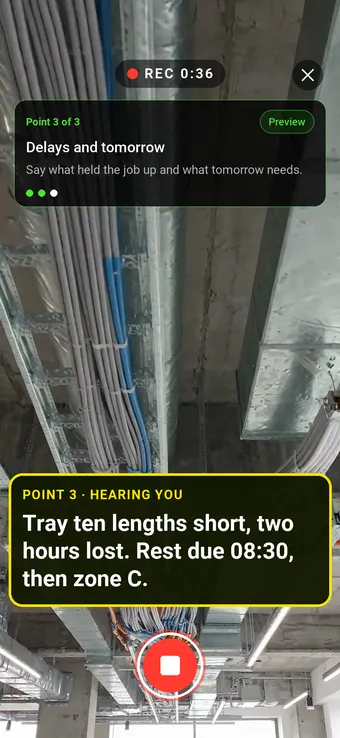
Point 3 of 3
Delays and tomorrow
The short delivery, the hours it cost and what tomorrow needs.
What the report looks like
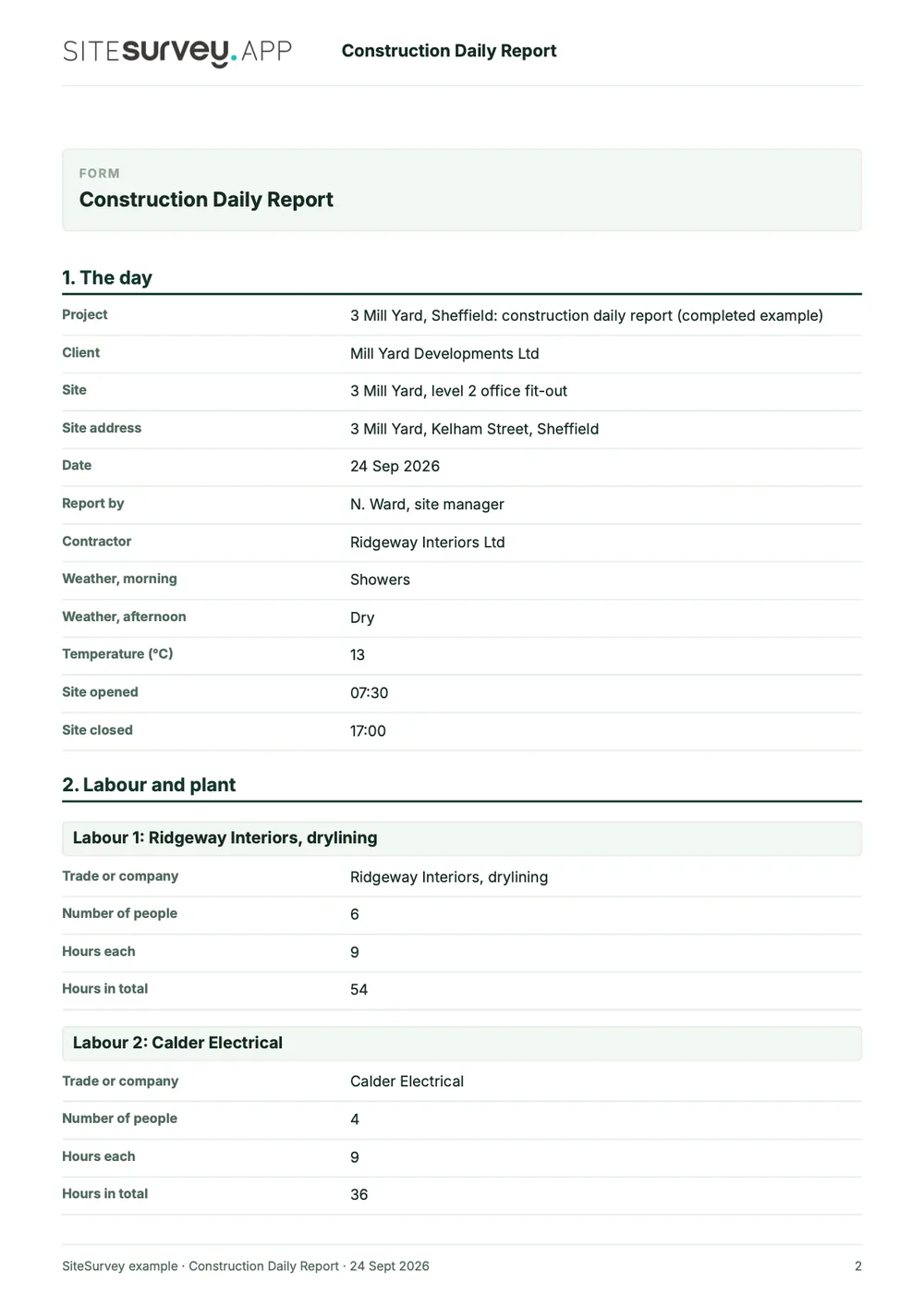
What a finished site diary looks like.
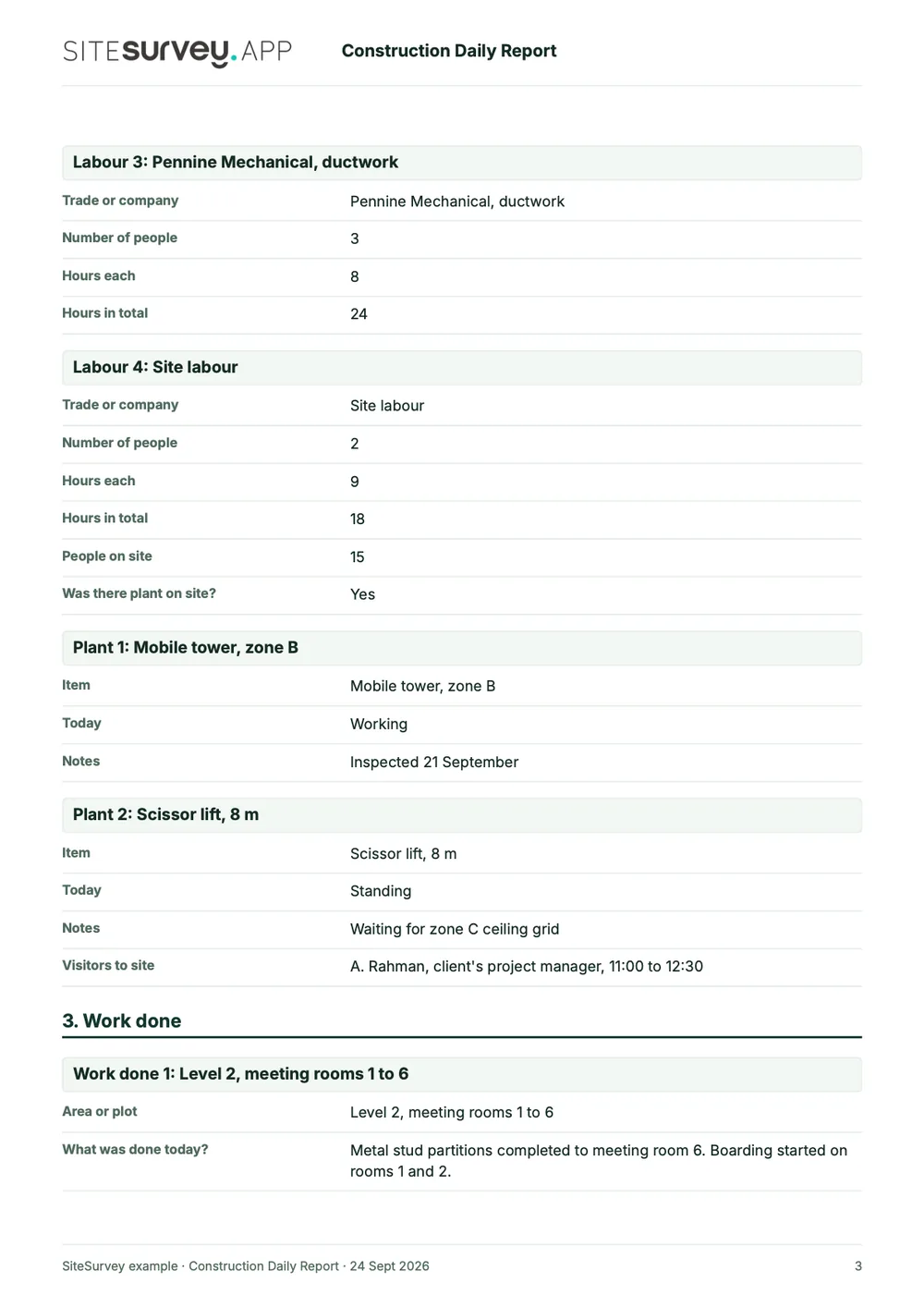
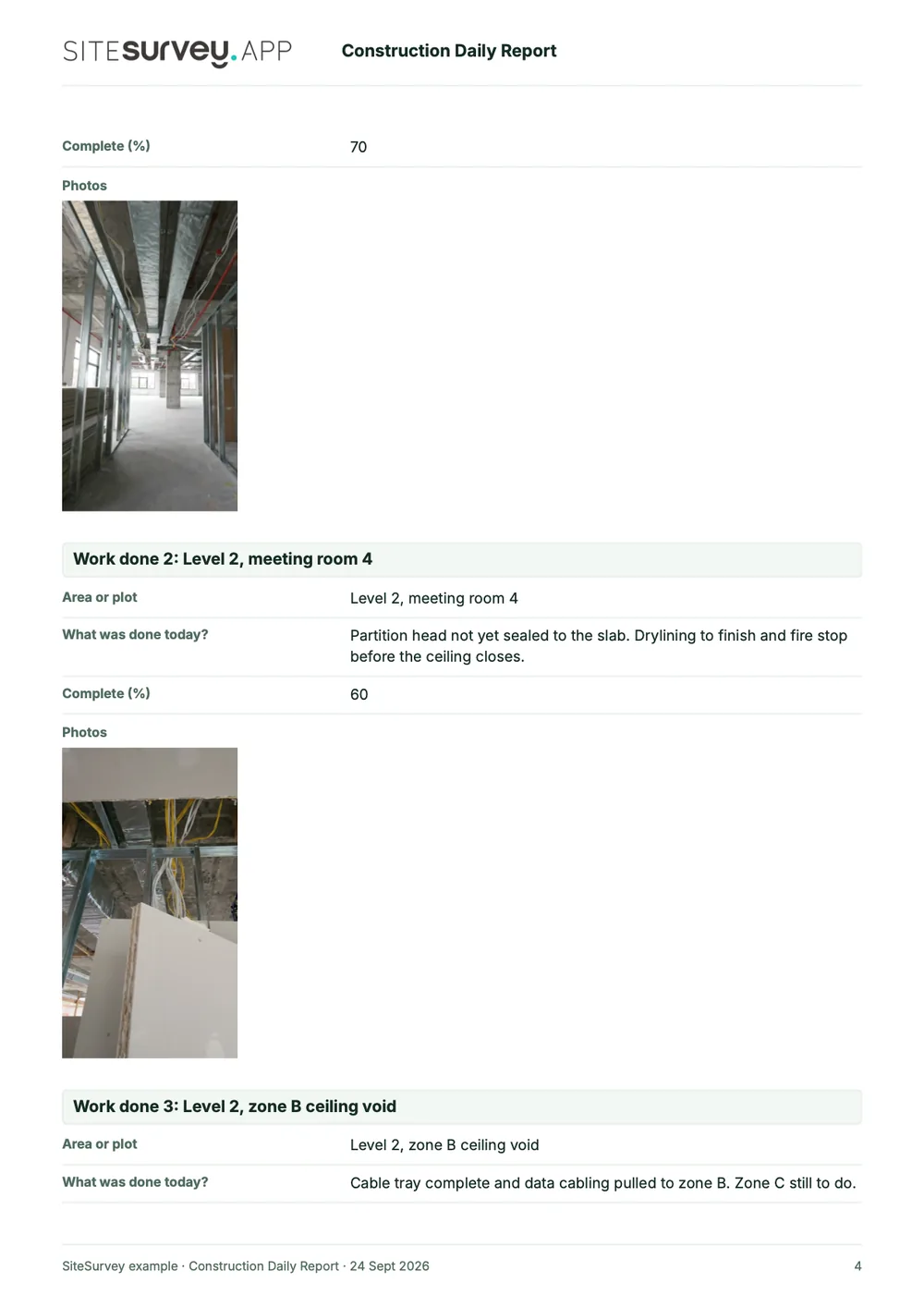
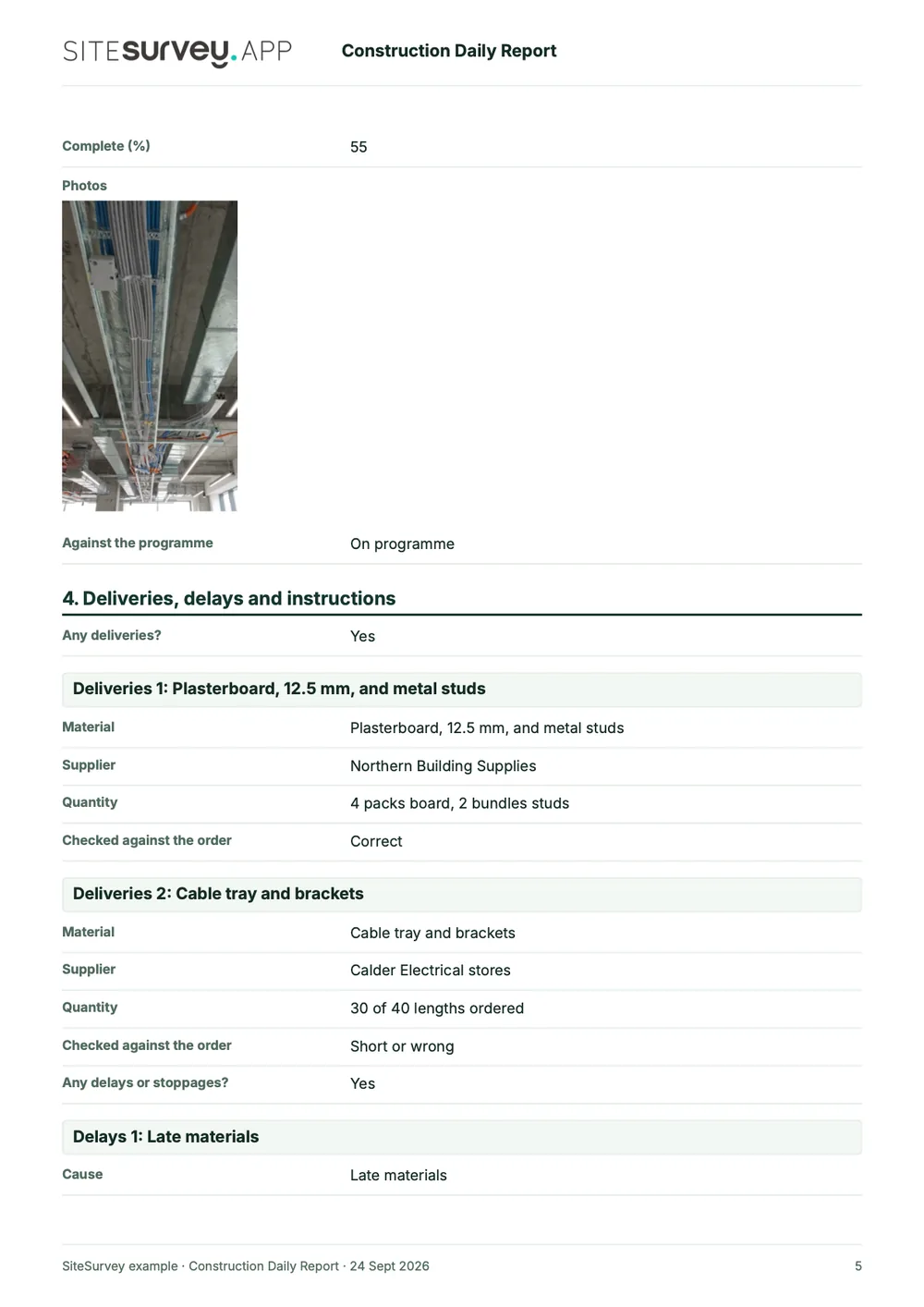
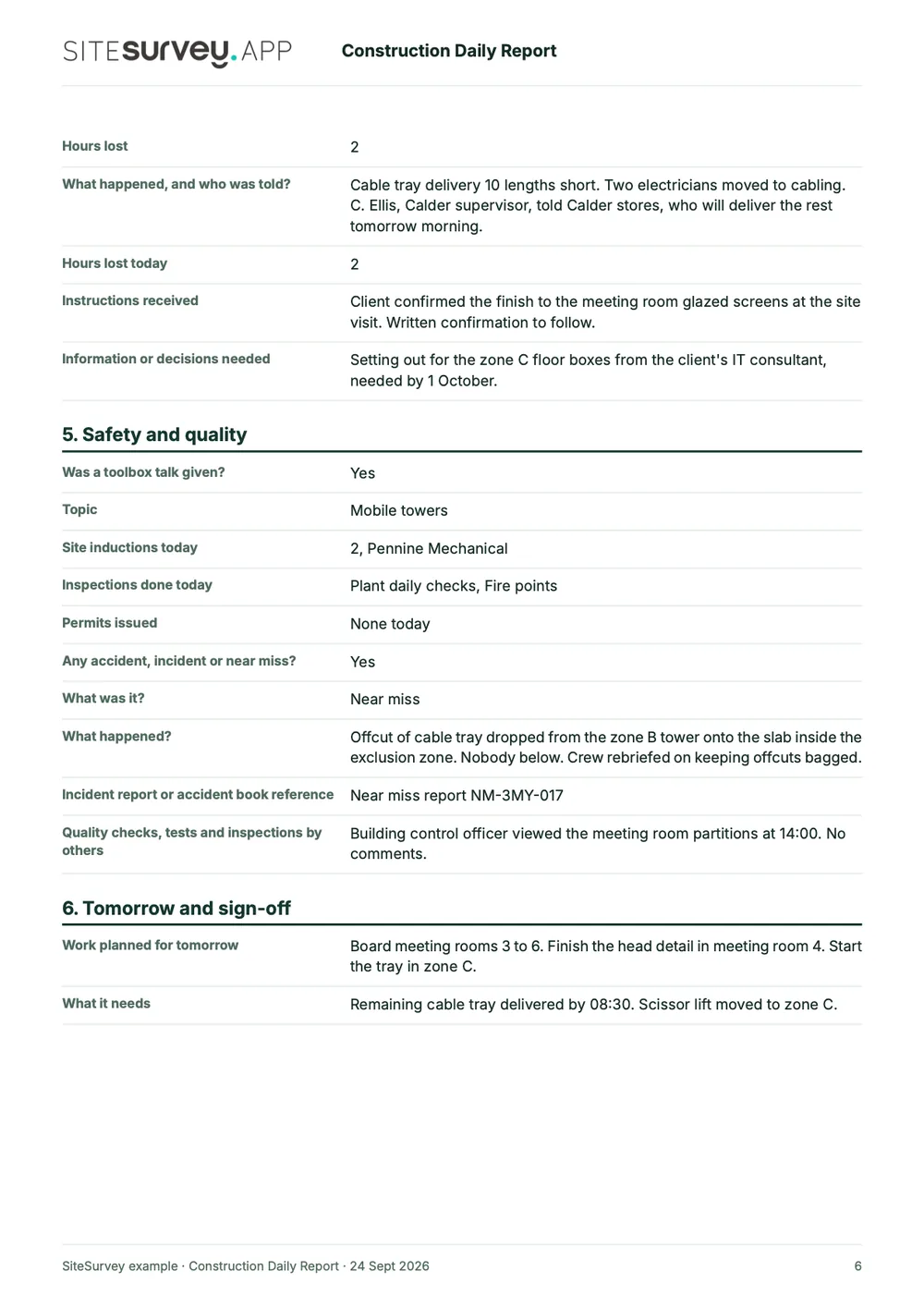
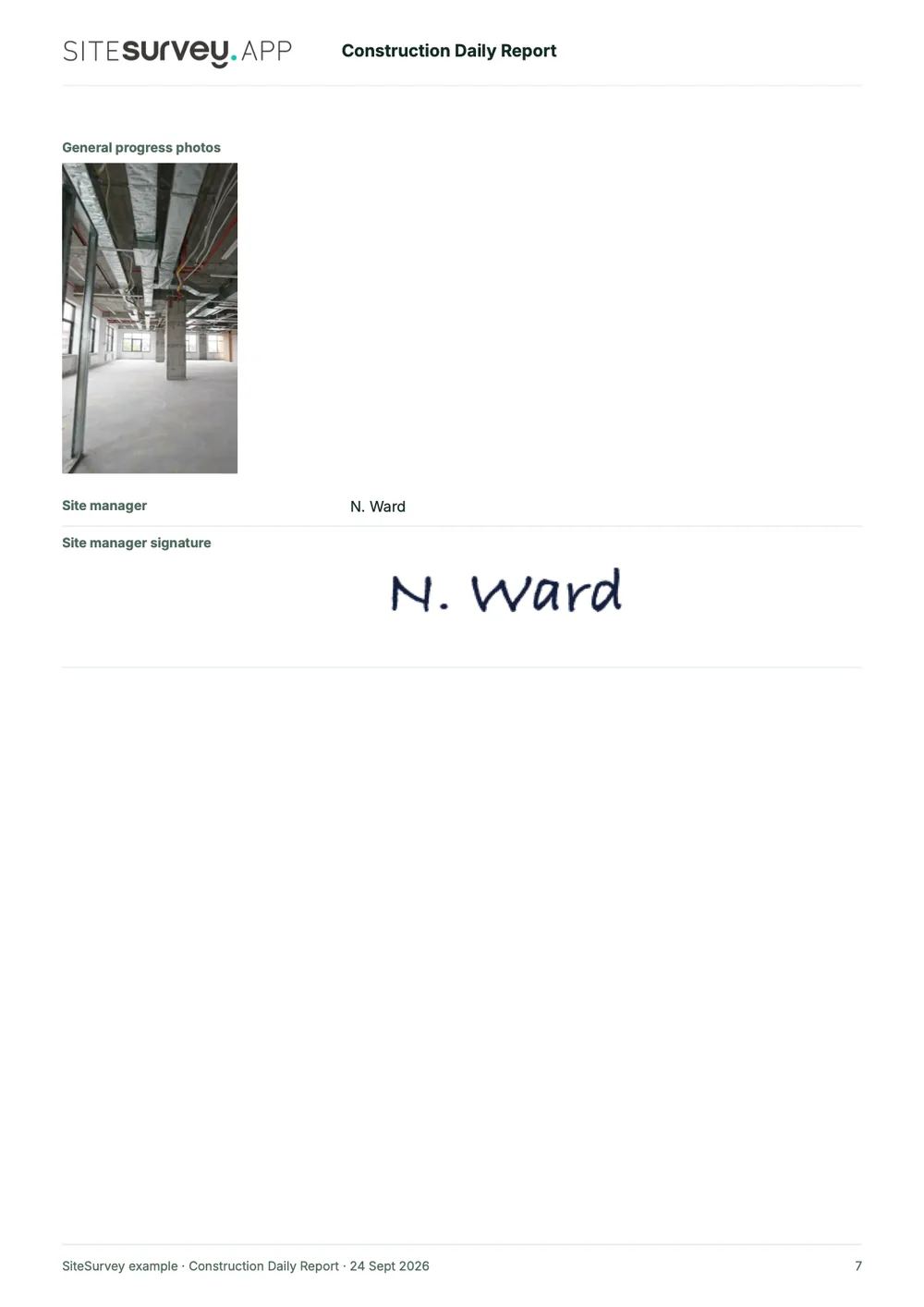
This is a completed construction daily report from the SiteSurvey form library, made with the report builder: one day on a level 2 office fit-out. Scroll through it here or download the PDF.
- 1The day and who was thereWeather morning and afternoon, site hours, each trade with people and hours, plant and visitors.
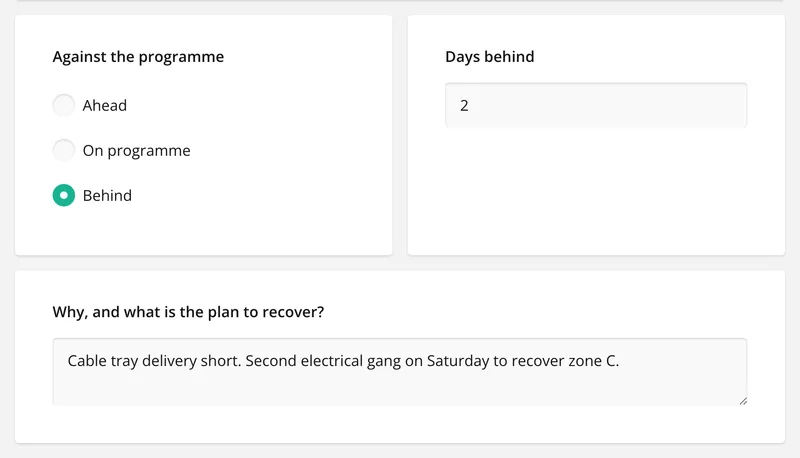
- 2Work done by areaEach area with what was done, percentage complete and its photos, then progress against the programme.
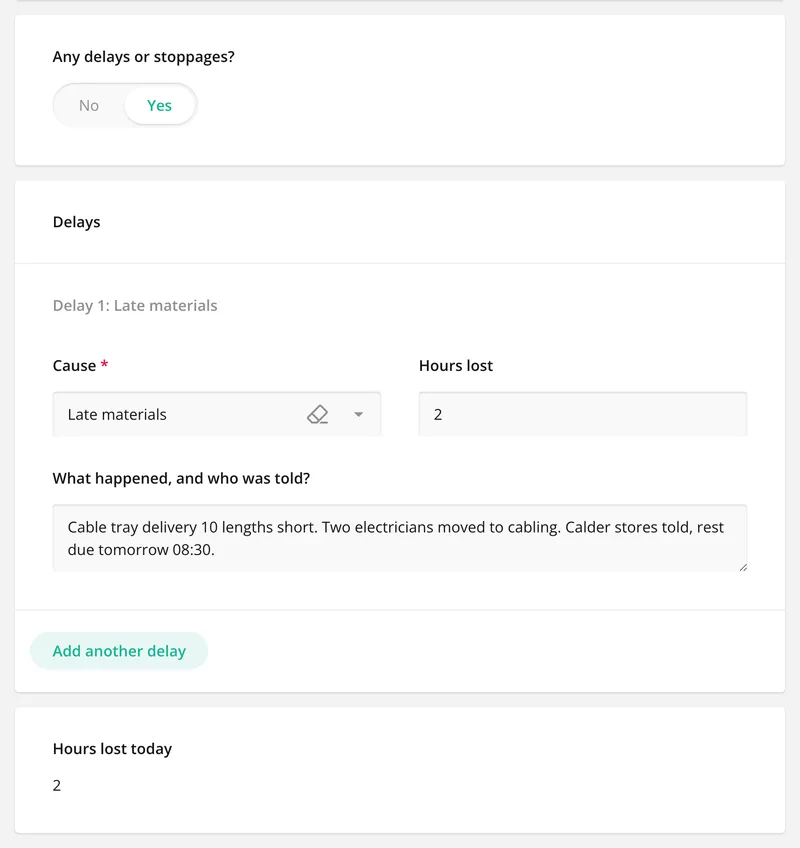
- 3Deliveries, delays, instructionsWhat arrived and whether it matched the order, the hours lost and why, and what the client asked for.
- 4Safety, tomorrow and sign-offToolbox talk, inductions, the near miss and its reference, tomorrow's plan and the site manager's signature.

Try the form
The form behind the diary. Open it and try it.
A live SiteSurvey construction daily report, shared by link with no login. It does the sums, asks only what applies and takes a separate entry for each trade, area, delivery and delay. Answers are cleared every night.
Open the live form →See every question in the construction daily report template →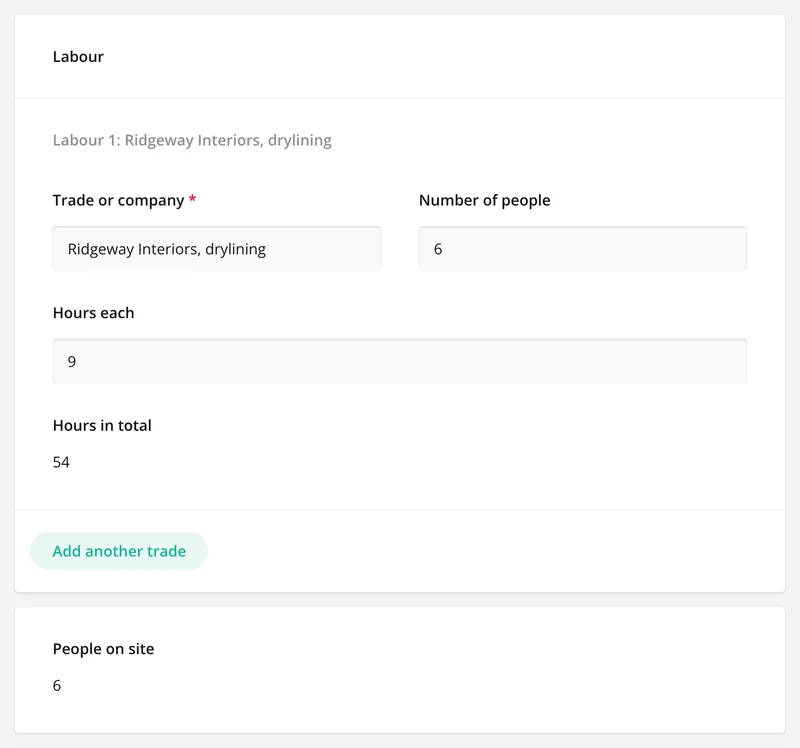
More than Walk Cam
Build the form. Share it by link.
Walk Cam films the walk round. The diary form behind it is yours to build, and anything you capture can be sent to someone outside your team as a link, with no login or app needed.
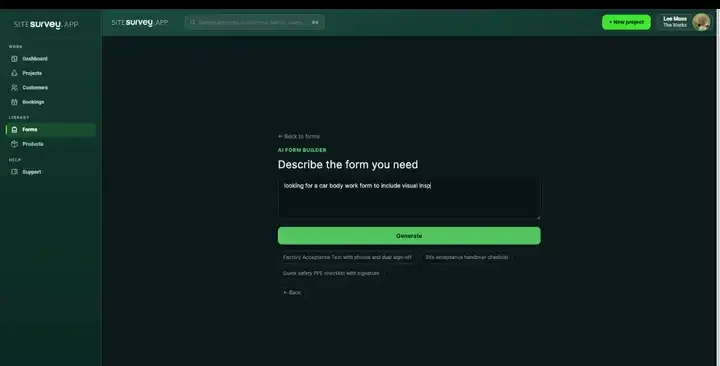
Build your site diary with AI
Describe how your company keeps its diary and the AI assistant builds the form: sections, required photos, numbers that add themselves up and follow-up questions that only appear when they apply. Refine it in chat, edit it visually, or start from a template.
How the form builder works →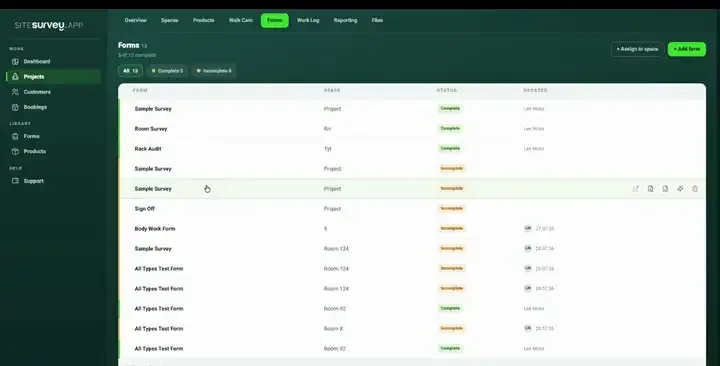
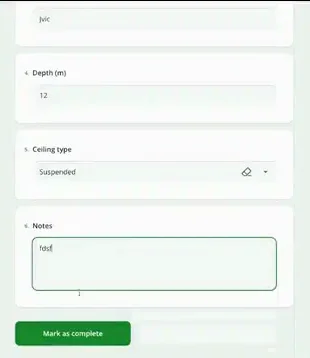
Share by link, no login needed
Make any form shareable and SiteSurvey gives it a unique URL, with an optional password. Customers, tenants or contractors fill it in on their phone’s browser, and their answers land in the same project. Walk Cam recordings and finished reports can be shared the same way, by link or by email.
How Walk Cam sharing works →What should a site diary app record?
A site diary is the contemporaneous record of the whole site, day by day. Each part of the day is its own section here, so every diary is laid out the same and can be found again by date and project.
Labour and plant, counted
One entry per trade with people and hours. The form works out the hours and the total on site, and records plant as working, standing or broken down.
Work done by area
Each area or plot gets its own entry with what was done, percentage complete and photos taken there.
Delays with their cause
Each delay has a cause, hours lost and who was told. The form adds up the hours lost in the day.
Deliveries and instructions
Deliveries checked against the order, with a photo of the note. Instructions recorded with who gave them and whether in writing.
Works with no signal
Basements, risers and half-built floors. The diary is captured on the device and syncs when it is back online.
Your own diary format
Change any question, add the sections your contract or client asks for, or build your own daily report with the form builder.
Start from a ready-made daily report form.
The construction daily report in the SiteSurvey form library covers a full day on site. Use it as it is or change anything to match how your company keeps its diaries.
Date, weather, temperature and site hours
Labour by trade, with people and hours
Plant on site, working or standing
Work done by area, with photos
Progress against the programme
Deliveries checked against the order
Delays, cause and hours lost
Instructions and information needed
Toolbox talk, inductions, permits, incidents
Tomorrow's plan and the site manager's signature
Try it on your phone
Try it on this phone
Fill in the construction daily report template on your phone now
See how the construction daily report template looks on your phone
Scan the code with your phone camera. It opens the real form, no sign-up needed.
Open the live example and fill it in, just as your team would on site. No sign-up needed.
See it on this phoneEvery question is editable. Add this form to your account, then change the wording, add or remove questions and options, and make it fit your own jobs.
What is a site diary?
A site diary is the site manager's daily record of a construction site: the weather and site hours, labour and plant, work done in each area, deliveries, delays, instructions and safety events. It is written up each day and kept with the project records, because it is the record of what happened on site and when. A site diary app replaces the paper book with a form on a phone or tablet that is signed on the device and shared as a PDF or link.
What should a site diary include?
A site diary should include the date, weather and site hours, the labour on site by trade with numbers and hours, plant, visitors, the work done in each area with photos, and progress against the programme. It should also record deliveries, delays with their cause and hours lost, instructions received and who gave them, information still needed, toolbox talks, inductions and incidents, and the work planned for tomorrow.
Is a site diary a legal requirement?
There is no prescribed legal format for a site diary. It is kept as good practice, and often because the contract or client expects a daily record of progress, delays and instructions. Some things it touches are required by law: under CDM 2015 the principal contractor must plan, manage and monitor the construction phase and make sure a suitable site induction is provided (regulation 13), and under RIDDOR 2013 certain injuries and dangerous occurrences must be reported. A diary entry does not replace the incident report itself.
Sources: CDM 2015, regulation 13, RIDDOR 2013, regulation 4, regulation 5, regulation 12 and HSE on RIDDOR.
What is the difference between a site diary and a site inspection?
A site diary is the daily record of everything that happened on site: weather, labour, plant, deliveries, delays, instructions and progress. A site inspection is a visit to check work or conditions against a standard, with findings, owners and actions. Most sites need both. SiteSurvey does both, with the site diary on this page and inspections on the site inspection app page.
Is construction daily report software the same as a site diary app?
Yes, in practice. A construction daily report and a site diary record the same things for one day on site. Some companies call it a daily log or a daily site report. In SiteSurvey it is one form, filled in each day and kept against the project.
How are delays and lost time recorded?
Each delay is its own entry with a cause, such as weather, late information, late materials, plant breakdown or a client instruction, the hours lost and who was told. The form adds up the hours lost in the day. If the job is behind programme it asks how many days, and the plan to recover. It records what happened; it does not work out a delay claim or an extension of time.
How does it record an accident or near miss?
The safety section asks whether there was an accident, incident or near miss, what kind, what happened and the reference of the full incident report or accident book entry. For an injury needing treatment or time off, or a dangerous occurrence, it reminds you that RIDDOR 2013 requires certain events to be reported, including injuries that stop a worker doing their normal work for more than seven consecutive days. Records of reportable incidents are kept for at least three years.
Sources: RIDDOR 2013, regulation 4, regulation 5, regulation 12 and HSE on RIDDOR.
How long should a site diary be kept?
There is no single legal period for the diary itself. Keep it for as long as a claim could be brought: in England and Wales that is 6 years for a simple contract and 12 years for a contract made as a deed, under the Limitation Act 1980 (sections 5 and 8). RIDDOR records must be kept for at least 3 years. In SiteSurvey every day's diary stays against the project.
Sources: Limitation Act 1980, section 5, section 8 and RIDDOR 2013, regulation 12.
Does it work without a signal?
Yes. The diary, photos and voice notes are captured on the device and sync when connectivity returns, so it can be kept up through the day on floors and in basements with no signal.
Can more than one person add to the same day?
Yes. Several team members can capture against the same project at the same time, so a site manager and an assistant can each record their part of the site. Subcontractors without a login can fill in a form you share with them by link.
How much does it cost?
Pricing is per user, not per diary or site. The Works plan, which includes the form builder and reports, is £25 per user per month. The Base plan starts at £13 per user per month. Every plan starts with a trial from £1, cancel any time.
Go deeper
Guides and tools behind this workflow.
See it on your next job