Form library · General
Visitor sign-in sheet
A sign-in record for visitors, contractors and deliveries, completed on a tablet at reception or on a phone at the site gate. It records who is here and who they are seeing, gives a short safety briefing, runs extra checks for contractors and records the time out. Every question is listed below, and you can fill the live form in on this page.
Ready to use from the form library, and every question is yours to edit. Trial from £1, cancel any time.
Try it on your phone
Try it on this phone
Fill in the visitor sign-in on your phone now
See how the visitor sign-in looks on your phone
Scan the code with your phone camera. It opens the real form, no sign-up needed.
Open the live example and fill it in, just as your team would on site. No sign-up needed.
See it on this phoneEvery question is editable. Add this form to your account, then change the wording, add or remove questions and options, and make it fit your own jobs.
What should a visitor sign-in sheet include?
A visitor sign-in sheet should record the visitor's name and company, who they are seeing, the date, the time in and out, and any badge or vehicle registration. It should confirm they have been told what the fire alarm sounds like and where to assemble, and the site rules that apply. For contractors it should also record the work, the risk assessment and any permit.
Last updated . Facts checked by the SiteSurvey team on 5 October 2026 against ICO guidance: the right to be informed, ICO guidance: data minimisation and ICO guidance: storage limitation.
Try the visitor sign-in form live
Answer a few questions and watch it adapt. Your answers are not saved, and any photos you add are deleted within the hour.
This is the real form as your team would use it: questions appear as you answer, scores work themselves out and you can add photos and signatures. No sign-up needed.
Want to see one filled in? See a completed visitor sign-in report (PDF), made by SiteSurvey from a fictional site visit.
Fill it in on a phone or tablet
Your team completes the visitor and contractor sign-in on site in the SiteSurvey app on iPhone, iPad and Android phones and tablets. The project name and address fill in for them, it works without signal, and it syncs when the device is back online with photos kept against the question they answer.
Customers and subcontractors do not need the app: send them a link and they can fill it in from any browser.
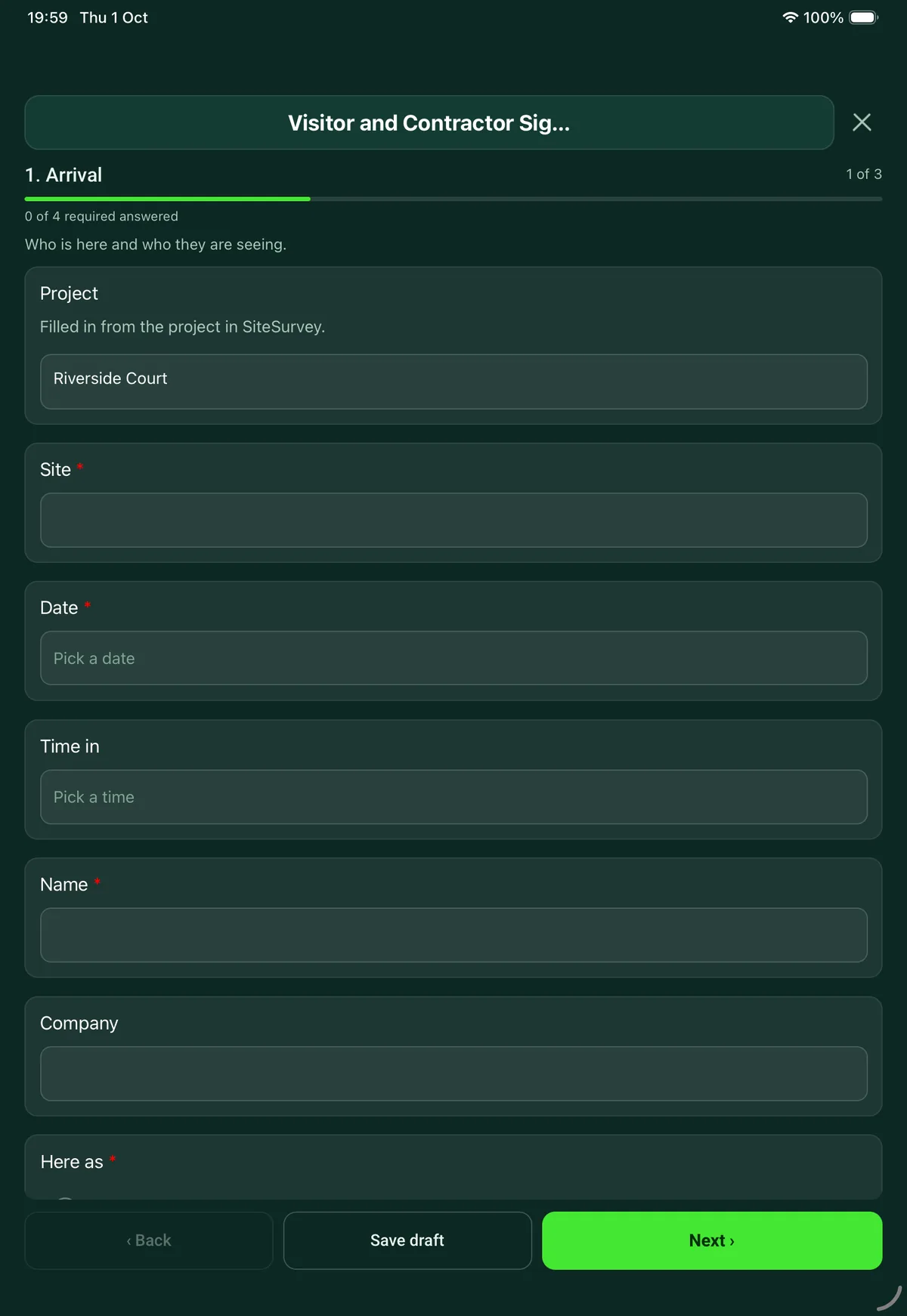
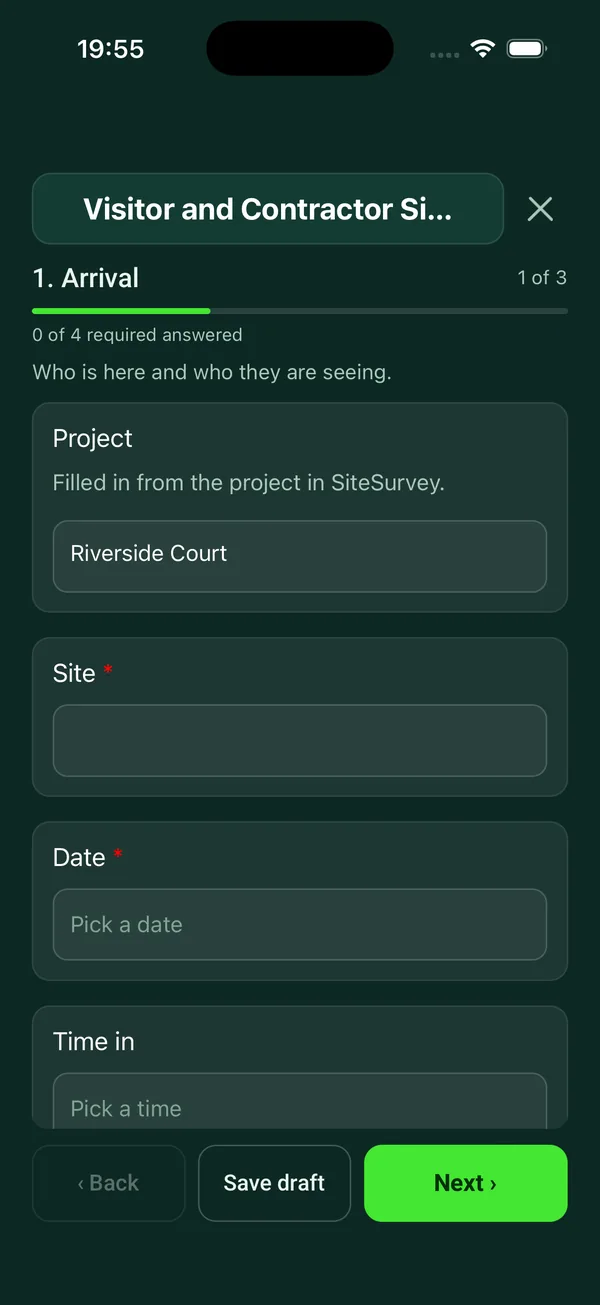
Every question in the visitor sign-in template
Sign-in record for a visitor, contractor or delivery: who they are and who they are seeing, a short safety briefing, contractor checks, and sign-out. 4 sections and 24 questions. Follow-up questions and guidance appear only when an answer calls for them, so the person on site never sees the ones that do not apply.
Make it your own: every question is editable
This is a starting point, not a fixed form. Once it is in your SiteSurvey account you can reword any question, add or remove questions, sections and answer options, and add your own logo, so it fits the way your team works and the jobs you do.
Details you only enter once
Add this form to a project in SiteSurvey and it fills in what the project already knows, so nobody on site retypes it and every form on the job uses the same names. Anything filled in can still be changed.
- Project: the project name
- Site: the site, when the form is opened for a space or a product
Arrival
Who is here and who they are seeing.
- ProjectShort answer
Filled in from the project in SiteSurvey.
Fills in from the project name - Site*Short answerFills in from the site, when the form is opened for a space or a product
- Date*Date
- Time inTime
- Name*Short answer
- CompanyShort answer
- Here as*Choose one
- Visitor
- Contractor
- Delivery or collection
- Interview or meeting
- Who are they here to see?Short answer
- Vehicle registrationShort answer
- Badge or pass numberShort answer
- Have they been told how their details are used and how long they are kept?Yes or No
- GuidanceThis record holds personal details. Keep only what you need, do not leave earlier entries where other visitors can read them, and decide how long you keep it.
Contractor checks
Before any work starts.
- What work are they here to do, and where?Notes
- Have you seen a risk assessment and method statement for the work?Yes or No
- Does the work need a permit?Yes or No
- Permit referenceShort answerShown when “Does the work need a permit?” is Yes
- CheckDo not start work that needs a permit until the permit has been issued.Shown only when the answers above make it relevant
- Have they been shown the asbestos information for the areas they will work in?Yes or No
- Have they had a site induction?Yes or No
- Is their insurance on file and in date?Yes or No
Safety briefing
What every visitor is told.
- They have been toldTick all that apply
- What the fire alarm sounds like and where to assemble
- To stay with their host or in the areas agreed
- The site rules that apply to them
- What protective equipment is needed
- Who to tell if they have an accident or see a hazard
- Would they need help to leave the building in an emergency?Yes or No
- CheckTell their host now, and agree who will help them if the alarm sounds.Shown when “Would they need help to leave the building in an emergency?” is Yes
- Visitor signatureSignature
Sign-out
Complete when they leave.
- Time outTime
- Badge or pass returned?Yes or No
- Signed out byShort answer
See it filled in
A completed visitor sign-in report, made by SiteSurvey from a fictional site visit: every answer, the photos, the guidance that applied and the sign-off, ready to send as a PDF.
Visitor sign-in FAQs
Why use a form instead of a paper visitor book?
A paper book lets each visitor read the names of those before them. The form's own advice is to keep only what you need, not to leave earlier entries where other visitors can read them, and to decide how long you keep the record, in line with the ICO's guidance not to hold more personal data than you need or keep it longer than you need it. A separate record for each visit does that.
What extra checks are there for contractors?
Choosing contractor opens a page for the work and where it is, whether a risk assessment and method statement has been seen, whether the work needs a permit and its reference, whether they have been shown the asbestos information for the areas they will work in, whether they have had a site induction and whether their insurance is on file and in date.
Do visitors need to be told how their details are used?
The ICO says people must be given privacy information, including why you use their data and how long you keep it, at the time you collect it. The form asks whether the visitor has been told how their details are used and how long they are kept.
What is in the safety briefing?
The visitor is told what the fire alarm sounds like and where to assemble, to stay with their host or in the agreed areas, the site rules that apply, the protective equipment needed, and who to tell about an accident or hazard. It also asks whether they would need help to leave in an emergency, and prompts you to tell their host if so.
Can it be used for a fire roll call?
Each record has a time in and a time out, so the open records show who is still on site. How you use them at the assembly point depends on your own evacuation plan.
Does the visitor sign?
Yes, on the device after the briefing. In the SiteSurvey app it works offline and syncs when the device is back online, and the record goes out as a PDF or a share link.
Related
Related templates
Templates that go with the visitor sign-in form
Site induction for a worker, contractor or new starter: topics covered, competence cards and training with expiry dates, PPE issued, questions and signatures.
Permit for hot work, work at height, confined space entry and other high risk jobs: precautions, isolations, authorisation, hand-back and close-out.
Fire emergency plan for a building and a record of each drill: raising the alarm, escape routes, wardens, people who need help, evacuation time and actions.
Delivery record signed on the device: items with quantities and condition, where they were left, photos, exceptions and the name and signature of who received them.
Use this visitor sign-in form with your team
Add it from the form library in one click, change any question, and every completed form becomes a branded PDF report.
Start your trial →