Fire risk assessments and fire safety checks
Fire risk assessment software with the evidence behind every finding.
Walk the premises with the assessment open on your phone. Rate each fire precaution where you find it, photograph and describe anything that needs putting right, give it an owner and a date, and sign it off on the device, with or without a signal.
£25 per user per month on The Works, Base from £13 · trial from £1, cancel any time
See a sample report ↓Start from the fire risk assessment template ↓
8
Precautions rated
3
Findings
2
Signatures
One assessment of a warehouse, the sample report below
Who has to do a fire risk assessment, and what must it record?
In England and Wales the responsible person for non-domestic premises, such as the employer, owner, landlord or occupier, must make a suitable and sufficient fire risk assessment and review it regularly. Since 1 October 2023 every responsible person must record it, including the findings, the measures taken or planned, and anyone especially at risk.
Last updated 4 October 2026. Facts checked on 4 October 2026 against article 9 of the Regulatory Reform (Fire Safety) Order 2005 and GOV.UK fire risk assessment guidance.
What the Fire Safety Order asks, and where it goes in the assessment
The Regulatory Reform (Fire Safety) Order 2005 applies in England and Wales. These are the duties the library assessment is built around.
| Article | What it requires of the responsible person | Where it is in the assessment |
|---|---|---|
| 9 | A suitable and sufficient assessment, reviewed regularly, and since October 2023 recorded with its findings, measures and anyone especially at risk | The whole assessment; people at risk; findings and actions; review date |
| 11 | Arrangements for planning, organising, controlling, monitoring and reviewing fire precautions, recorded | Emergency plan, training and drill; findings and actions |
| 14 | Routes to emergency exits kept clear, leading to a place of safety, with doors that open easily in the direction of escape | Escape routes and exits; signs and notices |
| 17 | Premises and fire safety equipment under a suitable system of maintenance, in efficient working order and good repair | Testing and maintenance records; extinguishers; emergency lighting |
| 19 and 21 | Information for employees on the risks and measures, and fire safety training | Staff told the findings; training; wardens |
| 22 | Find out whether anyone else is a responsible person, exchange names and UK addresses, record the part each controls | Other responsible persons for the premises |
Sources: article 9, article 11, article 14, article 17, article 19, article 21 and article 22.
SiteSurvey for fire risk assessments, at a glance
- What it is
- A mobile inspection and forms app for iOS and Android, with a web dashboard and report builder, used to carry out fire risk assessments and fire safety checks on site.
- Who it is for
- Responsible persons, fire risk assessors, and facilities and housing teams who assess premises and run the routine checks.
- What it records
- Premises and responsible persons, fire hazards, people at risk, each precaution rated, the emergency plan and training, findings with actions, owners and dates, review date and signatures.
- Evidence
- Photos against each finding, Walk Cam video with voice-to-text, every entry dated and attributed, and it works fully offline.
- Price
- £25 per user per month on The Works plan, which includes the form builder and reports. Trial from £1, cancel any time.
- What it does not do
- It does not judge whether an assessment is suitable and sufficient, replace a competent assessor, schedule checks or track actions to close-out. High, Medium and Low are the form's own scale, not a legal category.
The assessment is only as good as the walk-round behind it.
A fire risk assessment written up afterwards from notes and memory loses the detail: which door, which extinguisher, what the dock looked like that morning. Since October 2023 every responsible person must record the assessment in full, so the record needs to show what was found, where, and what will be done about it.
Source: article 9 of the Regulatory Reform (Fire Safety) Order 2005.
Findings with no location
"Housekeeping needs improvement" tells the next person nothing. A finding tied to the goods-in dock, with a photo, does.
Actions with no owner
A list of recommendations with no name and no date against each one is easy to file and forget.
Checks kept somewhere else
Alarm tests, emergency lighting and extinguisher checks in a separate log book are hard to bring to the next review.
How do you carry out a fire risk assessment with an app?
01 · Set up the premises
Open the assessment against the building: its use, floors, occupants, the responsible person, any other responsible persons and the assessor.02 · Hazards and people
Tick the sources of ignition and what could burn, then who uses the building and who would need help to leave.03 · Rate each precaution
Escape routes, detection and warning, emergency lighting, signs, extinguishers and maintenance records. Anything short of adequate asks what you found.04 · Findings, actions, sign-off
One entry per finding with risk, action, owner, date and photos, then the review date and the signatures of the assessor and the responsible person.Walk Cam, point by point
A fire risk assessment, precaution by precaution.
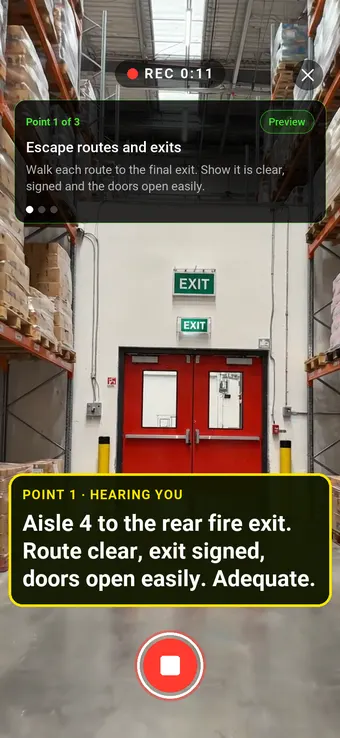
Walk Cam takes the assessor round each precaution in turn, films what is there and writes down what they say. Point 1, escape routes, is the clip at the top of the page.
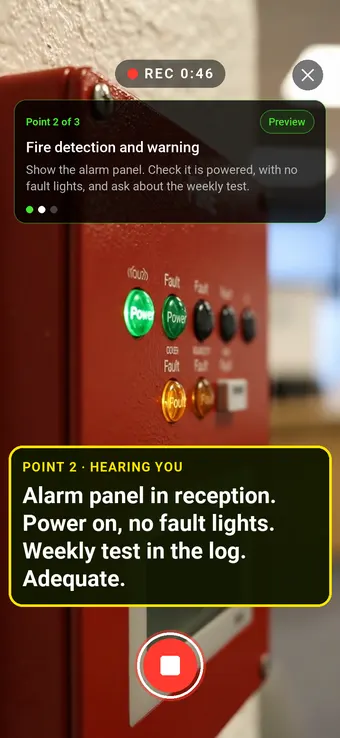
Point 2 of 3
Detection and warning
The alarm panel checked for power and faults, and the weekly test asked about.
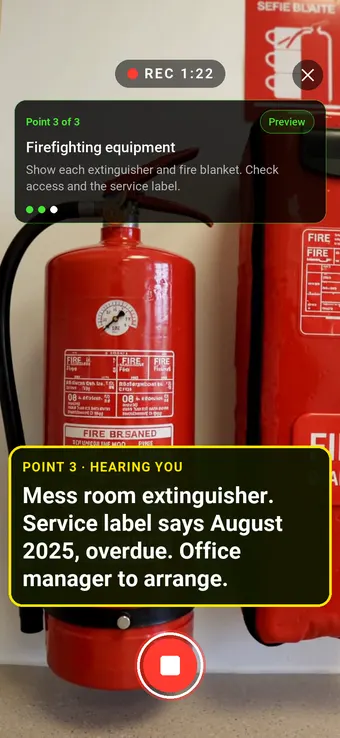
Point 3 of 3
Firefighting equipment
An overdue service label found, with the action and who will do it.
What the report looks like
What a fire risk assessment report looks like.
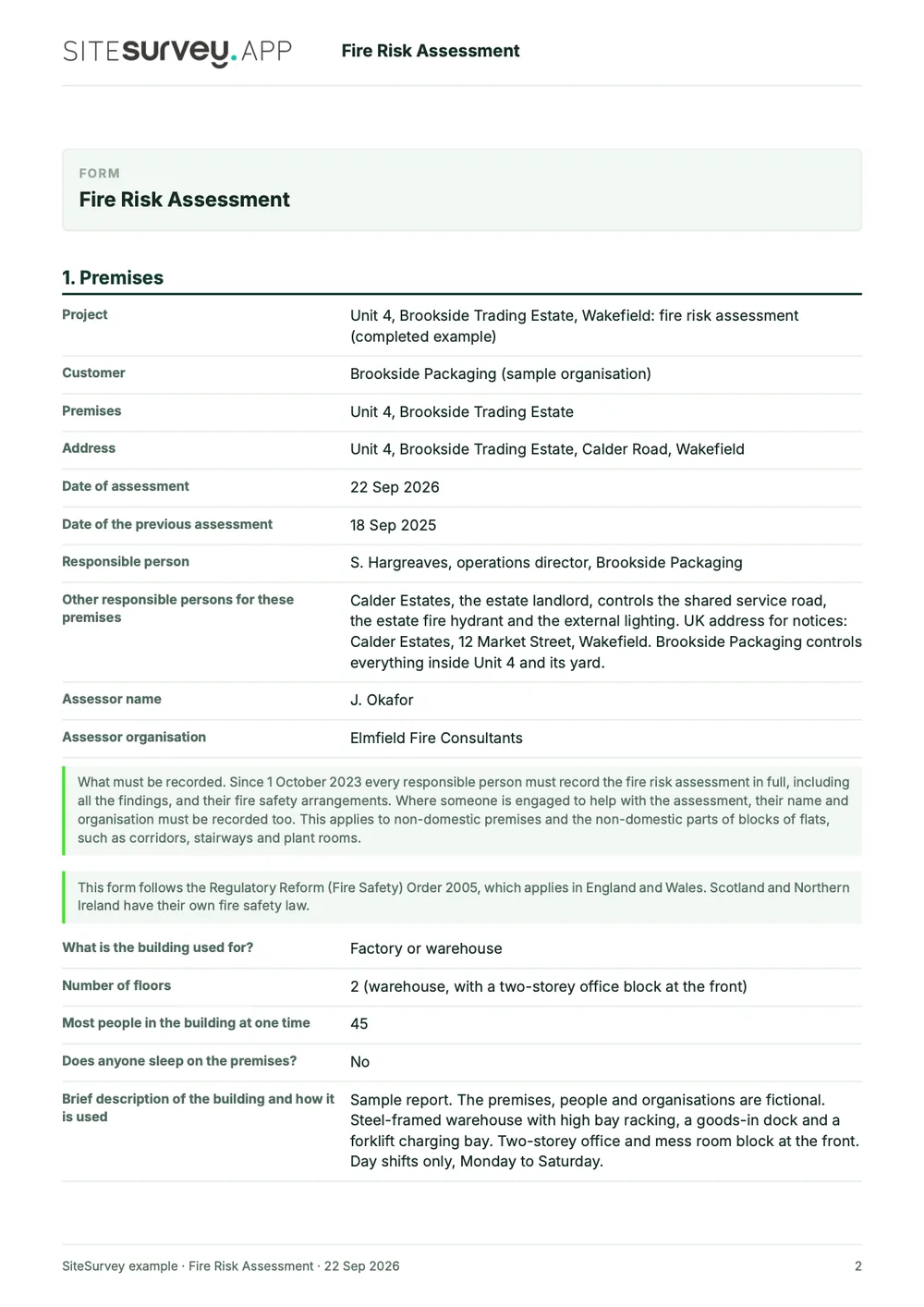
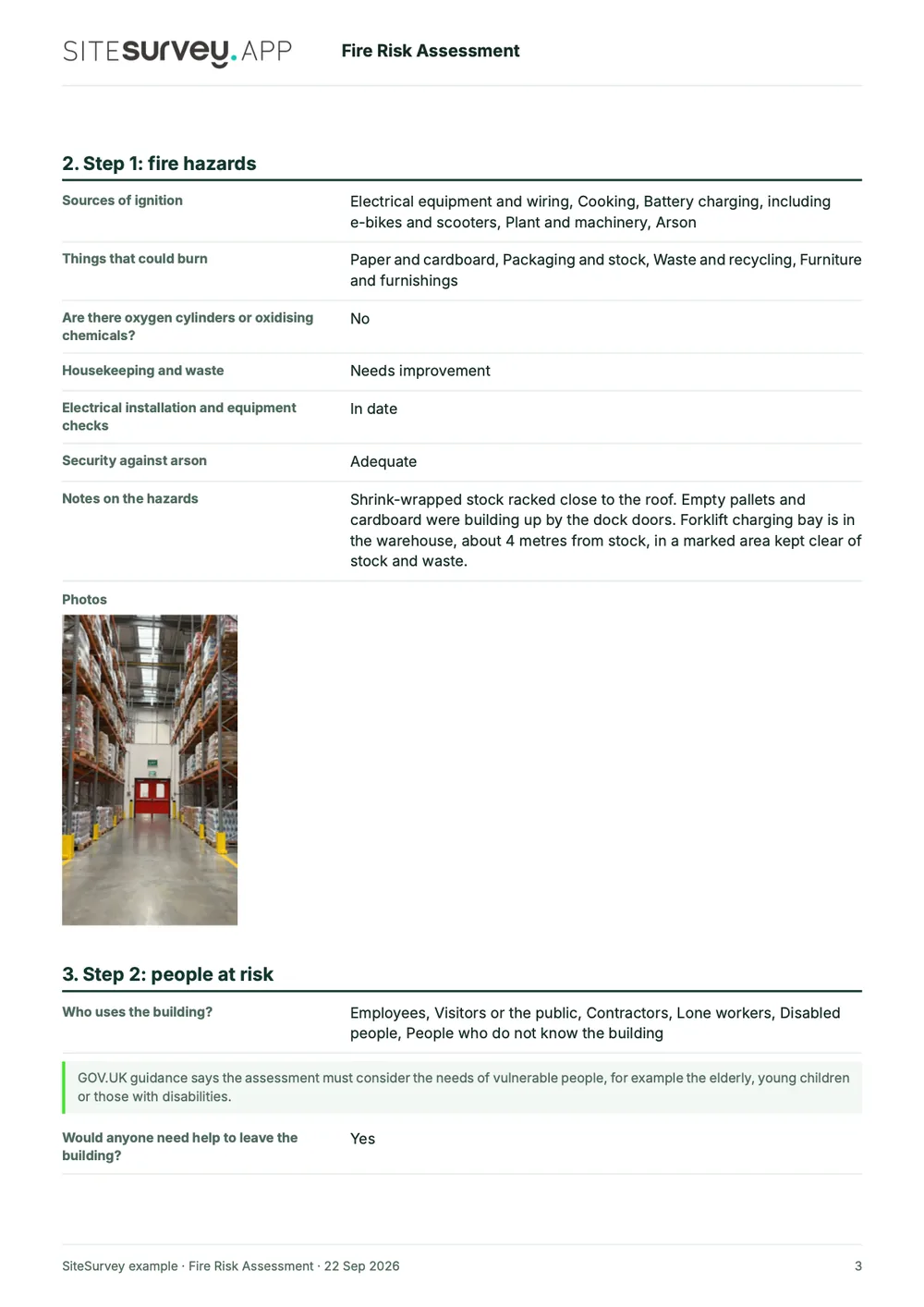
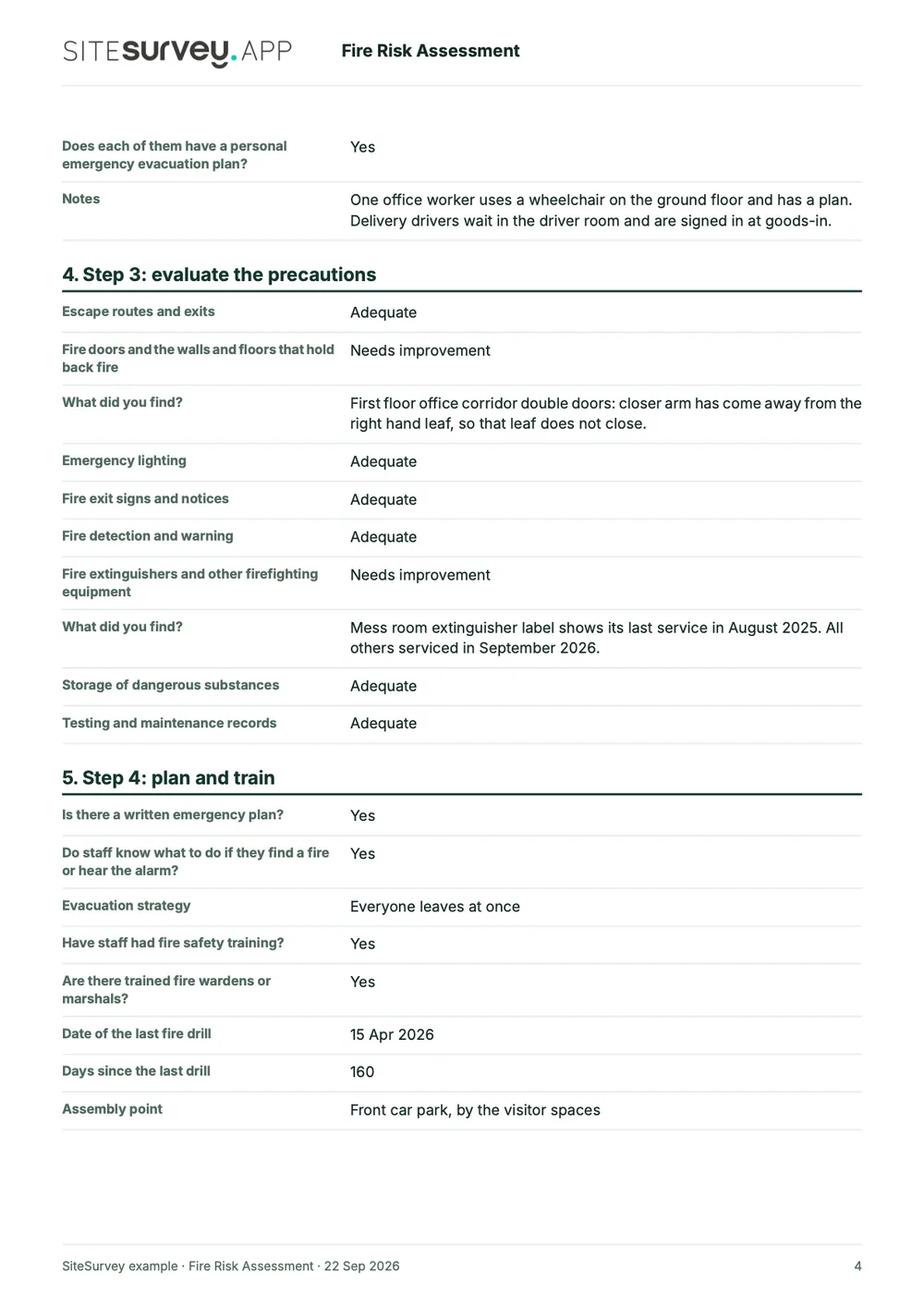
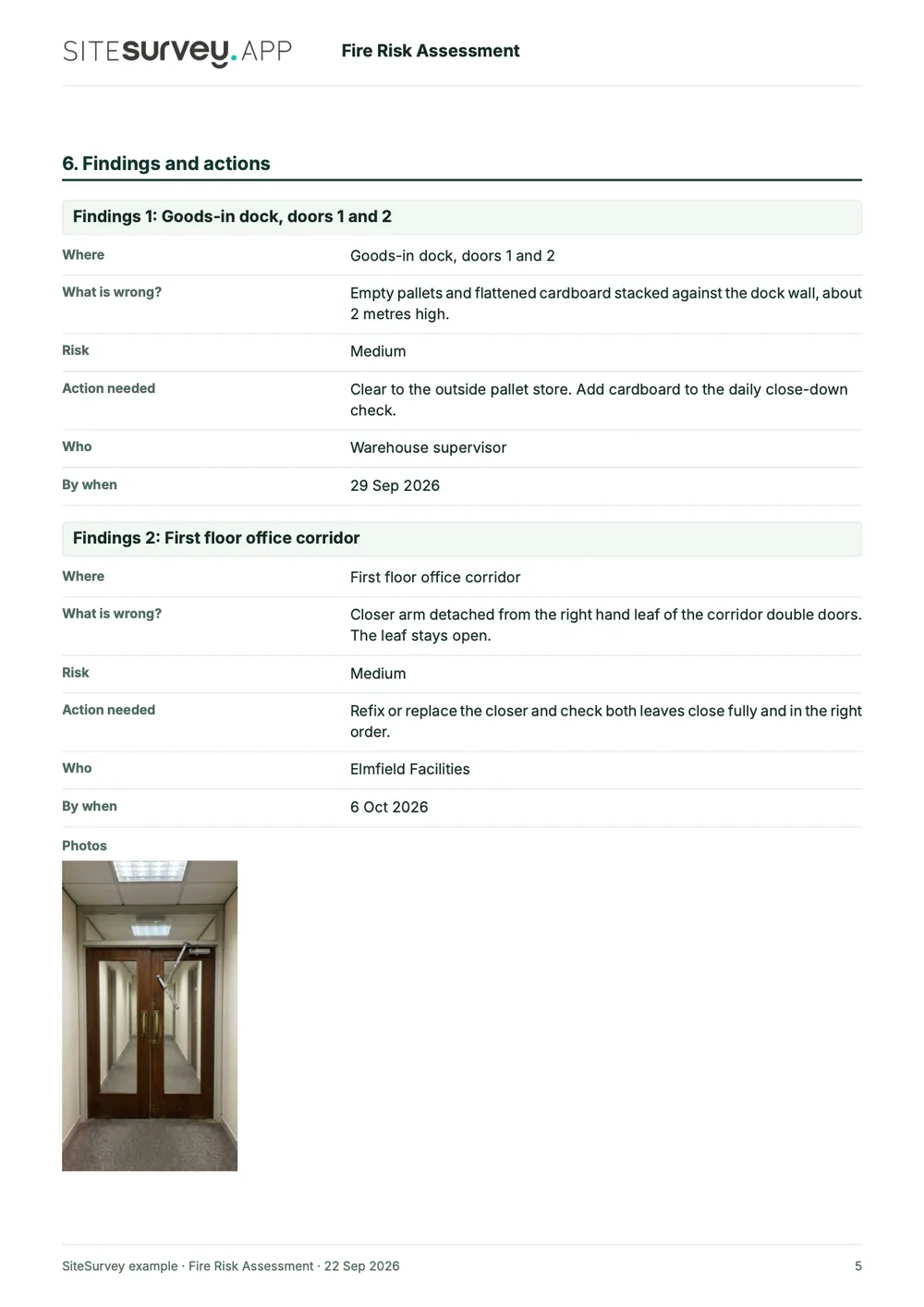
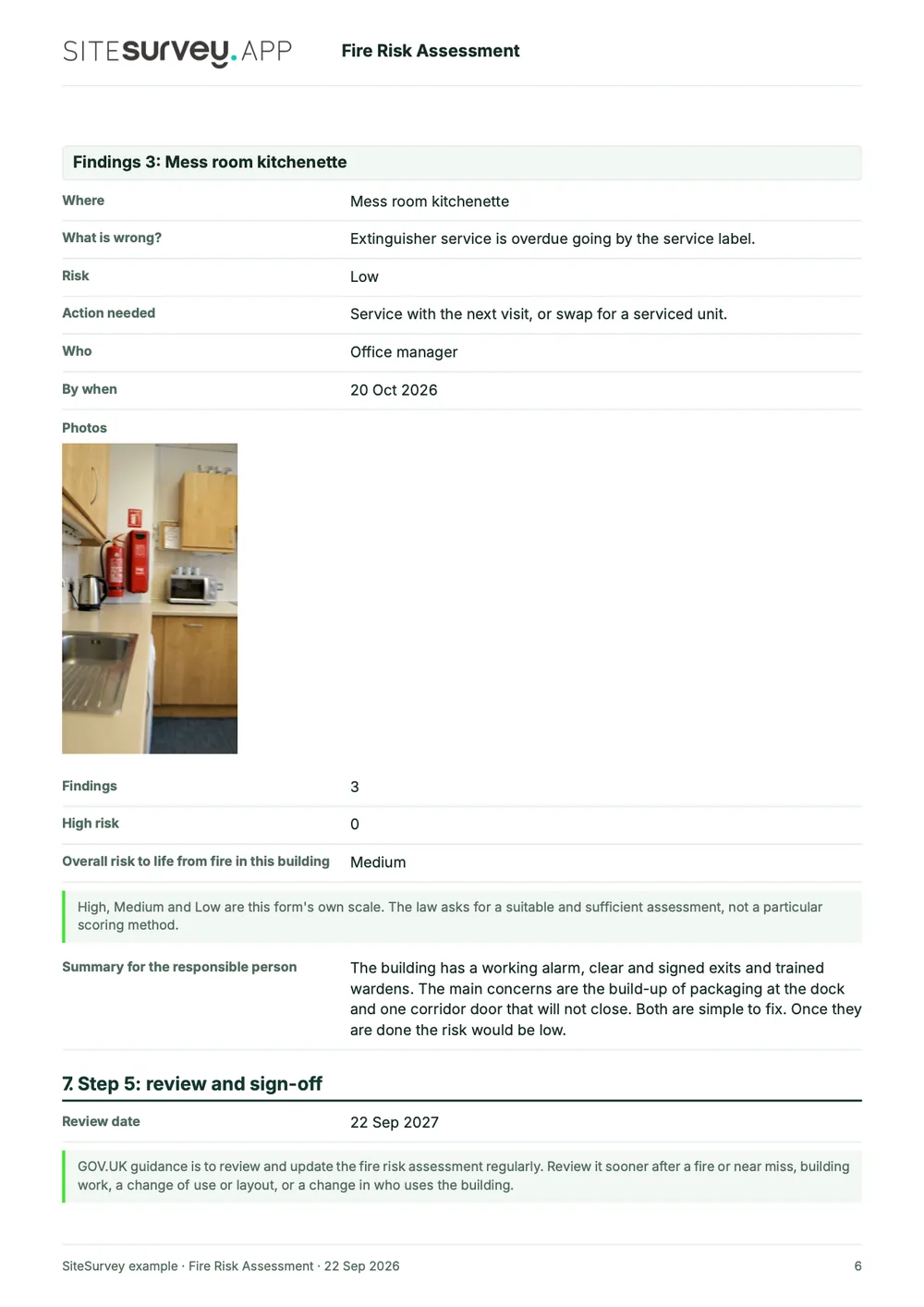
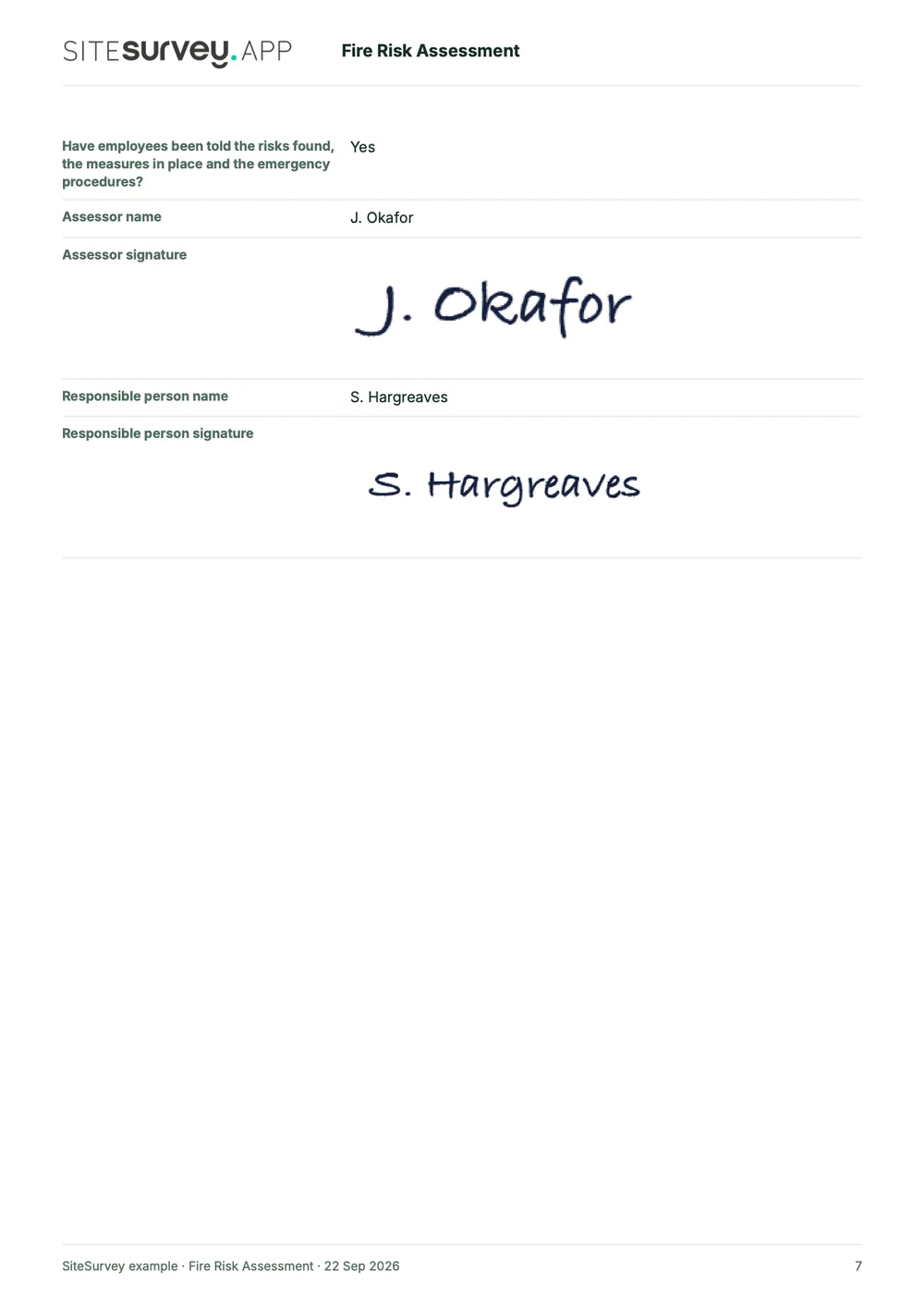
This is a completed fire risk assessment from the SiteSurvey form library, made with the report builder: a packaging warehouse with a two-storey office block. Scroll through it here or download the PDF.
- 1The premises and who is responsibleUse, floors and occupancy, the responsible person, the landlord and the part it controls, and the assessor.
- 2Hazards and people at riskSources of ignition, what could burn, housekeeping and arson, and who would need help to leave.
- 3Each precaution ratedEscape routes, fire doors, emergency lighting, signs, detection, extinguishers and maintenance records, with what was found.
- 4Findings, review and sign-offEach finding with its risk, action, owner, date and photos, the overall risk, the review date and the signatures of the assessor and the responsible person.
Try the form
The assessment behind the report. Open it and try it.
A live SiteSurvey fire risk assessment, shared by link with no login. It asks only what applies, takes a separate entry for each finding and shows guidance where the Fire Safety Order or GOV.UK says something.
Open the live form →See every question in the fire risk assessment template →Want to see one filled in? The completed sample assessment is read-only and fictional. See the finished record →
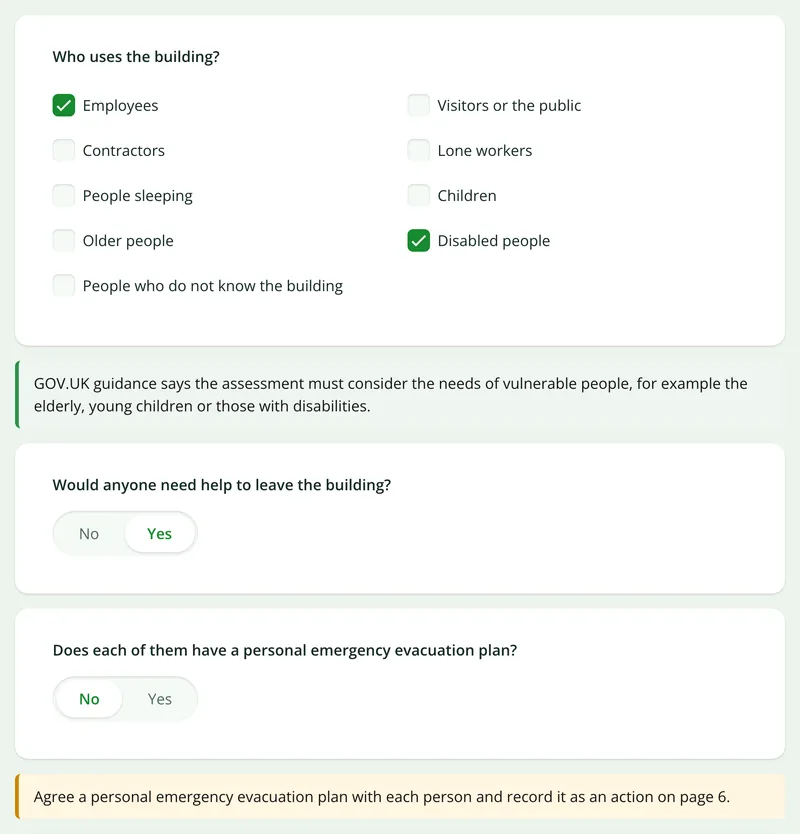
People who need help to leave
Say someone would need help and there is no plan for them, and it asks you to agree a personal emergency evacuation plan and record it as an action.
More than Walk Cam
Build the form. Share it by link.
Walk Cam films the inspection. The form behind it is yours to build, and anything you capture can be sent to someone outside your team as a link, with no login or app needed.
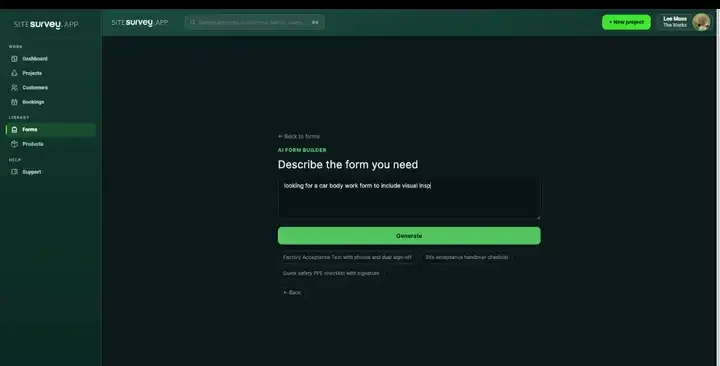
Build your fire risk assessment with AI
Describe the checks you carry out and the AI assistant builds the form: fields, required photos, readings as numbers and follow-up questions that only appear when something fails. Refine it in chat, edit it visually, or start from a template.
How the form builder works →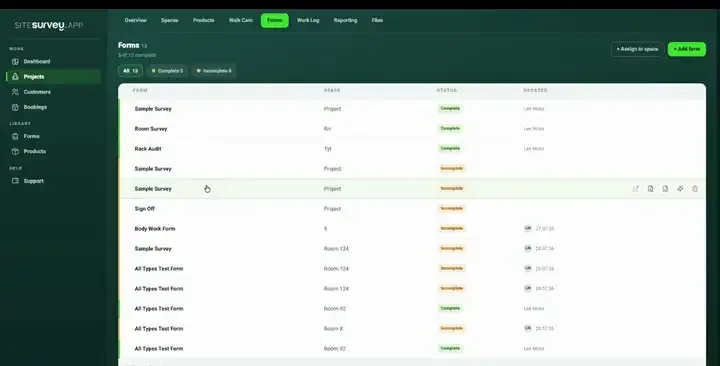
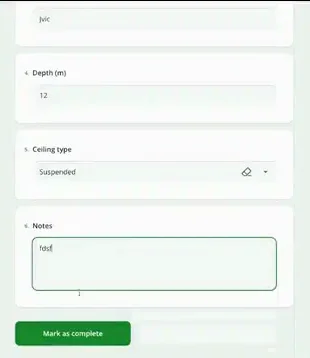
Share by link, no login needed
Make any form shareable and SiteSurvey gives it a unique URL, with an optional password. Customers, tenants or contractors fill it in on their phone’s browser, and their answers land in the same project. Walk Cam recordings and finished reports can be shared the same way, by link or by email.
How Walk Cam sharing works →What should fire safety software record?
Fire inspection software should keep the assessment, the routine checks and the evidence together. The fire risk assessment is a form like any other in SiteSurvey, so it carries the same photos, logic, signatures and location handling as the rest of your records, and reaches the report the same way.
A finding for each problem
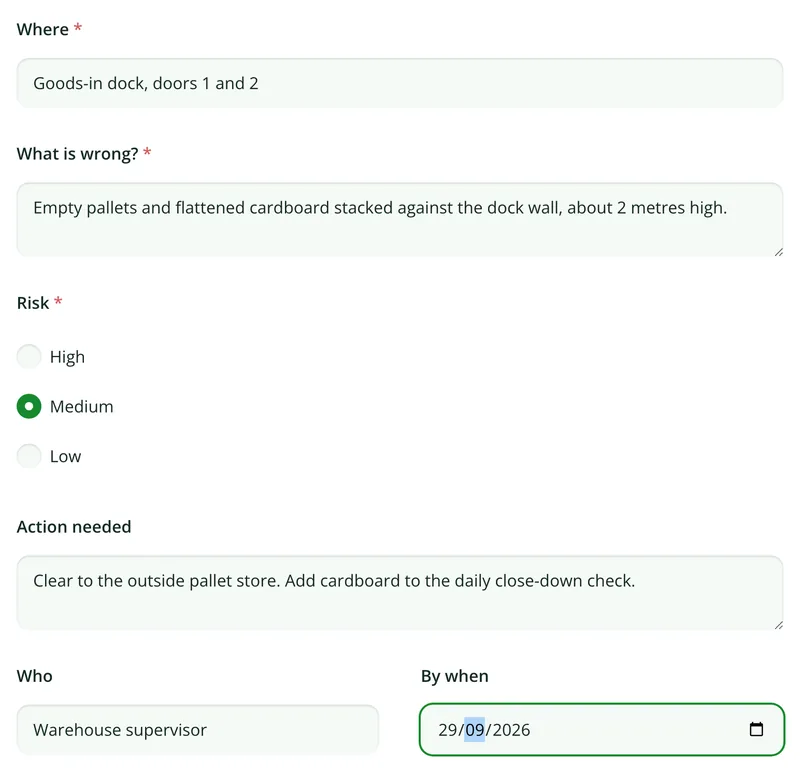
Each finding is its own entry: where, what is wrong, High, Medium or Low, the action, who and by when, with its photos.
Questions that follow the answers
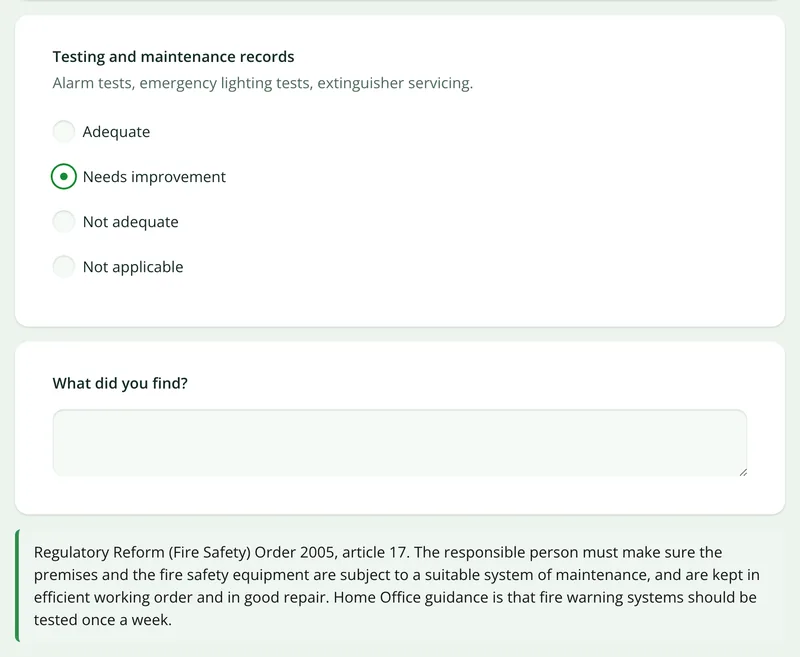
Rate a precaution as needing improvement and it asks what you found. Say someone needs help to leave and it asks about their evacuation plan.
Fire extinguisher and alarm checks
Run the routine fire safety checks in the same app: extinguishers, emergency lighting, the weekly alarm test, escape routes, signs and drills.
Fire doors, linked across
Fire door checks have their own checklist, door by door. See our fire door inspection app for the regulation 10 checks in blocks of flats.
Signed on the device
The assessor and the responsible person sign on the phone or tablet, and every entry is dated and attributed.
Works with no signal
Complete the whole assessment in a plant room or basement and let it sync when you are back in coverage.
Start from the fire risk assessment in our library.
Open the ready-made assessment, change anything to match your premises or your own house style, and use it on every building. Every field is editable, in chat or visually.
Premises, responsible person and assessor
Other responsible persons and the part each controls
Sources of ignition and things that could burn
People at risk and anyone needing help to leave
Each fire precaution rated, with notes
Emergency plan, training and last drill
Findings with risk, action, owner and date
Overall risk and summary for the responsible person
Review date, assessor and responsible person signatures
Try it on your phone
Try it on this phone
Fill in the fire risk assessment template on your phone now
See how the fire risk assessment template looks on your phone
Scan the code with your phone camera. It opens the real form, no sign-up needed.
Open the live example and fill it in, just as your team would on site. No sign-up needed.
See it on this phoneEvery question is editable. Add this form to your account, then change the wording, add or remove questions and options, and make it fit your own jobs.
What is fire risk assessment software?
Fire risk assessment software lets you carry out and record a fire risk assessment on a phone or tablet as you walk the premises, rather than writing it up afterwards. It typically records the premises and the responsible person, the fire hazards, the people at risk, how adequate each fire precaution is, the findings with actions, owners and dates, and the review date, with photographs as evidence and signatures at the end. SiteSurvey does this as a mobile app with a web dashboard and report builder.
Who has to carry out a fire risk assessment?
In England and Wales the responsible person must make a suitable and sufficient fire risk assessment under article 9 of the Regulatory Reform (Fire Safety) Order 2005. GOV.UK says the responsible person for business or other non-domestic premises is the employer, owner, landlord, occupier or anyone else with control of the premises, and that non-domestic premises include the common areas of blocks of flats. You can do it yourself with the standard guides, or appoint a competent person such as a professional fire risk assessor. Scotland and Northern Ireland have their own rules.
Sources: article 9 of the Regulatory Reform (Fire Safety) Order 2005, GOV.UK: who is responsible and GOV.UK fire risk assessment guidance.
What must a fire risk assessment record since October 2023?
Since 1 October 2023 every responsible person must record the assessment, not only those with five or more employees. Article 9 requires the record to include the findings, the measures that have been or will be taken, and any group of people identified as especially at risk. The fire safety arrangements must be recorded too (article 11), and where premises are shared, responsible persons must exchange names and UK addresses for notices and record the part each is responsible for (article 22). The library assessment asks for each of these.
Sources: article 9, article 11 and article 22.
What are the five steps of a fire risk assessment?
GOV.UK sets out five steps: identify the fire hazards; identify people at risk; evaluate, remove or reduce the risks; record your findings, prepare an emergency plan and provide training; and review and update the assessment regularly. The SiteSurvey assessment follows the same order, one page per step, with the premises details first and the findings and actions before the review.
Source: GOV.UK fire risk assessment guidance.
Can I do a fire risk assessment online, or on a fire safety app?
Yes. SiteSurvey works as a fire risk assessment app: the assessment is completed on site, offline if needed, and synced to the project. You can also share the same assessment by link so someone can fill it in from a phone browser with no login, and the finished report can be exported as a PDF or shared as a link. The assessment itself still has to be made by the responsible person or someone competent who has looked at the premises.
Can it record fire extinguisher, alarm and emergency lighting checks?
Yes. Alongside the fire risk assessment, the form library has a fire safety checks form covering extinguishers, emergency lighting tests, the weekly fire alarm test, escape routes, exits and signs, and fire drills, with actions. Each check is dated and attributed and can carry photos, so the testing and maintenance records are ready for the next review. SiteSurvey does not schedule the checks or send reminders.
Sources: article 17 and GOV.UK: equipment, drills and training.
What about fire doors?
The fire risk assessment asks whether fire doors and the walls and floors that hold back fire are adequate. For door-by-door checks, including the regulation 10 checks in multi-occupied residential buildings in England with a storey above 11 metres, use the fire door checklist, covered on our fire door inspection app page.
Is it fire safety management software? Will it make us compliant?
No software can make you compliant. SiteSurvey gives you a consistent way to carry out and record fire risk assessments and fire safety checks, with the evidence behind each finding. Whether the assessment is suitable and sufficient, the competence of the assessor, and acting on the findings remain the responsible person's duties under the Fire Safety Order. It is not a full fire safety management system and does not track actions to close-out.
Can we keep our own fire risk assessment format?
Yes. Describe your format to the AI assistant or build it visually, and it becomes a reusable assessment. Multi-page forms, choice and rating questions, conditional questions and notices, repeating findings, required photos and signatures are all supported, so an assessor's house style transfers rather than being redesigned.
Does it work without a signal?
Yes. The whole assessment, with its photos, Walk Cam clips and signatures, is completed on the device and synced to the project when connectivity returns, so plant rooms, basements and remote units are no obstacle.
How much does it cost?
Pricing is per user, not per assessment or building. The Works plan, which includes the custom form builder and reports used for fire risk assessments, is £25 per user per month. The Base plan starts at £13 per user per month. Every plan starts with a trial from £1, cancel any time.
Go deeper
Guides and tools behind this workflow.
See it on your next job