Safety inspections and site walk-arounds
Safety inspection software for teams on live sites.
A safety inspection is only worth as much as the evidence behind it. Capture the hazard where you find it, photograph it, assign it to someone with a date, and keep a record that still makes sense when it is read back in an investigation.
£25 per user per month on The Works, Base from £13 · trial from £1, cancel any time
See a sample report ↓Start from the construction site safety checklist ↓
4
Hazards raised
3
Made safe on the walk
45
Minutes on site
One walk-round, the sample report below
Are safety inspections a legal requirement?
Not as a named duty, but monitoring is. Employers in Great Britain must arrange to plan, organise, control, monitor and review their health and safety measures. HSE's HSG65 names routine inspections as one way to monitor; some, such as scaffold checks, have intervals set by law. SiteSurvey runs them on iOS, Android and web at £25 per user per month.
Last updated 4 October 2026. Facts checked on 4 October 2026 against regulation 5 of the Management of Health and Safety at Work Regulations 1999, HSE, Managing for health and safety (HSG65) and regulation 12 of the Work at Height Regulations 2005.
SiteSurvey for safety inspections, at a glance
- What it is
- A mobile inspection app for iOS and Android, with a web portal, used to run site safety inspections and walk-arounds.
- Who it is for
- Health and safety managers, site managers and supervisors, and field and utility teams.
- What it records
- Your own safety checks, each hazard with annotated photos, a risk rating, the immediate action, and an owner and due date, plus Walk Cam video with voice-to-text.
- Evidence
- Every entry is dated and attributed to the inspector, captures carry GPS and timestamps, and it works fully offline.
- Price
- £25 per user per month on The Works plan, which includes the form builder and reports. Trial from £1, cancel any time.
- What it does not do
- It does not decide whether a site is safe, manage incidents or permits, or on its own meet your legal duties.
Safety paperwork proves what you wrote, not what you saw.
A tick in a box on a form says the check was done. It does not show the state of the excavation, the missing edge protection or the cable that was made safe an hour later. When something goes wrong, the paperwork that survives is the paperwork with photographs and timestamps on it.
Ticks without evidence
A completed checklist proves an inspection happened. It rarely proves what condition the site was in.
Actions with no owner
Hazards raised on a form and emailed round tend to close themselves, on paper at least.
Records in three places
Forms in a folder, photos on a phone, actions in an inbox. Nobody can reassemble them under pressure.
How does a site safety inspection work, from walk-around to report?
01 · Open the inspection
Pick the site and start the safety walk-around on your phone, with your own checks in your own order.02 · Record the hazard
Photograph it, mark up the image, describe it and rate the risk while you are standing in front of it.03 · Record the action
Note the immediate action taken, and give the rest an owner and a due date on the same finding.04 · Issue the report
Export the inspection as a PDF or share it as a link, with every hazard, photograph and action in it.Walk Cam, point by point
A site walk-round, point by point.
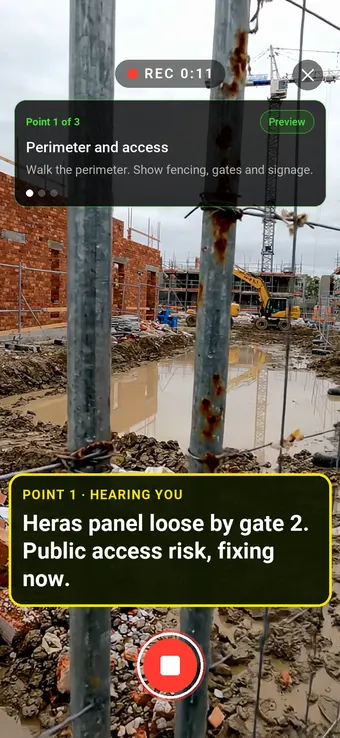
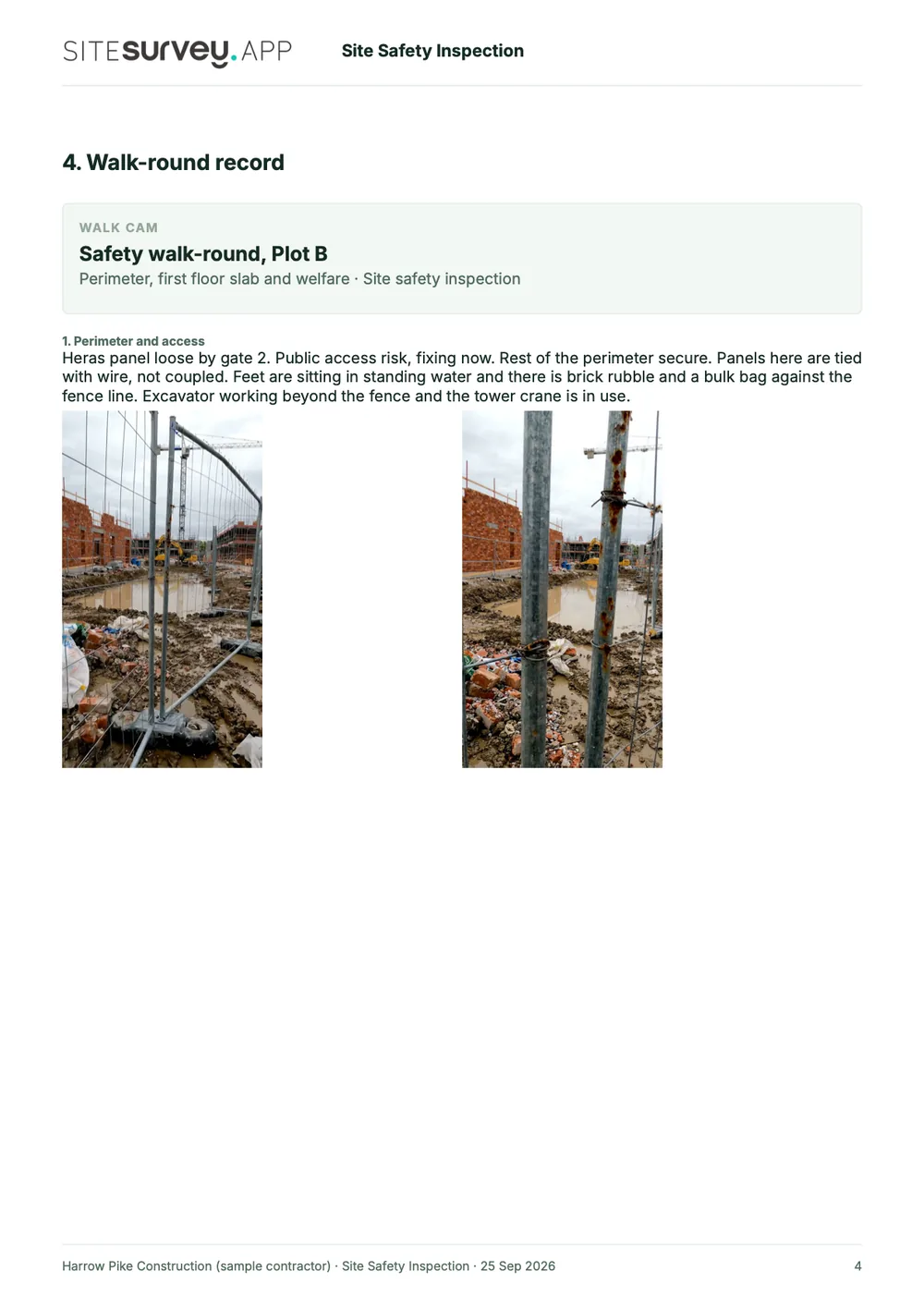
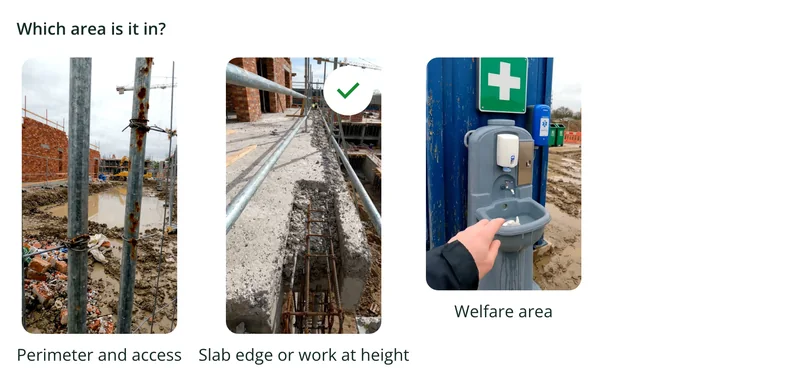
Walk Cam takes the inspector round the site in order, films each hazard and writes down what they say, including the action taken. Point 1, the perimeter, is the clip at the top of the page.
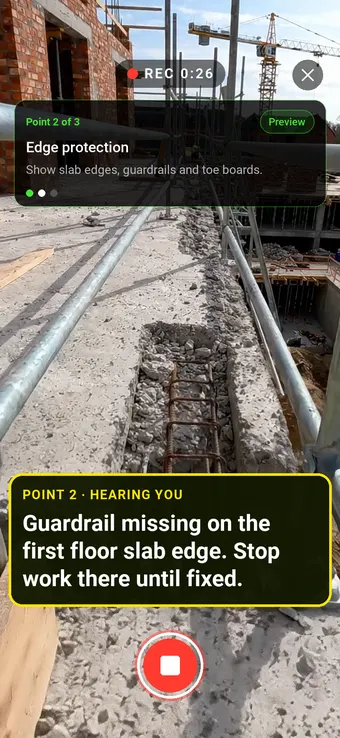
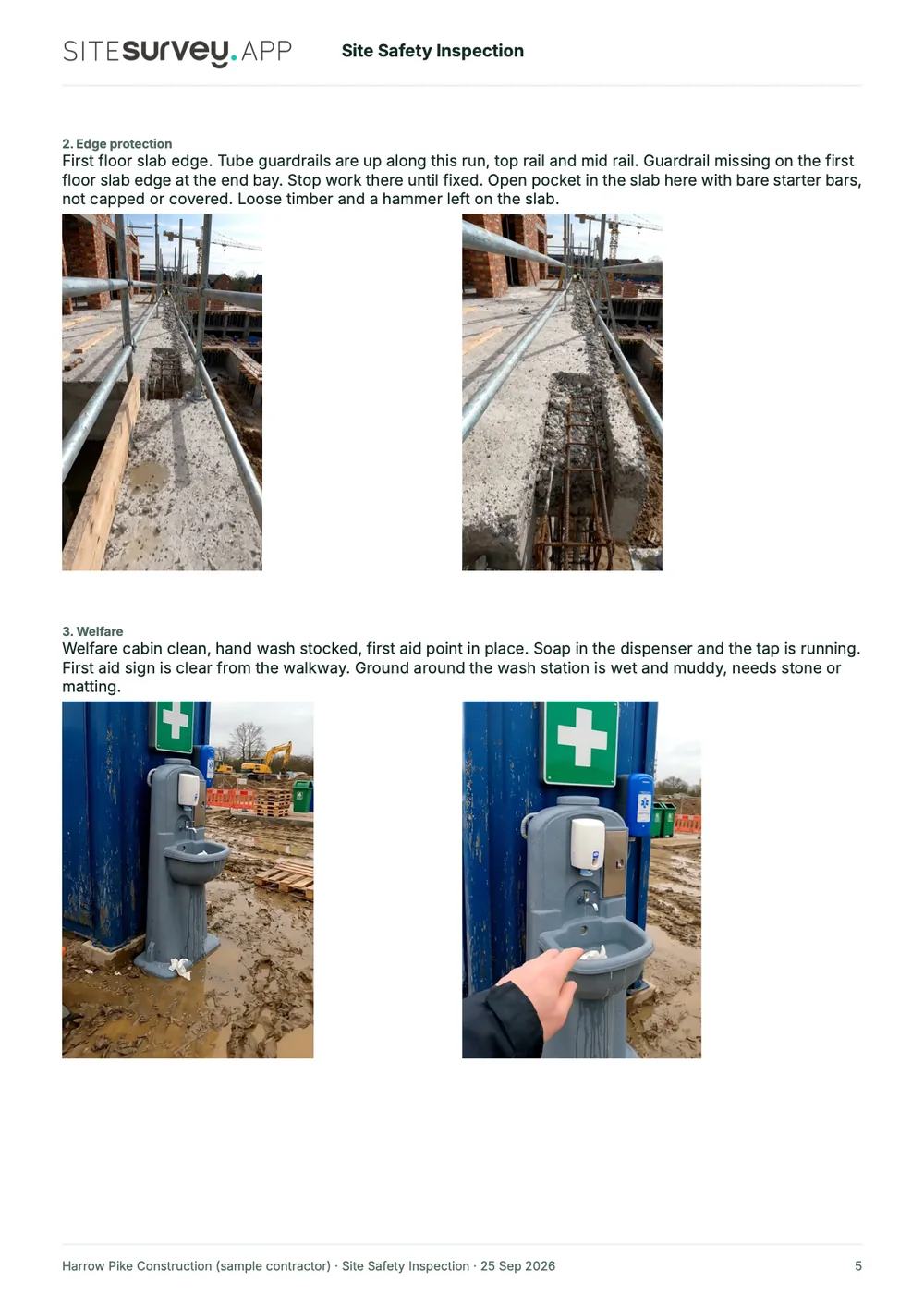
Point 2 of 3
Edge protection
Edge protection checked, with stop-work decisions made and recorded on the spot.
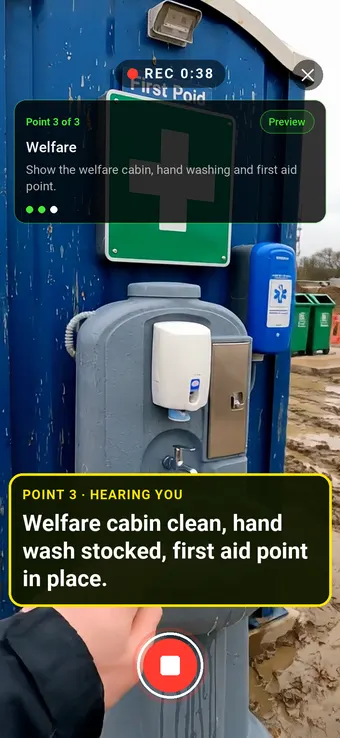
Point 3 of 3
Welfare
Welfare facilities checked and recorded as part of the same walk.
What the report looks like
What a site safety inspection report looks like.
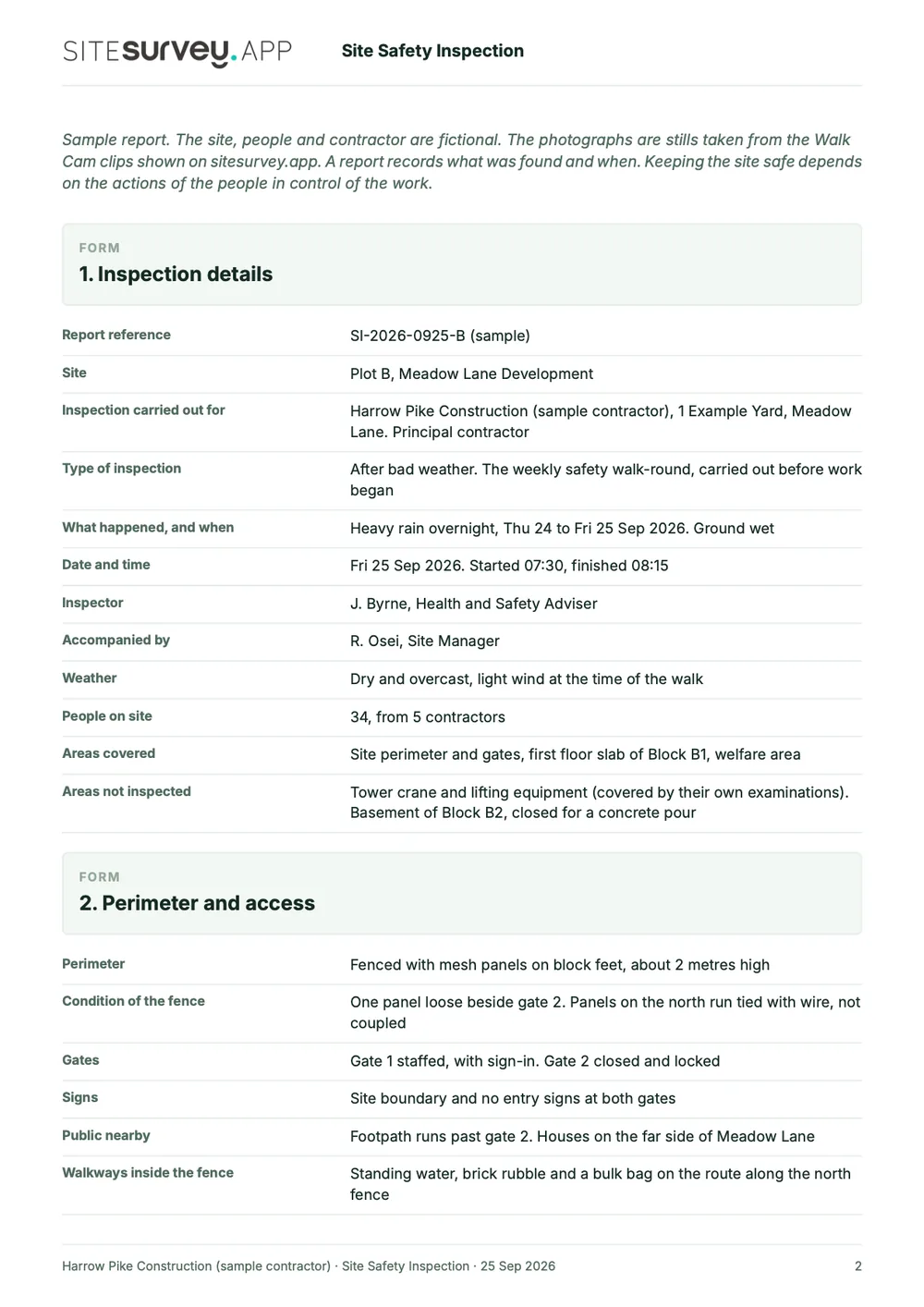
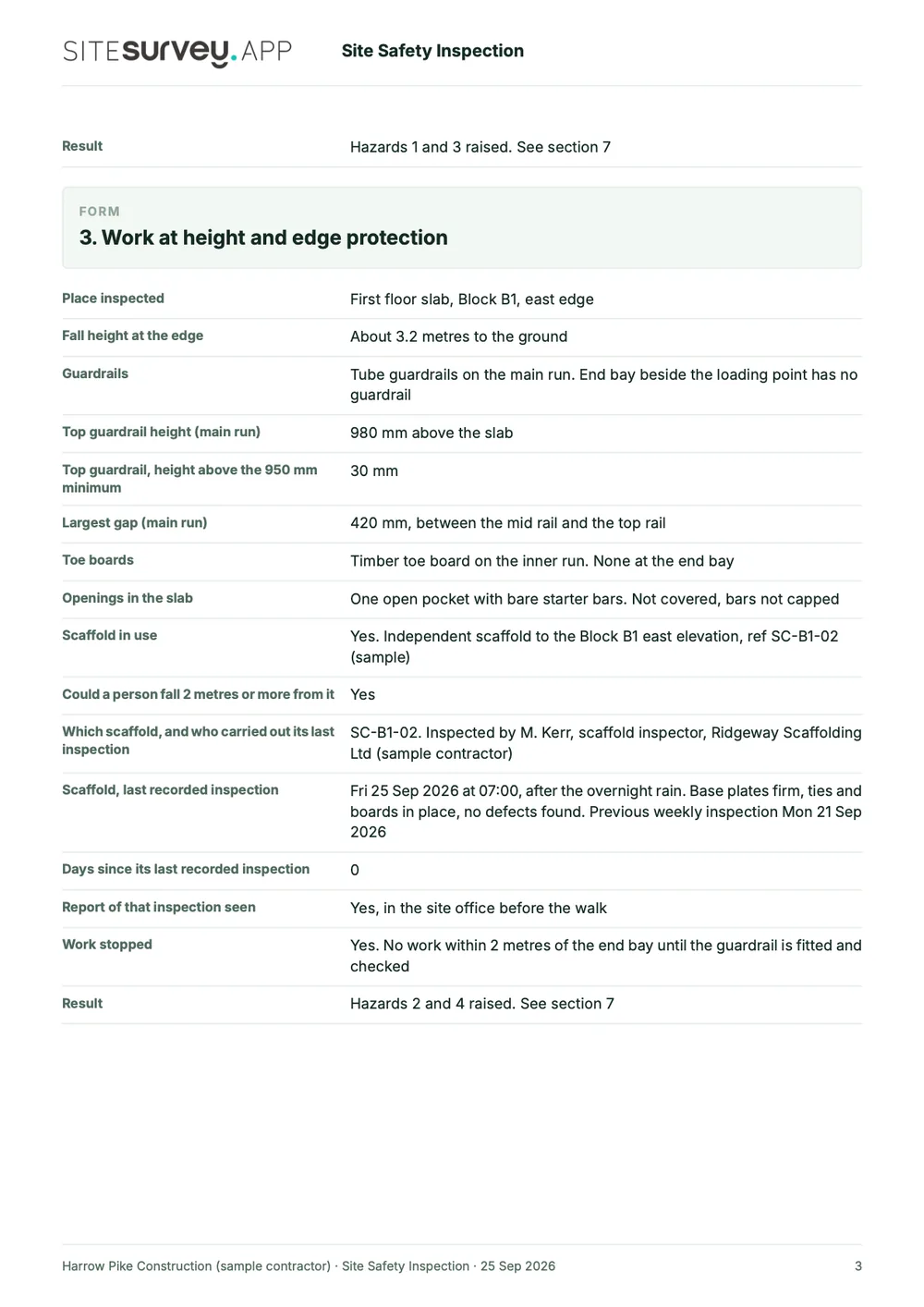
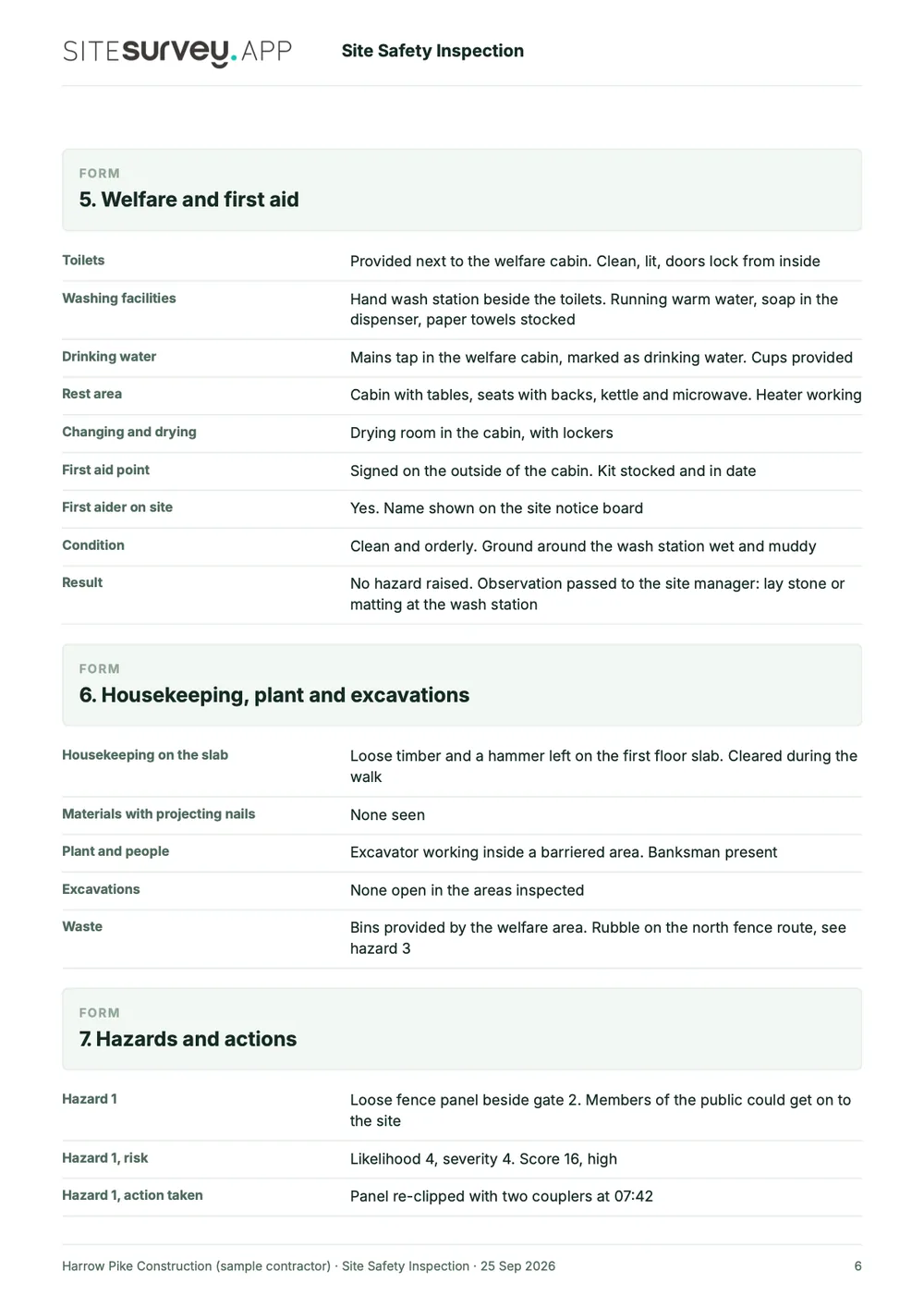
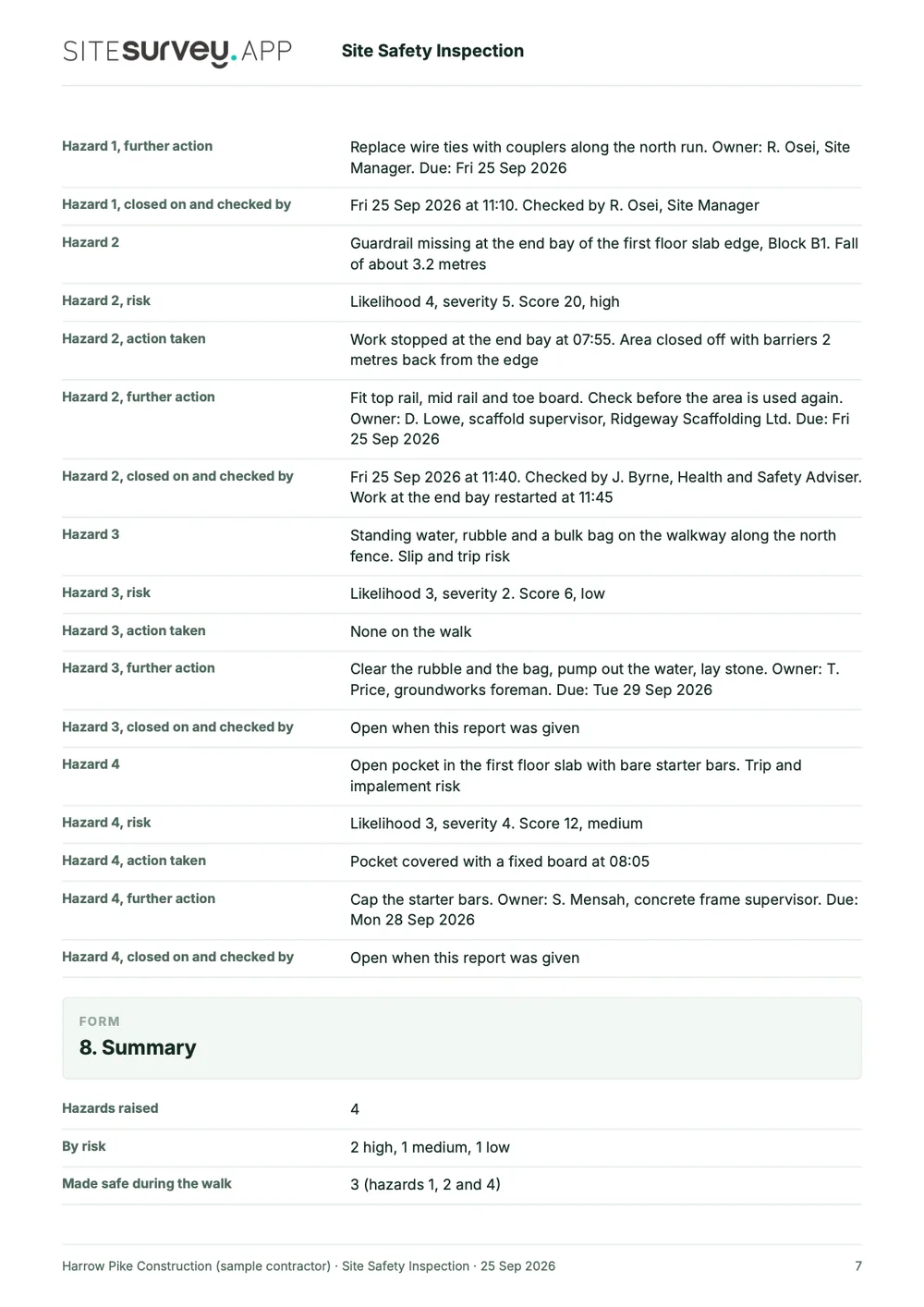
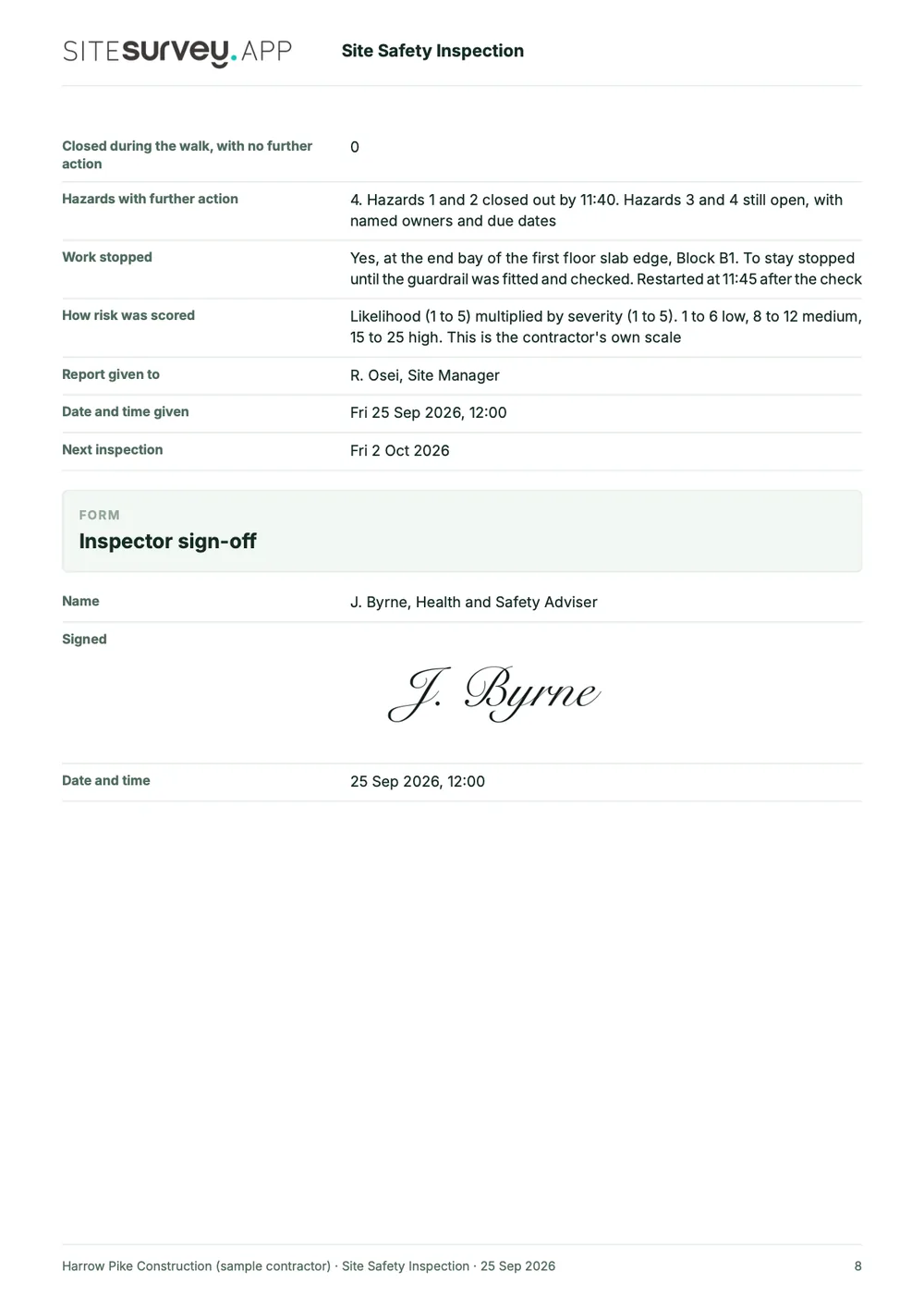
This is a full sample report, made with the SiteSurvey report builder. Scroll through it here or download the PDF. The photographs are stills from the Walk Cam clips on this page.
- 1Who, where and whenThe site, who the inspection was for, the inspector's name and position, the date and time, and the areas that were not inspected.
- 2Walk-round, with photosEach Walk Cam point has its stills and the inspector's spoken notes, written down as they were said.
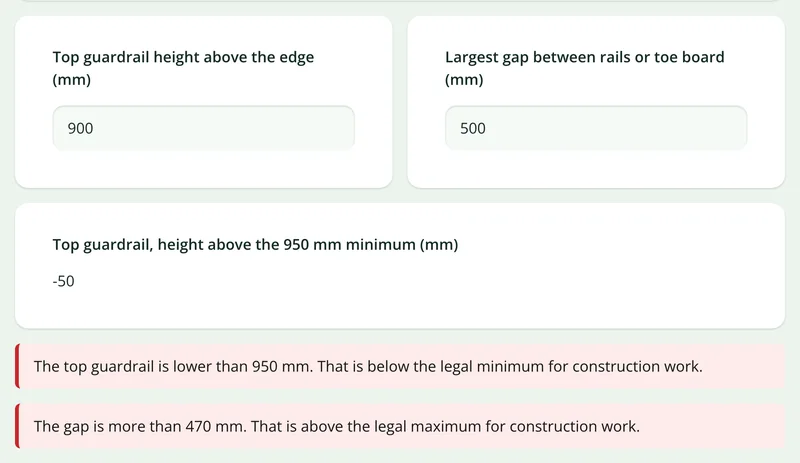
- 3Edge protection and welfareGuardrail height and gaps, the date of the last scaffold inspection, and the welfare and first aid checks.
- 4Hazards, actions and sign-offEach hazard with its risk score, the action taken on the walk, the further action with an owner and a due date, and a dated sign-off.
Try the form
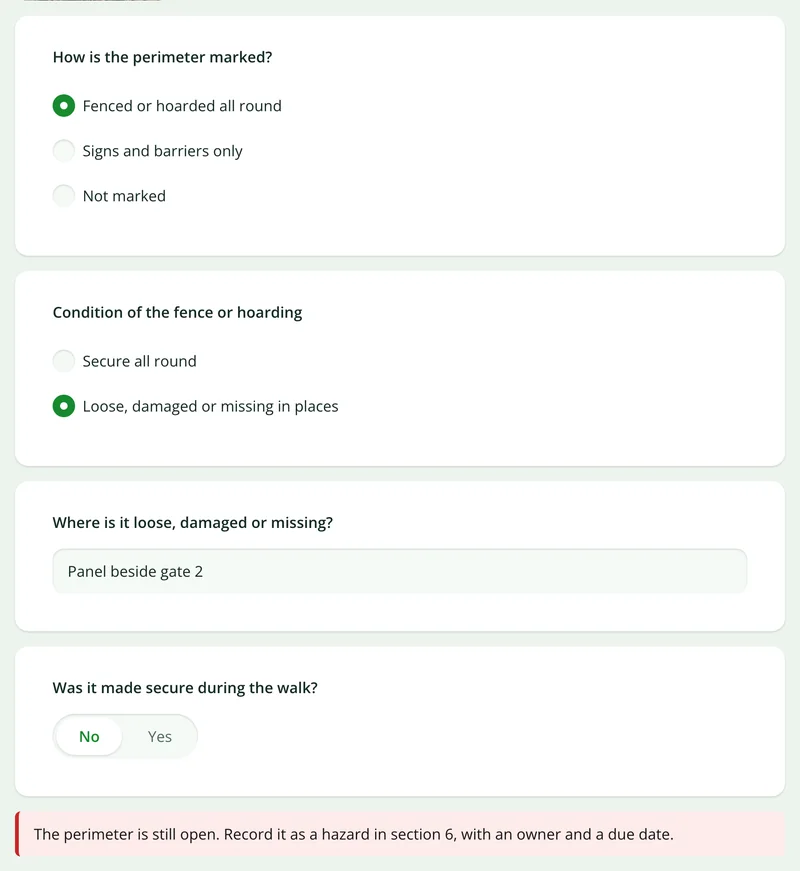
The form behind the report. Open it and try it.
A live SiteSurvey form, shared by link with no login. It asks only what applies, warns when a measurement is outside the legal size and takes a separate record for each hazard. Answers are cleared every night.
Open the live form →See every question in the construction site safety checklist →Or see it filled in: the finished record with every answer, and the Walk Cam report with its clips, stills and spoken notes. See the finished record → Watch the Walk Cam report →
More than Walk Cam
Build the form. Share it by link.
Walk Cam films the inspection. The form behind it is yours to build, and anything you capture can be sent to someone outside your team as a link, with no login or app needed.
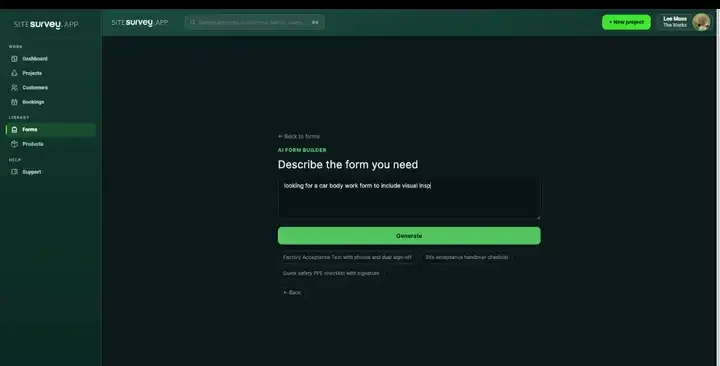
Build your safety inspection checklist with AI
Describe the checks you carry out and the AI assistant builds the form: fields, required photos, readings as numbers and follow-up questions that only appear when something fails. Refine it in chat, edit it visually, or start from a template.
How the form builder works →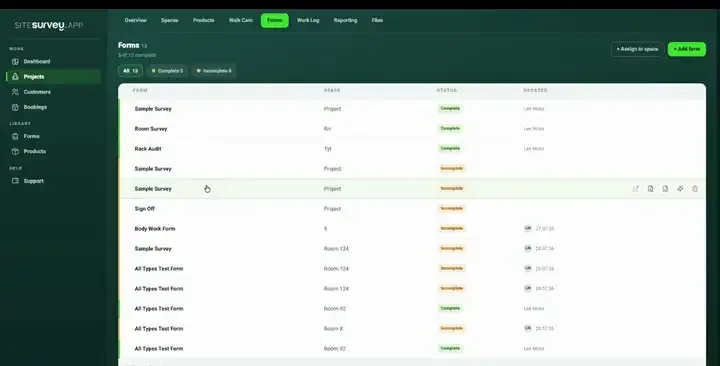
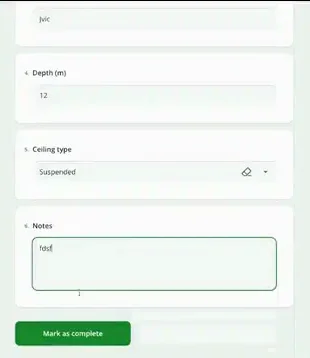
Share by link, no login needed
Make any form shareable and SiteSurvey gives it a unique URL, with an optional password. Customers, tenants or contractors fill it in on their phone’s browser, and their answers land in the same project. Walk Cam recordings and finished reports can be shared the same way, by link or by email.
How Walk Cam sharing works →What should a safety inspection app record?
Everything captured on a safety walk-around stays connected: the hazard, the image, the location, the person responsible and the date. That connection is what makes the record defensible.
Your safety checks, your wording
Build the walk-around, permit check or pre-start inspection your organisation already runs.
Photograph and annotate
Draw on the image, circle the hazard and add on-image measurements where distance matters.
Risk rating and priority
Score the finding as you raise it so the serious items are visible without reading the whole report.
Owner and due date
Record who is responsible for each action and by when, as fields on the finding, so the action sits with the hazard.
Timestamped and located
Every capture records when and where it was taken, which is the part that matters in an investigation.
Captured offline
Excavations, substations and steelwork have no signal. Capture on the device and sync when you are back in range.
Start from a safety inspection checklist template.
Open the ready-made site safety form, edit the checks to match your own procedure, and run it on the next walk-around.
Site, date, inspector and weather
Access, edge protection and barriers
Plant, equipment and permits in place
PPE and welfare provision
Hazard photograph with annotation
Risk rating and immediate action taken
Action owner, due date and sign-off
Try it on your phone
Try it on this phone
Fill in the construction site safety checklist on your phone now
See how the construction site safety checklist looks on your phone
Scan the code with your phone camera. It opens the real form, no sign-up needed.
Open the live example and fill it in, just as your team would on site. No sign-up needed.
See it on this phoneEvery question is editable. Add this form to your account, then change the wording, add or remove questions and options, and make it fit your own jobs.
What is safety inspection software, or a site safety app?
Safety inspection software, often called a site safety app, is used to run site safety checks on a mobile device rather than on paper. The inspector works through the organisation's own checks, photographs any hazard found, rates the risk and assigns the corrective action to a named person with a date. The value over paper is the evidence: the record keeps the image, the location and the timestamp attached to the finding.
What is the best safety inspection software?
The best safety inspection software is the one that matches how your inspections are run. For walk-arounds on live sites, look for a mobile app that runs your own checklist, attaches photographs to each finding, records who inspected and when, works offline and produces a clear report. If you need incident reporting, permit-to-work management or a full health and safety management system, choose a tool built for that. SiteSurvey is a mobile inspection app: strong on photo evidence, Walk Cam video, offline capture and your own forms. It does not decide what is safe or manage incidents.
How often should site safety inspections be done?
The law does not set one frequency for general safety inspections. HSE's guidance on inspections by safety representatives says they can be less frequent in a low-risk office and more frequent where work is high risk or changing quickly, for example on a construction project. Some checks do have a fixed interval: under regulation 12 of the Work at Height Regulations 2005, a working platform used for construction work from which a person could fall 2 metres or more, such as a scaffold, must not be used unless it has been inspected in that position within the previous 7 days, and it must be inspected again after anything exceptional that could affect its safety.
Sources: HSE guidance on inspections by safety representatives and regulation 12 of the Work at Height Regulations 2005.
What should a safety inspection report include?
A safety inspection report should include the site, the date, who inspected and the areas covered, then for each hazard found: where it is, a photograph, a description, the risk rating, any immediate action taken, and the further action with an owner and a due date. It should end with the inspector's sign-off. The sample report above is a full SiteSurvey safety inspection report, from the cover and summary through each hazard with its photographs and actions to the sign-off.
Is a safety inspection the same as a risk assessment?
No. A risk assessment looks ahead: it identifies the hazards of a task or workplace and decides the controls needed. A safety inspection checks the site as it is on the day, including whether those controls are actually in place and working. Most organisations need both, and SiteSurvey can record either on a form you build.
Can we run our own safety checklist rather than a standard one?
Yes. The checks, wording and order are yours. Conditional questions can be used so that raising a hazard opens the follow-up questions specific to it, without cluttering the form for every other inspection.
How are corrective actions recorded?
Each finding can carry the immediate action taken, an owner, a due date and a priority as fields on the form, and conditional logic shows those fields only when a hazard is raised. Because the finding, its photographs and the action sit in one record against the site, the history of the hazard is in one place rather than across an email thread.
Is the record good enough for an audit or investigation?
Each capture carries its own timestamp and location, with the original photographs retained against the finding. That is materially stronger than a signed checklist, because it shows the condition of the site at the moment of inspection rather than only that an inspection took place.
Does it work on utility and infrastructure sites with no coverage?
Yes. Inspections are captured on the device and synchronise when connectivity returns, which is the normal case on substations, excavations and rural infrastructure work.
Who is it for?
It is for the people who carry out safety inspections: health and safety managers, site managers and supervisors on construction projects, and field and utility teams checking sites with no signal. Several inspectors can work across different sites at once, with everything reporting back into the same account.
How much does it cost?
Pricing is per user, not per site or inspection. The Works plan, which includes the custom form builder and reports used for safety inspections, is £25 per user per month. The Base plan starts at £13 per user per month. Every plan starts with a trial from £1, cancel any time.
Go deeper
Guides and tools behind this workflow.
See it on your next job