Asset inspections and condition rounds
Asset inspection software for the second visit, not just the first.
Registering an asset is the easy part. The value is in what the next four inspections say about it. Scan the asset, run the same check every round, photograph the condition, and every result lands on the asset's history.
£25 per user per month on The Works, Base from £13 · trial from £1, cancel any time
See a sample report ↓Start from the equipment inspection checklist ↓
6
Assets
1
Defect
3
Rounds on record
Harbour House, round 3 of 4, the sample report below
What is asset inspection software?
Asset inspection software records recurring condition and compliance checks against each physical asset, so every result, reading and photograph builds a history you can compare round by round. Some checks are statutory: HSE says lifting equipment must be thoroughly examined by a competent person every 6 or 12 months, depending on its use, or to an examination scheme.
Last updated . Facts checked on 4 October 2026 against HSE guidance on thorough examination of lifting equipment.
How often must lifting equipment be thoroughly examined under LOLER?
LOLER is the clearest example of a statutory asset inspection. HSE sets these maximum intervals between thorough examinations by a competent person.
| Equipment | Thorough examination at least every |
|---|---|
| Lifting equipment and accessories used to lift people | 6 months |
| All lifting accessories | 6 months |
| All other lifting equipment | 12 months |
Or in line with an examination scheme drawn up by a competent person.
The competent person's written report must include the examination date, the date the next thorough examination is due, and any defects found which are, or could become, a danger to people.
SiteSurvey can record these fields with photographs. It does not make the person carrying out the examination competent.
Source: HSE guidance on thorough examination of lifting equipment.
SiteSurvey for asset inspections, at a glance
- What it is
- A mobile inspection app for iOS and Android, with a web portal, used to run recurring condition checks against each asset.
- Who it is for
- Facilities management teams, maintenance contractors and inspectors working on plant, equipment and building systems.
- What it records
- The check for each asset type, readings as numbers, condition with photos, defects with action and priority, and the next due date.
- Evidence
- Every inspection is dated, attributed to the inspector and kept against the asset. It works offline and syncs when back in signal.
- Price
- £25 per user per month on The Works plan, which includes forms, floor plans and reports. Trial from £1, cancel any time.
- What it does not do
- It does not schedule inspections automatically, make an inspector competent, or certify statutory compliance such as LOLER.
Most asset inspections start from scratch every time.
A new form, a new spreadsheet, a new set of photographs, and no straightforward way of putting this quarter's result next to last quarter's. So condition is recorded but deterioration is not, and the decision to repair or replace is made on a feeling rather than a trend.
No line back to last time
If this inspection cannot see the previous one, it cannot tell you anything is getting worse.
The asset identified by description
"AHU in the roof plant room" stops working the moment the building has more than one.
Results that never reach the register
Inspection findings sit in a report while the register carries on saying what it said last year.
How does an asset inspection work, round after round?
01 · Find the asset
Scan its label or tag to open the existing record rather than creating another one.02 · Run the check
Complete the inspection form for that asset type, with the readings and ratings you track.03 · Photograph the condition
Attach images to the inspection so the rating is backed by something visual.04 · Build the history
The result lands on the asset record, next to every previous inspection of the same asset.Walk Cam, point by point
An asset round, asset by asset.
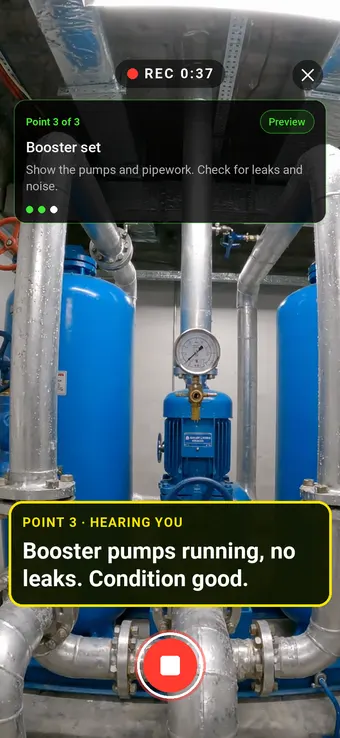
Walk Cam takes the engineer round the building point by point: the rooftop condensers first, then the riser board, then the basement booster set in the clip above. It films each asset's condition and writes down the findings as they speak.
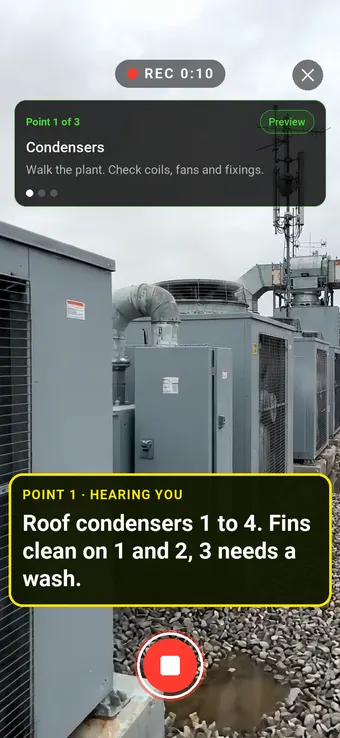
Point 1 of 3
Condensers
Plant checked unit by unit, with condition and defects said on film.
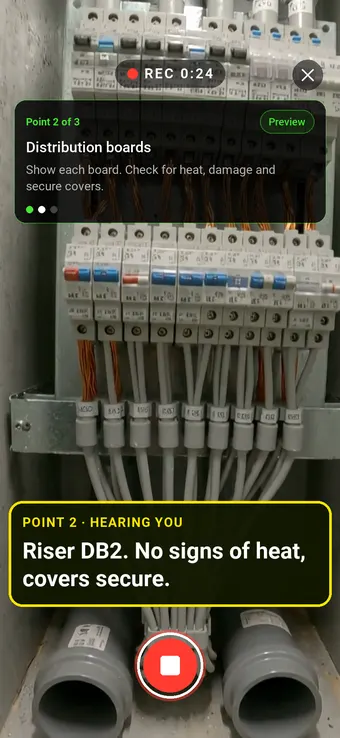
Point 2 of 3
Distribution board
Each board checked for heat, damage and secure covers.
What the report looks like
What an asset inspection report looks like.
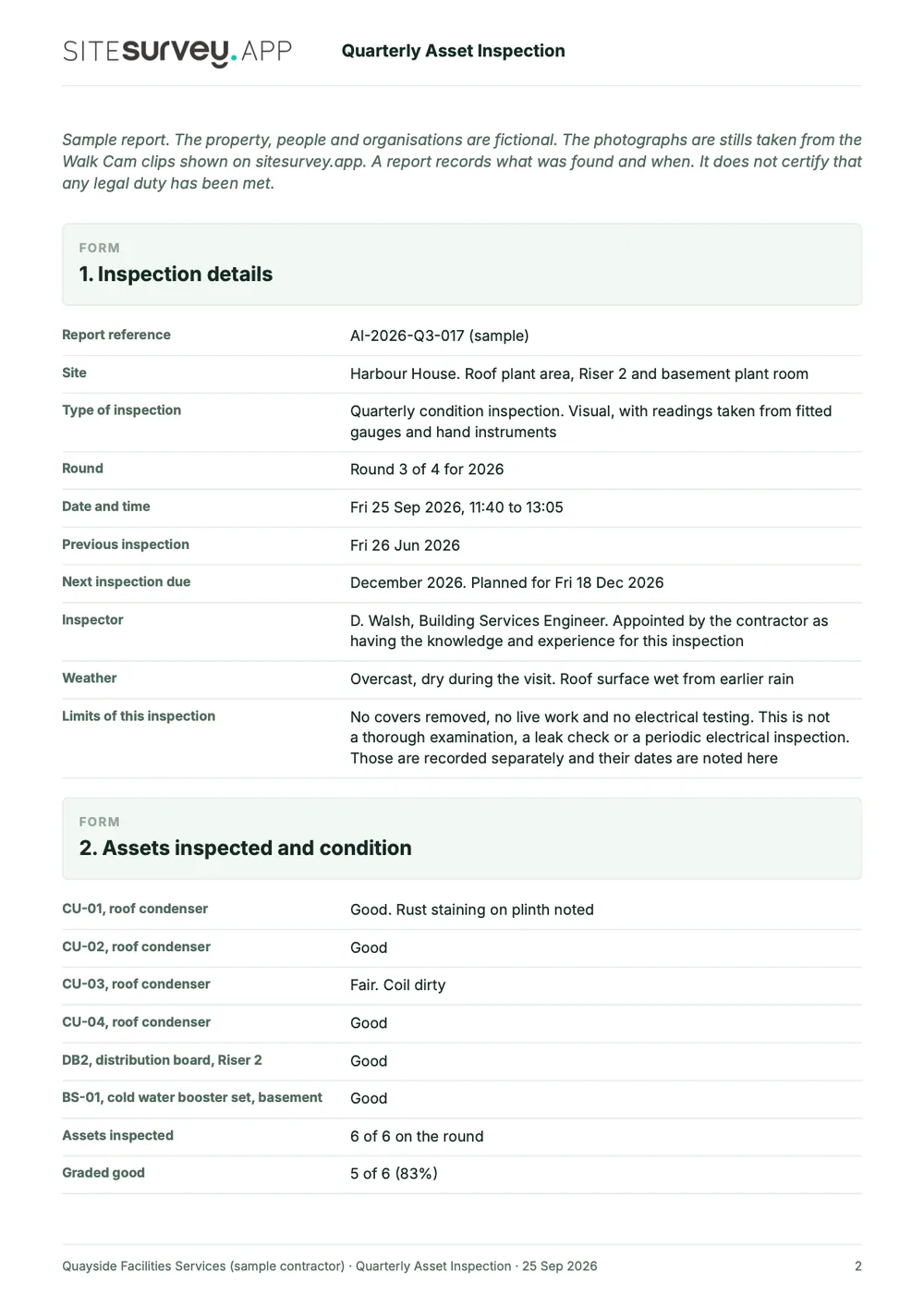
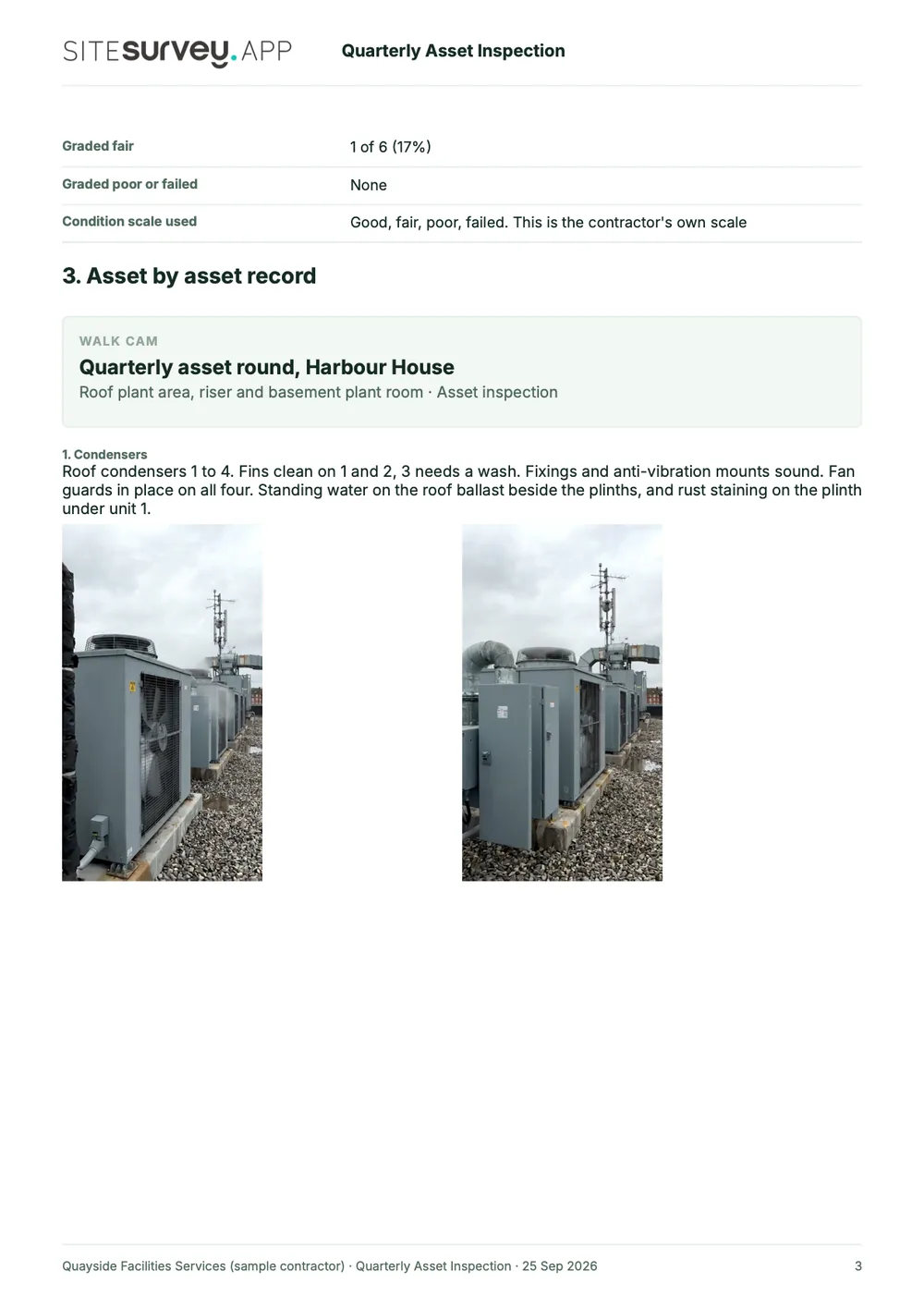
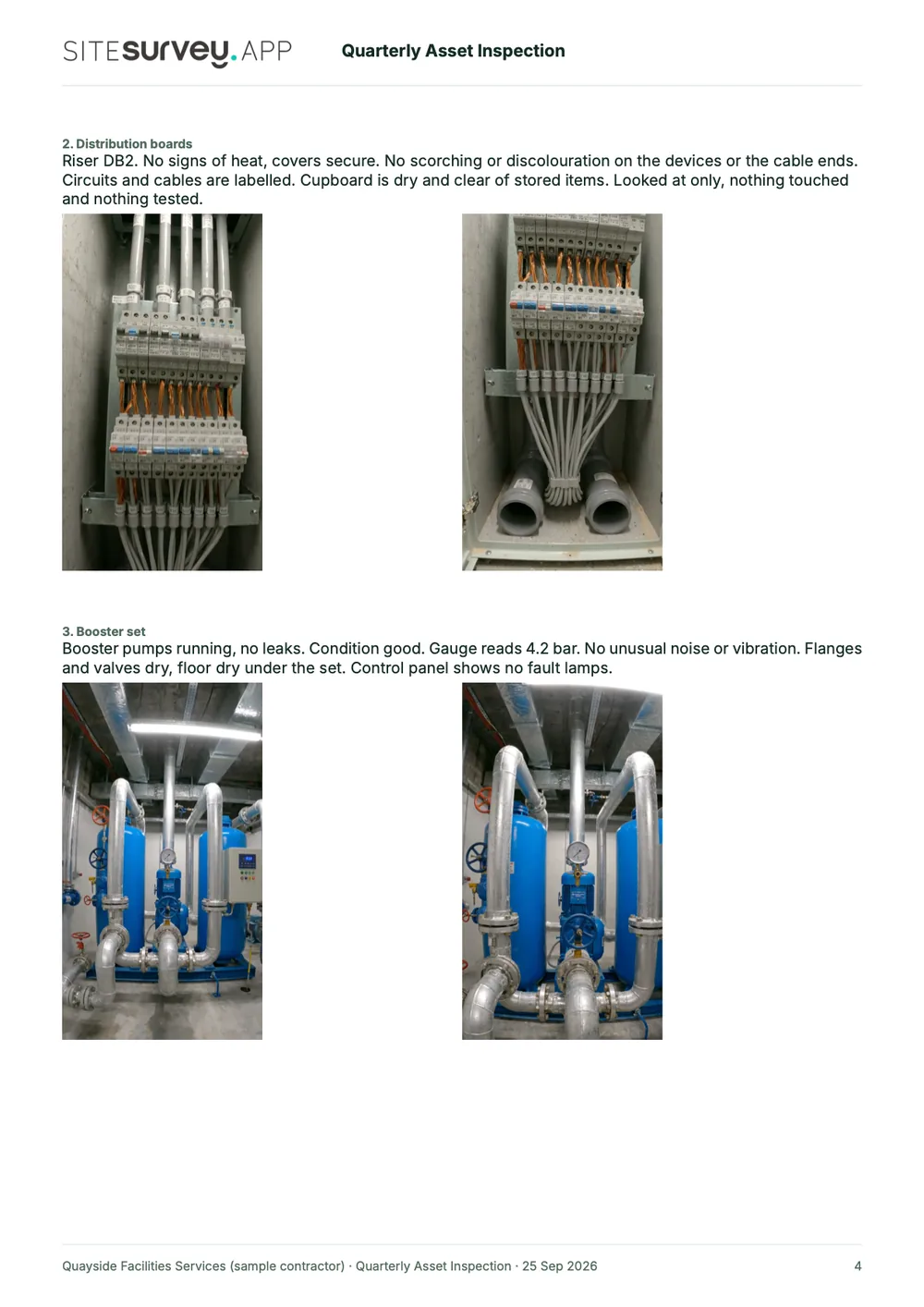
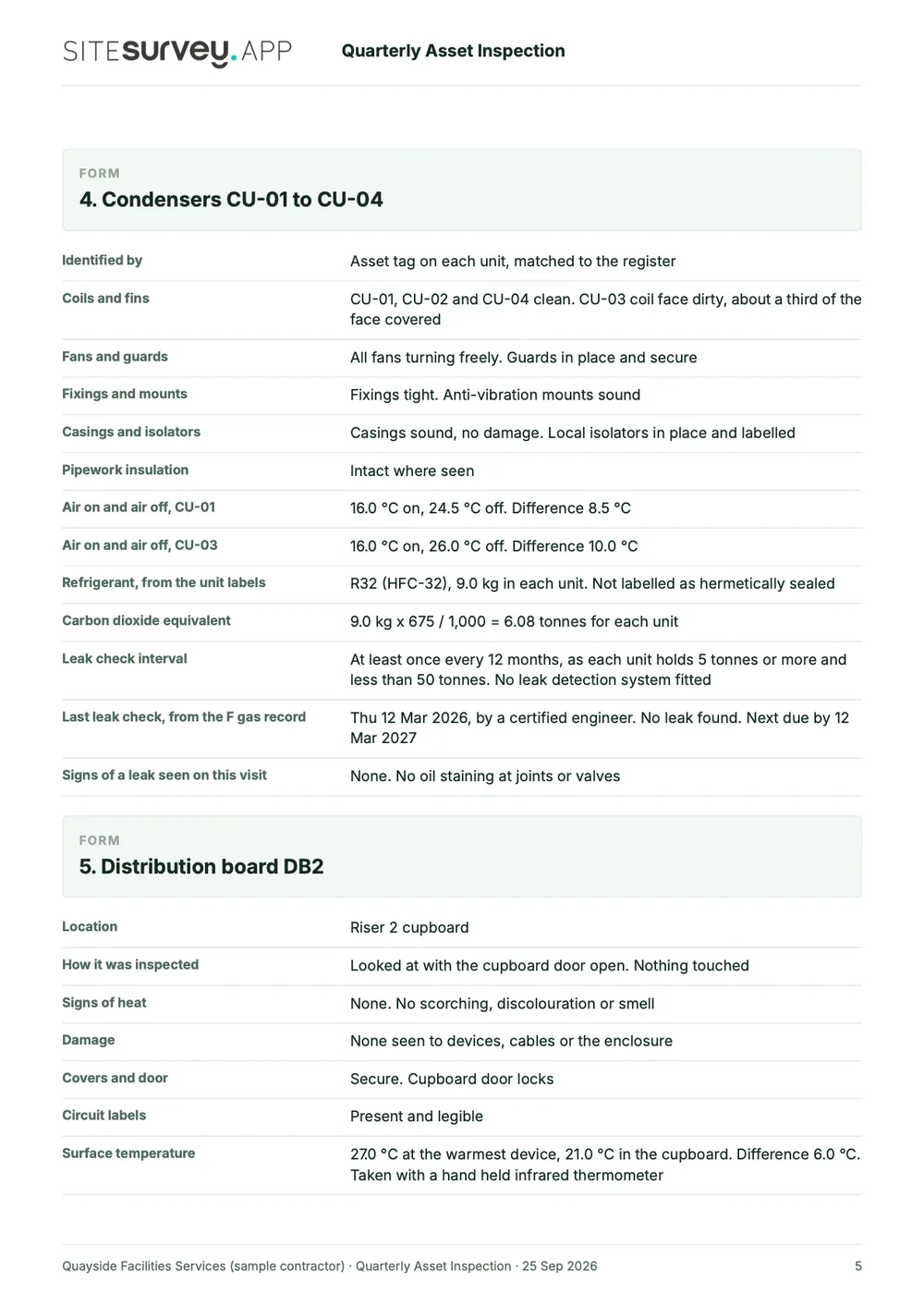
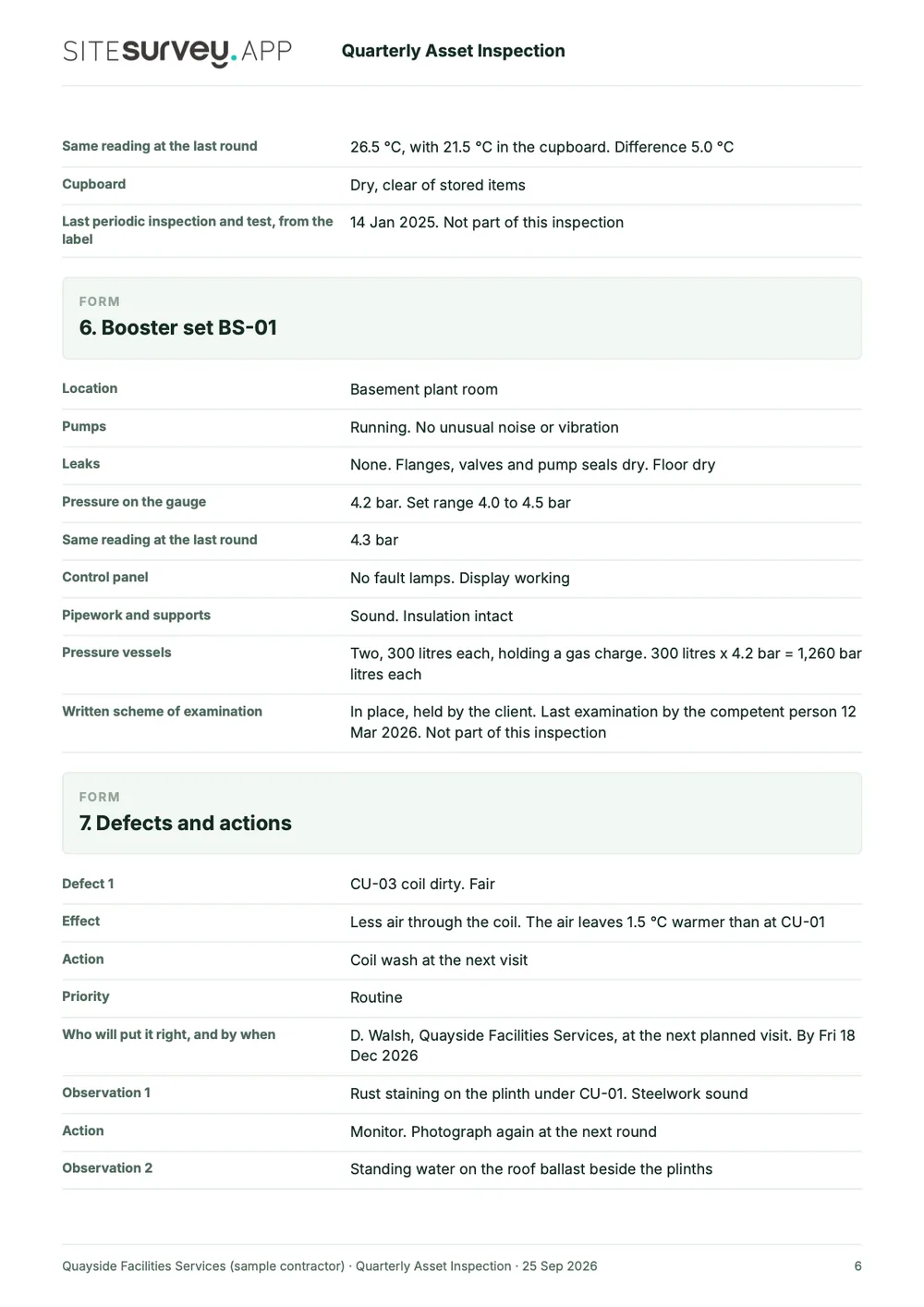
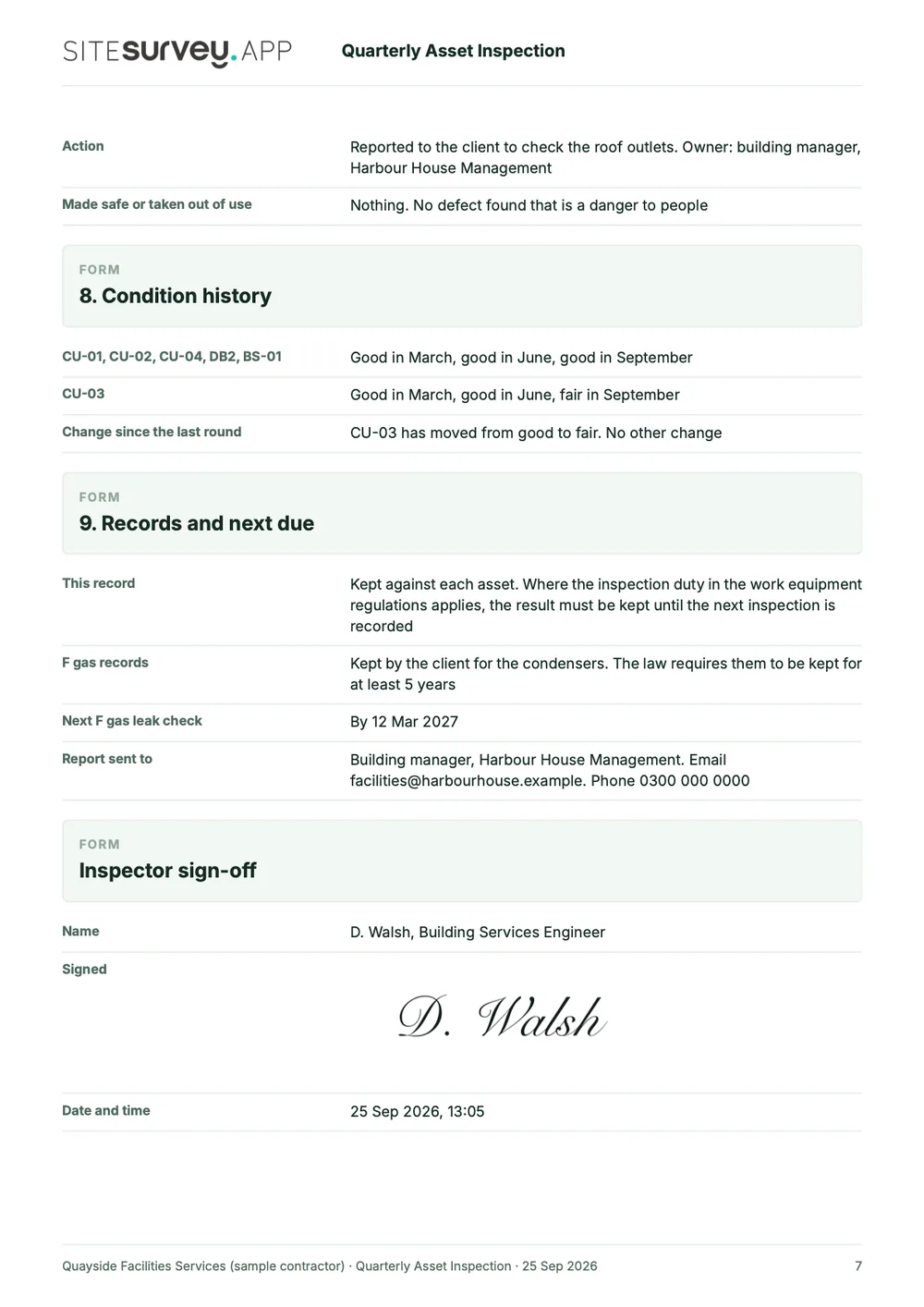
This is a full sample report, made with the SiteSurvey report builder. Scroll through it here or download the PDF. The photographs are stills from the Walk Cam clips on this page.
- 1The round and its limitsWhich round it was, who inspected, when the last one was, when the next is due and what the inspection did not cover.
- 2Asset by asset, with photosEach Walk Cam point has its stills and the engineer's spoken notes, written down as they were said.
- 3Readings as numbersAir temperatures, board surface temperature, booster pressure and the refrigerant charge worked out in tonnes of carbon dioxide equivalent.
- 4Defects, history and sign-offEach defect with its action and priority, the condition of every asset over the last three rounds and a dated sign-off.
Try the form
The form behind the report. Open it and try it.
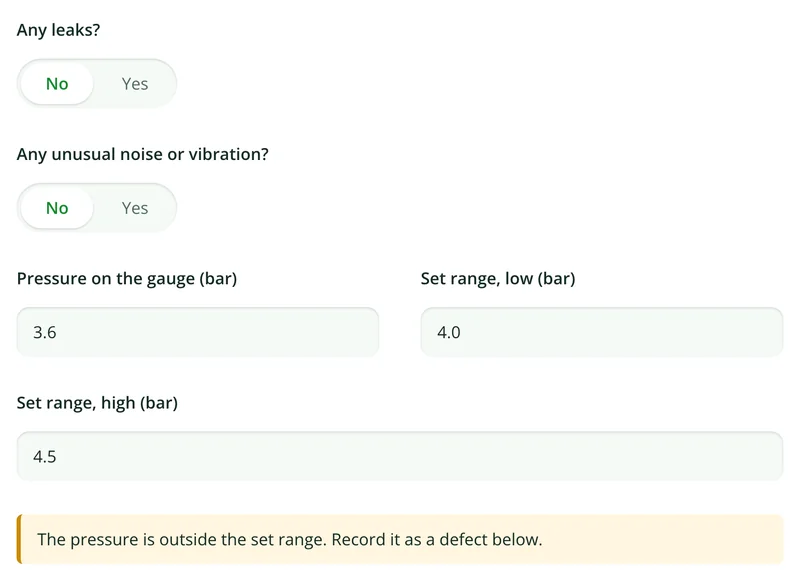
A live SiteSurvey form, shared by link with no login. It asks only what applies to each asset, warns when a reading needs attention and takes a separate record for each asset. Answers are cleared every night.
Open the live form →See every question in the equipment inspection checklist →Or see it filled in: the finished record with every answer, and the Walk Cam report with its clips, stills and spoken notes. See the finished record → Watch the Walk Cam report →
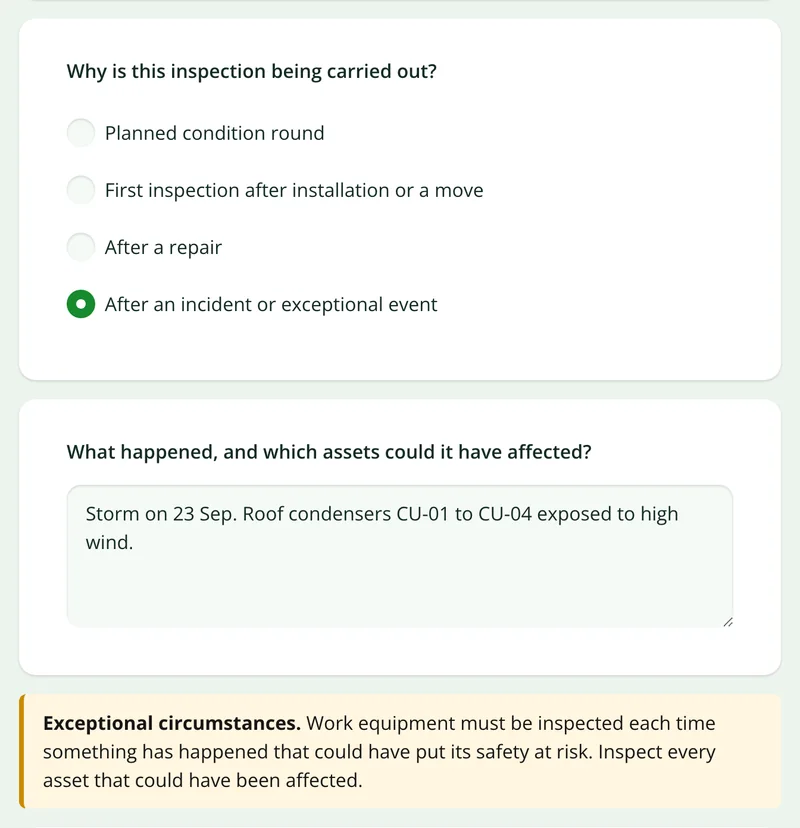
Questions that follow the answers
Say the inspection follows an incident and the form asks what happened, then states the rule on inspecting after exceptional circumstances.
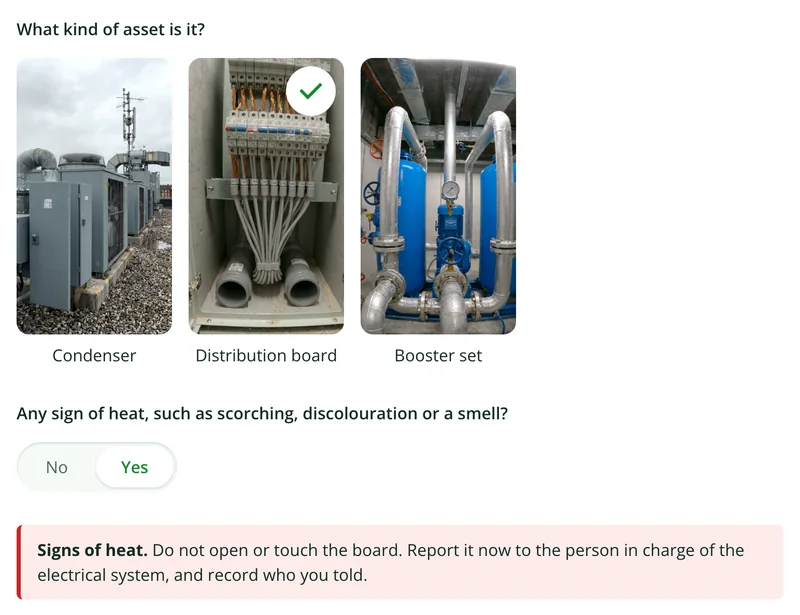
More than Walk Cam
Build the form. Share it by link.
Walk Cam films the inspection. The form behind it is yours to build, and anything you capture can be sent to someone outside your team as a link, with no login or app needed.
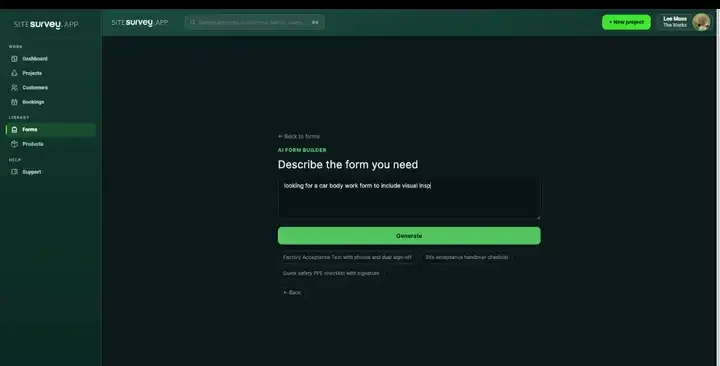
Build your equipment inspection checklist with AI
Describe the checks you carry out and the AI assistant builds the form: fields, required photos, readings as numbers and follow-up questions that only appear when something fails. Refine it in chat, edit it visually, or start from a template.
How the form builder works →
Share by link, no login needed
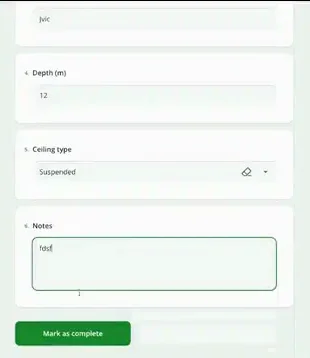
Make any form shareable and SiteSurvey gives it a unique URL, with an optional password. Customers, tenants or contractors fill it in on their phone’s browser, and their answers land in the same project. Walk Cam recordings and finished reports can be shared the same way, by link or by email.
How Walk Cam sharing works →What should asset inspection software record?
Condition you can trend. Each inspection attaches to the asset it was carried out on, so the record accumulates. That is the difference between knowing an asset's condition today and knowing which direction it is heading.
Scan to open the record
Label and barcode capture pulls up the right asset rather than relying on someone identifying it correctly.
Inspection forms per asset type
Different checks for different equipment, so a pump inspection is not a fire extinguisher inspection.
Readings and test values
Capture the numbers as data (pressures, temperatures, test results), not as a sentence in a comments box.
Full inspection history
Every round sits against the asset, so this quarter can be read next to the last four.
Located on the floor plan
The asset belongs to a mapped room, so the next engineer is sent to a place rather than a description.
Offline in plant rooms
Risers, roofs and basements have no signal. Capture on the device and sync when you come back up.
Start from the equipment inspection checklist.
Open the ready-made equipment inspection checklist, set the readings and ratings your round records, and run it against the assets you already have.
Asset identified by scanned tag
Location: building, floor and room
Condition rating with photograph
Readings and test values
Faults or defects found
Remedial action and priority
Inspector, date and next due date
Try it on your phone
Try it on this phone
Fill in the equipment inspection checklist on your phone now
See how the equipment inspection checklist looks on your phone
Scan the code with your phone camera. It opens the real form, no sign-up needed.
Open the live example and fill it in, just as your team would on site. No sign-up needed.
See it on this phoneEvery question is editable. Add this form to your account, then change the wording, add or remove questions and options, and make it fit your own jobs.
Records for this workflow
Identify the asset, record its condition, hand over the work.
The asset reference connects visits. Keep inventory details, service evidence and unfinished work in records that answer a clear question for the next person.
1. Establish the asset reference
Record the identity and location used on subsequent visits so similar equipment does not become confused.
Asset register template →2. Use equipment-specific service records
For a charging unit, record the service procedure, authorised checks, restrictions and specialist evidence references.
EV charger maintenance checklist →3. Carry unresolved work forward
Record the current status and outstanding tasks for the next shift, including who is responsible for the follow-up.
Maintenance shift handover template →
What is the best asset inspection software?
The best asset inspection software is the one that keeps every inspection tied to the right asset. For field rounds, look for a mobile app that opens the asset by scanning its tag, runs a check built for that asset type, records readings as numbers, takes photographs, works offline and keeps each result against the asset so rounds can be compared. If you need recurring inspections generated automatically or a full maintenance management system, choose a tool built for planning. SiteSurvey is strong on the inspection and its history: it does not schedule inspections automatically or certify statutory compliance.
What is asset inspection software?
Asset inspection software is used to carry out recurring condition or compliance checks against physical assets. The inspector identifies the asset (usually by scanning its tag), completes the check for that asset type, records readings and condition, and attaches photographs. The result is stored against the asset itself, which is what allows condition to be compared across inspection rounds.
How is this different from an asset register?
A register answers what exists and where. Inspections answer what condition it is in, and how that condition is changing. SiteSurvey holds both against the same asset record, so the register is updated by the inspection rather than maintained separately. If you are still building the register, start with asset register software.
Can different asset types have different checks?
Yes. Inspection forms are built per asset type, so a chiller, a fire door and a ladder each carry the checks that make sense for them rather than a shared generic form.
Can we see how an asset's condition has changed over time?
Yes. Every inspection is retained against the asset, with its readings, ratings and photographs, so successive rounds can be read as a history rather than as separate reports.
Does it work without a signal?
Yes. The whole round is captured on the device, including scans and photographs, and syncs when connectivity returns, which matters because assets tend to live in exactly the places that have no coverage.
What should an asset inspection report include?
An asset inspection report should include, for each asset, its ID and location, the check carried out, readings and test values, a condition rating with photographs, any faults or defects with the remedial action and priority, the inspector and date, and the next due date. For statutory examinations such as LOLER, HSE sets out what the competent person's report must contain, including the examination date, when the next examination is due and any dangerous defects.
Can SiteSurvey be used for LOLER or other statutory inspections?
It can record them, but it does not make anyone competent or make an examination compliant. HSE guidance says lifting equipment under LOLER must be thoroughly examined by a competent person every 6 or 12 months depending on its use, or to an examination scheme, and the competent person must write a report. A SiteSurvey form can capture those fields with photographs, but whether the examination meets the regulations depends on the person carrying it out.
Is an asset survey the same as an asset inspection?
Not quite. An asset survey usually means the visit that finds and records what assets exist and where, which builds the register. An asset inspection is the repeat check of an asset already on the register, to record its condition and any defects. SiteSurvey holds both against the same asset record.
Who is it for?
Facilities management teams, maintenance contractors and inspectors who carry out recurring condition or compliance checks on plant, equipment and building systems, and who need each result kept against the asset rather than in a separate report.
How much does it cost?
Pricing is per user, not per asset or inspection. The Works plan, which includes the custom form builder, floor plans and reports used for asset inspections, is £25 per user per month. The Base plan starts at £13 per user per month. Every plan starts with a trial from £1, cancel any time.
Go deeper
Guides and tools behind this workflow.
See it on your next job