Can I scan a serial number without a barcode?+
Snap-to-read uses on-device optical character recognition (OCR) to read printed text from a still photo. Review the serial number and confirm the field it belongs in. If the text is unreadable, verify it from another record before entering it manually.
How do I capture several codes from one equipment label?+
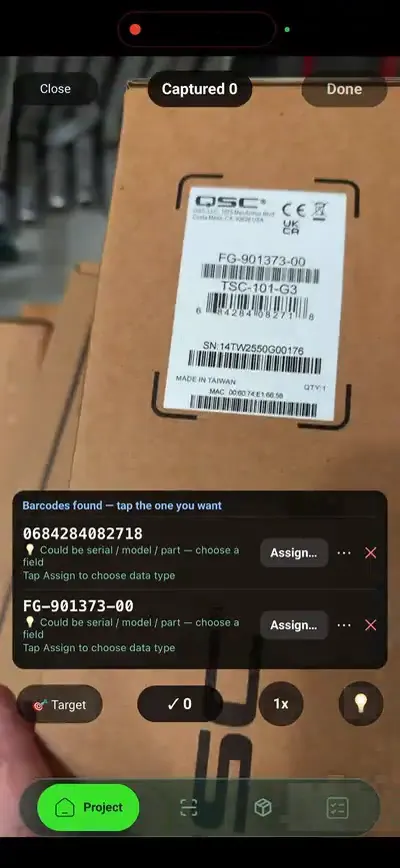
Open the correct product first, then scan its label. MAC and IP addresses are recognised and saved automatically. Serial numbers and other barcodes queue for confirmation into the field you choose. Check each value against its printed field name so a part number is not mistaken for a serial number.
What is label capture?+
Label capture is scanning the labels on site products with the phone so their identifiers go straight into the product record. In SiteSurvey that covers two things: QR labels you print from the project, which open the product when scanned, and vendor labels, whose MAC addresses, IP addresses, serial numbers and barcodes are read into the product's data points.
What can I print on a SiteSurvey QR label?+
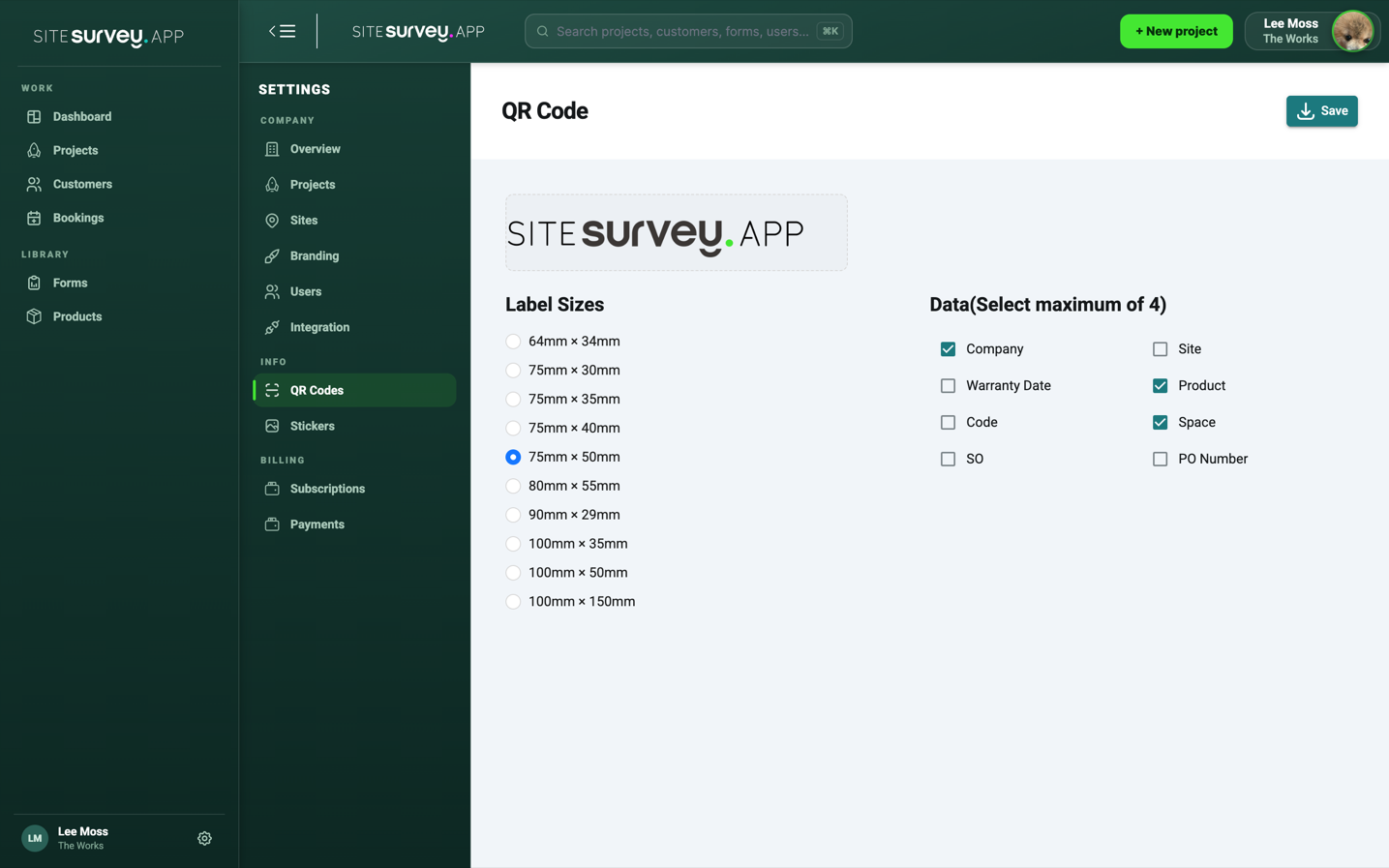
A QR code plus your logo and up to four printed fields, such as company, product, space, site and order references, on any of ten label sizes. Print a label-sized PDF for the whole project, or queue labels to an office Zebra printer.
Which identifiers are read automatically?+
MAC and IP addresses are recognised on sight and saved straight to the product's data points. Serial numbers and other barcodes are queued for a one-tap confirm into the field you choose, so a value only lands where you intend it to.
What if a label is too small or worn to scan?+
Take a still photo and try snap-to-read OCR. Check the captured value against the label before using it. If characters are damaged or illegible, verify the identifier from another record or enter it manually; OCR cannot guarantee a correct reading.
Can I assign a whole room of products at once?+
Yes. Batch-scan the labels in a room to assign every product to that space, so the product list matches where things were actually installed.
Does label scanning work without signal?+
Yes. Barcode and QR scanning works offline in the mobile app, and snap-to-read OCR runs on the device. Captured values sync to the project when you are back in coverage.
Does it find devices on the network?+
No. Label Capture reads what is printed on a label. It does not discover devices or look up MAC or IP addresses over a network, and it cannot tell whether a printed value is correct.
Who uses label capture?+
Installers, commissioning engineers and survey teams who record products with MAC addresses, IP addresses, serial numbers or barcodes, and need each value filed against the right product and space without typing it.