Form library · AV and IT
IT asset inventory template
A walk round audit form for IT equipment. Record every laptop, desktop, monitor, switch, printer and phone with its tag, serial number, user and location, check it against the existing register, and list anything that cannot be found. Every question is listed below, and you can fill the live form in on this page.
Ready to use from the form library, and every question is yours to edit. Trial from £1, cancel any time.
Try it on your phone
Try it on this phone
Fill in the IT asset inventory on your phone now
See how the IT asset inventory looks on your phone
Scan the code with your phone camera. It opens the real form, no sign-up needed.
Open the live example and fill it in, just as your team would on site. No sign-up needed.
See it on this phoneEvery question is editable. Add this form to your account, then change the wording, add or remove questions and options, and make it fit your own jobs.
What should an IT asset inventory include?
An IT asset inventory should record, for each device, its type, asset tag, make and model, serial number, location, the person it is assigned to, the year it was bought and its condition. For computers, phones and network equipment it should also record whether the device still gets security updates. An audit should list items on the register that could not be found.
Last updated . Facts checked by the SiteSurvey team on 5 October 2026 against NCSC Cyber Essentials: Requirements for IT Infrastructure v3.3 and ICO guide to personal data breaches.
Worked example · IT equipment inventory
From a switch label to an IT asset inventory.
Use Label Capture for product identifiers and the inventory template for the wider hardware audit. This illustrative example uses fictional asset details. Scanning happens in the mobile app; the web form preview does not scan labels or automatically copy product data into audit answers.
Step 1
Read the equipment label
Open the switch product in First floor / Comms room. Scan its manufacturer label, using a still photo and OCR if the printed serial is difficult to capture live.
Example label: S/N DEMO-SW-0042 · MAC 02:00:00:00:00:42
Step 2
Check the captured identifiers
Confirm DEMO-SW-0042 into the serial-number data point. The MAC address saves automatically. Compare both values with the printed label before using them.
Serial number ≠ part number. Check the label’s field names.
Step 3
Complete the inventory audit
In the IT asset inventory form, record asset tag IT-0042, the serial, room, make and model, condition and register status. Add a label photo so someone can check the evidence later.
Example audit entry: Switch · IT-0042 · Comms room · Good
Step 4
Review the handover record
Review the product identifiers and the completed inventory audit before sharing the report. Record any missing equipment or register corrections for follow-up.
A labelled product, a located asset and an auditable inventory entry.
Try the IT asset inventory form live
Answer a few questions and watch it adapt. Your answers are not saved, and any photos you add are deleted within the hour.
This is the real form as your team would use it: questions appear as you answer, scores work themselves out and you can add photos and signatures. No sign-up needed.
Want to see one filled in? See a completed IT asset inventory report (PDF), made by SiteSurvey from a fictional site visit.
Fill it in on a phone or tablet
Your team completes the it asset inventory audit on site in the SiteSurvey app on iPhone, iPad and Android phones and tablets. The project name and address fill in for them, it works without signal, and it syncs when the device is back online with photos kept against the question they answer.
Customers and subcontractors do not need the app: send them a link and they can fill it in from any browser.
Every question in the IT asset inventory template
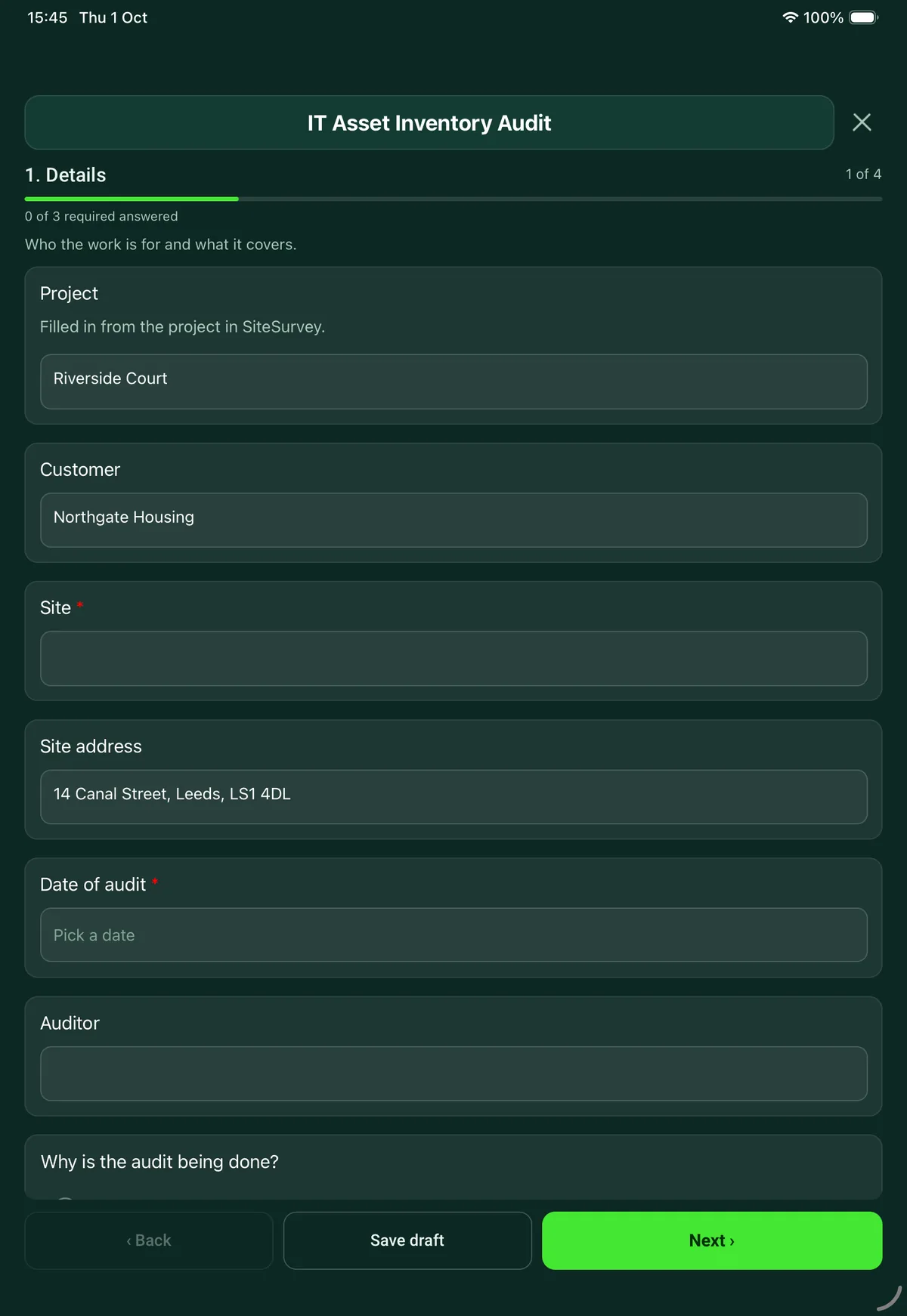
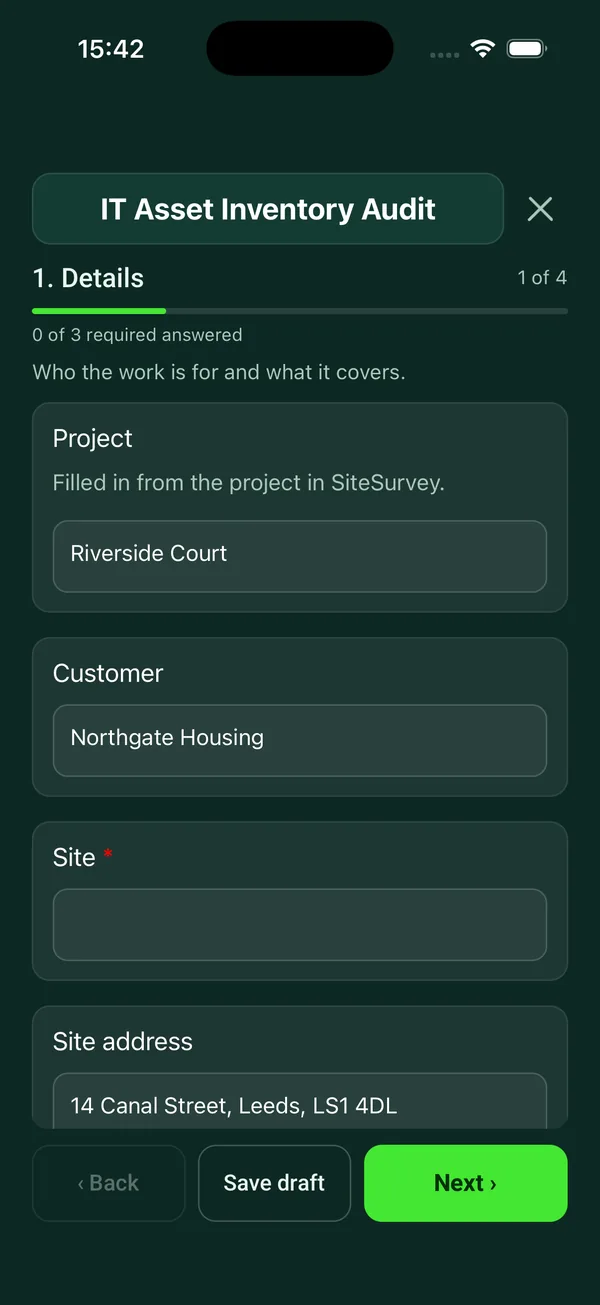
Walk round audit of IT equipment against the register: tag, make, model, serial, user, location, condition and support status for every device. 4 sections and 39 questions. Follow-up questions and guidance appear only when an answer calls for them, so the person on site never sees the ones that do not apply.
Make it your own: every question is editable
This is a starting point, not a fixed form. Once it is in your SiteSurvey account you can reword any question, add or remove questions, sections and answer options, and add your own logo, so it fits the way your team works and the jobs you do.
Details you only enter once
Add this form to a project in SiteSurvey and it fills in what the project already knows, so nobody on site retypes it and every form on the job uses the same names. Anything filled in can still be changed.
- Project: the project name
- Customer: the project's customer
- Site: the site, when the form is opened for a space or a product
- Site address: the site address, from the space or the project
Details
Who the work is for and what it covers.
- ProjectShort answer
Filled in from the project in SiteSurvey.
Fills in from the project name - CustomerShort answerFills in from the project's customer
- Site*Short answerFills in from the site, when the form is opened for a space or a product
- Site addressShort answerFills in from the site address, from the space or the project
- Date of audit*Date
- AuditorShort answer
- Why is the audit being done?Choose one
- Building a register for the first time
- Regular check of the register
- Before a refresh or migration
- Insurance or compliance
- Office move
- Is there an existing register to check against?Yes or No
- Are you fitting asset tags on this visit?Yes or No
- Areas coveredShort answer
Rooms, floors or departments. Note any you could not get into.
Assets
One entry for each device. Photograph the label so serial numbers can be checked later.
- GuidanceWork round each room in one direction so nothing is counted twice. Include equipment in cupboards and drawers, and ask about devices that are out with home workers.
- AssetsRepeat for each asset. Each one asks:
- Type*Choose one
- Laptop
- Desktop
- Monitor
- Docking station
- Server
- Network switch
- Router or firewall
- Wireless access point
- Printer or copier
- Phone
- Tablet
- UPS
- AV equipment
- Other (describe)
- Asset tagShort answer
- Make and modelShort answer
- Serial numberShort answer
- Room or locationShort answer
- Assigned toShort answer
- Year boughtNumber
- Age (years)Worked out by the formShown when “Year bought” is answered
- Does it still get security updates?Choose one
- Yes
- No
- Not known
Shown only when the answers above make it relevant - WarningUnsupported software. Cyber Essentials requires software to be licensed and supported, and removed from devices when it becomes unsupported.Shown when “Does it still get security updates?” is “No”
- ConditionChoose one
- Good
- Fair
- Poor
- Faulty
- Against the registerChoose one
- On the register, details correct
- On the register, details wrong
- Not on the register
Shown when “Is there an existing register to check against?” is Yes - What needs correcting?Short answerShown when “Against the register” is “On the register, details wrong”
- Photos of the device and its labelPhotos
- Assets recordedWorked out by the form
- No longer getting updatesWorked out by the form
- Not on the registerWorked out by the formShown when “Is there an existing register to check against?” is Yes
Not found
Items on the register that you could not find.
- Is anything on the register missing?Yes or NoShown when “Is there an existing register to check against?” is Yes
- Items not foundRepeat for each missing. Each one asks:Shown when “Is anything on the register missing?” is Yes
- Asset tag or serial numberShort answer
- Description*Short answer
- Last known user or locationShort answer
- Could it hold personal or confidential data?Yes or No
- Was it encrypted?Choose one
- Yes
- No
- Not known
Shown when “Could it hold personal or confidential data?” is Yes - Who was told, and when?Short answerShown when “Could it hold personal or confidential data?” is Yes
- CheckA missing laptop, phone or drive that holds personal data may be a personal data breach. If it is likely to put people at risk it must be reported to the ICO within 72 hours of becoming aware of it.Shown only when the answers above make it relevant
Summary and sign-off
What changed and what the customer should do.
- SummaryNotes
- Actions for the customerNotes
For example replace unsupported devices, trace missing items, update the register.
- Auditor nameShort answer
- Auditor signatureSignature
- Customer nameShort answer
- Customer signatureSignature
See it filled in
A completed IT asset inventory report, made by SiteSurvey from a fictional site visit: every answer, the photos, the guidance that applied and the sign-off, ready to send as a PDF.
IT asset inventory FAQs
Can I use label scanning alongside this inventory template?
Yes. In the mobile app, Label Capture records identifiers against a product in its site and space. Confirm serial numbers into the chosen product data point, then use this audit form to record the asset tag, serial, location, condition and register checks. The worked example explains both steps; the web form preview is not a label scanner.
Can I use it to build an IT asset register from nothing?
Yes. Choose building a register for the first time and add an entry for each device as you walk round, from laptops and monitors to docking stations, switches, printers, UPS units and AV equipment, with a photo of the label so serial numbers can be checked later. You can fit asset tags on the same visit and record each tag number. Up to 250 assets fit on one form.
How does it check against an existing register?
Each asset is marked as on the register with correct details, on the register with wrong details, or not on the register, and you note what needs correcting. A separate page lists items on the register that could not be found, with the last known user or location. The form counts the assets recorded and those not on the register.
Why does it ask whether a device still gets security updates?
Cyber Essentials requires software to be licensed and supported, and removed from devices when it becomes unsupported. The form asks the question for laptops, desktops, servers, phones, tablets and routers or firewalls, flags a No, and counts how many devices no longer get updates so they can be planned for replacement.
What happens if a laptop is missing?
Record it on the not found page and say whether it could hold personal or confidential data. If it could, the form asks whether it was encrypted and who was told, and notes that it may be a personal data breach. The ICO says a breach likely to put people at risk must be reported to it within 72 hours of becoming aware of it.
Does it work out the age of equipment?
Yes. Enter the year an item was bought and the form shows its age in years, which helps plan a refresh. Condition is recorded as good, fair, poor or faulty.
Can it be done offline?
Yes. In the SiteSurvey app the audit works without signal, which helps in comms rooms and basements, and syncs when the device is back online. Photos stay with the asset they belong to, and the report goes out as a PDF or a share link.
Related
Related templates
Templates that go with the IT asset inventory form
Signed record of IT equipment issued to or returned by a member of staff: each item, serial number, condition, setup or leaver checks and both signatures.
Record of IT equipment leaving service: each item and serial number, how its data was erased or destroyed, verification, waste transfer and signed certificate.
Build or update an asset register: asset records with make, model, serial, condition and photos, changes to the register.
On-site IT audit for a small or mid-sized organisation: network, servers and cloud, devices, backup, accounts and security, with rated findings.
Use this IT asset inventory form with your team
Add it from the form library in one click, change any question, and every completed form becomes a branded PDF report.
Start your trial →