Form library · AV and IT
Data destruction certificate template
A record of IT equipment leaving service and what happened to its data. List each device or drive with its serial number, the method used to erase or destroy the data and the verification result, record the waste carrier for anything recycled, and finish with a signed certificate. Every question is listed below, and you can fill the live form in on this page.
Ready to use from the form library, and every question is yours to edit. Trial from £1, cancel any time.
Try it on your phone
Try it on this phone
Fill in the data destruction certificate on your phone now
See how the data destruction certificate looks on your phone
Scan the code with your phone camera. It opens the real form, no sign-up needed.
Open the live example and fill it in, just as your team would on site. No sign-up needed.
See it on this phoneEvery question is editable. Add this form to your account, then change the wording, add or remove questions and options, and make it fit your own jobs.
What should a data destruction certificate include?
A data destruction certificate should identify each device or drive by make, model and serial number, state the method used to erase or destroy the data, and record whether the result was verified. It should name who authorised the work, where and when it was done and by whom, and say what happened to the equipment afterwards. It should be signed by the technician and, where possible, a witness for the customer.
Last updated . Facts checked by the SiteSurvey team on 5 October 2026 against NCSC guidance on secure sanitisation of storage media, NIST SP 800-88 Rev. 2, Guidelines for Media Sanitization, GOV.UK on waste transfer notes, GOV.UK on hazardous waste for producers and holders and ICO guidance on contracts between controllers and processors.
Try the data destruction certificate form live
Answer a few questions and watch it adapt. Your answers are not saved, and any photos you add are deleted within the hour.
This is the real form as your team would use it: questions appear as you answer, scores work themselves out and you can add photos and signatures. No sign-up needed.
Want to see one filled in? See a completed data destruction certificate report (PDF), made by SiteSurvey from a fictional site visit.
Fill it in on a phone or tablet
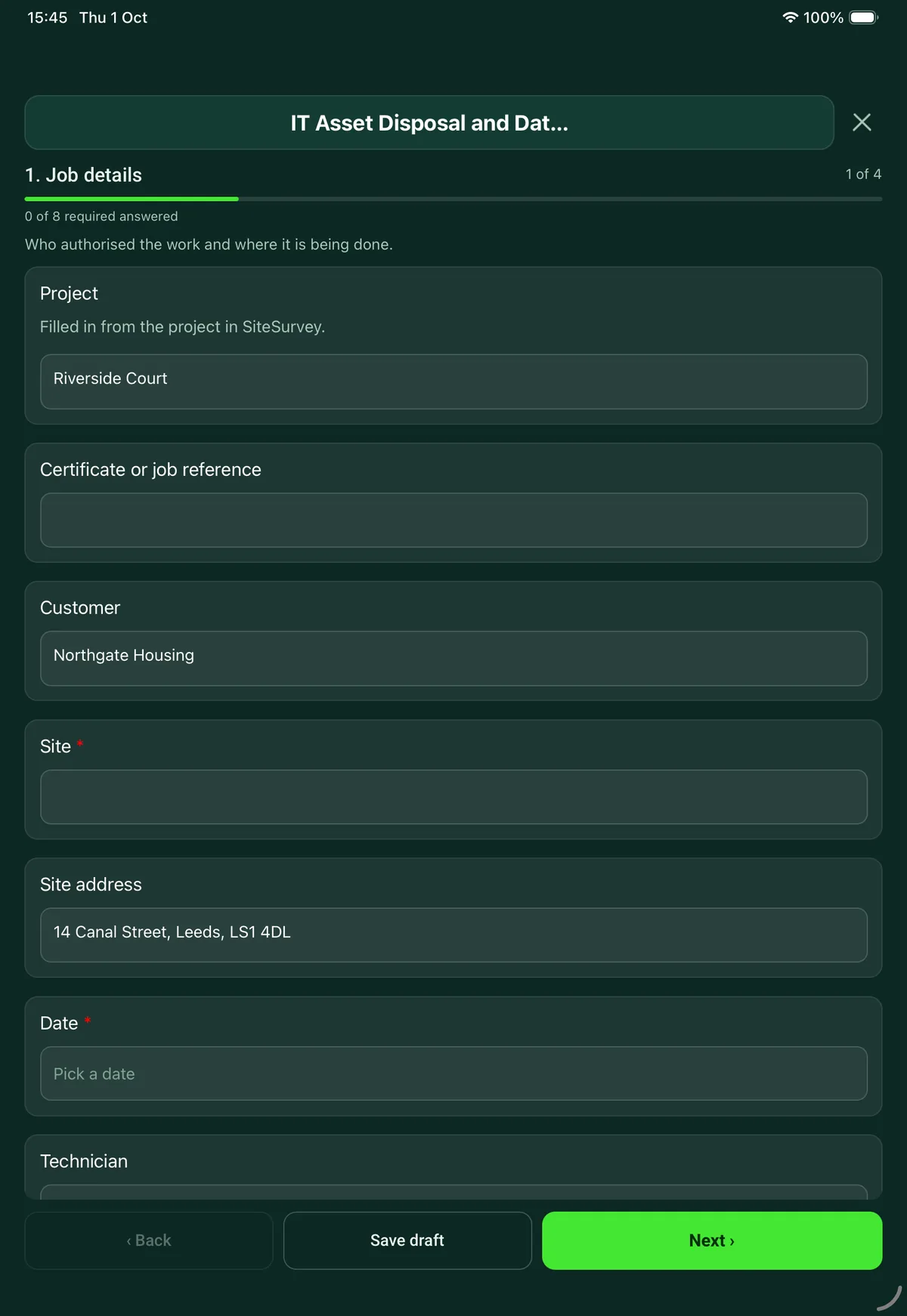
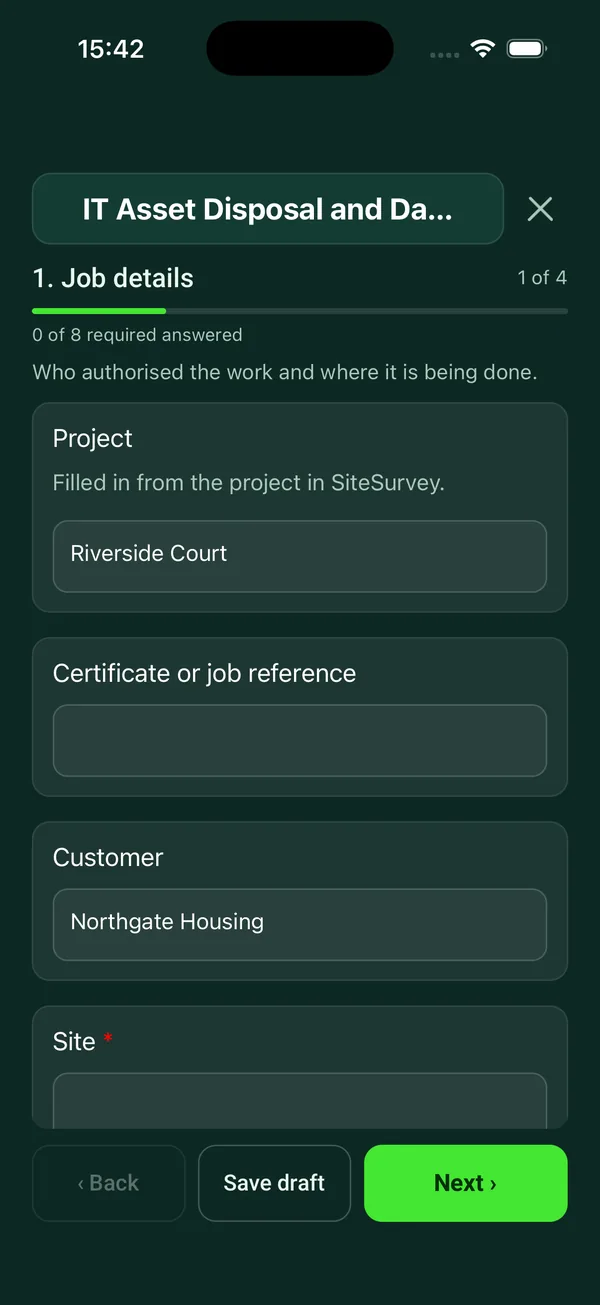
Your team completes the it asset disposal and data destruction record on site in the SiteSurvey app on iPhone, iPad and Android phones and tablets. The project name and address fill in for them, it works without signal, and it syncs when the device is back online with photos kept against the question they answer.
Customers and subcontractors do not need the app: send them a link and they can fill it in from any browser.
Every question in the data destruction certificate template
Record of IT equipment leaving service: each item and serial number, how its data was erased or destroyed, verification, waste transfer and signed certificate. 4 sections and 36 questions. Follow-up questions and guidance appear only when an answer calls for them, so the person on site never sees the ones that do not apply.
Make it your own: every question is editable
This is a starting point, not a fixed form. Once it is in your SiteSurvey account you can reword any question, add or remove questions, sections and answer options, and add your own logo, so it fits the way your team works and the jobs you do.
Details you only enter once
Add this form to a project in SiteSurvey and it fills in what the project already knows, so nobody on site retypes it and every form on the job uses the same names. Anything filled in can still be changed.
- Project: the project name
- Customer: the project's customer
- Site: the site, when the form is opened for a space or a product
- Site address: the site address, from the space or the project
Job details
Who authorised the work and where it is being done.
- ProjectShort answer
Filled in from the project in SiteSurvey.
Fills in from the project name - Certificate or job referenceShort answer
- CustomerShort answerFills in from the project's customer
- Site*Short answerFills in from the site, when the form is opened for a space or a product
- Site addressShort answerFills in from the site address, from the space or the project
- Date*Date
- TechnicianShort answer
- Who at the customer authorised the disposal?*Short answer
- Why is the equipment leaving service?Choose one
- Reuse inside the organisation
- Sale or donation
- Return to a leasing company
- Return for repair
- End of life
- GuidanceThe NCSC says storage media should be sanitised when it is reused, sold or donated, sent for repair, or disposed of. Otherwise sensitive data may remain on it.
- Where is the data being erased or destroyed?*Choose one
- On the customer's site
- At our premises
- At another company's premises
- Name of the companyShort answerShown only when the answers above make it relevant
- How is the equipment being moved, and by whom?Short answerShown only when the answers above make it relevant
- Items collected, sealed bag or container numbers, and who signed for themShort answerShown only when the answers above make it relevant
- Is there a written contract with the disposal company covering the data?Choose one
- Yes
- No
- Not applicable: our own staff
Items
One entry for each device or drive. Photograph the serial number label.
- GuidanceClear, purge, destroy. NIST SP 800-88 Revision 2 (September 2025) describes three levels: clear (overwriting through the normal interface), purge (techniques that make recovery infeasible even in a laboratory, such as cryptographic erase) and destroy (the media cannot be used again). Choose the level to suit how sensitive the data is.
- ItemsRepeat for each item. Each one asks:
- Type*Choose one
- Laptop
- Desktop
- Server
- Hard disk drive
- Solid state drive
- Phone or tablet
- Backup tape
- Printer or copier with storage
- Network device
- USB stick or memory card
- Other (describe)
- Make and modelShort answer
- Serial number*Short answer
- Asset tagShort answer
- Was the storage encrypted in use?Yes or No
- Method*Choose one
- Overwrite
- Cryptographic erase
- Secure erase command built into the drive
- Factory reset of an encrypted device
- Degauss
- Shred
- Crush or punch
- Other (describe)
- WarningDegaussing does not erase solid state or flash storage, which is not magnetic. Use a purge method the maker supports, or destroy it.Shown only when the answers above make it relevant
- Software or tool and versionShort answerShown only when the answers above make it relevant
- Verification*Choose one
- Verified: passed
- Verification failed
- Not verified
- WarningDo not release this item. Repeat with another method or destroy the media, and record what you did.Shown when “Verification” is “Verification failed”
- What happens to it next?Choose one
- Reuse by the customer
- Resale or donation
- Returned to the leasing company
- Recycling as waste
- Returned to the customer
- Photos: serial label, and the media after destructionPhotos
- Items recordedWorked out by the form
- VerifiedWorked out by the form
- Failed verificationWorked out by the form
Waste and recycling
For anything leaving as waste.
- Is any equipment leaving as waste?Yes or No
- Waste carrierShort answerShown when “Is any equipment leaving as waste?” is Yes
- Waste carrier registration numberShort answerShown when “Is any equipment leaving as waste?” is Yes
- Waste transfer note referenceShort answerShown when “Is any equipment leaving as waste?” is Yes
- GuidanceWaste transfer notes. GOV.UK says each load of non-hazardous waste that leaves a business needs a waste transfer note or a document with the same information, and both businesses must keep a copy for 2 years. Some equipment, such as items with certain batteries or screens, can be hazardous waste, which needs a consignment note kept for 3 years.Shown when “Is any equipment leaving as waste?” is Yes
Certificate
The signed statement the customer keeps.
- GuidanceI confirm that the data on the items listed in this record was erased or destroyed by the methods shown, and that the result for each item is as recorded.
- Technician nameShort answer
- Technician signatureSignature
- Witnessed for the customer byShort answer
- PositionShort answer
- Witness signatureSignature
See it filled in
A completed data destruction certificate report, made by SiteSurvey from a fictional site visit: every answer, the photos, the guidance that applied and the sign-off, ready to send as a PDF.
Data destruction certificate FAQs
When does IT equipment need its data erased?
The NCSC says storage media should be sanitised when it is reused inside the organisation, sold or donated, sent for repair, or disposed of. Otherwise sensitive data may remain on it. The form records which of these applies and who at the customer authorised the disposal. If another company does the work, it records how the equipment is moved and whether there is a written contract covering the data, which the ICO says is needed whenever a controller uses a processor.
What do clear, purge and destroy mean?
NIST SP 800-88 Revision 2, published in September 2025, describes three levels. Clear overwrites data through the normal interface. Purge uses techniques that make recovery infeasible even in a laboratory, such as cryptographic erase. Destroy leaves the media unable to be used again. The form records the method for each item so the level can be matched to how sensitive the data is.
Can an SSD be degaussed?
No. Degaussing works on magnetic media. Solid state and flash storage is not magnetic, so the form shows a warning if degauss is chosen for a solid state drive, phone, tablet, USB stick or memory card, and says to use a purge method the maker supports or to destroy it.
What if verification fails?
Each item is marked verified, verification failed or not verified. A failed item shows a warning not to release it: repeat with another method or destroy the media, and record what was done. The form counts the items recorded, verified and failed.
What paperwork is needed for equipment that goes for recycling?
GOV.UK says each load of non-hazardous waste that leaves a business needs a waste transfer note or a document with the same information, and both businesses must keep a copy for 2 years. The form records the waste carrier, their registration number and the transfer note reference. Some equipment, such as items with certain batteries or screens, can be hazardous waste, which needs a consignment note. In England, GOV.UK says hazardous waste records are kept for 3 years.
Is the certificate signed on the device?
Yes. The technician signs a statement that the data on the listed items was erased or destroyed by the methods shown, and a witness for the customer can sign too. Photos of each serial label, and of the media after destruction, go with the item. The record goes out as a PDF or a share link.
Related
Related templates
Templates that go with the data destruction certificate form
Walk round audit of IT equipment against the register: tag, make, model, serial, user, location, condition and support status for every device.
Signed record of IT equipment issued to or returned by a member of staff: each item, serial number, condition, setup or leaver checks and both signatures.
Security audit built around the five Cyber Essentials controls, plus backups, physical security and incident readiness, with rated findings.
Room survey for AV installs: dimensions, photos, power and data, ceiling and structure, equipment positions, access.
Use this data destruction certificate form with your team
Add it from the form library in one click, change any question, and every completed form becomes a branded PDF report.
Start your trial →