Form library · AV and IT
IT security audit checklist
A cyber security audit form built around the five technical controls of Cyber Essentials: firewalls, secure configuration, security update management, user access control and malware protection. It adds backups, physical security and incident readiness, then lists findings by risk. Every question is listed below, and you can fill the live form in on this page.
Ready to use from the form library, and every question is yours to edit. Trial from £1, cancel any time.
Try it on your phone
Try it on this phone
Fill in the IT security audit on your phone now
See how the IT security audit looks on your phone
Scan the code with your phone camera. It opens the real form, no sign-up needed.
Open the live example and fill it in, just as your team would on site. No sign-up needed.
See it on this phoneEvery question is editable. Add this form to your account, then change the wording, add or remove questions and options, and make it fit your own jobs.
What should an IT security audit checklist cover?
An IT security audit checklist should cover the five technical controls of Cyber Essentials, the minimum standard of cyber security the UK government recommends for organisations of all sizes: firewalls, secure configuration, security update management, user access control and malware protection. A wider audit also checks backups and restore tests, physical security, and whether staff know how to report an incident.
Last updated . Facts checked by the SiteSurvey team on 5 October 2026 against NCSC Cyber Essentials: Requirements for IT Infrastructure v3.3, NCSC Cyber Essentials overview and ICO guide to personal data breaches.
Try the IT security audit form live
Answer a few questions and watch it adapt. Your answers are not saved, and any photos you add are deleted within the hour.
This is the real form as your team would use it: questions appear as you answer, scores work themselves out and you can add photos and signatures. No sign-up needed.
Want to see one filled in? See a completed IT security audit report (PDF), made by SiteSurvey from a fictional site visit.
Fill it in on a phone or tablet
Your team completes the it security audit checklist on site in the SiteSurvey app on iPhone, iPad and Android phones and tablets. The project name and address fill in for them, it works without signal, and it syncs when the device is back online with photos kept against the question they answer.
Customers and subcontractors do not need the app: send them a link and they can fill it in from any browser.
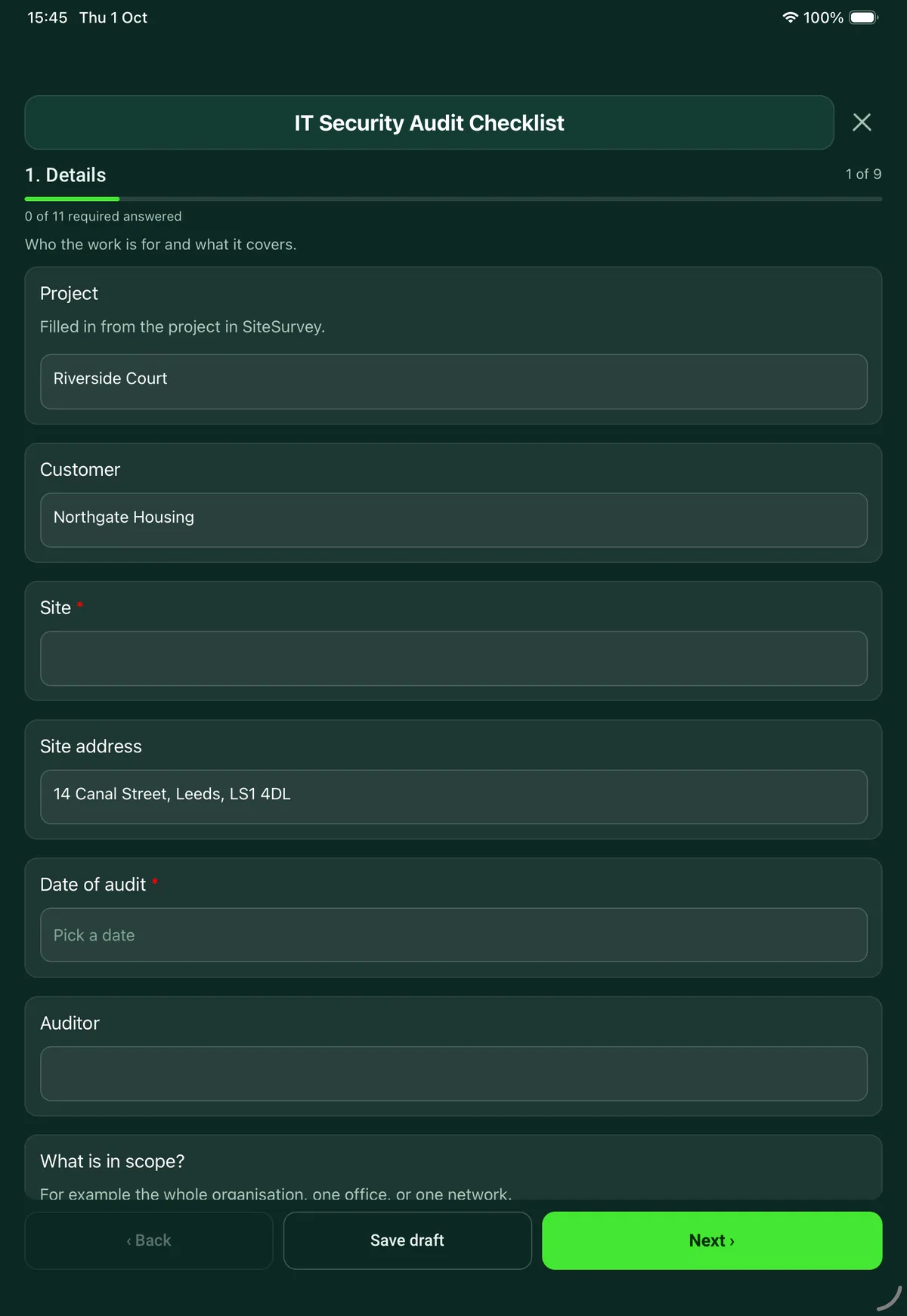
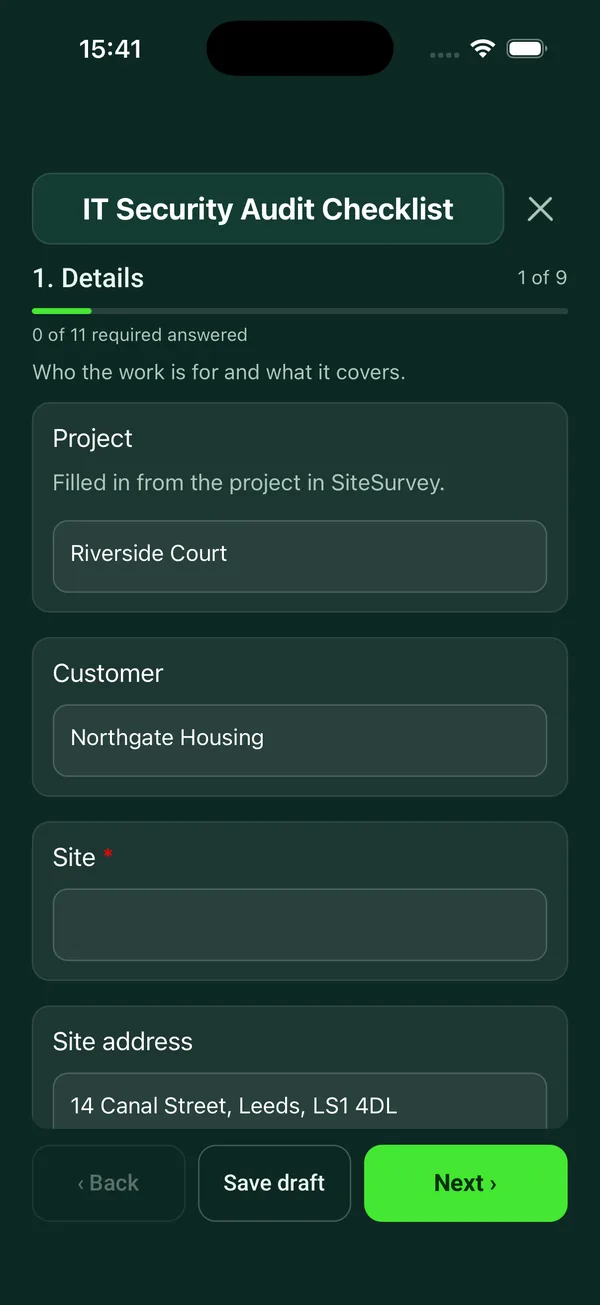
Every question in the IT security audit template
Security audit built around the five Cyber Essentials controls, plus backups, physical security and incident readiness, with rated findings. 9 sections and 63 questions. Follow-up questions and guidance appear only when an answer calls for them, so the person on site never sees the ones that do not apply.
Make it your own: every question is editable
This is a starting point, not a fixed form. Once it is in your SiteSurvey account you can reword any question, add or remove questions, sections and answer options, and add your own logo, so it fits the way your team works and the jobs you do.
Details you only enter once
Add this form to a project in SiteSurvey and it fills in what the project already knows, so nobody on site retypes it and every form on the job uses the same names. Anything filled in can still be changed.
- Project: the project name
- Customer: the project's customer
- Site: the site, when the form is opened for a space or a product
- Site address: the site address, from the space or the project
Details
Who the work is for and what it covers.
- ProjectShort answer
Filled in from the project in SiteSurvey.
Fills in from the project name - CustomerShort answerFills in from the project's customer
- Site*Short answerFills in from the site, when the form is opened for a space or a product
- Site addressShort answerFills in from the site address, from the space or the project
- Date of audit*Date
- AuditorShort answer
- What is in scope?Short answer
For example the whole organisation, one office, or one network.
- Number of users in scopeNumber
- Number of devices in scopeNumber
- How was this checked?Tick all that apply
- Seen on devices
- Checked in admin consoles
- Told by staff
- Scan or tool report
- GuidanceHow this checklist is built. Pages 2 to 6 follow the five technical controls of Cyber Essentials, the minimum standard of cyber security the UK government recommends for organisations of all sizes: firewalls, secure configuration, security update management, user access control and malware protection. This is a readiness check, not a Cyber Essentials assessment or certificate.
Firewalls
Every device in scope should sit behind a firewall.
- Is every device protected by a firewall, at the network edge or on the device?*Choose one
- Yes
- Partly
- No
- Not known
- Has the default administrator password on every firewall and router been changed?Choose one
- Yes
- Partly
- No
- Not known
- Can the firewall admin page be reached from the internet?Choose one
- No
- Yes, protected by multi-factor authentication or a trusted address list
- Yes, with a password only
- Not known
- WarningCyber Essentials only allows this where there is a documented business need and the interface is protected by multi-factor authentication or an IP allow list. Close it off or add one of the two.Shown when “Can the firewall admin page be reached from the internet?” is “Yes, with a password only”
- Is every inbound rule approved, documented and still needed?Choose one
- Yes
- Partly
- No
- Not known
- Is a software firewall switched on for laptops used on other networks, such as home or public Wi-Fi?Choose one
- Yes
- Partly
- No
- Not known
- NotesNotes
Secure configuration
Devices and software set up to give attackers less to work with.
- Have unused and guest accounts been removed or disabled?*Choose one
- Yes
- Partly
- No
- Not known
- Have default and guessable passwords been changed?Choose one
- Yes
- Partly
- No
- Not known
- Has software that is not needed been removed or disabled?Choose one
- Yes
- Partly
- No
- Not known
- Is auto-run switched off, so files do not run without the user agreeing?Choose one
- Yes
- Partly
- No
- Not known
- Do devices need a PIN, password or biometric to unlock?Choose one
- Yes
- Partly
- No
- Not known
- GuidanceWhere a device unlocks with a PIN or password, Cyber Essentials requires protection against guessing: no more than 10 guesses in 5 minutes, or locking after no more than 10 failed attempts.
- NotesNotes
Security update management
Supported software, updated quickly.
- Is all software licensed and still supported by its maker?*Choose one
- Yes
- Partly
- No
- Not known
- What is unsupported, and on which devices?NotesShown only when the answers above make it relevant
- WarningUnsupported software. Cyber Essentials requires software to be licensed and supported, and removed from devices when it becomes unsupported.Shown only when the answers above make it relevant
- Are automatic updates switched on where they can be?Choose one
- Yes
- Partly
- No
- Not known
- Are critical and high risk updates installed within 14 days?Choose one
- Yes
- Partly
- No
- Not known
- GuidanceUpdates. Cyber Essentials requires updates that fix critical or high risk vulnerabilities (a CVSS v3 base score of 7 or above) to be installed within 14 days of release.
- What evidence did you see?Short answer
For example the update report from the management tool.
User access control
Accounts for the right people, with no more access than they need.
- Is there a process to approve new accounts?*Choose one
- Yes
- Partly
- No
- Not known
- Does everyone sign in with their own account?Choose one
- Yes
- Partly
- No
- Not known
- Are accounts removed or disabled when someone leaves or changes role?Choose one
- Yes
- Partly
- No
- Not known
- Are administrator accounts separate, and not used for email or browsing?Choose one
- Yes
- Partly
- No
- Not known
- Multi-factor authenticationChoose one
- All users
- Administrators and internet-facing accounts
- Some users
- Nobody
- WarningMulti-factor authentication. Cyber Essentials requires multi-factor authentication for every account on a cloud service (such as Microsoft 365), and says it should always be used for administrative accounts and any account reachable from the internet.Shown only when the answers above make it relevant
- Where a password is used, which protection is in place?Choose one
- Multi-factor authentication
- At least 12 characters
- At least 8 characters with common passwords blocked
- None of these
- CheckCyber Essentials asks for one of the three: multi-factor authentication, a minimum length of at least 12 characters, or at least 8 characters with a deny list that blocks common passwords.Shown when “Where a password is used, which protection is in place?” is “None of these”
- NotesNotes
Malware protection
Stopping malicious software from running.
- How are devices protected?*Choose one
- Anti-malware software
- Only approved applications can run
- A mix of both
- No protection
- Is anti-malware kept up to date in line with the maker's recommendations?Choose one
- Yes
- Partly
- No
- Not known
Shown only when the answers above make it relevant - Does it stop connections to malicious websites?Choose one
- Yes
- Partly
- No
- Not known
Shown only when the answers above make it relevant - Is every device in scope covered, including phones and tablets?Choose one
- Yes
- Partly
- No
- Not known
- NotesNotes
Backups, premises and incidents
Outside the five controls, but part of any security audit.
- Is important data backed up?Choose one
- Yes
- Partly
- No
- Not known
- Has a restore been tested in the last year?Choose one
- Yes
- Partly
- No
- Not known
- Are servers and network equipment locked away?Choose one
- Yes
- Partly
- No
- Not known
- Do screens lock when left?Choose one
- Yes
- Partly
- No
- Not known
- Are visitors signed in and accompanied?Choose one
- Yes
- Partly
- No
- Not known
- Do staff know how to report a security incident, and to whom?Choose one
- Yes
- Partly
- No
- Not known
- Is there a record of security incidents and personal data breaches?Choose one
- Yes
- No
- Not known
- GuidancePersonal data breaches. The ICO says a notifiable breach must be reported to it without undue delay, and not later than 72 hours after becoming aware of it. Staff need to know who to tell straight away.
- Have staff had security awareness training in the last year?Choose one
- Yes
- Partly
- No
- Not known
Findings and recommendations
One entry for each thing the customer should act on.
- FindingsRepeat for each finding. Each one asks:
- Area*Choose one
- Firewalls
- Secure configuration
- Security updates
- User access control
- Malware protection
- Backups
- Physical security
- Incident readiness
- Other (describe)
- Risk*Choose one
- High
- Medium
- Low
- What did you find?*Notes
- What do you recommend?Notes
- Who should act on it?Short answer
- By when?Date
- Photos or screenshotsPhotos
- FindingsWorked out by the form
- High risk findingsWorked out by the form
Summary and sign-off
The overall picture, in plain words for the customer.
- Overall*Choose one
- Good: minor improvements only
- Needs attention
- At risk: act now
- Summary for the customerNotes
- The three things to do firstNotes
- Auditor nameShort answer
- Auditor signatureSignature
- Customer nameShort answer
- Customer signatureSignature
See it filled in
A completed IT security audit report, made by SiteSurvey from a fictional site visit: every answer, the photos, the guidance that applied and the sign-off, ready to send as a PDF.
IT security audit FAQs
Is this a Cyber Essentials checklist?
It follows the five Cyber Essentials controls and quotes requirements from the NCSC's Requirements for IT Infrastructure v3.3, published in April 2026. It is a readiness check for your own use or for a customer, not a Cyber Essentials assessment or certificate.
How quickly must security updates be installed?
Cyber Essentials requires updates that fix critical or high risk vulnerabilities, meaning a CVSS v3 base score of 7 or above, to be installed within 14 days of release. Software must also be licensed and supported, and removed from devices when it becomes unsupported. The form asks for both and for the evidence seen.
What does it ask about passwords and multi-factor authentication?
Cyber Essentials says sign-in to cloud services must always use multi-factor authentication, and that it should always be used for administrative accounts and accounts that can be reached from the internet. Where a password is used, one of three protections is needed: multi-factor authentication, a minimum length of at least 12 characters, or at least 8 characters with a deny list that blocks common passwords. The form records which is in place.
What does it check on firewalls?
That every device is behind a firewall, default administrator passwords have been changed, inbound rules are approved and documented, and laptops used on other networks have a software firewall switched on. If the firewall admin page can be reached from the internet with only a password, the form flags it: Cyber Essentials only allows that access with a documented business need and multi-factor authentication or an IP allow list.
Does it cover personal data breaches?
It asks whether staff know how to report a security incident and to whom. The ICO says a notifiable personal data breach must be reported to it without undue delay, and not later than 72 hours after becoming aware of it, so staff need to know who to tell straight away.
How are the answers recorded?
Each check is answered Yes, Partly, No or Not known, with notes for each control. Gaps go on the findings page with a High, Medium or Low risk, a recommendation, an owner and a date. The auditor and the customer sign on the device, and the report goes out as a PDF or a share link.
Related
Related templates
Templates that go with the IT security audit form
On-site IT audit for a small or mid-sized organisation: network, servers and cloud, devices, backup, accounts and security, with rated findings.
Walk round audit of IT equipment against the register: tag, make, model, serial, user, location, condition and support status for every device.
Internal audit of a quality, health and safety or environmental management system, a 5S area or a procedure, with findings, corrective actions and sign-off.
Record of IT equipment leaving service: each item and serial number, how its data was erased or destroyed, verification, waste transfer and signed certificate.
Use this IT security audit form with your team
Add it from the form library in one click, change any question, and every completed form becomes a branded PDF report.
Start your trial →