Fire door inspections
Fire door inspection app with the evidence behind every door.
Run the same checklist on every door (latch, seals, hinges, glazing and the gap in millimetres) with a photograph against each one, tied to the door reference and the floor it sits on. Works offline in stairwells and risers.
£25 per user per month on The Works, Base from £13 · trial from £1, cancel any time
See a sample report ↓Start from the fire door inspection checklist ↓
24
Doors checked
3
Failed
17 of 20
Flat doors in 12 months
From the sample report below: one block, one round
How often must fire doors be checked?
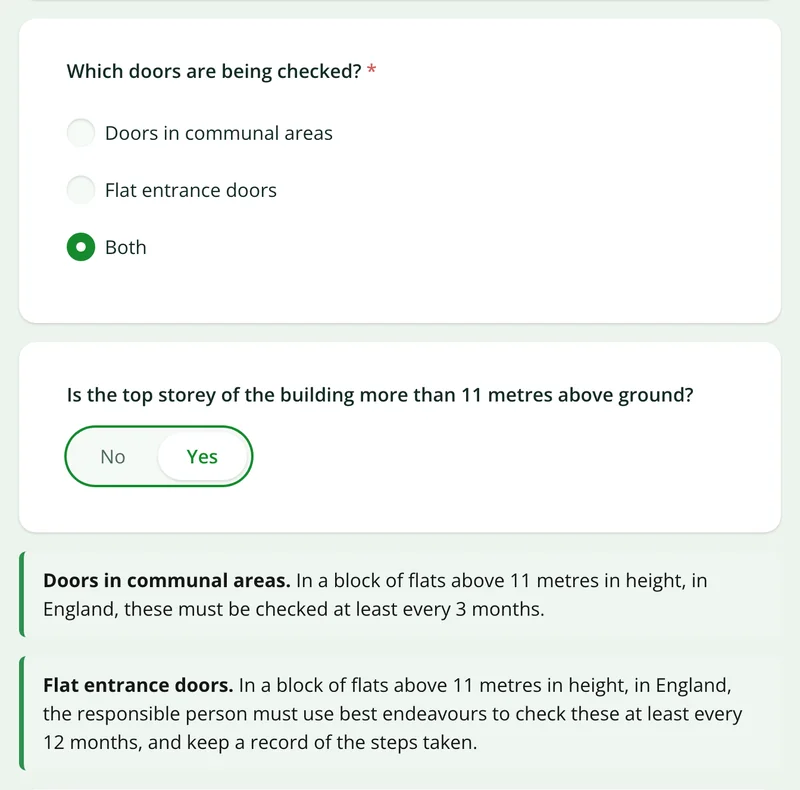
In England, the responsible person for a multi-occupied residential building (such as a block of flats) whose top storey is more than 11 metres above ground must check communal fire doors at least every 3 months, and use best endeavours to check flat entrance doors at least every 12 months. This has applied since 23 January 2023 under the Fire Safety (England) Regulations 2022.
Last updated 4 October 2026. Facts checked on 26 September 2026 against regulation 10 of the Fire Safety (England) Regulations 2022, GOV.UK fire door guidance and the regulation 10 fact sheet.
Fire door checks under regulation 10, by door type
For a multi-occupied residential building in England whose top storey is more than 11 metres above ground, from 23 January 2023.
| Door type | Minimum check | Duty |
|---|---|---|
| Communal fire doors | At least every 3 months | Must check |
| Flat entrance fire doors | At least every 12 months | Best endeavours to check |
Keep a record, over each 12 months, of the steps taken to check flat entrance doors, including where access was not granted.
Sources: regulation 10 of the Fire Safety (England) Regulations 2022, GOV.UK fire door guidance and the regulation 10 fact sheet.
SiteSurvey for fire door inspections, at a glance
- What it is
- A mobile inspection app for iOS and Android, with a web portal, used to run a fire door checklist door by door.
- Who it is for
- Responsible persons, building managers, caretakers and facilities teams, and fire safety and maintenance contractors.
- What it records
- Door reference and location, latch, seals, hinges, closer, glazing and signage, gap measurements in millimetres, photos, and defects with remedial action.
- Evidence
- Every entry is dated and attributed to the inspector, and works fully offline in stairwells and risers, syncing when back in signal.
- Price
- £25 per user per month on The Works plan, which includes the form builder and reports. Trial from £1, cancel any time.
- What it does not do
- It does not schedule the 3 and 12 month checks, certify doors, or replace a competent person's judgement.
A tick in a box is not evidence that the door was checked.
Doing the checks on time is one job. Showing later that each door was actually checked is another, and fire door records are scrutinised precisely when something has gone wrong. A spreadsheet of passes proves very little. What stands up is a dated record of which door was inspected, what it measured and what the inspector could see.
No proof per door
A completed checklist with no photographs cannot show the condition of any individual door.
Doors that can't be identified
Without a reference and a location, nobody can tell which of forty similar doors the finding refers to.
Failures that go nowhere
A failed check is noted, then the remedial action lives somewhere else entirely.
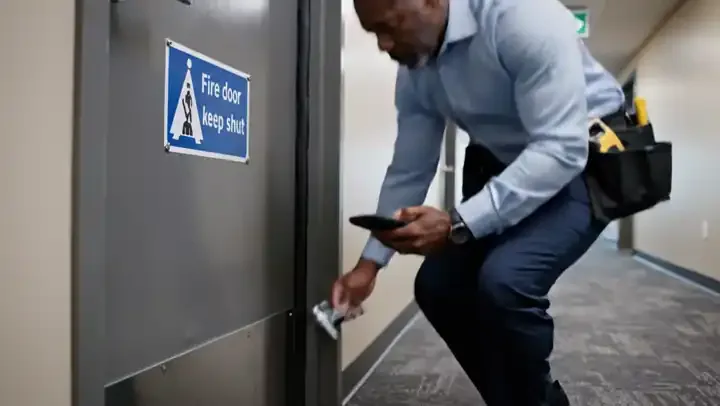
How does a fire door inspection work, from the first door to the report?
01 · Open the checklist
Open the fire door checklist for the building and floor, and add each door as its own record as you reach it.02 · Check the door
Work through latch, seals, hinges and glazing, and key the gap measurement in millimetres as a typed number.03 · Evidence the finding
Photograph the door, and when a check fails, capture the defect photo, remedial action and priority.04 · Issue the record
Export the round as a report per block or per floor, with every door's evidence attached.Walk Cam, point by point
A fire door round, door by door.
Walk Cam takes the inspector through each check on each door, films it and writes down the finding as they speak.
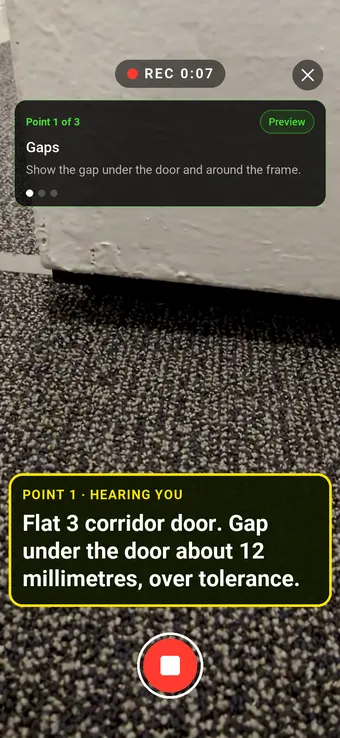
Point 1 of 3
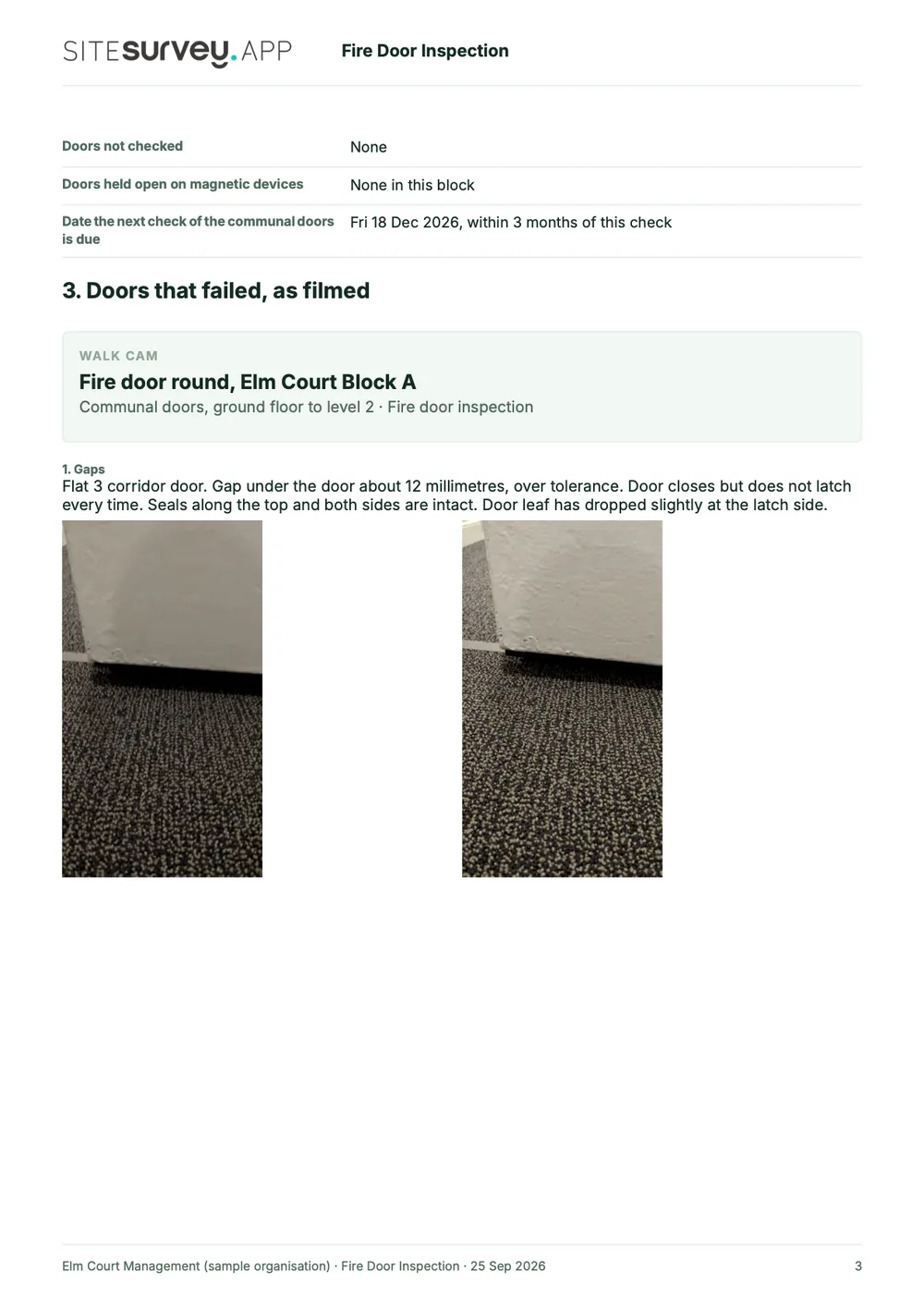
Gaps
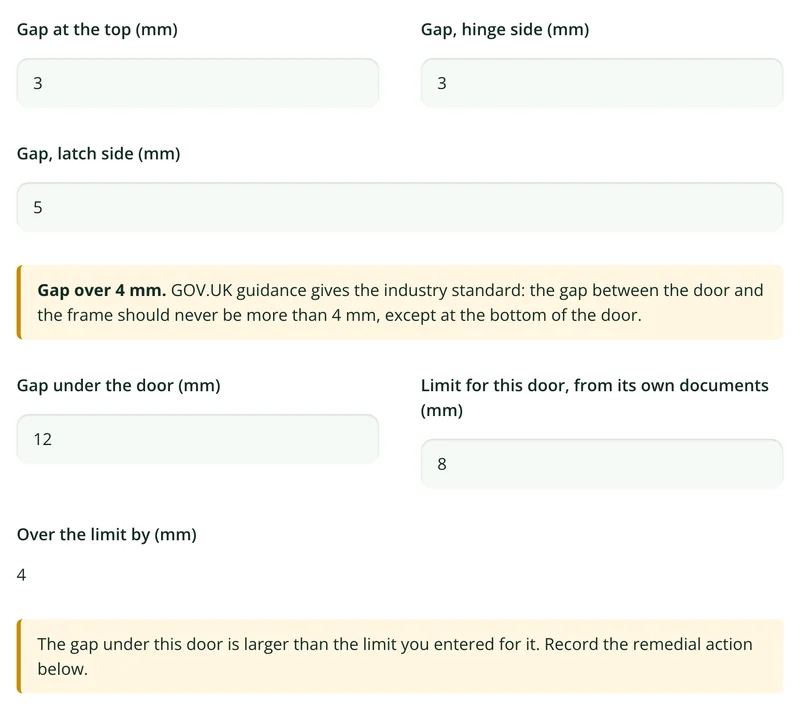
Gaps measured and said out loud, so the figure lands in the record.
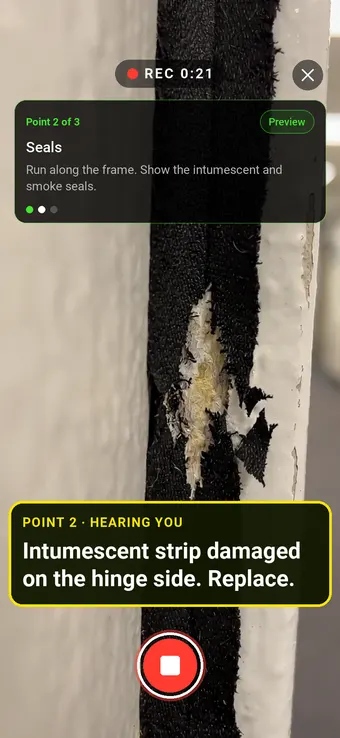
Point 2 of 3
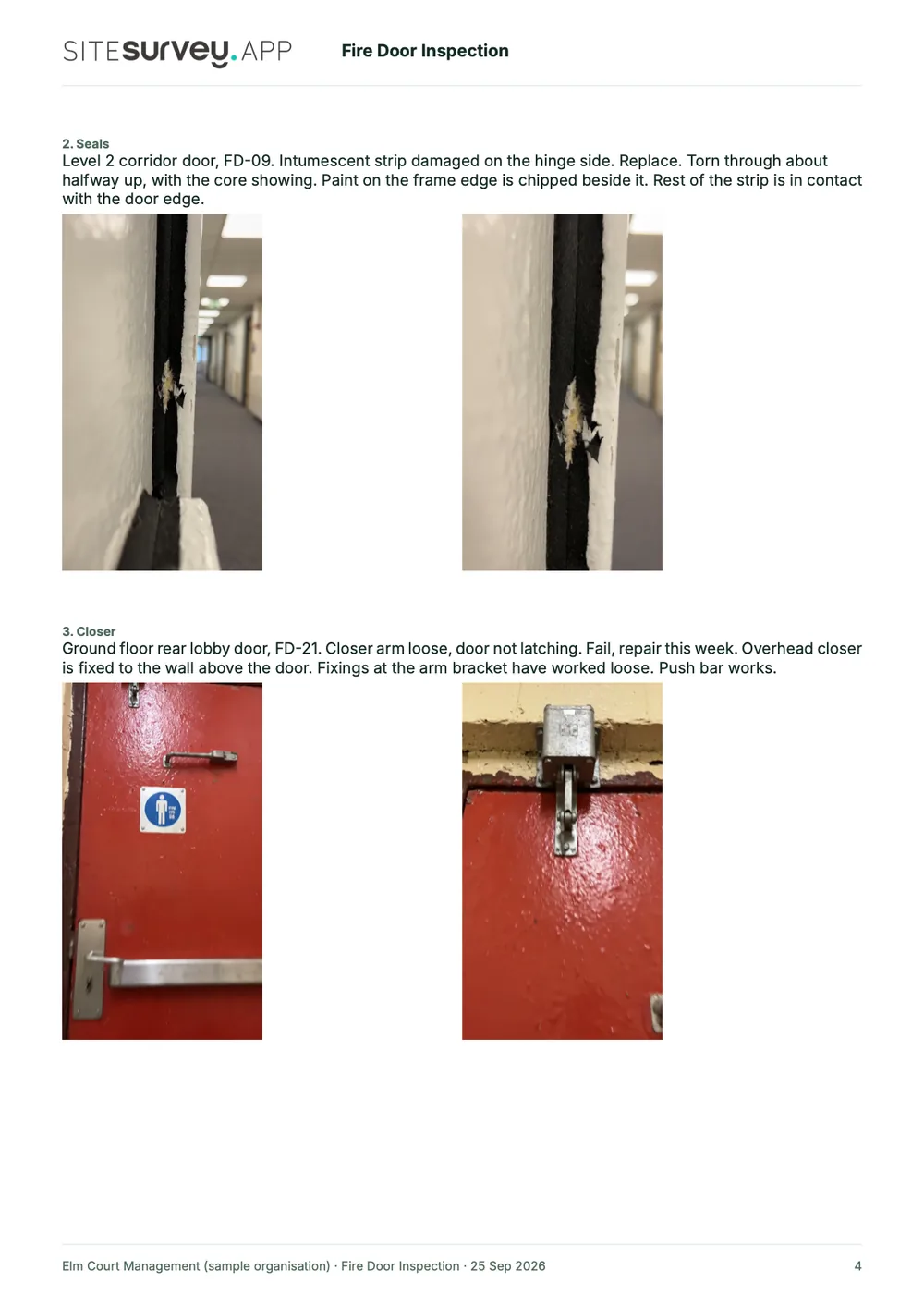
Seals
Seals checked along the frame, with damage filmed where it is.
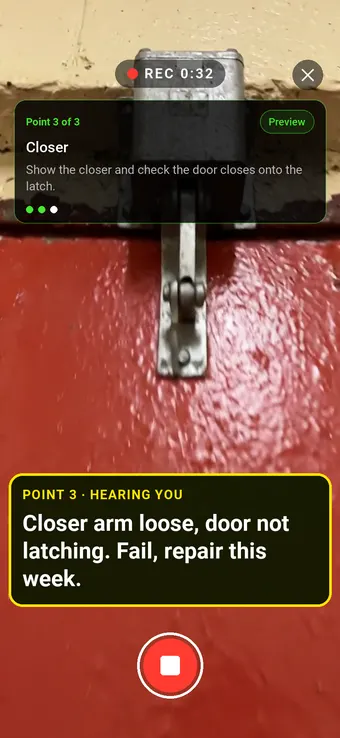
Point 3 of 3
Closer
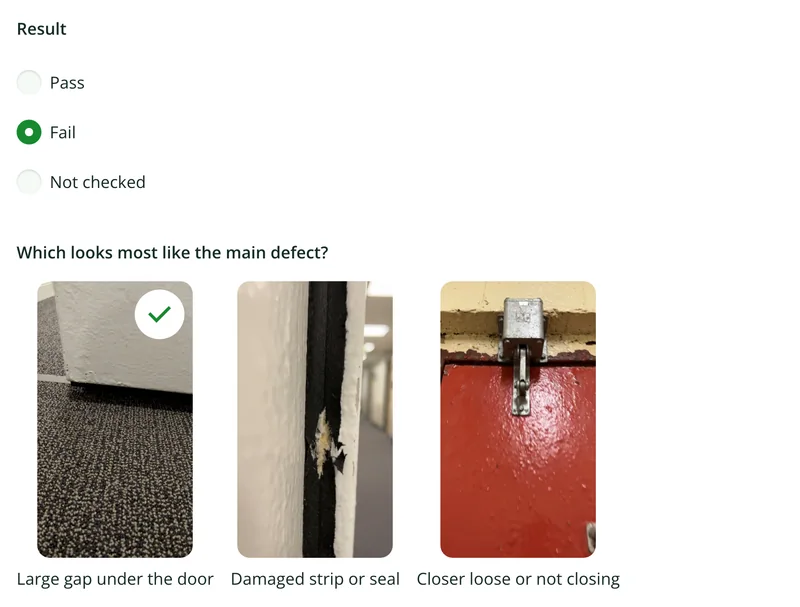
Closers and latching checked, with a fail and its repair recorded.
What the report looks like
What a fire door inspection report looks like.
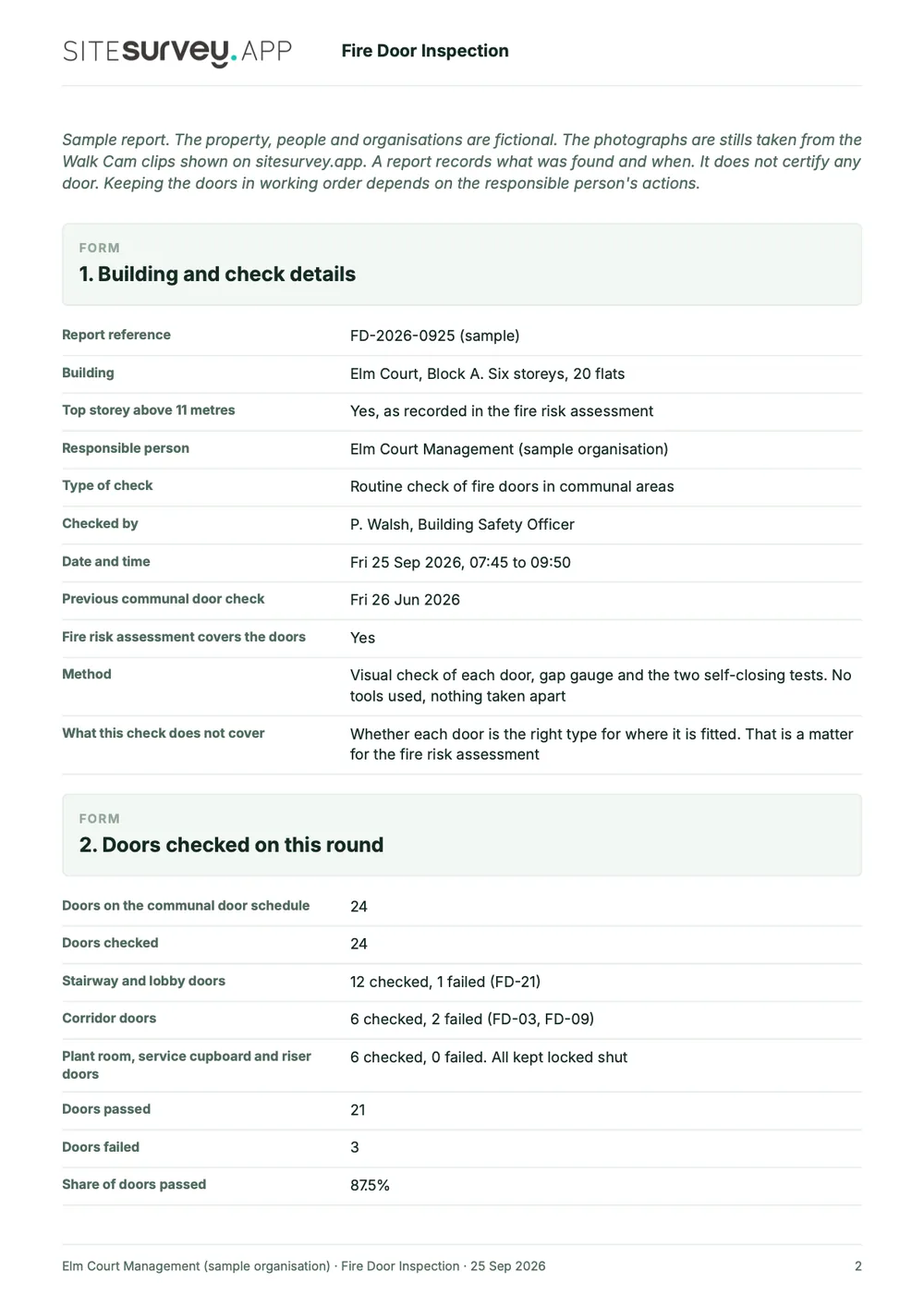
This is a full sample report, made with the SiteSurvey report builder. Scroll through it here or download the PDF. The photographs are stills from the Walk Cam clips on this page.
- 1The round and its datesWhich building and doors were checked, by whom, when the last check was and when the next is planned.
- 2Failed doors, with photosEach Walk Cam point has its stills and the inspector's spoken notes, written down as they were said.
- 3A record for each doorGaps in millimetres, seals, hinges, the two self-closing tests, the result and the remedial action.
- 4Repairs, access and sign-offTarget dates for each repair, the 12 month record for flat entrance doors, information for residents and a dated sign-off.
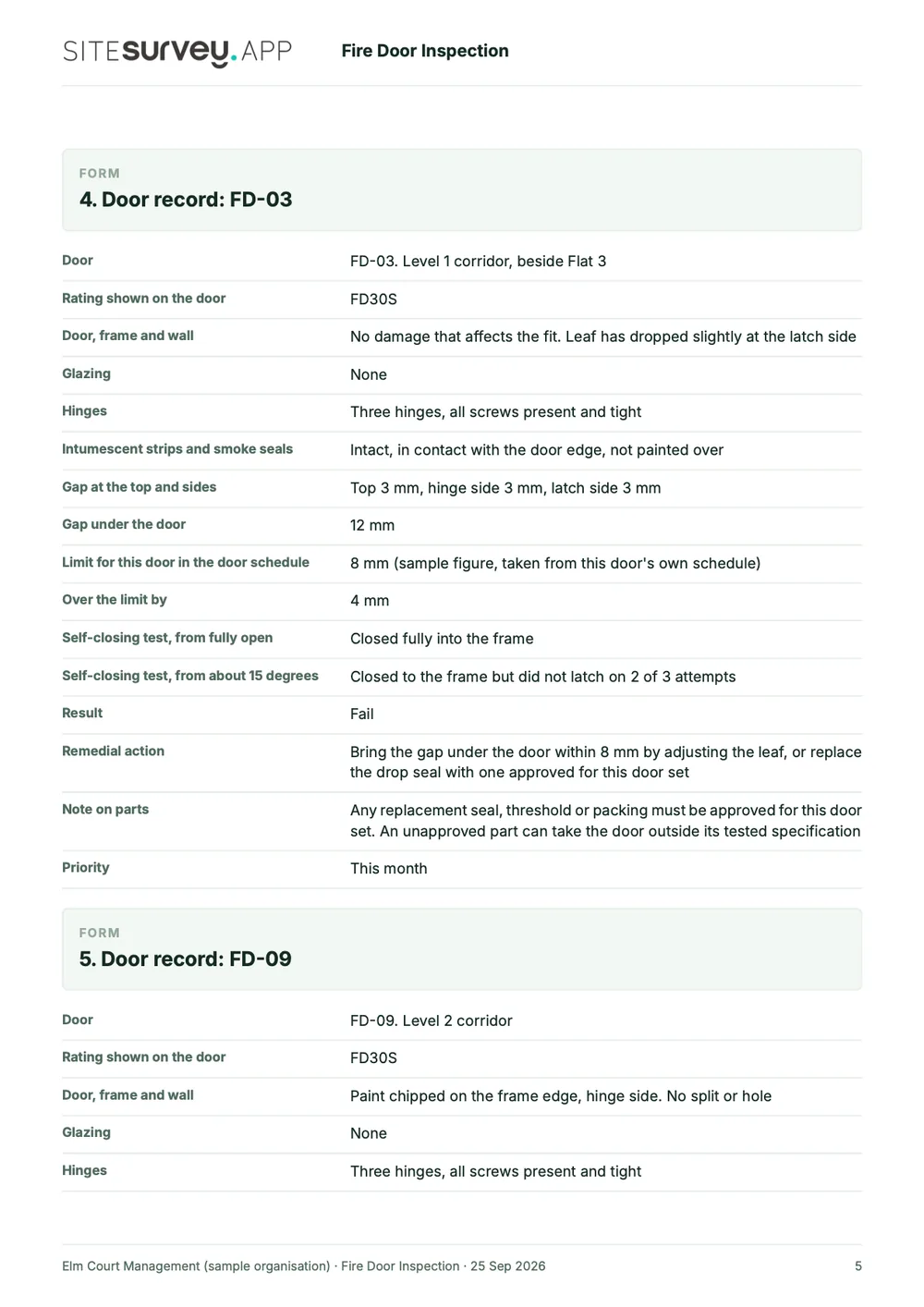
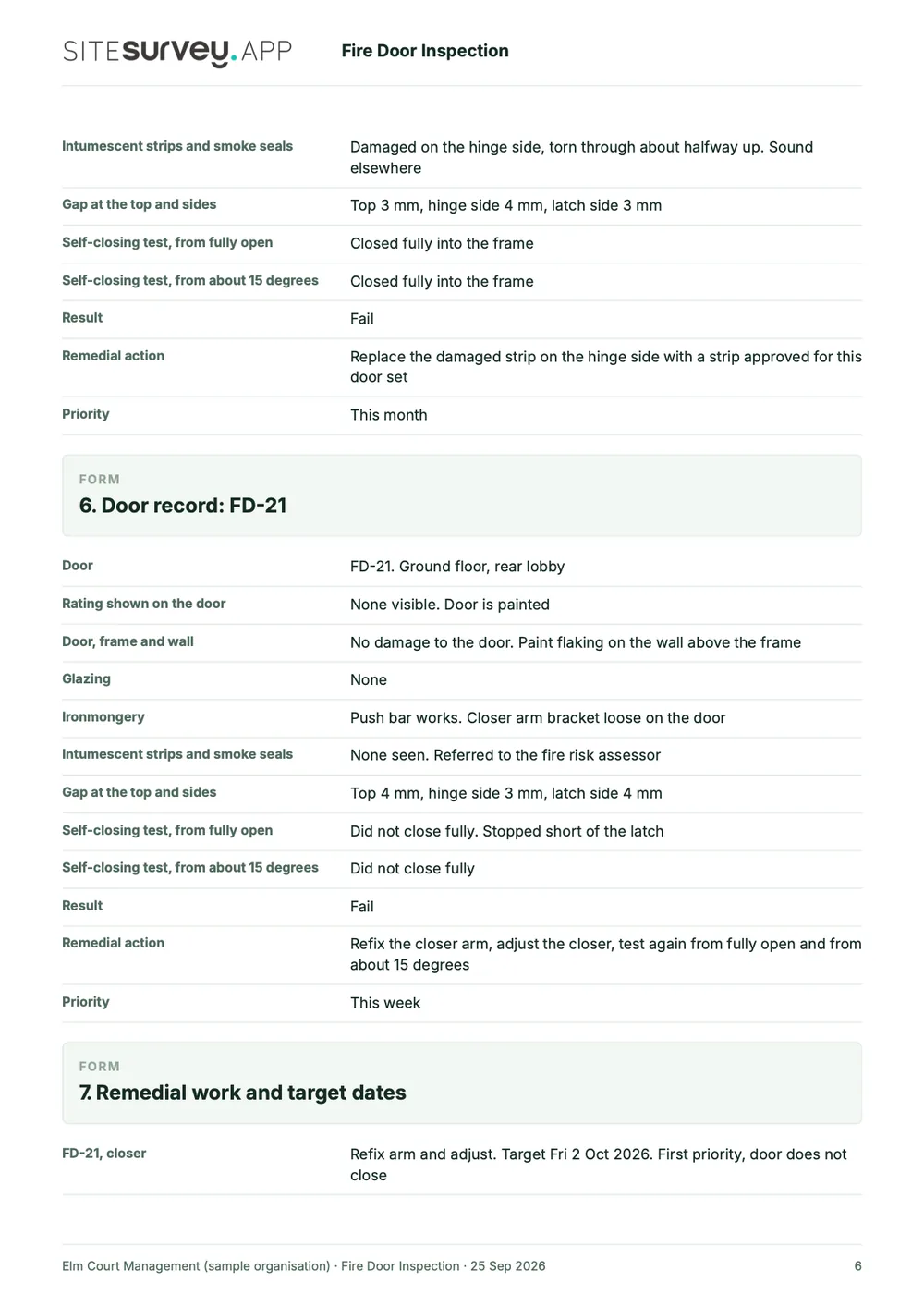
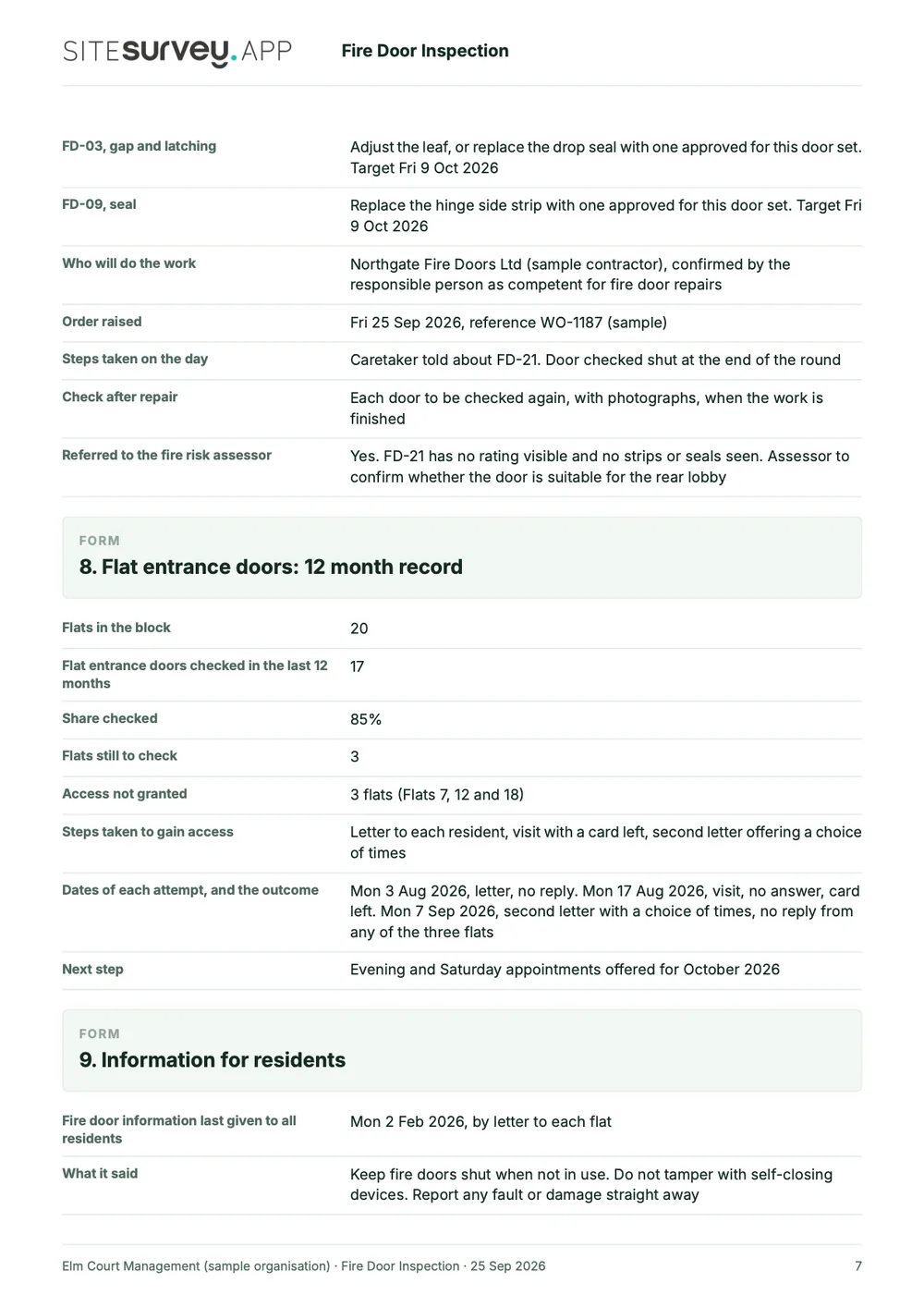
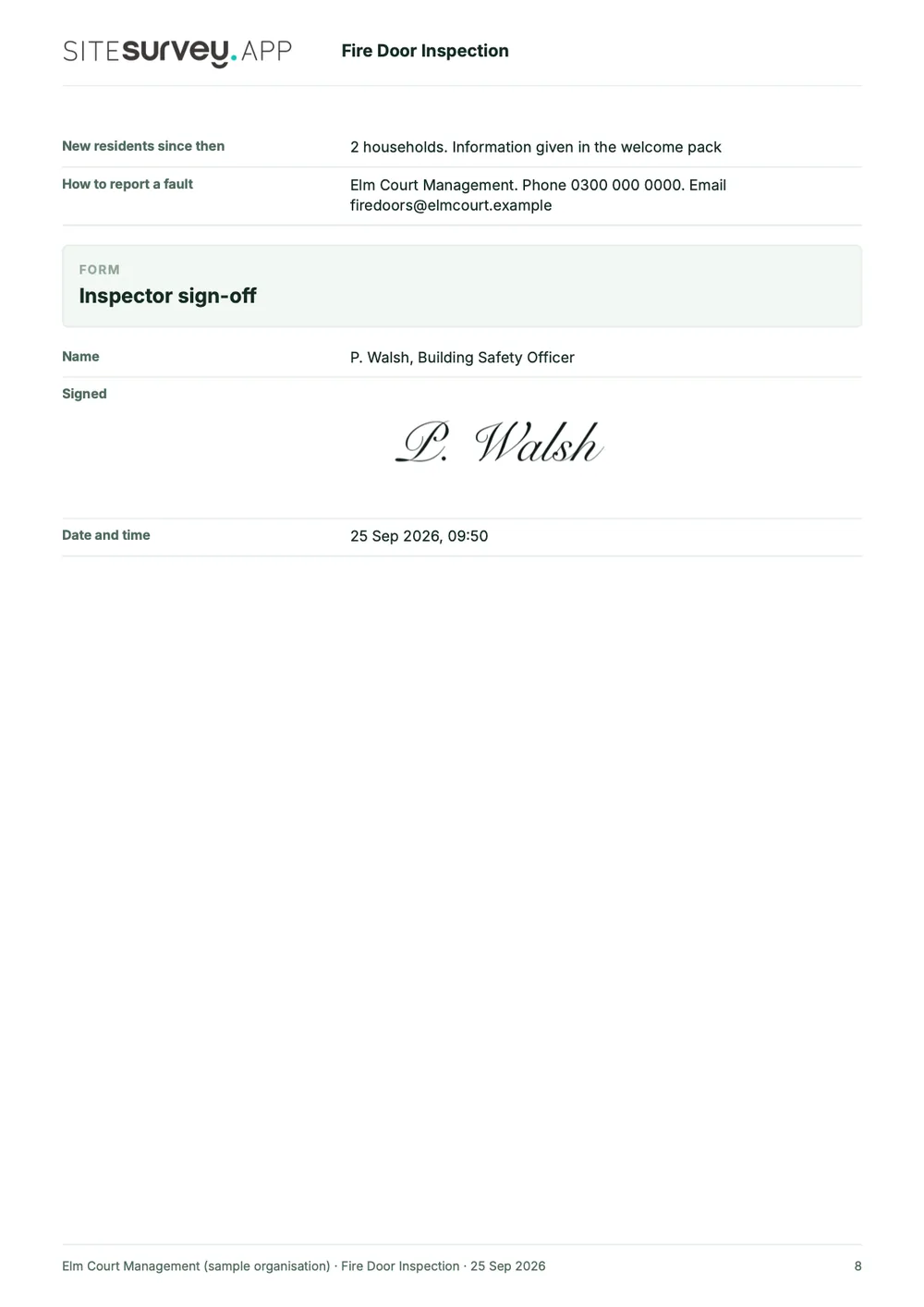
Try the form
The form behind the report. Open it and try it.
A live SiteSurvey form, shared by link with no login. It asks only what applies to each type of door, warns when a gap or a closing test needs attention and takes a separate record for each door. Answers are cleared every night.
Open the live form →See every question in the fire door inspection checklist →Or see it filled in: the finished record with every answer, and the Walk Cam report with its clips, stills and spoken notes. See the finished record → Watch the Walk Cam report →
More than Walk Cam
Build the form. Share it by link.
Walk Cam films the inspection. The form behind it is yours to build, and anything you capture can be sent to someone outside your team as a link, with no login or app needed.
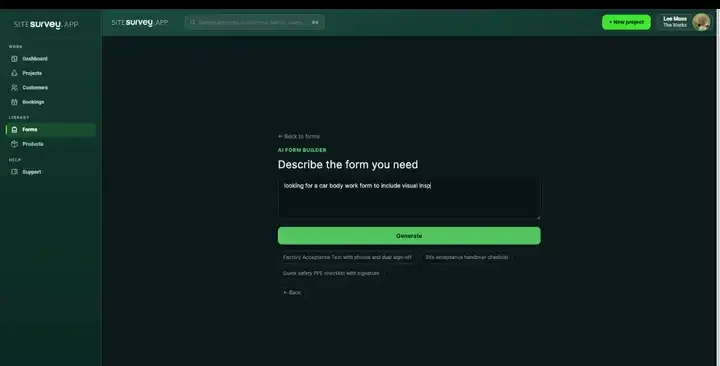
Build your fire door checklist with AI
Describe the checks you carry out and the AI assistant builds the form: fields, required photos, readings as numbers and follow-up questions that only appear when something fails. Refine it in chat, edit it visually, or start from a template.
How the form builder works →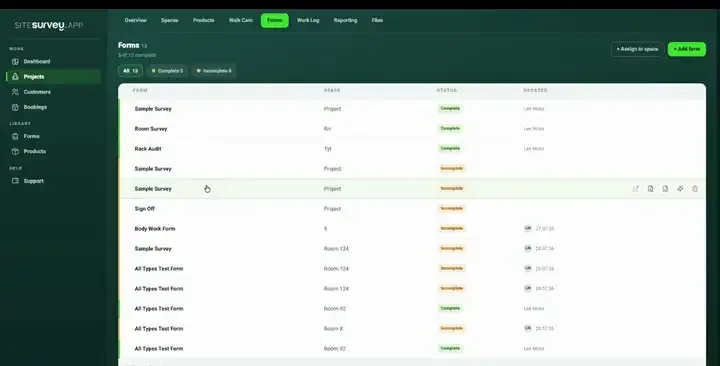
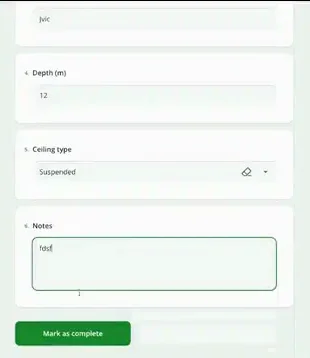
Share by link, no login needed
Make any form shareable and SiteSurvey gives it a unique URL, with an optional password. Customers, tenants or contractors fill it in on their phone’s browser, and their answers land in the same project. Walk Cam recordings and finished reports can be shared the same way, by link or by email.
How Walk Cam sharing works →What should a fire door inspection app record?
One reusable checklist, applied consistently to every door, with the evidence and the measurements captured as structured data rather than free text.
One response per door
Each door is its own record against its reference, so findings can never be attributed to the wrong one.
Gap in millimetres
Measurements are typed fields, not free text, so the values can be compared and reported on properly.
Required photographs
Mark the photo field required and the round cannot be completed without visual evidence of the door.
Conditional follow-ups
A failed check reveals the defect photo, remedial action and priority fields, and stays hidden when the door passes.
Offline in stairwells
Risers, stairwells and back-of-house corridors have no signal. Everything captures on the device and syncs later.
Walk Cam for the tricky ones
Where a photo will not show it, record a clip and talk through the condition while voice-to-text writes the note.
Start from a fire door inspection checklist template.
Open the ready-made fire door inspection form and adjust it to your own regime and door schedule. Every field below is editable, in chat or visually.
Door reference and location
Closes fully onto the latch
Intumescent and smoke seals intact
Gap under door, in millimetres
Hinges, glazing and signage
Photo of the door, required
Defect photo and remedial action on failure
Inspector sign-off
Try it on your phone
Try it on this phone
Fill in the fire door inspection checklist on your phone now
See how the fire door inspection checklist looks on your phone
Scan the code with your phone camera. It opens the real form, no sign-up needed.
Open the live example and fill it in, just as your team would on site. No sign-up needed.
See it on this phoneEvery question is editable. Add this form to your account, then change the wording, add or remove questions and options, and make it fit your own jobs.
What is fire door inspection software?
Fire door inspection software is a mobile app that records each fire door as its own dated record: reference and location, latch, seals, hinges, closer, glazing, signage, gap measurements in millimetres and a photograph. The record can be shown later to a responsible person, insurer or auditor.
What is the best fire door inspection software?
The best fire door inspection software is the one that fits the job you are doing. For routine checks by a caretaker or facilities team, you need a mobile app with one checklist for every door, a record per door reference, photographs and measurements, offline working and a clear report. If you need the software to schedule and chase the 3 and 12 month checks across a portfolio, or to manage door certification and installation records, look for a tool built for that. SiteSurvey is strong on the per-door evidence: typed gap measurements, required photos, Walk Cam video and offline capture. It does not schedule checks or certify doors.
How often must fire doors be checked?
In England, in a multi-occupied residential building (such as a block of flats) whose top storey is more than 11 metres above ground, the responsible person must check communal fire doors at least every 3 months and use best endeavours to check flat entrance doors at least every 12 months, under regulation 10 of the Fire Safety (England) Regulations 2022. GOV.UK's guidance says these checks should be simple and basic and should not need a specialist. Regulation 10 does not set a frequency for other buildings, but article 17 of the Regulatory Reform (Fire Safety) Order 2005 still requires the responsible person to keep fire safety facilities, equipment and devices under a suitable system of maintenance and in efficient working order.
What should a fire door inspection report include?
A fire door inspection report should identify every door by its reference and location, the date and who checked it, and for each door whether it closes fully onto the latch, the condition of the seals, hinges, closer, glazing and signage, the gap measurements, a photograph, and any defect with its remedial action and priority. GOV.UK's guidance also says to keep a record, over each 12 months, of the steps taken to check flat entrance doors, including where access was not granted. The sample report above is a full SiteSurvey fire door inspection report, covering each door with its checks, gap measurements, photographs and remedial actions.
Can gap measurements be recorded as numbers?
Yes. Measurement fields are typed as numbers with a unit rather than free text, so a gap recorded in millimetres is stored as a value you can report on and compare across doors, instead of a sentence somebody typed differently on every door.
Does it work in stairwells and risers with no signal?
Yes. The whole inspection runs on the device. Stairwells, risers and back-of-house corridors rarely have coverage, so answers, photos and video are held securely on the phone and sync to the project when connectivity returns.
Can a failed check trigger extra questions?
Yes. Conditional logic shows follow-up fields only when they are needed: a failed latch or seal check can reveal a defect photograph, a remedial action and a priority, while a door that passes keeps the form short.
Can the completed round be exported as a report?
Yes. The captured record becomes the report, with findings, photographs, measurements and sign-off, exported as a client-ready PDF or shared as a link, per block, per floor or for the whole round.
Does this certify fire doors or replace a competent inspector?
No. SiteSurvey records the inspection and its evidence; it does not certify doors or make competence judgements. The inspection must still be carried out by someone competent to do it, and any certification remains with the appropriate body. What the app gives you is a consistent, evidenced record of what was checked and what was found.
Who is it for?
It is for the people who check fire doors: responsible persons and building managers for blocks of flats and other buildings, caretakers and facilities teams doing the routine rounds, and fire safety and maintenance contractors who inspect doors for clients and need to hand over a consistent report for every door.
How much does it cost?
Pricing is per user, not per door or building. The Works plan, which includes the custom form builder and reports used for fire door inspections, is £25 per user per month. The Base plan starts at £13 per user per month. Every plan starts with a trial from £1, cancel any time.
Go deeper
Guides and tools behind this workflow.
See it on your next job