Planned preventative maintenance
PPM softwarefor the engineers who run the rounds.
Give every engineer the same check for every asset type, open the right asset by scanning its label, and record the readings, condition and photographs as they work. Every visit adds to that asset's history, with the next due date on the record.
7-day free trial · full access · no card required
48
Assets
5
Defects
100%
Evidenced
One quarterly round in a single building
A PPM schedule is only as good as the record of what was actually done.
Planning the maintenance calendar is the easy part. The hard part is proving each task happened: that the right asset was checked, to the right standard, with readings that can be compared with last quarter's, and that the defect found on the round turned into a repair. Paper job sheets and free-text notes lose exactly that.
Checks done differently
Two engineers, two ways of recording the same air handling unit, and no way to compare the results.
Readings you can't trend
Pressures and temperatures written as notes can't be read against the last four visits.
Defects that go nowhere
A fault is spotted on the round, written on a sheet, and never reaches the person who fixes it.
From the booked visit to the asset's history.
Walk Cam, point by point
The round, asset by asset.
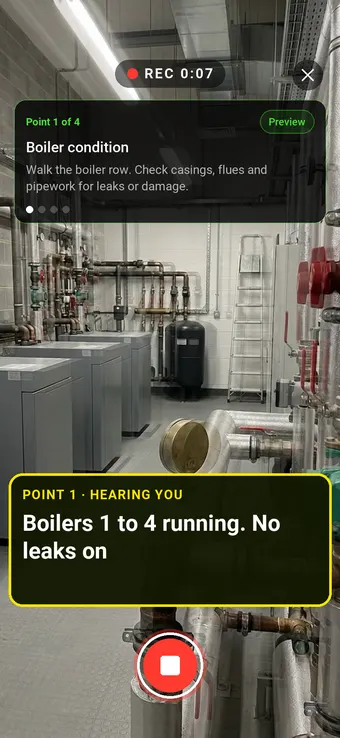
Walk Cam takes the engineer through each asset on the round in order, films it and writes down the readings and findings as they speak.
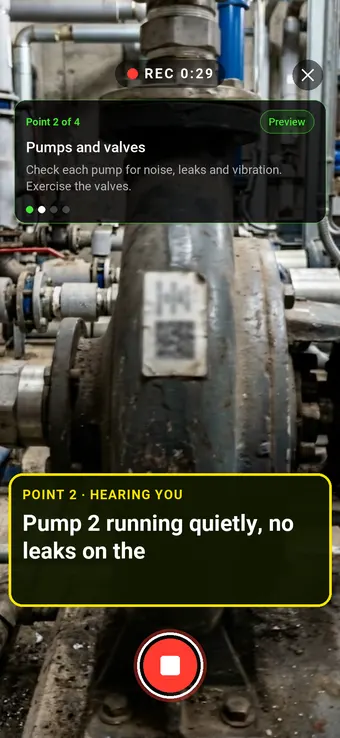
Point 2 of 4
Pumps and valves
Pumps and valves checked for noise, leaks and vibration, with the findings spoken.
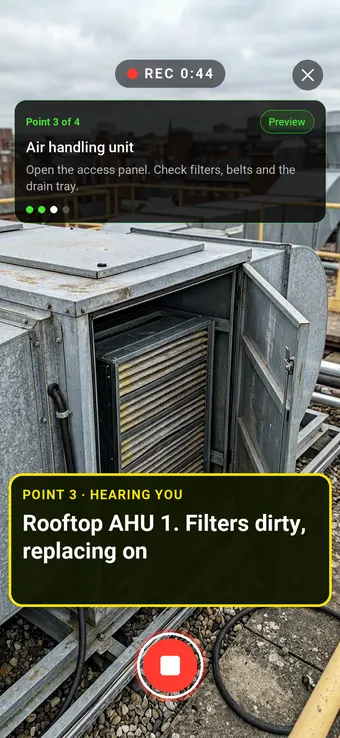
Point 3 of 4
Air handling unit
Filters, belts and drain trays checked, with the work done on the visit recorded.
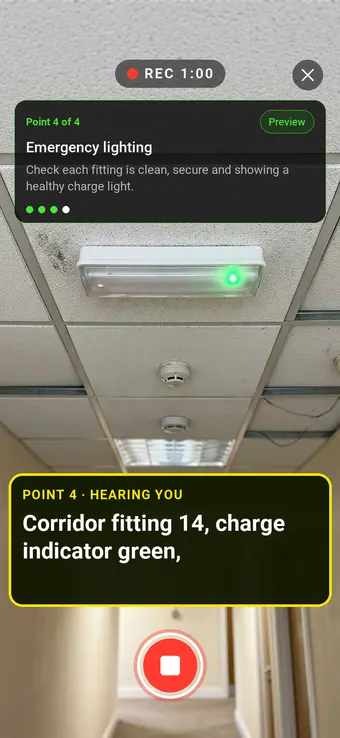
Point 4 of 4
Emergency lighting
Emergency lighting checked fitting by fitting, with each result on the record.
What the report looks like
A service record for every asset.
Each check comes out with its photographs, the engineer's spoken notes and the readings, and becomes part of that asset's history.
- 1Stills from the videoFrames from the Walk Cam clip sit against each point, so every finding has its pictures without stopping to take them.
- 2Your words, transcribedWhat you said while filming becomes the written note, so the write-up is done before you leave.
- 3The form answersRatings, readings and choices from the form come through as a clean table, laid out the same on every inspection.
- 4Signed and datedThe sign-off shows who carried out the inspection and when. Export it as a PDF or share it as a link.
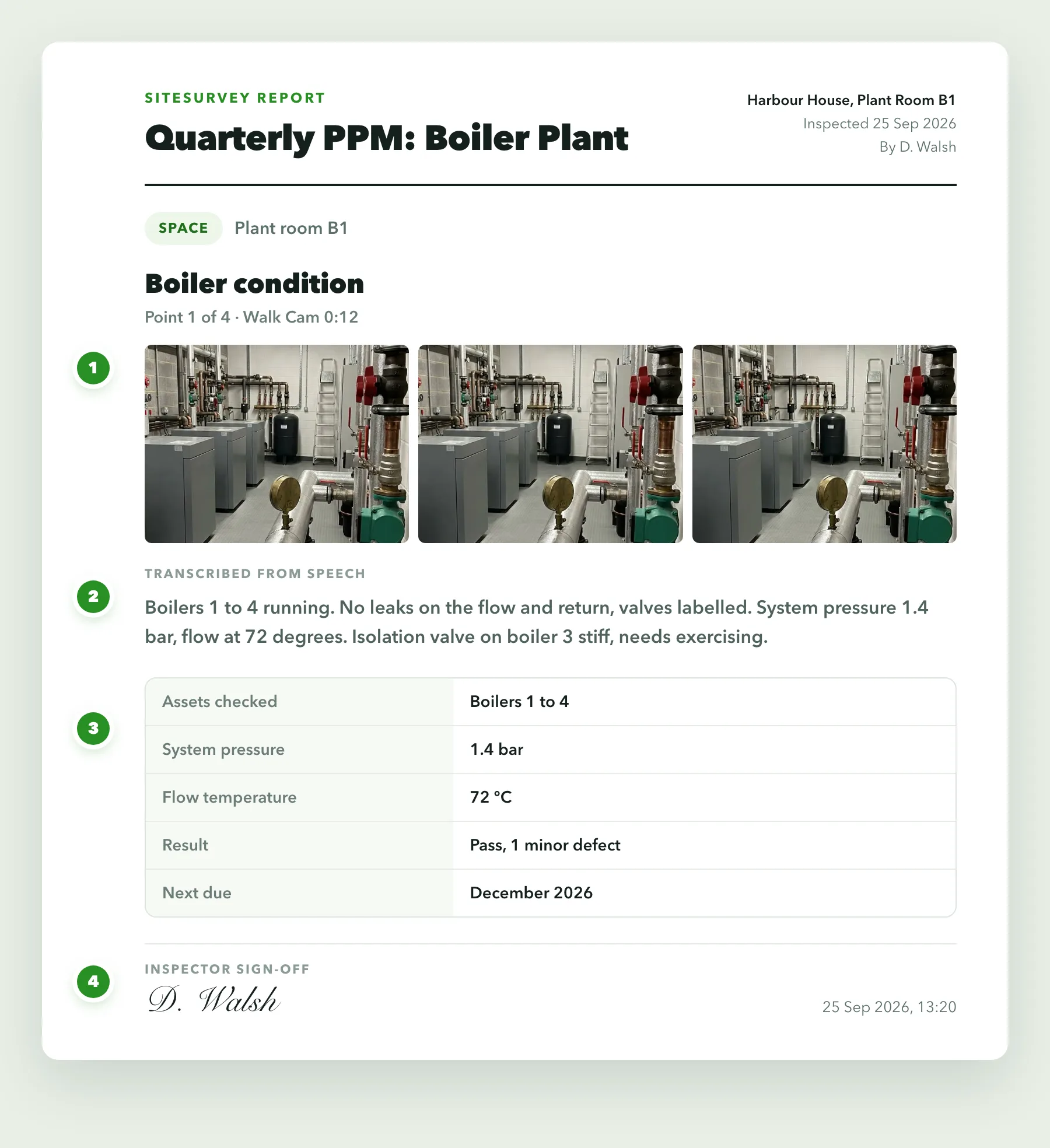
Built for the round, not just the calendar.
Whether you work to SFG20 task lists or your own, the value is in capturing every check the same way, against the right asset, with evidence.
✓One form per asset type
Build the check once for each asset type and every engineer runs it the same way on every visit.
✓Scan to open the asset
Scan the label on the plant and go straight to that asset's record and its assigned check.
✓A history per asset
Every visit is stored against the asset, so this quarter can be read next to the last four.
✓Readings as numbers
Pressures, temperatures and test values are typed fields, so they can be compared and reported on.
✓Defects with evidence
A failed task reveals the defect photo, priority and action fields, and stays hidden when the check passes.
✓Offline in the plant room
Basements, risers and roof plant rarely have signal. The round captures on the device and syncs later.
Start from a PPM checklist.
Use this list as the starting point for your own planned maintenance form, or describe the task list to the AI form builder and let it draft one. Every field is editable, in chat or visually.
✓Asset reference, type and location
✓Task list for this asset type
✓Readings and test values, as numbers
✓Condition rating and photo, required
✓Pass or fail per task
✓Defect photo, priority and action on failure
✓Engineer sign-off and date
✓Next due date
What is PPM software?+
PPM software helps maintenance and facilities teams plan and record planned preventative maintenance: the routine servicing and inspection of assets such as boilers, air handling units, fire systems, lifts and emergency lighting at set intervals. It covers two jobs: planning when each task is due, and recording that the task was done, what was found and what needs fixing. SiteSurvey is built for the second job, the round itself, with bookings to get engineers there.
Does SiteSurvey generate the PPM schedule for me?+
Not automatically. You decide the frequency for each asset, every completed check records the next due date, and visits are booked into engineers' own calendars. If you already plan your maintenance calendar in another system, jobs can come into SiteSurvey from your job management system and the rounds are run and recorded here.
Can engineers open the right check by scanning the asset?+
Yes. Scan the label on the asset and SiteSurvey opens that asset's record with the check assigned to it, so the result is recorded against the right piece of plant rather than typed against a description.
Can we see an asset's maintenance history?+
Yes. Every check is stored against the asset with its readings, condition, photographs and date, so successive visits can be read as a history rather than as separate job sheets.
Can we use SFG20 or our own task lists?+
Yes. Forms are fully editable, so you can build each check around the task list you already work to, whether that is SFG20 or your own specification. The AI form builder can draft a form from a task list, and you can adjust every field afterwards.
Does it work in plant rooms with no signal?+
Yes. The whole round runs on the device, including scans, readings, photographs and video, and syncs when the connection returns. That matters because plant tends to live in basements, risers and roof spaces where there is no coverage.
See it on your next job