BT digital switchover
PSTN switch-off survey app for every line, before it goes quiet.
Walk the site with the person who knows it, film each line as you trace it, and record what it serves, whether it will work on digital and what replaces it. The customer report, the equipment list and the engineer's job plan come out of the same survey.
£25 per user per month on The Works, Base from £13 · trial from £1, cancel any time
7
BT lines
5
Safety services
1
Line to cease
One sheltered housing block
What should a PSTN switch-off survey include?
A PSTN switch-off survey should find every analogue line on the site and record, for each one, what it serves (lift alarm, door entry, alarms, telecare, phones, broadband), the connected equipment, whether it will work after the switch-off, the recommended replacement, the mobile signal, power, install point and cable route. All Openreach PSTN users must be migrated by 31 January 2027.
Last updated . Facts checked on 20 October 2026 against GOV.UK (DSIT): connectivity timeline, guidance for local authorities and telecare guidance for housing providers.
What a PSTN switch-off survey records, line by line
The fields below are in the SiteSurvey switch-off survey form. The examples come from a sample survey of a sheltered housing block and are illustrative.
| Field | Example | Why it matters |
|---|---|---|
| Line number and line type | 0113 496 0415, analogue PSTN | Ties the finding to the line the provider will migrate or cease. |
| Service and equipment | Lift emergency phone, analogue autodialler | Safety services need the most evidence and come first. |
| Will it work after the switch-off? | No: analogue only, test call dropped on 4G | Separates what needs work from what can simply migrate. |
| Recommended solution | 4G lift gateway with roof antenna | Becomes the quote line and the job plan task. |
| Signal at the equipment | EE -103 dBm in the motor room, -79 dBm on the roof | Decides whether a mobile unit works there or needs an external antenna. |
| Install point and cable route | Above the autodialler; coax down through the existing gland, 8 m | The installer arrives knowing where everything goes. |
| Spare and unknown lines | 0419: no dial tone, nothing connected | Lines that serve nothing can be ceased now. |
All users of the Openreach PSTN will need to be migrated to new services by 31 January 2027.
Devices that rely on the PSTN and need upgrading include alarm systems, telecare devices, door entry systems, fire and other alarms, lifts, intercoms and payment terminals.
For telecare, housing providers are advised to identify all equipment in use, assess whether it can communicate digitally and prefer a digital signalling protocol throughout.
Sources: GOV.UK (DSIT): connectivity timeline, guidance for local authorities and telecare guidance for housing providers.
SiteSurvey for PSTN switch-off surveys, at a glance
- What it is
- A survey app for iOS and Android, with a web portal, used to record every analogue line on a site and what replaces it.
- Who it is for
- Telecoms, security, fire, lift and building services engineers, and the housing providers and facilities teams who commission switch-off surveys.
- What it records
- Lines by area, the service and equipment on each, digital readiness, test results, recommended solution, signal, power, install point, cable route, marked-up photos and Walk Cam video.
- What it produces
- A customer report, an equipment and materials list and a separate installation job plan, as PDF, Word or a shareable link.
- Price
- £25 per user per month on The Works plan, which includes the form builder and reports. Trial from £1, cancel any time.
- What it does not do
- It is not a telecoms provider. It does not test lines, order SoGEA or Digital Voice, supply GSM units or certify lift or alarm signalling.
The lines nobody has written down are the ones that matter.
The office phone is easy. The lift emergency phone, the door entry dial-out, the alarm panel communicators and the warden call system are the lines that stop working quietly when the analogue network goes, and they are rarely on any list. Every one has to be found, traced and given a replacement before the deadline.
Source: GOV.UK (DSIT): connectivity timeline.
Lines with no label
A junction box with seven pairs and four handwritten labels is normal. The survey has to say what every pair does, including the one that does nothing.
Safety services first
Lift alarms, warden call and alarm signalling carry life safety. They need the most evidence and the clearest recommendation.
Signal decides the fix
A 4G unit is only a fix where there is signal. Motor rooms and basements often have none, so readings per network and per location belong in the record.
How does a PSTN switch-off survey work, from the walk round to the job plan?
01 · Record the walk round
Walk Cam takes the engineer point by point: the BT intake, the lift, the door entry, the alarm panels, the roof. Each point is one short clip with a live transcript, offline.02 · Add each line to its area
Every area is a space; every line or service inside it gets its number, what it serves, the equipment, whether it will work after the switch-off and the recommended solution.03 · Mark up the install
Draw the cable route, the antenna position and the new unit on the photo, on site or later from the office.04 · Send the report, plan the job
The customer gets the findings and recommendations; the installing engineer gets the job plan with tasks, materials and marked-up photos.Walk Cam, point by point
A switch-off survey, point by point.
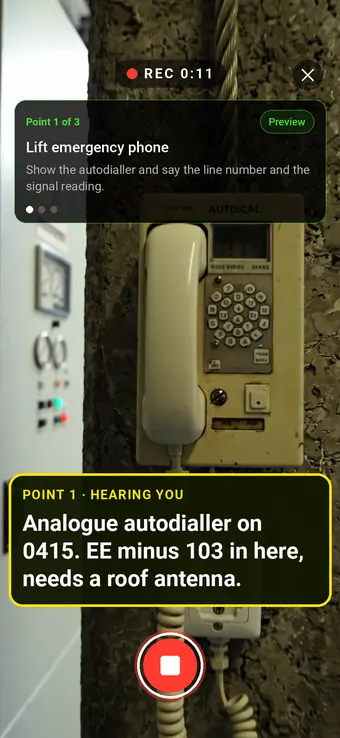
Walk Cam takes the engineer through each line in turn. The clip, the transcript and the stills stay with the point they belong to.
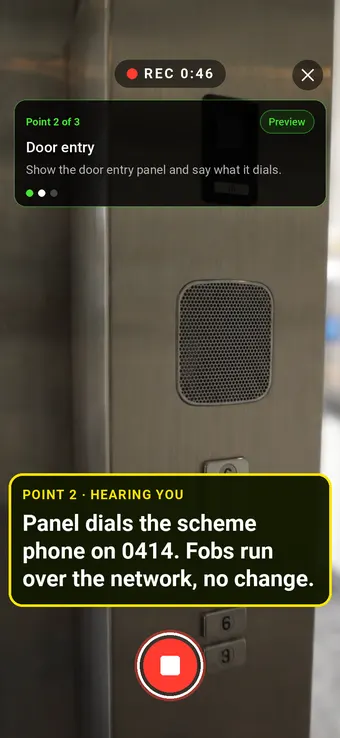
Point 2 of 3
Door entry
What the panel dials, and what does not depend on the line at all.
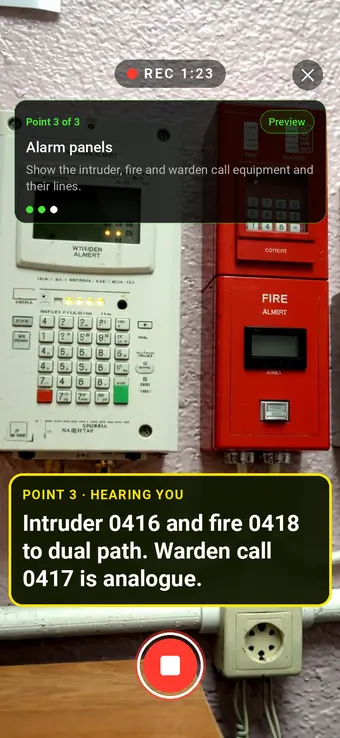
Point 3 of 3
Alarm panels
Intruder, fire and warden call lines, each with its replacement.
What the report looks like
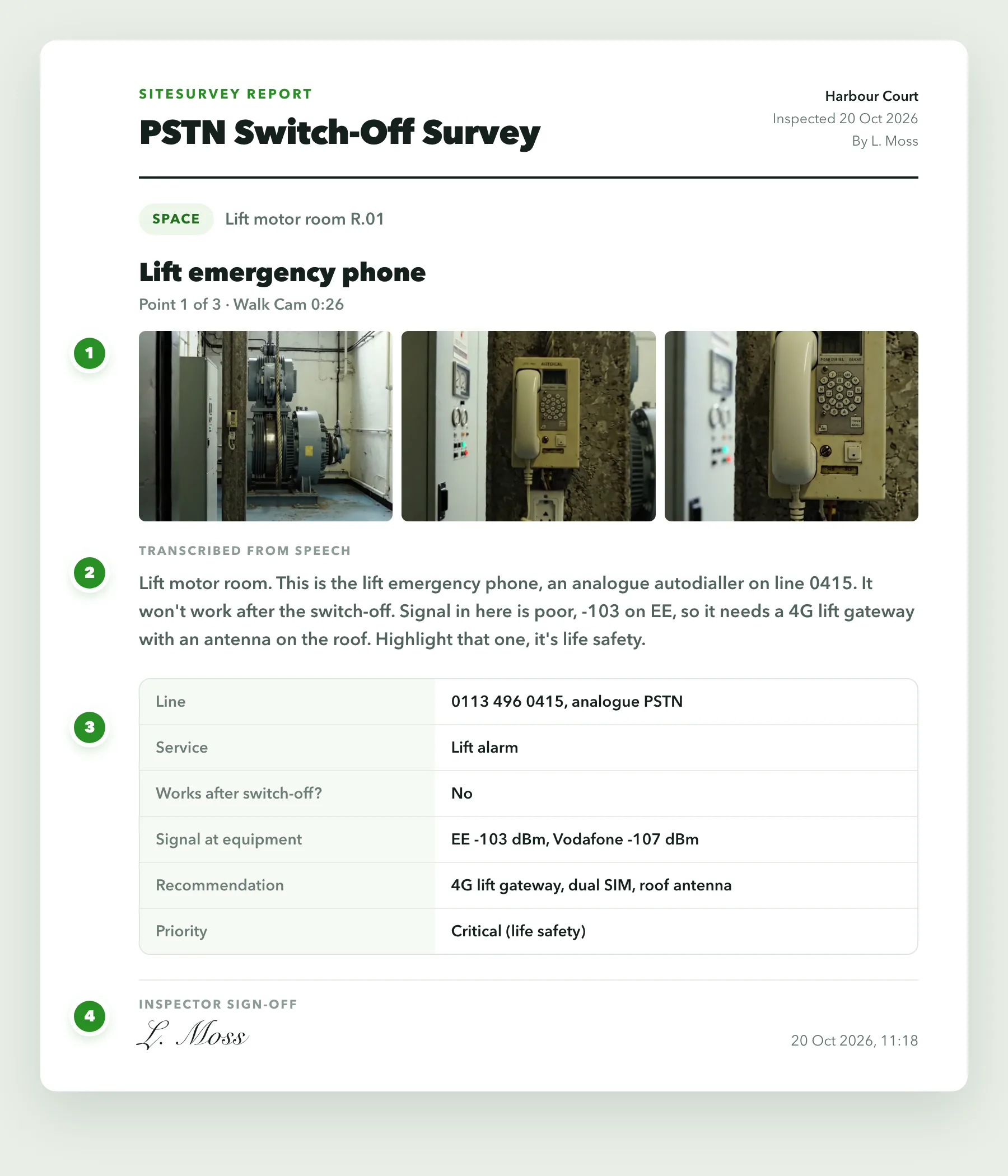
What a switch-off survey report looks like.
Each point comes out with its stills, what was said and the line record behind it. The full report adds the findings table, marked-up photos, signal survey and materials list.
- 1Stills from the videoFrames taken from the Walk Cam clip at that point, so the report shows what the engineer saw.
- 2What was saidThe engineer's words at the point, transcribed on the phone as they were spoken.
- 3The line recordLine number, service, digital readiness, signal, recommendation and priority from the survey form.
- 4Dated sign-offWho surveyed it and when, at the foot of the page.
More than Walk Cam
Build the form. Share it by link.
Walk Cam films the inspection. The form behind it is yours to build, and anything you capture can be sent to someone outside your team as a link, with no login or app needed.
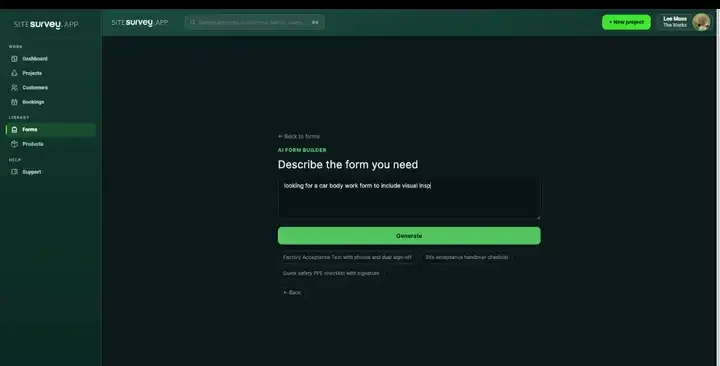
Build your PSTN switch-off survey with AI
Describe the checks you carry out and the AI assistant builds the form: fields, required photos, readings as numbers and follow-up questions that only appear when something fails. Refine it in chat, edit it visually, or start from a template.
How the form builder works →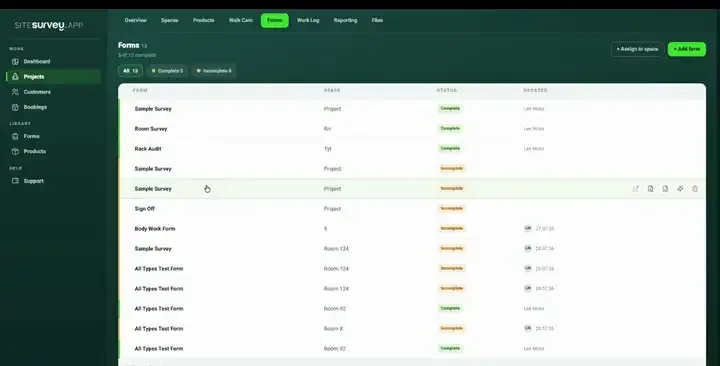
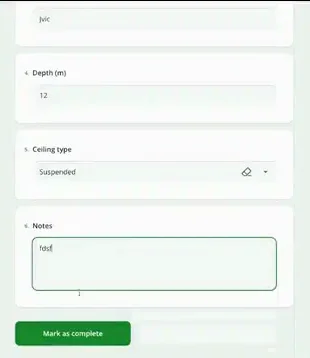
Share by link, no login needed
Make any form shareable and SiteSurvey gives it a unique URL, with an optional password. Customers, tenants or contractors fill it in on their phone’s browser, and their answers land in the same project. Walk Cam recordings and finished reports can be shared the same way, by link or by email.
How Walk Cam sharing works →What should a PSTN switch-off survey app record?
A switch-off survey is a list of lines, each tied to a place, a piece of equipment and a decision. The app keeps those together so nothing has to be rebuilt in a spreadsheet afterwards.
Every line as a record
Line number, line type, service, equipment, make and model, location and priority, each saved as a product in the area it serves.
Will it work on digital?
Yes, no or needs work, what you tested and what happened, and the recommended solution: 4G or GSM unit, dual-path communicator, Digital Voice, replacement or cease.
Walk Cam for the visit
One clip and one transcribed answer per point, so the conversation with the scheme manager or facilities lead is on the record, not in a notebook.
Photos you can draw on
Freehand routes, text labels and measurements on the photo, with the original kept. Annotated photos go into the report.
Signal and materials
Signal readings by network and location, and the equipment and materials list for the quote and the van.
Two outputs, one survey
A customer-facing report from the report builder, and a separate installation job plan form for the engineer, both from the same project.
Start from a switch-off survey form.
Every field in the table above is in the form. Change the services, recommendations and priorities to the way your team quotes, in chat with the AI form builder or visually.
When is the PSTN switch-off?
The government's connectivity timeline says all users of the Openreach PSTN (the analogue telephone network) will need to be migrated to new services by 31 January 2027. Anything still relying on an analogue line after migration may stop working, which is why lift lines, alarms and telecare need to be found and dealt with before then.
What stops working when the analogue network is switched off?
GOV.UK lists alarm systems, telecare devices, door entry systems, fire and other alarms, lifts, intercoms and payment terminals among the devices that rely on the PSTN and need upgrading, as well as analogue phones. A survey should find every one of these on a site, not only the phone lines on the bill.
What should a PSTN switch-off survey include?
For each line: the number, the line type, what it serves, the connected equipment and where it is, whether it will work after the switch-off, what was tested, the recommended solution, the priority, the mobile signal at the equipment, power, the proposed install point and the cable route. Add photographs, signal readings across the site and an equipment and materials list, then a summary the customer can act on.
How do you survey lift lines and autodiallers?
Record the lift, the autodialler and the line it uses, then take signal readings in the motor room, because a 4G replacement only works where there is coverage. Note the power available, the proposed position of the new unit and the antenna and cable route if an external antenna is needed. The lift company should confirm the replacement and witness the test call; SiteSurvey records the evidence, it does not certify the lift.
What about telecare and warden call systems?
The government's guidance for housing providers says to identify all telecare equipment in use and assess whether it can communicate digitally, and to prefer equipment that uses a digital signalling protocol throughout. Warden call is often linked to fire detection, lifts and door entry, so record those links in the same survey. The upgrade route usually needs the alarm receiving centre to agree it.
Can the site visit and the conversation be recorded?
Yes. Walk Cam records one short clip per point with live voice-to-text, offline, so what the engineer and the site contact said at each line is kept with the video and stills. The engineer then writes up the notes and highlights in the survey form. SiteSurvey AI can summarise completed forms into a Word or PDF document, which you review before it goes out.
Can I mark up photos with cable routes and install points?
Yes. Draw on the photo with freehand lines, text labels and measurements, on the phone during the visit or afterwards. The original photo is kept and the marked-up copy goes into the report and the job plan.
Can it produce a customer report and a separate job plan?
Yes. The report builder turns the survey into a customer-facing report with findings, recommendations, photos and the Walk Cam record, exported as PDF or Word. The installation job plan is a second form on the same project, listing tasks in order, materials, permits, tests and marked-up photos for the engineer doing the work.
Is SiteSurvey a telecoms provider?
No. SiteSurvey is a survey and reporting app. It does not test lines, order SoGEA or Digital Voice, supply GSM units or certify alarm signalling. It records what you find and what you recommend, and turns that into the report and the plan.
How much does it cost?
Pricing is per user, not per survey or site. The Works plan, which includes the custom form builder and reports used for switch-off surveys, is £25 per user per month. The Base plan starts at £13 per user per month. Every plan starts with a trial from £1, cancel any time.
See it on your next job