Asset registers that drift
An AHU is replaced, the serial and filter size change, and the register still shows the unit that was there in 2019.
Facilities & estates teams
Planned preventative maintenance rounds, reactive callouts, fire door and emergency lighting checks, asset condition surveys — captured on the phone in the plant room or riser, filed against the right building, floor and asset, and synced when signal comes back.
From £25 per user per month · trial from £1, cancel any time
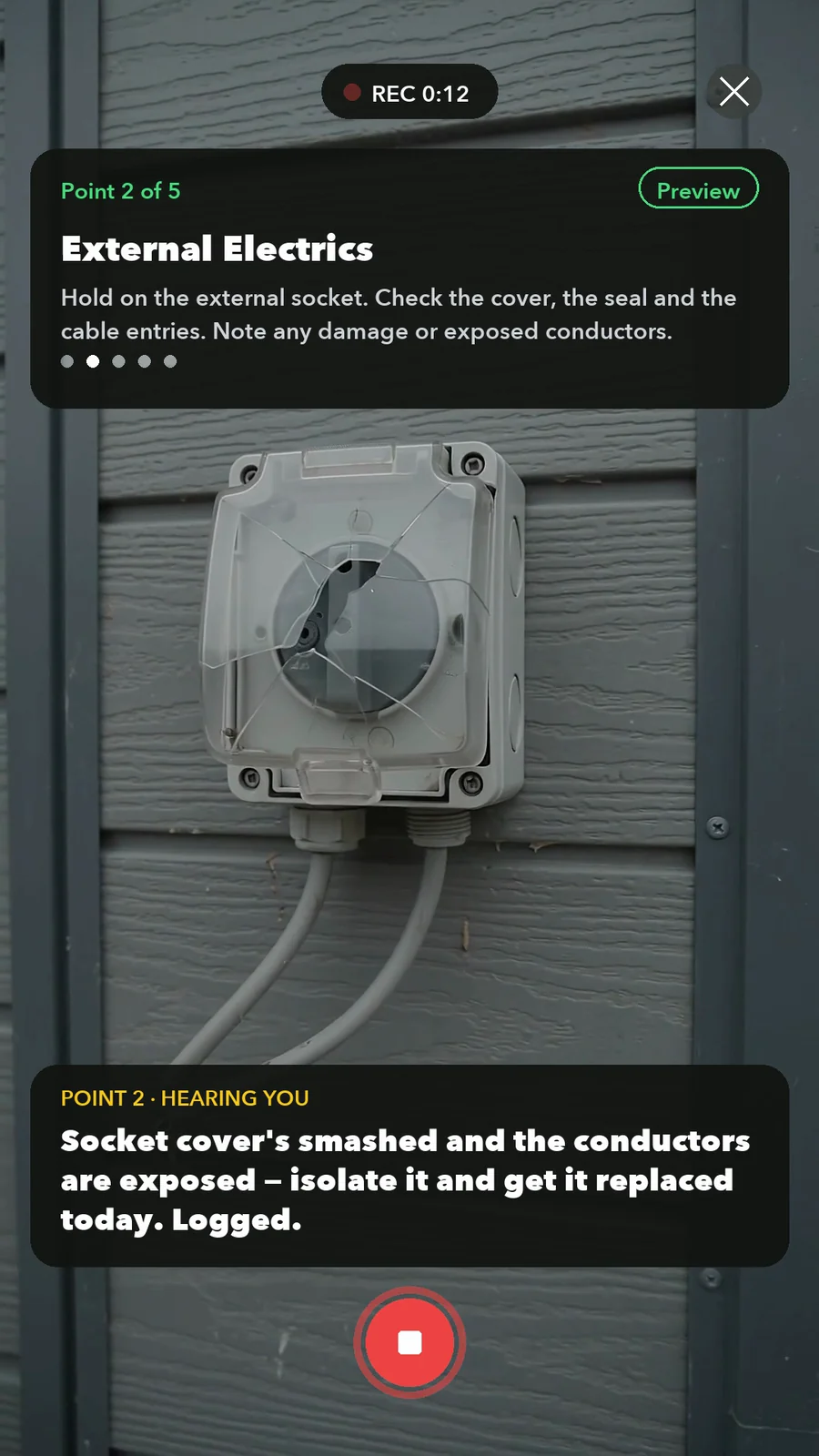
AHU condition recorded, defect raised and photo evidence filed against the asset.
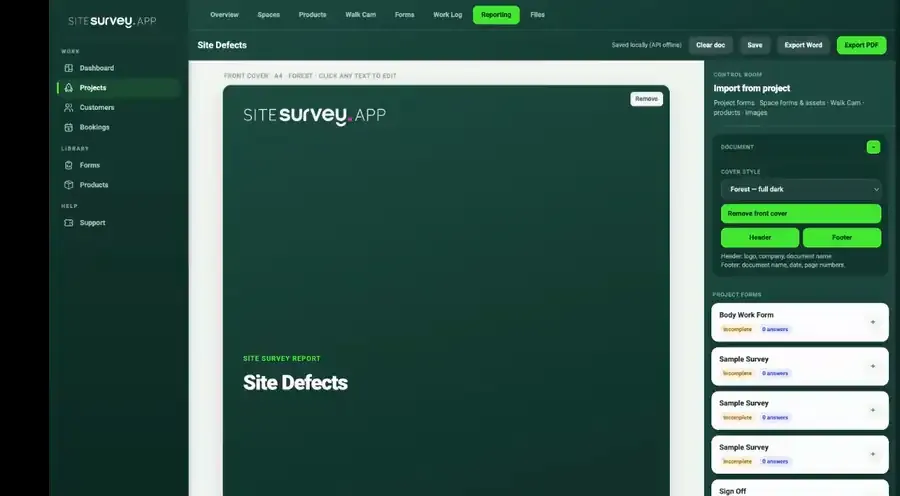
It lets engineers run PPM rounds, reactive callouts, statutory checks and condition surveys on a phone, and records each result against the building, space and asset it belongs to. Photos, readings and serials are captured offline, and managers see what was checked, what was found and what is still open.
Last updated 26 September 2026.
Facilities management forms
Each one is in the SiteSurvey form library. See every question and try it live, then use it on your projects and change anything you need.
Planned maintenance visit: records seen, asset by asset tasks, water temperatures, work done and next visit.
Job sheet for a reactive or planned job: safety before starting, work done, parts used, tests, outcome and customer sign-off.
Service visit record for air conditioning, heat pumps, ventilation and air handling units. Unit by unit checks, refrigerant and F gas leak checks, parts used and sign-off.
Daily, weekly or deep clean record: each area with the tasks done, anything missed and why, issues with photos, supplies to reorder and a supervisor check.
Legionella risk assessment for a hot and cold water system: who is responsible, tanks and heaters, outlet temperatures, little-used outlets, findings and actions.
Portable appliance inspection and test record: each appliance with its ID, location, class, visual checks, test readings, pass or fail and the action taken.
Site record for a periodic inspection: installation details, extent and limitations, supply and earthing, boards, schedule of circuits and test results, coded observations with photos, and the overall assessment.
Routine fire safety checks: extinguishers, emergency lighting tests, the weekly alarm test, escape routes, signs and fire drills, with actions.
Build or update an asset register: each asset with its tag, make, model, serial, position (GPS outside), condition, life and photos, totals by condition and life, and changes to the register.
Transfer the current condition of assets and unfinished maintenance from the outgoing shift to the incoming team.
Record an EV charging unit maintenance visit, visible condition, manufacturer procedure references, functional-check evidence and unresolved faults.
A gas boiler service record with appliance identity, engineer scope, manufacturer checks, measured results, defects, remedial work and customer handover.
Facilities management FAQ
Facilities management inspection software is a mobile and web system that field engineers use to carry out building checks — planned preventative maintenance (PPM) rounds, reactive callouts, fire door and emergency lighting inspections, condition surveys and cleaning audits — and record the result against a specific building, floor, space and asset. It replaces paper checklists and spreadsheets with reusable digital forms, so every engineer captures the same fields in the same order. Typical capabilities are: a structured form for each inspection type; an asset register holding serials, models, readings and service history; photo, video and annotation capture as evidence; floor-plan or space tagging so each record has a real location; offline capture for plant rooms and basements with no signal; and reporting that turns the round into a document a manager, client or auditor can read. The point is a single continuous record — the check, its evidence, its location and the follow-up action stay attached to each other instead of scattering across inboxes, drives and spreadsheets.
Yes. A PPM round can be built as a reusable form with mandatory fields and conditional questions, then assigned to the spaces and assets it covers. Engineers open the round on mobile, work through it space by space, and record readings, condition ratings, photos and any defect as they go — so every engineer returns the same structured record for the same round.
Yes. Walk Cam records a short clip at each inspection point while live on-device voice-to-text writes the observation as you speak it. It is faster than typing for things like a cracked socket cover, a wedged fire door or corrosion on a plant room pipe run, and it captures tone and context a checkbox cannot. Clips record fully offline and land in the report with their transcripts.
Yes. Forms, photos, Walk Cam clips and asset updates are captured offline on the device and sync securely when the phone reconnects — which matters because plant rooms, basements, risers and lift motor rooms are where the checks happen and where coverage usually fails.
Yes. Assets are held against the space they serve and can store any data point you need — serial, model, manufacturer, ratings, filter sizes, IP and MAC details, install and service dates, condition and test results. Labels and serials can be captured by scanning rather than typing, and QR stickers can be printed so an engineer opens the right asset record at the unit.
Checks such as fire door inspections, emergency lighting tests and similar statutory rounds can be built as forms with the fields and photo evidence your process requires, then tagged to the specific door, fitting or space on the floor plan. The result is a dated, located, photo-backed record you can produce on request. SiteSurvey provides the capture and record-keeping; the standard and frequency you inspect to remain yours to define.
Yes. Service partners can be booked in, given the right project and space context, and their captured evidence stays connected to the same building record your own team uses — rather than arriving days later as a separate PDF in an inbox.
Yes. Each building or site can be set up as its own project with its own floors, spaces, floor plans, forms, assets and assigned team, while managers keep a single view across the estate — useful for multi-site building audits, dilapidations surveys and mobilisation onto a new contract.
The best facilities management inspection software is the one that fits the checks your engineers actually run and keeps each result against the right building, space and asset. Look for reusable forms, an asset register, offline capture for plant rooms, and reports produced from the record. If you need a helpdesk, work order scheduling or a maintenance calendar, that is a CAFM system, a different category. SiteSurvey is strong on space-by-space capture, asset records, offline working and Walk Cam video. It does not generate or manage the PPM schedule.
It is for facilities managers, mobile engineers, estates and compliance teams, and the service partners who carry out rounds for them, from a single building to a multi-site estate.
Pricing is per user, not per building or asset. The Works plan, which includes the custom form builder, floor plans and reports used for FM rounds, is £25 per user per month. The Base plan starts at £13 per user per month. Every plan starts with a trial from £1, cancel any time.
Go deeper
See it in your environment