Form library · Facilities and maintenance
Cleaning schedule template
A cleaning record for a daily, weekly, periodic or deep clean. Add each area, tick the tasks as they are done, note anything missed and why, report damage or faults with a photo, list supplies running low, and sign. A supervisor or the customer can check and rate the clean on the same form. Every question is listed below, and you can fill the live form in on this page.
Ready to use from the form library, and every question is yours to edit. Trial from £1, cancel any time.
Try it on your phone
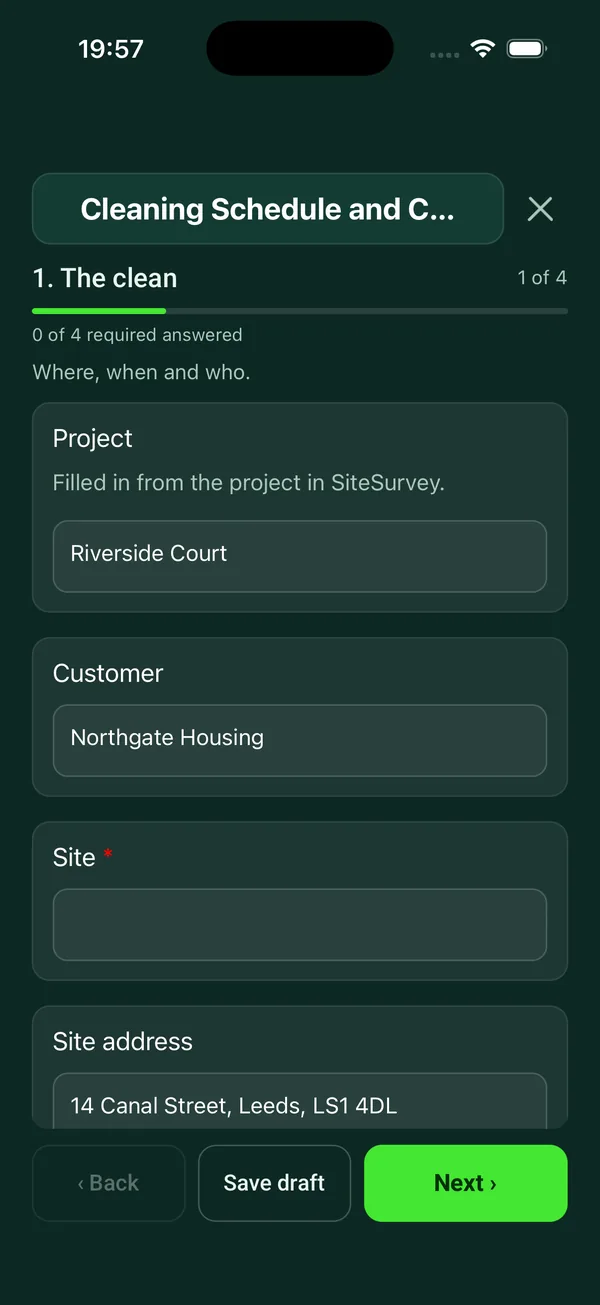
Try it on this phone
Fill in the cleaning schedule on your phone now
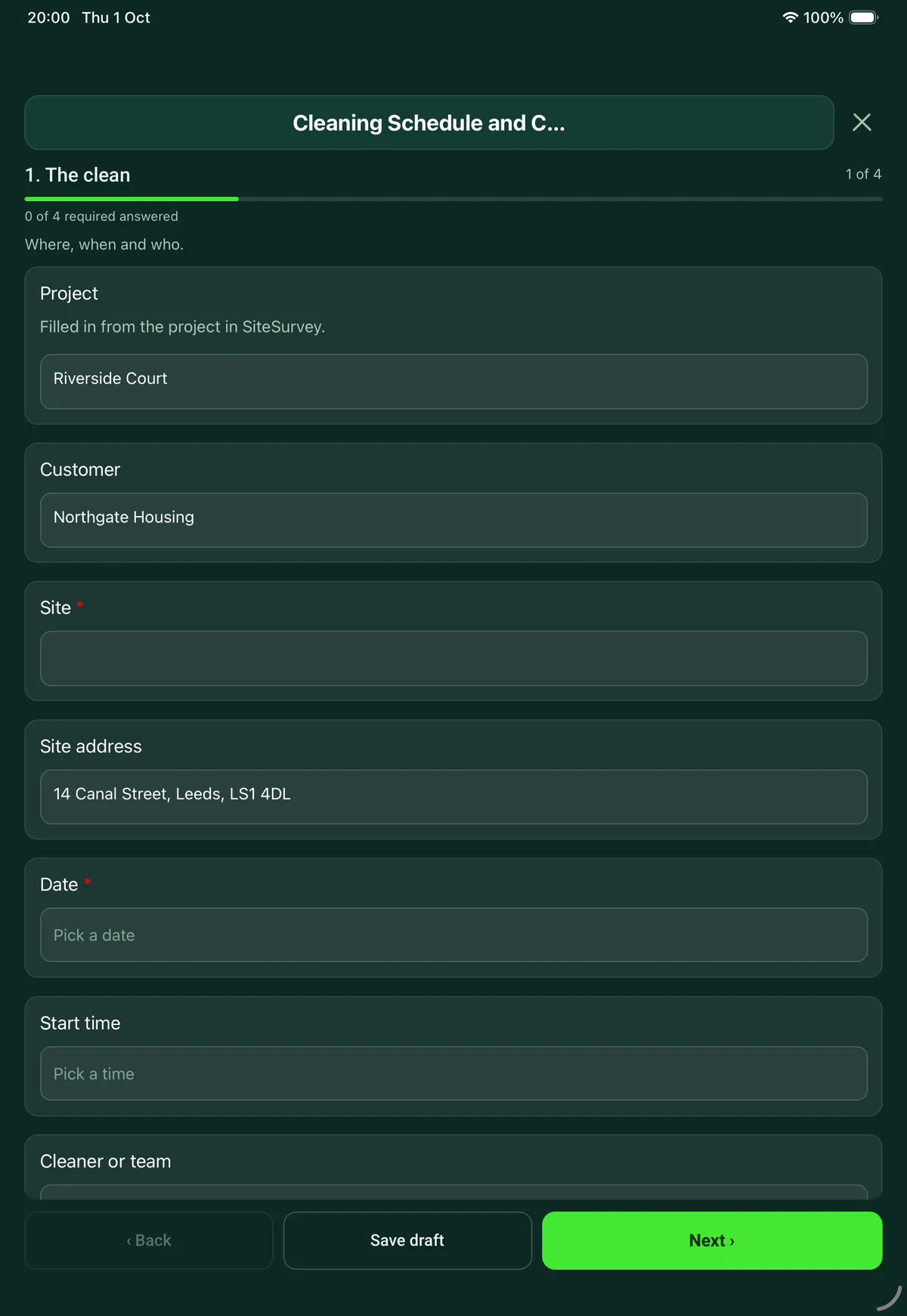
See how the cleaning schedule looks on your phone
Scan the code with your phone camera. It opens the real form, no sign-up needed.
Open the live example and fill it in, just as your team would on site. No sign-up needed.
See it on this phoneEvery question is editable. Add this form to your account, then change the wording, add or remove questions and options, and make it fit your own jobs.
What should a cleaning schedule include?
A cleaning schedule should list each area, the tasks to be done there and how often: daily, weekly, periodic or deep clean. The record of each clean should show which tasks were done, anything missed and why, problems found such as damage or leaks, supplies that need reordering, who did the clean and when, and whether it was checked.
Last updated . Facts checked by the SiteSurvey team on 5 October 2026 against HSE COSHH Essentials for service and retail: SR4 manual cleaning and disinfecting surfaces and HSE slips and trips: cleaning.
Try the cleaning schedule form live
Answer a few questions and watch it adapt. Your answers are not saved, and any photos you add are deleted within the hour.
This is the real form as your team would use it: questions appear as you answer, scores work themselves out and you can add photos and signatures. No sign-up needed.
Want to see one filled in? See a completed cleaning schedule report (PDF), made by SiteSurvey from a fictional site visit.
Fill it in on a phone or tablet
Your team completes the cleaning schedule and checklist on site in the SiteSurvey app on iPhone, iPad and Android phones and tablets. The project name and address fill in for them, it works without signal, and it syncs when the device is back online with photos kept against the question they answer.
Customers and subcontractors do not need the app: send them a link and they can fill it in from any browser.
Every question in the cleaning schedule template
Daily, weekly or deep clean record: each area with the tasks done, anything missed and why, issues with photos, supplies to reorder and a supervisor check. 4 sections and 31 questions. Follow-up questions and guidance appear only when an answer calls for them, so the person on site never sees the ones that do not apply.
Make it your own: every question is editable
This is a starting point, not a fixed form. Once it is in your SiteSurvey account you can reword any question, add or remove questions, sections and answer options, and add your own logo, so it fits the way your team works and the jobs you do.
Details you only enter once
Add this form to a project in SiteSurvey and it fills in what the project already knows, so nobody on site retypes it and every form on the job uses the same names. Anything filled in can still be changed.
- Project: the project name
- Customer: the project's customer
- Site: the site, when the form is opened for a space or a product
- Site address: the site address, from the space or the project
The clean
Where, when and who.
- ProjectShort answer
Filled in from the project in SiteSurvey.
Fills in from the project name - CustomerShort answerFills in from the project's customer
- Site*Short answerFills in from the site, when the form is opened for a space or a product
- Site addressShort answerFills in from the site address, from the space or the project
- Date*Date
- Start timeTime
- Cleaner or teamShort answer
- Which schedule is this?*Choose one
- Daily clean
- Weekly clean
- Monthly or periodic clean
- Deep clean
- One-off or reactive clean
Areas
One entry for each area. Tick the tasks as you finish them.
- Areas cleanedRepeat for each area. Each one asks:
- Area*Short answer
- Type of areaChoose one
- Office
- Washroom
- Kitchen or canteen
- Reception
- Corridor or stairs
- Meeting room
- Warehouse or workshop
- Changing room
- Clinical or treatment room
- Other (describe)
- Tasks doneTick all that apply
- Floors vacuumed or mopped
- Surfaces and desks wiped
- Bins emptied and relined
- Touch points disinfected: handles, switches, rails
- Glass and mirrors
- Toilets and urinals
- Sinks and taps
- Soap, paper and other consumables restocked
- Kitchen appliances and worktops
- High level dusting
- Walls and doors spot cleaned
- Other (describe)
- Anything on the schedule not done, and whyShort answer
- Anything to report in this area?Yes or No
Damage, leaks, a blocked toilet, a broken dispenser, pests.
- What, and who needs to know?NotesShown when “Anything to report in this area?” is Yes
- PhotosPhotosShown when “Anything to report in this area?” is Yes
- Areas cleanedWorked out by the form
- Areas with something to reportWorked out by the form
Supplies and safe working
What is running low, and how the work was done.
- Running lowTick all that apply
- Toilet paper
- Hand towels
- Soap
- Sanitiser
- Bin liners
- Cleaning chemicals
- Cloths and mop heads
- Nothing
- Other (describe)
- Was the site's colour code for cloths and mops followed?Yes or No
- GuidanceColour coding keeps cloths and mops used in washrooms out of kitchens and offices. Use the code the site has set.Shown when “Was the site's colour code for cloths and mops followed?” is No
- Were wet floor signs put out and collected?Yes or No
- Are the cleaning products locked away after use?Yes or No
- CheckHSE guidance for manual cleaning (COSHH Essentials SR4) is to store products securely in a cool, dry, ventilated, dark place, in a way that can retain any spills, and to store only the amount you need.Shown when “Are the cleaning products locked away after use?” is No
- Products used and dilutionShort answer
Needed on food and care sites: the product names and how strong they were made up.
- Faulty equipmentShort answer
- Finish timeTime
Sign-off
Cleaner, and supervisor if the clean was checked.
- Cleaner nameShort answer
- Cleaner signatureSignature
- Was the clean checked by a supervisor or the customer?Yes or No
- Standard of the clean, from 1 (poor) to 5 (excellent)Rating 1 to 5 (Poor to Excellent)Shown when “Was the clean checked by a supervisor or the customer?” is Yes
- CommentsNotesShown when “Was the clean checked by a supervisor or the customer?” is Yes
- Checked byShort answerShown when “Was the clean checked by a supervisor or the customer?” is Yes
- SignatureSignatureShown when “Was the clean checked by a supervisor or the customer?” is Yes
See it filled in
A completed cleaning schedule report, made by SiteSurvey from a fictional site visit: every answer, the photos, the guidance that applied and the sign-off, ready to send as a PDF.
Cleaning schedule FAQs
Which cleaning tasks are on the checklist?
Floors vacuumed or mopped, surfaces and desks wiped, bins emptied and relined, touch points disinfected, glass and mirrors, toilets and urinals, sinks and taps, consumables restocked, kitchen appliances and worktops, high level dusting, and walls and doors spot cleaned. You can add others, and the form can be edited to match your own specification.
Is this the same as a cleaning audit?
No. This is the cleaner's record of what was done. The library has a separate cleaning and housekeeping audit for scoring the standard area by area. This form does include a short supervisor check with a rating out of five and a signature.
How do cleaners report a problem?
Each area asks whether there is anything to report, such as damage, a leak, a blocked toilet, a broken dispenser or pests. A yes opens a description and photos. The form counts the areas cleaned and the areas with something to report.
Does it cover cleaning chemicals?
It asks whether cleaning products are locked away after use. HSE guidance for manual cleaning (COSHH Essentials SR4) is to store products securely in a cool, dry, ventilated, dark place, in a way that can retain any spills, and to store only the amount you need. It also asks whether the site's colour code for cloths and mops was followed.
Can cleaners fill it in on their own phone?
Yes, in the SiteSurvey app or from a share link in a browser. In the SiteSurvey app it works offline and syncs when the device is back online, and the record goes out as a PDF or a share link.
Why does it ask about wet floor signs?
Cleaning often leaves floors wet, which is a slip hazard. HSE suggests cleaning in quiet hours or in sections, using warning signs and removing them once the floor is clean and dry. The form asks whether signs were put out and collected.
Related
Related templates
Templates that go with the cleaning schedule form
A cleaning quality audit and housekeeping inspection, area by area, with a pass score, chemical and waste checks, actions and sign-off by the auditor and the cleaning supervisor.
Planned maintenance visit: records seen, asset by asset tasks, water temperatures, work done and next visit.
Assessment for a task that uses or creates hazardous substances: products and hazard symbols, who is exposed and how, controls, PPE, emergencies and review.
Use this cleaning schedule form with your team
Add it from the form library in one click, change any question, and every completed form becomes a branded PDF report.
Start your trial →