Form library · Construction and handover
Work completion certificate template
A job completion and customer sign-off form for the end of a job. Record the work carried out with photos, list anything outstanding with the date agreed with the customer, and have the customer accept the work and sign alongside the engineer. Every question is listed below, and you can fill the live form in on this page.
Ready to use from the form library, and editable. Trial from £1, cancel any time.
What should a work completion certificate include?
A work completion certificate should record the project or site, the date, the work carried out and photos of the finished work. It should list any outstanding items with the completion date agreed with the customer, then record whether the customer accepts the work as complete or with outstanding items, with the customer's name, position and signature and the engineer's name and signature.
Last updated . Facts checked on 30 September 2026.
Try the work completion form live
Answer a few questions and watch it adapt. Your answers are not saved, and any photos you add are deleted within the hour.
This is the real form as your team would use it: questions appear as you answer, scores work themselves out and you can add photos and signatures. No sign-up needed.
Fill it in on a phone or tablet
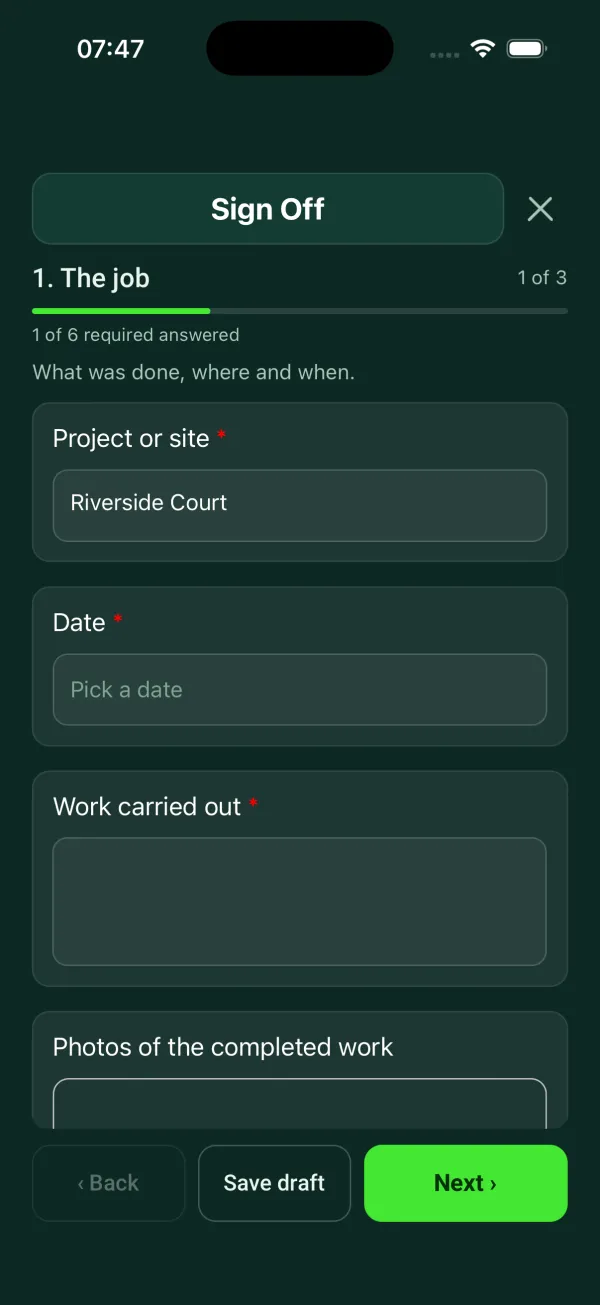
Your team completes the sign off on site in the SiteSurvey app on iPhone, iPad and Android phones and tablets. The project name and address fill in for them, it works without signal, and it syncs when the device is back online with photos kept against the question they answer.
Customers and subcontractors do not need the app: send them a link and they can fill it in from any browser.
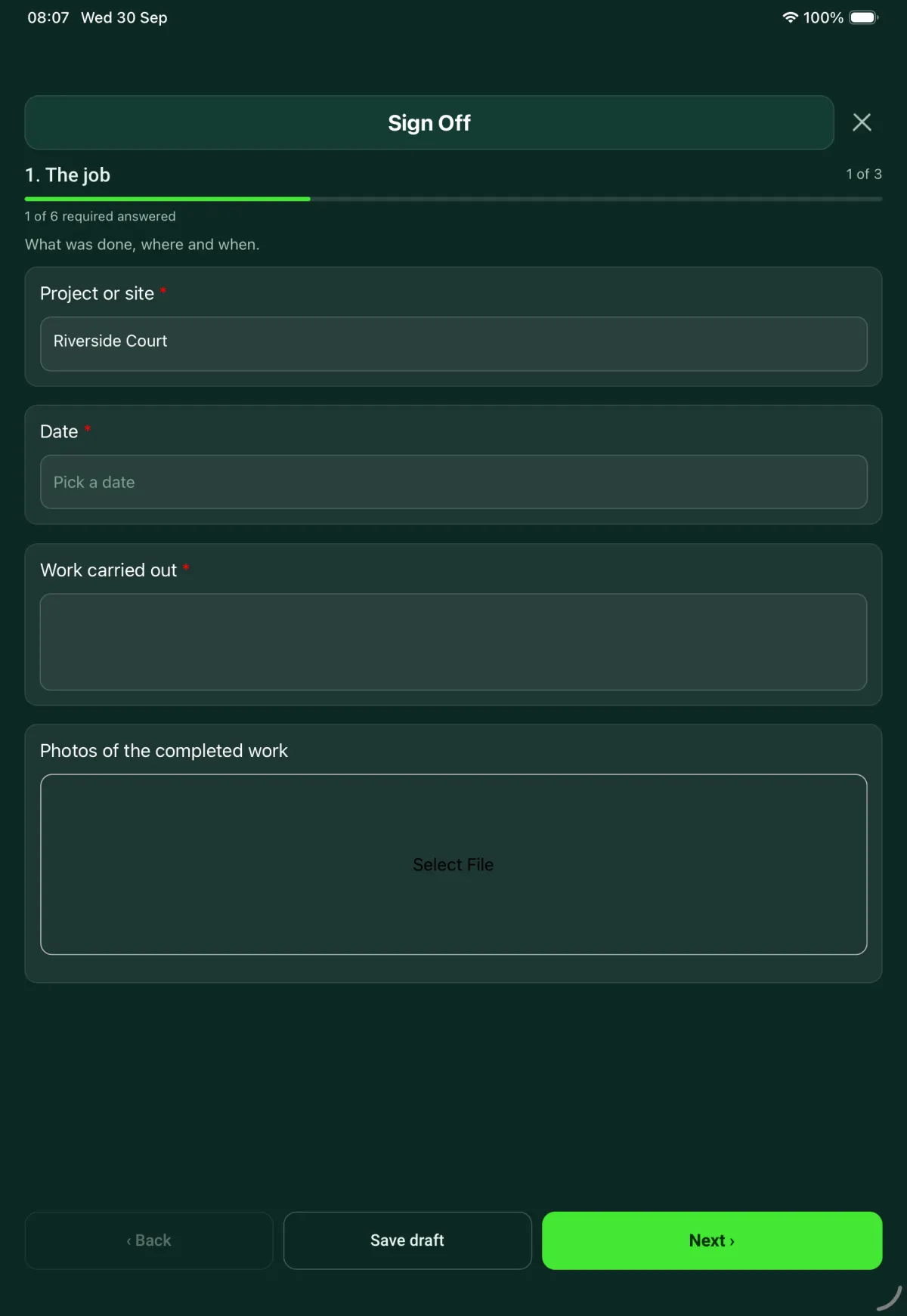
Every question in the work completion template
Customer acceptance at handover: work completed, outstanding items, customer name and signature. 3 sections and 13 questions. Follow-up questions and guidance appear only when an answer calls for them, so the person on site never sees the ones that do not apply.
Details you only enter once
Add this form to a project in SiteSurvey and it fills in what the project already knows, so nobody on site retypes it and every form on the job uses the same names. Anything filled in can still be changed.
- Project or site: the project name
The job
What was done, where and when.
- Project or site*Short answerFills in from the project name
- Date*Date
- Work carried out*Notes
- Photos of the completed workPhotos
Outstanding items
Anything still to do, with the date agreed with the customer.
- Are any items outstanding?*Yes or No
- Outstanding itemsRepeat for each item. Each one asks:Shown when “Are any items outstanding?” is Yes
- ItemShort answer
- Agreed completion dateDate
Acceptance and sign-off
The customer signs to accept the work. The engineer signs for doing it.
- Customer name*Short answer
- PositionShort answer
- Accepted as complete?*Choose one
- Yes
- Accepted with outstanding items
- CheckItems are listed as outstanding on page 2. Choose "Accepted with outstanding items", or remove them if they are done.Shown when “Accepted as complete?” is “Yes” and “Are any items outstanding?” is Yes
- CheckNo outstanding items are listed. Go back to page 2 and add them so the customer knows what they have accepted.Shown only when the answers above make it relevant
- Customer signatureSignature
- Engineer nameShort answer
- Engineer signatureSignature
Work completion template questions
Can a customer sign off work with items still outstanding?
Yes. The customer can accept the work as complete or accept it with outstanding items. Each outstanding item is listed with an agreed completion date, so the customer knows what they have accepted.
What stops the sign-off contradicting the list?
The form checks the two against each other. If items are listed as outstanding but the customer is recorded as accepting the work as complete, it asks you to change the answer or remove the items. If there are no items but the work is accepted with outstanding items, it asks you to add them.
Who signs the form?
The customer signs to accept the work and the engineer signs for doing it. The form records the customer's name and position and the engineer's name alongside each signature.
Can I use it as a sign off sheet on site?
Yes. In the SiteSurvey app the form works offline, takes photos of the completed work, collects both signatures on the phone or tablet and produces a PDF report or share link.
Can I add my own questions?
Yes. The form comes from the SiteSurvey library as an editable form, so you can add questions such as test results or handover documents to suit your jobs.
Related
Related templates
Templates that go with the work completion form
Snag by snag record with room, element, photo and priority, checks with no snag, totals and re-inspection.
Commissioning and handover for AV and network installs: tests, equipment and photos, snags, documents and training.
General purpose visit: purpose, who was there, findings with photos, actions and follow-up.
Site visit report: weather, labour, progress against programme, area by area record, tests, queries and instructions.
Use this work completion form with your team
Add it from the form library in one click, change any question, and every completed form becomes a branded PDF report.
Start your trial →