- 01
Allow camera and microphone
Walk Cam needs both permissions. If access is blocked, use the Open Settings prompt in the app and enable them.
- 02
Choose the type of walk
Walk Cam with a visual inspection template is scripted: the app guides you through each question in order, one clip per point. Walk Cam with Blank walk gives you numbered clips in any order. Free Walk is for filming freely as you go, with no questions at all.
- 03
Start the walk
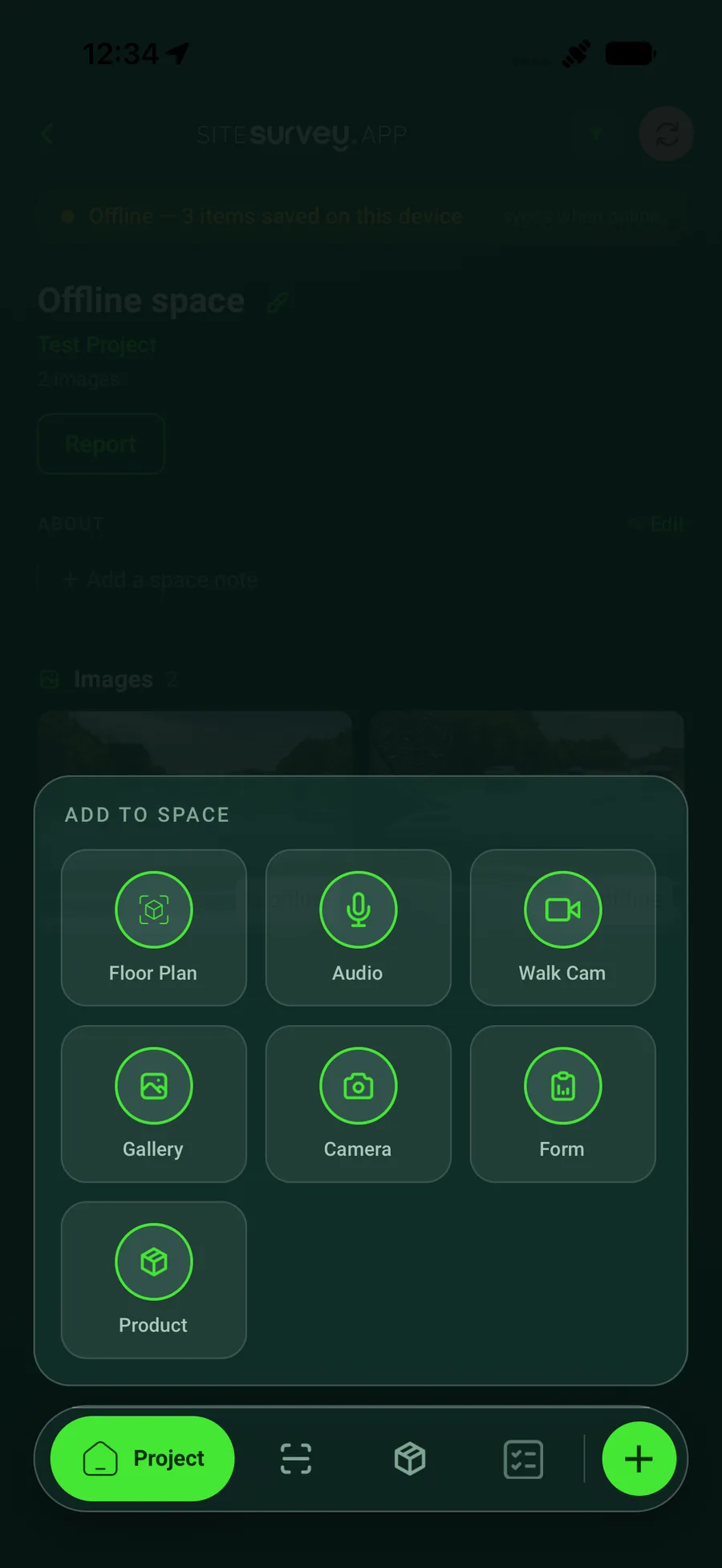
Open the project, or a space inside it, and tap the Add New menu. Choose Walk Cam, then pick Blank walk or one of your visual inspection templates. Or choose Free Walk to start filming straight away.
- 04
Record each point
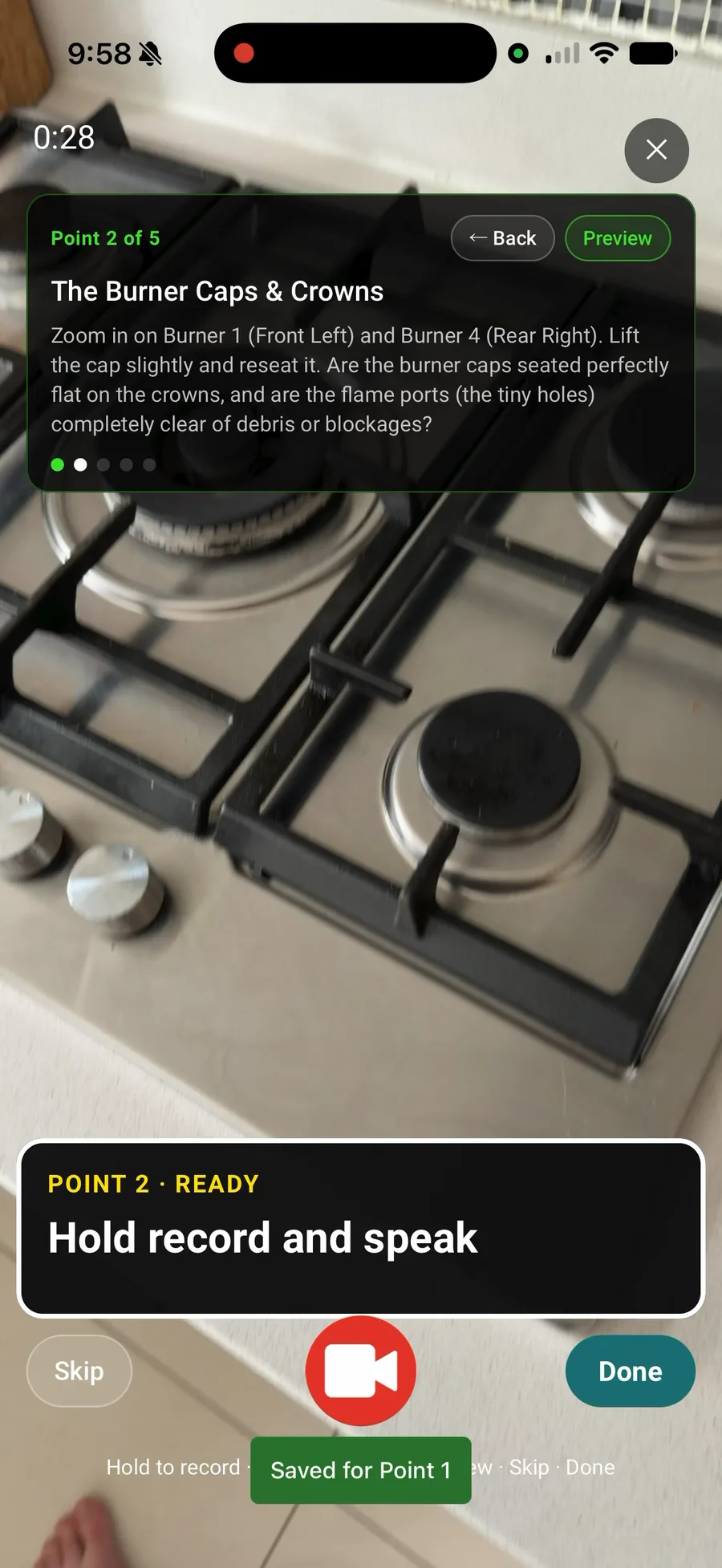
Press and hold the record button and speak naturally while you film, then release. In a scripted walk that clip answers the current question; in a blank walk it saves as a standalone clip. Your words are transcribed on the device as you speak.
- 05
Move at your own pace
In a scripted walk the app advances to the next question after each recording—Skip a question, go Back to redo an earlier one, or Preview what you captured. In a blank walk, simply hold record again for the next clip.
- 06
Finish and save
Tap Done, give the walk a recognisable name and save. The session is stored on the device immediately and uploads to the web portal in the background.
Good to know
- ✓Re-recording a question replaces its clip and transcript—it never creates a duplicate.
- ✓Recording and review work fully offline; the upload completes when you are back in coverage.
Was this guide helpful?
Your feedback helps us improve support content.