Most delayed uploads are caused by connectivity or a device that has not completed syncing. Protect local data while you work through the checks.
- 01
Protect unsynced work
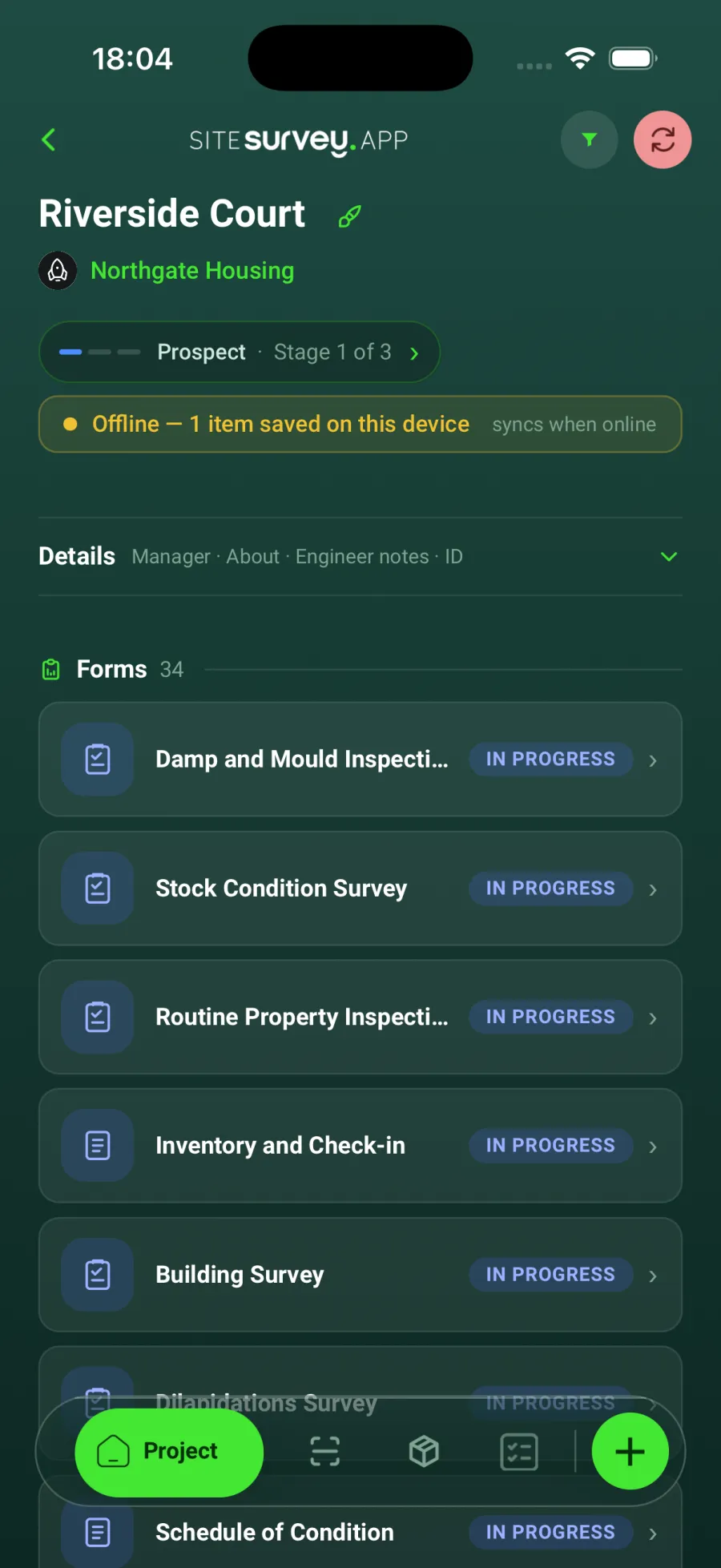
Do not sign out, clear app data or uninstall SiteSurvey while the device may contain pending records. A yellow banner on the project shows how many items are saved on the device and still waiting to upload.
- 02
Check the connection
Connect to reliable Wi-Fi or mobile data and confirm other online services work.
- 03
Open SiteSurvey
Keep the app open and allow time for queued photographs, forms and product records to upload.
- 04
Check the web portal
Refresh the relevant project and confirm whether the newest records have arrived.
- 05
Contact support safely
If the data remains missing, provide the user, device, project and approximate capture time without deleting the local app data.
Good to know
- ✓Large photograph uploads can take longer on a weak connection.
- ✓Screenshots of the project and any visible sync state can help support investigate.
Was this guide helpful?
Your feedback helps us improve support content.