Open the product from the correct project space before capturing its identifiers. This preserves the relationship between the device and its physical location.
- 01
Open the correct project space
Navigate to the project and space where the product is installed or being surveyed.
- 02
Choose or add the product
Open the existing product record or add the item from the product library.
- 03
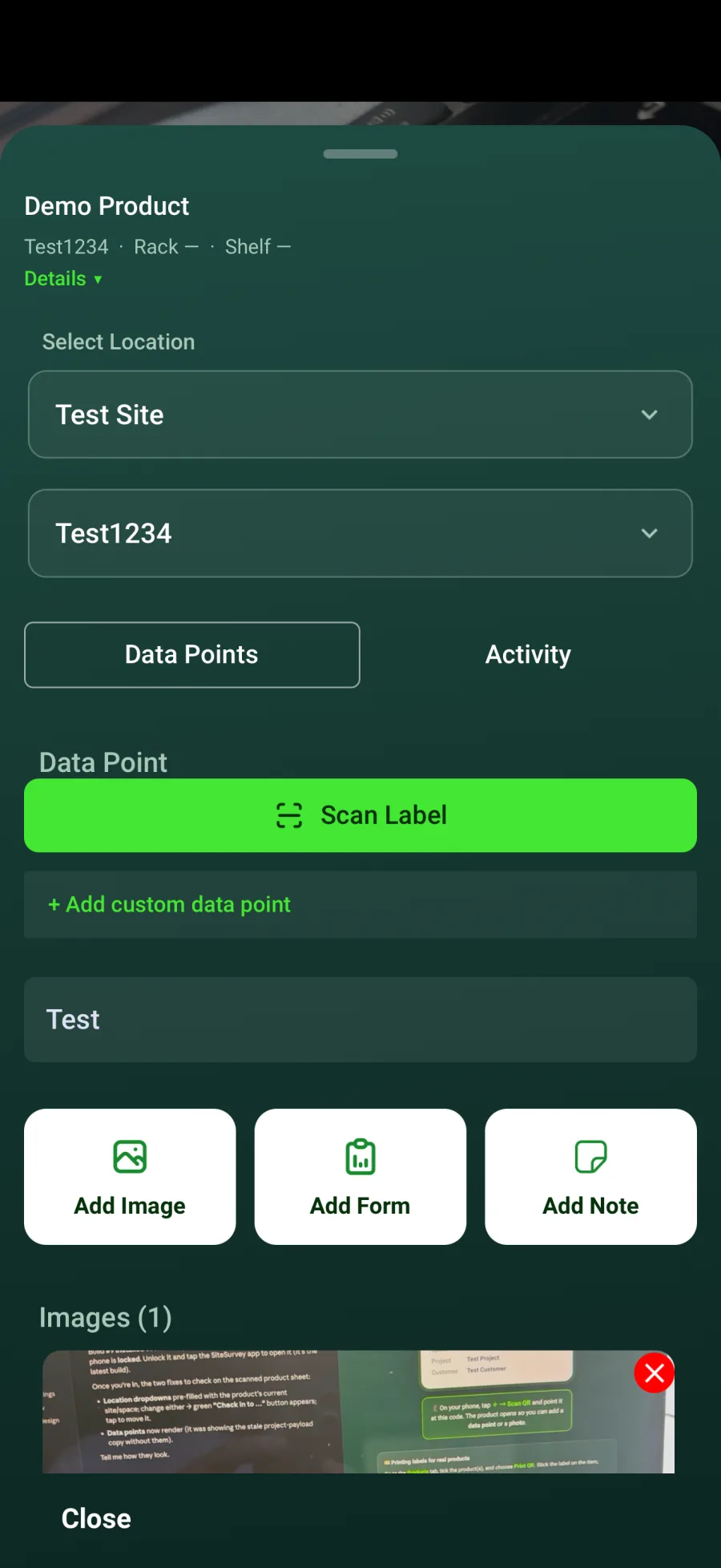
Capture identifiers
Enter or scan the serial number, IP address, MAC address and any other custom data points required by your process.
- 04
Add evidence
Attach photographs, notes and the relevant testing or commissioning form.
- 05
Review the location
Confirm the product remains assigned to the correct space before completing the record.
Good to know
- ✓Use label scanning where available to reduce transcription errors.
- ✓Agree a consistent format for IP and MAC addresses across the team.
Was this guide helpful?
Your feedback helps us improve support content.