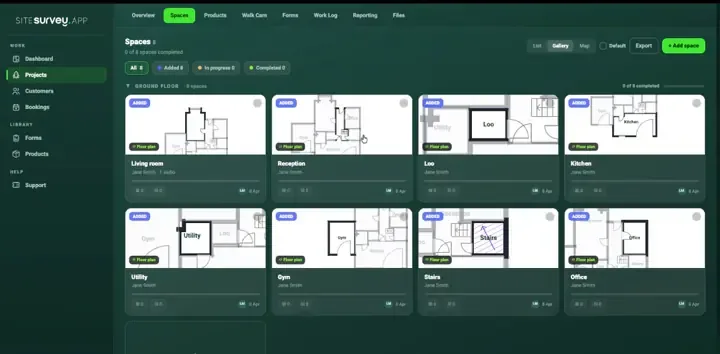
Every store surveyed differently
One surveyor sends a PDF, another a phone album, a third a spreadsheet, so no two store packs in the same rollout can be compared.
Store surveys, fit-outs & rollouts
New store fit-out surveys, refit snagging, brand-standard audits and multi-site rollout programmes, captured on the phone in the shop, front and back of house, and filed against the right store, space and product before the surveyor leaves the unit.
From £25 per user per month · trial from £1, cancel any time
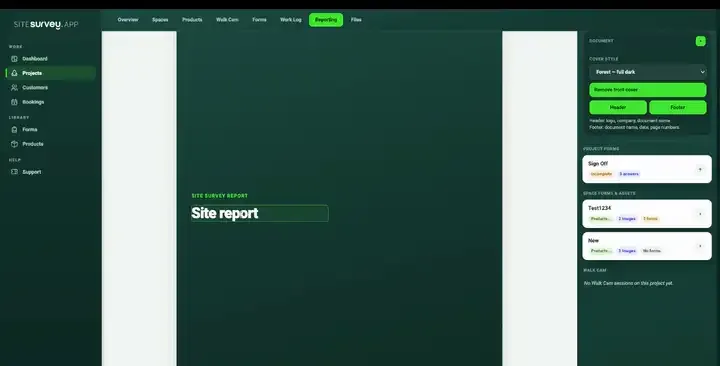
Shopfront condition, till run dimensions and display fixings photographed against the plan.
It gives every store in a fit-out, refit or rollout the same digital survey. Measurements, condition, fixtures, equipment and snags are recorded on a phone against named store areas, with photographs, even offline. Each store ends up with one comparable record that becomes the survey, snagging or handover report.
Last updated 26 September 2026.
Retail forms
Each one is in the SiteSurvey form library. See every question and try it live, then use it on your projects and change anything you need.
A cleaning quality audit and housekeeping inspection, area by area, with a pass score, chemical and waste checks, actions and sign-off by the auditor and the cleaning supervisor.
Per room and per screen: mount, weight against the mount rating, fixings, height to centre measured or from a photo against the agreed height, level, power and signal, picture test, photos and sign-off.
General purpose visit: purpose, who was there, findings with photos, actions and follow-up.
Fire risk assessment following the five steps in GOV.UK guidance: hazards, people at risk, fire precautions, emergency plan and training, findings with actions and review.
Workplace audit with walkways, first aid, fire equipment and records, findings and corrective actions, closing meeting.
Service visit for a CCTV system: recorder, storage and retention, date and time, camera by camera image checks, signs, defects and sign-off.
Delivery record signed on the device: items with quantities and condition, where they were left, photos, exceptions and the name and signature of who received them.
One issue, fast: where, what, photo, priority, who owns it.
Short satisfaction survey to send after a job: six ratings, a recommend score from 0 to 10, what went well, what could be better and a call-back request.
Retail FAQ
The best retail store survey software is the one that makes every store in a rollout comparable. Look for reusable survey and snagging forms, store areas mapped on a floor plan, photographs and video tied to each area, equipment serials scanned rather than typed, offline capture in stockrooms and unfinished units, and progress visible across the programme. If you need programme budgeting, procurement or store design tools, choose software built for that. SiteSurvey is strong on the on-site record from survey to sign-off: it does not manage budgets or price the works.
Retail store survey software is a mobile and web tool that field teams use to record the condition, dimensions, fixtures and equipment of a retail unit in a consistent, reusable format. Instead of a tape measure, a camera roll and a spreadsheet, a surveyor works through a standard digital form on a phone or tablet, capturing measurements, photographs, defects and equipment details against named store areas: front of house, window display, fitting rooms, stockroom, staff areas and plant. The result is one structured record per store that can be compared across a whole estate, reused for the next refit, and turned directly into a survey, snagging or handover report. It is used for new store fit-out surveys, refit and refurbishment programmes, brand-standard and merchandising audits, condition and dilapidations evidence, and equipment installation records.
Yes. A store survey, snagging sheet or brand-standard audit is built once as a template and issued to every location in the programme, so each unit is captured against the same questions and the same structure. That is what makes 40 stores comparable rather than 40 separate documents.
Yes. Each space carries its own forms, products and data points, so the window display can be audited against visual merchandising standards while the stockroom is checked for racking condition and the plant area for refrigeration and HVAC detail.
Yes. A snag is raised on the phone against the store and the specific space, with photographs, annotations and a Walk Cam video clip where that explains it faster than text, and it stays attached to that location until it is closed out. Nothing is lost in a message thread between the site visit and the sign-off meeting.
Yes. Each installed item is recorded as a product against its store area, holding model, serial, network configuration, mounting detail, test results and photographs. Serials and asset labels can be scanned rather than typed, which removes the transcription errors that make an equipment register unusable later.
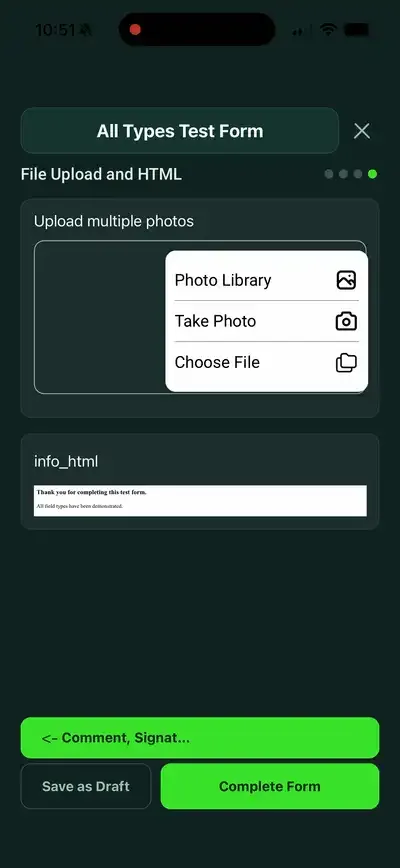
Yes. Capture works fully offline, which matters in basements, stockrooms, plant rooms and units still under construction with no fitted services. Forms, photographs, floor plans and Walk Cam recordings are held on the device and sync to the workspace when the surveyor gets signal again.
Yes. Each store runs as its own project inside a shared workspace, so a programme manager can see which units are surveyed, which are in fit-out, which snags are open and which stores are signed off, without chasing individual surveyors for updates.
Yes. Because forms, photographs, video, floor plans and product records stay connected to the store and the space throughout, the close-out pack is generated from evidence that was timestamped when it was captured, which is exactly what a landlord, franchisee or incoming tenant will want to see when a condition is disputed.
Retail rollout and programme teams, store designers, shopfitters and installers, and retail estates teams. It suits anyone surveying, fitting out or signing off many stores who needs each one captured the same way.
Pricing is per user, not per store or survey. The Works plan, which includes the custom form builder, floor plans and reports these inspections use, is £25 per user per month. The Base plan starts at £13 per user per month. Every plan starts with a trial from £1, cancel any time.
Go deeper
See it in your environment