Form library · AV and IT
CCTV maintenance checklist
A service visit record for a CCTV system. Check that every camera is recording, the clock is right and the recorder holds the footage the customer's policy asks for, then go camera by camera through picture, view, cleaning and fixings. Defects carry a priority and photos, and the customer signs on the device. Every question is listed below, and you can fill the live form in on this page.
Ready to use from the form library, and every question is yours to edit. Trial from £1, cancel any time.
Try it on your phone
Try it on this phone
Fill in the CCTV maintenance on your phone now
See how the CCTV maintenance looks on your phone
Scan the code with your phone camera. It opens the real form, no sign-up needed.
Open the live example and fill it in, just as your team would on site. No sign-up needed.
See it on this phoneEvery question is editable. Add this form to your account, then change the wording, add or remove questions and options, and make it fit your own jobs.
What should a CCTV maintenance checklist include?
A CCTV maintenance checklist should confirm that every camera is recording, the date and time are correct, the recorder holds the number of days the retention policy asks for, the disks are healthy and footage can be played back and exported. Each camera needs a picture check by day and night, a check that it still shows what it is meant to, cleaning, and fixings. Signs, passwords and firmware should be checked too.
Last updated . Facts checked by the SiteSurvey team on 5 October 2026 against ICO video surveillance guidance: complying with the data protection principles and NCSC guidance on using smart security cameras safely.
Try the CCTV maintenance form live
Answer a few questions and watch it adapt. Your answers are not saved, and any photos you add are deleted within the hour.
This is the real form as your team would use it: questions appear as you answer, scores work themselves out and you can add photos and signatures. No sign-up needed.
Want to see one filled in? See a completed CCTV maintenance report (PDF), made by SiteSurvey from a fictional site visit.
Fill it in on a phone or tablet
Your team completes the cctv maintenance visit on site in the SiteSurvey app on iPhone, iPad and Android phones and tablets. The project name and address fill in for them, it works without signal, and it syncs when the device is back online with photos kept against the question they answer.
Customers and subcontractors do not need the app: send them a link and they can fill it in from any browser.
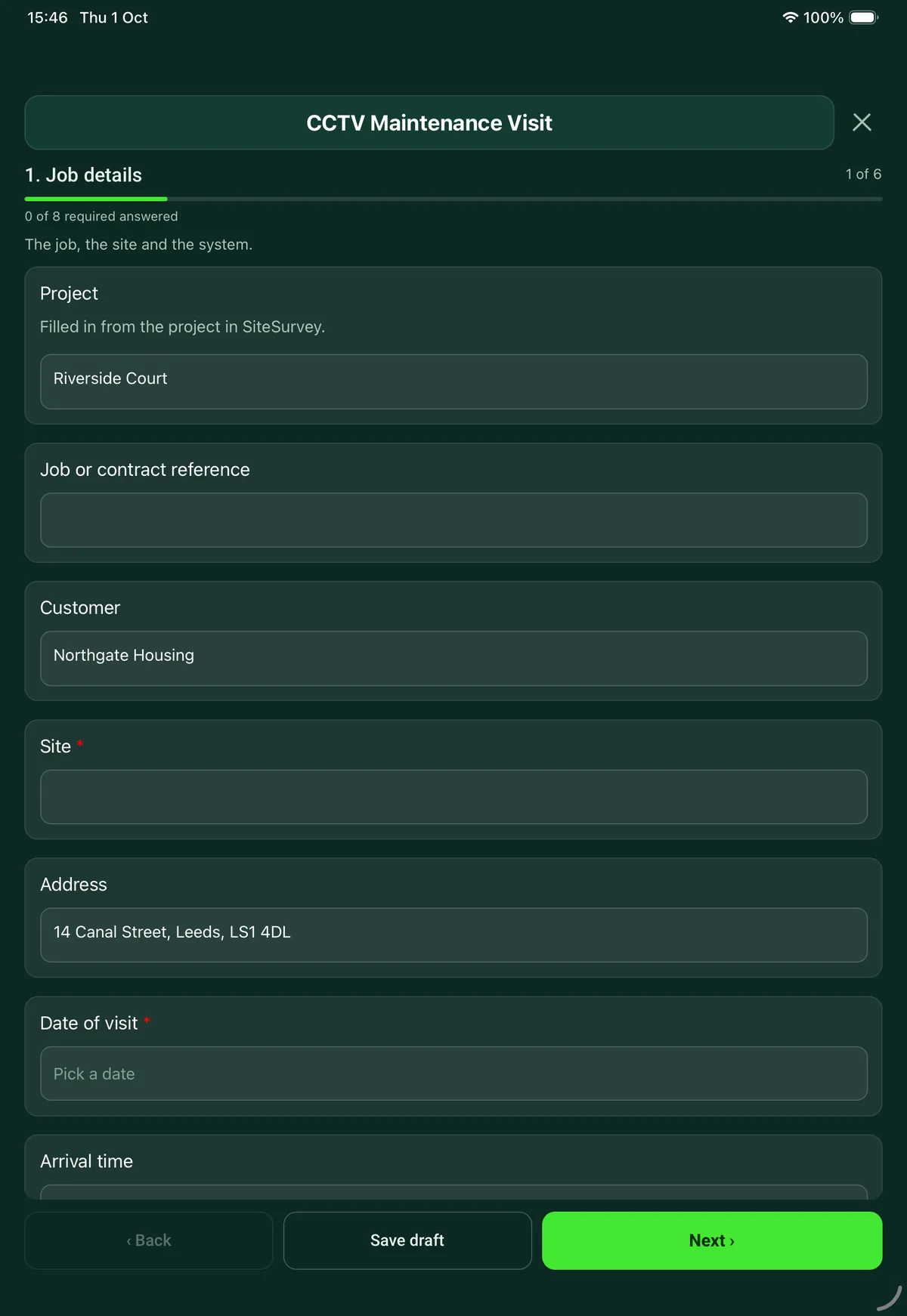
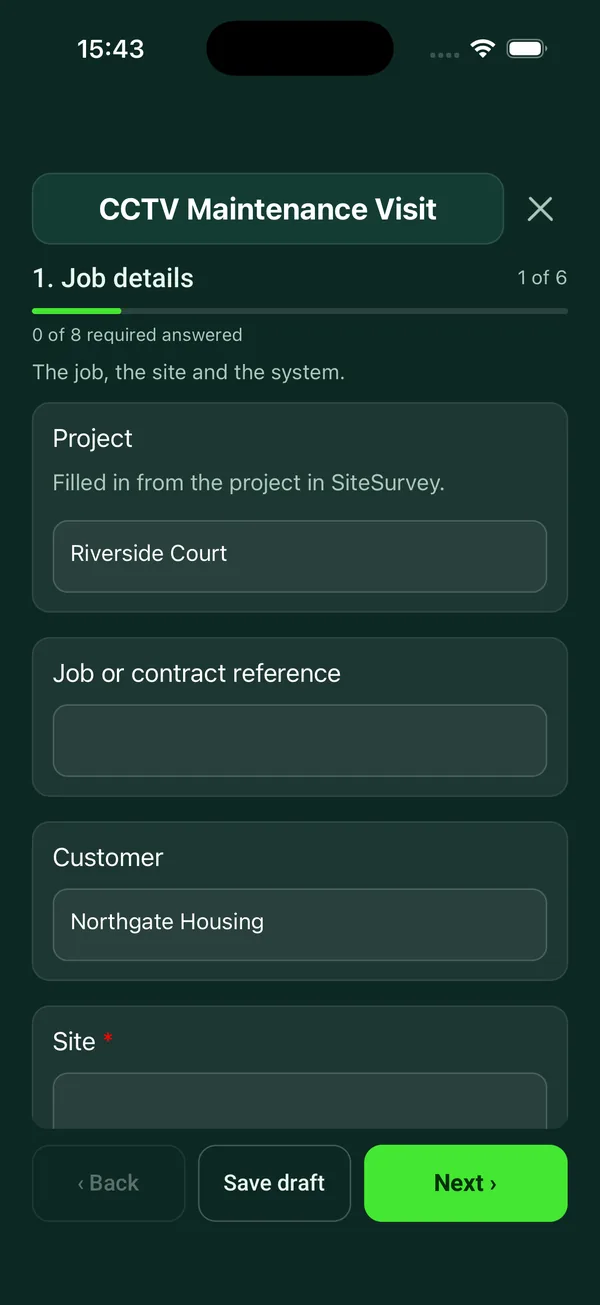
Every question in the CCTV maintenance template
Service visit for a CCTV system: recorder, storage and retention, date and time, camera by camera image checks, signs, defects and sign-off. 6 sections and 67 questions. Follow-up questions and guidance appear only when an answer calls for them, so the person on site never sees the ones that do not apply.
Make it your own: every question is editable
This is a starting point, not a fixed form. Once it is in your SiteSurvey account you can reword any question, add or remove questions, sections and answer options, and add your own logo, so it fits the way your team works and the jobs you do.
Details you only enter once
Add this form to a project in SiteSurvey and it fills in what the project already knows, so nobody on site retypes it and every form on the job uses the same names. Anything filled in can still be changed.
- Project: the project name
- Customer: the project's customer
- Site: the site, when the form is opened for a space or a product
- Address: the site address, from the space or the project
Job details
The job, the site and the system.
- ProjectShort answer
Filled in from the project in SiteSurvey.
Fills in from the project name - Job or contract referenceShort answer
- CustomerShort answerFills in from the project's customer
- Site*Short answerFills in from the site, when the form is opened for a space or a product
- AddressShort answerFills in from the site address, from the space or the project
- Date of visit*Date
- Arrival timeTime
- Type of visit*Choose one
- Planned maintenance
- Call-out for a fault
- Return visit
- What was reported, and by whom?NotesShown when “Type of visit” is “Call-out for a fault”
- Reference of the earlier jobShort answerShown when “Type of visit” is “Return visit”
- Engineer nameShort answer
- Recorder make and modelShort answer
- Type of systemChoose one
- Analogue
- HD over coax
- IP
- Mixed
- Cameras on the systemNumber
- Is the system remotely monitored?Choose one
- Yes
- No
Recorder and storage
Recording, storage, clock and security of the recorder.
- Recording on arrival*Choose one
- All cameras recording
- Some cameras not recording
- Not recording
- WarningTell the site contact now. Record when recording stopped, from the recorder log if it shows it.Shown only when the answers above make it relevant
- When did recording stop, and why?Short answerShown only when the answers above make it relevant
- Who was told, and when?Short answerShown only when the answers above make it relevant
- Are the date and time on the recorder correct?Yes or No
- How far out was it (minutes)?NumberShown when “Are the date and time on the recorder correct?” is No
- Corrected on this visit?Yes or NoShown when “Are the date and time on the recorder correct?” is No
- CheckDate and time. The ICO expects regular checks that the date and time stamp on images is accurate.Shown when “Are the date and time on the recorder correct?” is No
- CheckCorrect the clock, note how far out it was, and set the recorder to take its time from a time server if it can.Shown when “Are the date and time on the recorder correct?” is No
- Days of footage on the recorderNumber
- Days the customer's policy says to keepNumber
- CheckThe recorder holds less than the policy asks for. Check the storage size, recording settings and disk health.Shown only when the answers above make it relevant
- CheckThe recorder is keeping footage for longer than the policy says. The ICO says footage should be deleted when it is no longer needed for its purpose. Set the recorder to overwrite at the policy period, or tell the customer.Shown only when the answers above make it relevant
- Hard disk health*Choose one
- Healthy
- Warnings
- Failed
- Did you play back recorded footage from each camera?Yes or No
- Did you test exporting a clip?Yes or No
- GuidanceThe ICO expects an organisation to be able to retrieve footage efficiently when it is asked for. Make sure someone on site knows how to export a clip.Shown when “Did you test exporting a clip?” is No
- Is the recorder or any camera still on a default password?Yes or No
- WarningDefault passwords. A recorder or camera on a default password that can be reached from the internet can be viewed by anyone. Passwords should be changed and handed over securely.Shown when “Is the recorder or any camera still on a default password?” is Yes
- Recorder firmwareChoose one
- Up to date
- Updated on this visit
- Update available, not applied
- Not checked
- Is the recorder locked away or access controlled?Yes or No
- Remote viewingChoose one
- Working
- Not working
- Not set up
- Fans and vents checked and cleaned?Yes or No
Camera by camera
One entry for each camera. Check the live picture and the recording.
- Cameras checkedRepeat for each camera. Each one asks:
- Camera number or nameShort answer
- Location*Short answer
- Picture*Choose one
- Clear
- Soft or out of focus
- Dirty or obstructed
- No picture
- Is it still pointing at what it is meant to show?Yes or No
- Night pictureChoose one
- Good
- Poor
- Not checked
- Lens and housing cleaned?Yes or No
- Fixings, cable and connectorsChoose one
- OK
- Defect
- Any defect on this camera?Yes or No
- Describe the defect and what you didNotesShown when “Any defect on this camera?” is Yes
- PriorityChoose one
- Urgent: stops the system being used
- Soon: within a month
- Routine: at the next visit
Shown when “Any defect on this camera?” is Yes - Photos: the picture on screen, and any defectPhotos
- Cameras checkedWorked out by the form
- Cameras with a defectWorked out by the form
Signs, monitor and monitoring
The parts around the cameras.
- Are CCTV signs in place and readable?Yes or No
- CheckSigns. People must be told they are being recorded. ICO guidance is that signs should be clearly visible and readable, and say who operates the system, why, and who to contact. Tell the customer which signs are missing or faded.Shown when “Are CCTV signs in place and readable?” is No
- Monitor on siteChoose one
- Working
- Defect
- None
- UPSChoose one
- Working: held the recorder when tested
- Working: not load tested
- Defect
- None
- Was the link to the monitoring centre tested?Yes or NoShown when “Is the system remotely monitored?” is “Yes”
- Test reference from the monitoring centreShort answerShown when “Is the system remotely monitored?” is “Yes” and “Was the link to the monitoring centre tested?” is Yes
- Is the site log or maintenance record updated?Yes or No
Outcome and parts
How the system was left and what happens next.
- Outcome of the visit*Choose one
- System fully working
- Working with defects outstanding
- Not working
- What needs doing next, and who will do it?NotesShown only when the answers above make it relevant
- RecommendationsNotes
- Did you use any parts or materials?Yes or No
- Parts and materials usedRepeat for each part. Each one asks:Shown when “Did you use any parts or materials?” is Yes
- ItemShort answer
- Part numberShort answer
- QuantityNumber
- Next visit dueDate
- Departure timeTime
Sign-off
Customer and engineer.
- Is the customer or their representative available to sign?Yes or No
- Why not, and who will you send the report to?Short answerShown when “Is the customer or their representative available to sign?” is No
- Customer nameShort answerShown when “Is the customer or their representative available to sign?” is Yes
- PositionShort answerShown when “Is the customer or their representative available to sign?” is Yes
- Customer commentNotesShown when “Is the customer or their representative available to sign?” is Yes
- Customer signatureSignatureShown when “Is the customer or their representative available to sign?” is Yes
- Engineer nameShort answer
- Engineer signatureSignature
See it filled in
A completed CCTV maintenance report, made by SiteSurvey from a fictional site visit: every answer, the photos, the guidance that applied and the sign-off, ready to send as a PDF.
CCTV maintenance FAQs
Why does the checklist ask about the date and time?
The ICO expects regular checks that the date and time stamp recorded on images is accurate. Footage with the wrong time is hard to rely on. If the clock is wrong, the form records how far out it was and prompts the engineer to correct it and set the recorder to take its time from a time server if it can.
How does it check retention?
Enter the number of days of footage on the recorder and the number the customer's policy says to keep. If the recorder holds less, the form prompts a check of storage, settings and disk health. If it holds more, it reminds you that the ICO says footage should be deleted when it is no longer needed for its purpose.
What is checked on each camera?
The picture (clear, soft, dirty or obstructed, or none), whether the camera still points at what it is meant to show, the night picture, cleaning of the lens and housing, and the fixings, cable and connectors. A defect opens a description, a priority and photos. The form counts the cameras checked and the cameras with a defect.
Does it cover passwords and firmware?
Yes. It asks whether the recorder or any camera is still on a default password, and says passwords should be changed and handed over securely. The NCSC warns that maker default passwords are often well known or guessable, such as admin. It also records whether the recorder firmware is up to date, was updated on the visit or has an update outstanding, and whether remote viewing works.
Does it check the CCTV signs?
Yes. People must be told they are being recorded, and ICO guidance is that signs should be clearly visible and readable and say who operates the system, why, and who to contact. The form asks whether signs are in place and readable, and prompts the engineer to tell the customer which are missing or faded.
Can the customer sign the service report on site?
Yes. The engineer records the outcome, parts used and the next visit date, and the customer signs on the phone or tablet. If nobody is available to sign, the form records why and who the report will go to. In the SiteSurvey app it works offline, and the report goes out as a PDF or a share link.
Related
Related templates
Templates that go with the CCTV maintenance form
Pre-installation CCTV survey: purpose and data protection, camera by camera positions and views, lighting, cabling, recorder and network.
Routine IT maintenance visit: comms room, UPS, servers and storage, backups, updates, network and PC checks, with defects and sign-off.
Planned maintenance visit: records seen, asset by asset tasks, water temperatures, work done and next visit.
Job sheet for a reactive or planned job: safety before starting, work done, parts used, tests, outcome and customer sign-off.
Use this CCTV maintenance form with your team
Add it from the form library in one click, change any question, and every completed form becomes a branded PDF report.
Start your trial →