Form library · General
Customer feedback form template
A short satisfaction survey to send when a job is finished. The customer rates six things from one to five, gives a recommend score from 0 to 10, says what went well and what could be better, and can ask for a call back. Send it as a link, with the project and customer already filled in. Every question is listed below, and you can fill the live form in on this page.
Ready to use from the form library, and every question is yours to edit. Trial from £1, cancel any time.
Try it on your phone
Try it on this phone
Fill in the customer feedback on your phone now
See how the customer feedback looks on your phone
Scan the code with your phone camera. It opens the real form, no sign-up needed.
Open the live example and fill it in, just as your team would on site. No sign-up needed.
See it on this phoneEvery question is editable. Add this form to your account, then change the wording, add or remove questions and options, and make it fit your own jobs.
What should a customer feedback form ask?
A customer feedback form should be short. Ask for an overall rating and a few specific ones, such as quality of work, timekeeping, communication and tidiness, then a recommend score from 0 to 10. Follow with two open questions, what went well and what could be better, and ask whether anything is still not right and whether they want a call back.
Last updated . Facts checked by the SiteSurvey team on 5 October 2026 against CAP Code section 3: testimonials and endorsements (rules 3.47 and 3.50) and ICO guidance: the right to be informed.
Try the customer feedback form live
Answer a few questions and watch it adapt. Your answers are not saved, and any photos you add are deleted within the hour.
This is the real form as your team would use it: questions appear as you answer, scores work themselves out and you can add photos and signatures. No sign-up needed.
Want to see one filled in? See a completed customer feedback report (PDF), made by SiteSurvey from a fictional site visit.
Fill it in on a phone or tablet
Your team completes the customer feedback survey on site in the SiteSurvey app on iPhone, iPad and Android phones and tablets. The project name and address fill in for them, it works without signal, and it syncs when the device is back online with photos kept against the question they answer.
Customers and subcontractors do not need the app: send them a link and they can fill it in from any browser.
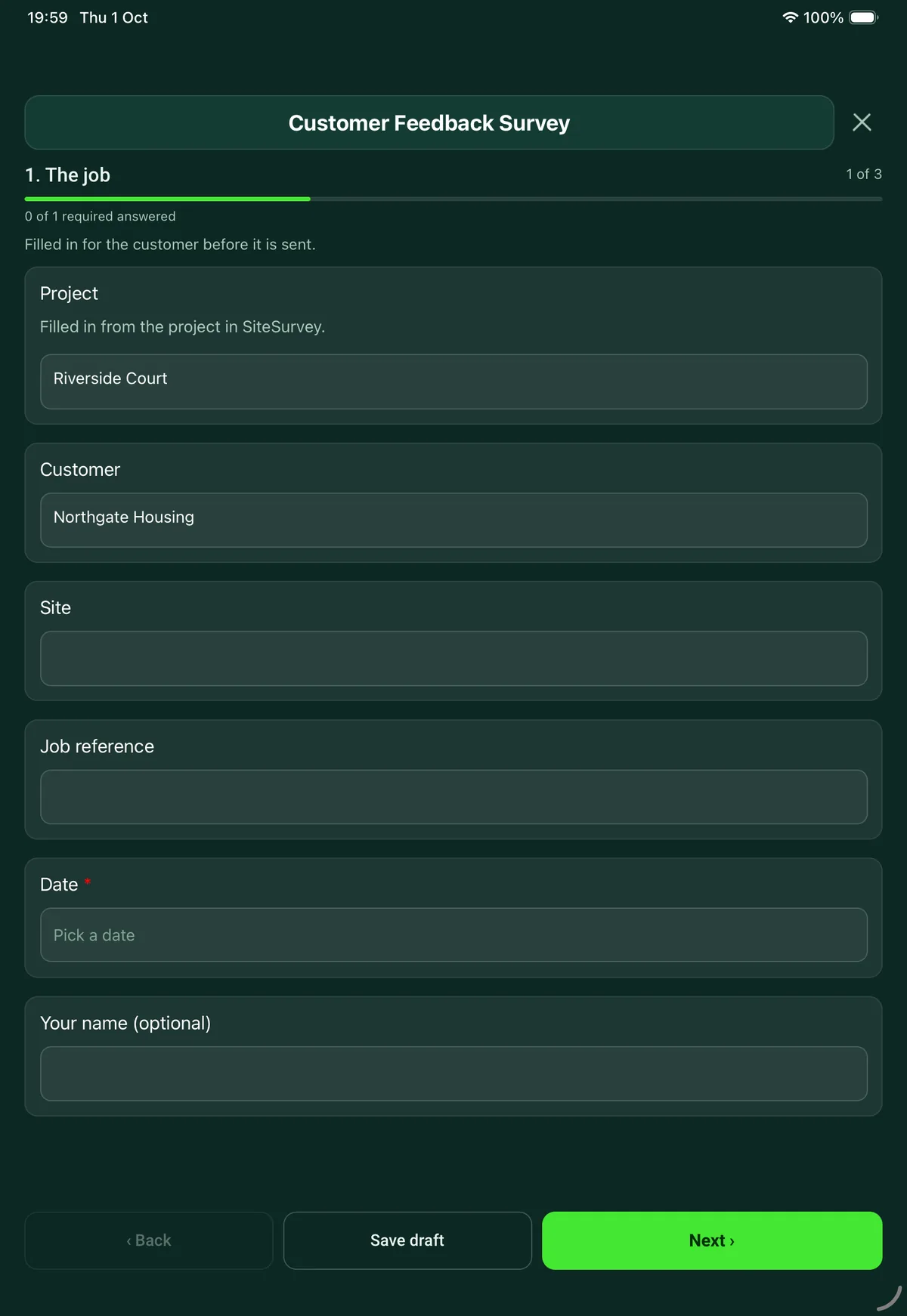
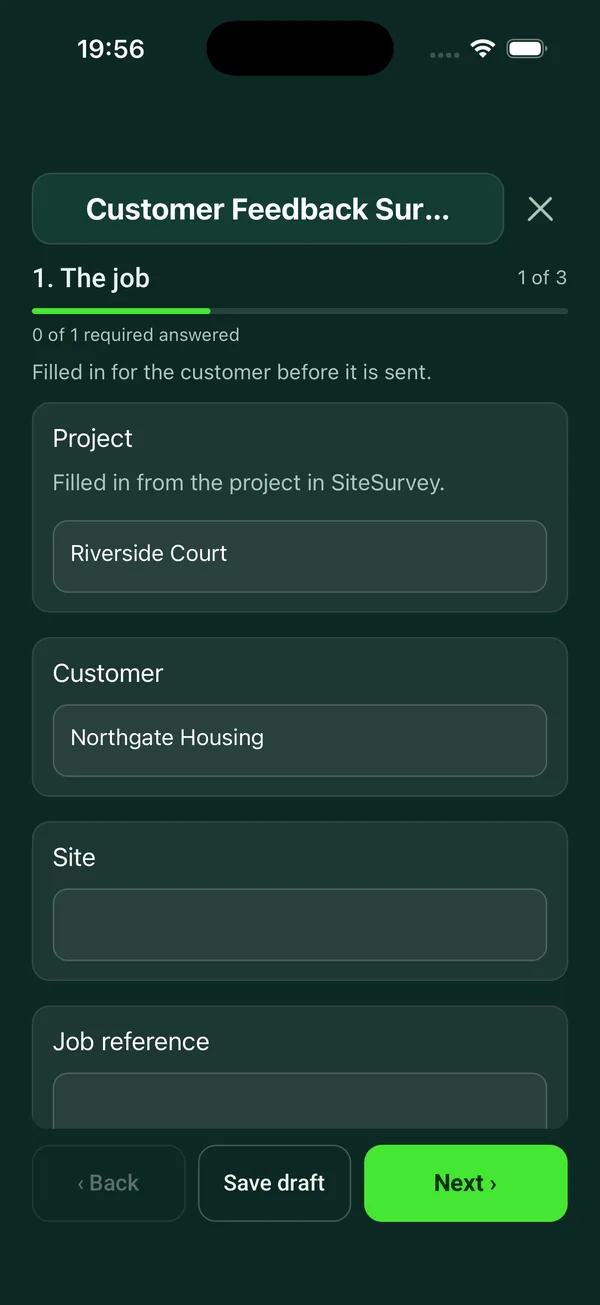
Every question in the customer feedback template
Short satisfaction survey to send after a job: six ratings, a recommend score from 0 to 10, what went well, what could be better and a call-back request. 3 sections and 22 questions. Follow-up questions and guidance appear only when an answer calls for them, so the person on site never sees the ones that do not apply.
Make it your own: every question is editable
This is a starting point, not a fixed form. Once it is in your SiteSurvey account you can reword any question, add or remove questions, sections and answer options, and add your own logo, so it fits the way your team works and the jobs you do.
Details you only enter once
Add this form to a project in SiteSurvey and it fills in what the project already knows, so nobody on site retypes it and every form on the job uses the same names. Anything filled in can still be changed.
- Project: the project name
- Customer: the project's customer
- Site: the site, when the form is opened for a space or a product
The job
Filled in for the customer before it is sent.
- ProjectShort answer
Filled in from the project in SiteSurvey.
Fills in from the project name - CustomerShort answerFills in from the project's customer
- SiteShort answerFills in from the site, when the form is opened for a space or a product
- Job referenceShort answer
- Date*Date
- Your name (optional)Short answer
- GuidanceWe use your answers to improve our service. Your name and phone number are only used to reply to you, and are kept only as long as we need them for that, as set out in our privacy notice.
How did we do?
One is poor, five is excellent.
- Overall, how satisfied are you?Rating 1 to 5 (Poor to Excellent)
- Quality of the workRating 1 to 5 (Poor to Excellent)
- Turning up and finishing when we said we wouldRating 1 to 5 (Poor to Excellent)
- Keeping you informedRating 1 to 5 (Poor to Excellent)
- Leaving the place clean and tidyRating 1 to 5 (Poor to Excellent)
- Our people: polite, helpful and professionalRating 1 to 5 (Poor to Excellent)
- Average score out of 5Worked out by the formShown when “Overall, how satisfied are you?” is answered and “Quality of the work” is answered and “Turning up and finishing when we said we would” is answered and “Keeping you informed” is answered and “Leaving the place clean and tidy” is answered and “Our people: polite, helpful and professional” is answered
- How likely are you to recommend us, from 0 (not at all) to 10 (certain)?Number
- CheckThank you for telling us. Please say what went wrong on the next page so we can put it right.Shown only when the answers above make it relevant
In your own words
The most useful part.
- What did we do well?Notes
- What could we do better?Notes
- Is anything about the job still not right?Yes or No
- What needs putting right?NotesShown when “Is anything about the job still not right?” is Yes
- Would you like us to call you?Yes or No
- Best number and timeShort answerShown when “Would you like us to call you?” is Yes
- May we quote your comments, with the credit below, on our website and in our marketing?Yes or No
- How should we credit you?Short answer
For example your name and company, or initials only.
Shown when “May we quote your comments, with the credit below, on our website and in our marketing?” is Yes
See it filled in
A completed customer feedback report, made by SiteSurvey from a fictional site visit: every answer, the photos, the guidance that applied and the sign-off, ready to send as a PDF.
Customer feedback FAQs
What does the customer rate?
Overall satisfaction, quality of the work, turning up and finishing when promised, keeping them informed, leaving the place clean and tidy, and the people. Each is one to five, and the form works out the average.
Is the recommend question a Net Promoter Score?
It asks the standard question, how likely the customer is to recommend you on a scale from 0 to 10. The form does not calculate a Net Promoter Score, which needs many responses. A score of 6 or under shows a message asking the customer to say what went wrong.
How do customers fill it in?
From a share link in any browser, with no app or account. Add the survey to the project in SiteSurvey and the project name and customer are already filled in. Add the site and job reference before you send it.
What happens if the customer is unhappy?
The form asks whether anything about the job is still not right and what needs putting right, and whether they would like a call, with the best number and time.
Can we use the comments as a testimonial?
Only if the customer says yes. The form asks permission to quote their comments on your website and in your marketing, and how they would like to be credited, such as name and company or initials only. The CAP Code says marketing must not feature a testimonial without permission, and that you must hold evidence it is genuine and contact details for the person who gave it.
What does the customer see about their personal data?
A short note at the start says their answers are used to improve the service and their name and phone number are used only to reply, kept only as long as needed. The ICO says people must be told why their data is used and how long it is kept when it is collected. The note refers to your privacy notice, so check the two match.
Related
Related templates
Templates that go with the customer feedback form
Customer acceptance at handover: work completed, outstanding items, customer name and signature.
Job sheet for a reactive or planned job: safety before starting, work done, parts used, tests, outcome and customer sign-off.
General purpose visit: purpose, who was there, findings with photos, actions and follow-up.
Delivery record signed on the device: items with quantities and condition, where they were left, photos, exceptions and the name and signature of who received them.
Use this customer feedback form with your team
Add it from the form library in one click, change any question, and every completed form becomes a branded PDF report.
Start your trial →