Signal dies at the basement door
Plant rooms, risers, lift motor rooms and shielded imaging suites have no coverage, so checks come back on paper to be re-keyed later — or not at all.
Healthcare estates & compliance
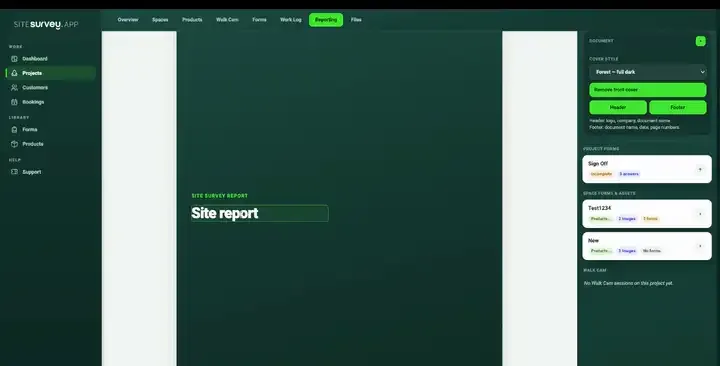
Ward condition surveys, plant room and medical gas checks, water-safety and legionella records, fire door inspections and equipment asset registers — captured on a phone, working offline in basements and shielded clinical areas, and filed against the exact room they came from.
From £25 per user per month · trial from £1, cancel any time
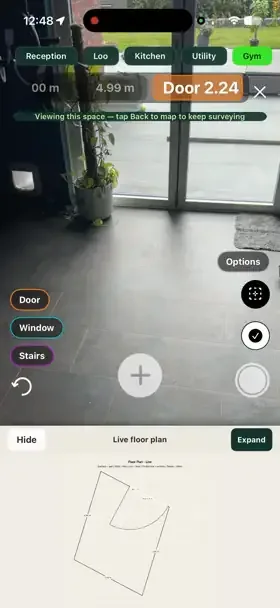
Door-by-door check filed against each room, with photos and two remedial actions raised.
It lets estates teams run ward condition surveys, plant room and water-safety checks, fire door rounds and asset registers on a phone, filing every answer, photo and reading against the exact room. It works offline in basements and shielded areas, and produces a consistent, timestamped record for estates and compliance review.
Last updated 26 September 2026.
Healthcare forms
Each one is in the SiteSurvey form library. See every question and try it live, then use it on your projects and change anything you need.
A cleaning quality audit and housekeeping inspection, area by area, with a pass score, chemical and waste checks, actions and sign-off by the auditor and the cleaning supervisor.
Infection control audit for a care home or clinic: management, cleanliness, hand hygiene, protective equipment, sharps and waste, laundry, equipment and outbreaks.
Observation audit using WHO's five moments: each opportunity, the staff group, what was done, a compliance percentage, facilities and feedback to the team.
Routine fire safety checks: extinguishers, emergency lighting tests, the weekly alarm test, escape routes, signs and fire drills, with actions.
Door by door checks (gaps, seals, closers, signage, glazing), 12 month flat entrance door record and remedial work list.
Legionella risk assessment for a hot and cold water system: who is responsible, tanks and heaters, outlet temperatures, little-used outlets, findings and actions.
A PEEP for one person who would need help to leave a building in a fire: how they are warned, their route, refuges, equipment, helpers, practice and review.
Planned maintenance visit: records seen, asset by asset tasks, water temperatures, work done and next visit.
Portable appliance inspection and test record: each appliance with its ID, location, class, visual checks, test readings, pass or fail and the action taken.
Healthcare FAQ
Healthcare estates survey software is a mobile and web tool that estates and facilities teams use to record building condition, safety and compliance checks across hospital and community sites, replacing paper rounds and loose spreadsheets. A surveyor opens a structured form on a phone or tablet in a ward, treatment space or plant room, answers the questions, and attaches photographs, video, readings and asset details — all filed against that specific room rather than the building as a whole. Because clinical estates contain basements, risers and shielded areas with no usable signal, this kind of software normally captures data offline on the device and syncs it later. The output is a consistent, timestamped evidence trail that estates managers and compliance leads can search, share with contractors, compare between departments and sites, and re-run at the next inspection interval.
Yes. Rounds are built as structured forms and completed on a phone or tablet in the space itself, so answers, photos and notes are recorded at the point of inspection rather than written up afterwards. Each department can have its own round, and every submission is stamped with who completed it and when.
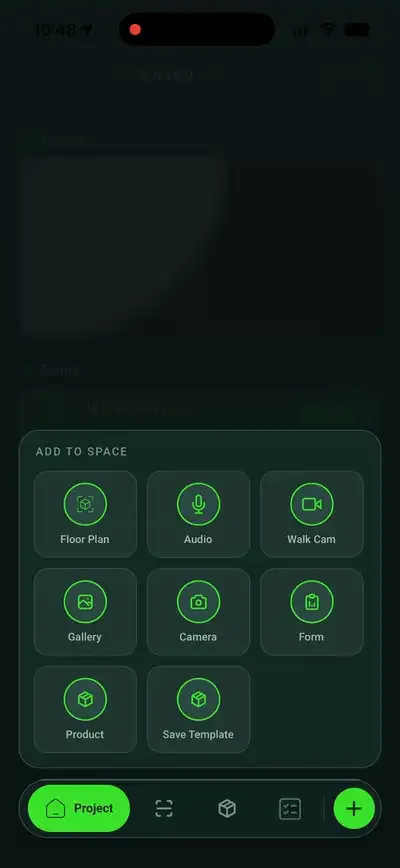
Yes. Walk Cam records a short clip at each inspection point while live on-device voice-to-text writes the observation as it is spoken — useful for riser access, damaged door sets, ceiling voids and anything faster to show than to describe. It works fully offline, and each clip lands in the report alongside its transcript.
Yes. Capture works fully offline, which matters in basement plant rooms, risers and shielded clinical areas. Everything is held on the device and syncs to the workspace as soon as the device reconnects, so a survey in a dead spot is never lost or re-keyed.
Yes. Assets can hold any custom data point — make, model, serial number, location, condition, test details and service dates. Nameplate and barcode labels can be scanned rather than typed, which removes most transcription errors when building an inventory across a department.
Yes. Each space, department or site can be assigned the forms relevant to its environment, and templates are shared centrally so every surveyor works from the same version. That keeps a theatre environment audit and a plant room round separate without fragmenting the underlying data.
Yes — the record is designed to be produced on demand. Rounds can require mandatory answers, photographs and completion details, and the resulting report includes the responses, evidence, timestamps and remedial actions in one place. SiteSurvey supplies the evidence trail; judging whether it satisfies a particular standard or inspection regime remains with your own governance and compliance teams.
Yes. Sites are organised as projects with their own spaces, forms and assigned teams, all visible from one workspace. Managers can see which departments are complete, which are outstanding, and reassign work across multiple buildings or community sites without chasing individual surveyors.
The best healthcare estates survey software is the one that keeps every check against the exact ward, room or plant area it came from and works where hospitals have no signal. Look for reusable rounds, an asset register, offline capture, mandatory evidence fields and a report produced from the record. If you need a CAFM helpdesk or work order system, that is a different category. SiteSurvey is strong on room-by-room capture, offline working, label scanning and Walk Cam video. It does not judge whether a record meets a particular standard.
It is for NHS and private healthcare estates teams, compliance leads, and the contractors who survey hospitals and community sites for them.
Pricing is per user, not per site or room. The Works plan, which includes the custom form builder, floor plans and reports used for estates rounds, is £25 per user per month. The Base plan starts at £13 per user per month. Every plan starts with a trial from £1, cancel any time.
Go deeper
See it in your environment