
A faster, smarter way to capture, document, and share site information across any industry.
What Is a Digital Site Survey?
A digital site survey is the modern approach to capturing information about physical spaces. Instead of juggling paper notes, photos, and sketches, teams use mobile technology to record accurate, visual data in one place — creating a clear, professional record of every site visit.
Whether you're managing construction projects, auditing retail stores, inspecting healthcare facilities, or installing AV systems, a digital site survey gives you the tools to document everything quickly, consistently, and securely.
Why Traditional Site Surveys Fall Short
For years, site surveys have relied on disconnected tools — clipboards, cameras, and spreadsheets. While familiar, this approach creates problems:
- Inconsistent data between teams and locations
- Hours lost formatting photos and notes into reports
- Errors caused by missing information or miscommunication
- Limited visibility for office-based teams and clients
The result? Delays, duplication, and costly return visits.
A Typical Capture Workflow
A digital site survey follows a clear, repeatable sequence. Here's what it looks like in practice with SiteSurvey:
1. Start with the floor plan
Upload or draw a floor plan of the building before you arrive — or create one on-site. The plan becomes the map that everything else attaches to.
2. Mark out your spaces
Place each room, area or asset on the plan as a space. Every photo, form and note you capture is pinned to a space, so nothing gets mixed up between rooms or floors.
3. Complete your forms
Work through the digital forms or checklists built for the job — condition assessments, installation checks, snagging lists. Required fields and a consistent structure mean nothing essential gets skipped.
4. Capture photos and annotations
Take photos on your phone or tablet as you walk the site. Annotate them to highlight defects, measurements or details — each one is filed against the right space automatically.
5. Generate the report
Everything syncs to the web dashboard as you work. When the survey is done, generate a professional, branded report from the captured data instead of retyping notes into Word.
Capturing Offline
Basements, plant rooms and new builds rarely have reliable signal. SiteSurvey's mobile app works fully offline: forms, photos and annotations are stored on the device and sync automatically to the cloud once a connection is restored. Nothing is lost, and there's no double-handling when you're back online.
What You Get at the End
The output of a digital site survey isn't a folder of loose photos and a notebook — it's a complete, organised record. Every project holds its floor plans, spaces, completed forms and annotated photos in one place, accessible to the whole team through the web dashboard. From there you can generate client-ready reports, track progress across multiple sites, and hand over documentation that looks the same every time.
You can try the full workflow on a real project with SiteSurvey's trial from £1.
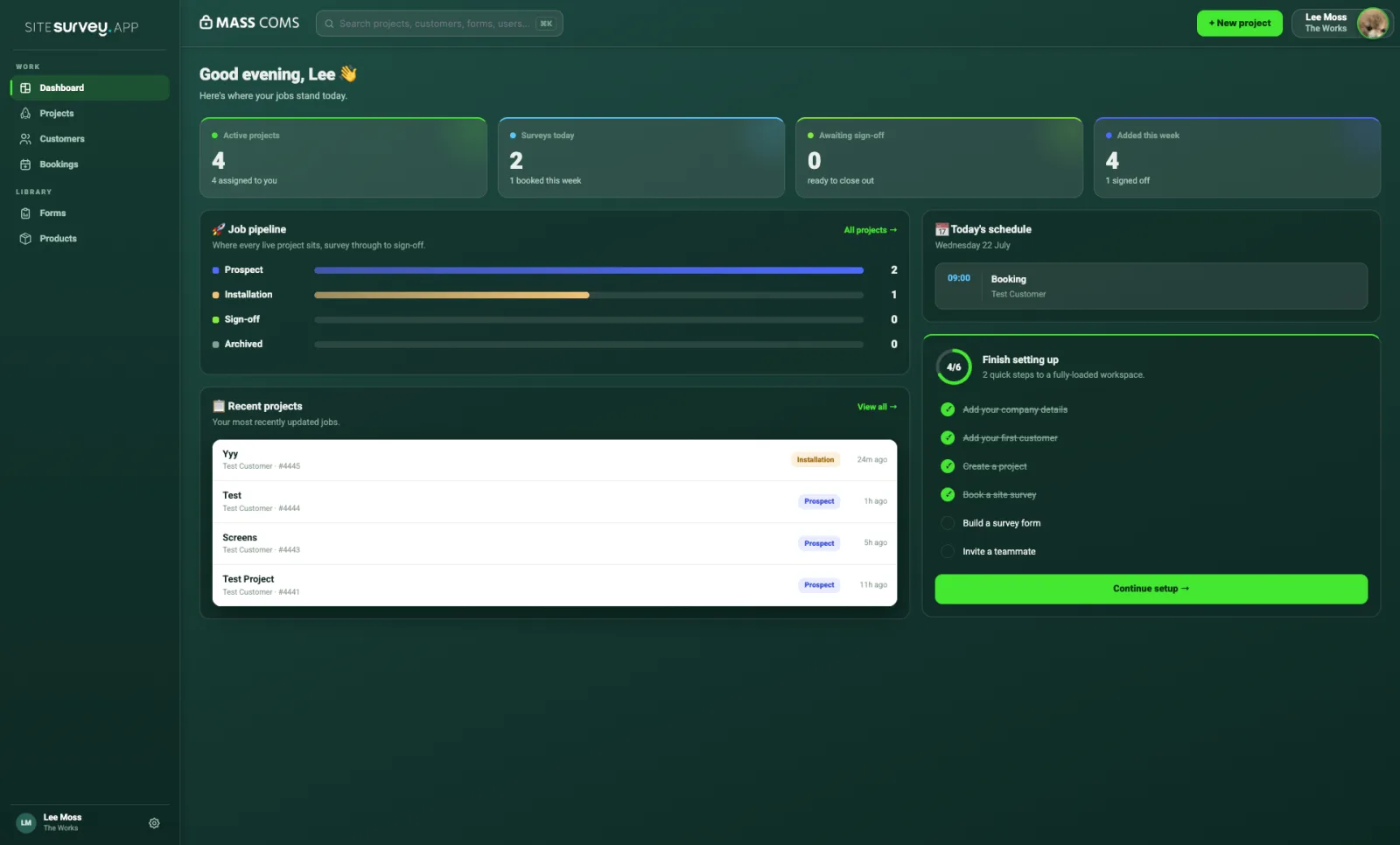 The SiteSurvey web dashboard — every project, space and survey in one record
From the Field to the Cloud
Every site visit generates valuable data. With SiteSurvey, that information moves seamlessly from field to cloud — giving managers, designers, and clients instant visibility of progress and site conditions.
No more file transfers, lost photos, or version confusion — just a single source of truth for every project.
Why Choose SiteSurvey
- Built for any industry
- Intuitive and easy to use — no training required
- Works online or offline
- Secure cloud storage
- Powerful export and reporting options
- Constantly evolving with new features
Explore Digital Site Survey Topics
Dive deeper into specific aspects of digital site surveys:
Start Your First Digital Site Survey Today
Transform the way you capture, share, and manage site information. SiteSurvey makes every project faster, clearer, and more collaborative.
Start your trial or Book a demo to see it in action.