A tree condition and risk survey for schools, councils, estates and housing sites. Record each tree with its tag, species, height, stem diameter and crown spread, age, condition, defects, what it could hit, the risk, the recommended work and how soon. The form checks for Tree Preservation Orders and conservation areas before any work, and counts high risk trees and trees to fell. Every question is listed below, and you can fill the live form in on this page.
✎Every question is editable. Add this form to your account, then change the wording, add or remove questions and options, and make it fit your own jobs.
Prefer paper? Download a printable copy: PDF or Word
What should a tree survey record?
A tree survey should record each tree's number, species, location, height, stem diameter at 1.5 m, crown spread and age class, its condition, defects such as deadwood, decay, fungi, cracks, weak forks, root damage or lean, what it could hit if it failed, the risk, the recommended work and its urgency, with photos. It should also note any Tree Preservation Orders and whether the site is in a conservation area.
The tree survey runs on a phone at the base of each tree. Measure the height from a photo, pin the tree's position, photograph each defect, and let the form count the high risk trees and the trees to fell as you go.
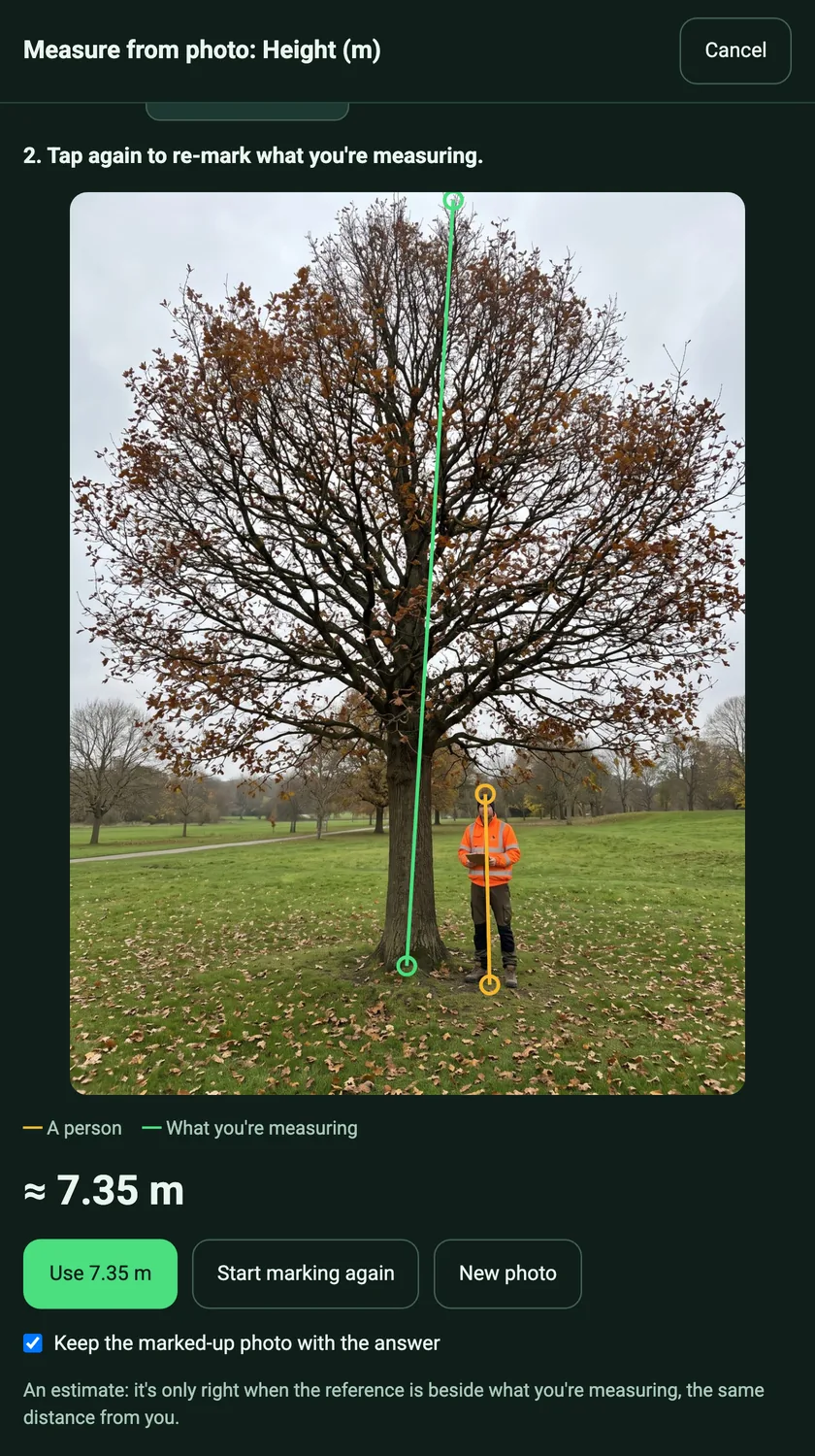
Measure the height from a photo
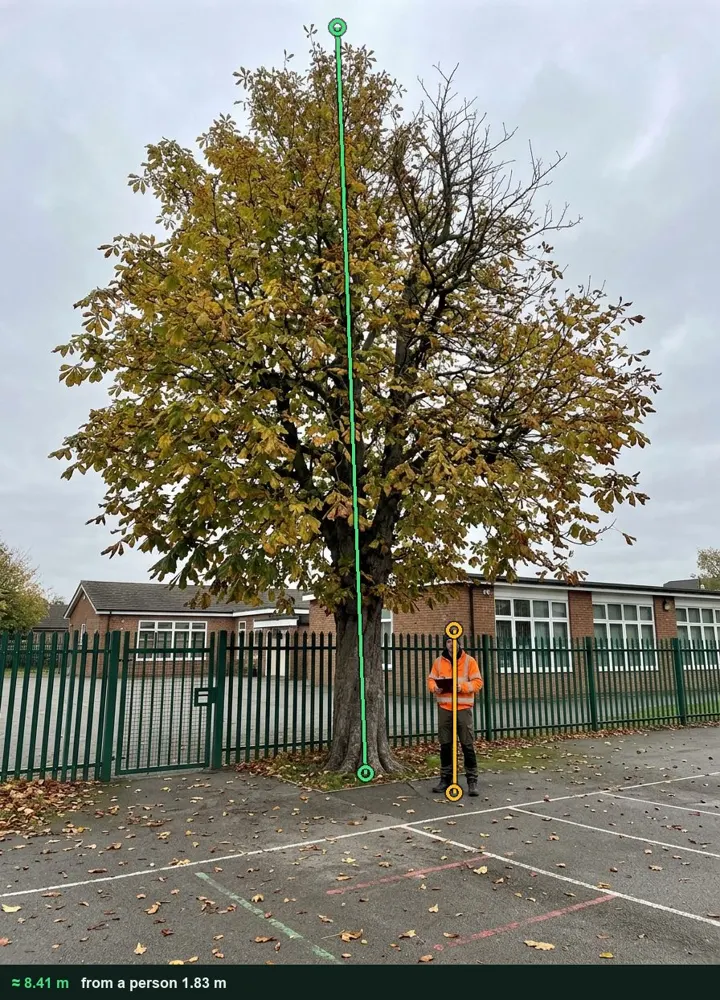
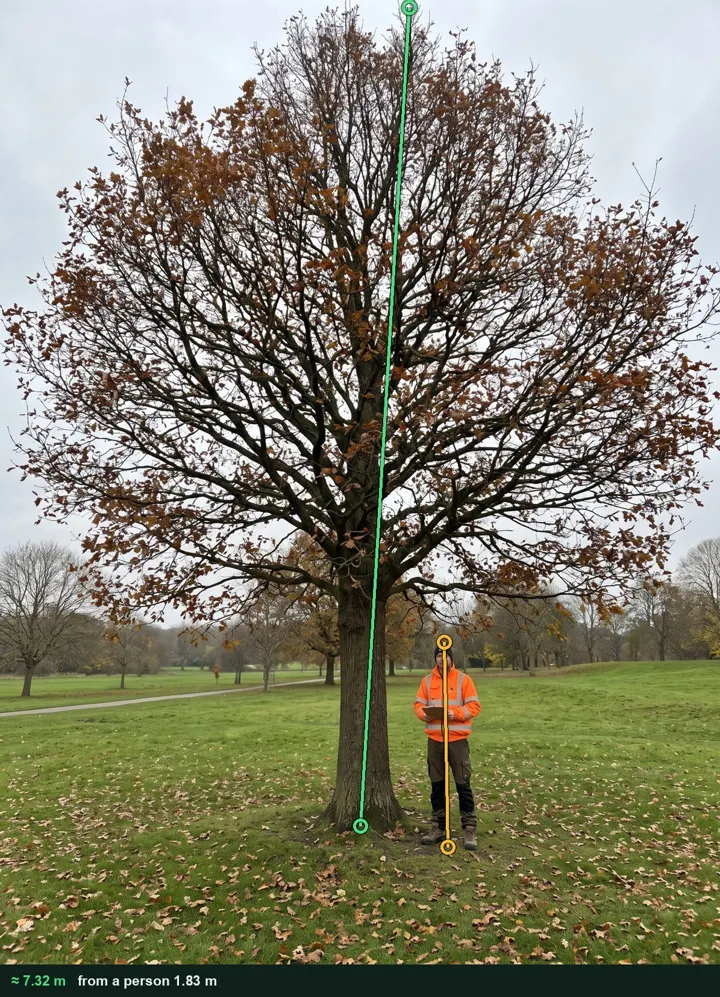
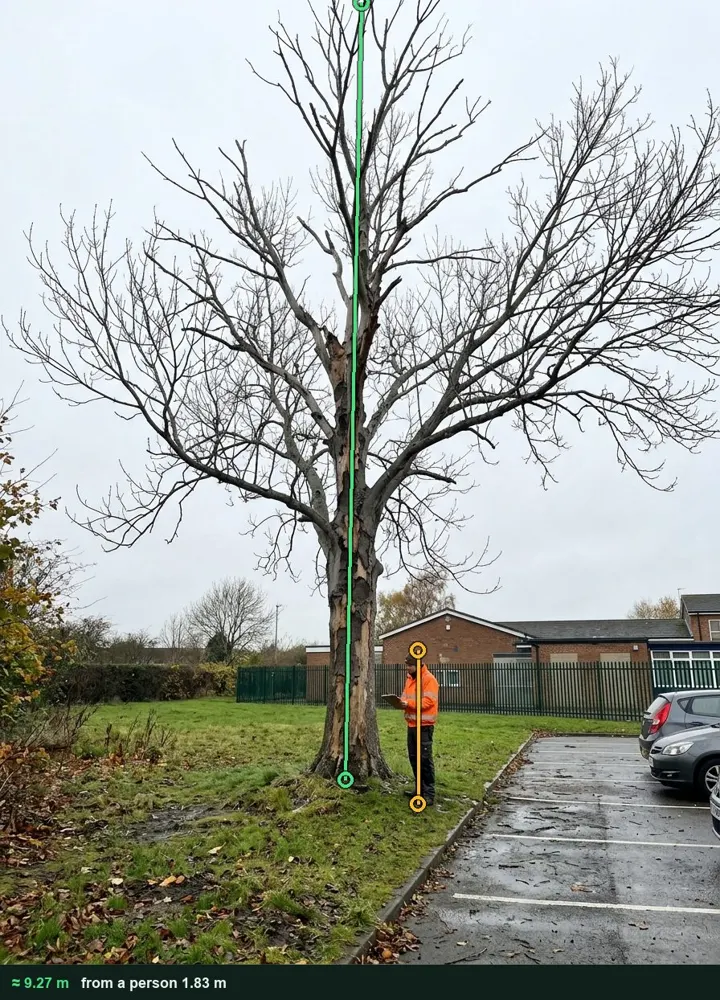
Photograph the tree with a person beside it, tap their head and feet, then the base and top of the tree. The height goes into the answer and the marked-up photo stays with it for the report.
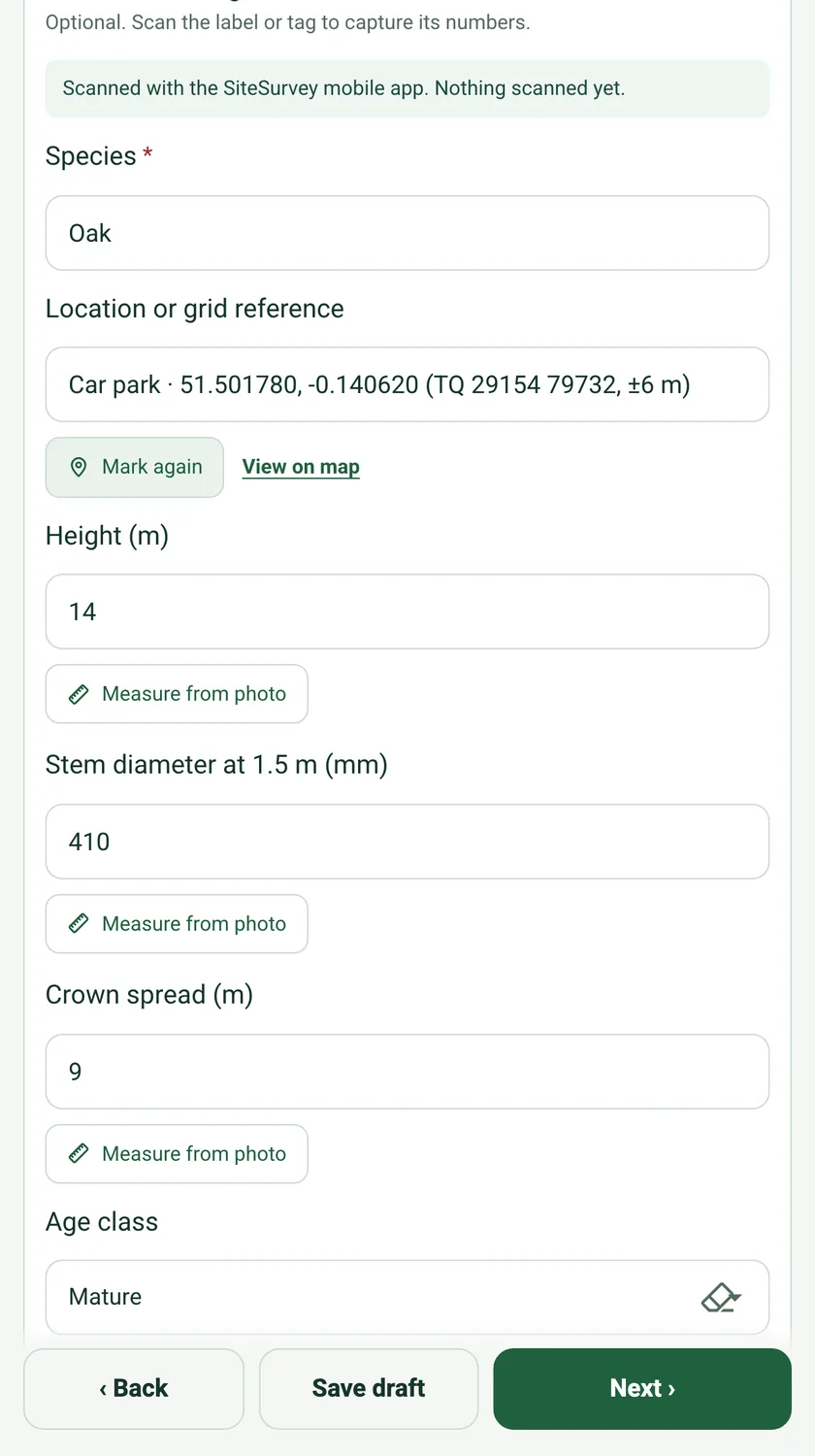
Mark current location fills the tree's position with GPS coordinates and an OS grid reference, so the next surveyor, or the tree surgeon, finds the same tree.
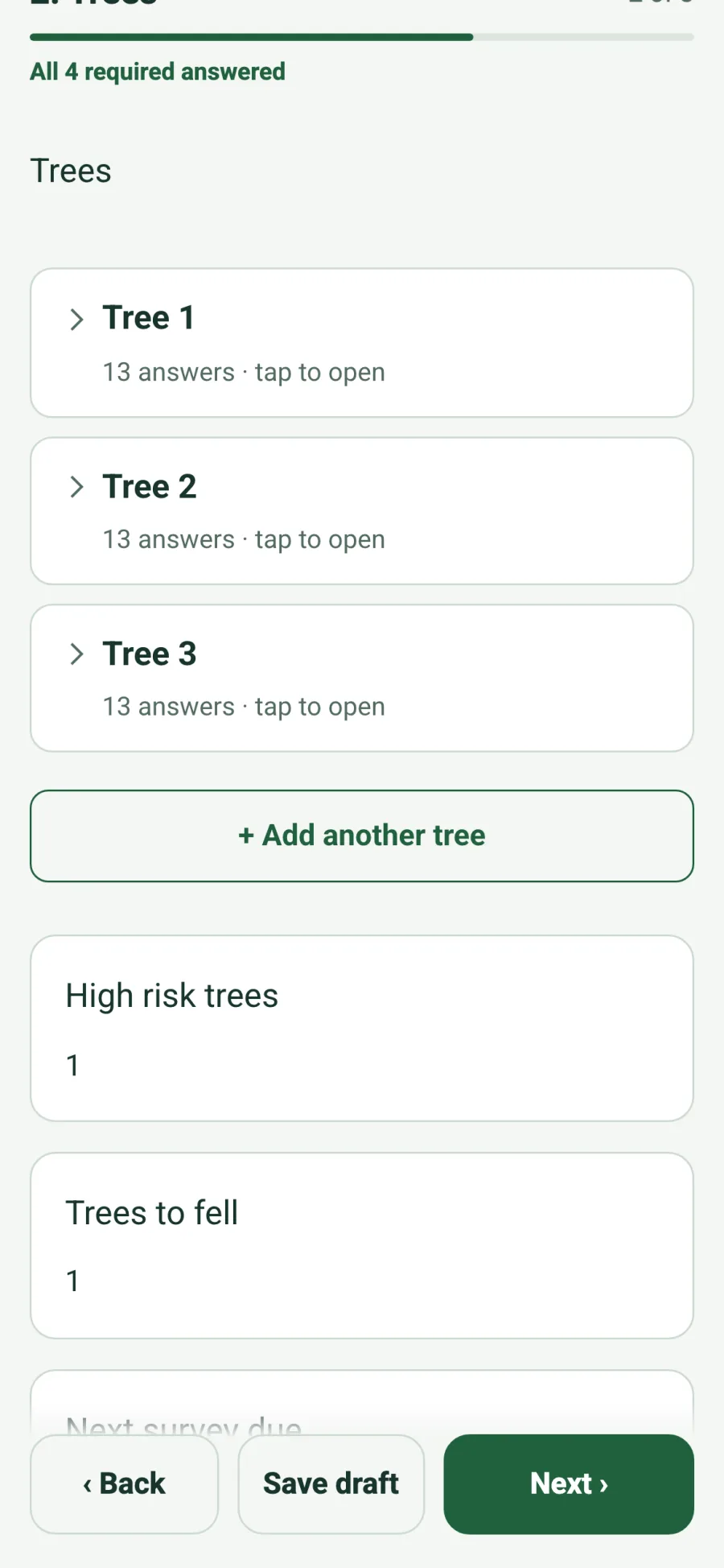
Group trees by area of the site. Each area counts its high risk trees and trees to fell, the whole survey totals them, and a high risk answer shows a reminder to restrict access below the tree.
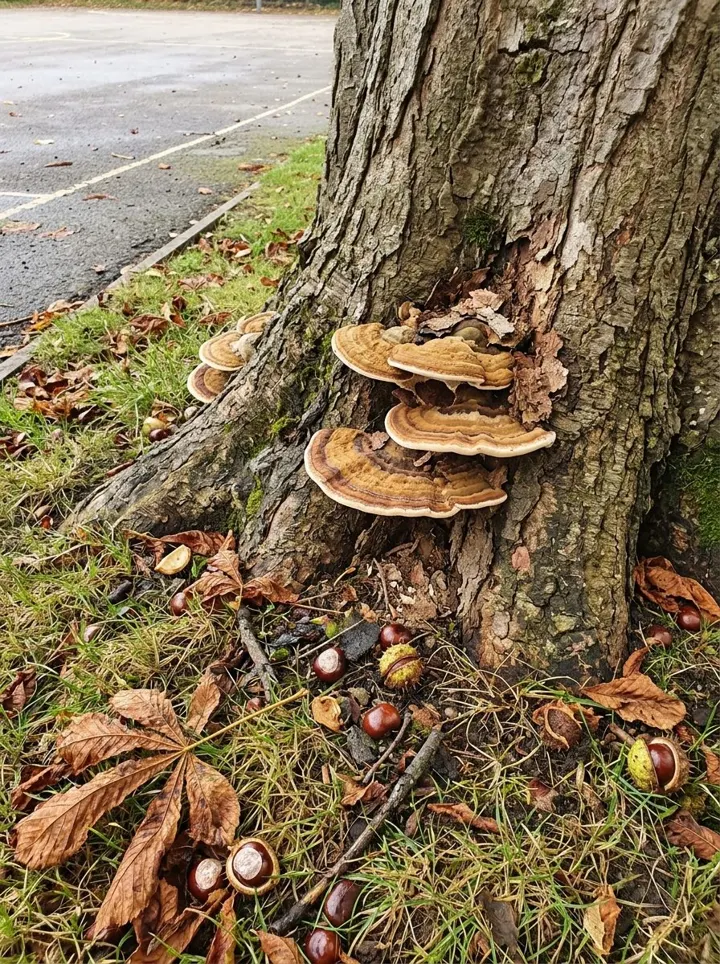
Each tree takes its own photos and videos: fungal brackets at the base, a crack in the stem, deadwood in the crown. They sit with that tree in the report, not in a separate folder.
A completed tree survey
Three trees at a fictional primary school, each measured from a photo, with the defects photographed and the work and urgency set. Open it as a filled-in form, or switch to a blank copy and try it yourself.
T1 horse chestnut · 8.41 m · high risk, further investigation within a monthT2 English oak · 7.32 m · good condition, no workT3 dead ash · 9.27 m · high risk, fell immediately
Try the tree survey form live
Answer a few questions and watch it adapt. Your answers are not saved, and any photos you add are deleted within the hour.
Film tree identity, crown context, trunk and ground around the base from a safe position.
Record the tree ID, site and ground conditions. From a safe position, show the whole tree before accessible crown, trunk and root-zone context. Do not stand under a suspected unstable branch or enter an unsafe area. Escalate concerns for competent arboricultural assessment.
POINT 01
Tree identity and whole view
Show the complete tree and surrounding path or landmark from a safe position; record its ID separately.
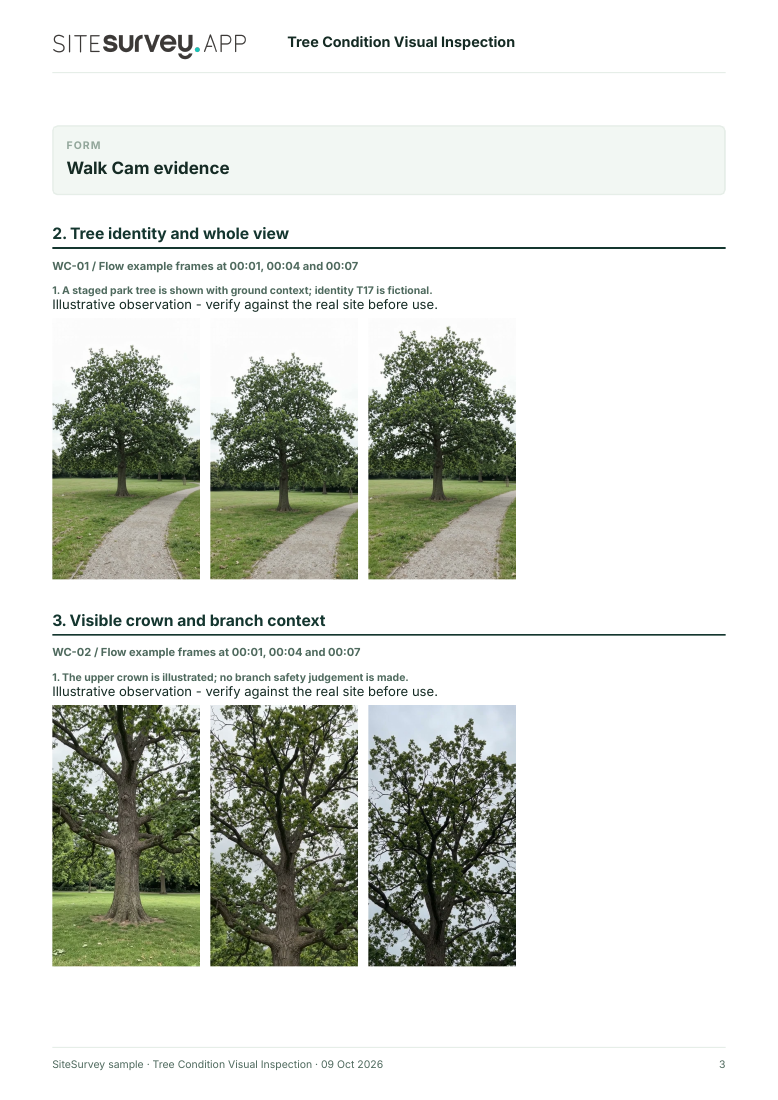
A staged park tree is shown with ground context; identity T17 is fictional.
POINT 02
Visible crown and branch context
From outside any suspect fall zone, film accessible upper crown without claiming branch strength.
The upper crown is illustrated; no branch safety judgement is made.
POINT 03
Trunk and accessible surface
Show visible trunk features from a distance; do not infer internal decay from appearance alone.
The trunk surface is shown; internal condition is unknown.
POINT 04
Ground and base context
Show accessible ground around the base without digging or disturbing roots.
The staged ground near the base is visible; root stability is not tested.
See the footage in a report
A fictional six-page example with the four points, twelve stills from the clips, observations, follow-up actions and the limits of a visual record.
Phone video cannot establish structural stability, decay extent, species-specific risk, hidden roots or treatment needs. It is a dated visual record, not a formal tree safety inspection. Example footage was generated in Google Flow and the observations are scripted; no real site is shown. Walk Cam works inside any form in the app. How Walk Cam works · All visual inspections
Every question in the tree survey template
A tree condition survey: every tree with its tag, species, size, condition, defects, the people or property it could hit, risk, recommended work and urgency, plus TPO and conservation area checks. 3 sections and 42 questions. Follow-up questions and guidance appear only when an answer calls for them, so the person on site never sees the ones that do not apply.
✎
Make it your own: every question is editable
This is a starting point, not a fixed form. Once it is in your SiteSurvey account you can reword any question, add or remove questions, sections and answer options, and add your own logo, so it fits the way your team works and the jobs you do.
Details you only enter once
Add this form to a project in SiteSurvey and it fills in what the project already knows, so nobody on site retypes it and every form on the job uses the same names. Anything filled in can still be changed.
Project: the project name
Client: the project's customer
Site: the site, when the form is opened for a space or a product
Site address: the site address, from the space or the project
1
Site
ProjectShort answer
Fills in from the project name
ClientShort answer
Fills in from the project's customer
Site*Short answer
Fills in from the site, when the form is opened for a space or a product
Site addressShort answer
Fills in from the site address, from the space or the project
Survey date*Date
TimeTime
Surveyor and qualification*Short answer
Weather captureAnswer
Record estimated current conditions for this visit. Keep your observations, visibility and local site conditions in the existing field below.
Weather and visibilityShort answer
Are any trees covered by a Tree Preservation Order?Yes or No
Is the site in a conservation area?Yes or No
CheckWork on a tree covered by a Tree Preservation Order needs the local planning authority's written consent first, unless an exception applies. Even for a dead tree, give 5 working days' written notice unless the work is urgent to remove an immediate risk of serious harm.
Shown when “Are any trees covered by a Tree Preservation Order?” is Yes
CheckFor trees in a conservation area that have no Order, give the local planning authority a section 211 notice 6 weeks before most work, unless an exception applies. Work on a dead tree needs 5 days' notice instead; urgent work to remove an immediate risk of serious harm needs written notice as soon as practicable.
Shown when “Is the site in a conservation area?” is Yes
GuidanceOwners and occupiers owe a duty of care to visitors under the Occupiers' Liability Act 1957 and to others, including trespassers, under the Occupiers' Liability Act 1984. The National Tree Safety Group guidance Common sense risk management of trees (Forestry Commission, 2011) explains a proportionate approach: inspect by a competent person at intervals that suit the tree and how busy the area is, record what was found and act on it.
Walk Cam: tree survey walkWalk Cam video with voice-to-text
Optional. Film a guided walk-through on the SiteSurvey app.
2
Trees
Areas of the site
Repeat for each entry. Each one asks:
Area of the site*Short answer
For example Front garden, North boundary or Car park
Trees in this area
Repeat for each tree. Each one asks:
Tree number*Short answer
Scan the tree tagScan a label: tag number
Optional. Scan the label or tag to capture its numbers.
Species*Short answer
Position or grid referenceShort answer
Tap Mark current location at the base of the tree so it can be found again.
Height (m)Number
Measuring from a photo gives an estimate.
Stem diameter at 1.5 m (mm)Number
Crown spread (m)Number
Measuring from a photo gives an estimate.
Age classChoose one
Young
Semi-mature
Mature
Over-mature
Veteran
Condition*Choose one
Good
Fair
Poor
Dead
DefectsTick all that apply
Deadwood
Cavity or decay
Fungal fruiting bodies
Cracks or splits
Weak fork or included bark
Root damage or lifting
Significant lean
Hanging or broken branch
Ivy hiding the stem
None seen
What could it hit?Choose one
High use: road, path, play area or building
Medium use
Low use
Risk*Choose one
Low
Medium
High
WarningHigh risk. Consider restricting access below the tree until the work is done.
Shown when “Risk” is “High”
Recommended work*Choose one
No work
Monitor
Remove deadwood
Crown reduction
Crown lift
Fell
Further investigation
UrgencyChoose one
Immediately
Within 1 month
Within 6 months
Within 12 months
At the next survey
PhotosPhotos
This area: high risk treesWorked out by the form
This area: trees to fellWorked out by the form
High risk treesWorked out by the form
Trees to fellWorked out by the form
Next survey dueDate
3
Actions and sign-off
Are further actions needed?Yes or No
Further actions
Repeat for each action. Each one asks:
Shown when “Are further actions needed?” is Yes
What needs doing?*Notes
PriorityChoose one
Urgent
High
Medium
Low
Who will do it?Short answer
Due dateDate
StatusChoose one
Open
In progress
Completed
Inspector name*Short answer
Position or companyShort answer
Inspector signatureSignature
CheckSigning records what was found on the day. It does not make unsafe equipment safe or replace a thorough examination, design check or service by a competent person.
See it filled in
A completed tree survey report, made by SiteSurvey from a fictional site visit: every answer, the photos, the guidance that applied and the sign-off, ready to send as a PDF.
Work on a tree covered by a Tree Preservation Order needs the local planning authority's written consent first, unless an exception applies. For trees in a conservation area that have no Order, give the authority a section 211 notice 6 weeks before most work. A dead tree needs 5 days' notice instead, unless the work is urgent to remove an immediate risk of serious harm. The form asks about both and shows a reminder.
How is the risk judged?
By the tree's condition and defects and what it could hit: a high use area such as a road, path, play area or building is a bigger concern than a quiet corner. The Arboricultural Association says trees close to people or property should be assessed by a competent arboricultural consultant. The form records the target, the risk and the urgency, and warns on a high risk tree.
Can I tag and track each tree?
Yes. Each tree can scan its tag, so the next survey finds the same tree and its history. The form records the date of the next survey.
What defects does it cover?
Deadwood, cavities or decay, fungal fruiting bodies, cracks or splits, weak forks or included bark, root damage or lifting, significant lean, hanging or broken branches, and ivy hiding the stem.
Is this a BS 5837 survey for planning?
No. This is a condition and risk survey of existing trees. BS 5837 gives recommendations for trees in relation to design, demolition and construction, so it is the standard for surveys around building work.
Who uses this?
Arborists and tree surgeons, school and estates managers, council tree officers, housing associations and grounds maintenance contractors. Under the Occupiers' Liability Act 1957, occupiers owe visitors a common duty of care to take reasonable care that they are reasonably safe.