Form library · Health and safety
Toolbox talk template
A toolbox talk form that records the date, site, topic and key points of a short safety briefing, then collects each attendee's name, company and signature. It also records why the talk was given and any questions that need following up. Every question is listed below, and you can fill the live form in on this page.
Ready to use from the form library, and every question is yours to edit. Trial from £1, cancel any time.
Try it on your phone
Try it on this phone
Fill in the toolbox talk on your phone now
See how the toolbox talk looks on your phone
Scan the code with your phone camera. It opens the real form, no sign-up needed.
Open the live example and fill it in, just as your team would on site. No sign-up needed.
See it on this phoneEvery question is editable. Add this form to your account, then change the wording, add or remove questions and options, and make it fit your own jobs.
What is a toolbox talk?
A toolbox talk is a short safety briefing for the people doing the work, usually on one topic such as working at height, manual handling or silica dust. The record should show the date, the site, who gave it, the topic and the key points, then each attendee's name and signature to say they attended and understood it. Anyone who missed it should be briefed before starting the task.
Last updated . Facts checked by the SiteSurvey team on 5 October 2026 against section 2 of the Health and Safety at Work etc. Act 1974 and regulation 13 of the Management of Health and Safety at Work Regulations 1999.
Try the toolbox talk form live
Answer a few questions and watch it adapt. Your answers are not saved, and any photos you add are deleted within the hour.
This is the real form as your team would use it: questions appear as you answer, scores work themselves out and you can add photos and signatures. No sign-up needed. Or open a completed example to see every answer, photo and score filled in.
Want to see one filled in? See a completed toolbox talk report (PDF), made by SiteSurvey from a fictional site visit.
Fill it in on a phone or tablet
Your team completes the toolbox talk on site in the SiteSurvey app on iPhone, iPad and Android phones and tablets. The project name and address fill in for them, it works without signal, and it syncs when the device is back online with photos kept against the question they answer.
Customers and subcontractors do not need the app: send them a link and they can fill it in from any browser.
Every question in the toolbox talk template
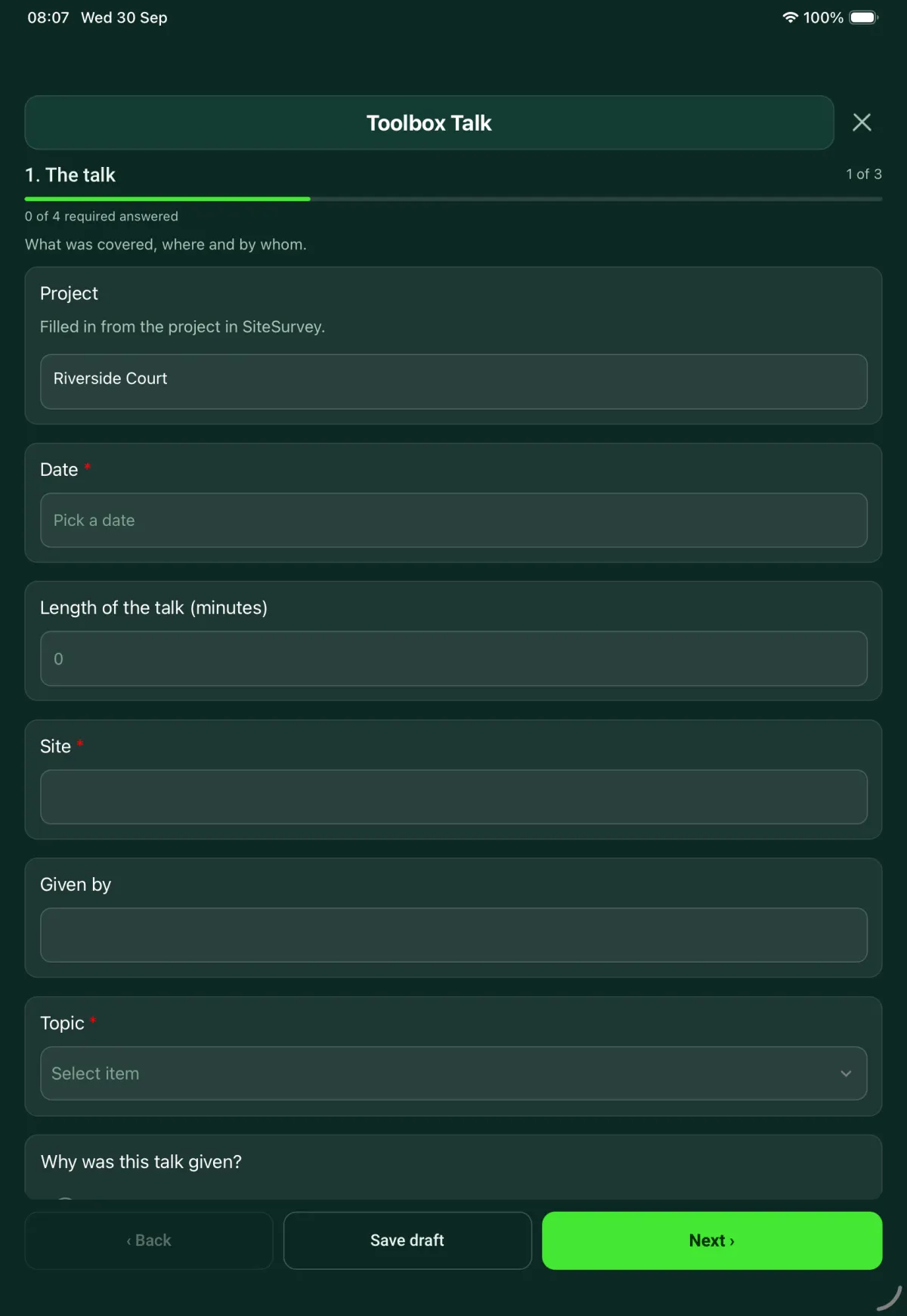
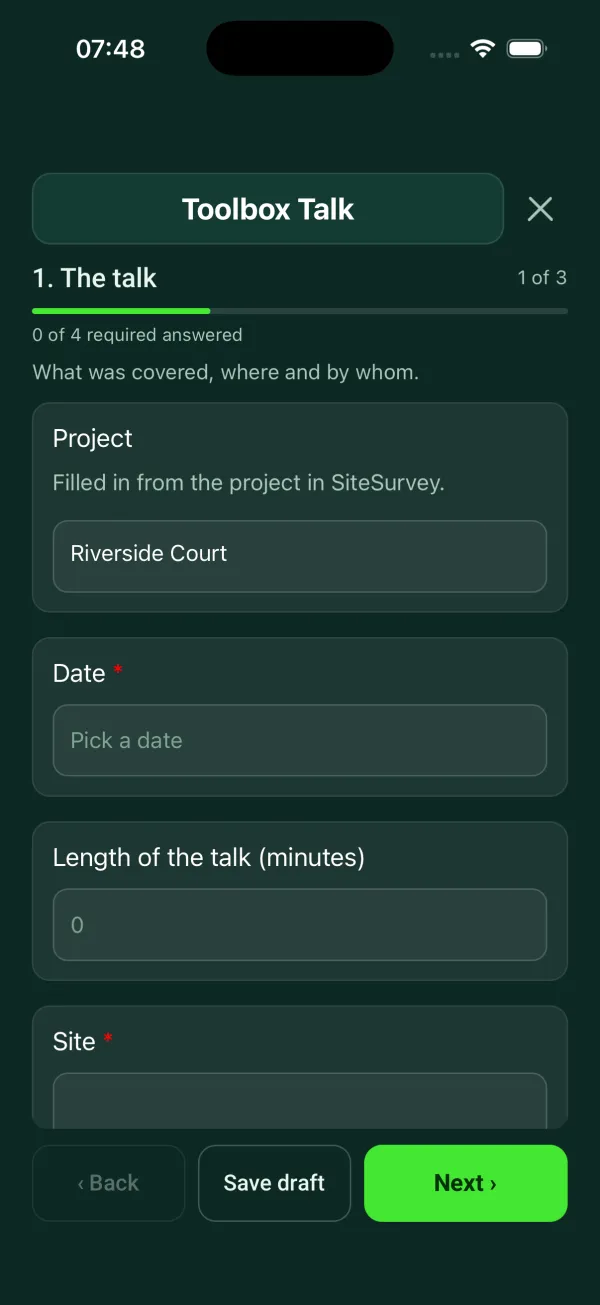
Record a toolbox talk: topic, key points, attendees with signatures. 3 sections and 23 questions. Follow-up questions and guidance appear only when an answer calls for them, so the person on site never sees the ones that do not apply.
Make it your own: every question is editable
This is a starting point, not a fixed form. Once it is in your SiteSurvey account you can reword any question, add or remove questions, sections and answer options, and add your own logo, so it fits the way your team works and the jobs you do.
Details you only enter once
Add this form to a project in SiteSurvey and it fills in what the project already knows, so nobody on site retypes it and every form on the job uses the same names. Anything filled in can still be changed.
- Project: the project name
- Site: the site, when the form is opened for a space or a product
The talk
What was covered, where and by whom.
- ProjectShort answer
Filled in from the project in SiteSurvey.
Fills in from the project name - Date*Date
- Length of the talk (minutes)Number
- Site*Short answerFills in from the site, when the form is opened for a space or a product
- Given byShort answer
- Topic*Choose one
- Working at height
- Ladders and stepladders
- Mobile towers
- Scaffolding
- Manual handling
- Slips and trips
- Housekeeping
- Asbestos awareness
- Silica dust
- COSHH and hazardous substances
- Noise and vibration
- Electrical safety
- Buried services and excavations
- Plant and vehicles on site
- Hand and power tools
- Hot works
- Fire and emergency procedures
- PPE
- Lone working
- Working in hot or cold weather
- Mental health and wellbeing
- Other (describe)
- Why was this talk given?Choose one
- Planned programme
- New task or stage of work
- After an incident or near miss
- After an inspection or audit finding
- Incident or near miss referenceShort answerShown when “Why was this talk given?” is “After an incident or near miss”
- Risk assessment or method statement this talk coversShort answer
- GuidanceWhy briefings matter: the Management of Health and Safety at Work Regulations 1999, regulation 13, require employers to give adequate health and safety training, including when people are exposed to new or increased risks. On construction sites, the Construction (Design and Management) Regulations 2015, regulation 14, require the principal contractor to consult and engage with workers on health and safety. The Health and Safety (Consultation with Employees) Regulations 1996 cover consulting employees who have no safety representative. Keep this record with the risk assessment it covers.
- Key points covered*Notes
- Handouts, slides or photos usedPhotos
- Were any questions or concerns raised?Yes or No
- What was raised, and what was the answer?NotesShown when “Were any questions or concerns raised?” is Yes
- Does anything need following up?Yes or No
- What, who by and by when?Short answerShown when “Does anything need following up?” is Yes
- Follow-up completed (date and by whom)Short answerShown when “Does anything need following up?” is Yes
Attendees
Each person signs to say they attended and understood the talk.
- GuidanceBy signing, each person confirms they attended this talk and understood it.
- AttendeesRepeat for each attendee. Each one asks:
- NameShort answer
- CompanyShort answer
- SignatureSignature
- People signed inWorked out by the form
- GuidanceAnyone who missed the talk should be briefed before they start the task. Record it as a separate talk.
Presenter sign-off
- NameWorked out by the form
- Date signedDate
- Presenter signatureSignature
See it filled in
A completed toolbox talk report, made by SiteSurvey from a fictional site visit: every answer, the photos, the guidance that applied and the sign-off, ready to send as a PDF.
Toolbox talk FAQs
What should a toolbox talk record include?
This template records the date, length of the talk, site, who gave it, the topic, why it was given and the risk assessment or method statement it covers. It then records the key points, any handouts or photos used, questions raised and any follow-up with who will do it and by when. Each attendee signs, and the presenter signs off at the end.
What topics are in the template?
The topic list has 21 options, including working at height, ladders, mobile towers, scaffolding, manual handling, asbestos awareness, silica dust, COSHH, noise and vibration, hot works, lone working and mental health and wellbeing. The form is editable, so you can add your own topics.
How do attendees sign a toolbox talk?
Each person adds their name and company and signs on the phone or tablet to say they attended and understood the talk, and the form counts how many people signed in. In the SiteSurvey app this works offline, and the record goes out as a PDF report or a share link.
What if someone missed the talk?
The form's guidance is that anyone who missed the talk should be briefed before they start the task. Record that briefing as a separate talk, so each record shows who was there.
Can a toolbox talk be linked to an incident?
Yes. If the reason for the talk is an incident or near miss, the form asks for the incident reference. Other reasons are a planned programme, a new task or stage of work, and an inspection or audit finding.
Is a toolbox talk a legal requirement?
No law names toolbox talks. Section 2 of the Health and Safety at Work etc. Act 1974 requires employers to provide the information, instruction, training and supervision needed for their employees' health and safety, and regulation 13 of the Management of Health and Safety at Work Regulations 1999 requires training when people are exposed to new or increased risks, such as a new system of work. A recorded toolbox talk is one way to show some of that was given.
Related
Related templates
Templates that go with the toolbox talk form
One document for the job: hazards with suggested controls and 1 to 5 scores, the sequence of work with hold points, crew cards and competence, plant, COSHH, permits, emergency and rescue, briefing signatures and approval. Tailored to construction, electrical, AV and IT, roofing, facilities, events or grounds work.
A hot works permit for welding, cutting, grinding and torch-on roofing: precautions before the work, extinguishers and fire watcher, issue and acceptance signatures, the fire watch after the work with timed checks, and hand-back and cancellation.
Hazards, who might be harmed, controls and risk scores, with a briefing record and review date.
Construction site safety walk: perimeter, work at height, welfare, housekeeping, plant, hazards and actions.
Use this toolbox talk form with your team
Add it from the form library in one click, change any question, and every completed form becomes a branded PDF report.
Start your trial →