Form library · General

Site visit report template

A general purpose site visit report for any kind of visit, from a routine check to a meeting or handover. Record why you went and who was there, each finding with photos and any action, then the overall notes, the next visit and your signature. Every question is listed below, and you can fill the live form in on this page.

Ready to use from the form library, and every question is yours to edit. Trial from £1, cancel any time.

Try it on your phone

Try it on this phone

Fill in the site visit report on your phone now

See how the site visit report looks on your phone

Scan the code with your phone camera. It opens the real form, no sign-up needed.

Open the live example and fill it in, just as your team would on site. No sign-up needed.

See it on this phone

Every question is editable. Add this form to your account, then change the wording, add or remove questions and options, and make it fit your own jobs.

Or start your trial with this form ready →

One email, and we won't add you to a mailing list.

What should a site visit report include?

A site visit report should record the site, the date, the purpose of the visit and the name, company and role of each person present. It should list each finding by area with an observation and photos, and for any action say who will do it and by when. It ends with overall notes, whether another visit is needed and a dated signature.

Last updated . Facts checked by the SiteSurvey team on 5 October 2026 against ICO: what is personal data, ICO: the data minimisation principle and ICO: the storage limitation principle.

Built for writing up a visit on site

Record each finding where you find it: the area, what you saw, a photo, a measurement if you need one, and the action with its owner, priority and date. The report counts the actions and flags the high priority ones before you leave.

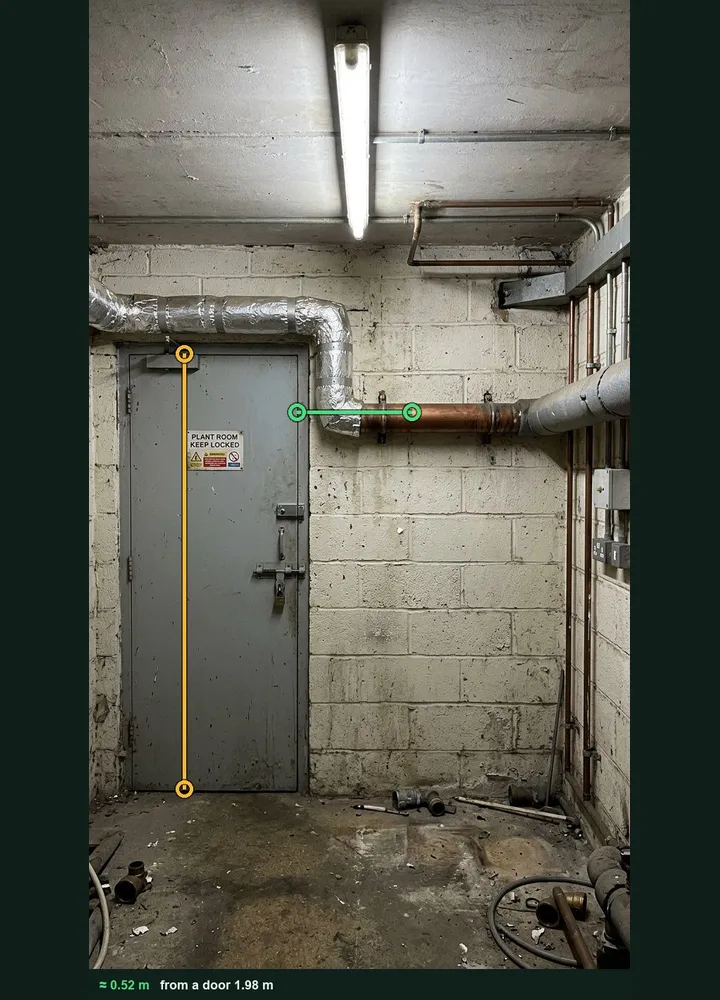
A plant room wall marked up in Measure from photo: an amber line on the door and a green line along a bare copper pipe, about 0.52 m

A measurement from a photo

When a finding needs a size, photograph it with a door or a person in the same plane and tap both ends. The figure and the marked-up photo stay with the finding. It works on web forms in any phone browser today, and the app version is on its way.

How measuring from a photo works →
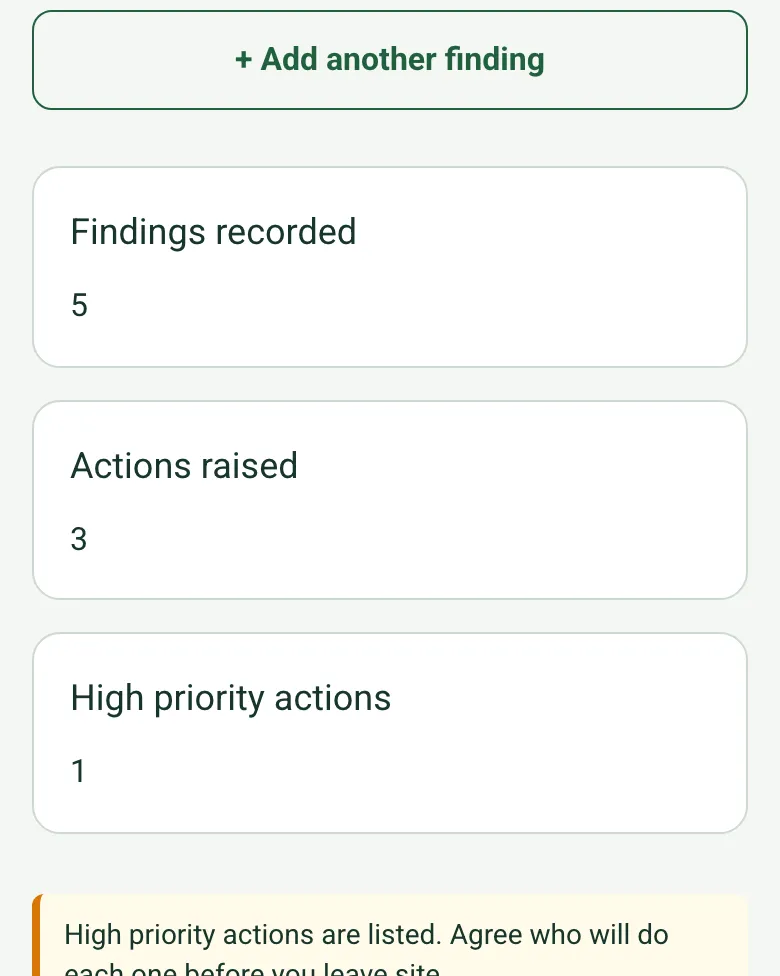
The completed site visit report on a phone: findings recorded 5, actions raised 3, high priority actions 1, with a note to agree who will do each one before leaving site

Actions counted, high priority flagged

The report counts the findings and the actions raised, and a high priority action brings up a reminder to agree who does it before you leave.

How calculated fields work →
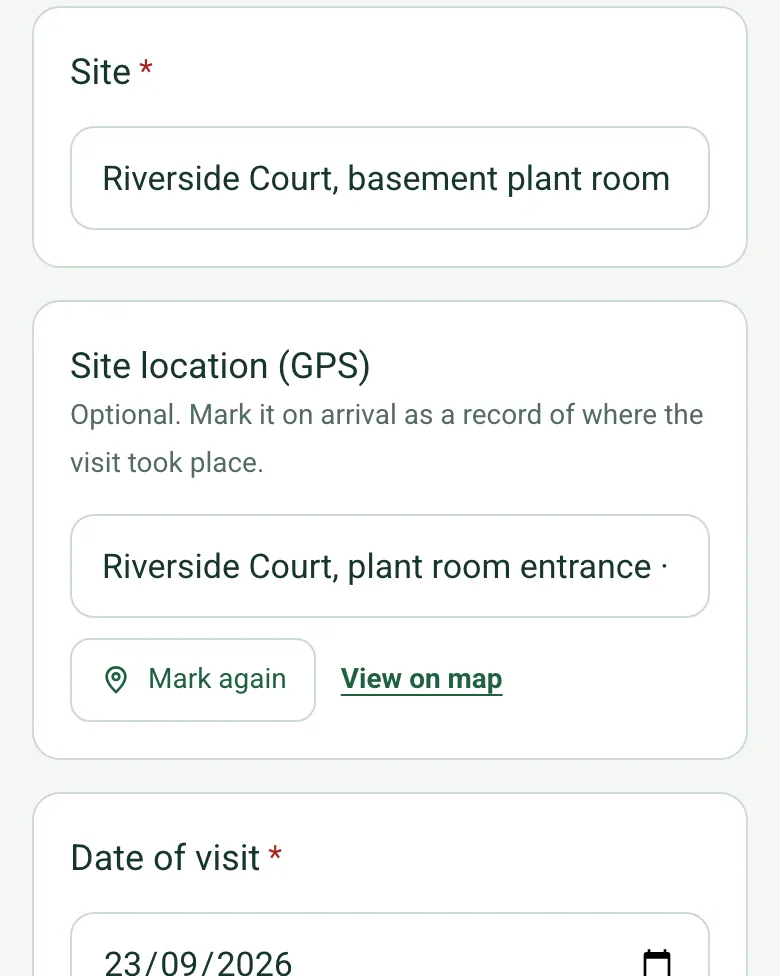
Site location (GPS) filled in at the plant room entrance with coordinates and an OS grid reference

Where the visit took place

Mark the site location on arrival, with an OS grid reference and its accuracy, as a simple record of where the visit happened.

How GPS location works →

Or talk it through on video

Walk Cam records the walk round and turns what you say into text, for visits where filming is quicker than typing.

A completed site visit report

A fictional visit to a residential block plant room after complaints about slow hot water: five findings with photos, a failing return pump reported as a legionella risk, a length of bare pipe measured from a photo, and three actions with owners and dates.

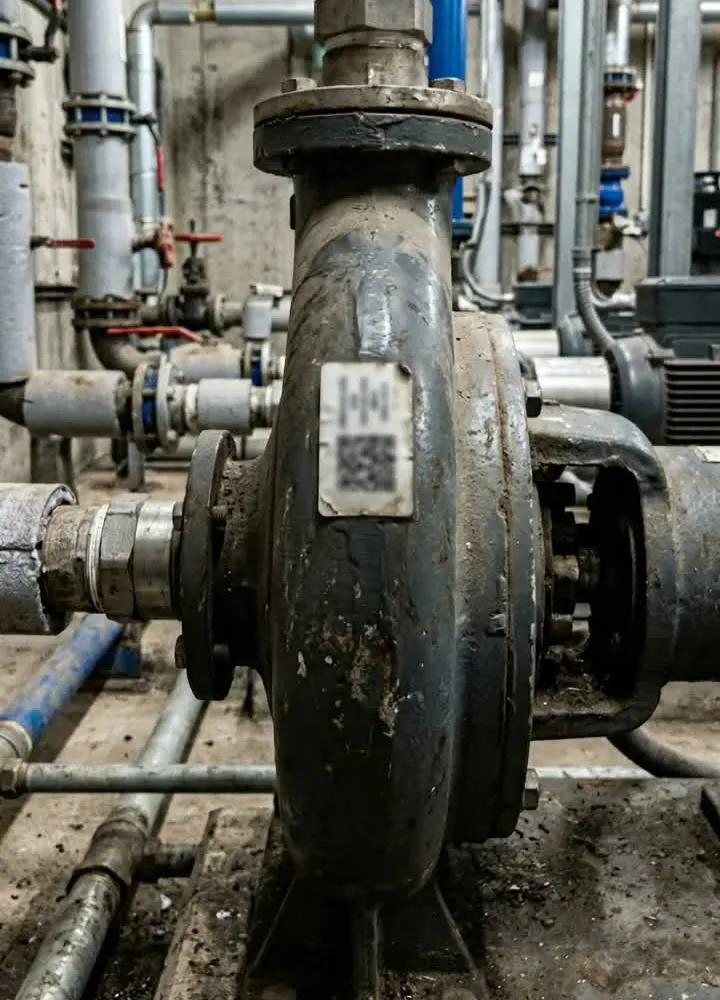
A worn cast iron pump with a QR asset tag among plant room pipework
Hot water return pump · noisy, weak flow · high priority
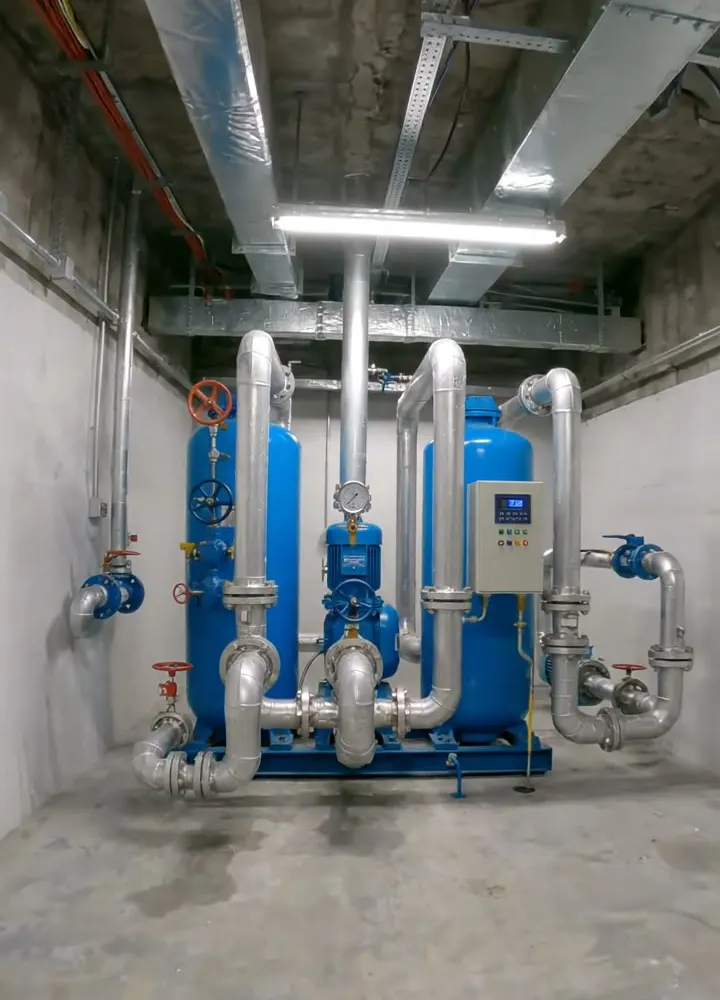
A blue cold water booster set with two pumps in a clean basement plant room
Booster set · working normally · no action

Try the site visit report form live

Answer a few questions and watch it adapt. Your answers are not saved, and any photos you add are deleted within the hour.

Live form: Site Visit ReportOpen full screen ↗
Fill it in right here

This is the real form as your team would use it: questions appear as you answer, scores work themselves out and you can add photos and signatures. No sign-up needed. Or open a completed example to see every answer, photo and score filled in.

Want to see one filled in? See a completed site visit report report (PDF), made by SiteSurvey from a fictional site visit.

For teams

Using the site visit report template for client work?

Paper or a spreadsheet works for the odd job. When your team does this every week, SiteSurvey keeps every visit in one place and turns each one into a report you can send.

  • Everyone fills in the same form on their phone, with photos attached to the answer they belong to.
  • Each visit becomes a branded PDF report for the client, with no retyping.
  • Every site, visit and report is kept together in one account, not scattered across email and shared drives.

Fill it in on a phone or tablet

Your team completes the site visit report on site in the SiteSurvey app on iPhone, iPad and Android phones and tablets. The project name and address fill in for them, it works without signal, and it syncs when the device is back online with photos kept against the question they answer.

Customers and subcontractors do not need the app: send them a link and they can fill it in from any browser.

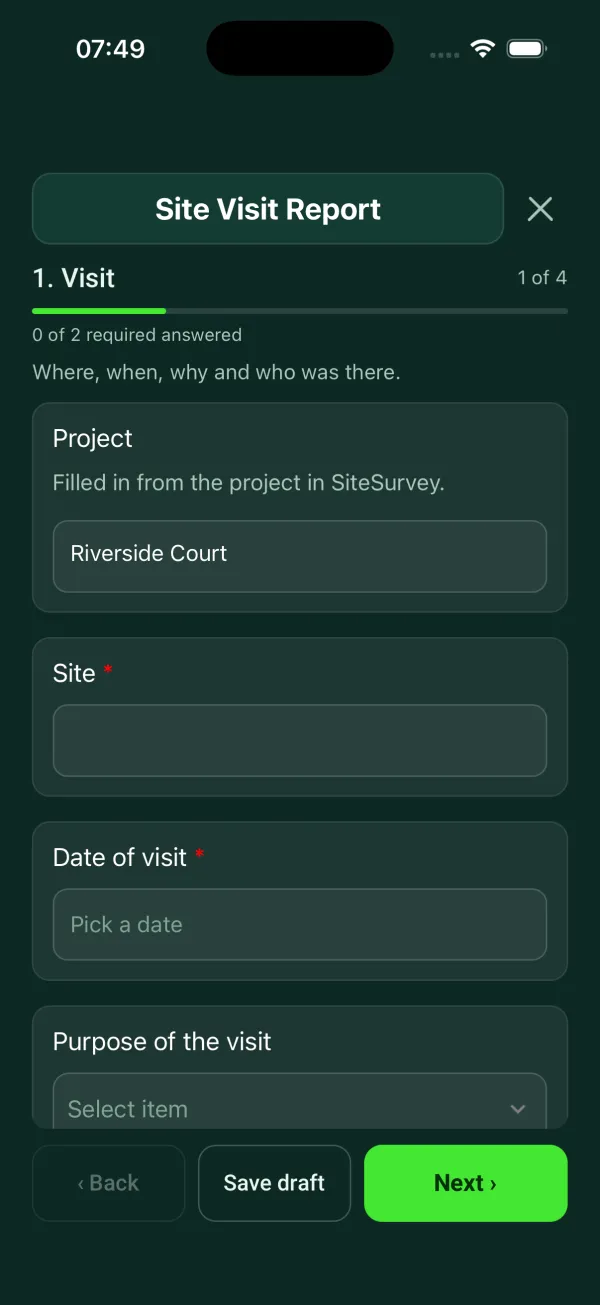
The Site Visit Report form in the SiteSurvey app on a phone

Every question in the site visit report template

General purpose visit: purpose, who was there, findings with photos, actions and follow-up. 4 sections and 29 questions. Follow-up questions and guidance appear only when an answer calls for them, so the person on site never sees the ones that do not apply.

Make it your own: every question is editable

This is a starting point, not a fixed form. Once it is in your SiteSurvey account you can reword any question, add or remove questions, sections and answer options, and add your own logo, so it fits the way your team works and the jobs you do.

Details you only enter once

Add this form to a project in SiteSurvey and it fills in what the project already knows, so nobody on site retypes it and every form on the job uses the same names. Anything filled in can still be changed.

  • Project: the project name
  • Client: the project's customer
  • Site: the site, when the form is opened for a space or a product
  • Site address: the site address, from the space or the project

Visit

Where, when, why and who was there.

  • ProjectShort answer

    Filled in from the project in SiteSurvey.

    Fills in from the project name
  • ClientShort answer
    Fills in from the project's customer
  • Site*Short answer
    Fills in from the site, when the form is opened for a space or a product
  • Site addressShort answer
    Fills in from the site address, from the space or the project
  • Site location (GPS)Short answer

    Optional. Mark it on arrival as a record of where the visit took place.

  • Date of visit*Date
  • Weather on siteAnswer
  • Purpose of the visitChoose one
    • Routine visit
    • Progress check
    • Inspection
    • Survey
    • Fault or complaint
    • Meeting
    • Handover
    • Other (describe)
  • What was the visit for?Notes
  • People presentNotes

    Name, company and role of each person.

Findings

One entry for each thing you saw or discussed.

  • Findings
    Repeat for each finding. Each one asks:
    • AreaShort answer
    • ObservationNotes
    • Measurement, if one is needed (m)Number

      Optional: a height, width or length. Measure from a photo with a door or a person beside it, or type it in.

    • What was measured?Short answer
      Shown when “Measurement, if one is needed (m)” is answered
    • PhotosPhotos
    • Is action needed?Yes or No
    • PriorityChoose one
      • High
      • Medium
      • Low
      Shown when “Is action needed?” is Yes
    • ActionShort answer
      Shown when “Is action needed?” is Yes
    • Who will do it?Short answer
      Shown when “Is action needed?” is Yes
    • Due dateDate
      Shown when “Is action needed?” is Yes
  • Findings recordedWorked out by the form
  • Actions raisedWorked out by the form
  • High priority actionsWorked out by the form
  • GuidanceHigh priority actions are listed. Agree who will do each one before you leave site.
    Shown only when the answers above make it relevant

Summary and follow-up

The overall picture and what happens next.

  • Overall notesNotes
  • Is another visit needed?Yes or No
  • Next visit dateDate
    Shown when “Is another visit needed?” is Yes

Sign-off

  • NameShort answer
  • DateDate
  • SignatureSignature

See it filled in

A completed site visit report report, made by SiteSurvey from a fictional site visit: every answer, the photos, the guidance that applied and the sign-off, ready to send as a PDF.

See completed form (PDF) ↗

Site visit report FAQs

What kinds of visit is this report for?

Any. The purpose list covers a routine visit, progress check, inspection, survey, fault or complaint, meeting and handover, and there is space to say what the visit was for.

How are actions recorded?

Each finding asks whether action is needed. If it is, the form asks for the action, who will do it and the due date, and it counts the actions raised on the visit.

Is this different from a site inspection report?

Yes. This form is short and general. The site inspection report template is built for construction visits, with weather, labour, progress against the programme, tests and queries.

Can I change the questions?

Yes. In SiteSurvey the form comes from the library as an editable form, so you can add or remove questions and add conditional questions to suit your visits.

Is it OK to record the names of people at the visit?

Yes, but a name with a company and role is personal data, so UK data protection law applies. The ICO says to hold only the personal data you need for your purpose and to keep it no longer than you need it, so set how long you keep visit reports.

Can I fill it in on a phone and send it?

Yes. In the SiteSurvey app the form works offline, attaches photos to each finding, collects a signature and produces a PDF report or share link when it syncs.

Related

Use this site visit report form with your team

Add it from the form library in one click, change any question, and every completed form becomes a branded PDF report.

Start your trial →