Form library · Construction and handover

Site inspection report template

A construction site inspection form for site managers, clerks of works and contract administrators. It records the visit, weather and site conditions, labour and deliveries, progress against the programme, findings area by area, materials and tests, and open queries. Every question is listed below, and you can fill the live form in on this page.

Ready to use from the form library, and every question is yours to edit. Trial from £1, cancel any time.

Try it on your phone

Try it on this phone

Fill in the site inspection on your phone now

See how the site inspection looks on your phone

Scan the code with your phone camera. It opens the real form, no sign-up needed.

Open the live example and fill it in, just as your team would on site. No sign-up needed.

See it on this phone

Every question is editable. Add this form to your account, then change the wording, add or remove questions and options, and make it fit your own jobs.

Or start your trial with this form ready →

One email, and we won't add you to a mailing list.

What should a site inspection report include?

A site inspection report should record the project, date, inspector and type of visit, the weather and any time lost, who was on site, progress against the programme, and each area inspected with photos and findings. For each finding it should say what is wrong, when it must be put right, who needs to act and by when, then list open queries, the next visit and who receives the report.

Last updated . Facts checked by the SiteSurvey team on 5 October 2026 against CDM 2015 regulation 13, HSE: principal contractors and regulation 7 of the Building Regulations 2010 (materials and workmanship).

Built for inspecting work area by area

Record each area of the site as its own entry: where it is, the stage the work has reached, progress against the programme, photos and any finding. The report counts the findings by when they must be put right and the areas behind programme.

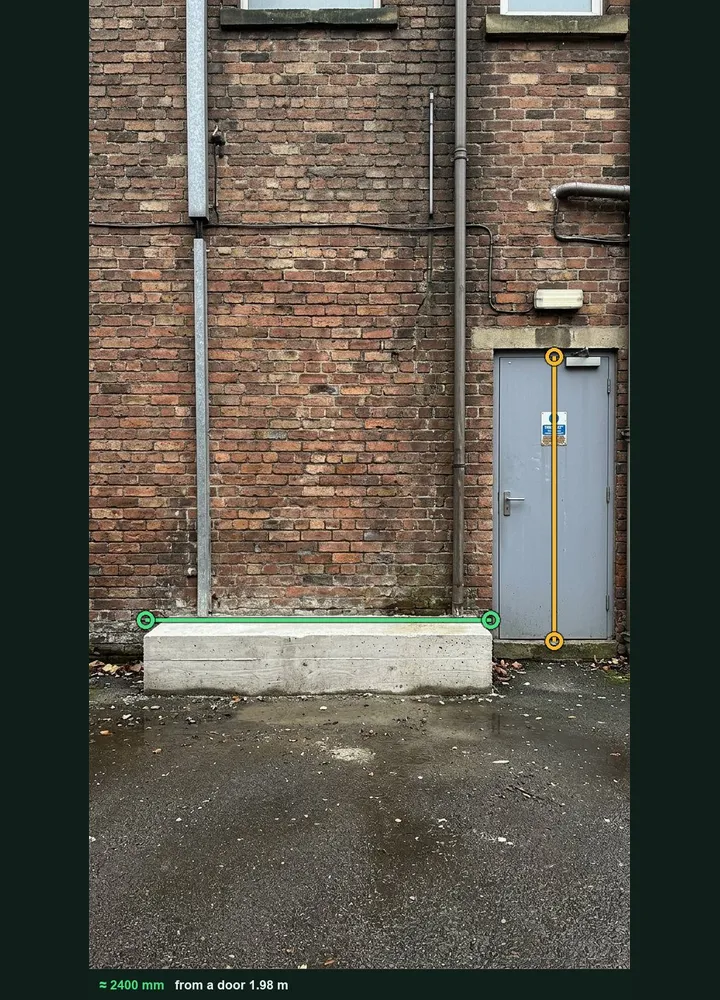
A service yard wall marked up in Measure from photo: an amber line on the door and a green line along a concrete plinth, about 2,400 mm

Check a dimension from a photo

Photograph the work square on with a door or an A4 sheet in the same plane and measure it against the drawing. It is an estimate, so check the critical figures with a tape. It works on web forms in any phone browser today, and the app version is on its way.

How measuring from a photo works →
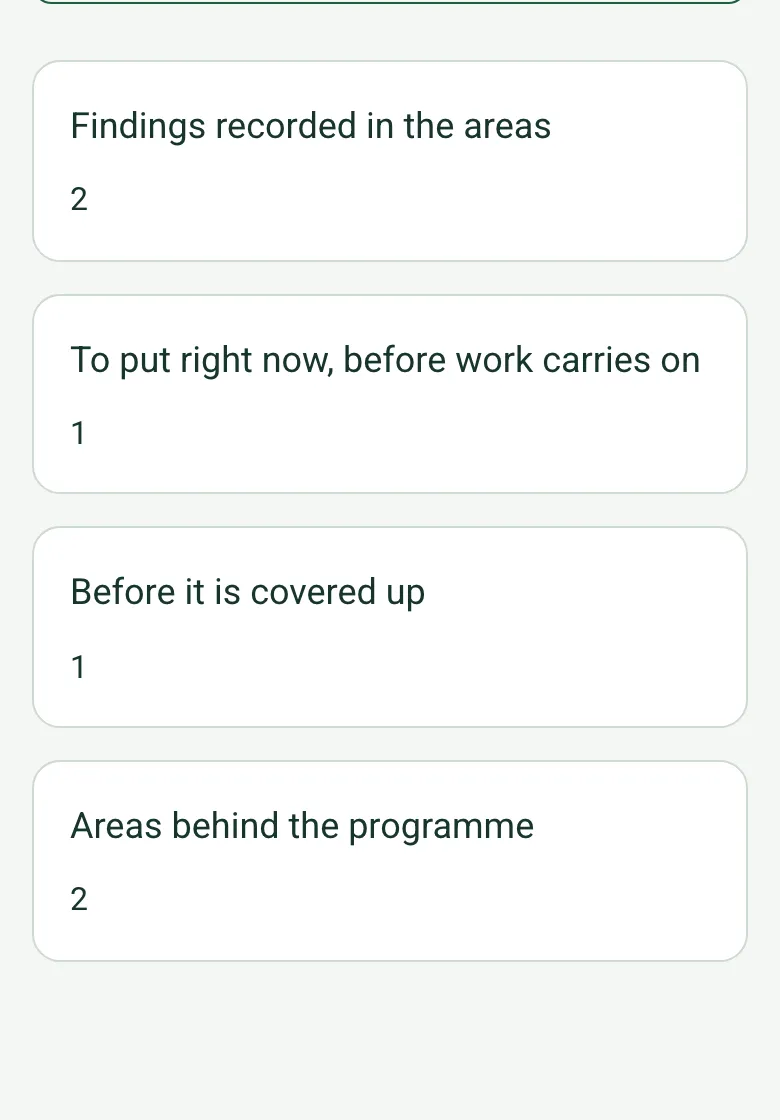
The completed site inspection on a phone: findings recorded 2, to put right now 1, before it is covered up 1, areas behind the programme 2

Findings counted by urgency

The report counts the findings in the area record, how many must be put right now and how many before they are covered up, the areas behind programme, and the findings still open at the end of the visit.

How calculated fields work →
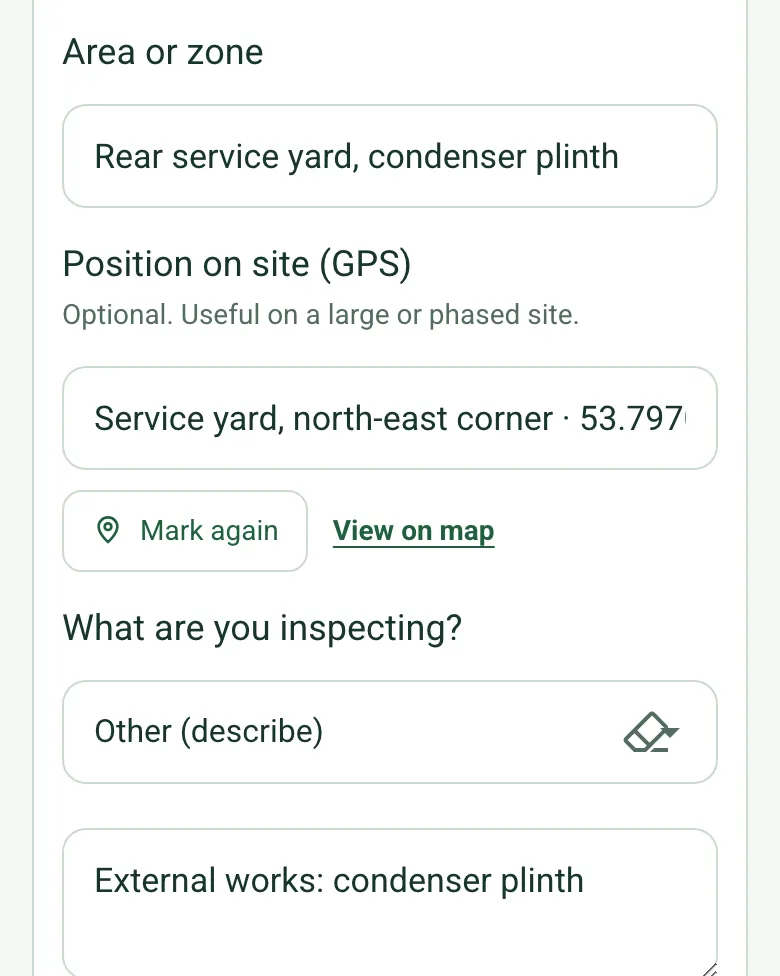
Position on site (GPS) for the rear service yard filled in with coordinates and an OS grid reference

Each area's position on site

On a large or phased site, mark each area's position so the next visit, and whoever has to put a finding right, goes to the same place.

How GPS location works →

Record the walk on video

Walk Cam records the walk with a guided point for each area, so the evidence of what was open before it was covered is on video.

A completed site inspection report

A fictional clerk of works visit to a level 2 office fit-out in week 9 of 16: labour on site, progress by area, an open partition head that must be sealed before the ceiling closes, a condenser plinth cast short of the drawing, and a witnessed pressure test.

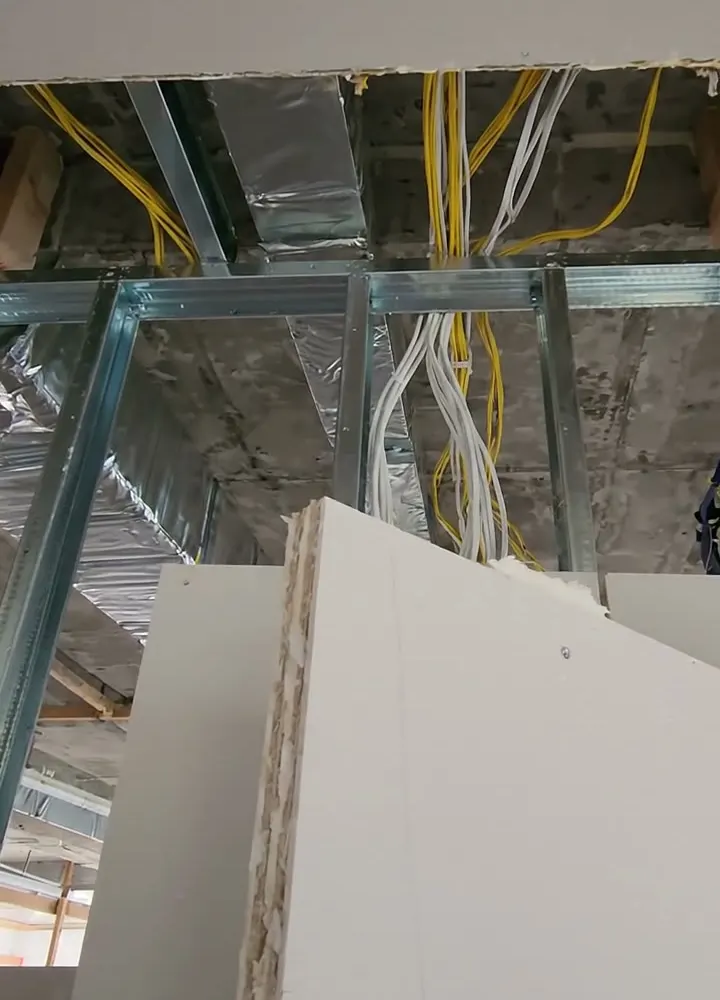
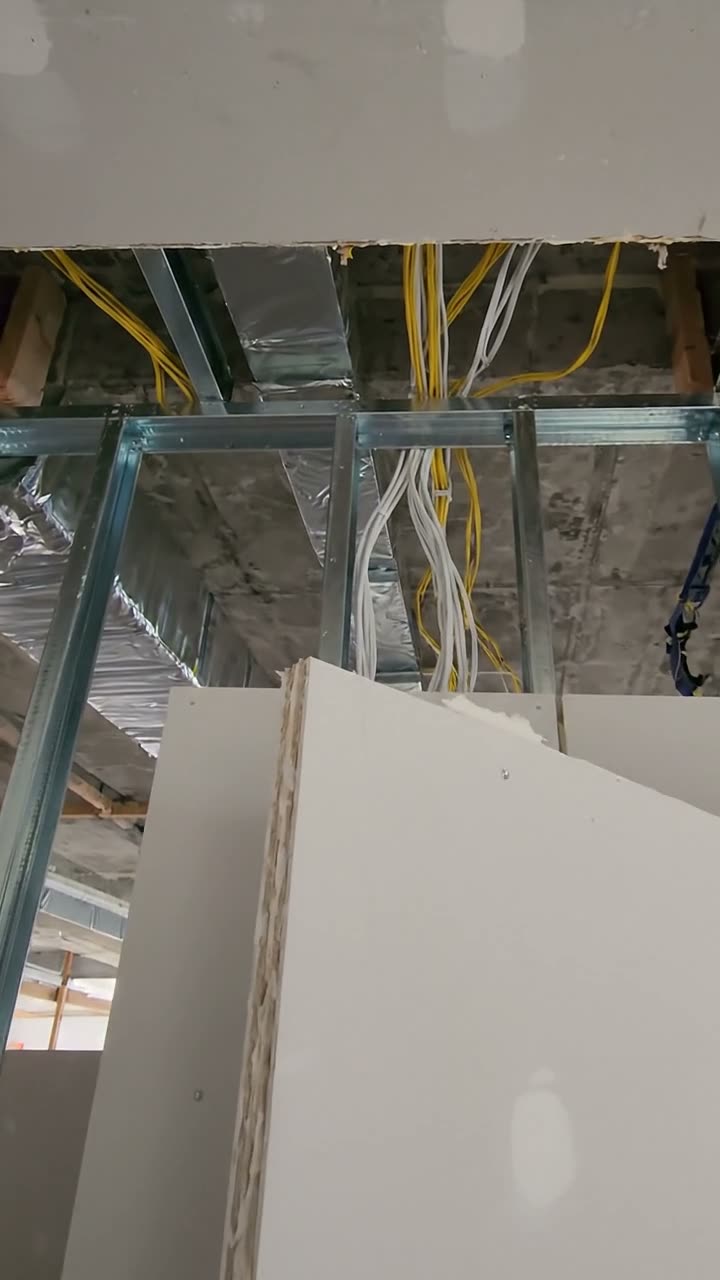
A plasterboard partition stopping short of the slab with cables passing through the open head
Meeting room 4 · head not sealed · before it is covered up
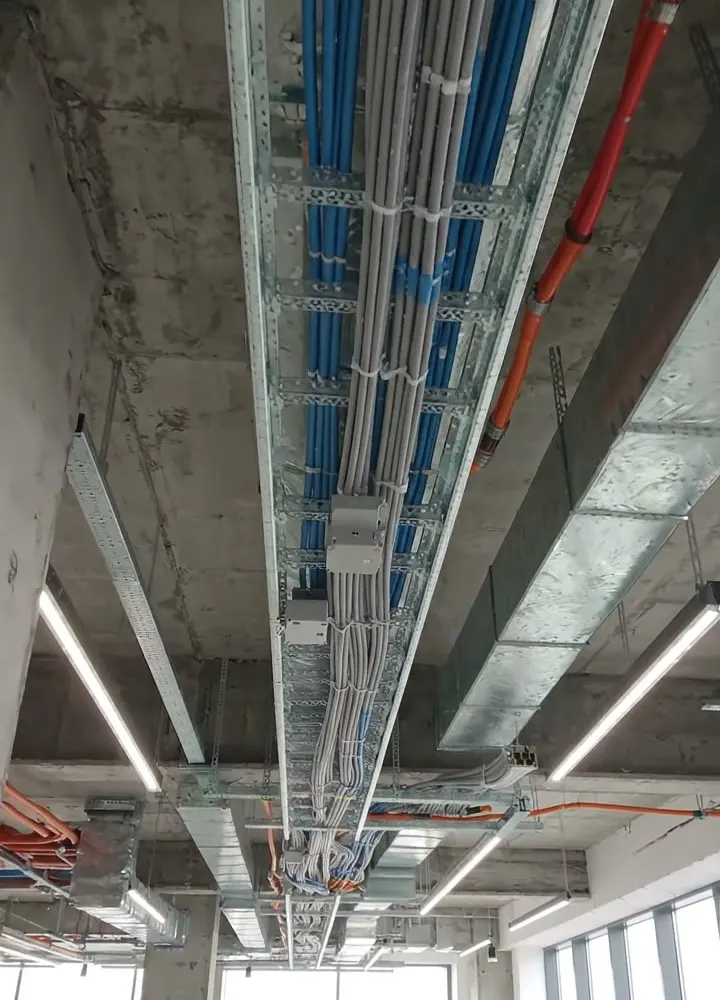
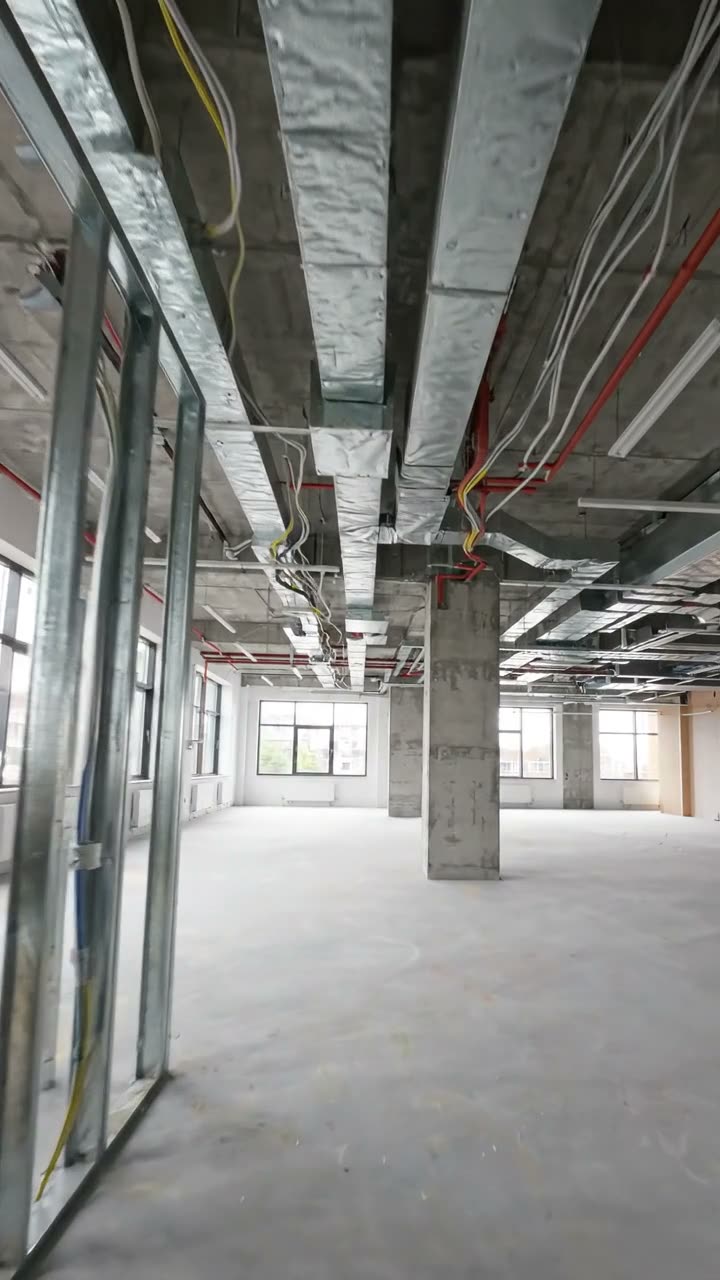
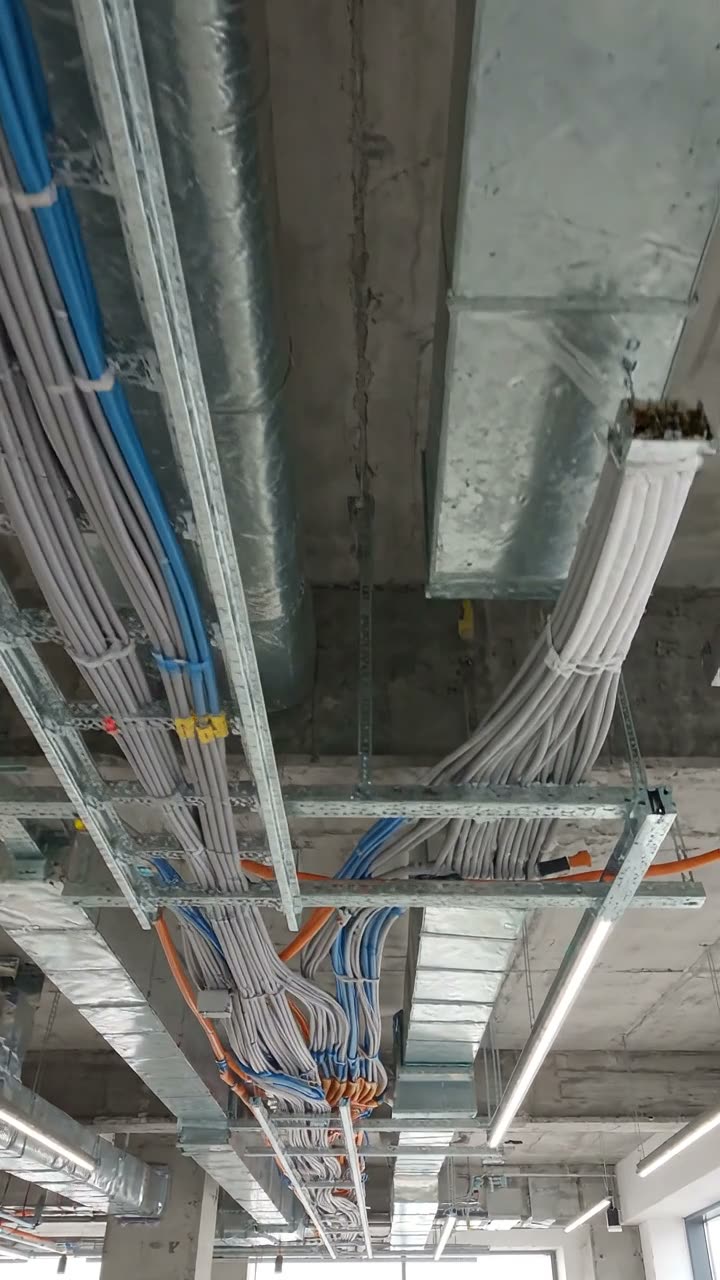
Cable containment and pulled cables in an open ceiling void
Zones B and C · cabling 50% against 60% planned

Try the site inspection form live

Answer a few questions and watch it adapt. Your answers are not saved, and any photos you add are deleted within the hour.

Live form: Site InspectionOpen full screen ↗
Fill it in right here

This is the real form as your team would use it: questions appear as you answer, scores work themselves out and you can add photos and signatures. No sign-up needed. Or open a completed example to see every answer, photo and score filled in.

Want to see one filled in? See a completed site inspection report (PDF), made by SiteSurvey from a fictional site visit.

For teams

Using the site inspection template for client work?

Paper or a spreadsheet works for the odd job. When your team does this every week, SiteSurvey keeps every visit in one place and turns each one into a report you can send.

  • Everyone fills in the same form on their phone, with photos attached to the answer they belong to.
  • Each visit becomes a branded PDF report for the client, with no retyping.
  • Every site, visit and report is kept together in one account, not scattered across email and shared drives.

Fill it in on a phone or tablet

Your team completes the site inspection on site in the SiteSurvey app on iPhone, iPad and Android phones and tablets. The project name and address fill in for them, it works without signal, and it syncs when the device is back online with photos kept against the question they answer.

Customers and subcontractors do not need the app: send them a link and they can fill it in from any browser.

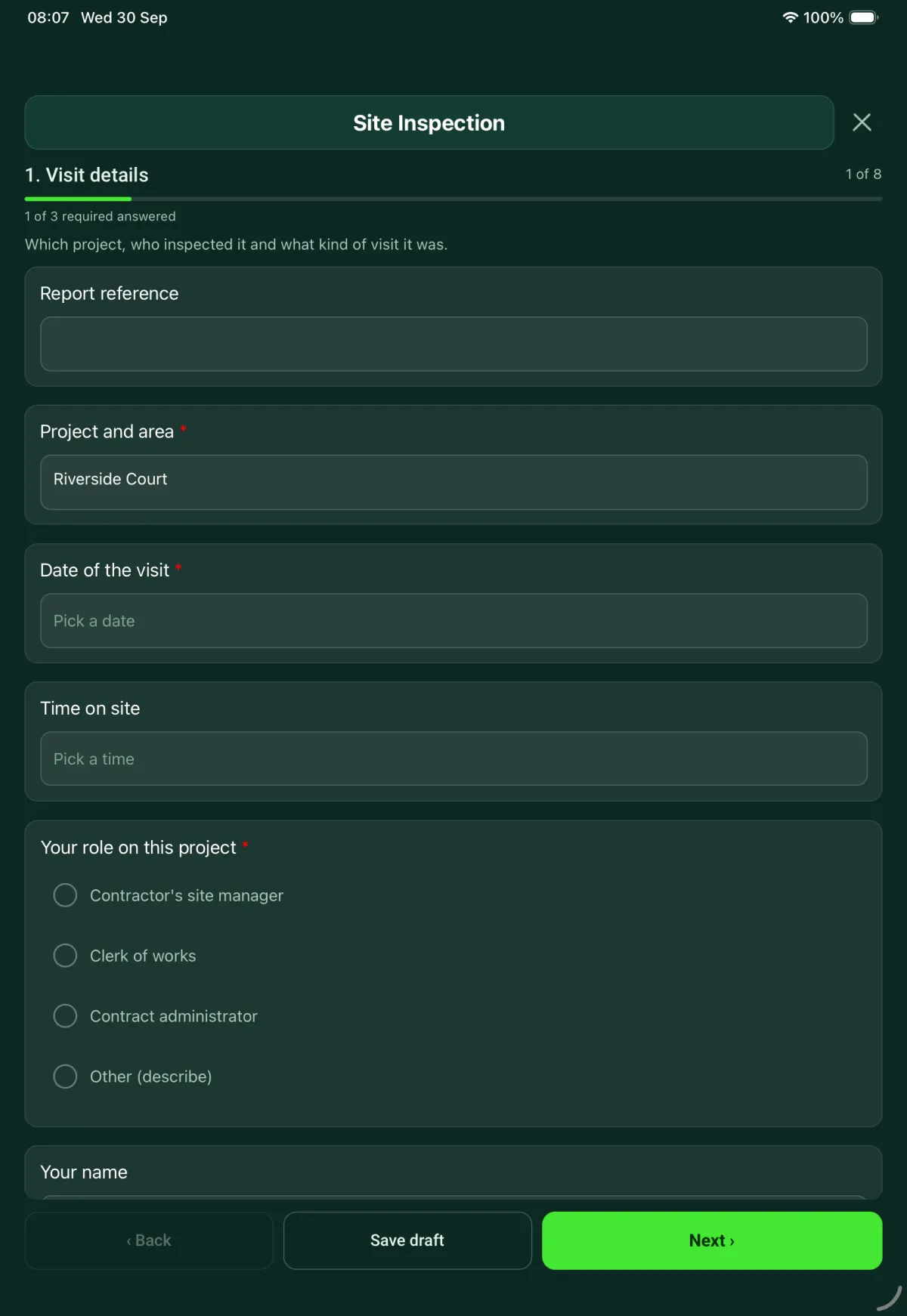
The Site Inspection form in the SiteSurvey app on a tablet
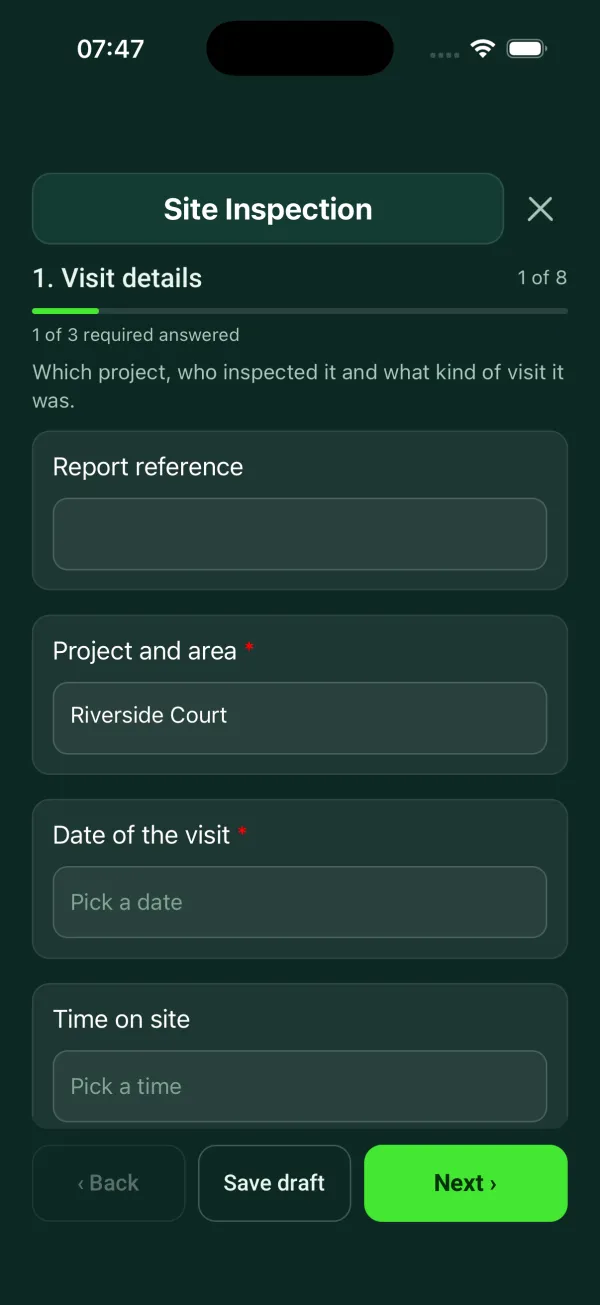
The Site Inspection form in the SiteSurvey app on a phone

Every question in the site inspection template

Site visit report: weather, labour, progress against programme, area by area record, tests, queries and instructions. 8 sections and 109 questions. Follow-up questions and guidance appear only when an answer calls for them, so the person on site never sees the ones that do not apply.

Make it your own: every question is editable

This is a starting point, not a fixed form. Once it is in your SiteSurvey account you can reword any question, add or remove questions, sections and answer options, and add your own logo, so it fits the way your team works and the jobs you do.

Details you only enter once

Add this form to a project in SiteSurvey and it fills in what the project already knows, so nobody on site retypes it and every form on the job uses the same names. Anything filled in can still be changed.

  • Project and area: the project name
  • Client: the project's customer
  • Site address: the site address, from the space or the project

Visit details

Which project, who inspected it and what kind of visit it was.

  • Project and area*Short answer
    Fills in from the project name
  • ClientShort answer
    Fills in from the project's customer
  • Site addressShort answer
    Fills in from the site address, from the space or the project
  • Report referenceShort answer
  • Date of the visit*Date
  • Your role on this project*Choose one
    • Contractor's site manager
    • Clerk of works
    • Contract administrator
    • Other (describe)
  • GuidanceContractor. In England, anyone carrying out building work must make sure it is planned, managed and monitored so that it complies with the building regulations. Government guidance says principal contractors should have arrangements to monitor the work and keep records.
    Shown only when the answers above make it relevant
  • GuidanceClerk of works. You inspect for the client. Record what you see and report it to the client and the contract administrator. What you are allowed to direct on site depends on your appointment and the contract.
    Shown when “Your role on this project” is “Clerk of works”
  • Which contract is the work being carried out under?Short answer
    Shown when “Your role on this project” is “Contract administrator”
  • Your nameShort answer
  • Weather on siteAnswer
  • Principal contractorShort answer
  • Type of visitChoose one
    • Routine
    • Follow-up on earlier findings
    • Before work is covered up
    • Before completion
  • Date of the visit being followed upDate
    Shown when “Type of visit” is “Follow-up on earlier findings”
  • What is about to be covered up, and where?Notes
    Shown when “Type of visit” is “Before work is covered up”
  • When is it due to be covered?Date
    Shown when “Type of visit” is “Before work is covered up”
  • CheckOnce work is covered it cannot be inspected without opening it up. Photograph it on this visit and record who inspected it.
    Shown when “Type of visit” is “Before work is covered up”
  • Did anyone walk the site with you?Yes or No
  • Who, and from which organisation?Short answer
    Shown when “Did anyone walk the site with you?” is Yes
  • Could you get to every area you planned to inspect?Yes or No
  • Which areas were not inspected, and why?Notes
    Shown when “Could you get to every area you planned to inspect?” is No

Site conditions

Record the conditions on the day, even when the work is indoors.

  • Did the weather stop or slow any work?Yes or No
  • Which work was affected?Short answer
    Shown when “Did the weather stop or slow any work?” is Yes
  • Working hours lostNumber
    Shown when “Did the weather stop or slow any work?” is Yes
  • CheckRecord what stopped, for how long and who was stood down. Whether lost time changes the completion date is decided under the contract, not by this record.
    Shown when “Did the weather stop or slow any work?” is Yes
  • Access and housekeepingChoose one
    • Clear and tidy
    • Needs attention
    • Unsafe
  • What needs attention, and where?Notes
    Shown only when the answers above make it relevant
  • Did you see anything that concerned you about health and safety?Yes or No
  • What did you see, and where?Notes
    Shown when “Did you see anything that concerned you about health and safety?” is Yes
  • Who did you tell, and when?Short answer
    Shown when “Did you see anything that concerned you about health and safety?” is Yes
  • WarningTell the person in charge of the site straight away. Do not wait for the report.
    Shown when “Did you see anything that concerned you about health and safety?” is Yes

Labour, deliveries and visitors

Who was on site and what arrived.

  • Building trades on siteNumber
  • MechanicalNumber
  • ElectricalNumber
  • Other tradesNumber
  • Site managementNumber
  • Total on siteWorked out by the form
  • Any deliveries since the last visit?Yes or No
  • What arrived, and when?Notes
    Shown when “Any deliveries since the last visit?” is Yes
  • Are the materials stored so that they stay dry and undamaged?Yes or No
    Shown when “Any deliveries since the last visit?” is Yes
  • What is wrong with the storage?Notes
    Shown when “Any deliveries since the last visit?” is Yes and “Are the materials stored so that they stay dry and undamaged?” is No
  • Visitors to the siteShort answer

Progress against the programme

Where the job is against the contractor's programme.

  • Programme and revisionShort answer
  • Programme week nowNumber
  • Length of the programme (weeks)Number
  • Share of the programme time used (%)Worked out by the form
    Shown only when the answers above make it relevant
  • Overall progressChoose one
    • Ahead of programme
    • On programme
    • Behind programme
  • How many working days behind?Number
    Shown when “Overall progress” is “Behind programme”
  • What is causing the delay?Tick all that apply
    • Weather
    • Labour
    • Materials or deliveries
    • Late information
    • Changes to the work
    • Defective work to put right
    • Access to the area
    • Other (describe)
    Shown when “Overall progress” is “Behind programme”
  • What is being done to recover the time?Notes
    Shown when “Overall progress” is “Behind programme”
  • CheckReport the delay to the contract administrator in this report. Notices of delay are given under the contract and this record does not replace them.
    Shown when “Overall progress” is “Behind programme”
  • CheckLate information is recorded as a cause. List the outstanding queries in section 7, with the date each one was raised.
    Shown when “Overall progress” is “Behind programme” and “What is causing the delay?” includes “Late information”

Area by area record

One entry for each area or trade you inspect.

  • GuidanceWhat a good photo shows. Stand back to show where you are, then get close to the work. Take it before the work is covered.
  • An office floor with metal stud partitions up and the ceiling open
    An office floor with metal stud partitions up and the ceiling open
    A plasterboard partition that stops short of the slab, with cables passing over it
    A plasterboard partition that stops short of the slab, with cables passing over it
    Cable tray and cabling fixed under a concrete slab
    Cable tray and cabling fixed under a concrete slab
  • Areas inspected
    Repeat for each area. Each one asks:
    • Area or zoneShort answer
    • Position on site (GPS)Short answer

      Optional. Useful on a large or phased site.

    • What are you inspecting?Choose one
      • Partitions and linings
      • Ceilings
      • Mechanical services
      • Electrical services
      • Floors
      • Joinery and doors
      • Decoration
      • Other (describe)
    • Which looks most like the stage the work has reached?Choose one
      • Framing up, ceilings open
      • Boarded, head still open
      • Containment in, cables pulled
    • Your photos of this areaPhotos
    • Planned complete (%)Number
    • Actual complete (%)Number
    • Difference from the programme (percentage points)Worked out by the form
      Shown when “Planned complete (%)” is answered and “Actual complete (%)” is answered
    • CheckThis work is behind the programme. Say why, and what will bring it back.
      Shown only when the answers above make it relevant
    • Why is it behind, and what will bring it back?Notes
      Shown only when the answers above make it relevant
    • Do the drawings show this partition as fire resisting?Choose one
      • Yes
      • No
      • Not known
      Shown only when the answers above make it relevant
    • CheckCheck the fire strategy and partition drawings before the ceiling is closed. Raise a query if they do not say.
      Shown only when the answers above make it relevant
    • Is the head built and sealed to the slab as the drawings show?Yes or No
      Shown only when the answers above make it relevant
    • WarningA fire resisting partition has to be finished as designed, including the head and the openings for services. Record this as a finding and photograph it before the ceiling goes in.
      Shown only when the answers above make it relevant
    • Has this section been tested?Yes or No
      Shown only when the answers above make it relevant
    • Which test, and who witnessed it?Short answer
      Shown only when the answers above make it relevant
    • Is there a finding in this area?Yes or No
    • What did you find?Notes
      Shown when “Is there a finding in this area?” is Yes
    • Measured length, height or width, if relevant (mm)Number

      Optional. An estimate from a photo with an A4 sheet or a door in the same plane; check critical dimensions with a tape.

      Shown when “Is there a finding in this area?” is Yes
    • Type of findingChoose one
      • Incomplete work
      • Defective work
      • Not as the drawings or specification
      • Damage
      Shown when “Is there a finding in this area?” is Yes
    • When does it need to be put right?Choose one
      • Now, before work carries on
      • Before it is covered up
      • Before completion
      Shown when “Is there a finding in this area?” is Yes
    • Who did you tell, and at what time?Short answer
      Shown when “Is there a finding in this area?” is Yes and “When does it need to be put right?” is “Now, before work carries on”
    • WarningTell the site manager before you leave the area, and record the time you told them.
      Shown when “Is there a finding in this area?” is Yes and “When does it need to be put right?” is “Now, before work carries on”
    • Who needs to act?Short answer
      Shown when “Is there a finding in this area?” is Yes
    • Due dateDate
      Shown when “Is there a finding in this area?” is Yes
    • More findings in this area
      Repeat for each finding. Each one asks:
      Shown when “Is there a finding in this area?” is Yes
      • What did you find?*Notes
      • Measured length, height or width, if relevant (mm)Number

        Measuring from a photo gives an estimate.

      • Type of findingChoose one
        • Incomplete work
        • Defective work
        • Not as the drawings or specification
        • Damage
      • When does it need to be put right?Choose one
        • Now, before work carries on
        • Before it is covered up
        • Before completion
      • Who needs to act?Short answer
      • Due dateDate
      • PhotosPhotos
    • More findings in this areaWorked out by the form
      Shown when “Is there a finding in this area?” is Yes
  • Findings recorded in the areasWorked out by the form
  • Further findings in the areasWorked out by the form
  • To put right now, before work carries onWorked out by the form
  • Before it is covered upWorked out by the form
  • Areas behind the programmeWorked out by the form
  • Walk Cam: site inspection walkWalk Cam video with voice-to-text

    Optional. Film a guided walk-through on the SiteSurvey app.

Materials, tests and work to be covered

What the record needs before work is closed up.

  • GuidanceThe building regulations require work to be carried out with adequate and proper materials and in a workmanlike manner. This section records what you checked. It does not certify the work.
  • Do the materials on site match the specification or approved samples?Choose one
    • Yes
    • No
    • Not checked
  • What is different, and where is it being used?Notes
    Shown when “Do the materials on site match the specification or approved samples?” is “No”
  • CheckReport this to the contract administrator before more of the material is fixed.
    Shown when “Do the materials on site match the specification or approved samples?” is “No”
  • Did you witness a test on this visit?Yes or No
  • Which test?Short answer
    Shown when “Did you witness a test on this visit?” is Yes
  • ResultChoose one
    • Passed
    • Failed
    Shown when “Did you witness a test on this visit?” is Yes
  • Date of the retestDate
    Shown when “Did you witness a test on this visit?” is Yes and “Result” is “Failed”
  • WarningRecord the failed test as a finding in section 5 and do not let the work be covered until it has passed.
    Shown when “Did you witness a test on this visit?” is Yes and “Result” is “Failed”
  • Will any work be covered up before your next visit?Yes or No
  • What work, and where?Notes
    Shown when “Will any work be covered up before your next visit?” is Yes
  • Has it been photographed?Yes or No
    Shown when “Will any work be covered up before your next visit?” is Yes
  • CheckPhotograph it before you leave, or agree who will and when.
    Shown when “Will any work be covered up before your next visit?” is Yes and “Has it been photographed?” is No
  • Is this a higher-risk building?Yes or No
  • CheckBuilding work in a higher-risk building has extra requirements. Keep this record in the way the project's own procedures set out.
    Shown when “Is this a higher-risk building?” is Yes

Drawings, queries and instructions

Check you are inspecting against the current information.

  • Are the drawings on site the current revisions?Yes or No
  • Which drawings are out of date?Notes
    Shown when “Are the drawings on site the current revisions?” is No
  • CheckWork built from an old drawing may need to be checked again against the current one.
    Shown when “Are the drawings on site the current revisions?” is No
  • Are any queries waiting for an answer?Yes or No
  • List each query and the date it was raisedNotes
    Shown when “Are any queries waiting for an answer?” is Yes
  • Were any instructions received since the last visit?Yes or No
  • List them, with their referencesNotes
    Shown when “Were any instructions received since the last visit?” is Yes

Summary and sign-off

Count the findings and set the next visit.

  • Findings carried from earlier visitsNumber
  • Findings from earlier visits
    Repeat for each earlier finding. Each one asks:
    Shown only when the answers above make it relevant
    • Reference or visit dateShort answer
    • What was foundShort answer
    • StatusChoose one
      • Closed on this visit
      • Still open
    • What showed it was put right?Short answer
      Shown when “Status” is “Closed on this visit”
  • Closed on this visitNumber
  • New on this visitNumber

    Leave blank to use the findings recorded area by area.

  • Open at the end of this visitWorked out by the form
  • CheckYou have closed more findings than were open. Check the numbers.
    Shown only when the answers above make it relevant
  • Summary of the visitNotes
  • Next visitDate
  • Who is the report going to?Tick all that apply
    • Client
    • Contract administrator
    • Principal contractor
    • Principal designer
    • Other (describe)
  • NameWorked out by the form
  • SignatureSignature

See it filled in

A completed site inspection report, made by SiteSurvey from a fictional site visit: every answer, the photos, the guidance that applied and the sign-off, ready to send as a PDF.

See completed form (PDF) ↗

Site inspection FAQs

Who is the site inspection form for?

The form asks your role first: the contractor's site manager, a clerk of works or the contract administrator. The site manager and clerk of works choices show a short note on what that role records and who it reports to, and a contract administrator is asked which contract the work is under.

How does it record progress against the programme?

Section 4 records the programme revision, the current week and the programme length, and works out the share of time used. If the job is behind, it asks how many working days, the causes and the recovery plan. Each area also has a planned and actual percentage complete.

Does the report replace a notice of delay?

No. The form says notices of delay are given under the contract and this record does not replace them. Whether lost time changes the completion date is also decided under the contract.

What does the principal contractor have to do during construction?

Under regulation 13 of CDM 2015, the principal contractor must plan, manage and monitor the construction phase and coordinate health and safety during it. The form's site conditions section asks whether you saw anything that concerned you about health and safety, and who you told.

Does the form certify the work?

No. The form notes that the building regulations require work to be carried out with adequate and proper materials and in a workmanlike manner. The materials and tests section records what you checked, but it does not certify the work.

Can I sign and send the report from site?

Yes. In the SiteSurvey app the form works offline, attaches photos to each area, collects your signature and produces a PDF report or share link for the client, contract administrator or principal contractor.

Related

Use this site inspection form with your team

Add it from the form library in one click, change any question, and every completed form becomes a branded PDF report.

Start your trial →