A health and safety audit form that marks each requirement as conforms, nonconformity or observation across walkways and exits, first aid, fire equipment and records. Findings are graded with evidence, a corrective action, an owner and a target date, and both sides sign at the closing meeting. The form works out the share conforming for each section and the site, a red, amber or green result against your target and the change since the last audit, so sites audited on the same form compare like for like. Every question is listed below, and you can fill the live form in on this page.
✎Every question is editable. Add this form to your account, then change the wording, add or remove questions and options, and make it fit your own jobs.
A safety audit checklist should state the scope and the criteria the site is audited against, then record a result for each requirement with the evidence seen. Each nonconformity needs a corrective action, an owner and a target date. HSE says larger organisations should have formal procedures for auditing and reporting health and safety performance. Close with a meeting so the auditee sees the findings first.
Walk the site with the form on a phone and mark each requirement as it is checked. The form works out the share conforming for each section and the whole site, gives a red, amber or green result against the target you set and the change since the last audit, and counts the corrective actions still open by grade. Every site audited on the form is scored the same way, so the results line up when you compare them.
A result against your target
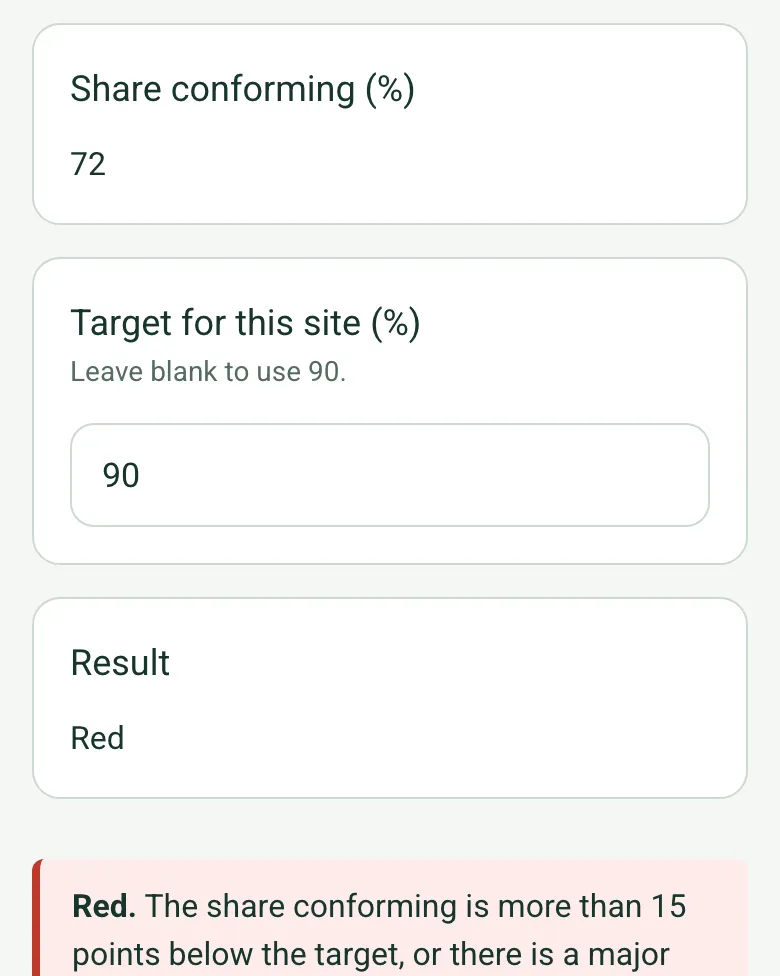
Each requirement checked counts once and Not checked is left out. Green meets your target, Amber is up to 15 points below it, and Red is further below or has a major nonconformity. These are the form's bands for comparing sites, not a legal standard.
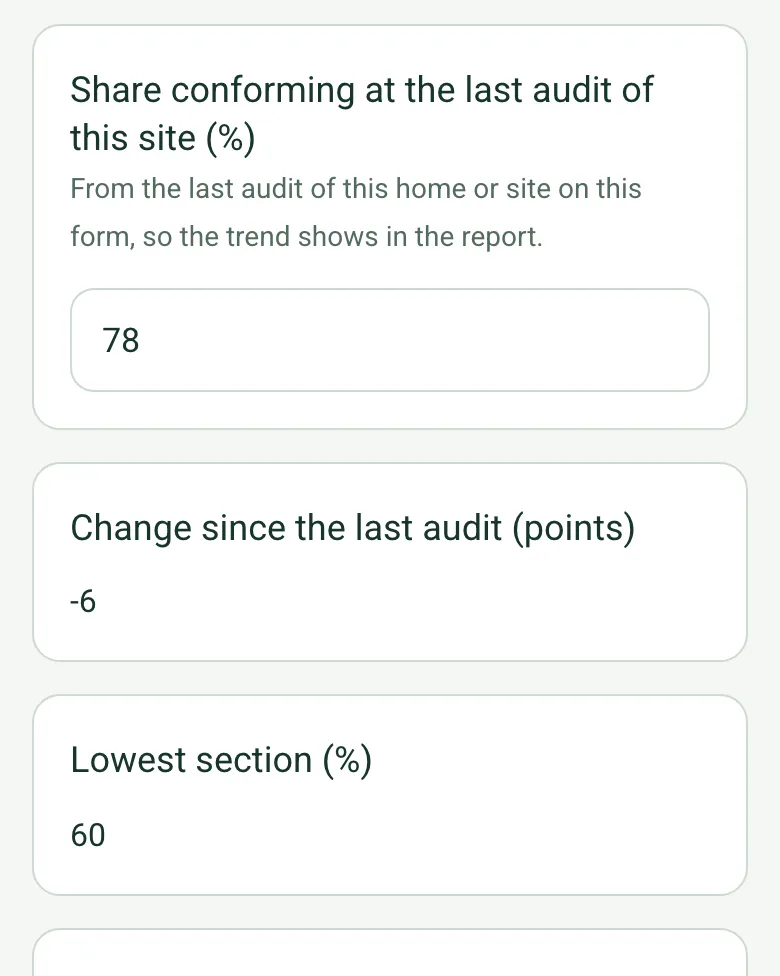
Enter the last audit's result and the form shows the change in points. Walkways and exits, first aid, fire equipment and records each get their own share, and the lowest one is named, so you know where to start.
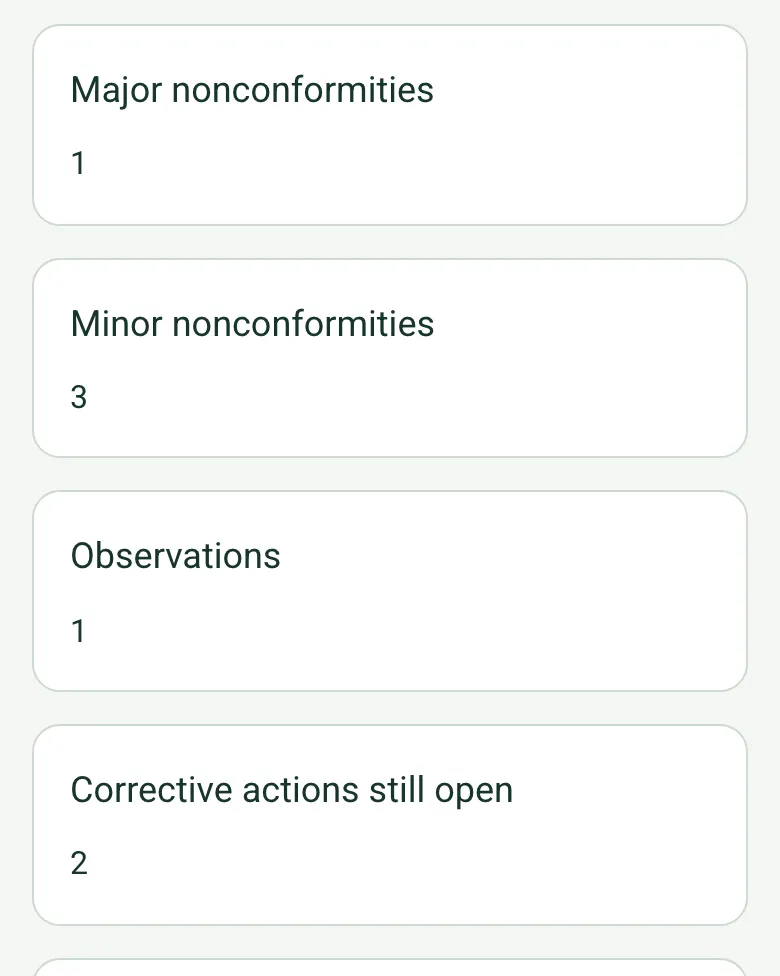
Findings are counted as major, minor or observation, and each corrective action shows as open until a closed date goes in. An open major brings up a red note before the closing meeting ends.
Film the walk from where people work to the final exit with Walk Cam, so the report shows the route as it was on the day, alongside the photos attached to each finding.
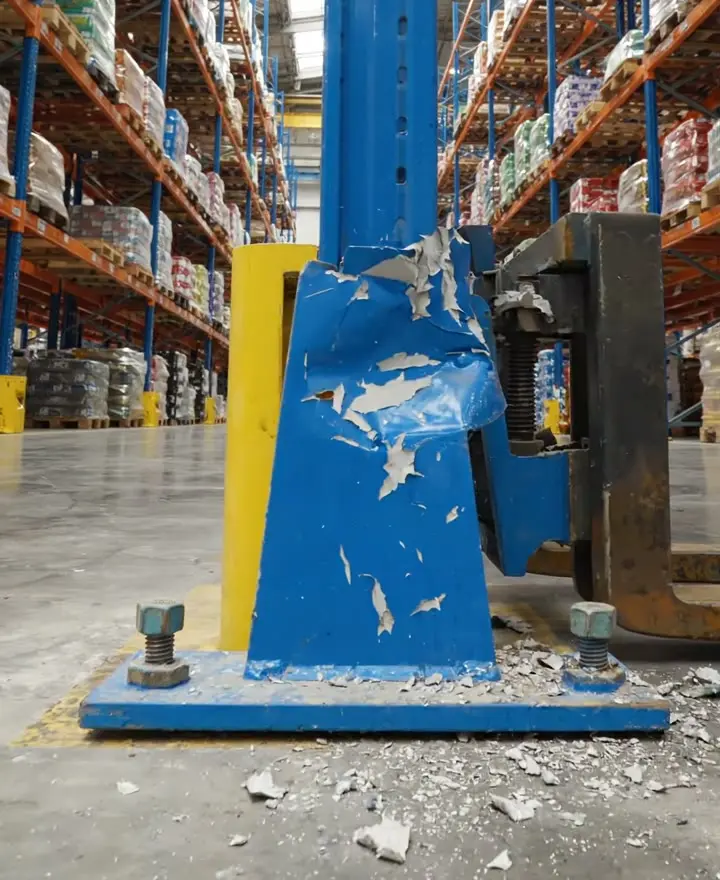
An internal audit of a fictional distribution warehouse: 72% conforming against a 90% target, down 6 points on the last audit, with a struck racking upright offloaded and tagged as a major nonconformity, an extinguisher missed at its annual service and gaps in the monthly checks. Open it as a filled-in form, or switch to a blank copy and try it yourself.
This is the real form as your team would use it: questions appear as you answer, scores work themselves out and you can add photos and signatures. No sign-up needed. Or open a completed example to see every answer, photo and score filled in.
Your team completes the safety audit on site in the SiteSurvey app on iPhone, iPad and Android phones and tablets. The project name and address fill in for them, it works without signal, and it syncs when the device is back online with photos kept against the question they answer.
Customers and subcontractors do not need the app: send them a link and they can fill it in from any browser.
Workplace audit with walkways, first aid, fire equipment and records, findings and corrective actions, closing meeting. 8 sections and 119 questions. Follow-up questions and guidance appear only when an answer calls for them, so the person on site never sees the ones that do not apply.
✎
Make it your own: every question is editable
This is a starting point, not a fixed form. Once it is in your SiteSurvey account you can reword any question, add or remove questions, sections and answer options, and add your own logo, so it fits the way your team works and the jobs you do.
Details you only enter once
Add this form to a project in SiteSurvey and it fills in what the project already knows, so nobody on site retypes it and every form on the job uses the same names. Anything filled in can still be changed.
Project: the project name
Client: the project's customer
Site: the site, when the form is opened for a space or a product
Site address: the site address, from the space or the project
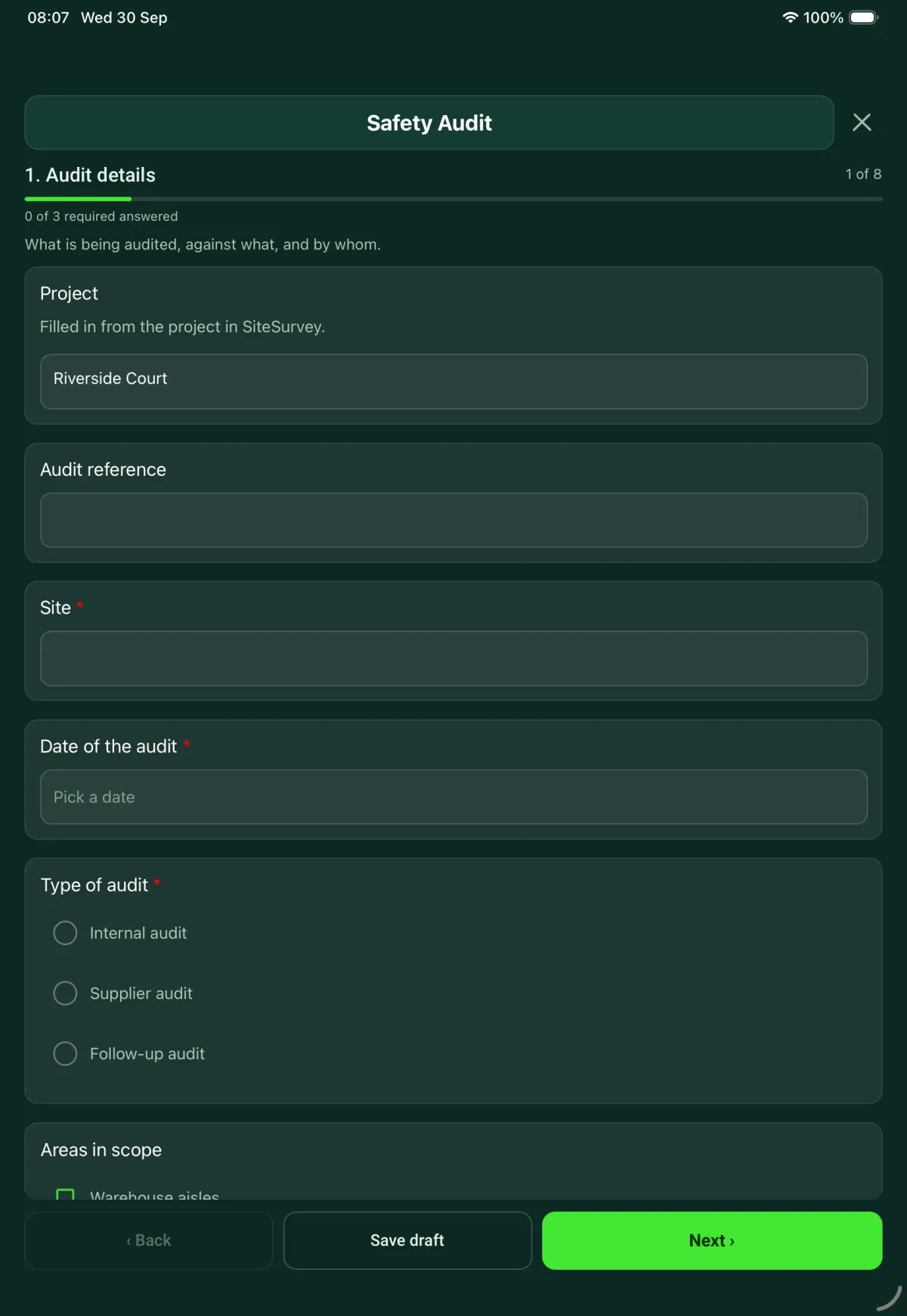
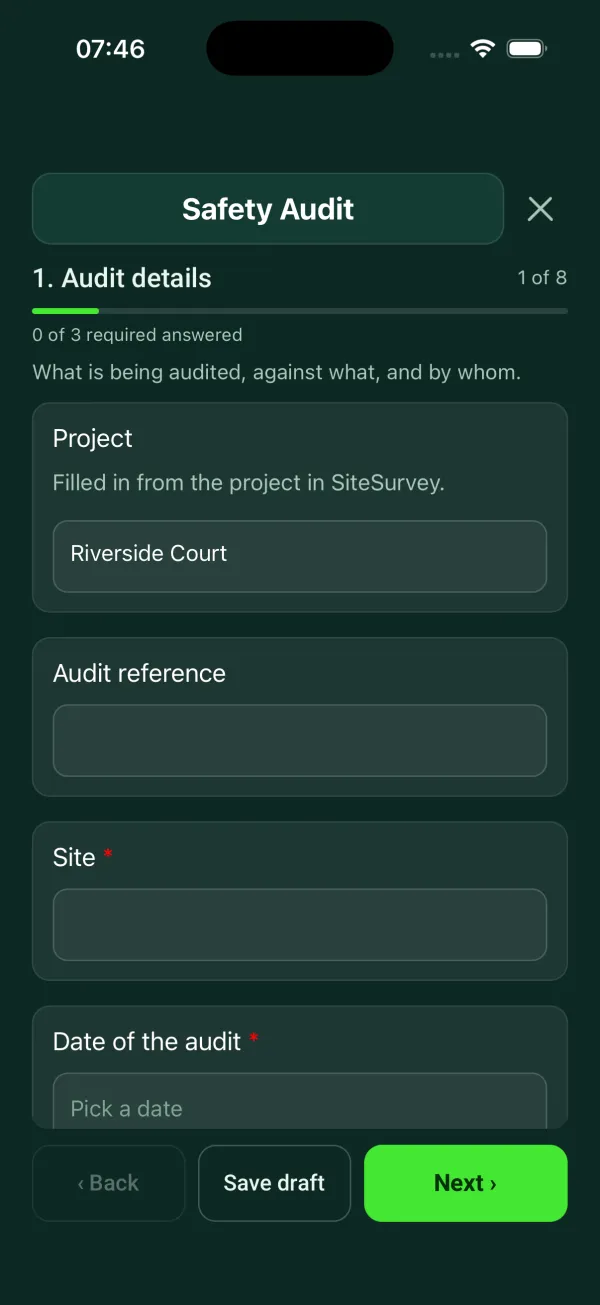
1
Audit details
What is being audited, against what, and by whom.
ProjectShort answer
Filled in from the project in SiteSurvey.
Fills in from the project name
ClientShort answer
Fills in from the project's customer
Audit referenceShort answer
Site*Short answer
Fills in from the site, when the form is opened for a space or a product
Site addressShort answer
Fills in from the site address, from the space or the project
Date of the audit*Date
Type of audit*Choose one
Internal audit
Supplier audit
Follow-up audit
GuidanceInternal audit. The auditor should not audit their own work.
Shown when “Type of audit” is “Internal audit”
Does the auditor work in the area being audited?Yes or No
Shown when “Type of audit” is “Internal audit”
CheckThe auditor works in the area being audited. Say in the report how the findings will be checked by someone else.
Shown when “Type of audit” is “Internal audit” and “Does the auditor work in the area being audited?” is Yes
Supplier auditedShort answer
Shown when “Type of audit” is “Supplier audit”
Reference of the audit being followed upShort answer
Shown when “Type of audit” is “Follow-up audit”
GuidanceFollow-up audit. Check the evidence that each action was completed, and that it worked. Record anything that has come back as a new finding.
Shown when “Type of audit” is “Follow-up audit”
Areas in scopeTick all that apply
Warehouse aisles
First aid points
Offices and kitchen
Loading bays and yard
Records
Other (describe)
Audit criteriaNotes
The procedures, legal duties and guidance the site is being checked against.
Auditor name and roleShort answer
Auditee name and roleShort answer
Was an opening meeting held?Yes or No
Why not?Short answer
Shown when “Was an opening meeting held?” is No
Were all areas in scope audited?Yes or No
Which areas were not audited, and why?Notes
Shown when “Were all areas in scope audited?” is No
2
Walkways and exits
Walk each route to its exit. Record a result for each requirement.
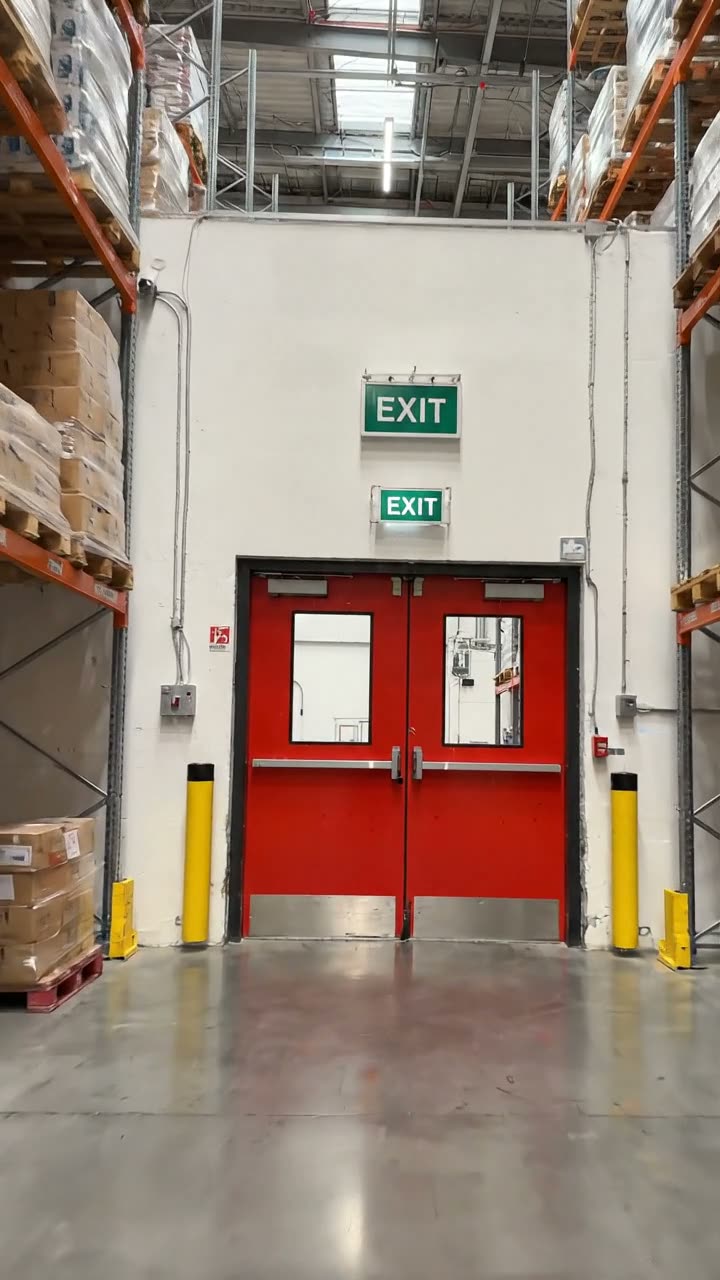
GuidanceWalk the route. Start where people work and walk to the final exit. Photograph the route and the exit door.
A clear warehouse aisle leading to double fire exit doors with exit signs above
W1. Routes to fire exits are clearChoose one
Conforms
Nonconformity
Observation
Not checked
What was seen, and where?Notes
Shown only when the answers above make it relevant
Was the route cleared before you left?Yes or No
Shown when “W1. Routes to fire exits are clear” is “Nonconformity”
WarningBlocked escape route. In England and Wales the Fire Safety Order says routes to emergency exits, and the exits themselves, must be kept clear at all times where that is needed to keep people safe. Tell the auditee now.
Shown when “W1. Routes to fire exits are clear” is “Nonconformity”
WarningThe route is still blocked. Do not leave it only as a line in the report. Make sure the person in charge of the area knows today.
Shown when “W1. Routes to fire exits are clear” is “Nonconformity” and “Was the route cleared before you left?” is No
W2. Fire exits are marked with signsChoose one
Conforms
Nonconformity
Observation
Not checked
What was seen, and where?Notes
Shown only when the answers above make it relevant
W3. Exit doors open easily from insideChoose one
Conforms
Nonconformity
Observation
Not checked
What was seen, and where?Notes
Shown only when the answers above make it relevant
How many exit doors were tried?Number
Shown only when the answers above make it relevant
WarningExit door does not open easily. The Fire Safety Order says emergency doors must not be locked or fastened so that they cannot be easily and immediately opened by anyone who needs to use them in an emergency.
Shown when “W3. Exit doors open easily from inside” is “Nonconformity”
W4. Floors and walkways are free from obstructionChoose one
Conforms
Nonconformity
Observation
Not checked
What was seen, and where?Notes
Shown only when the answers above make it relevant
Was it removed during the audit?Yes or No
Shown only when the answers above make it relevant
W5. Racking end frames and guards are undamagedChoose one
Conforms
Nonconformity
Observation
Not checked
What was seen, and where?Notes
Shown only when the answers above make it relevant
Walkways and exits: conforming (%)Worked out by the form
Shown only when the answers above make it relevant
Walk Cam: audit walk-roundWalk Cam video with voice-to-text
Optional. Film a guided walk-through on the SiteSurvey app.
3
First aid provision
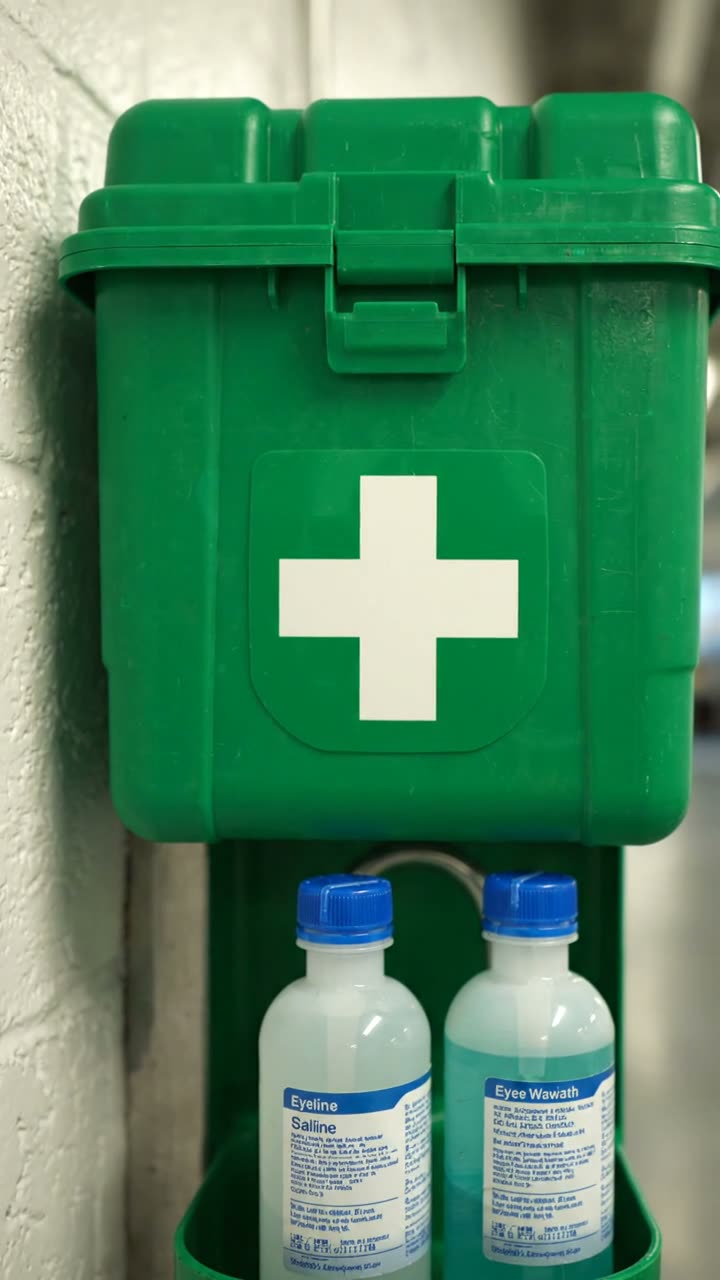
Open the box. Check the contents and the dates.
A green wall mounted first aid box with two eyewash bottles below it
A1. First aid box is marked, easy to reach and stockedChoose one
Conforms
Nonconformity
Observation
Not checked
What was seen, and where?Notes
Shown only when the answers above make it relevant
A2. Contents and eyewash are in dateChoose one
Conforms
Nonconformity
Observation
Not checked
What was seen, and where?Notes
Shown only when the answers above make it relevant
Is any item past its expiry date?Yes or No
Which items, and what are the dates?Notes
Shown when “Is any item past its expiry date?” is Yes
CheckHSE guidance says first aid items should not be used after their expiry date, and should be disposed of safely. This is guidance.
Shown when “Is any item past its expiry date?” is Yes
Is mains tap water close by for washing eyes?Yes or No
Sealed sterile eyewash at this point (litres)Number
Shown when “Is mains tap water close by for washing eyes?” is No
CheckLess than 1 litre. Where mains tap water is not readily available, HSE guidance says to provide at least one litre of sterile water or sterile saline in sealed, disposable containers. This is guidance.
Shown only when the answers above make it relevant
A3. Checks of the box are recordedChoose one
Conforms
Nonconformity
Observation
Not checked
What was seen, and where?Notes
Shown only when the answers above make it relevant
A4. First aiders are trained and named on the noticeChoose one
Conforms
Nonconformity
Observation
Not checked
What was seen, and where?Notes
Shown only when the answers above make it relevant
First aid: conforming (%)Worked out by the form
Shown only when the answers above make it relevant
4
Fire equipment
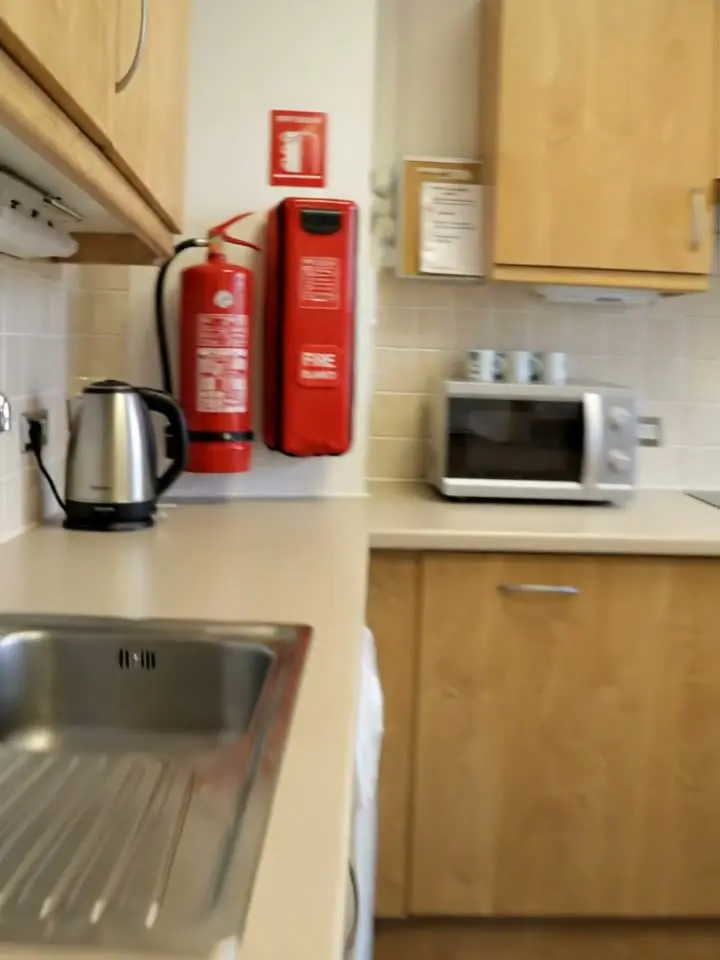
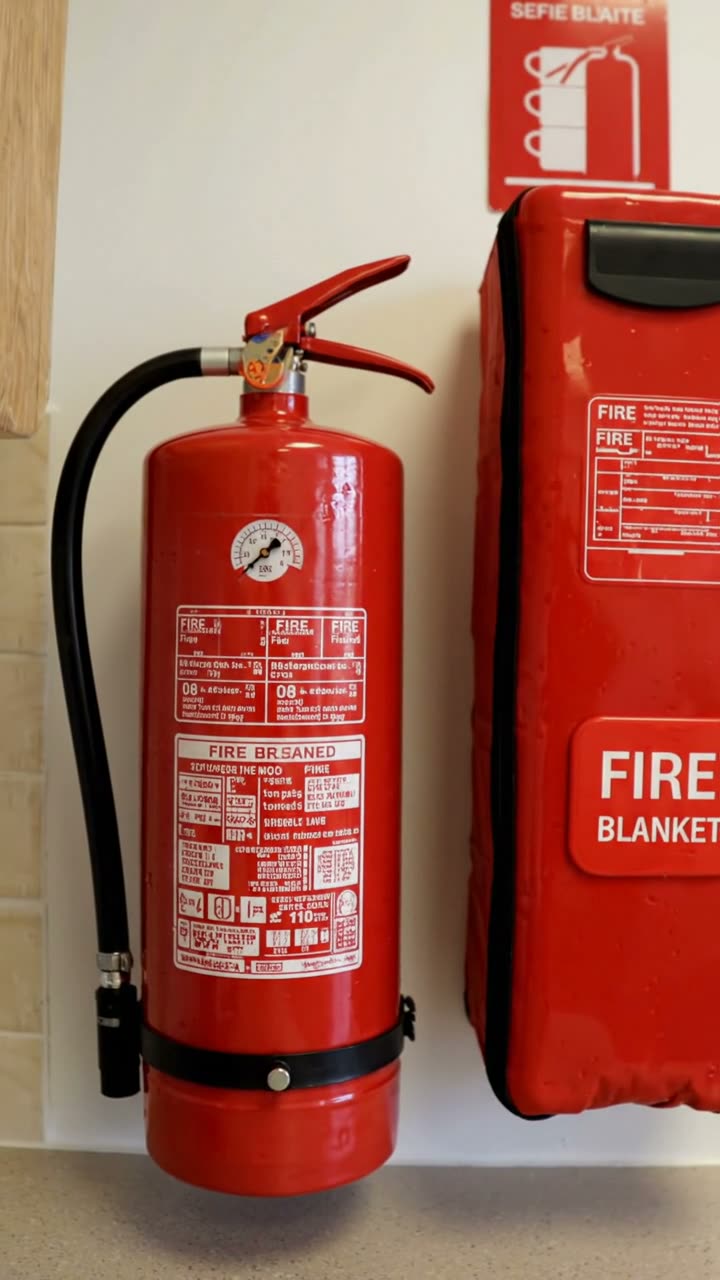
Check access, the gauge and the service label on each one you sample.
A fire extinguisher and a fire blanket mounted on a kitchen wall
E1. Extinguishers are in place, signed and easy to reachChoose one
Conforms
Nonconformity
Observation
Not checked
What was seen, and where?Notes
Shown only when the answers above make it relevant
Extinguishers on siteNumber
Extinguishers checked in this auditNumber
Share of extinguishers checked (%)Worked out by the form
Shown only when the answers above make it relevant
CheckMore checked than are on site. Check the two numbers.
Shown only when the answers above make it relevant
E2. Gauge in the green, pin and seal in placeChoose one
Conforms
Nonconformity
Observation
Not checked
What was seen, and where?Notes
Shown only when the answers above make it relevant
E3. Annual service is in dateChoose one
Conforms
Nonconformity
Observation
Not checked
What was seen, and where?Notes
Shown only when the answers above make it relevant
Longest time since a service, from the labels (months)Number
CheckMore than 12 months since the last service. Government guidance for factories and warehouses says extinguishers should be maintained by a competent person each year. This is guidance.
Shown only when the answers above make it relevant
E4. Fire blanket is in place and easy to reachChoose one
Conforms
Nonconformity
Observation
Not checked
What was seen, and where?Notes
Shown only when the answers above make it relevant
E5. Monthly visual checks are recordedChoose one
Conforms
Nonconformity
Observation
Not checked
What was seen, and where?Notes
Shown only when the answers above make it relevant
How many monthly checks are missing from the last 12?Number
Shown only when the answers above make it relevant
Fire equipment: conforming (%)Worked out by the form
Shown only when the answers above make it relevant
5
Records
Ask to see the record. A record you have not seen is not evidence.
R1. First aid needs assessment is currentChoose one
Conforms
Nonconformity
Observation
Not checked
What was seen, and where?Notes
Shown only when the answers above make it relevant
R2. Fire risk assessment has been reviewedChoose one
Conforms
Nonconformity
Observation
Not checked
What was seen, and where?Notes
Shown only when the answers above make it relevant
R3. Actions from the previous audit are closedChoose one
Conforms
Nonconformity
Observation
Not checked
What was seen, and where?Notes
Shown only when the answers above make it relevant
Actions raised at the previous auditNumber
Actions closed with evidenceNumber
Actions still openWorked out by the form
Shown when “Actions raised at the previous audit” is answered and “Actions closed with evidence” is answered
CheckActions from the previous audit are still open. Carry each one into the findings for this audit.
Shown only when the answers above make it relevant
R4. Induction and fire drill records are keptChoose one
Conforms
Nonconformity
Observation
Not checked
What was seen, and where?Notes
Shown only when the answers above make it relevant
Records: conforming (%)Worked out by the form
Shown only when the answers above make it relevant
6
Summary of results
Counted from the results you recorded in sections 2 to 5.
Requirements checkedWorked out by the form
ConformsWorked out by the form
NonconformitiesWorked out by the form
ObservationsWorked out by the form
Share conforming (%)Worked out by the form
Shown only when the answers above make it relevant
Target for this site (%)Number
Leave blank to use 90.
ResultWorked out by the form
Shown when “Share conforming (%)” is answered
WarningRed. The share conforming is more than 15 points below the target, or there is a major nonconformity. Make sure the person in charge knows today.
Shown when “Result” is “Red”
CheckAmber. The share conforming is below the target. Agree an action, an owner and a date for each gap.
Shown when “Result” is “Amber”
GuidanceGreen. The share conforming meets the target in the sample seen. An audit is a sample taken on one day.
Shown when “Result” is “Green”
Share conforming at the last audit of this site (%)Number
From the last audit of this home or site on this form, so the trend shows in the report.
Change since the last audit (points)Worked out by the form
Shown when “Share conforming at the last audit of this site (%)” is answered and “Share conforming (%)” is answered
Lowest section (%)Worked out by the form
Shown when “Share conforming (%)” is answered
Lowest sectionWorked out by the form
Shown when “Share conforming (%)” is answered
GuidanceHow the result works. The share conforming counts each requirement checked once; Not checked is left out. Green meets your target, Amber is up to 15 points below it and Red is further below, or any major nonconformity. These bands are this form's method for comparing sites and audits, not a legal standard.
GuidanceNo requirements have been marked yet. Go back and record a result for each one you checked.
Shown only when the answers above make it relevant
CheckNonconformities were recorded. Each one needs an entry in section 7, with a corrective action, an owner and a target date.
Shown only when the answers above make it relevant
GuidanceEvery requirement checked was met in the sample seen. An audit is a sample taken on one day.
Shown only when the answers above make it relevant
Audit conclusionNotes
7
Findings and corrective actions
Grade each finding and agree it with the auditee before you leave.
GuidanceOne entry for each finding. Attach the evidence that supports it, so that someone who was not there can see what was found.
Findings
Repeat for each finding. Each one asks:
Which area does the finding belong to?Choose one
Walkways and exits
First aid
Fire equipment
Exact locationShort answer
Requirement checkedShort answer
For example E3.
GradeChoose one
Major nonconformity
Minor nonconformity
Observation
WarningMajor nonconformity. Record what was done to make the area safe before you left, and who was told.
Shown when “Grade” is “Major nonconformity”
What was done to make it safe, and who was told?Notes
Shown when “Grade” is “Major nonconformity”
CheckMinor nonconformity. It needs a corrective action, an owner and a target date.
Shown when “Grade” is “Minor nonconformity”
GuidanceObservation. The requirement is met. Record the improvement so it can be looked at again at the next audit.
Shown when “Grade” is “Observation”
What was foundNotes
EvidenceTick all that apply
Seen by the auditor
Photograph
Record or document seen
Equipment label
What a person said
Measurement
PhotographsPhotos
Which record or document?Short answer
Shown when “Evidence” includes “Record or document seen”
Corrective actionNotes
Shown only when the answers above make it relevant
OwnerShort answer
Shown only when the answers above make it relevant
Target dateDate
Shown only when the answers above make it relevant
Closed onDate
Shown only when the answers above make it relevant
Action statusWorked out by the form
Shown only when the answers above make it relevant
Has the auditee seen and agreed the finding?Yes or No
What does the auditee say?Notes
Shown when “Has the auditee seen and agreed the finding?” is No
Major nonconformitiesWorked out by the form
Minor nonconformitiesWorked out by the form
ObservationsWorked out by the form
Corrective actions still openWorked out by the form
Major still openWorked out by the form
WarningA major nonconformity is still open. Agree the corrective action and the date with the auditee before the closing meeting ends.
Shown only when the answers above make it relevant
8
Closing meeting and sign-off
Was a closing meeting held?Yes or No
Why not?Short answer
Shown when “Was a closing meeting held?” is No
Auditee response to the findingsChoose one
All findings accepted
Some findings disputed
Not yet seen by the auditee
Which findings are disputed, and why?Notes
Shown when “Auditee response to the findings” is “Some findings disputed”
CheckThe auditee has not seen the findings. Share them before the report is issued, so they are not reading them for the first time in the report.
Shown when “Auditee response to the findings” is “Not yet seen by the auditee”
Is a follow-up check needed?Yes or No
Follow-up dateDate
Shown when “Is a follow-up check needed?” is Yes
Next audit dueDate
Set by your audit programme.
Days to the next auditWorked out by the form
Shown when “Date of the audit” is answered and “Next audit due” is answered
CheckThe next audit date is before the date of this record. Check the date.
Shown only when the answers above make it relevant
Auditor nameWorked out by the form
Auditor signatureSignature
Auditee nameWorked out by the form
Auditee signatureSignature
See it filled in
A completed safety audit report, made by SiteSurvey from a fictional site visit: every answer, the photos, the guidance that applied and the sign-off, ready to send as a PDF.
What is the difference between a safety audit and a safety inspection?
An inspection looks at conditions on the day. This audit also checks the site against stated criteria and asks to see records, such as the first aid needs assessment, the fire risk assessment review and the actions from the previous audit. HSE describes periodic audits as checking how well management structures and risk controls are working.
How are audit findings graded?
Each finding is a major nonconformity, a minor nonconformity or an observation. A major one also records what was done to make the area safe and who was told. Major and minor findings both need a corrective action, an owner and a target date, and an observation records an improvement where the requirement is already met. The form counts the conforms, nonconformities and observations, works out the share conforming by section and overall, and counts the corrective actions still open. Any open major nonconformity makes the result red.
Is a health and safety audit a legal requirement?
Regulation 5 of the Management of Health and Safety at Work Regulations 1999 requires every employer to have arrangements for the planning, organisation, control, monitoring and review of their preventive and protective measures. An employer with five or more employees must record those arrangements. An audit is one way to show that monitoring and review happens.
What does it check on fire exits?
It checks that routes to fire exits are clear, exits are signed and exit doors open easily from inside. In England and Wales, the Fire Safety Order says routes to emergency exits and the exits themselves must be kept clear where that is needed to keep people safe. It also says emergency doors must not be fastened so that they cannot be easily and immediately opened by anyone who needs them in an emergency.
Can an auditor audit their own area?
The form's guidance is that an auditor should not audit their own work. If an internal auditor works in the area being audited, the form asks for that to be recorded and for the report to say how someone else will check the findings.
Can the auditee sign the audit on site?
Yes. The closing section records whether a closing meeting was held, the auditee's response and any disputed findings, then takes the auditor's and the auditee's signatures on the device. In the SiteSurvey app it works offline, with photos attached to each finding.