Products The Works
Every product,in the room it belongs in.
Keep one product library. Add products to the spaces on each project, capture serials and data points on site, and export the lot when the job is done.
PlanThe Works, £25 per user per month billed annually. Trial from £1.
How do products work in SiteSurvey?
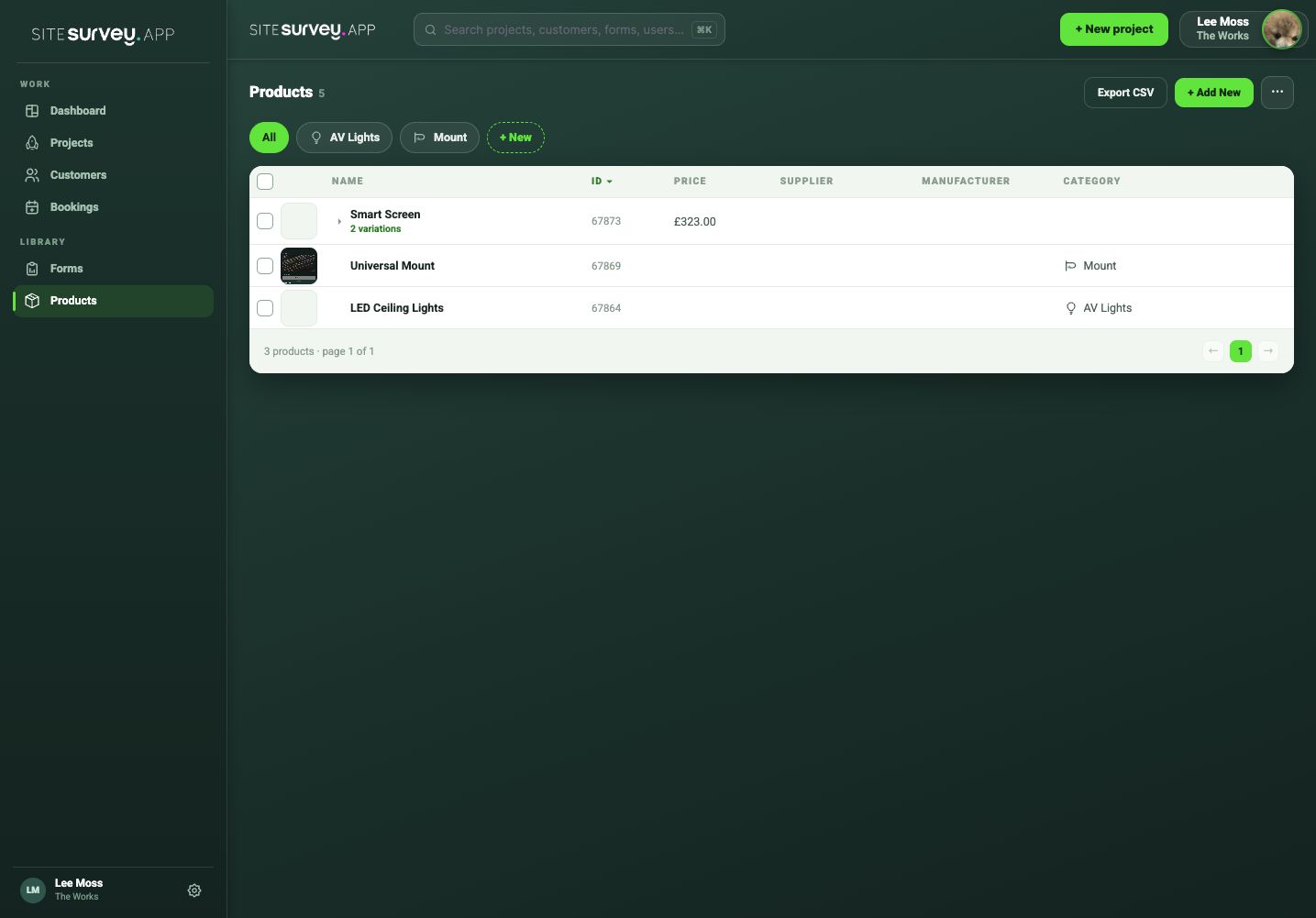
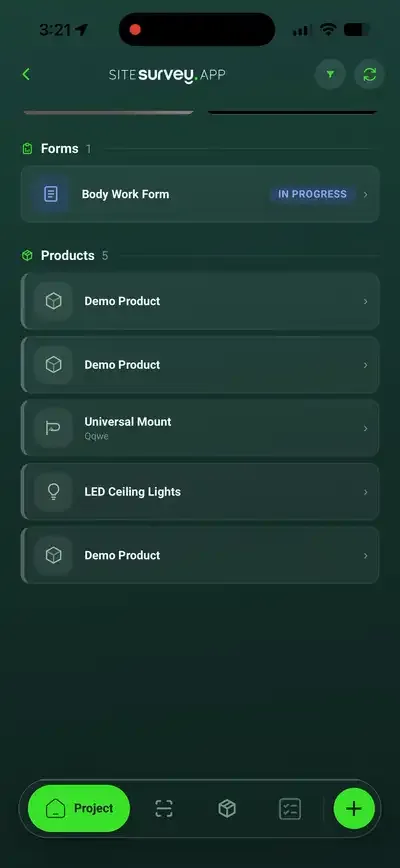
You keep one product library with models, manufacturers, suppliers, categories, prices, variations and files. On each project you add products to the spaces they go in, with quantities. The project's product sheet holds each item's status and data points such as serial number and MAC address, grouped by space or category with price subtotals. The Assets tab lists every placed product across projects. Products import from CSV and export as CSV or Excel. It is not stock control, purchasing or quoting.
Last updated 26 October 2026.
01 · Try it
Put screens in two rooms. Fill in the serials.
Add a library product to several spaces at once, group the sheet by space or category, mark items completed, and export the CSV.
| Product | Category | Qty | Sell | Status | Serial number | MAC address |
|---|---|---|---|---|---|---|
| Boardroom | £699.00 | |||||
| Video bar VB-200 | Conferencing | 1 | £699.00 | |||
| Meeting room 1 | £874.00 | |||||
| Smart Screen 55" SS-55 | Displays | 1 | £795.00 | |||
| Universal mount UM-1 | Mounts | 1 | £79.00 | |||
Example library and project. Serial number and MAC address are data points; add your own. Export CSV downloads this example. Nothing is saved.
02 · Library
Define a product once.
The library is the approved list your team picks from on every project, on the web and in the app.
- The details that matter. Name, model, manufacturer, supplier, part code, category, buy and sell price.
- Variations. Sizes or versions as their own products, each with its own price.
- Files. Images, data sheets and other documents on the product.
- Data points. Serial number, MAC, IP or anything you need, and mark them required.
- Tidy lists. Categories, manufacturers and suppliers in one Manage lists panel.
- Import and export. CSV template in, CSV out.
03 · On the project
A product sheet for the whole job.
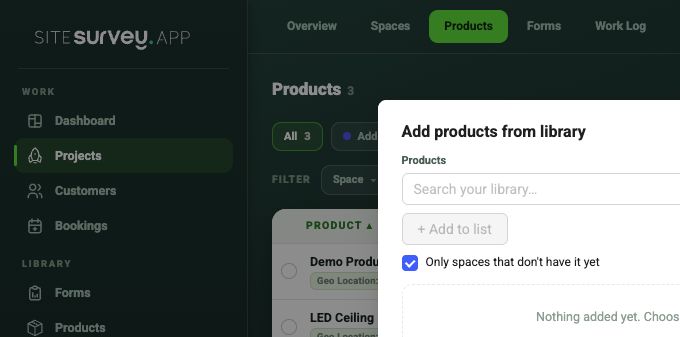
The project's Products tab works like a spreadsheet, with a column for each data point. The same sheet appears on each space.
| Add | From the library to several spaces with a quantity. From Xero or an InteliOffice sales order if connected. |
|---|---|
| Edit | Change cells in place, filter any column, search products, spaces and serials. |
| Group | By space or by category, with price subtotals. |
| Track | Status Added or Completed, and when each label was last scanned. |
| Each item | Open a product for its location, forms (including an AI-generated commissioning form), files, data points and activity. Expand a quantity into separate items when each needs its own serial. |
| Bulk | Print QR labels, set a category, make data points required, export CSV or Excel. |
04 · Assets
Every installed product, across every project.
The Assets tab on the Products page lists each product placed in a project space, with its customer, site, space, quantity, status, PO and SO numbers and data points. Search it, filter by customer, site or space, open an item, or export it all as CSV.
05 · What it doesn't do
A record of what is where, not a stock system.
It does
- One library with variations, prices and files
- Products in the spaces they belong in
- Serials and data points, required if you choose
- Asset list and CSV or Excel export
Use with
- Forms for commissioning and tests on each product
- QR labels for scanning on site
- Xero and InteliOffice to bring items in
It doesn't
- Track stock or reorder
- Raise purchase orders or quotes
- Order from suppliers
- Schedule warranty or maintenance
SiteSurvey products, at a glance
- Library
- Name, model, manufacturer, supplier, part code, category, buy and sell price, variations, files and data points.
- On projects
- Added to spaces with quantities; a product sheet grouped by space or category with subtotals; status Added or Completed.
- Data points
- Serial number, MAC, IP or your own fields, which can be required.
- Assets
- Every product placed in a space across projects, filterable and exportable.
- Import and export
- CSV import; CSV export of the library, assets and project products; Excel for project products.
- Not included
- Stock control, purchase orders, quotes, supplier ordering, warranty or maintenance schedules.
- Plan
- The Works, £25 per user per month billed annually. Trial from £1.
What goes in the product library?
Each product has a name, model, manufacturer, supplier, part code, category and buy and sell price, plus files and images. Variations such as screen sizes are their own products with their own price. Data points such as serial number, MAC or IP address can be added and marked required.
How do products get onto a project?
On the project's Products tab, choose Add product, pick from the library, tick the spaces it goes in and set the quantity. If Xero or InteliOffice is connected, you can also add items from your Xero catalogue or from an InteliOffice sales order.
Can I import my existing product list?
Yes. Download the CSV template from the library, fill it in and import it. The library and every project's products also export as CSV, and a project's products as Excel.
What is the Assets tab?
A list of every product placed in a project space, across all your projects, with its customer, site, space, quantity, status and data points. Search it, filter by customer, site or space, and export it as CSV.
Does SiteSurvey track stock or raise purchase orders?
No. There is no stock control, purchase ordering, quoting or supplier ordering. Products carry buy and sell prices and project subtotals, and PO and SO numbers can arrive with an InteliOffice import.
Which plan includes products?
The Works, £25 per user per month billed annually, includes products and the product library. Trial from £1, cancel any time.
On your next job