Capability 01
Rooms become spaces
Each room in the form creates a space in the project, or matches one that already has that name. Shared pages, such as site contact and access, are answered once and carried into every room's record.
Dynamic spaces and products
Survey a whole building in one form. Every room you add becomes a space in the project, with its photos and answers, ready for the products that belong in it.
Trial from £1 · full access · cancel any time
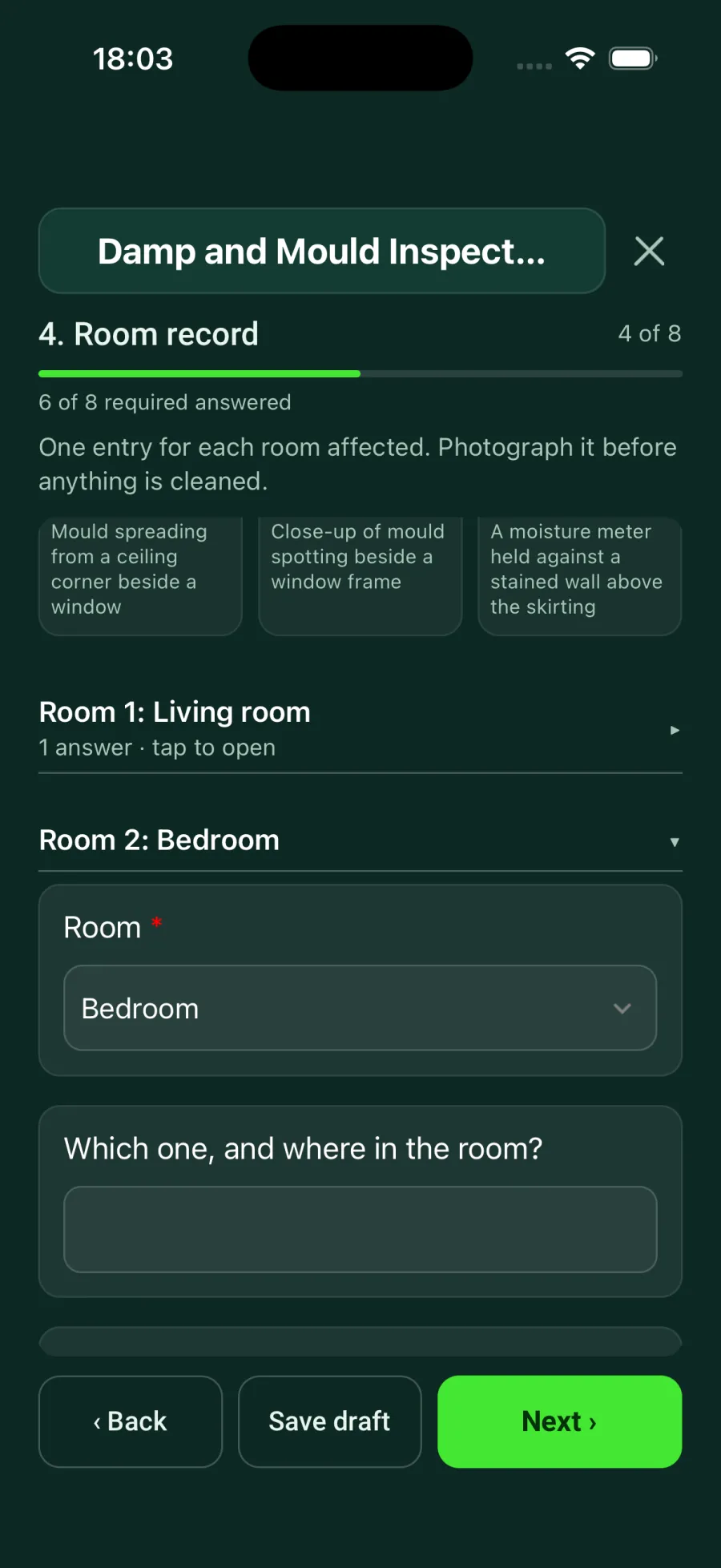
Add a form with a repeating room section to the project. On site, add a room, record it, then add another. When the form syncs, SiteSurvey creates a space for every room, or matches an existing one by name, and files the room's photos, clips, notes and answers on it. Products are then added to each space from your library or scanned in with QR labels.
Last updated 15 October 2026.
One form, a space per room
Room-by-room surveys used to mean either one long form nobody could find anything in, or a form per room set up before the visit. Dynamic spaces give you both: the surveyor fills in one form, and the project ends up with a proper space for every room.
Capability 01
Each room in the form creates a space in the project, or matches one that already has that name. Shared pages, such as site contact and access, are answered once and carried into every room's record.
Capability 02
Photos and documents taken in a room are copied to that space, Walk Cam clips recorded there are linked to it, and the room's notes become the space description.
Capability 03
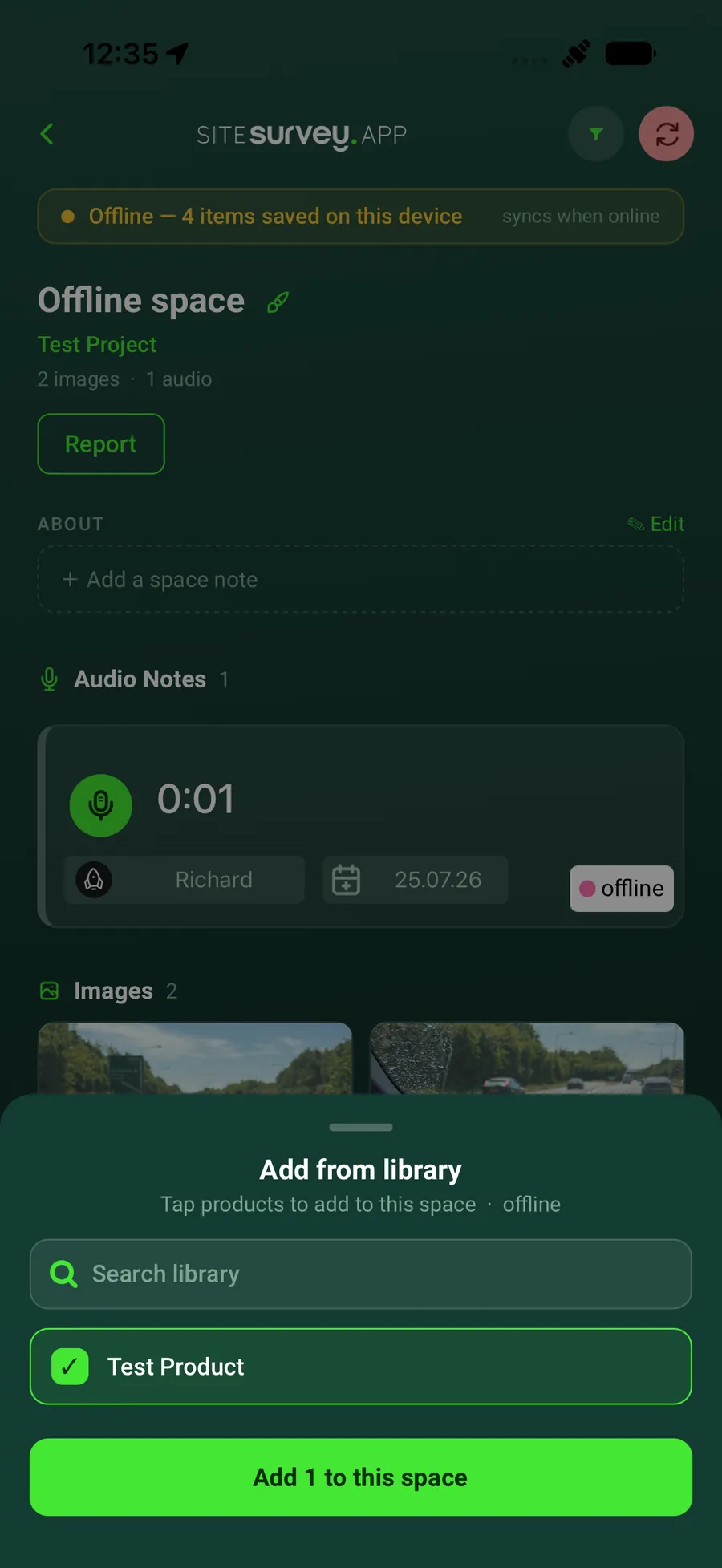
Each space holds its own product list. Add products from your library on the space in the app, or batch-scan QR labels into the room, so every item sits where it was installed.
Capability 04
A hundred rooms in one form is fine. Finished rooms fold down to a one-line summary, and room names are matched to existing spaces, so a re-survey lands in the same places.
Office and field, connected
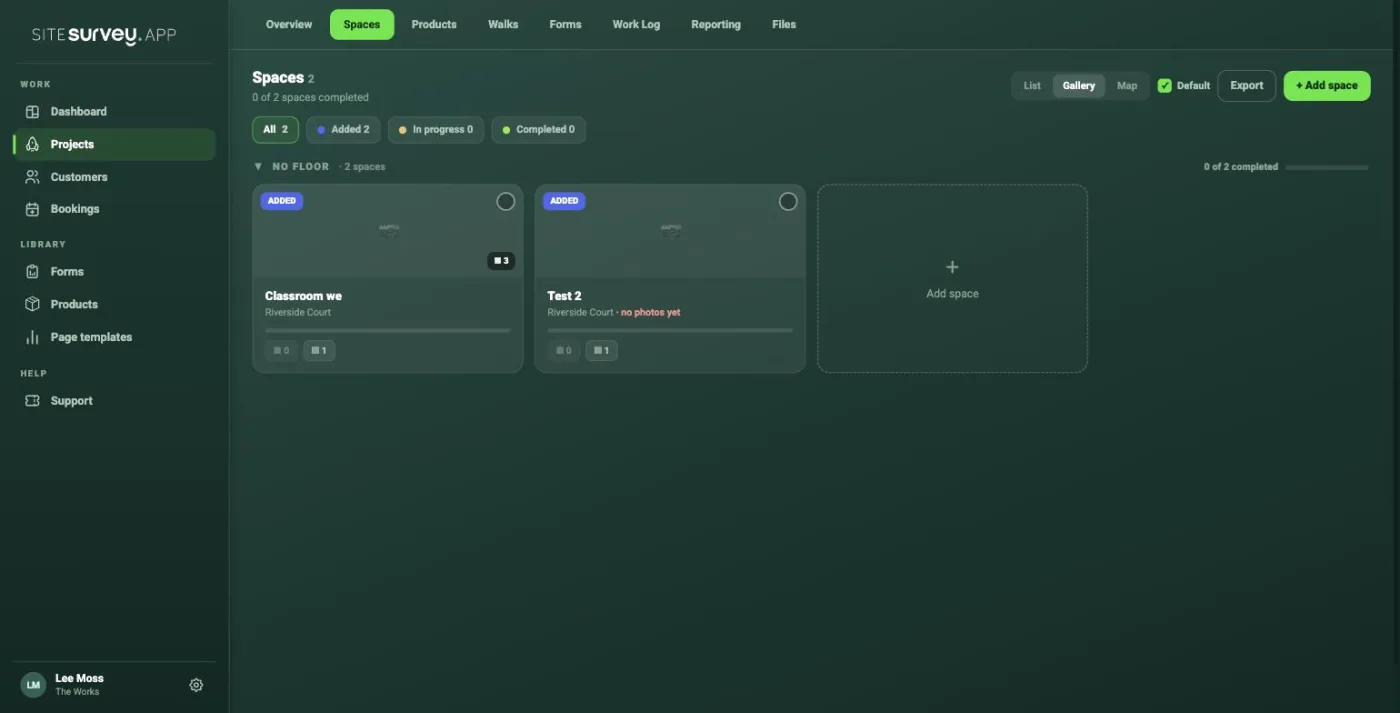
Open the project afterwards and the Spaces tab already lists every room, each with its photo count, its files and its own copy of the form. The full form with every room stays on the project, so edits are made in one place and each room's copy is rebuilt from it.
✓A hundred rooms in one form, each folding to a one-line summary
✓Room names matched to existing spaces, so nothing is duplicated
✓Products added from the library or scanned in with QR labels
Dynamic spaces are project spaces created by the form itself. A form with a repeating room section lets the surveyor add a room, then add another, as they walk the building. When the form is saved, SiteSurvey creates a space in the project for every room, or matches a space that already has that name, and files the room's photos and answers against it.
No. Add the form to the project, not to a space, and the spaces are created from the rooms you record. If the project already has a space with the same name, the room is matched to it instead of creating a duplicate.
The room's photos and documents, any Walk Cam clips recorded in that room, the room's notes as the space description, and the space's own copy of the form showing that room plus the shared pages, such as site contact and access.
A hundred rooms in one form is fine. Finished rooms fold down to a one-line summary, so the form stays easy to move around on the phone.
Once a room is a space, its products sit on it. Add them from your product library on the space in the app, or print QR labels and batch-scan a room's products into it, so the project's product list matches what was installed where.
Yes. Forms are completed offline in the mobile app, room by room. The spaces are created, and the photos filed on them, when the phone syncs.
Any form you build with a repeating room section can be set to create spaces. Library forms that already do include Schedule of Condition, Inventory and Check-in, Routine Property Inspection, Damp and Mould Inspection, Roof Inspection, Site Inspection, Wi-Fi Site Survey, IT and Network Site Survey and AV Maintenance Visit.
See it on your next site