What is the smart filter?+
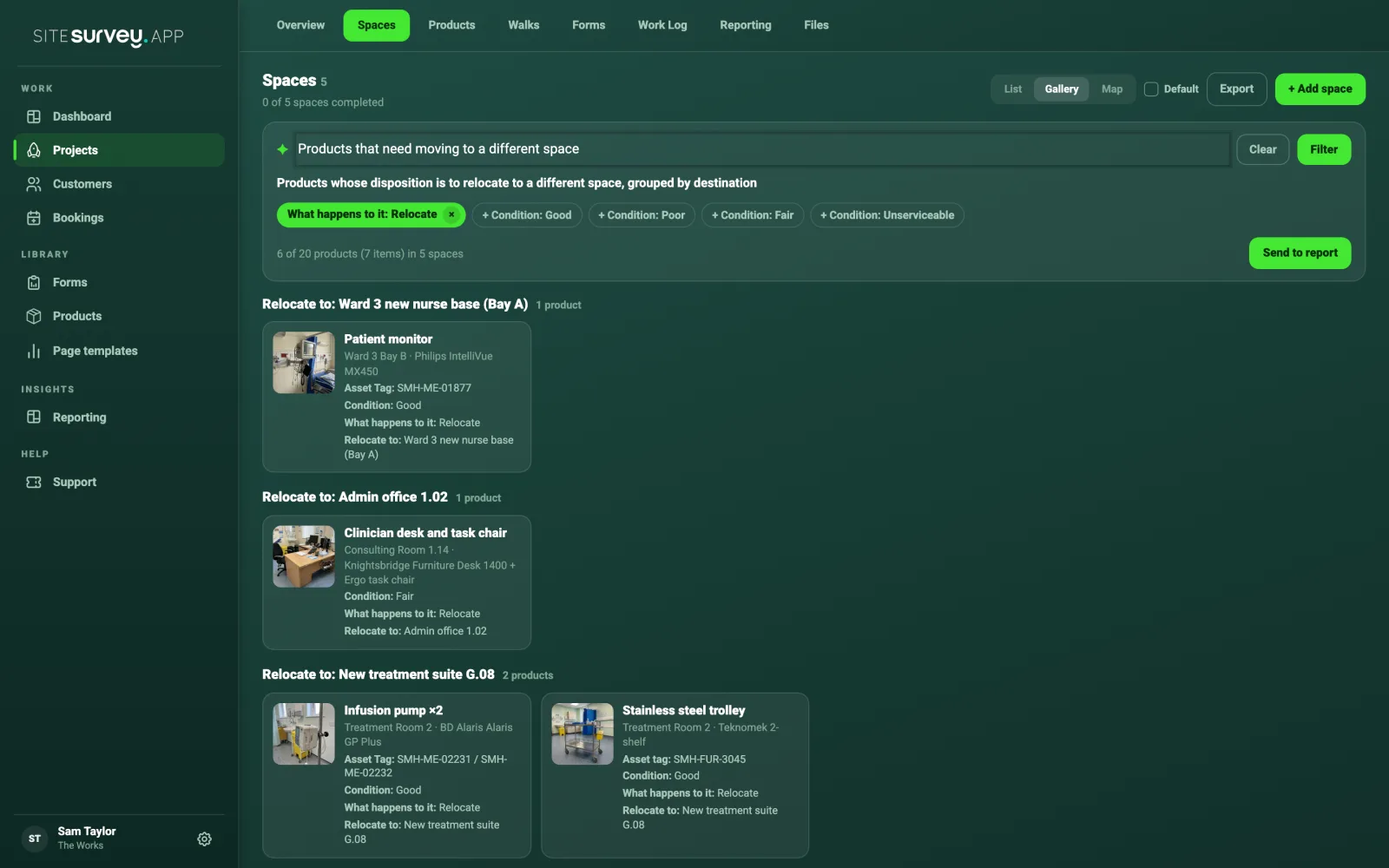
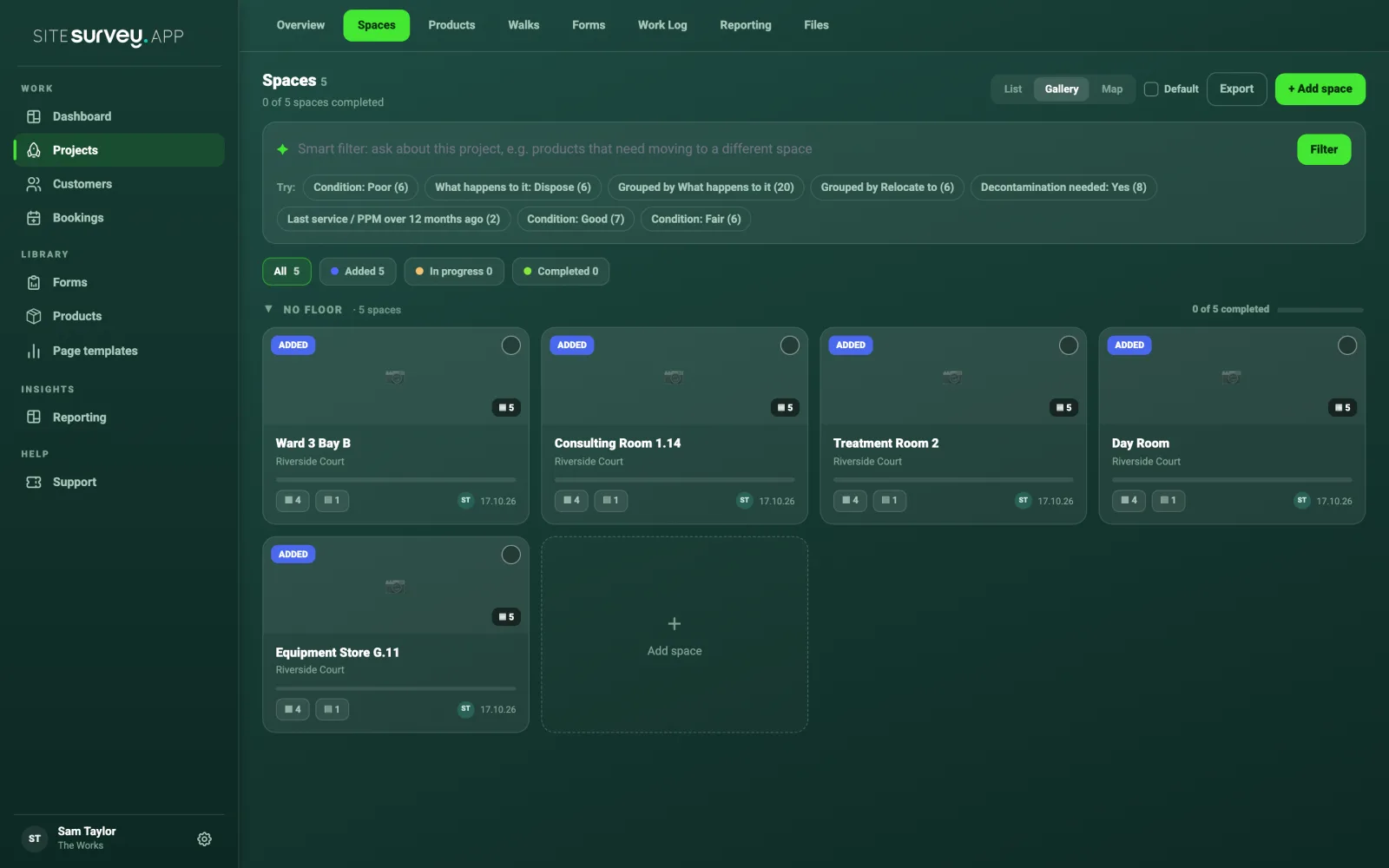
The smart filter is a search box on a project's Spaces tab in the web dashboard. Type a question about the project's products in your own words, or tap a suggested filter, and SiteSurvey shows only the matching products, grouped by the space they are in or by where they are going.
What can it search?+
Everything recorded against a product in the project: its name, category, manufacturer, model, quantity and space, plus every detail your form captured, such as condition, what happens to it, where it relocates to, asset tag, serial number and last service date. If it was recorded on the project, the filter can find it.
Where do the suggestions come from?+
From the project's own answers. SiteSurvey looks at what was recorded and offers the filters that would be useful on this project, with a count beside each, such as Condition: Poor (6) or Grouped by Relocate to (6). A different project gets different suggestions.
How does a typed question become a filter?+
SiteSurvey reads the question and matches it to the fields recorded on the project, then shows the exact filter it used as green chips. You can remove a chip, or tap a + chip to add another condition, and the results update straight away.
What does Send to report do?+
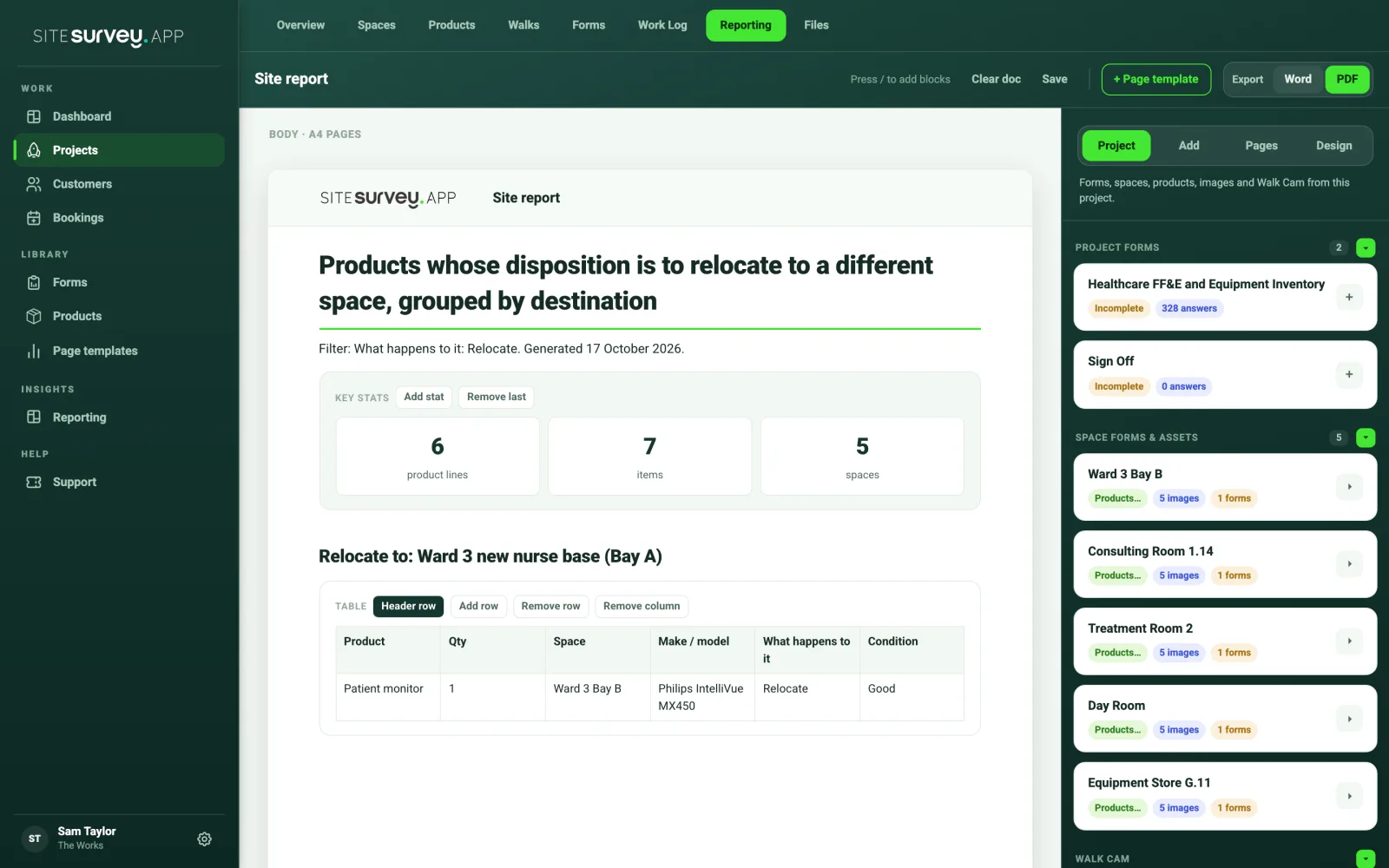
It adds a new section to the end of the project report and opens the Reporting tab. The section has a heading, a line saying which filter was used and when, a summary of products, items and spaces, then a table and the photos for each group. It is ordinary report content, so you can edit it and export the report to PDF or Word as usual.
Can I build a move schedule with it?+
Yes. The Grouped by Relocate to suggestion lists every product with a destination, grouped under each one, which is the move schedule a removals or decant team needs. Send it to the report, or add conditions such as Decontamination needed: Yes first.
Does it work in the mobile app?+
The smart filter runs on the web dashboard, where project reports are built. The data it searches is captured in the mobile app or on the web, so anything recorded on site is searchable as soon as it syncs.
Why does a question find nothing?+
The filter can only find what was recorded. If your form does not capture condition or what happens to each item, there is nothing to match. Forms that record those details, such as the asset and inventory forms in the library, give the most useful results, and questions work best when they use the words on your form.