A photographic schedule of condition, recorded room by room before building works, at the start of a lease or for a party wall award. It records the ceiling, walls, floor, doors, windows and fittings in each room, any existing damage measured in millimetres, the outside if included, and a counter-signature. Every question is listed below, and you can fill the live form in on this page.
✎Every question is editable. Add this form to your account, then change the wording, add or remove questions and options, and make it fit your own jobs.
A schedule of condition template records the visible condition of a property at a stated date. For a commercial lease, identify the premises and inspected areas, record each room element with referenced photographs, describe existing defects and state access limitations. Keep this factual condition record distinct from any assessment of repair obligations.
Unit 4, front office, west wall: scuffing below the window, approximately 300 mm long. Photos SC-014 and SC-015 show the location and close-up. The wall behind the fixed cupboard was not inspected.
Fictional example. Record the actual evidence and approved arrangements for your job.
A common recording mistake
A general description such as “fair condition” is difficult to compare later. Identify the element, describe what was visible and link the photograph; do not treat an inaccessible area as defect-free.
What happens next
Check the room and photo references before sharing the record with the relevant parties. Preserve the dated version and any counter-signature. Use a separate dilapidations record if later work requires an assessment of breaches or remedial items.
Built for recording condition before the work starts
Walk the property room by room on a phone. Photograph every crack and mark, measure its length from a photo, pin each outside area with GPS, and let the form count the rooms with existing damage, so there is a clear record to compare against when the work is finished.
Measure each crack from a photo
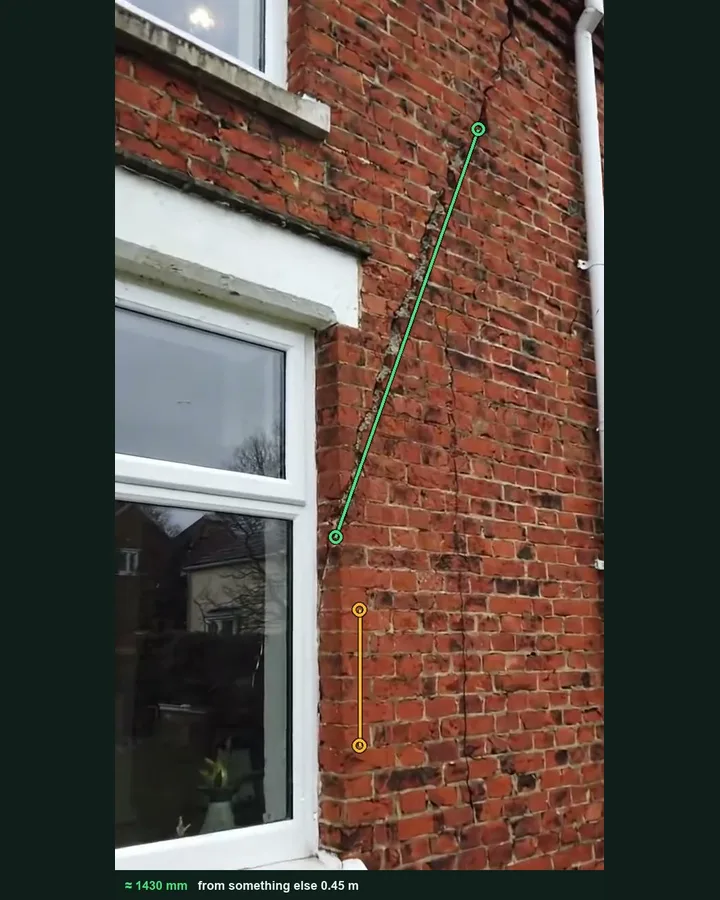
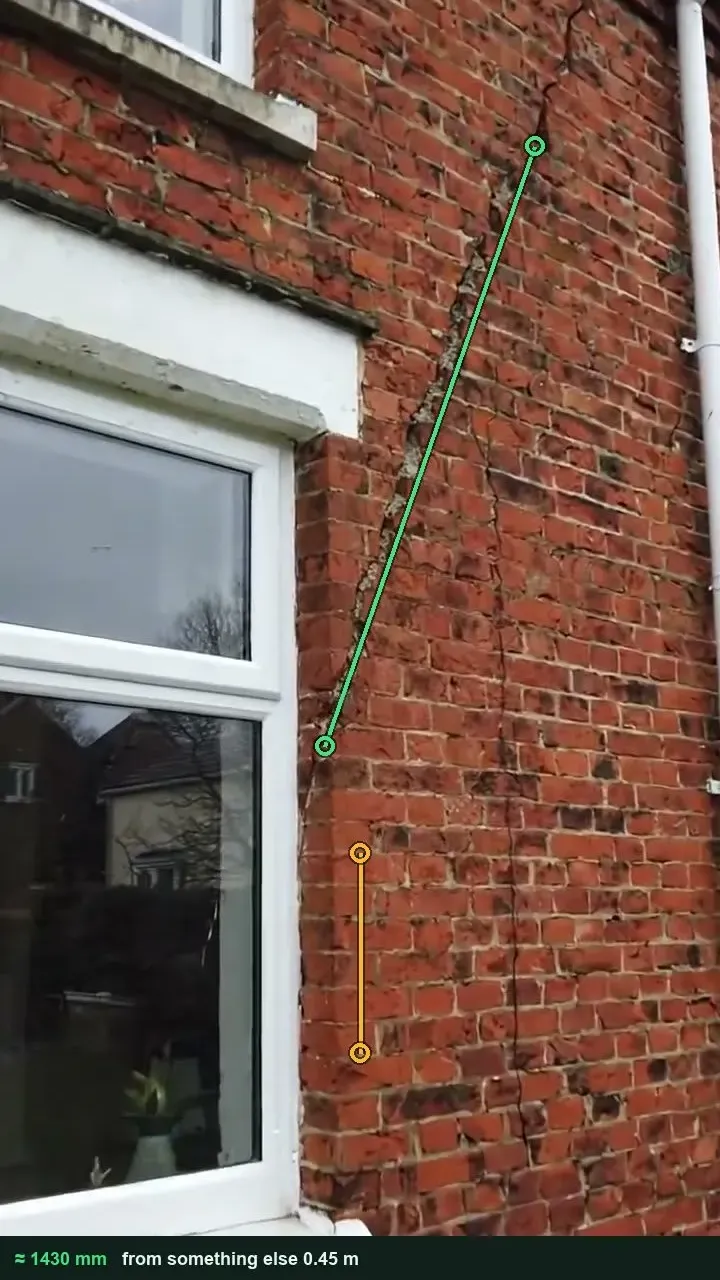
Tap both ends of something of known size, such as an A4 sheet taped beside the crack, a door or a run of brick courses, then both ends of the crack. The length fills in, and the marked-up photo stays with it for the comparison later. It works on web forms in any phone browser today, and the app version is on its way.
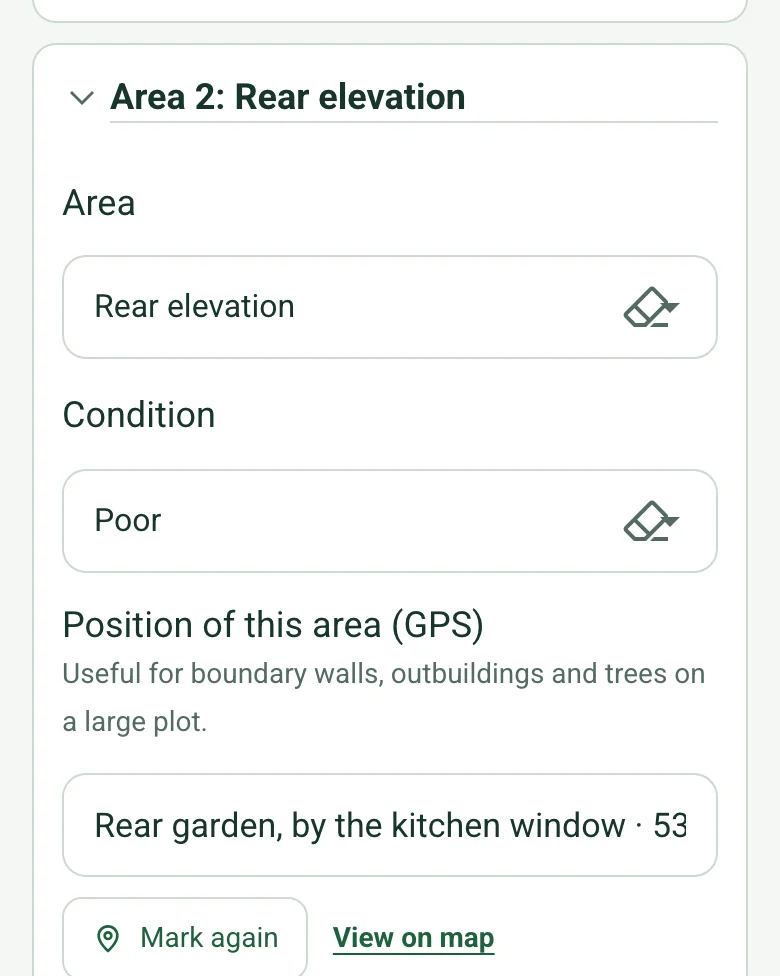
Mark current location fills each outside area's position with GPS coordinates and an OS grid reference, which helps on a large plot with boundary walls, outbuildings and trees.
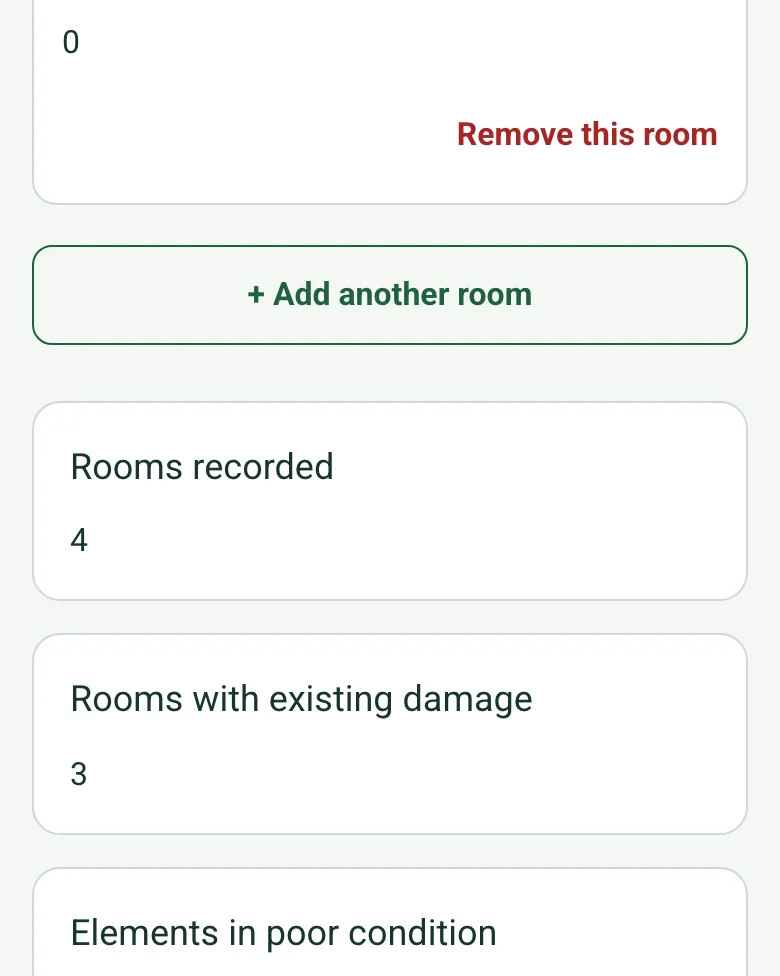
Each room counts its elements in poor condition, and the schedule totals the rooms recorded, the rooms with existing damage and the outside areas with damage, so the summary is ready to agree with the other party.
The form has a Walk Cam field. Record a short clip at each point and say what you see; the words become the written answer and stills go into the report.
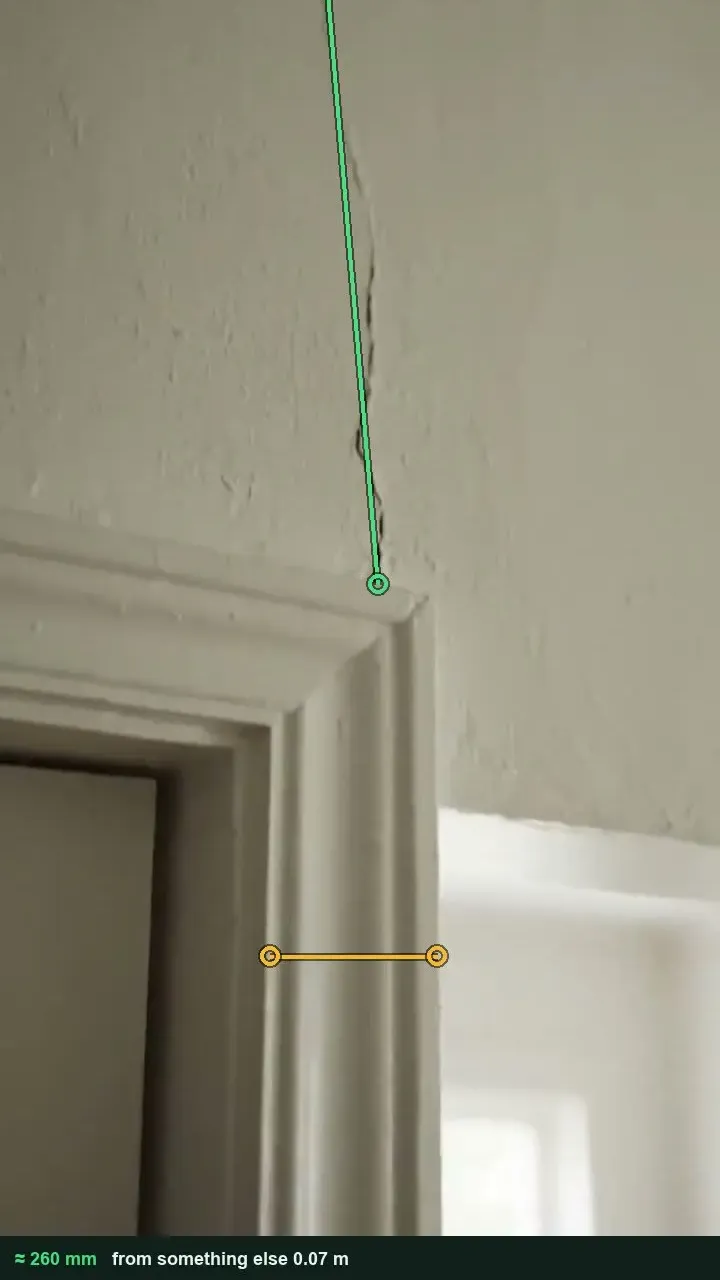
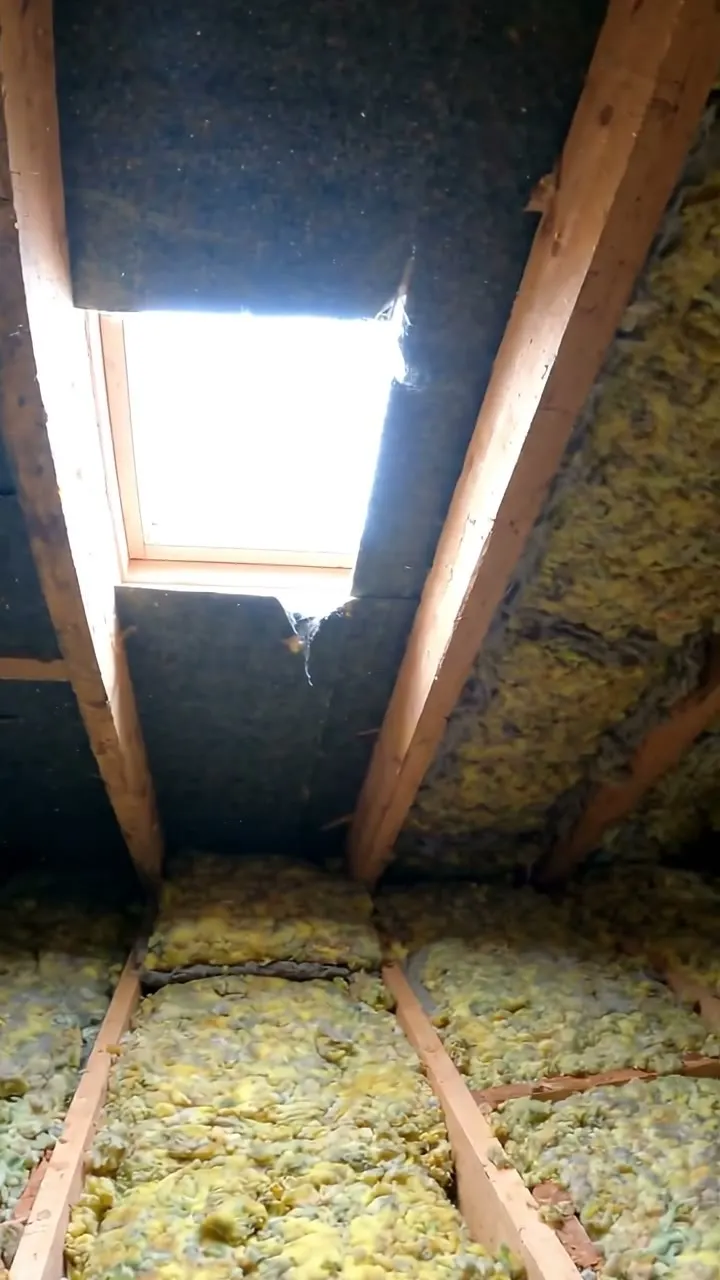
A fictional terrace in Leeds recorded before the neighbour's loft conversion and rear extension: four rooms and three outside areas, with a 1430 mm crack at the rear and a 260 mm plaster crack on the landing measured from photos. Open it filled in, or switch to a blank copy and try it.
Rear elevation · 1430 mm diagonal crack · up to 5 mm wide, recorded before worksFirst floor landing · 260 mm plaster crack · measured against the door architraveRoof space · torn felt beside the chimney · daylight visible, dry on the day
Try the schedule of condition form live
Answer a few questions and watch it adapt. Your answers are not saved, and any photos you add are deleted within the hour.
This is the real form as your team would use it: questions appear as you answer, scores work themselves out and you can add photos and signatures. No sign-up needed. Or open a completed example to see every answer, photo and score filled in.
Walk the accessible areas before refurbishment begins. Film each existing visible mark in its zone context so the later team can locate and compare it.
Record the property reference, visit date, access limits and planned work area. Start with a wide zone view; keep each close-up tied to a fixed feature and a spoken location. The four AI clips illustrate separate zones, not a continuous camera walk.
POINT 01
Open area and access
Film from the doorway through the accessible area, showing walls, exposed ceiling and floor before closing in on any detail.
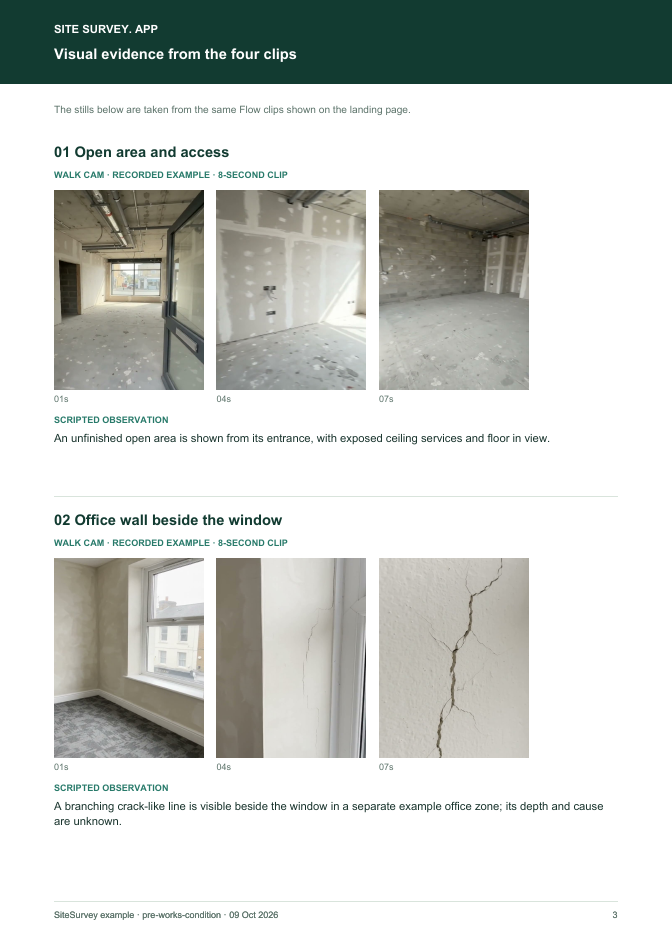
An unfinished open area is shown from its entrance, with exposed ceiling services and floor in view.
POINT 02
Office wall beside the window
Start with the window and surrounding wall, then move close to the visible line without interpreting its cause.
A branching crack-like line is visible beside the window in a separate example office zone; its depth and cause are unknown.
POINT 03
Floor surface and skirting
Sweep the accessible floor edge and skirting with enough wider context to locate surface marks.
A grey floor with surface marks and skirting along a separate example room wall is visible.
POINT 04
Doorway and external threshold
Show the door frame and accessible threshold from a safe position, including adjacent paving.
The entrance frame has visible scuffs and the adjacent threshold and paving are recorded.
See the footage in a report
A fictional six-page example with the four points, twelve stills from the clips, observations, follow-up actions and the limits of a visual record.
This is a video record of accessible visible condition. It is not a formal agreed schedule of condition, structural diagnosis or proof of when a mark arose. Where a lease or contract requires a schedule, agree its author, scope and status separately. Example footage was generated in Google Flow and the observations are scripted; no real site is shown. Walk Cam works inside any form in the app. How Walk Cam works · All visual inspections
For teams
Using the schedule of condition template for client work?
Paper or a spreadsheet works for the odd job. When your team does this every week, SiteSurvey keeps every visit in one place and turns each one into a report you can send.
Everyone fills in the same form on their phone, with photos attached to the answer they belong to.
Each visit becomes a branded PDF report for the client, with no retyping.
Every site, visit and report is kept together in one account, not scattered across email and shared drives.
Your team completes the schedule of condition on site in the SiteSurvey app on iPhone, iPad and Android phones and tablets. The project name and address fill in for them, it works without signal, and it syncs when the device is back online with photos kept against the question they answer.
Customers and subcontractors do not need the app: send them a link and they can fill it in from any browser.
Every question in the schedule of condition template
Photographic record of condition before works or at the start of a lease, room by room. 4 sections and 65 questions. Follow-up questions and guidance appear only when an answer calls for them, so the person on site never sees the ones that do not apply.
✎
Make it your own: every question is editable
This is a starting point, not a fixed form. Once it is in your SiteSurvey account you can reword any question, add or remove questions, sections and answer options, and add your own logo, so it fits the way your team works and the jobs you do.
Details you only enter once
Add this form to a project in SiteSurvey and it fills in what the project already knows, so nobody on site retypes it and every form on the job uses the same names. Anything filled in can still be changed.
Project: the project name
Client: the project's customer
Property address: the site address, from the space or the project
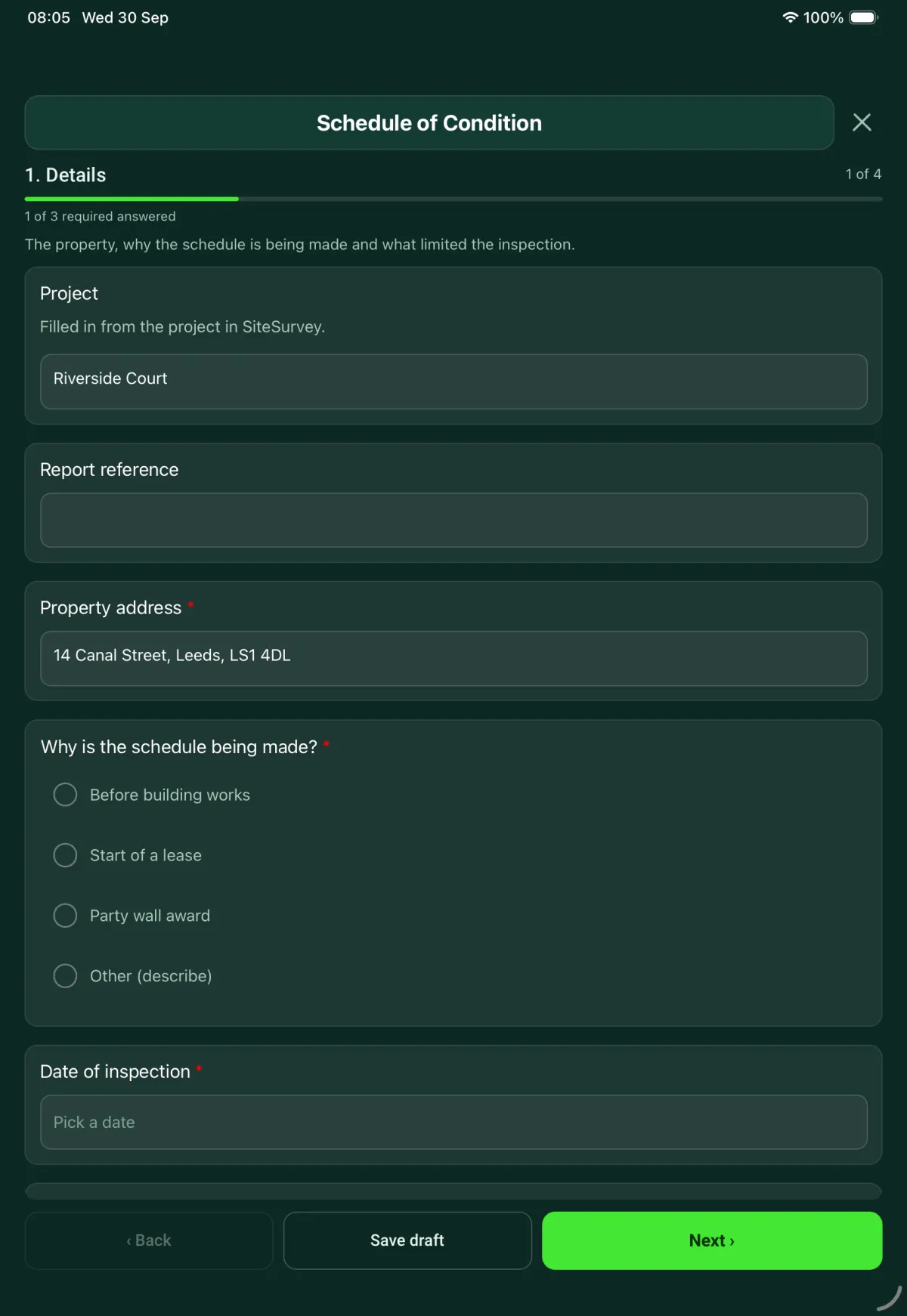
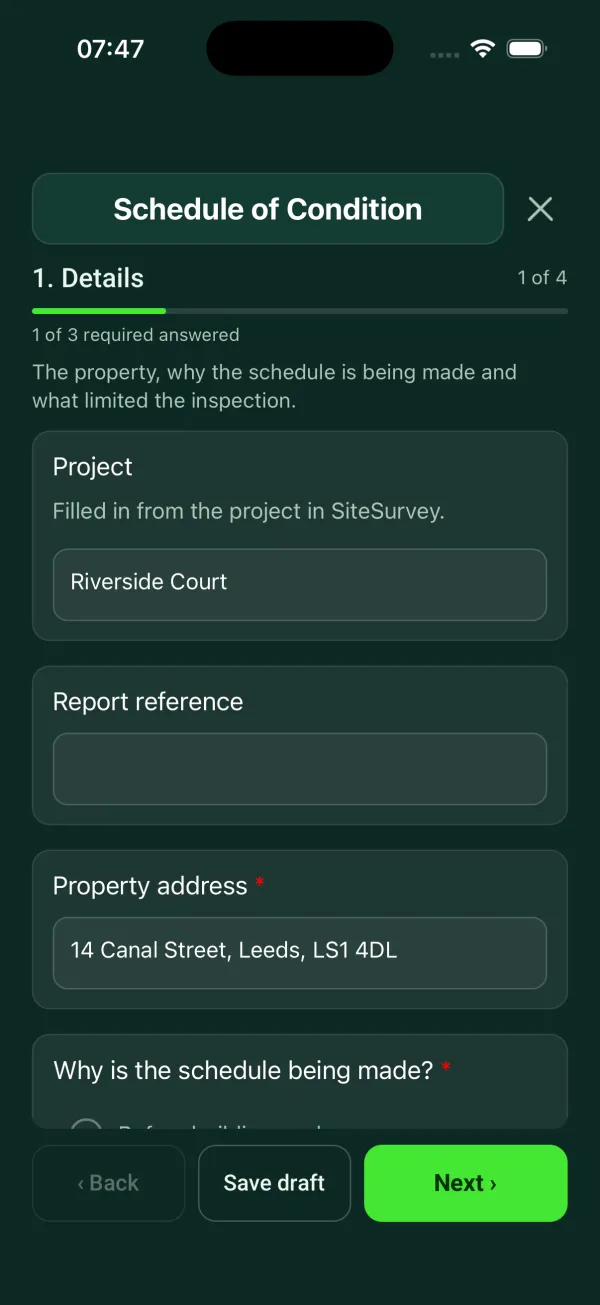
1
Details
The property, why the schedule is being made and what limited the inspection.
ProjectShort answer
Filled in from the project in SiteSurvey.
Fills in from the project name
ClientShort answer
Fills in from the project's customer
Report referenceShort answer
Property address*Short answer
Fills in from the site address, from the space or the project
Why is the schedule being made?*Choose one
Before building works
Start of a lease
Party wall award
Other (describe)
What work is planned, and where?Notes
Shown only when the answers above make it relevant
Other partyShort answer
The landlord or tenant, or the adjoining owner and their surveyor.
Shown only when the answers above make it relevant
Will the schedule be annexed to, or referred to in, the lease?Yes or No
Shown when “Why is the schedule being made?” is “Start of a lease”
GuidanceParty wall schedules. Record what you can see, not what caused it. The schedule is usually shared with the other surveyor, so describe each crack or defect so that someone else could find it again.
Shown when “Why is the schedule being made?” is “Party wall award”
CheckSources. Under the Party Wall etc. Act 1996, a schedule of condition of the adjoining owner's property is normally taken before notifiable work starts, so the surveyors can settle any later claim for damage; the Act itself does not prescribe its format. RICS guidance on party wall practice and on schedules of condition for leases expects a factual, dated record with photographs that a third party can follow. For a lease, the schedule only limits the repairing obligation if the lease refers to it.
Date of inspection*Date
Weather on siteAnswer
Note any rain earlier in the day: it can show up as staining or damp.
Who was present at the inspection?Short answer
Anything that could not be inspected, and whyNotes
For example: furniture against walls, fitted carpets not lifted, loft not entered.
2
Rooms
One entry for each room. Work round the room in the same order every time.
GuidancePhotos that stand up later. Take an overview of each wall from the opposite side of the room, then close-ups of anything damaged with a tape in the shot. Give crack widths and lengths in mm.
Rooms
Repeat for each room. Each one asks:
Floor and roomShort answer
For example: first floor, rear bedroom.
CeilingChoose one
Good
Fair
Poor
Not inspected
Ceiling: notesShort answer
Shown only when the answers above make it relevant
Photos of the ceilingPhotos
Shown only when the answers above make it relevant
WallsChoose one
Good
Fair
Poor
Not inspected
Walls: notesShort answer
Shown only when the answers above make it relevant
Photos of the wallsPhotos
Shown only when the answers above make it relevant
FloorChoose one
Good
Fair
Poor
Not inspected
Floor: notesShort answer
Shown only when the answers above make it relevant
Photos of the floorPhotos
Shown only when the answers above make it relevant
DoorsChoose one
Good
Fair
Poor
Not inspected
Doors: notesShort answer
Shown only when the answers above make it relevant
Photos of the doorsPhotos
Shown only when the answers above make it relevant
WindowsChoose one
Good
Fair
Poor
Not inspected
Windows: notesShort answer
Shown only when the answers above make it relevant
Photos of the windowsPhotos
Shown only when the answers above make it relevant
FittingsChoose one
Good
Fair
Poor
Not inspected
Fittings: notesShort answer
Shown only when the answers above make it relevant
Photos of the fittingsPhotos
Shown only when the answers above make it relevant
Is there existing damage in this room?Yes or No
Describe the damage: what, where, and its size in mmNotes
Shown when “Is there existing damage in this room?” is Yes
Length of the longest crack or damage (mm)Number
Tape an A4 sheet beside it and measure from a photo, or use a tape. Note the width of any crack in the description.
Shown when “Is there existing damage in this room?” is Yes
Close-up photos of the damagePhotos
Put a tape or crack gauge in the shot.
Shown when “Is there existing damage in this room?” is Yes
Cracks and defects in this room
Repeat for each defect. Each one asks:
Shown when “Is there existing damage in this room?” is Yes
Element*Choose one
Ceiling
Wall
Floor
Door
Window
Fitting
Other
Description and exact positionNotes
Length (mm)Number
Measuring from a photo gives an estimate.
Crack width (mm)Number
Use a crack gauge for widths.
Close-up photosPhotos
Defects listed in this roomWorked out by the form
Shown when “Is there existing damage in this room?” is Yes
This room: elements in poor conditionWorked out by the form
Walk Cam: pre-construction condition visual inspectionWalk Cam video with voice-to-text
Optional. Film the four guided points on the SiteSurvey app; each clip keeps its spoken note.
Rooms recordedWorked out by the form
Rooms with existing damageWorked out by the form
Elements in poor conditionWorked out by the form
Defects listedWorked out by the form
3
Outside
Only if the outside is part of the schedule.
Is the outside included in this schedule?Yes or No
Outside areas
Repeat for each area. Each one asks:
Shown when “Is the outside included in this schedule?” is Yes
AreaChoose one
Front elevation
Rear elevation
Side elevation
Roof
Chimney
Rainwater goods
Boundary walls and fences
Paths and drive
Outbuildings
Other (describe)
ConditionChoose one
Good
Fair
Poor
Not inspected
Position of this area (GPS)Short answer
Useful for boundary walls, outbuildings and trees on a large plot.
NotesNotes
Photos of the areaPhotos
Is there existing damage here?Yes or No
Describe the damage: what, where, and its size in mmNotes
Shown when “Is there existing damage in this room?” is Yes
Length of the longest crack or damage (mm)Number
Measure from a photo with an A4 sheet or a door in the same plane, or use a tape.
Shown when “Is there existing damage in this room?” is Yes
Close-up photos of the damagePhotos
Shown when “Is there existing damage in this room?” is Yes
Outside areas with existing damageWorked out by the form
Shown when “Is the outside included in this schedule?” is Yes
4
Sign-off
The surveyor signs. The other party can counter-sign to agree the record.
Surveyor nameShort answer
DateDate
Surveyor signatureSignature
Is the other party counter-signing?Yes or No
Name and role of the person counter-signingShort answer
Shown when “Is the other party counter-signing?” is Yes
Counter-signatureSignature
Shown when “Is the other party counter-signing?” is Yes
Sent to, and date sentShort answer
See it filled in
A completed schedule of condition report, made by SiteSurvey from a fictional site visit: every answer, the photos, the guidance that applied and the sign-off, ready to send as a PDF.
The form covers three reasons: before building works, at the start of a lease, and for a party wall award. For building works and party wall awards it asks what work is planned and where, and for a lease or award it records the other party. RICS guidance lists a schedule of condition with photographs among the documents a surveyor should get when dilapidations are assessed at the end of a lease.
How should photos be taken for a schedule of condition?
Take an overview of each wall from the opposite side of the room, then close-ups of anything damaged with a tape or crack gauge in the shot. Give crack widths and lengths in millimetres, and work round each room in the same order every time.
What should a party wall schedule record?
Record what you can see, not what caused it, and describe each crack or defect so that the other surveyor could find it again. The Party Wall etc. Act 1996 does not require a schedule of condition, but the GOV.UK explanatory booklet says it is prudent, so that any damage can be properly attributed and made good.
What if part of the property cannot be inspected?
The form asks what could not be inspected and why, such as furniture against walls, fitted carpets not lifted or a loft not entered. Each room element can also be marked as not inspected rather than given a condition.
Does the other party have to sign it?
The surveyor signs, and the form asks whether the other party is counter-signing to agree the record. If they are, it records their name, role and signature on the device.
Can I use it on site without signal?
In the SiteSurvey app, yes. The form works offline, photos stay with the room and element they belong to, and the schedule becomes a PDF report or a share link. It is an editable form from the library, so you can add rooms, elements or questions.