Form library · Construction and handover

Work completion certificate template

A job completion and customer sign-off form for the end of a job. Record the work carried out with photos and the certificates and documents handed over, list anything outstanding with the date agreed with the customer and who will do it, and have the customer accept the work and sign alongside the engineer. Every question is listed below, and you can fill the live form in on this page.

Ready to use from the form library, and every question is yours to edit. Trial from £1, cancel any time.

Try it on your phone

Try it on this phone

Fill in the work completion on your phone now

See how the work completion looks on your phone

Scan the code with your phone camera. It opens the real form, no sign-up needed.

Open the live example and fill it in, just as your team would on site. No sign-up needed.

See it on this phone

Every question is editable. Add this form to your account, then change the wording, add or remove questions and options, and make it fit your own jobs.

Or start your trial with this form ready →

One email, and we won't add you to a mailing list.

What should a work completion certificate include?

A work completion certificate should record the project or site, the date, the work carried out, the certificates, manuals and keys handed over, and photos of the finished work. It should list any outstanding items with the completion date agreed with the customer and who will do each one, then record whether the customer accepts the work as complete or with outstanding items, with the customer's name, position and signature and the engineer's name and signature.

Last updated . Facts checked by the SiteSurvey team on 5 October 2026 against GOV.UK: building regulations approval, how to apply and GOV.UK: use a competent person scheme.

Built for signing off work on site

Hand the phone to the customer at the end of the job. The certificate lists the work and the documents handed over, counts the items still to finish, checks the answer matches them, and records where it was signed.

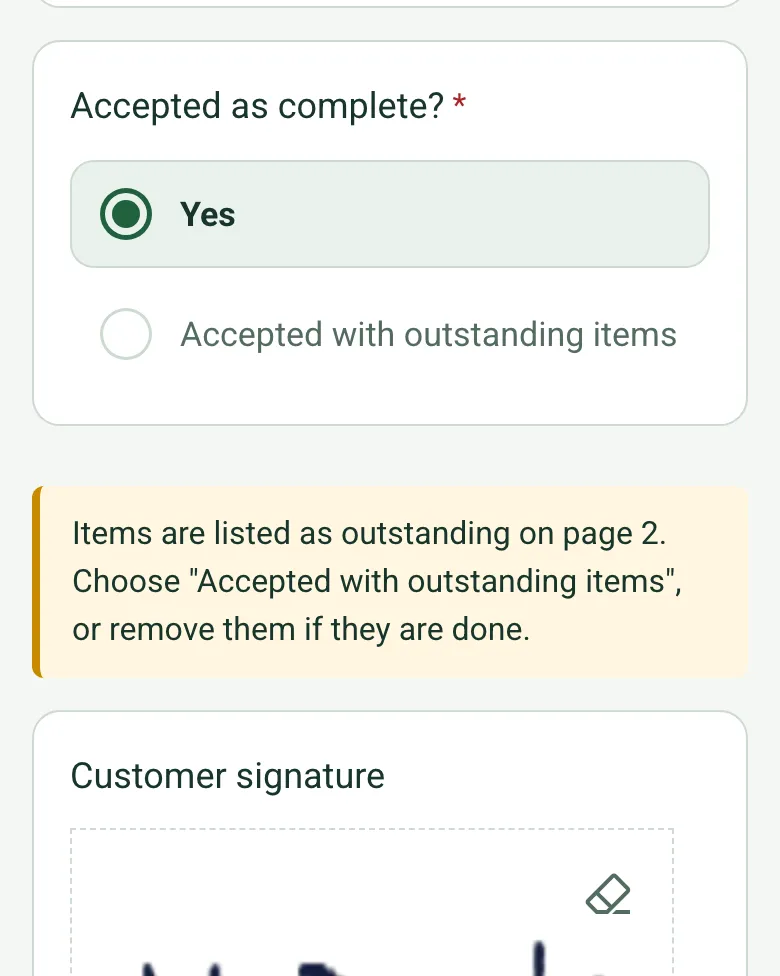
The completed sign-off on a phone with Accepted as complete set to Yes and a note that items are listed as outstanding, so the answer should be Accepted with outstanding items

Outstanding items counted and checked

Each item still to finish is its own row with a date and a name, and the form counts them. If items are listed but the customer is marked as accepting the work as complete, a note asks you to put it right before anyone signs.

How calculated fields work →
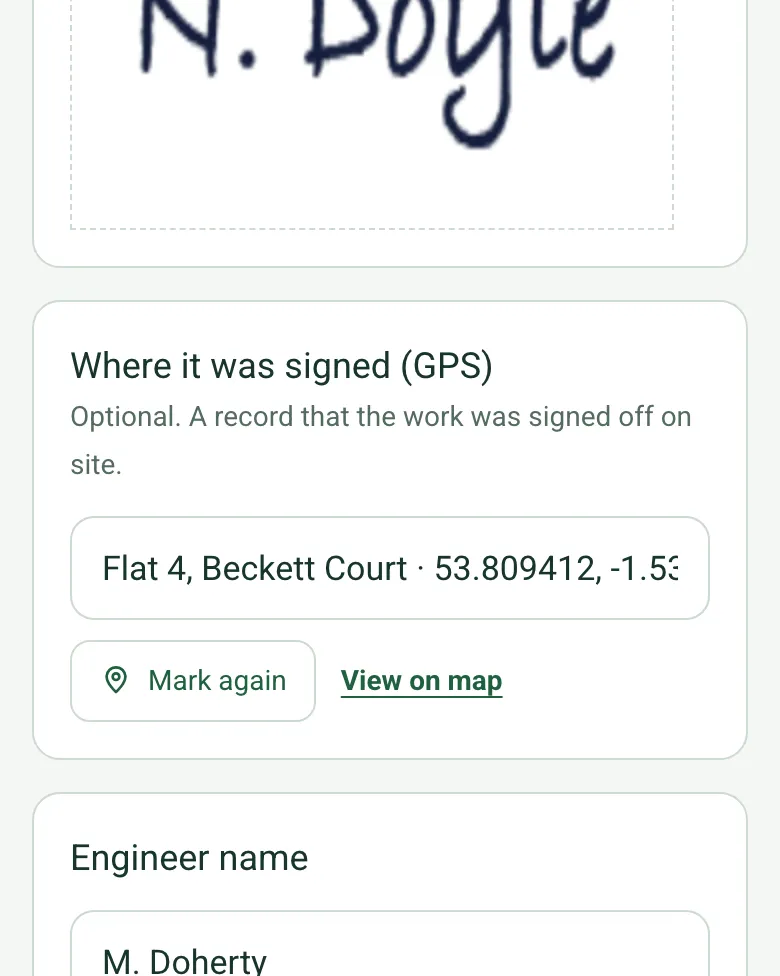
Where it was signed (GPS) filled in with the flat name, coordinates and an OS grid reference, with Mark again and View on map

Where it was signed

Mark current location records where the certificate was signed, with an OS grid reference and its accuracy, so there is no argument later about whether it was signed on site.

How GPS location works →

Film the finished work

Walk Cam records the finished work before the customer signs, and turns what you say into text, so the state of the job at handover is on video as well as in the photos.

A completed work completion certificate

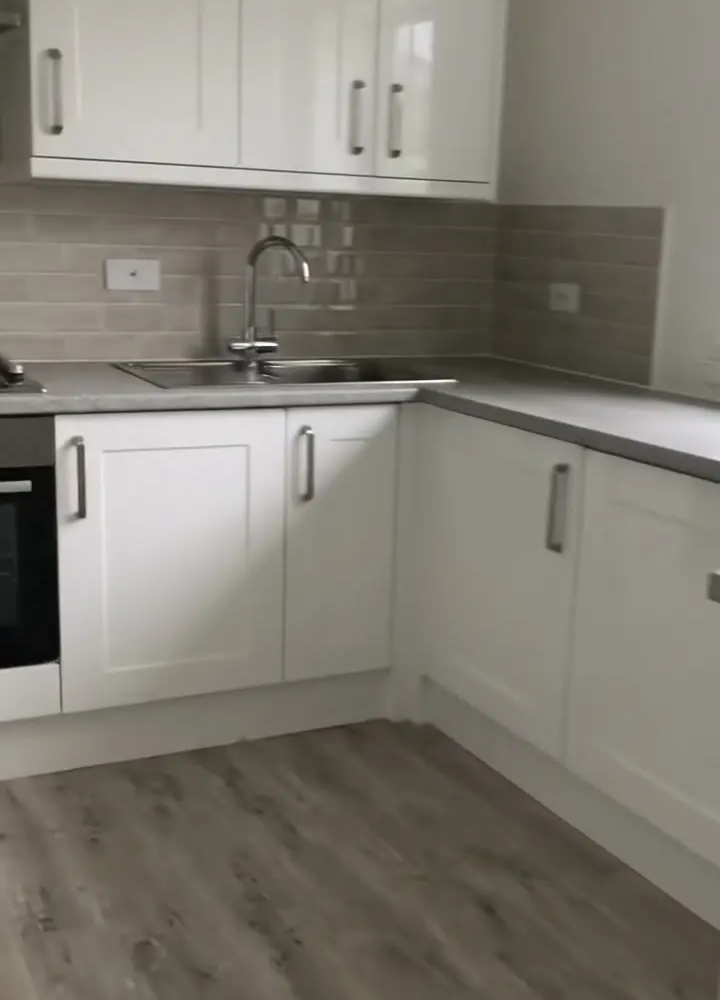
A fictional void flat kitchen replacement signed off by the housing association's voids manager, with the certificates handed over, photos of the finished kitchen and two small items to come back for.

A new kitchen with white shaker units, a pale tiled splashback and a grey wood effect floor
Flat 4 kitchen · work complete · 2 items outstanding
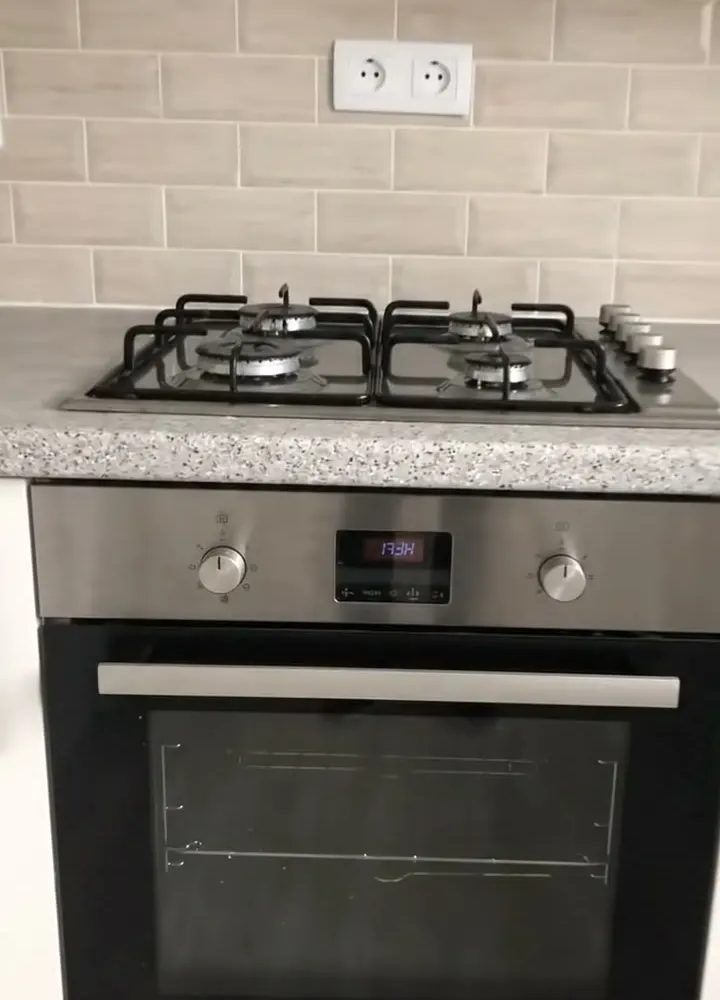
A built-in stainless steel oven under a four burner gas hob on a speckled worktop
Oven and gas hob · tested, certificates handed over

Try the work completion form live

Answer a few questions and watch it adapt. Your answers are not saved, and any photos you add are deleted within the hour.

Live form: Sign OffOpen full screen ↗
Fill it in right here

This is the real form as your team would use it: questions appear as you answer, scores work themselves out and you can add photos and signatures. No sign-up needed. Or open a completed example to see every answer, photo and score filled in.

Want to see one filled in? See a completed work completion report (PDF), made by SiteSurvey from a fictional site visit.

For teams

Using the work completion template for client work?

Paper or a spreadsheet works for the odd job. When your team does this every week, SiteSurvey keeps every visit in one place and turns each one into a report you can send.

  • Everyone fills in the same form on their phone, with photos attached to the answer they belong to.
  • Each visit becomes a branded PDF report for the client, with no retyping.
  • Every site, visit and report is kept together in one account, not scattered across email and shared drives.

Fill it in on a phone or tablet

Your team completes the sign off on site in the SiteSurvey app on iPhone, iPad and Android phones and tablets. The project name and address fill in for them, it works without signal, and it syncs when the device is back online with photos kept against the question they answer.

Customers and subcontractors do not need the app: send them a link and they can fill it in from any browser.

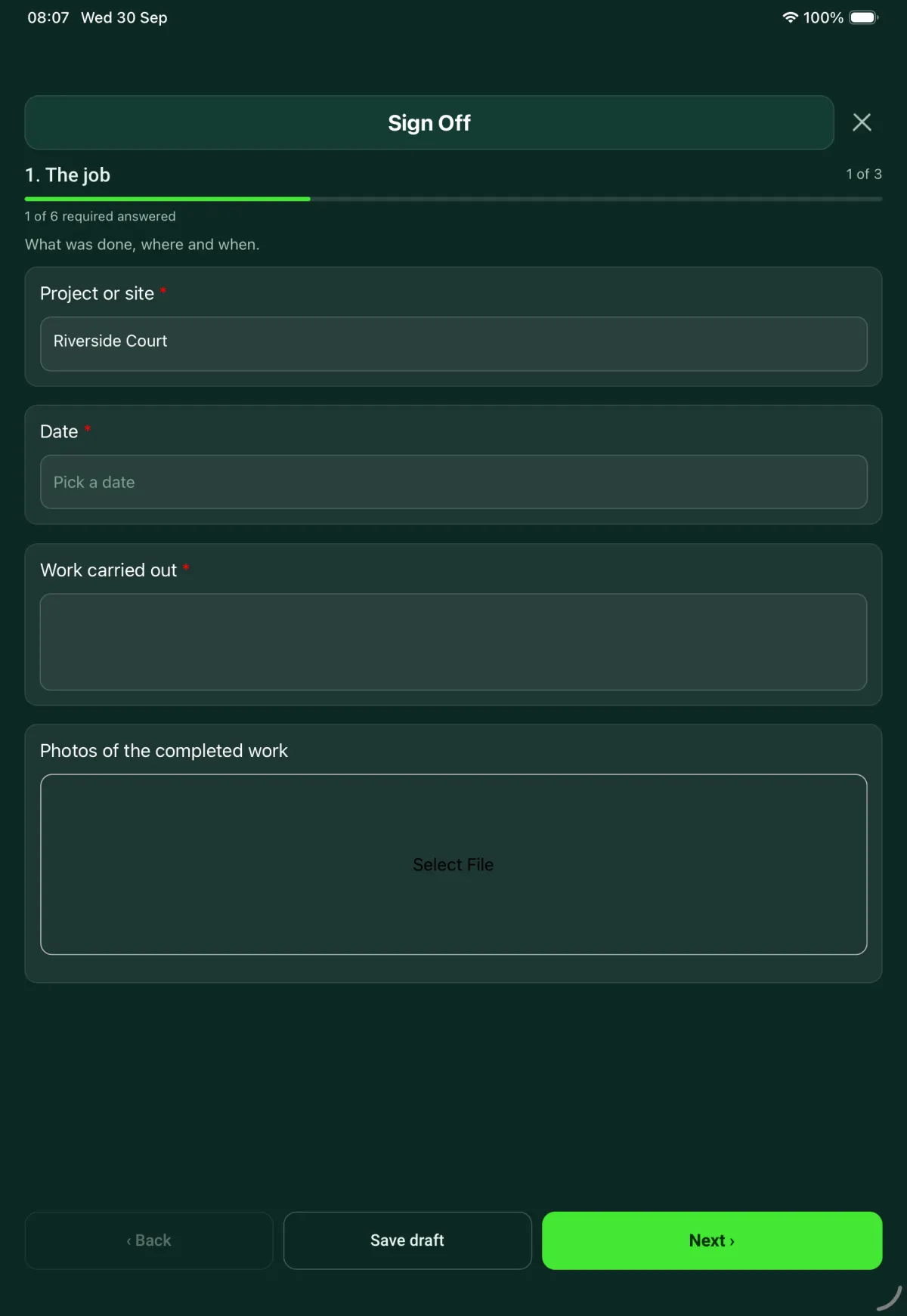
The Sign Off form in the SiteSurvey app on a tablet
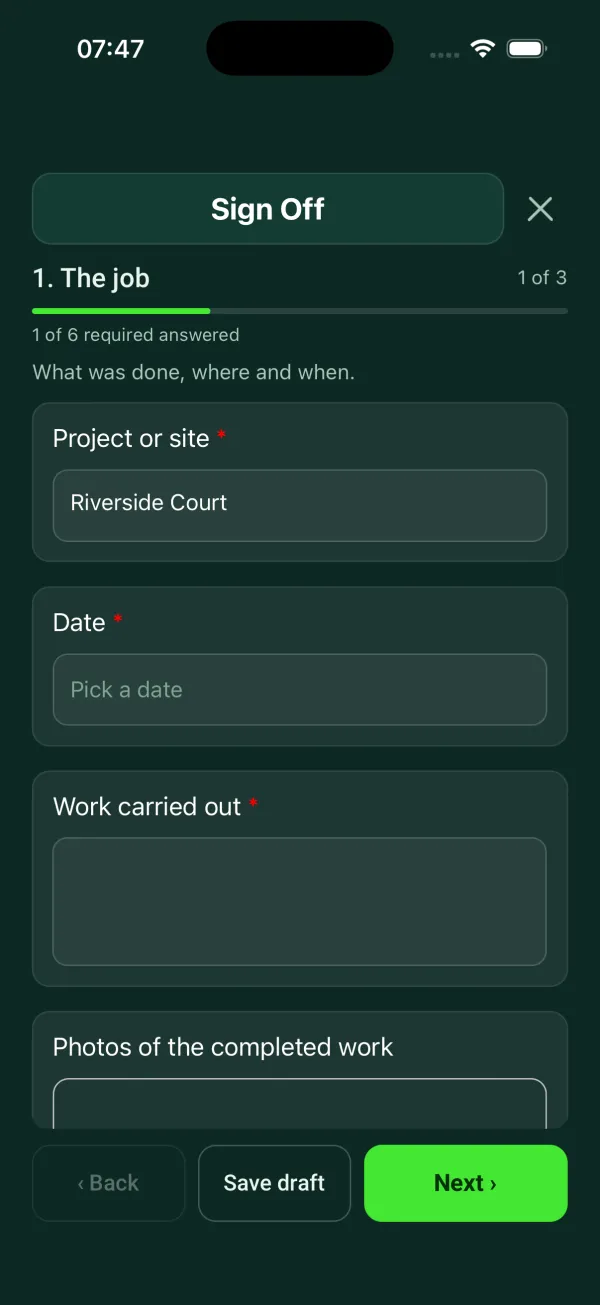
The Sign Off form in the SiteSurvey app on a phone

Every question in the work completion template

Customer acceptance at handover: work completed, outstanding items, customer name and signature. 3 sections and 20 questions. Follow-up questions and guidance appear only when an answer calls for them, so the person on site never sees the ones that do not apply.

Make it your own: every question is editable

This is a starting point, not a fixed form. Once it is in your SiteSurvey account you can reword any question, add or remove questions, sections and answer options, and add your own logo, so it fits the way your team works and the jobs you do.

Details you only enter once

Add this form to a project in SiteSurvey and it fills in what the project already knows, so nobody on site retypes it and every form on the job uses the same names. Anything filled in can still be changed.

  • Project or site: the project name
  • Customer: the project's customer
  • Site address: the site address, from the space or the project

The job

What was done, where and when.

  • Project or site*Short answer
    Fills in from the project name
  • CustomerShort answer
    Fills in from the project's customer
  • Site addressShort answer
    Fills in from the site address, from the space or the project
  • Date*Date
  • Work carried out*Notes
  • Certificates and documents handed overTick all that apply
    • Test, safety or commissioning certificates
    • Building control or competent person certificate
    • Manuals and warranties
    • Keys or access cards
    • Other (describe)
    • None needed
  • Photos of the completed workPhotos

Outstanding items

Anything still to do, with the date agreed with the customer.

  • Are any items outstanding?*Yes or No
  • Outstanding items
    Repeat for each item. Each one asks:
    Shown when “Are any items outstanding?” is Yes
    • ItemShort answer
    • Agreed completion dateDate
    • Who will do itShort answer
  • Outstanding items listedWorked out by the form
    Shown when “Are any items outstanding?” is Yes

Acceptance and sign-off

The customer signs to accept the work. The engineer signs for doing it.

  • Customer name*Short answer
  • PositionShort answer
  • Accepted as complete?*Choose one
    • Yes
    • Accepted with outstanding items
  • CheckItems are listed as outstanding on page 2. Choose "Accepted with outstanding items", or remove them if they are done.
    Shown when “Accepted as complete?” is “Yes” and “Are any items outstanding?” is Yes
  • CheckNo outstanding items are listed. Go back to page 2 and add them so the customer knows what they have accepted.
    Shown only when the answers above make it relevant
  • Customer signatureSignature
  • Where it was signed (GPS)Short answer

    Optional. A record that the work was signed off on site.

  • Why was it not signed?*Short answer
    Shown only when the answers above make it relevant
  • Engineer nameShort answer
  • Engineer signatureSignature

See it filled in

A completed work completion report, made by SiteSurvey from a fictional site visit: every answer, the photos, the guidance that applied and the sign-off, ready to send as a PDF.

See completed form (PDF) ↗

Work completion FAQs

Can a customer sign off work with items still outstanding?

Yes. The customer can accept the work as complete or accept it with outstanding items. Each outstanding item is listed with an agreed completion date, so the customer knows what they have accepted.

What stops the sign-off contradicting the list?

The form checks the two against each other. If items are listed as outstanding but the customer is recorded as accepting the work as complete, it asks you to change the answer or remove the items. If there are no items but the work is accepted with outstanding items, it asks you to add them.

Who signs the form?

The customer signs to accept the work and the engineer signs for doing it. The form records the customer's name and position and the engineer's name alongside each signature, and if the customer does not sign, it asks why.

Is this the same as a building regulations completion certificate?

No. For work that needs building regulations approval, the completion certificate comes from the building control body, or from the installer if they are registered with a competent person scheme. The form records that a building control or competent person certificate was handed over, but it does not replace one.

Can I use it as a sign off sheet on site?

Yes. In the SiteSurvey app the form works offline, takes photos of the completed work, collects both signatures on the phone or tablet and produces a PDF report or share link.

Can I add my own questions?

Yes. The form comes from the SiteSurvey library as an editable form, so you can add questions such as test readings or a checklist for your trade to suit your jobs.

Related

Use this work completion form with your team

Add it from the form library in one click, change any question, and every completed form becomes a branded PDF report.

Start your trial →