Form library · Housing and property
Schedule of works template
A room by room schedule of the work a property needs, for refurbishments, empty property repairs, end of lease repairs and planned maintenance. Each item has its location, element, description, quantity, trade, priority, estimated cost and photos, and the form adds up the cost with a contingency. Every question is listed below, and you can fill the live form in on this page.
Ready to use from the form library, and every question is yours to edit. Trial from £1, cancel any time.
Try it on your phone
Try it on this phone
Fill in the schedule of works on your phone now
See how the schedule of works looks on your phone
Scan the code with your phone camera. It opens the real form, no sign-up needed.
Open the live example and fill it in, just as your team would on site. No sign-up needed.
See it on this phoneEvery question is editable. Add this form to your account, then change the wording, add or remove questions and options, and make it fit your own jobs.
What should a schedule of works include?
A schedule of works should list each item of work by room or location, describing it clearly enough for someone who was not there to price it, with the quantity and unit, the trade and a priority. It should say what it is based on, what the figures include and leave out, any contingency, the target start and duration, and access arrangements, and be signed by whoever prepared and approved it.
Last updated . Facts checked by the SiteSurvey team on 5 October 2026 against HSE introduction to asbestos safety and regulation 5 of the Control of Asbestos Regulations 2012.
Try the schedule of works form live
Answer a few questions and watch it adapt. Your answers are not saved, and any photos you add are deleted within the hour.
This is the real form as your team would use it: questions appear as you answer, scores work themselves out and you can add photos and signatures. No sign-up needed.
Want to see one filled in? See a completed schedule of works report (PDF), made by SiteSurvey from a fictional site visit.
Fill it in on a phone or tablet
Your team completes the schedule of works on site in the SiteSurvey app on iPhone, iPad and Android phones and tablets. The project name and address fill in for them, it works without signal, and it syncs when the device is back online with photos kept against the question they answer.
Customers and subcontractors do not need the app: send them a link and they can fill it in from any browser.
Every question in the schedule of works template
Room by room list of the work needed on a property: each item with its location, description, quantity, trade, priority, estimated cost and photos, with totals. 4 sections and 36 questions. Follow-up questions and guidance appear only when an answer calls for them, so the person on site never sees the ones that do not apply.
Make it your own: every question is editable
This is a starting point, not a fixed form. Once it is in your SiteSurvey account you can reword any question, add or remove questions, sections and answer options, and add your own logo, so it fits the way your team works and the jobs you do.
Details you only enter once
Add this form to a project in SiteSurvey and it fills in what the project already knows, so nobody on site retypes it and every form on the job uses the same names. Anything filled in can still be changed.
- Project: the project name
- Client: the project's customer
- Property: the site, when the form is opened for a space or a product
- Address: the site address, from the space or the project
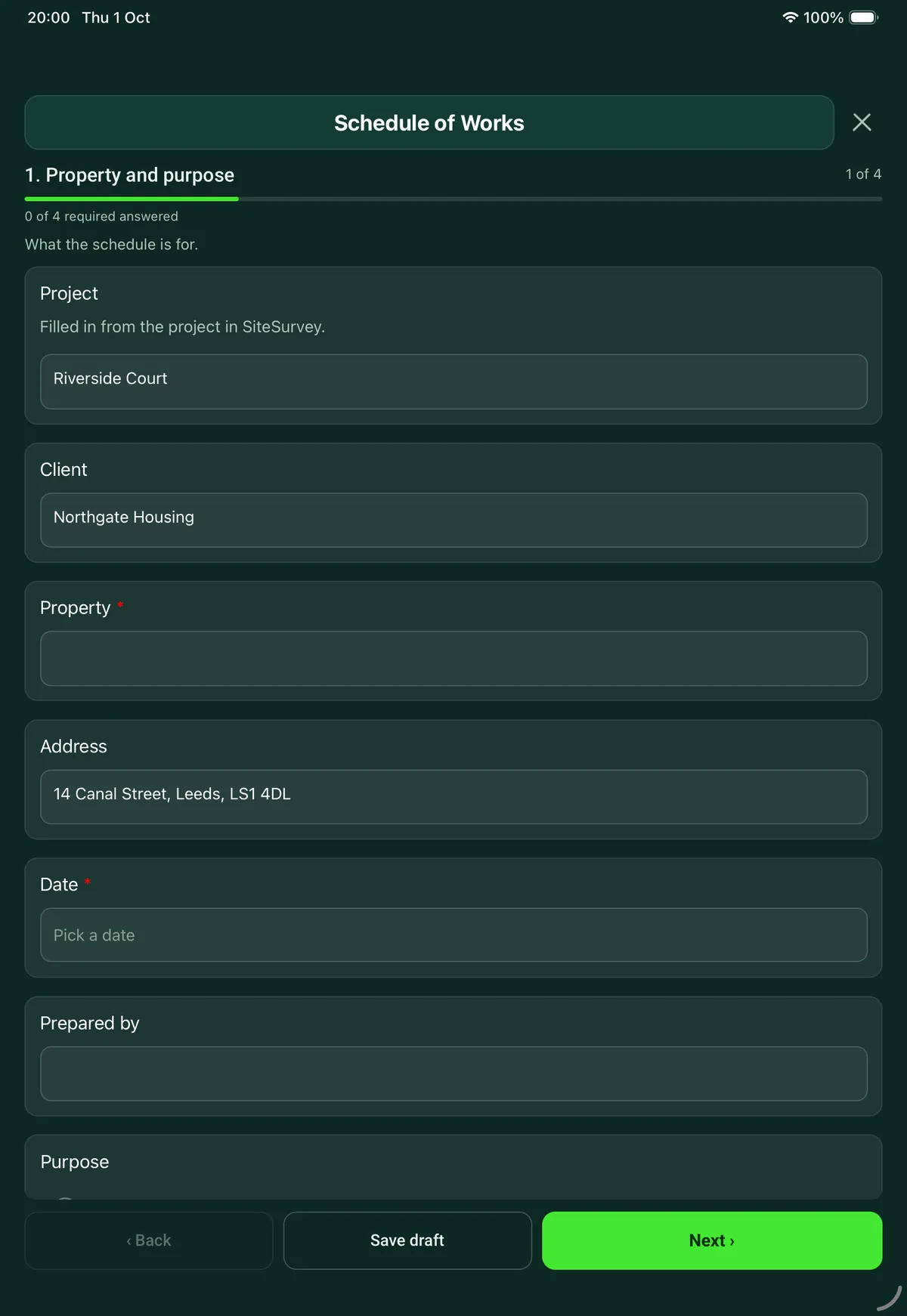
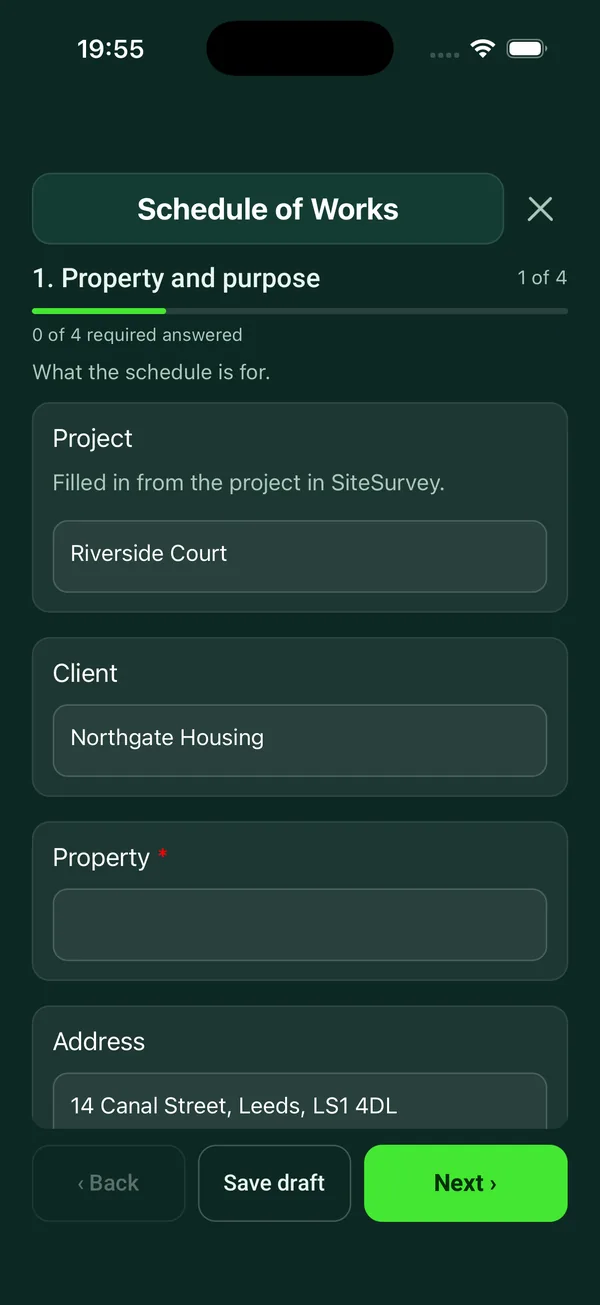
Property and purpose
What the schedule is for.
- ProjectShort answer
Filled in from the project in SiteSurvey.
Fills in from the project name - ClientShort answerFills in from the project's customer
- Property*Short answerFills in from the site, when the form is opened for a space or a product
- AddressShort answerFills in from the site address, from the space or the project
- Date*Date
- Prepared byShort answer
- PurposeChoose one
- Refurbishment
- Repairs to an empty property
- End of lease repairs
- Planned maintenance
- Insurance repair
- Extension or alteration
- What is it based on?Short answer
For example the survey of a given date, or drawings with their revision.
- Will the property be occupied during the work?Yes or No
- Was the building built before 2000?Choose one
- Yes
- No
- Not known
- Asbestos informationChoose one
- Survey or register seen
- Asked for, not received
- Not asked for
Shown only when the answers above make it relevant - Does the asbestos information cover the work in this schedule?Choose one
- Yes, refurbishment survey covers it
- No, management survey or register only
- Refurbishment survey still needed
- No work disturbs the fabric
Shown only when the answers above make it relevant - CheckBuildings built before 2000 can contain asbestos. Get the asbestos information before pricing or starting any work that disturbs the fabric of the building, and say in the schedule who is providing it.Shown only when the answers above make it relevant
Items of work
One entry for each item. Describe it so someone who was not there could price it.
- ItemsRepeat for each item. Each one asks:
- Room or location*Short answer
- ElementChoose one
- Roof
- External walls
- Windows and external doors
- Internal walls and ceilings
- Floors
- Internal doors and joinery
- Kitchen
- Bathroom
- Electrical
- Plumbing and heating
- Decoration
- Drainage
- External works
- Clearance and cleaning
- Other (describe)
- Work required*Notes
- QuantityNumber
- UnitChoose one
- Item
- Number
- Metres
- Square metres
- Hours
- Sum
- TradeChoose one
- General builder
- Roofer
- Joiner
- Plasterer
- Electrician
- Plumber or heating engineer
- Decorator
- Flooring
- Glazier
- Groundworker
- Cleaner
- Other (describe)
- PriorityChoose one
- Essential: safety or weathertight
- Needed to let or occupy
- Desirable
- Estimated cost (£)Number
- PhotosPhotos
- ItemsWorked out by the form
- Essential itemsWorked out by the form
- Estimated cost of the items (£)Worked out by the form
Allowances and programme
What sits around the items.
- Contingency (%)Number
- Contingency (£)Worked out by the formShown when “Contingency (%)” is answered
- Total with contingency (£)Worked out by the formShown when “Contingency (%)” is answered
- GuidanceThe figures are estimates entered by the person preparing the schedule. Say here whether they include VAT, fees and preliminaries such as scaffolding and skips.
- What the figures include and leave outNotes
- Target startDate
- Expected durationShort answer
- Access, keys, parking and working hoursNotes
Sign-off
Who prepared it and who approved it.
- Prepared byShort answer
- SignatureSignature
- Approved for the client byShort answer
- Client signatureSignature
- Date approvedDate
See it filled in
A completed schedule of works report, made by SiteSurvey from a fictional site visit: every answer, the photos, the guidance that applied and the sign-off, ready to send as a PDF.
Schedule of works FAQs
How are costs handled?
Each item has an estimated cost entered by the person preparing the schedule. The form adds them up, applies the contingency percentage you enter, and shows the total with contingency. It asks you to say whether the figures include VAT, fees and preliminaries such as scaffolding and skips.
Can builders price from it?
Yes. Each item gives the location, element, work required, quantity, unit and trade, with photos, so it can be sent to contractors as a PDF or a share link and priced like for like. Up to 150 items fit on one schedule.
How are items prioritised?
Each item is marked essential (safety or weathertight), needed to let or occupy, or desirable. The form counts the essential items. The priority bands are the form's own.
Does it deal with asbestos?
It asks whether the building was built before 2000, whether asbestos information has been seen, and whether it covers the work in the schedule or a refurbishment survey is still needed. HSE says buildings constructed after 2000 are unlikely to contain asbestos. Under the Control of Asbestos Regulations 2012, an employer must not start work liable to expose employees to asbestos without first assessing whether it is present, or assuming that it is.
Can it be written on site?
Yes. Walk the property with the form on a phone or tablet, adding an item and photos in each room. In the SiteSurvey app it works offline and syncs when the device is back online, and the record goes out as a PDF or a share link.
Who signs the schedule?
The person who prepared it, and the client, who signs to approve it with the date approved. Both sign on the device, and the signed schedule goes out as a PDF.
Related
Related templates
Templates that go with the schedule of works form
Condition survey of a building: limits of inspection, element by element record, services and risks, further investigations.
Schedule of dilapidations against the lease: item record with remedy and cost, summary of costs, intentions and timing.
Roof inspection report: safe access, coverings by area, flashings, chimneys, gutters and rooflights, the roof space, defects with priorities, costs and photos.
Elements, lifecycles and renewal years, kitchen and bathroom, heating and electrics, hazards and recommended work for each property.
Use this schedule of works form with your team
Add it from the form library in one click, change any question, and every completed form becomes a branded PDF report.
Start your trial →