Form library · Quality and compliance
Inspection and test plan template
An ITP for a construction or installation work package. List each inspection and test in the order the work is done, with what is checked, the acceptance criteria, whether it is a hold or witness point and who signs. Record each result with photos, then release the work when every hold point is passed. Every question is listed below, and you can fill the live form in on this page.
Ready to use from the form library, and every question is yours to edit. Trial from £1, cancel any time.
Try it on your phone
Try it on this phone
Fill in the inspection and test plan on your phone now
See how the inspection and test plan looks on your phone
Scan the code with your phone camera. It opens the real form, no sign-up needed.
Open the live example and fill it in, just as your team would on site. No sign-up needed.
See it on this phoneEvery question is editable. Add this form to your account, then change the wording, add or remove questions and options, and make it fit your own jobs.
What should an inspection and test plan include?
An inspection and test plan should name the work package and the specifications and drawings it is checked against. For each stage it should say what is inspected or tested, the acceptance criteria, the method and frequency, whether it is a hold point, witness point or review, and who signs. It should record each result with a reference to the record or certificate.
Last updated . Facts checked by the SiteSurvey team on 5 October 2026 against regulation 7 of the Building Regulations 2010 and GOV.UK Approved Document 7: material and workmanship.
Try the inspection and test plan form live
Answer a few questions and watch it adapt. Your answers are not saved, and any photos you add are deleted within the hour.
This is the real form as your team would use it: questions appear as you answer, scores work themselves out and you can add photos and signatures. No sign-up needed.
Want to see one filled in? See a completed inspection and test plan report (PDF), made by SiteSurvey from a fictional site visit.
Fill it in on a phone or tablet
Your team completes the inspection and test plan on site in the SiteSurvey app on iPhone, iPad and Android phones and tablets. The project name and address fill in for them, it works without signal, and it syncs when the device is back online with photos kept against the question they answer.
Customers and subcontractors do not need the app: send them a link and they can fill it in from any browser.
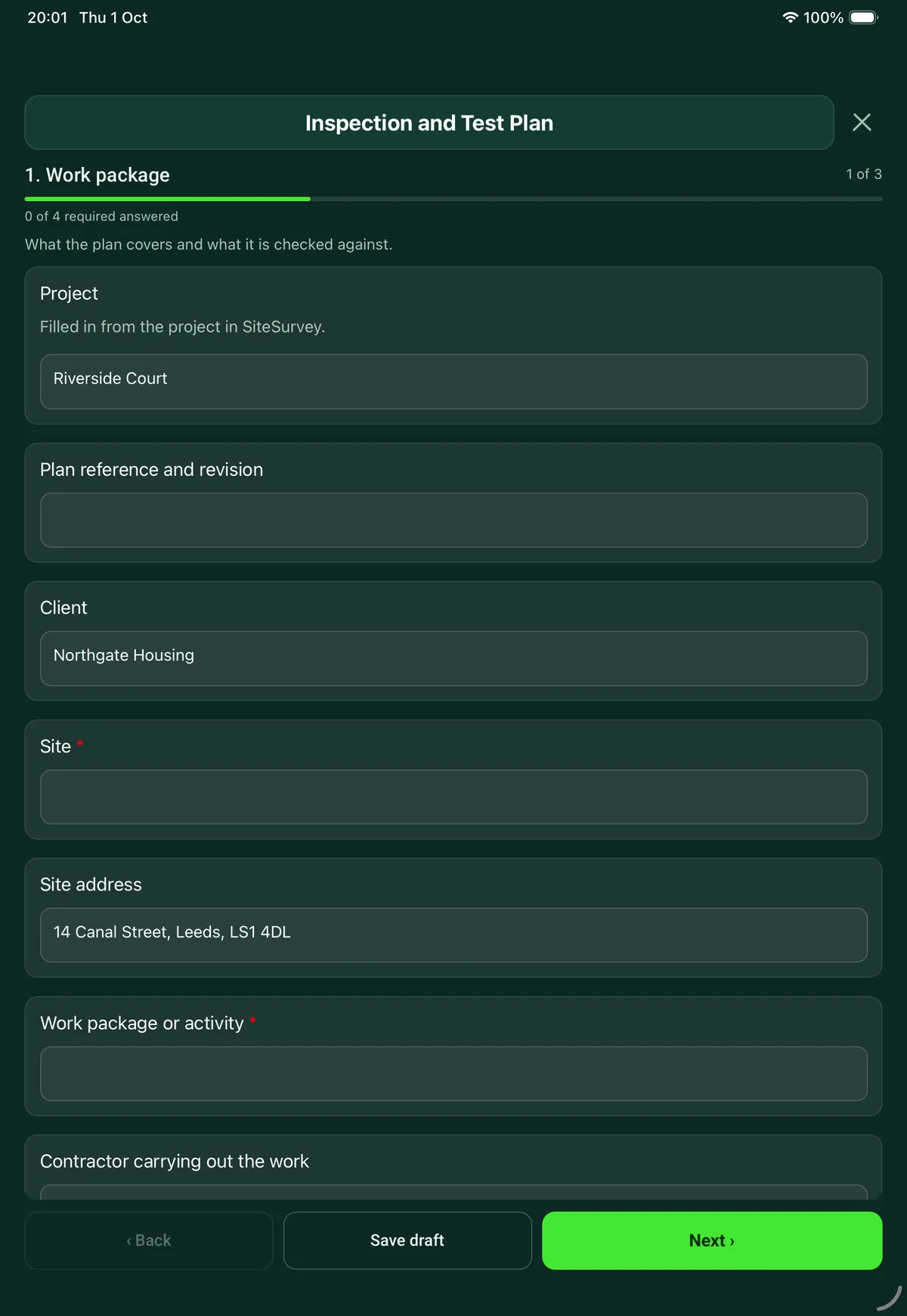
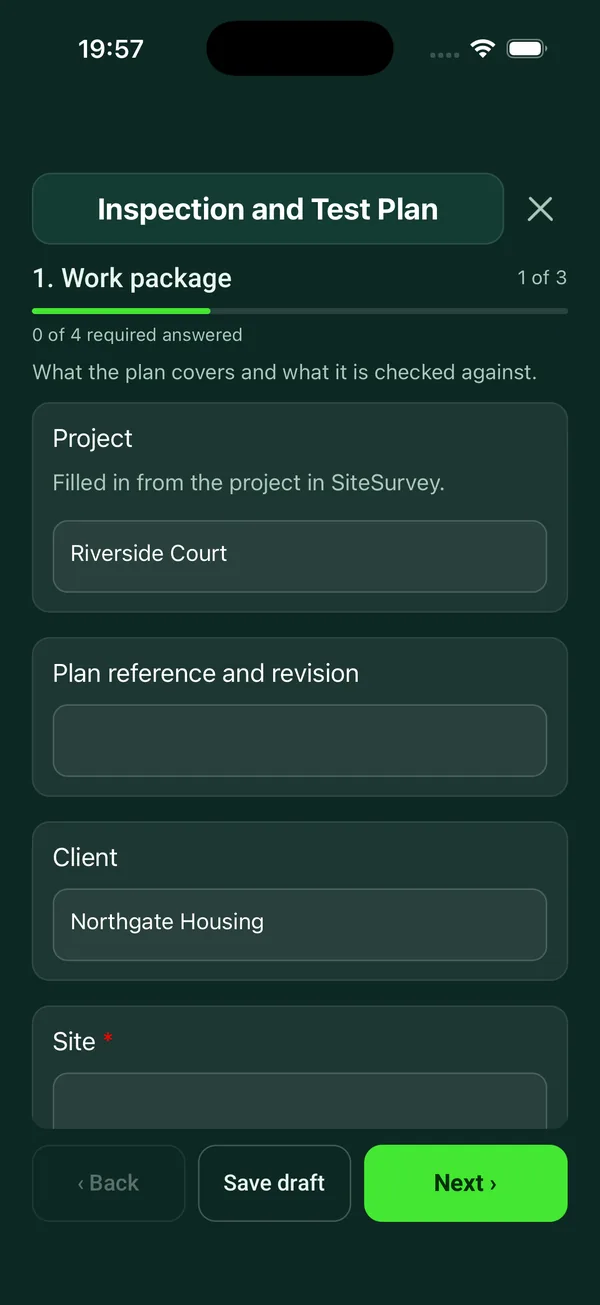
Every question in the inspection and test plan template
Inspection and test plan for a work package: each check with its acceptance criteria, hold and witness points, who inspects, results, records and release. 3 sections and 36 questions. Follow-up questions and guidance appear only when an answer calls for them, so the person on site never sees the ones that do not apply.
Make it your own: every question is editable
This is a starting point, not a fixed form. Once it is in your SiteSurvey account you can reword any question, add or remove questions, sections and answer options, and add your own logo, so it fits the way your team works and the jobs you do.
Details you only enter once
Add this form to a project in SiteSurvey and it fills in what the project already knows, so nobody on site retypes it and every form on the job uses the same names. Anything filled in can still be changed.
- Project: the project name
- Client: the project's customer
- Site: the site, when the form is opened for a space or a product
- Site address: the site address, from the space or the project
Work package
What the plan covers and what it is checked against.
- ProjectShort answer
Filled in from the project in SiteSurvey.
Fills in from the project name - Plan reference and revisionShort answer
- ClientShort answerFills in from the project's customer
- Site*Short answerFills in from the site, when the form is opened for a space or a product
- Site addressShort answerFills in from the site address, from the space or the project
- Work package or activity*Short answer
- Contractor carrying out the workShort answer
- Prepared byShort answer
- DateDate
- Specifications, drawings and standards the work is checked againstNotes
- Plan accepted for the client byShort answer
Agree the plan before the work starts, so the hold points bind.
- Date acceptedDate
- GuidanceHold point: work stops until the named person has inspected and signed. Witness point: they are invited to see it, and work can go on if they do not attend. Review: records are checked afterwards. These are the usual meanings: your contract may define them differently.
Inspections and tests
One entry for each check, in the order the work is done.
- Inspection and test pointsRepeat for each point. Each one asks:
- Stage or activity*Short answer
- What is inspected or tested?Notes
- Acceptance criteria and referenceShort answer
- MethodChoose one
- Visual
- Measurement
- Test
- Document review
- Other (describe)
- How oftenShort answer
- Type of point*Choose one
- Hold point
- Witness point
- Review of records
- Contractor check only
- Who inspects or signsShort answer
- ResultChoose one
- Not yet done
- Passed
- Failed
- Waived
- WarningRaise a non-conformance report and do not cover up or build over the work until it is closed.Shown when “Result” is “Failed”
- Non-conformance report referenceShort answerShown when “Result” is “Failed”
- Who agreed to waive it, and why?Short answerShown when “Result” is “Waived”
- Inspected byShort answerShown only when the answers above make it relevant
- DateDateShown only when the answers above make it relevant
- Record or certificate referenceShort answer
- PhotosPhotos
- PointsWorked out by the form
- PassedWorked out by the form
- FailedWorked out by the form
Release
Sign when every hold point is released.
- Have all hold points been passed or formally waived?Yes or No
- What is outstanding?NotesShown when “Have all hold points been passed or formally waived?” is No
- Date releasedDateShown when “Have all hold points been passed or formally waived?” is Yes
- Signed for the contractor byShort answer
- Contractor signatureSignature
- Signed for the client or inspector byShort answer
- Client or inspector signatureSignature
See it filled in
A completed inspection and test plan report, made by SiteSurvey from a fictional site visit: every answer, the photos, the guidance that applied and the sign-off, ready to send as a PDF.
Inspection and test plan FAQs
What is the difference between a hold point and a witness point?
The form uses the usual meanings. At a hold point, work stops until the named person has inspected and signed. At a witness point they are invited to see it, and work can go on if they do not attend. A review means records are checked afterwards. Your contract may define them differently, and the form says so.
What happens when an inspection fails?
The point is marked failed and the form shows a warning to raise a non-conformance report and not to cover up or build over the work until it is closed. The library has a non-conformance report form for that. The plan counts the points passed and failed.
Can a point be waived?
Yes, but the form asks who agreed to waive it and why. The release page asks whether all hold points have been passed or formally waived, and what is outstanding if not.
Who signs the plan?
The contractor carrying out the work and the client or inspector, both on the device, on the release page. Each passed or failed point also records who inspected it and when, and the plan records who accepted it for the client before work started.
How many inspection points can it hold?
Up to 60, each with photos. In the SiteSurvey app it works offline and syncs when the device is back online, and the record goes out as a PDF or a share link.
Is an inspection and test plan a legal requirement?
No regulation asks for an ITP by name: it is usually required by the contract or a quality system. In England, regulation 7 of the Building Regulations 2010 requires building work to be done with proper materials and in a workmanlike manner, and Approved Document 7 lists tests among the ways to show workmanship is adequate.
Related
Related templates
Templates that go with the inspection and test plan form
Snag by snag record with room, element, photo and priority, checks with no snag, totals and re-inspection.
Commissioning and handover for AV and network installs: tests, equipment and photos, snags, documents and training.
A masonry installation record linking approved details, materials, setting out, ties, cavity observations, concealed work, defects and inspection hold points.
Record proposed materials or documents, their specification references and revisions, and the reviewer’s response.
Use this inspection and test plan form with your team
Add it from the form library in one click, change any question, and every completed form becomes a branded PDF report.
Start your trial →