Form library · AV and IT

IT site survey checklist

A network and structured cabling survey for quotes, installs, audits and change requests. Follow the cable route back to the comms room, record rack space, power and cooling, count existing and required outlets by area, and check the proposed cable's fire class. Every question is listed below, and you can fill the live form in on this page.

Ready to use from the form library, and every question is yours to edit. Trial from £1, cancel any time.

Try it on your phone

Try it on this phone

Fill in the IT site survey on your phone now

See how the IT site survey looks on your phone

Scan the code with your phone camera. It opens the real form, no sign-up needed.

Open the live example and fill it in, just as your team would on site. No sign-up needed.

See it on this phone

Every question is editable. Add this form to your account, then change the wording, add or remove questions and options, and make it fit your own jobs.

Or start your trial with this form ready →

One email, and we won't add you to a mailing list.

What should an IT site survey checklist include?

An IT site survey checklist should record why the survey is being done, asbestos and access checks, the cable route and containment back to the comms room, cabinet space used and free, power and cooling, existing outlets and how they were checked, and the data and access point outlets needed in each area. It should end with constraints, actions and a signature.

Last updated . Facts checked by the SiteSurvey team on 5 October 2026 against BS 6701:2016+A1:2017, telecommunications equipment and cabling installation (BSI) and regulation 4 of the Control of Asbestos Regulations 2012 (duty to manage).

Built for surveying a site for data cabling

Walk the route, the comms room and the outlets on a phone. The form works out the free rack space, the outlets and cable runs per area, the cable needed and the constraints you found, and pins where the incoming line enters the building.

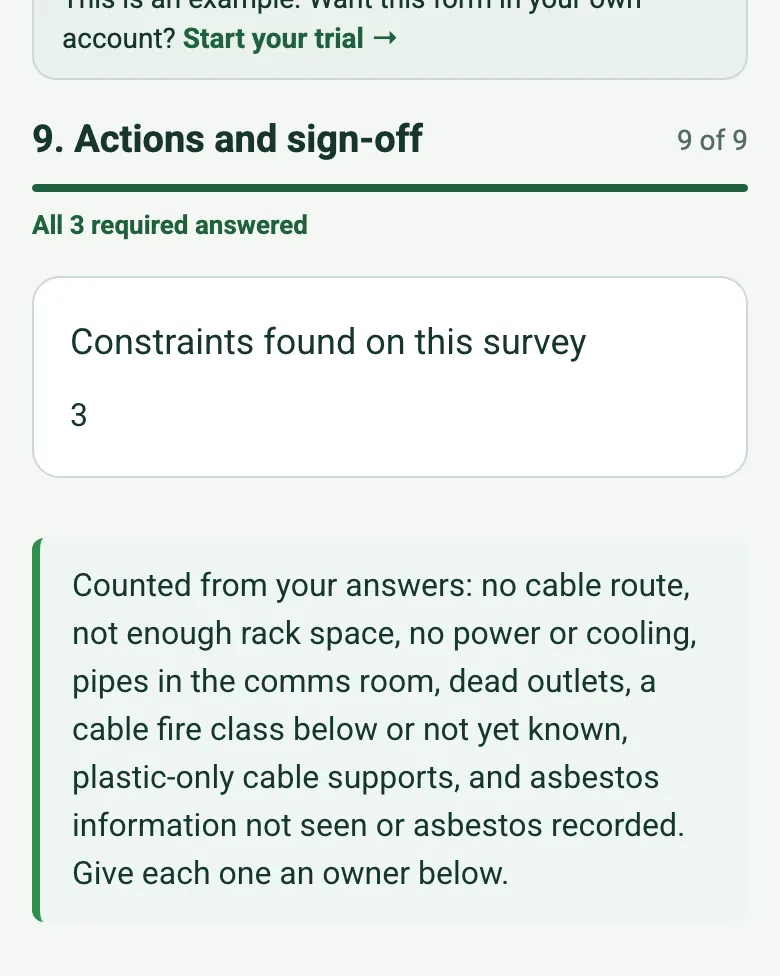
The completed IT survey on a phone: Constraints found on this survey 3, and a note listing what is counted

Constraints counted for you

No cable route, too little rack space, no power or cooling, pipes in the comms room, dead outlets, an unknown cable fire class or asbestos information not seen: each one adds to the constraints count, so nothing is left off the quote.

How calculated fields work →
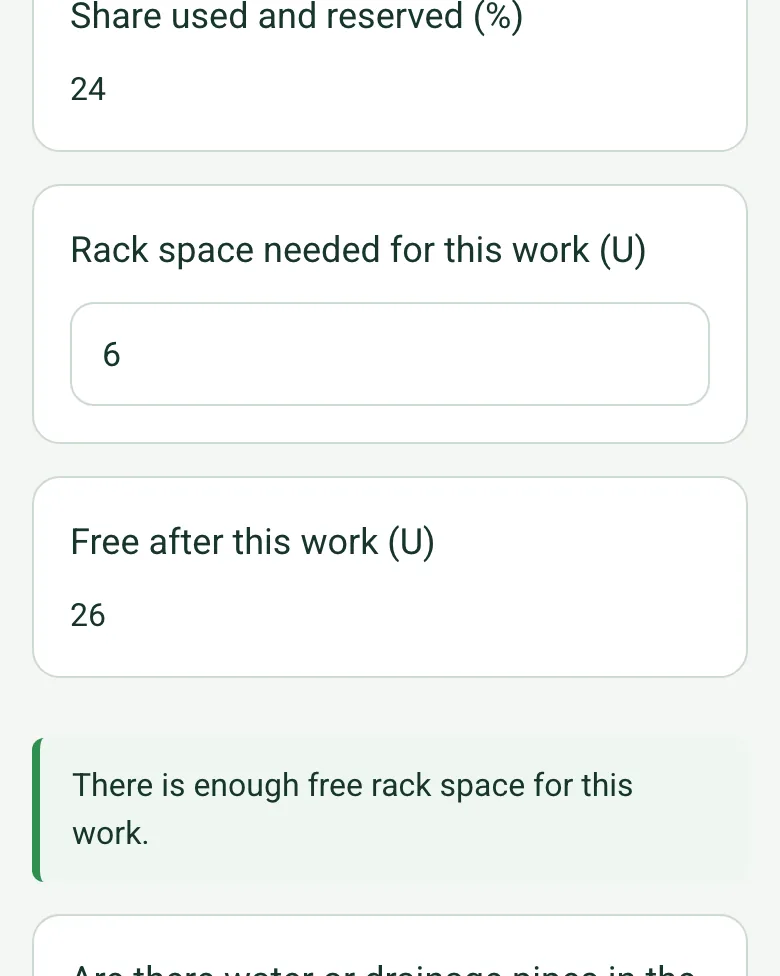
Rack space in the completed IT survey on a phone: share used and reserved 24%, rack space needed 6 U, free after this work 26 U, and a note that there is enough space

Rack space worked out

Enter the cabinet size, the space in use, the space the client keeps and the space this work needs. The form shows the share used and what is free after the work, and warns you when it does not fit.

How calculated fields work →
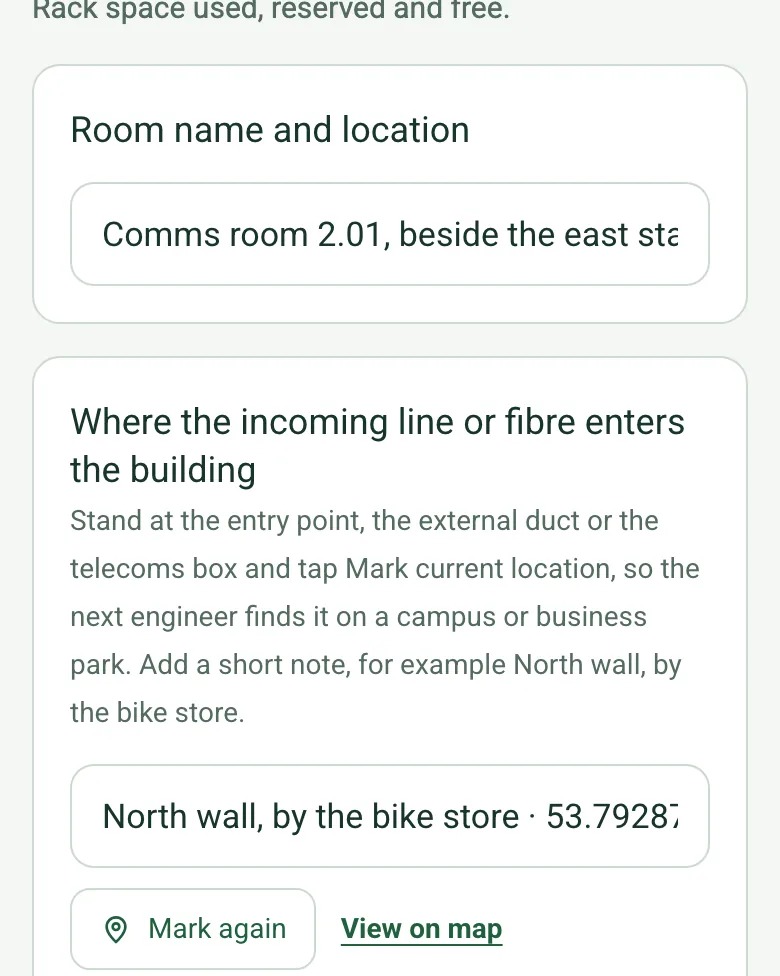
The completed IT survey on a phone: Where the incoming line or fibre enters the building, filled with North wall, by the bike store and coordinates, with View on map

Pin the incoming line

On a campus or business park, mark where the line or fibre enters the building. The next engineer opens the map and walks to it. Mark current location works on web forms in any phone browser today, and the app version is on its way.

How GPS location works →

Film the outlets and the route

Walk Cam records the floor boxes, the void and the cabinet with your spoken notes typed in as you talk.

How Walk Cam works →

A completed IT and network site survey

A fictional second floor office before a quote: a 600 mm ceiling void with tray, a 42U cabinet with 26U free after the work, two dead floor boxes, no cooling, 60 outlets across three areas and the incoming line pinned by GPS.

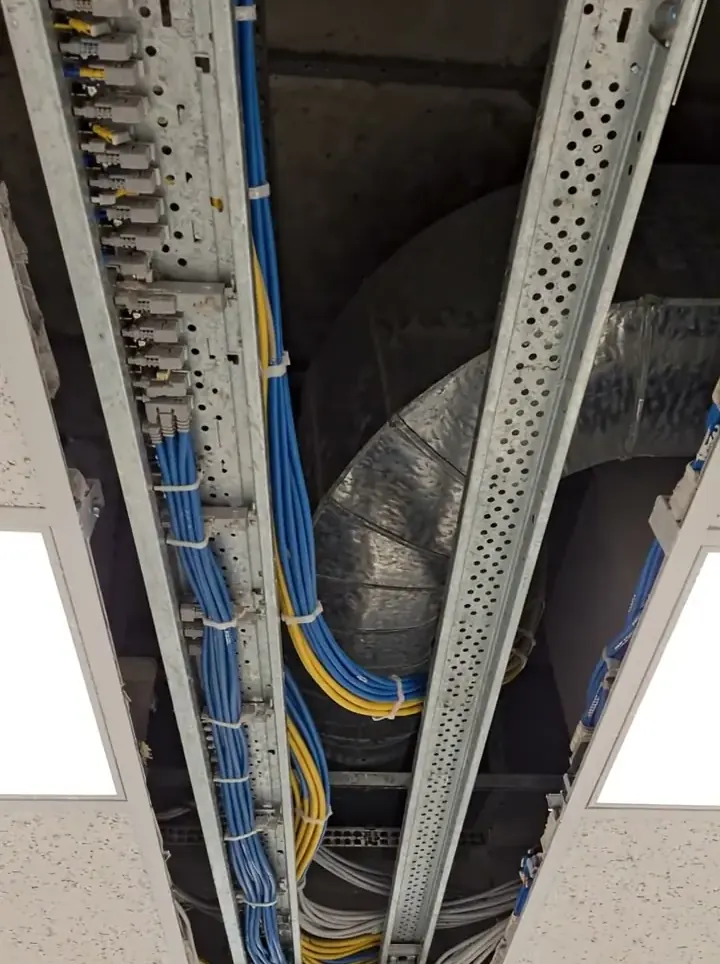
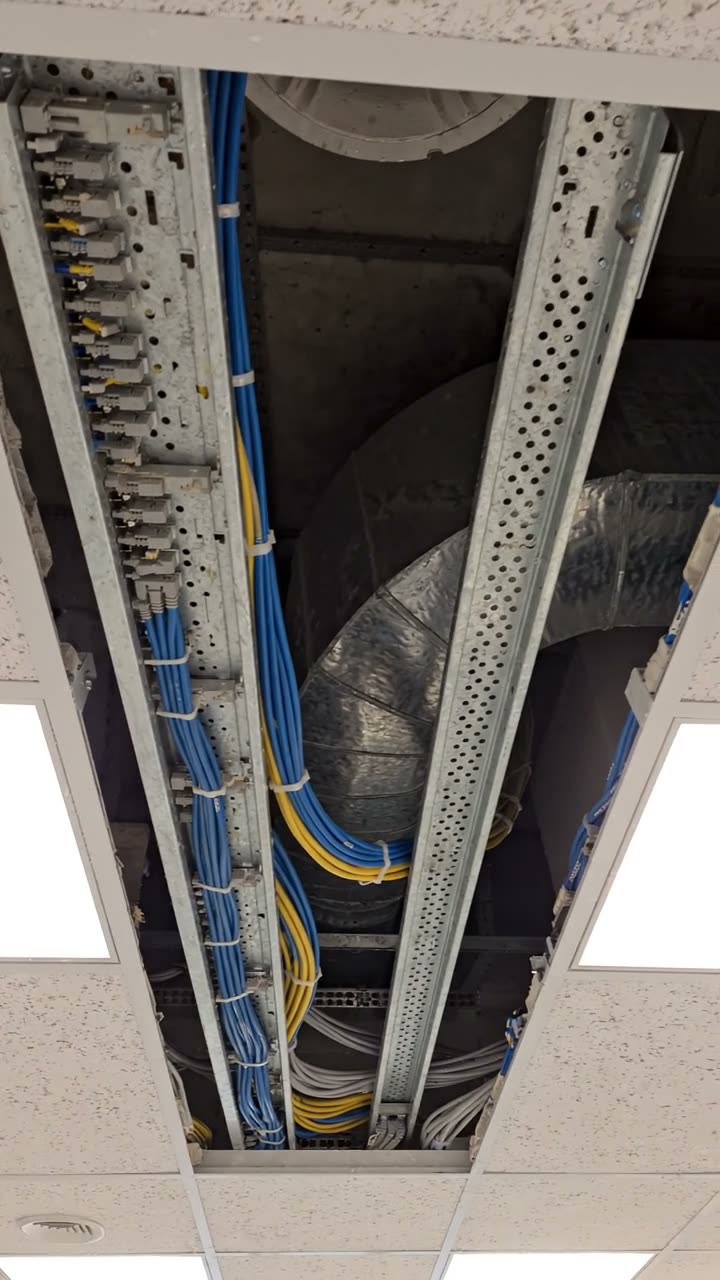
Cable tray running through an open ceiling void
Ceiling void · 600 mm · tray with space
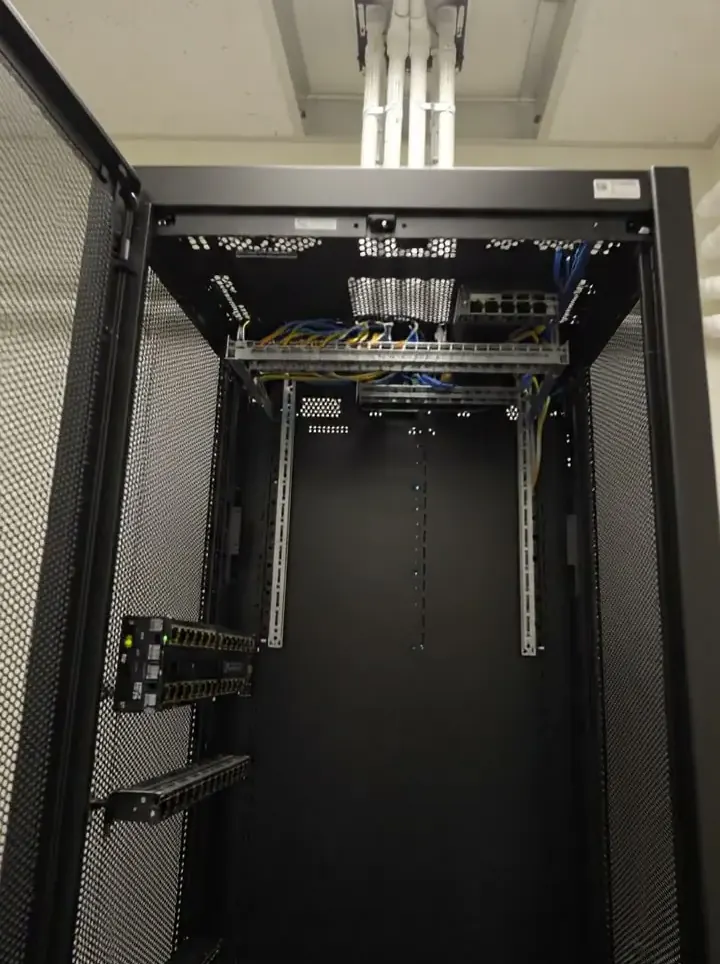
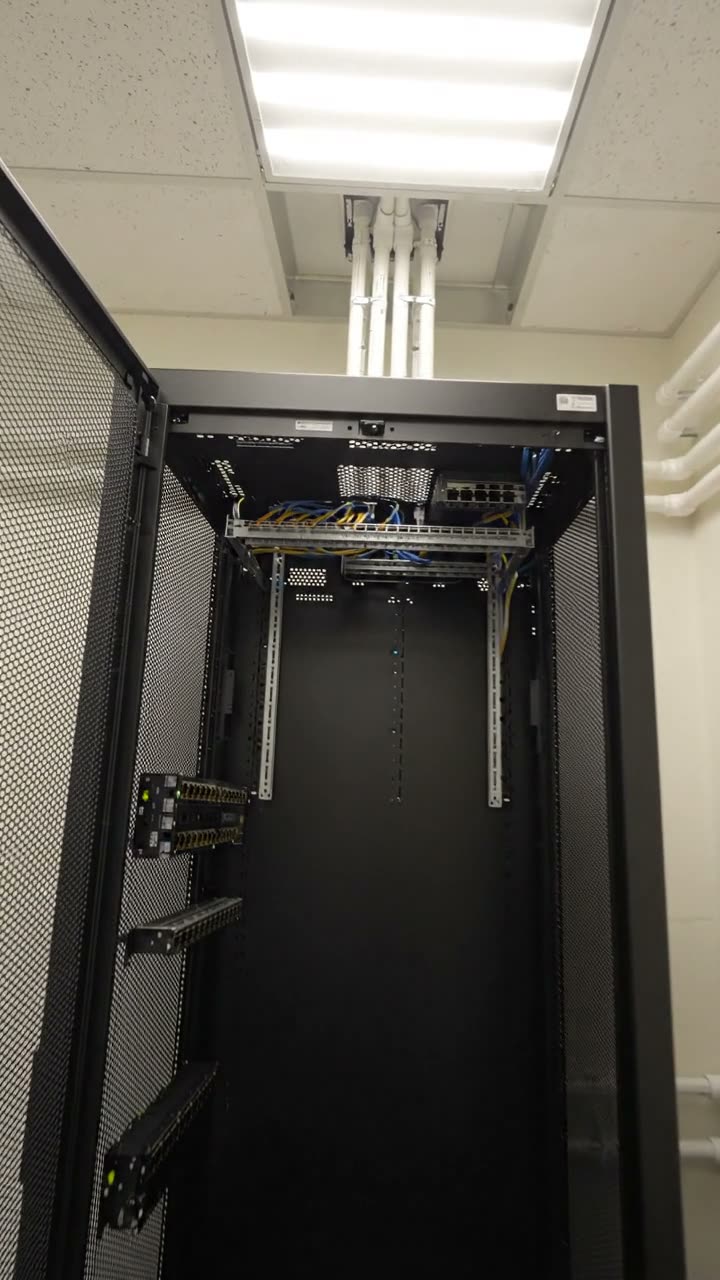
An open 42U comms cabinet in a small white room
Comms room 2.01 · 42U · no cooling yet
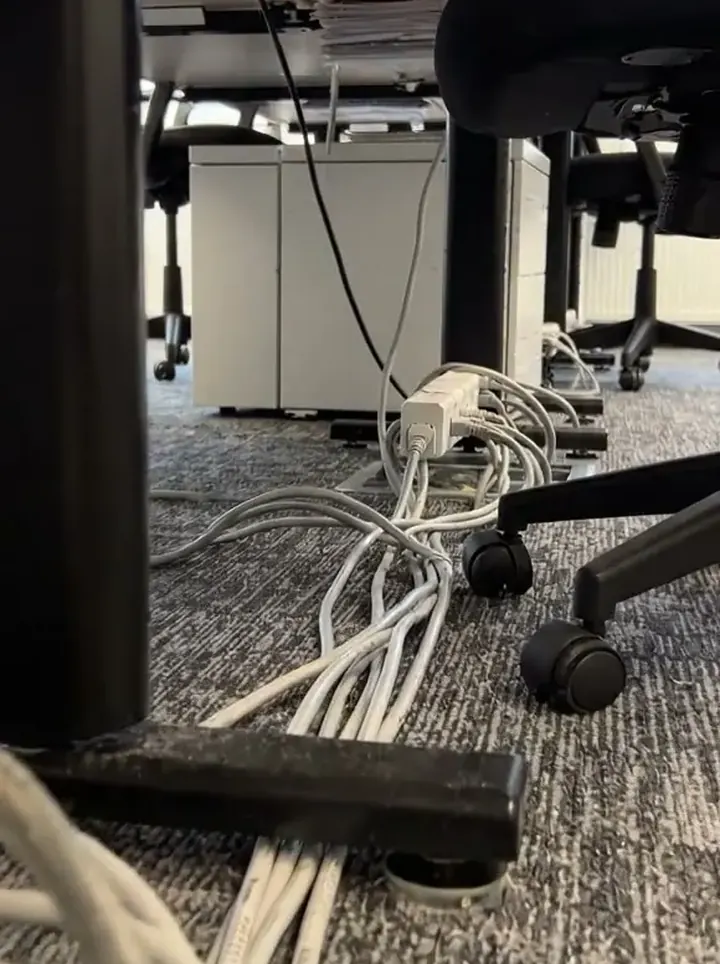
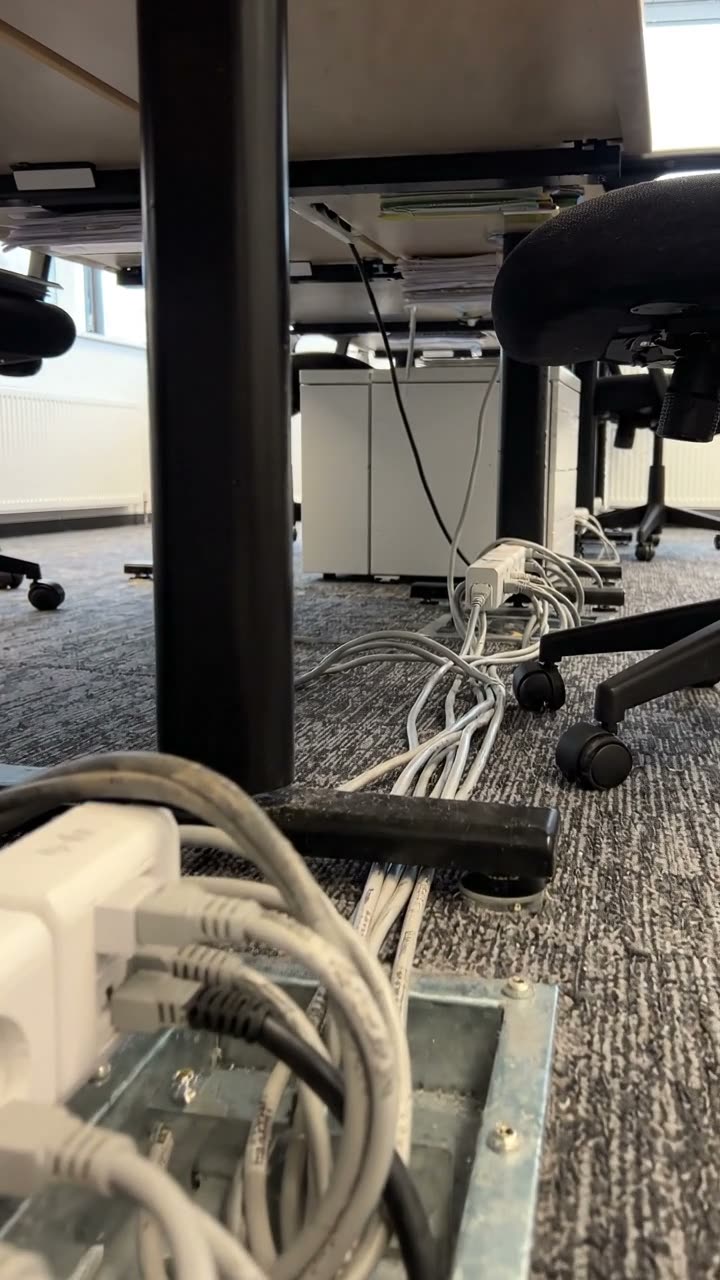
A floor box under desks with cables trailing from it
FB-07 · no link on the hand tester

Try the IT site survey form live

Answer a few questions and watch it adapt. Your answers are not saved, and any photos you add are deleted within the hour.

Live form: IT and Network Site SurveyOpen full screen ↗
Fill it in right here

This is the real form as your team would use it: questions appear as you answer, scores work themselves out and you can add photos and signatures. No sign-up needed. Or open a completed example to see every answer, photo and score filled in.

Want to see one filled in? See a completed IT site survey report (PDF), made by SiteSurvey from a fictional site visit.

For teams

Using the IT site survey template for client work?

Paper or a spreadsheet works for the odd job. When your team does this every week, SiteSurvey keeps every visit in one place and turns each one into a report you can send.

  • Everyone fills in the same form on their phone, with photos attached to the answer they belong to.
  • Each visit becomes a branded PDF report for the client, with no retyping.
  • Every site, visit and report is kept together in one account, not scattered across email and shared drives.

Fill it in on a phone or tablet

Your team completes the it and network site survey on site in the SiteSurvey app on iPhone, iPad and Android phones and tablets. The project name and address fill in for them, it works without signal, and it syncs when the device is back online with photos kept against the question they answer.

Customers and subcontractors do not need the app: send them a link and they can fill it in from any browser.

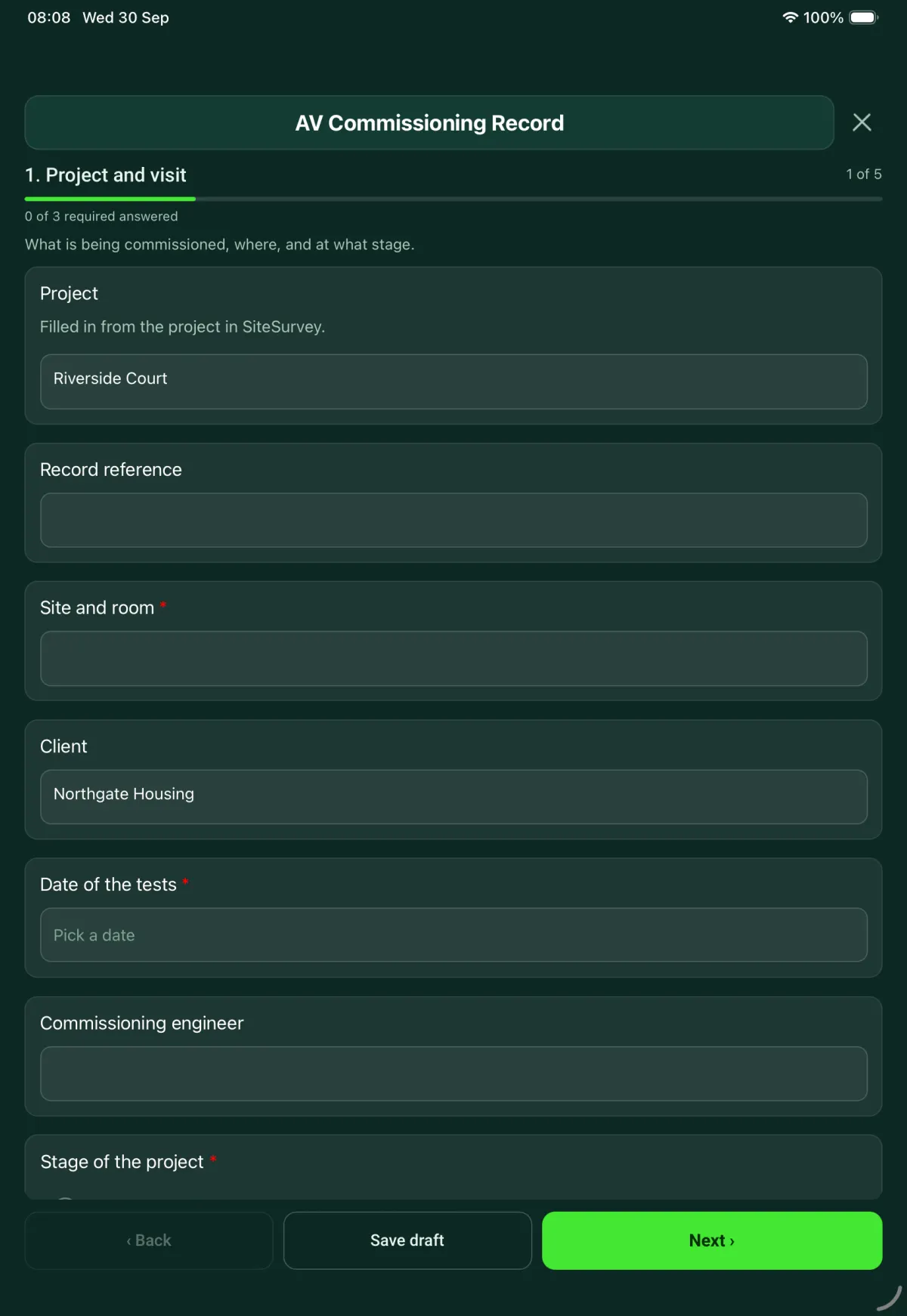
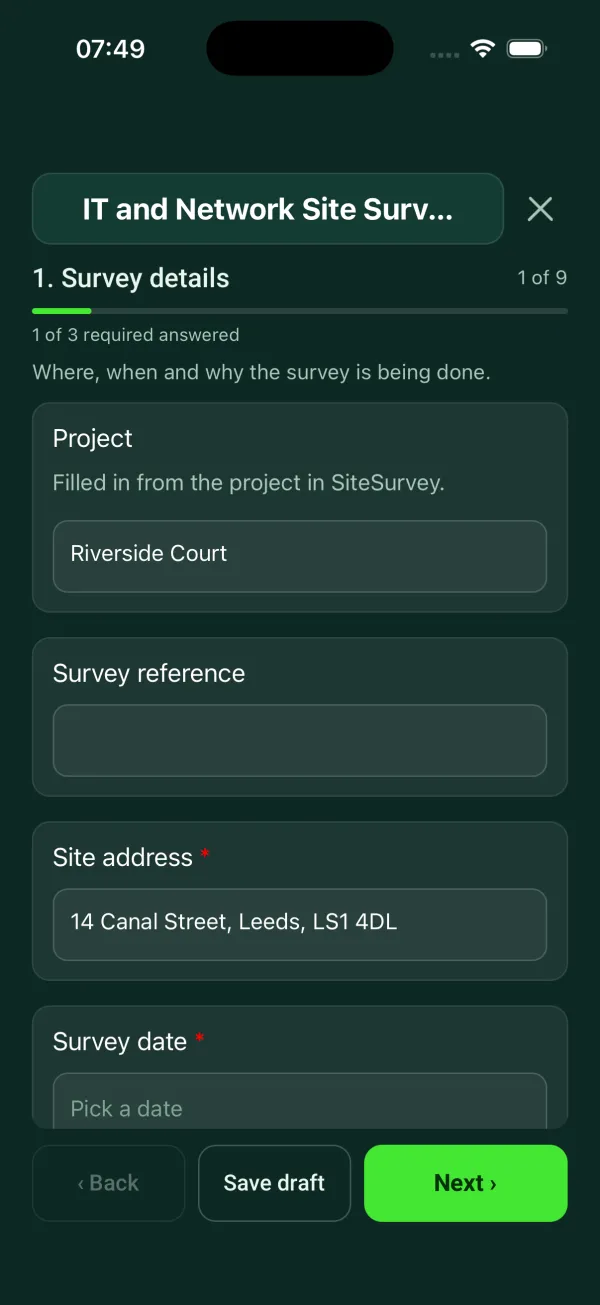
The IT and Network Site Survey form in the SiteSurvey app on a tablet
The IT and Network Site Survey form in the SiteSurvey app on a phone

Every question in the IT site survey template

Containment and cable routes, comms room and cabinet, power and cooling, existing and required outlets by area. 9 sections and 97 questions. Follow-up questions and guidance appear only when an answer calls for them, so the person on site never sees the ones that do not apply.

Make it your own: every question is editable

This is a starting point, not a fixed form. Once it is in your SiteSurvey account you can reword any question, add or remove questions, sections and answer options, and add your own logo, so it fits the way your team works and the jobs you do.

Details you only enter once

Add this form to a project in SiteSurvey and it fills in what the project already knows, so nobody on site retypes it and every form on the job uses the same names. Anything filled in can still be changed.

  • Project: the project name
  • Site address: the site address, from the space or the project
  • Client: the project's customer

Survey details

Where, when and why the survey is being done.

  • ProjectShort answer

    Filled in from the project in SiteSurvey.

    Fills in from the project name
  • Survey referenceShort answer
  • Site address*Short answer
    Fills in from the site address, from the space or the project
  • Survey date*Date
  • Purpose of the survey*Choose one
    • Survey before a quote
    • Survey before an installation
    • Audit of what is installed
    • Fault or change request
  • GuidanceAudit. Record what is installed as you find it. Leave section 7 empty if no new outlets are wanted.
    Shown when “Purpose of the survey” is “Audit of what is installed”
  • Fault or change referenceShort answer
    Shown when “Purpose of the survey” is “Fault or change request”
  • What was reported or asked for?Notes
    Shown when “Purpose of the survey” is “Fault or change request”
  • ClientShort answer
    Fills in from the project's customer
  • Engineer name and roleShort answer
  • Does the client's specification name cabling standards?Yes or No
  • Which standards does it name?Tick all that apply
    • BS EN 50173 series (design)
    • BS EN 50174 series (installation)
    • BS 6701 (installation, operation and maintenance)
    • Other (describe)
    Shown when “Does the client's specification name cabling standards?” is Yes
  • GuidanceThis survey records the site as found. It does not test or certify cabling against a standard.
    Shown when “Does the client's specification name cabling standards?” is Yes
  • Were all the areas in scope surveyed?Yes or No
  • Which areas were not surveyed, and why?Notes
    Shown when “Were all the areas in scope surveyed?” is No

Access and safety checks

Check before you lift a tile or open a riser.

  • Asbestos information for the areas you will open upChoose one
    • Seen, no asbestos recorded there
    • Seen, asbestos recorded there
    • Not seen
    • Nothing will be opened up
  • WarningStop. Do not lift tiles, open risers or drill until you have seen the asbestos information. In non-domestic premises the dutyholder must give information on where asbestos is, and its condition, to anyone liable to disturb it.
    Shown when “Asbestos information for the areas you will open up” is “Not seen”
  • WarningAsbestos is recorded where you planned to work. Do not disturb it. Agree another route or a safe way of working with the dutyholder.
    Shown when “Asbestos information for the areas you will open up” is “Seen, asbestos recorded there”
  • Where is the asbestos recorded, and what was agreed?Notes
    Shown when “Asbestos information for the areas you will open up” is “Seen, asbestos recorded there”
  • Register or survey seen (title, date, who gave it)Short answer
    Shown only when the answers above make it relevant
  • Will you work at height on this survey?Yes or No
  • What will you work from?Choose one
    • Podium step
    • Stepladder
    • Mobile tower
    • Other (describe)
    Shown when “Will you work at height on this survey?” is Yes
  • GuidanceWork at height must be properly planned, supervised and carried out by competent people.
    Shown when “Will you work at height on this survey?” is Yes
  • Does the site require a permit to work?Yes or No
  • Permit referenceShort answer
    Shown when “Does the site require a permit to work?” is Yes
  • When can the installation be done?Choose one
    • Any time
    • Out of hours only
    • At agreed times
  • Which times were agreed?Short answer
    Shown when “When can the installation be done?” is “At agreed times”

Containment and cable routes

Follow the route from the outlets back to the comms room.

  • GuidanceWhat a good photo shows. The void with the tile lifted and the tray in shot. The cabinet with the door open. The floor box with the leads in it.
  • A lifted ceiling tile showing two cable trays in the void
    A lifted ceiling tile showing two cable trays in the void
    A comms room cabinet with the door open
    A comms room cabinet with the door open
    An open floor box under a desk with patch leads
    An open floor box under a desk with patch leads
  • Main routeChoose one
    • Ceiling void
    • Raised floor
    • Surface trunking
    • Riser
    • No route yet
  • WarningNo route yet. The work cannot be priced until there is a route. Record what is in the way.
    Shown when “Main route” is “No route yet”
  • What is in the way?Notes
    Shown when “Main route” is “No route yet”
  • Depth of the void (mm)Number

    Measuring from a photo gives an estimate. Use a tape for the final figure.

    Shown only when the answers above make it relevant
  • Containment already in the voidChoose one
    • Tray or basket with space
    • Tray or basket, full
    • None
    Shown only when the answers above make it relevant
  • CheckNew containment is needed on this route. Measure the length so it can be priced.
    Shown only when the answers above make it relevant
  • Length of new containment (m)Number
    Shown only when the answers above make it relevant
  • Trunking size, and is there space in it?Short answer
    Shown when “Main route” is “Surface trunking”
  • Who holds the key to the riser?Short answer
    Shown when “Main route” is “Riser”
  • Is anything in the way on the route?Yes or No
  • What, and where?Notes
    Shown when “Is anything in the way on the route?” is Yes
  • Walls and floors the route passes throughNumber
  • Does the route cross a fire-resisting wall or floor?Choose one
    • No
    • Yes
    • Not known
    Shown only when the answers above make it relevant
  • CheckPhotograph each opening. Sealing around the cables needs to be priced for every wall and floor the route passes through.
    Shown only when the answers above make it relevant
  • Longest run measured (m)Number
  • Photos of the routePhotos
  • Walk Cam: cable route walkWalk Cam video with voice-to-text

    Optional. Film a guided walk-through on the SiteSurvey app; each clip keeps its spoken note.

Comms room and cabinet

Rack space used, reserved and free.

  • Room name and locationShort answer
  • Where the incoming line or fibre enters the buildingShort answer

    Stand at the entry point, the external duct or the telecoms box and tap Mark current location, so the next engineer finds it on a campus or business park. Add a short note, for example North wall, by the bike store.

  • Is there a cabinet or rack already?Yes or No
  • CheckA new cabinet is needed. Record the floor space and the width of the door it has to come through.
    Shown when “Is there a cabinet or rack already?” is No
  • Floor space for a cabinet, and door widthShort answer
    Shown when “Is there a cabinet or rack already?” is No
  • Cabinet size (U)Number
    Shown when “Is there a cabinet or rack already?” is Yes
  • Rack space in use (U)Number
    Shown when “Is there a cabinet or rack already?” is Yes
  • Rack space reserved by the client (U)Number
    Shown when “Is there a cabinet or rack already?” is Yes
  • Used and reserved (U)Worked out by the form
    Shown only when the answers above make it relevant
  • Free (U)Worked out by the form
    Shown only when the answers above make it relevant
  • Share used and reserved (%)Worked out by the form
    Shown only when the answers above make it relevant
  • Rack space needed for this work (U)Number
    Shown when “Is there a cabinet or rack already?” is Yes
  • Free after this work (U)Worked out by the form
    Shown only when the answers above make it relevant
  • WarningNot enough rack space. The work needs more than is free. Allow for another cabinet, or agree with the client what can be moved.
    Shown only when the answers above make it relevant
  • GuidanceThere is enough free rack space for this work.
    Shown only when the answers above make it relevant
  • Are there water or drainage pipes in the room?Yes or No
  • CheckWater near equipment is a risk. Ask the client what the pipes carry and add it to the actions.
    Shown when “Are there water or drainage pipes in the room?” is Yes
  • Photos of the cabinet, door openPhotos

Power and cooling

What the room can supply and what it has to get rid of.

  • Power in the comms roomChoose one
    • Dedicated circuit
    • General sockets only
    • No power
  • WarningNo power. Equipment cannot be installed until the room has a supply. Add it to the actions.
    Shown when “Power in the comms room” is “No power”
  • CheckAsk the client's electrician to confirm which circuit feeds these sockets and what it is rated for.
    Shown when “Power in the comms room” is “General sockets only”
  • Circuit reference and ratingShort answer
    Shown when “Power in the comms room” is “Dedicated circuit”
  • Is a UPS fitted?Yes or No
  • UPS make, size and ageShort answer
    Shown when “Is a UPS fitted?” is Yes
  • Estimated load, existing equipment (kW)Number
  • Estimated load, new equipment (kW)Number
  • Estimated total load (kW)Worked out by the form
    Shown when “Estimated load, existing equipment (kW)” is answered and “Estimated load, new equipment (kW)” is answered
  • Cooling in the comms roomChoose one
    • Air conditioning
    • Extract or ventilation only
    • None
  • CheckNo cooling. The power the equipment draws ends up as heat in the room. Record the load and the room temperature so the client can decide what to fit.
    Shown when “Cooling in the comms room” is “None”
  • Room temperature at the visit (°C)Number

Existing outlets

Count what is there and what works.

  • Outlets or floor boxes checkedNumber
  • How many are dead?Number
  • WorkingWorked out by the form
    Shown only when the answers above make it relevant
  • Share working (%)Worked out by the form
    Shown only when the answers above make it relevant
  • WarningMore dead outlets than outlets checked. Check the two numbers.
    Shown only when the answers above make it relevant
  • Which ones are dead?Notes
    Shown only when the answers above make it relevant
  • CheckDead outlets found. Say in the actions whether tracing and repair is part of the quote.
    Shown only when the answers above make it relevant
  • How were they checked?Choose one
    • Link check with a hand tester
    • Certification tester
    • Looked at only
  • GuidanceThe outlets were link checked only. This is not a test of cabling performance.
    Shown when “How were they checked?” is “Link check with a hand tester”
  • GuidanceThe outlets were looked at only. This is not a test of cabling performance.
    Shown when “How were they checked?” is “Looked at only”
  • Are the outlets labelled?Yes or No
  • What is missing?Notes
    Shown when “Are the outlets labelled?” is No
  • Were all existing outlets checked?Yes or No
  • Which are still to check?Short answer
    Shown when “Were all existing outlets checked?” is No
  • Photos of the outletsPhotos

Outlets required, by area

One entry for each room or area. The totals add up as you go.

  • Areas
    Repeat for each area. Each one asks:
    • AreaChoose one
      • Open plan office
      • Meeting room
      • Reception
      • Print area
      • Comms room
      • Store or plant room
      • Other (describe)
    • Which one, and where?Short answer
    • Data outlets requiredNumber
    • Access point outlets requiredNumber
    • Cable runs for this areaWorked out by the form
      Shown when “Data outlets required” is answered and “Access point outlets required” is answered
    • Where will the access points be fixed?Choose one
      • On the ceiling
      • On a wall
      • Above the ceiling
      Shown only when the answers above make it relevant
    • GuidanceOutlets for access points above the ceiling are in a hidden route. Count them in the cable fire class check in section 8.
      Shown only when the answers above make it relevant
    • Notes for this areaNotes
  • Total data outletsWorked out by the form
  • Total access point outletsWorked out by the form
  • Total cable runsWorked out by the form
  • Average run for the estimate (m)Number

    Use the runs you measured in section 3.

  • Estimated cable, with 10% allowance (m)Worked out by the form

    Total cable runs, times the average run, plus 10%.

    Shown only when the answers above make it relevant

Cable and fire performance

What will be installed, and where it will run.

  • Cable proposedChoose one
    • Category 5e
    • Category 6
    • Category 6A
    • Category 8
    • Optical fibre
    • Not yet decided
  • Will it run in a hidden route, or where access is limited?Yes or No

    Above ceilings, below floors, behind walls, in conduit or trunking, or on tray that needs a ladder to reach.

  • GuidanceThese are installation cables. For installation cables inside a building, BS 6701 sets a minimum reaction to fire class of Cca-s1b,d2,a2.
    Shown when “Will it run in a hidden route, or where access is limited?” is Yes
  • Reaction to fire class of the proposed cableChoose one
    • Cca-s1b,d2,a2 or better
    • Below Cca-s1b,d2,a2
    • Not yet known
    Shown when “Will it run in a hidden route, or where access is limited?” is Yes
  • WarningThe proposed cable is below the minimum class that BS 6701 sets for installation cables. Choose another cable before the quote goes out.
    Shown when “Will it run in a hidden route, or where access is limited?” is Yes and “Reaction to fire class of the proposed cable” is “Below Cca-s1b,d2,a2”
  • CheckAsk the supplier for the declaration of performance. It states the class the manufacturer has declared for the cable.
    Shown when “Will it run in a hidden route, or where access is limited?” is Yes and “Reaction to fire class of the proposed cable” is “Not yet known”
  • Have you seen the declaration of performance?Yes or No
    Shown when “Will it run in a hidden route, or where access is limited?” is Yes and “Reaction to fire class of the proposed cable” is “Cca-s1b,d2,a2 or better”
  • How will the cables be supported?Choose one
    • Metal tray, basket or fixings
    • Plastic clips or ties only
    • Not yet decided
  • CheckCables held by plastic alone can drop in a fire. Allow for metal supports on the route.
    Shown when “How will the cables be supported?” is “Plastic clips or ties only”

Actions and sign-off

  • Constraints found on this surveyWorked out by the form
  • GuidanceCounted from your answers: no cable route, not enough rack space, no power or cooling, pipes in the comms room, dead outlets, a cable fire class below or not yet known, plastic-only cable supports, and asbestos information not seen or asbestos recorded. Give each one an owner below.
    Shown only when the answers above make it relevant
  • CheckYou recorded something that affects the quote: rack space, power, cooling, the route or the cable class. Check each one is in the actions below.
    Shown only when the answers above make it relevant
  • Constraints and actions list
    Repeat for each action. Each one asks:
    • Constraint or action*Notes
    • PriorityChoose one
      • Urgent
      • High
      • Medium
      • Low
    • OwnerShort answer
    • DueDate
    • StatusChoose one
      • Open
      • In progress
      • Completed
  • Is a return visit needed?Yes or No
  • Return visit dateDate
    Shown when “Is a return visit needed?” is Yes
  • NameWorked out by the form
  • Engineer signatureSignature

See it filled in

A completed IT site survey report, made by SiteSurvey from a fictional site visit: every answer, the photos, the guidance that applied and the sign-off, ready to send as a PDF.

See completed form (PDF) ↗

IT site survey FAQs

Does this survey test or certify the cabling?

No. It records the site as found. Where outlets were only link checked with a hand tester or looked at, the form says this is not a test of cabling performance and that the report should say so.

Which cable fire class does the checklist look for?

For installation cables inside a building that run in a hidden route or where access is limited, such as above ceilings or below floors, BS 6701 sets a minimum reaction to fire class of Cca-s1b,d2,a2. The form asks for the class of the proposed cable and prompts you to ask the supplier for the declaration of performance if it is not known. It also warns that cables held by plastic clips or ties alone can drop in a fire.

How does it work out rack space?

Enter the cabinet size, the space in use, the space the client has reserved and the space this work needs, all in U. The form works out what is free now and after the work, and warns if there is not enough so you can allow for another cabinet.

How is the cable quantity estimated?

Each area records the data outlets and access point outlets it needs, and the form totals the cable runs. Enter an average run from the routes you measured and it gives an estimate with a 10% allowance.

Is this a wireless site survey template?

No. It records where access point outlets are needed and how the access points will be fixed, but it does not measure Wi-Fi signal or produce heat maps. Use a dedicated wireless survey tool for signal coverage.

What must be checked before lifting ceiling tiles?

The asbestos information for the areas you will open up. In non-domestic premises the dutyholder must give information on where asbestos is, and its condition, to anyone liable to disturb it. If you have not seen it, the form tells you to stop until you have. If asbestos is recorded where you planned to work, it tells you not to disturb it and to agree another route or a safe way of working with the dutyholder.

Related

Use this IT site survey form with your team

Add it from the form library in one click, change any question, and every completed form becomes a branded PDF report.

Start your trial →