Form library · AV and IT

Commissioning sheet template

For AV and network installers handing a room over to the client. Test inputs, audio levels, cable outlets, switch power and wireless against the specification, log each product room by room with its serial and photos, and measure a display's mounting height from a photo against the drawing. The form counts the products, the snags still open and the sections passed or failed. Try the form below, see every question or open a completed example.

Ready to use from the form library, and every question is yours to edit. Trial from £1, cancel any time.

Try it on your phone

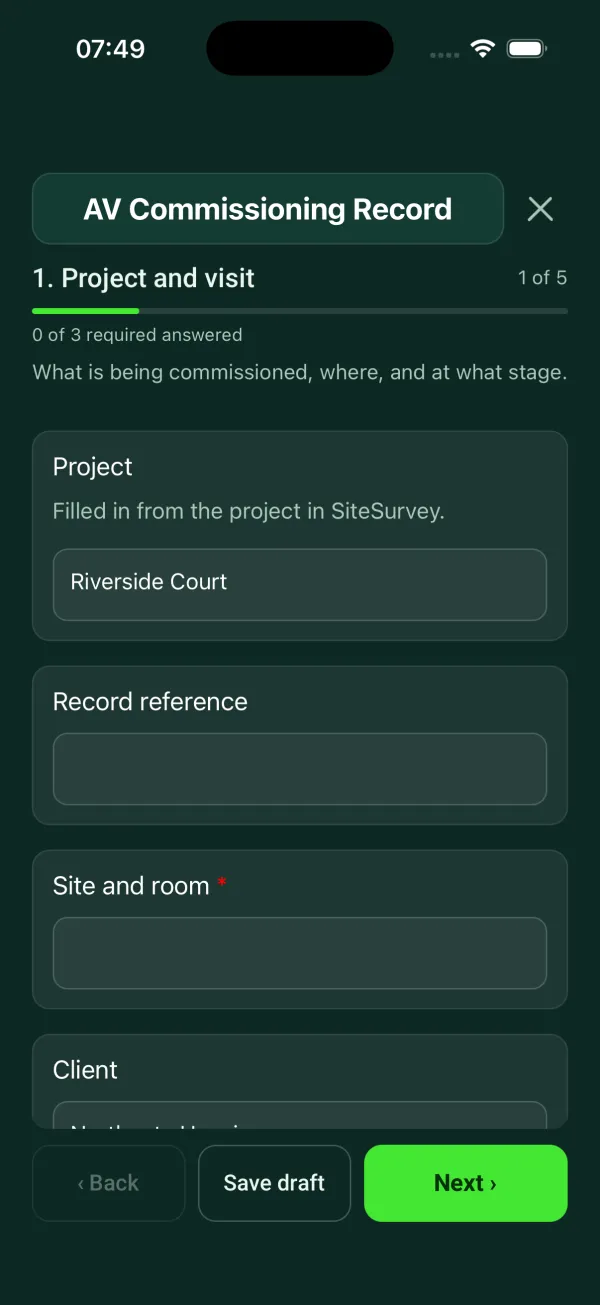
Try it on this phone

Fill in the commissioning on your phone now

See how the commissioning looks on your phone

Scan the code with your phone camera. It opens the real form, no sign-up needed.

Open the live example and fill it in, just as your team would on site. No sign-up needed.

See it on this phone

Every question is editable. Add this form to your account, then change the wording, add or remove questions and options, and make it fit your own jobs.

Or start your trial with this form ready →

One email, and we won't add you to a mailing list.

What should a commissioning sheet include?

A commissioning sheet should say what was tested, where, when, by whom and against which specification. For each system it records the readings, the limit and a pass or fail result. It then lists the installed products with serial numbers, the snags still open, the documents and training handed over, and signatures from the engineer and the client.

Last updated . Facts checked by the SiteSurvey team on 5 October 2026 against regulation 44 of the Building Regulations 2010 and Approved Document L (2026), section 7 on commissioning.

Built for commissioning AV and network installs room by room

Fill the record in as you test, on a phone or tablet. Each room lists its products with serials and photos, the display height is measured from a photo against the drawing, and the form counts the products, the snags still open and the sections passed or failed. It records the tests; it is not a Building Regulations commissioning notice.

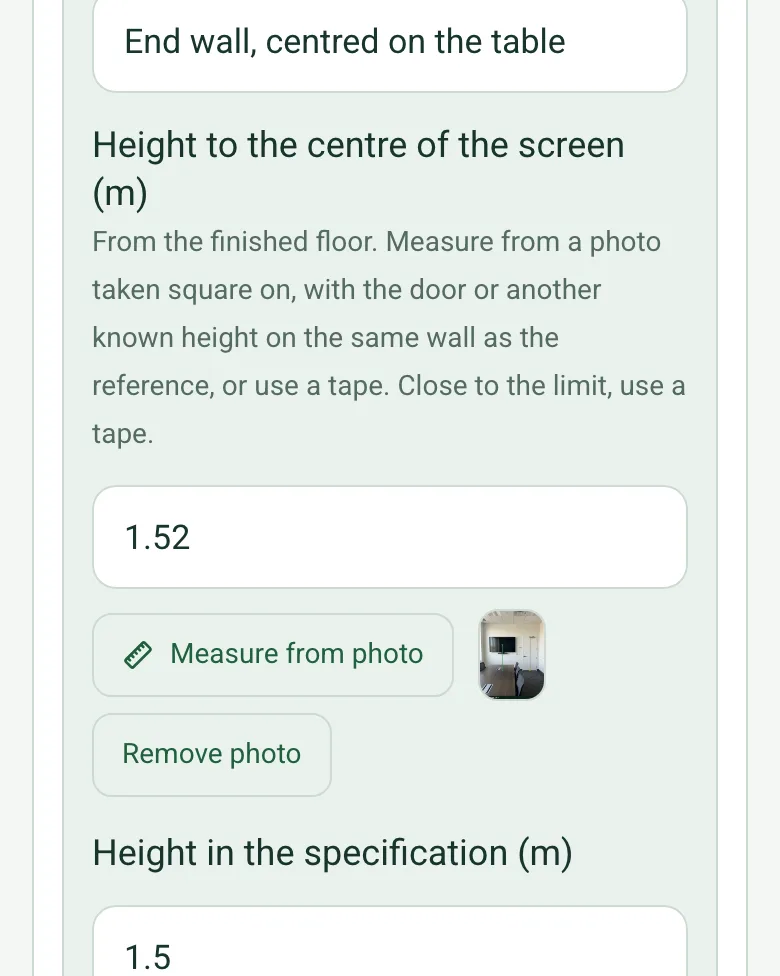
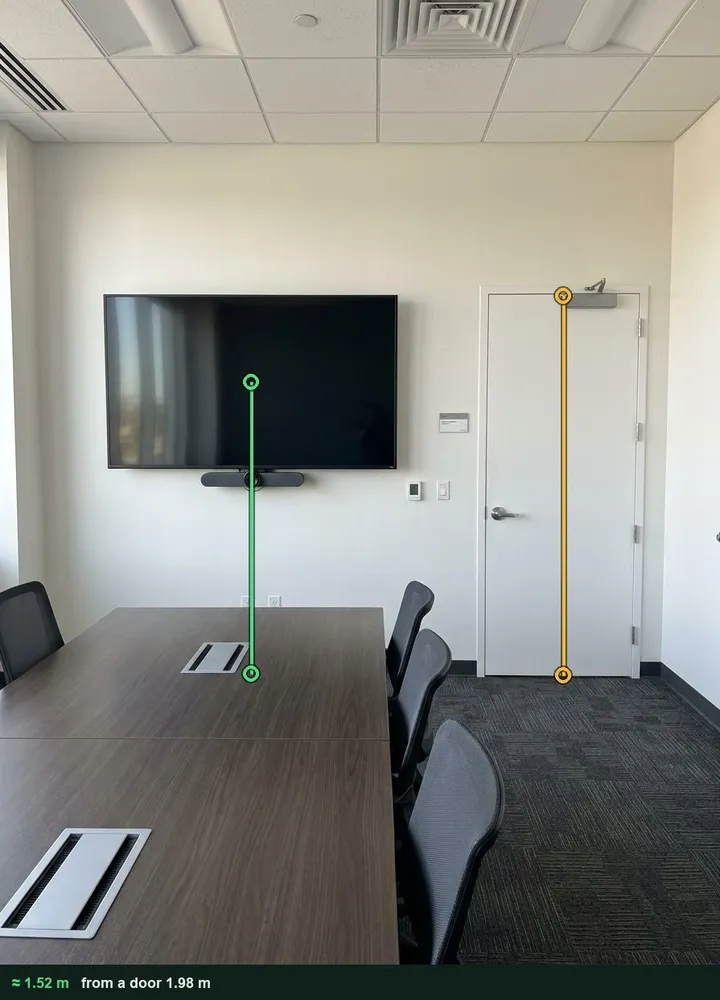
Height to the centre of the screen filled in as 1.52 m, with the measuring photo as a thumbnail and a Remove photo button

Display height measured from a photo

Photograph the wall square on, tap the door beside the display as the reference, then the centre of the screen and the floor. The marked-up photo is kept with the answer. It is an estimate: close to the limit, use a tape. It works on web forms in any phone browser today, and the app version is on its way.

How measuring from a photo works →
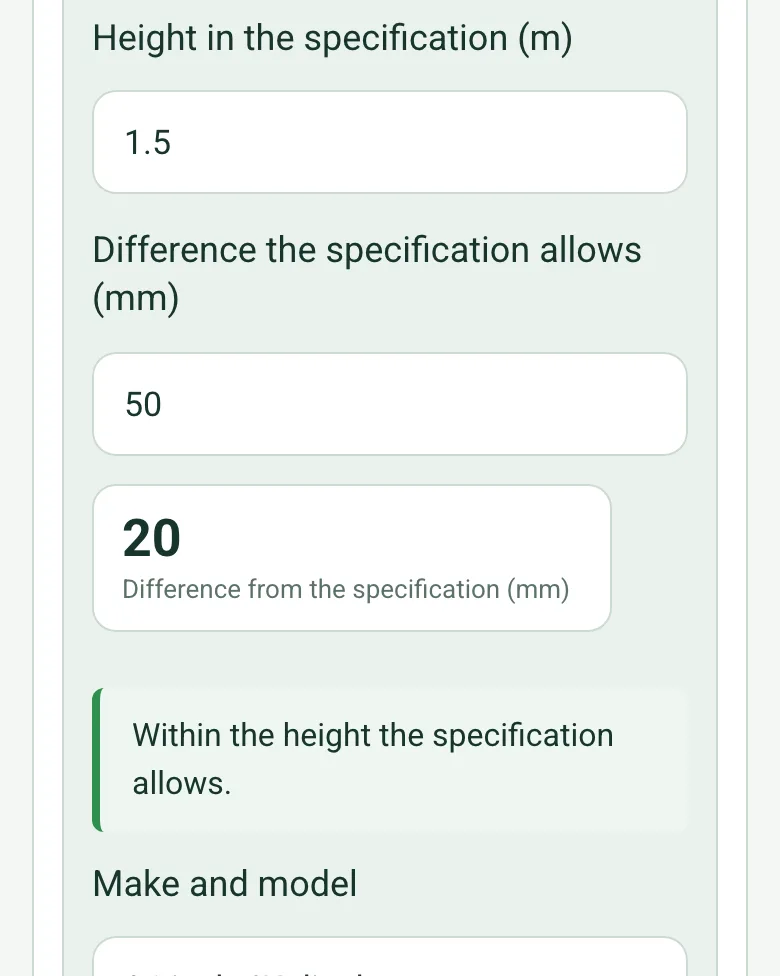
Height in the specification 1.5 m and 50 mm allowed, worked out as 20 mm from the specification, with a green note: Within the height the specification allows

Compared with the specification

Enter the height and the difference the specification allows. The form works out how far the display is from it, in millimetres, and shows a red note when it is outside, so a re-hang is agreed before the client signs.

How calculated fields work →
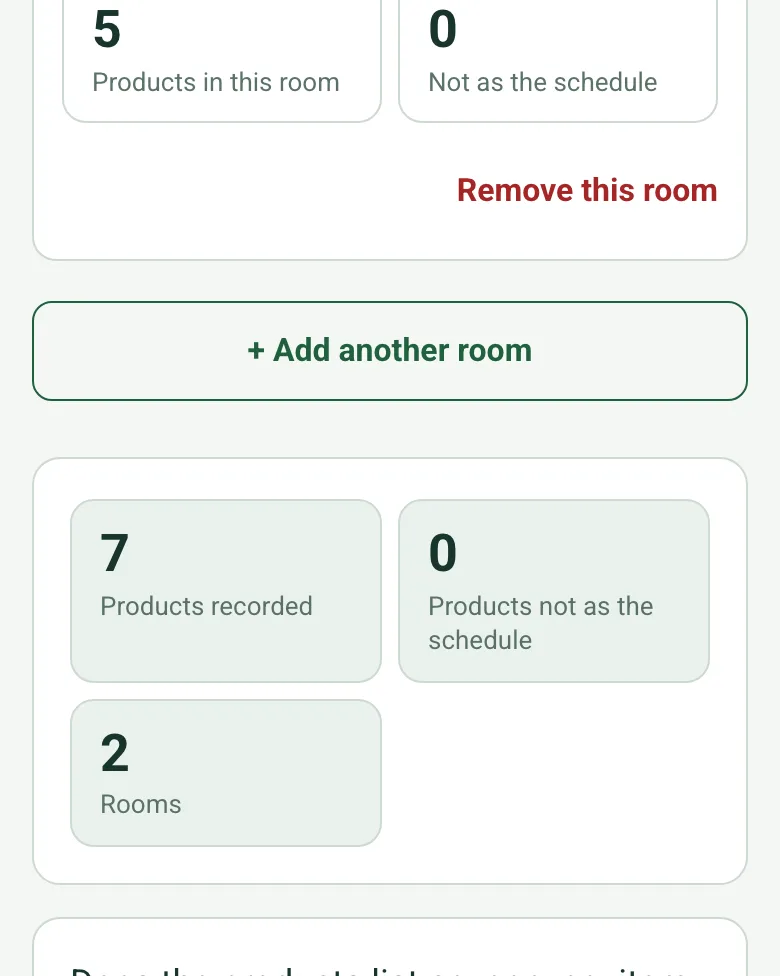
Counts worked out as 7 products recorded, 0 not as the schedule and 2 rooms

Products counted across the rooms

Each room counts its own products and anything not as the schedule, and the form adds the rooms up, so the equipment list handed over matches what was installed.

How calculated fields work →
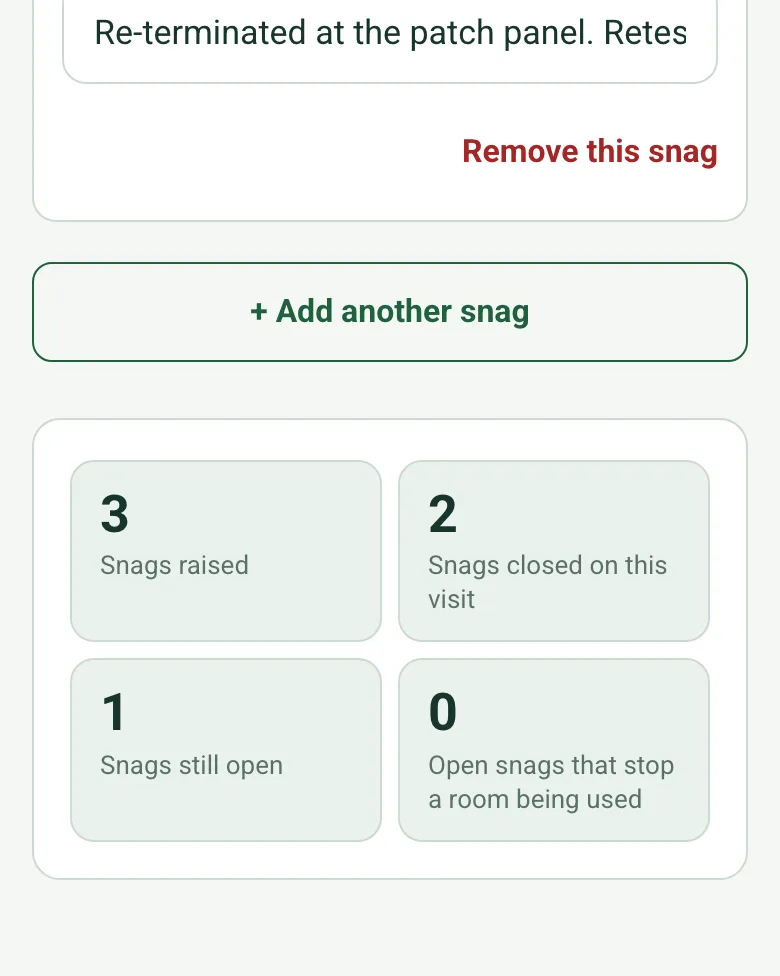
Snag counts worked out as 3 raised, 2 closed on this visit, 1 still open and 0 open snags that stop a room being used

Snags counted from the list

Add each snag as you find it. The form counts the snags raised, closed and still open, and flags an open snag that stops a room being used before the client is asked to sign.

How calculated fields work →

Film each room as you test it

Walk Cam records the room with your spoken results typed in, so the client and the next engineer see what was tested and where.

How Walk Cam works →

A completed AV commissioning record

A fictional boardroom and its comms cabinet: seven products in two rooms, the display measured at about 1.52 m against 1.5 m in the specification, one input failing sound and three snags, two closed on the visit. Open it as a filled-in form, or switch to a blank copy and try it yourself.

A boardroom end wall with a wall-mounted display and a door, marked up to give about 1.52 m from the floor to the centre of the screen against the 1.98 m door
Boardroom display · about 1.52 m · specification 1.5 m
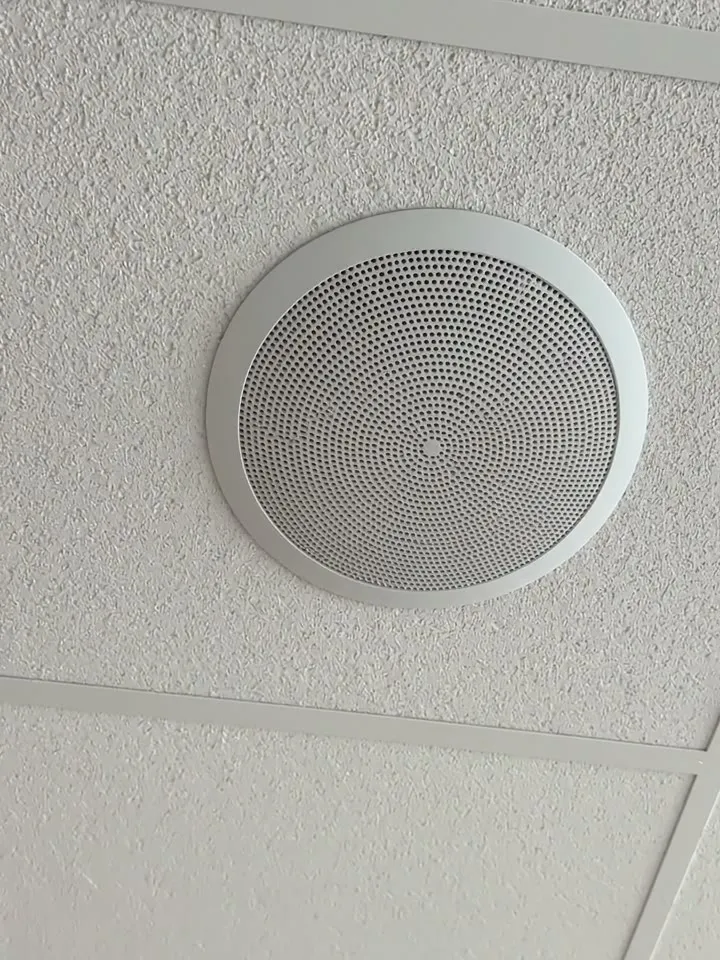
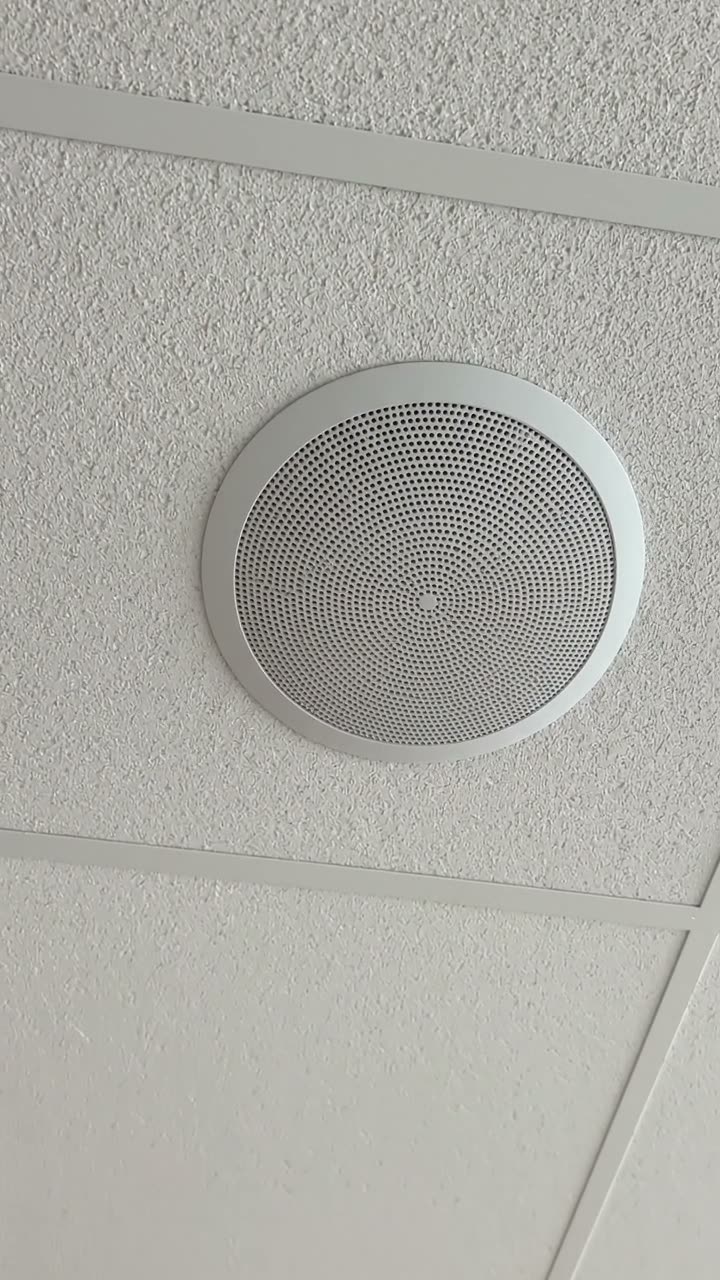
A round ceiling speaker in a suspended ceiling tile
Speaker 4 · buzz on the test tone · clip refitted
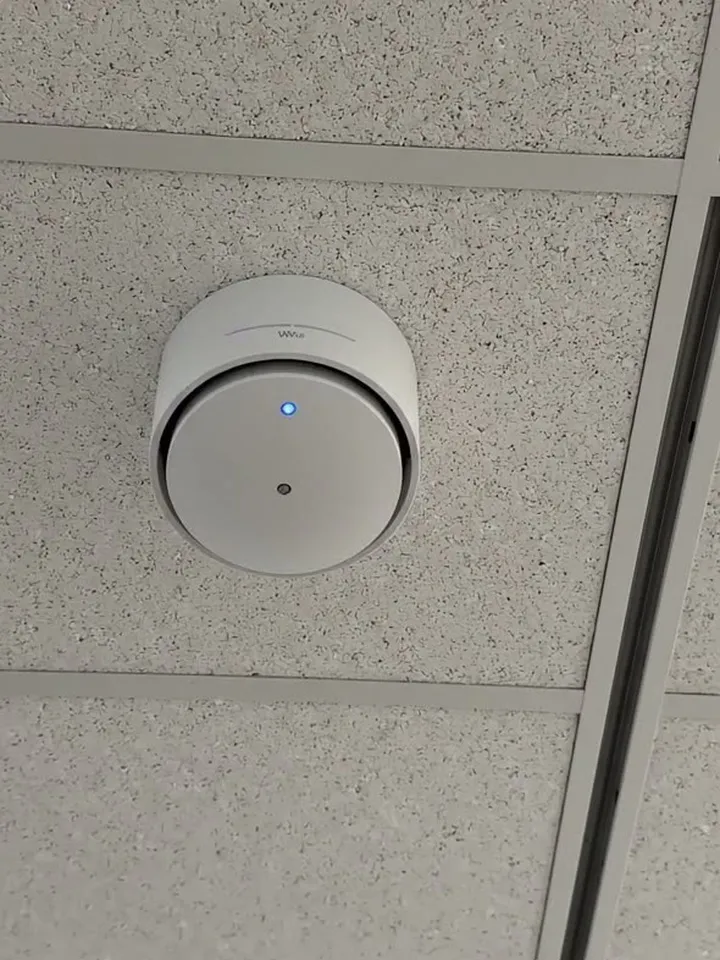
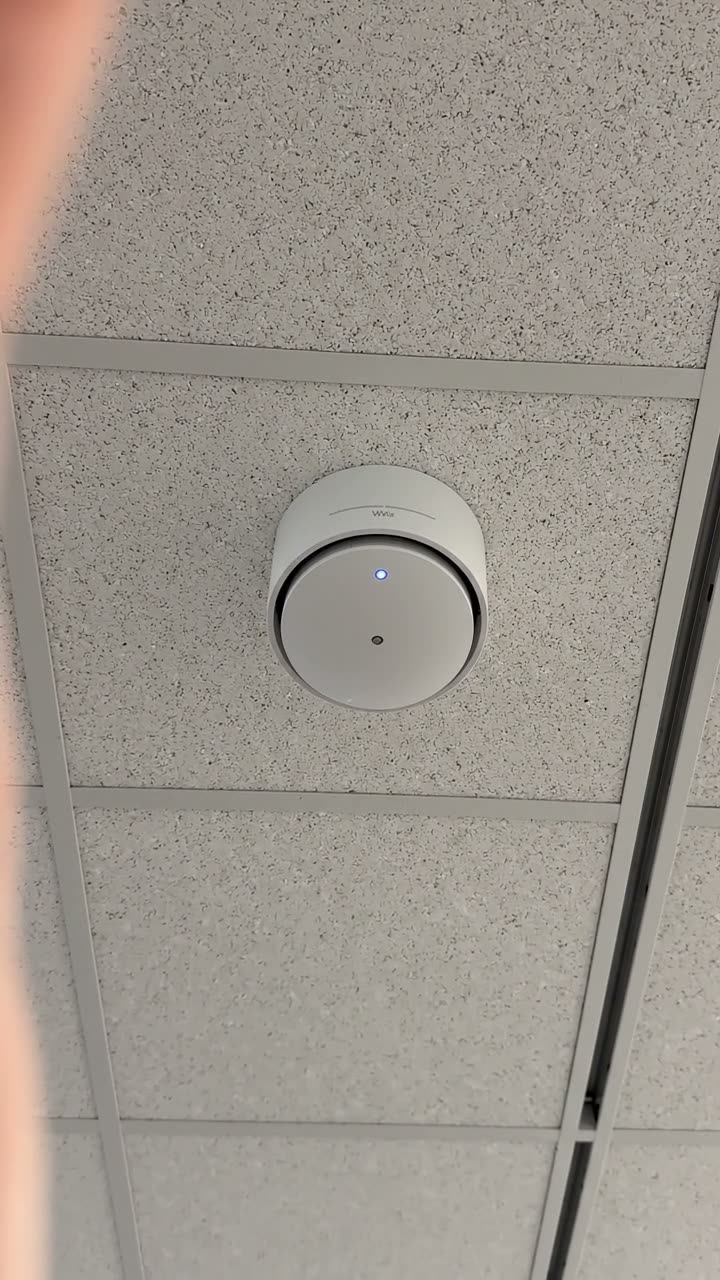
A white ceiling access point with a blue status light
AP-01 · -61 dBm against a -67 dBm target

Try the commissioning form live

Answer a few questions and watch it adapt. Your answers are not saved, and any photos you add are deleted within the hour.

Live form: AV Commissioning RecordOpen full screen ↗
Fill it in right here

This is the real form as your team would use it: questions appear as you answer, scores work themselves out and you can add photos and signatures. No sign-up needed. Or open a completed example to see every answer, photo and score filled in.

Want to see one filled in? See a completed commissioning report (PDF), made by SiteSurvey from a fictional site visit.

Fill it in on a phone or tablet

Your team completes the av commissioning record on site in the SiteSurvey app on iPhone, iPad and Android phones and tablets. The project name and address fill in for them, it works without signal, and it syncs when the device is back online with photos kept against the question they answer.

Customers and subcontractors do not need the app: send them a link and they can fill it in from any browser.

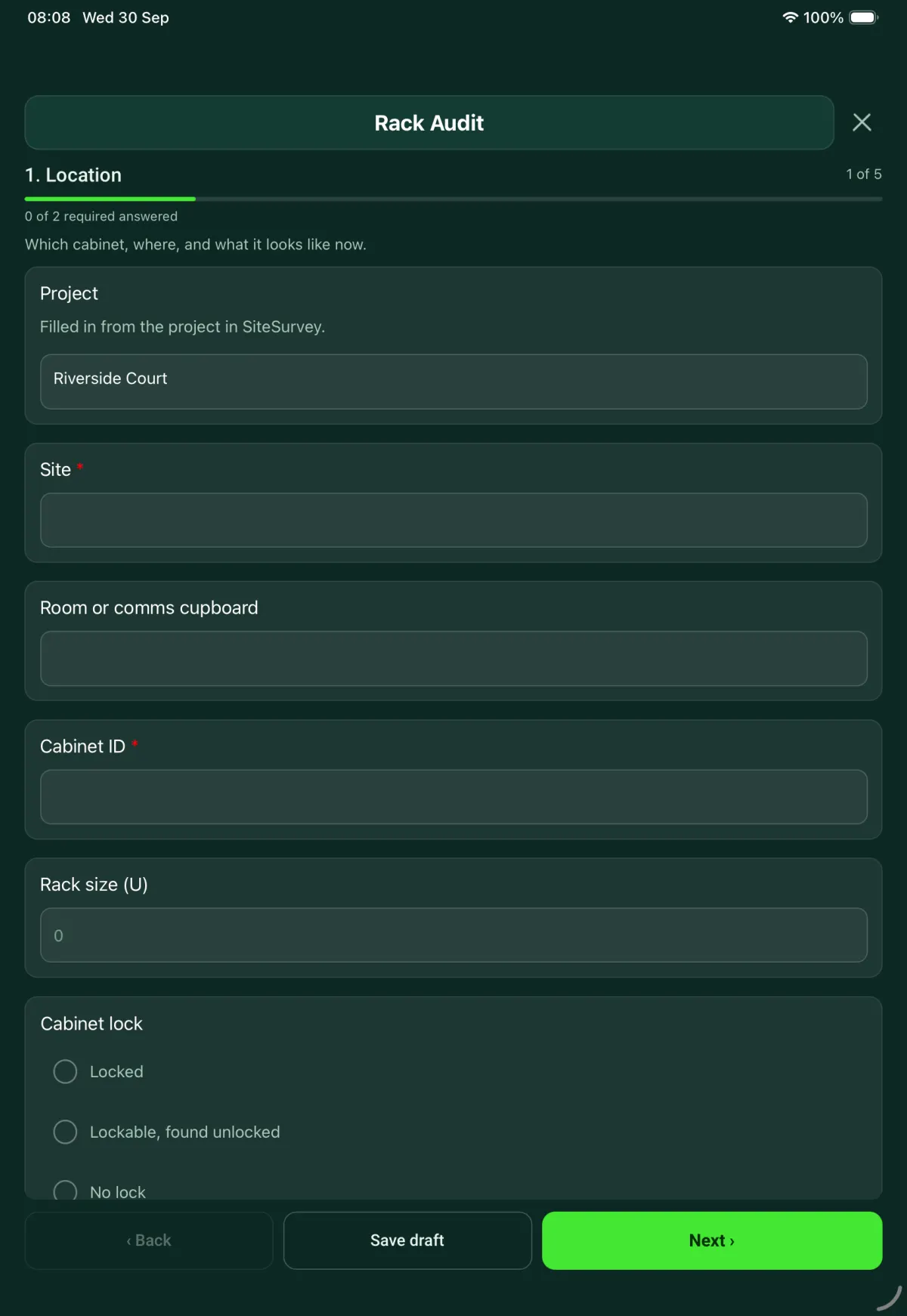
The AV Commissioning Record form in the SiteSurvey app on a tablet
The AV Commissioning Record form in the SiteSurvey app on a phone

Every question in the commissioning template

Commissioning and handover for AV and network installs: tests, equipment and photos, snags, documents and training. 8 sections and 126 questions. Follow-up questions and guidance appear only when an answer calls for them, so the person on site never sees the ones that do not apply.

Make it your own: every question is editable

This is a starting point, not a fixed form. Once it is in your SiteSurvey account you can reword any question, add or remove questions, sections and answer options, and add your own logo, so it fits the way your team works and the jobs you do.

Details you only enter once

Add this form to a project in SiteSurvey and it fills in what the project already knows, so nobody on site retypes it and every form on the job uses the same names. Anything filled in can still be changed.

  • Project: the project name
  • Site and room: the site, when the form is opened for a space or a product
  • Client: the project's customer
  • Site address: the site address, from the space or the project

Project and visit

What is being commissioned, where, and at what stage.

  • ProjectShort answer

    Filled in from the project in SiteSurvey.

    Fills in from the project name
  • Record referenceShort answer
  • Site and room*Short answer
    Fills in from the site, when the form is opened for a space or a product
  • ClientShort answer
    Fills in from the project's customer
  • Site addressShort answer
    Fills in from the site address, from the space or the project
  • Date of the tests*Date
  • Commissioning engineerShort answer
  • Stage of the project*Choose one
    • Before installation
    • During installation
    • After installation
    • Closeout
  • GuidanceBefore installation. Record what can be checked now: the room, the fixings, power, containment and the delivered equipment. Performance tests come later.
    Shown when “Stage of the project” is “Before installation”
  • Is the room ready for the installation?Yes or No
    Shown when “Stage of the project” is “Before installation”
  • What is not ready, and who needs to act?Notes
    Shown when “Stage of the project” is “Before installation” and “Is the room ready for the installation?” is No
  • GuidanceCloseout. Tests should already be recorded. This visit records the documents, the training and the client's acceptance.
    Shown when “Stage of the project” is “Closeout”
  • Type of visitChoose one
    • First commissioning visit
    • Return visit after remedial work
    • Client walkthrough
  • Reference of the earlier recordShort answer
    Shown only when the answers above make it relevant
  • Which failed items are being tested again?Notes
    Shown when “Type of visit” is “Return visit after remedial work”
  • CheckThe test basis is the project specification and equipment schedule. Structured cabling is specified to BS EN 50173-1 and ISO/IEC 11801-1; record link or channel test results from a calibrated field tester against the cabling class or category the specification names. Display, audio, control and wireless results are judged against the limits typed in from the specification, not limits set by this form.
  • Do you have the project specification and schedules with you?Yes or No
  • Documents and revisions usedShort answer
    Shown when “Do you have the project specification and schedules with you?” is Yes
  • WarningNothing to test against. A system is verified against what was agreed for the project. Without the specification, record what you find but do not mark a test as passed.
    Shown when “Do you have the project specification and schedules with you?” is No
  • Systems covered by this recordTick all that apply
    • Display and video
    • Audio
    • Control
    • Cabling and cabinet
    • Network switch
    • Wireless
  • Could everything in scope be tested?Yes or No
  • What could not be tested, and why?Notes
    Shown when “Could everything in scope be tested?” is No
  • Date it will be testedDate
    Shown when “Could everything in scope be tested?” is No

Display and audio

Limits come from the project specification. Enter them as written there.

  • Inputs testedNumber
    Shown only when the answers above make it relevant
  • Inputs that gave picture and soundNumber
    Shown only when the answers above make it relevant
  • Inputs passed (%)Worked out by the form
    Shown only when the answers above make it relevant
  • WarningFail. Not every input passed. List the inputs that failed and raise a snag for each one.
    Shown only when the answers above make it relevant
  • Which inputs failed, and what happened?Notes
    Shown only when the answers above make it relevant
  • GuidancePass. Every input tested gave picture and sound.
    Shown only when the answers above make it relevant
  • Any defective pixels on the test screens?Yes or No
    Shown only when the answers above make it relevant
  • How many?Number
    Shown when “Any defective pixels on the test screens?” is Yes
  • Number allowed by the specification or the makerNumber
    Shown when “Any defective pixels on the test screens?” is Yes
  • WarningFail. More defective pixels than allowed. Photograph the screen and raise a snag.
    Shown only when the answers above make it relevant
  • Speaker polarity checked and correct?Yes or No
    Shown when “Systems covered by this record” includes “Audio”
  • Which speakers are wrong?Short answer
    Shown when “Speaker polarity checked and correct?” is No
  • Any buzz or rattle on the test tone?Yes or No
    Shown when “Systems covered by this record” includes “Audio”
  • Where is it coming from?Short answer
    Shown when “Any buzz or rattle on the test tone?” is Yes
  • Quietest seat (dBA)Number
    Shown when “Systems covered by this record” includes “Audio”
  • Loudest seat (dBA)Number
    Shown when “Systems covered by this record” includes “Audio”
  • Difference allowed by the specification (dB)Number
    Shown when “Systems covered by this record” includes “Audio”
  • Difference between seats (dB)Worked out by the form
    Shown when “Quietest seat (dBA)” is answered and “Loudest seat (dBA)” is answered
  • GuidancePass. The difference between the quietest and loudest seat is within the limit in the specification.
    Shown only when the answers above make it relevant
  • WarningFail. The difference between seats is more than the limit you entered. Rebalance the speakers and measure again.
    Shown only when the answers above make it relevant
  • CheckNo limit entered. The reading is recorded, but it cannot be marked pass or fail without the figure from the specification.
    Shown only when the answers above make it relevant
  • Result for display and audioChoose one
    • Pass
    • Fail
    • Not tested
  • What was tested on the control system (power on and off, source switching, volume, presets)?Notes
    Shown when “Systems covered by this record” includes “Control”
  • Result for controlChoose one
    • Pass
    • Fail
    • Not tested
    Shown when “Systems covered by this record” includes “Control”

Cabling, cabinet and switch

Outlets tested, labels, power and temperature.

  • Outlets testedNumber
    Shown only when the answers above make it relevant
  • Outlets passedNumber
    Shown only when the answers above make it relevant
  • Outlets failedWorked out by the form
    Shown only when the answers above make it relevant
  • Outlets passed (%)Worked out by the form
    Shown only when the answers above make it relevant
  • WarningFail. One or more outlets failed. List them, repair and test again before handover.
    Shown only when the answers above make it relevant
  • Which outlets failed, and on which test?Notes
    Shown only when the answers above make it relevant
  • Is the tester within its calibration date?Yes or No
    Shown only when the answers above make it relevant
  • Tester make, model and serial numberShort answer
    Shown only when the answers above make it relevant
  • Date on the calibration certificateDate
    Shown when “Is the tester within its calibration date?” is Yes
  • CheckResults from a tester that is out of calibration may not be accepted. Say so on the record and agree with the client whether to test again.
    Shown when “Is the tester within its calibration date?” is No
  • Tester results filePhotos
    Shown only when the answers above make it relevant
  • Do the labels match the cabling schedule?Yes or No
    Shown only when the answers above make it relevant
  • Which labels are missing or wrong?Notes
    Shown when “Do the labels match the cabling schedule?” is No
  • Switch power budget (W)Number
    Shown when “Systems covered by this record” includes “Network switch”
  • Power drawn by connected devices (W)Number
    Shown when “Systems covered by this record” includes “Network switch”
  • Power budget used (%)Worked out by the form
    Shown only when the answers above make it relevant
  • WarningOver budget. The devices draw more power than the switch can supply. Some may not start, or may drop out.
    Shown only when the answers above make it relevant
  • Air into the cabinet (°C)Number
  • Air out of the cabinet (°C)Number
  • Rise allowed by the specification (°C)Number
  • Temperature rise (°C)Worked out by the form
    Shown when “Air into the cabinet (°C)” is answered and “Air out of the cabinet (°C)” is answered
  • WarningFail. The cabinet is running hotter than the limit you entered. Check the fans, the blanking panels and the space around the cabinet.
    Shown only when the answers above make it relevant
  • Result for cabling, cabinet and switchChoose one
    • Pass
    • Fail
    • Not tested

Wireless network

The network as a whole. Readings for each access point go with the product in section 5.

  • Access points installedNumber
  • Access points onlineNumber
  • Access points offlineWorked out by the form
    Shown only when the answers above make it relevant
  • WarningFail. Not every access point is online. Say which ones, and raise a snag.
    Shown only when the answers above make it relevant
  • Which access points are offline?Short answer
    Shown only when the answers above make it relevant
  • Did a test device join each network?Yes or No
  • Which network failed, and what happened?Short answer
    Shown when “Did a test device join each network?” is No
  • Is there a guest network?Yes or No
  • Is it kept apart from the staff network?Yes or No
    Shown when “Is there a guest network?” is Yes
  • WarningFail. A guest device can reach the staff network. Do not hand the network over until this is fixed.
    Shown when “Is there a guest network?” is Yes and “Is it kept apart from the staff network?” is No
  • Result for wirelessChoose one
    • Pass
    • Fail
    • Not tested

Equipment and photos

One entry for each product, against the room it is in.

  • GuidanceWhat a good photo shows. The item as installed and finished, with its surroundings. For a cabinet, open the door and show the patching and the status lights.
  • A ceiling speaker fitted flush in a suspended ceiling tile
    A ceiling speaker fitted flush in a suspended ceiling tile
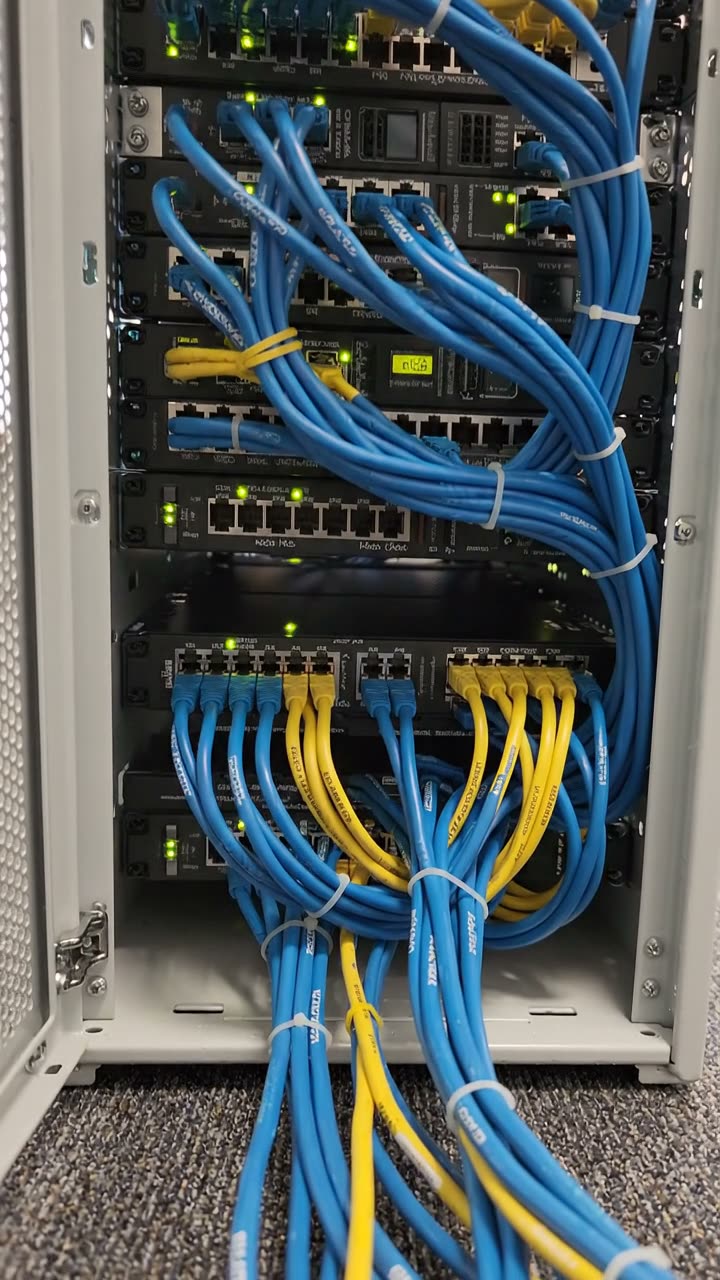
    An open network cabinet with blue and yellow patch leads tied in bundles
    An open network cabinet with blue and yellow patch leads tied in bundles
    A wireless access point on a ceiling grid with its status light on
    A wireless access point on a ceiling grid with its status light on
  • Rooms
    Repeat for each entry. Each one asks:
    • Room*Short answer
    • Products in this room
      Repeat for each product. Each one asks:
      • ProductChoose one
        • Display
        • Ceiling speaker
        • Amplifier or audio processor
        • Microphone
        • Camera
        • Control panel
        • Table connection box
        • Wireless presentation receiver
        • Network switch
        • Wireless access point
        • Cabinet
        • Other (describe)
      • Position in the roomShort answer
      • Height to the centre of the screen (m)Number

        From the finished floor. Measure from a photo taken square on, with the door or another known height on the same wall as the reference, or use a tape. Close to the limit, use a tape.

        Shown when “Product” is “Display”
      • Height in the specification (m)Number
        Shown when “Product” is “Display”
      • Difference the specification allows (mm)Number
        Shown when “Product” is “Display”
      • Difference from the specification (mm)Worked out by the form
        Shown when “Product” is “Display” and “Height to the centre of the screen (m)” is answered and “Height in the specification (m)” is answered
      • GuidanceWithin the height the specification allows.
        Shown only when the answers above make it relevant
      • WarningNot at the height in the specification. Agree a fix, or a recorded change with the client, before handover.
        Shown only when the answers above make it relevant
      • Make and modelShort answer
      • Does it have a serial number?Yes or No
      • Serial numberShort answer
        Shown when “Does it have a serial number?” is Yes
      • Asset label or other markShort answer
        Shown when “Does it have a serial number?” is No
      • MAC addressShort answer
        Shown only when the answers above make it relevant
      • Firmware or software versionShort answer
        Shown only when the answers above make it relevant
      • Is the access point online?Yes or No
        Shown when “Product” is “Wireless access point”
      • What is wrong?Short answer
        Shown when “Product” is “Wireless access point” and “Is the access point online?” is No
      • WarningFail. This access point is offline. Signal cannot be tested until it is back.
        Shown when “Product” is “Wireless access point” and “Is the access point online?” is No
      • Weakest reading in the room (dBm)Number
        Shown when “Product” is “Wireless access point” and “Is the access point online?” is Yes
      • Target in the specification (dBm)Number
        Shown when “Product” is “Wireless access point” and “Is the access point online?” is Yes
      • Better than target by (dB)Worked out by the form
        Shown when “Product” is “Wireless access point” and “Is the access point online?” is Yes and “Weakest reading in the room (dBm)” is answered and “Target in the specification (dBm)” is answered
      • GuidancePass. The weakest reading is at or better than the target in the specification. Signal is a negative number, so -58 is stronger than -65.
        Shown only when the answers above make it relevant
      • WarningFail. The weakest reading is below the target you entered. Record where in the room it was taken.
        Shown only when the answers above make it relevant
      • Where was the weakest reading taken?Short answer
        Shown when “Product” is “Wireless access point” and “Is the access point online?” is Yes and “Weakest reading in the room (dBm)” is answered
      • Does it match the equipment schedule?Yes or No
      • What is different, and who agreed the change?Notes
        Shown when “Does it match the equipment schedule?” is No
      • CheckThis item does not match the schedule. Record who agreed the change, or raise it as a snag in section 6.
        Shown when “Does it match the equipment schedule?” is No
      • As-installed photosPhotos
    • Products in this roomWorked out by the form
    • Not as the scheduleWorked out by the form
  • Products recordedWorked out by the form
  • Products not as the scheduleWorked out by the form
  • RoomsWorked out by the form
  • Does the products list cover every item on the equipment schedule?Yes or No
  • Which items are not listed, and why?Notes
    Shown when “Does the products list cover every item on the equipment schedule?” is No

Snags and remedial work

Anything that failed, is missing or needs a return visit.

  • CheckYou recorded a failed result in an earlier section. Add a snag for each failure.
    Shown only when the answers above make it relevant
  • Are there any snags?Yes or No
  • Snags
    Repeat for each snag. Each one asks:
    Shown when “Are there any snags?” is Yes
    • What is wrong, and where?Notes
    • Effect on handoverChoose one
      • Room can be used
      • Room can be used with a limit
      • Room cannot be used
    • What is the limit?Short answer
      Shown when “Effect on handover” is “Room can be used with a limit”
    • WarningThis snag stops the room being used. It should be closed and tested again before the client is asked to sign.
      Shown when “Effect on handover” is “Room cannot be used”
    • PhotosPhotos
    • Fixed and tested again on this visit?Yes or No
    • What was done?Short answer
      Shown when “Fixed and tested again on this visit?” is Yes
    • Who will fix it?Short answer
      Shown when “Fixed and tested again on this visit?” is No
    • Due dateDate
      Shown when “Fixed and tested again on this visit?” is No
  • Snags raisedWorked out by the form
    Shown when “Are there any snags?” is Yes
  • Snags closed on this visitWorked out by the form
    Shown when “Are there any snags?” is Yes
  • Snags still openWorked out by the form
    Shown only when the answers above make it relevant
  • Open snags that stop a room being usedWorked out by the form
    Shown when “Are there any snags?” is Yes
  • WarningA room cannot be used. Close and retest that snag before you ask the client to sign.
    Shown only when the answers above make it relevant

Handover documents and training

What the client is given, and what is still to come.

  • Documents handed overTick all that apply
    • Equipment list with serial numbers
    • Test results
    • As-built drawings
    • Configuration backup
    • User guide
    • Maker's manuals
    • Warranty details
    • Other (describe)
  • Are any documents still to come?Yes or No
  • Which documents, and by when?Notes
    Shown when “Are any documents still to come?” is Yes
  • Were passwords or logins handed over?Yes or No
  • Who received them, and how?Short answer
    Shown when “Were passwords or logins handed over?” is Yes
  • CheckDo not write passwords on this record. Record only who received them and how.
    Shown when “Were passwords or logins handed over?” is Yes
  • Was training given on this visit?Yes or No
  • Who attended?Short answer
    Shown when “Was training given on this visit?” is Yes
  • Date training is booked forDate
    Shown when “Was training given on this visit?” is No

Result and sign-off

The engineer signs for the tests. The client signs for what they saw working.

  • Sections passedWorked out by the form
  • Sections failedWorked out by the form
  • Sections not testedWorked out by the form
  • Overall resultChoose one
    • Pass
    • Pass with open snags
    • Fail
  • WarningYou chose Pass, but a section is marked Fail or snags are still open. Check the result before you sign.
    Shown only when the answers above make it relevant
  • CheckPass with open snags. The client should see the list of open snags and their due dates before signing.
    Shown when “Overall result” is “Pass with open snags”
  • WarningFail. The system is not ready to hand over. A return visit is needed.
    Shown when “Overall result” is “Fail”
  • Date of the return visitDate
    Shown when “Overall result” is “Fail”
  • Engineer nameWorked out by the form
  • Engineer signatureSignature
  • Is the client here to countersign?Yes or No
    Shown only when the answers above make it relevant
  • Client name and roleShort answer
    Shown when “Is the client here to countersign?” is Yes
  • Client countersignatureSignature
    Shown when “Is the client here to countersign?” is Yes
  • GuidanceThe signature records that the client saw the systems working as described on this date. It does not replace the contract or the warranty.
    Shown when “Is the client here to countersign?” is Yes
  • Date of the client walkthroughDate
    Shown when “Is the client here to countersign?” is No

See it filled in

A completed commissioning report, made by SiteSurvey from a fictional site visit: every answer, the photos, the guidance that applied and the sign-off, ready to send as a PDF.

See completed form (PDF) ↗

Commissioning FAQs

What does this commissioning checklist test?

It covers display inputs and defective pixels, speaker polarity, buzz and the level difference between seats, cable outlets passed, tester calibration, labelling, the switch power budget and the cabinet temperature rise. The wireless section checks access points online, that a test device joins each network, and that any guest network is kept apart from the staff network. Each section ends with a pass, fail or not tested result.

Where do the pass and fail limits come from?

From the project specification. You enter each limit as written there, such as the allowed level difference between seats or the target signal for an access point, and the form compares your reading with it. If you do not have the specification with you, the form says to record what you find but not to mark a test as passed.

Does this cover commissioning under the Building Regulations?

No. In England, regulation 44 of the Building Regulations 2010 requires, where it applies, a notice to building control confirming that fixed building services have been commissioned under an approved procedure. Approved Document L points to CIBSE Commissioning Code M and the CIBSE or BSRIA guides for those services. This form records AV and network tests. It does not give that notice or replace those procedures.

How are snags recorded?

Each snag records what is wrong and where, its effect on handover, photos, and either what was done to fix it on the visit or who will fix it and by when. A snag that stops the room being used should be closed and tested again before the client is asked to sign. The form counts the snags raised, closed and still open from the list, and flags any open snag that stops a room being used.

What does the client's signature confirm?

It records that the client saw the systems working as described on that date. It does not replace the contract or the warranty. If the client is not there to countersign, the form records the date of the client walkthrough instead.

Should passwords go on the commissioning record?

No. The form asks whether passwords or logins were handed over and records only who received them and how. The handover section also lists the documents given to the client and any still to come.

Related

Use this commissioning form with your team

Add it from the form library in one click, change any question, and every completed form becomes a branded PDF report.

Start your trial →