Form library · AV and IT
AV maintenance checklist
A preventive maintenance visit form for meeting room, classroom and lecture theatre AV. Test each room the way a user would: display or projector, inputs, speakers and microphones, hearing loop, video call, camera and control system. Record defects with a priority and photos, check the racks, and have the customer sign. Every question is listed below, and you can fill the live form in on this page.
Ready to use from the form library, and every question is yours to edit. Trial from £1, cancel any time.
Try it on your phone
Try it on this phone
Fill in the AV maintenance on your phone now
See how the AV maintenance looks on your phone
Scan the code with your phone camera. It opens the real form, no sign-up needed.
Open the live example and fill it in, just as your team would on site. No sign-up needed.
See it on this phoneEvery question is editable. Add this form to your account, then change the wording, add or remove questions and options, and make it fit your own jobs.
What should an AV maintenance checklist include?
An AV maintenance checklist should test each room from cold: the display or projector, every input, speakers, microphones, the hearing loop, a test video call, the camera and the control system. It should record projector lamp or laser hours and filter cleaning, firmware, cleaning of screens and vents, defects with a priority, and how each room was left. Racks and central equipment should be checked too.
Last updated . Facts checked by the SiteSurvey team on 5 October 2026 against regulation 4 of the Electricity at Work Regulations 1989 and HSE portable appliance testing FAQs.
Try the AV maintenance form live
Answer a few questions and watch it adapt. Your answers are not saved, and any photos you add are deleted within the hour.
This is the real form as your team would use it: questions appear as you answer, scores work themselves out and you can add photos and signatures. No sign-up needed.
Want to see one filled in? See a completed AV maintenance report (PDF), made by SiteSurvey from a fictional site visit.
Fill it in on a phone or tablet
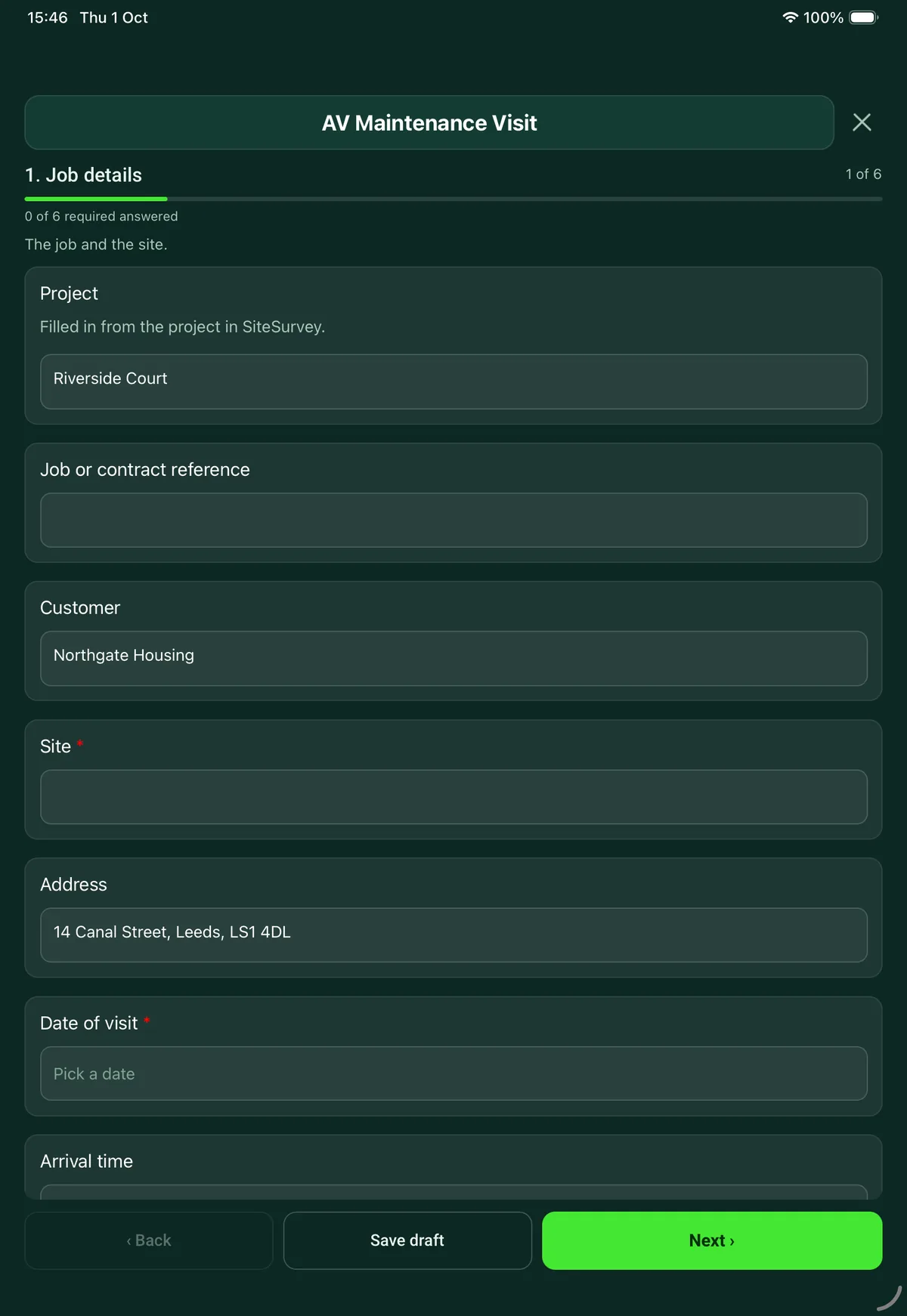
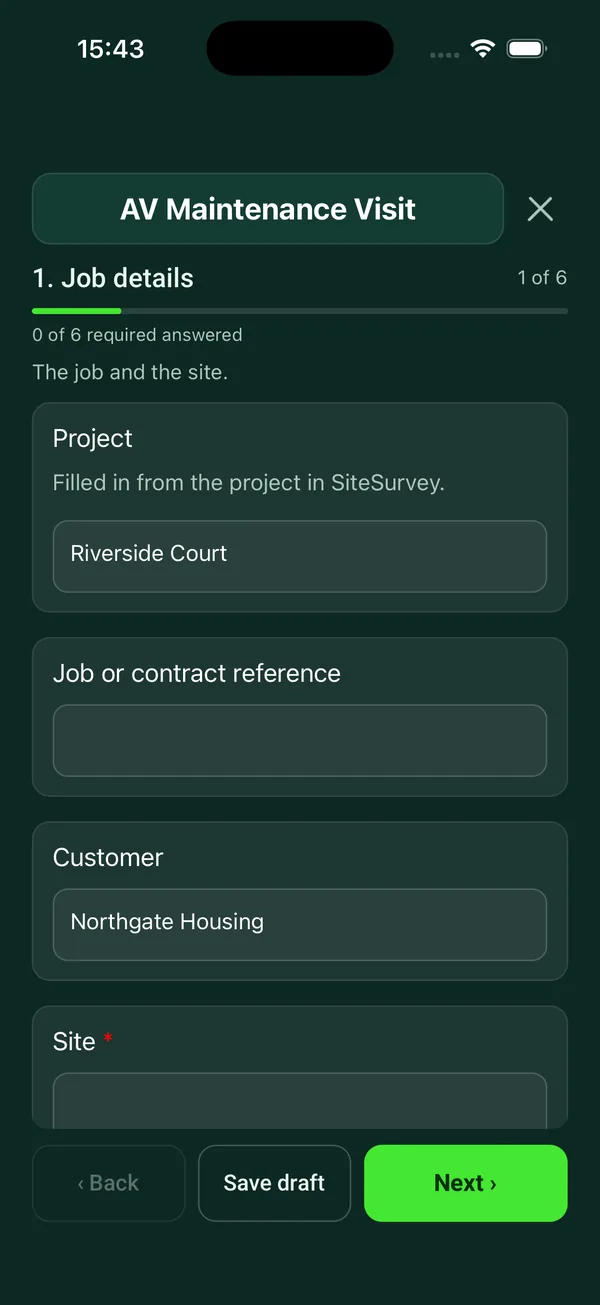
Your team completes the av maintenance visit on site in the SiteSurvey app on iPhone, iPad and Android phones and tablets. The project name and address fill in for them, it works without signal, and it syncs when the device is back online with photos kept against the question they answer.
Customers and subcontractors do not need the app: send them a link and they can fill it in from any browser.
Every question in the AV maintenance template
Preventive maintenance for meeting room and classroom AV: room by room display, audio, video call and control checks, defects and sign-off. 6 sections and 66 questions. Follow-up questions and guidance appear only when an answer calls for them, so the person on site never sees the ones that do not apply.
Make it your own: every question is editable
This is a starting point, not a fixed form. Once it is in your SiteSurvey account you can reword any question, add or remove questions, sections and answer options, and add your own logo, so it fits the way your team works and the jobs you do.
Details you only enter once
Add this form to a project in SiteSurvey and it fills in what the project already knows, so nobody on site retypes it and every form on the job uses the same names. Anything filled in can still be changed.
- Project: the project name
- Customer: the project's customer
- Site: the site, when the form is opened for a space or a product
- Address: the site address, from the space or the project
Job details
The job and the site.
- ProjectShort answer
Filled in from the project in SiteSurvey.
Fills in from the project name - Job or contract referenceShort answer
- CustomerShort answerFills in from the project's customer
- Site*Short answerFills in from the site, when the form is opened for a space or a product
- AddressShort answerFills in from the site address, from the space or the project
- Date of visit*Date
- Arrival timeTime
- Type of visit*Choose one
- Planned maintenance
- Call-out for a fault
- Return visit
- What was reported, and by whom?NotesShown when “Type of visit” is “Call-out for a fault”
- Reference of the earlier jobShort answerShown when “Type of visit” is “Return visit”
- Engineer nameShort answer
Room by room
One entry for each room or system. Test it the way a user would.
- GuidanceStart every room from cold: switch it on from the touch panel or remote, share a laptop, and make a test call if the room has video conferencing. Faults that users report rarely show on equipment that is already on.
- Rooms checkedRepeat for each room. Each one asks:
- Room*Short answer
- Type of roomChoose one
- Meeting room
- Boardroom
- Classroom
- Lecture theatre
- Hall or auditorium
- Reception or signage
- Other (describe)
- DisplayChoose one
- Flat panel
- Interactive panel
- Projector
- LED or video wall
- None
- PictureChoose one
- OK
- Defect
Shown only when the answers above make it relevant - Lamp or laser hoursNumberShown when “Display” is “Projector”
- Filter cleaned or replaced?Yes or NoShown when “Display” is “Projector”
- Image fills the screen and is in focus?Yes or NoShown when “Display” is “Projector”
- Inputs testedTick all that apply
- HDMI
- USB-C
- Wireless presentation
- Room PC
- Document camera
- Other (describe)
- SpeakersChoose one
- OK
- Defect
- Not fitted
- MicrophonesChoose one
- OK
- Defect
- Not fitted
- Hearing loopChoose one
- Working
- Not working
- Not tested
- Not fitted
- Video callChoose one
- Test call OK
- Fault on test call
- Not tested
- Not fitted
- CameraChoose one
- OK
- Defect
- Not fitted
- Touch panel or control systemChoose one
- OK
- Defect
- Not fitted
- Table and wall plates, cables and adaptersChoose one
- OK
- Defect or missing
- Firmware and softwareChoose one
- Up to date
- Updated on this visit
- Update outstanding
- Not checked
- Screens, lenses and vents cleaned?Yes or No
- Any defect in this room?Yes or No
- Describe the defect and what you didNotesShown when “Any defect in this room?” is Yes
- Fixed and tested on this visit?Yes or NoShown when “Any defect in this room?” is Yes
- PriorityChoose one
- Urgent: stops the system being used
- Soon: within a month
- Routine: at the next visit
Shown when “Any defect in this room?” is Yes and “Fixed and tested on this visit?” is No - Who will fix it?Short answerShown when “Any defect in this room?” is Yes and “Fixed and tested on this visit?” is No
- By when?DateShown when “Any defect in this room?” is Yes and “Fixed and tested on this visit?” is No
- PhotosPhotosShown when “Any defect in this room?” is Yes
- How was the room left?*Choose one
- Fully working
- Working with a defect
- Out of use
- Rooms checkedWorked out by the form
- Rooms with a defectWorked out by the form
- Rooms out of useWorked out by the form
Racks and central equipment
Equipment that serves more than one room.
- Is there a rack or central equipment?Yes or No
- Rack fans and ventilationChoose one
- Working
- Defect
- None fitted
Shown when “Is there a rack or central equipment?” is Yes - Temperature at the front of the rack (°C)NumberShown when “Is there a rack or central equipment?” is Yes
- Matrix, audio processor and amplifiersChoose one
- OK
- Defect
Shown when “Is there a rack or central equipment?” is Yes - AV network switchesChoose one
- OK
- Defect
- None
Shown when “Is there a rack or central equipment?” is Yes - Did you take a backup of the control and audio configuration?Yes or NoShown when “Is there a rack or central equipment?” is Yes
- NotesNotesShown when “Is there a rack or central equipment?” is Yes
Mains leads and plugs
A visual check of what users plug in and unplug.
- Did you look over the mains leads, plugs and extension leads?Yes or No
- Any damaged leads, plugs or overloaded extensions?Yes or NoShown when “Did you look over the mains leads, plugs and extension leads?” is Yes
- What, where, and what did you do?NotesShown when “Any damaged leads, plugs or overloaded extensions?” is Yes
- GuidancePortable appliance testing. The law requires electrical equipment to be maintained so it is safe (Electricity at Work Regulations 1989). HSE says it does not require testing every year: how often equipment is checked depends on its type and where it is used. Damaged leads are taken out of use.
Outcome and parts
How the system was left and what happens next.
- Outcome of the visit*Choose one
- All rooms fully working
- Working with defects outstanding
- One or more rooms out of use
- What needs doing next, and who will do it?NotesShown only when the answers above make it relevant
- RecommendationsNotes
- Did you use any parts or materials?Yes or No
- Parts and materials usedRepeat for each part. Each one asks:Shown when “Did you use any parts or materials?” is Yes
- ItemShort answer
- Part numberShort answer
- QuantityNumber
- Next visit dueDate
- Departure timeTime
Sign-off
Customer and engineer.
- Is the customer or their representative available to sign?Yes or No
- Why not, and who will you send the report to?Short answerShown when “Is the customer or their representative available to sign?” is No
- Customer nameShort answerShown when “Is the customer or their representative available to sign?” is Yes
- PositionShort answerShown when “Is the customer or their representative available to sign?” is Yes
- Customer commentNotesShown when “Is the customer or their representative available to sign?” is Yes
- Customer signatureSignatureShown when “Is the customer or their representative available to sign?” is Yes
- Engineer nameShort answer
- Engineer signatureSignature
See it filled in
A completed AV maintenance report, made by SiteSurvey from a fictional site visit: every answer, the photos, the guidance that applied and the sign-off, ready to send as a PDF.
AV maintenance FAQs
What is checked in each room?
The display or projector picture, the inputs tested (HDMI, USB-C, wireless presentation, room PC, document camera), speakers, microphones, the hearing loop, a test video call, the camera, the touch panel or control system, table and wall plates with their cables and adapters, firmware and cleaning. Each room ends as fully working, working with a defect or out of use.
Does it cover projectors?
Yes. Choosing projector as the display opens the lamp or laser hours, whether the filter was cleaned or replaced, and whether the image fills the screen and is in focus. Flat panels, interactive panels and LED or video walls are covered too.
Why start each room from cold?
The form asks the engineer to switch the room on from the touch panel or remote, share a laptop and make a test call, because faults that users report rarely show on equipment that is already on. That is this form's own advice.
Does AV equipment need PAT testing every year?
No. The Electricity at Work Regulations 1989 require electrical systems to be maintained so as to prevent danger, but HSE says the law does not require testing every year: how often equipment is checked depends on its type and where it is used. The form includes a visual check of mains leads, plugs and extension leads, and records any that were damaged and taken out of use.
Does it cover racks and central equipment?
Yes. It records rack fans and ventilation, the temperature at the front of the rack, the matrix, audio processor and amplifiers, AV network switches, and whether a backup of the control and audio configuration was taken.
How is the visit reported?
The form counts the rooms checked, rooms with a defect and rooms out of use, then records the outcome, parts used and the next visit date. The customer signs on the device, or the form records why nobody could. In the SiteSurvey app it works offline, and the report goes out as a PDF or a share link.
Related
Related templates
Templates that go with the AV maintenance form
Quick readiness check for a meeting or conference room: display, sharing, test call, audio, camera, room and furniture, with issues and photos.
Commissioning and handover for AV and network installs: tests, equipment and photos, snags, documents and training.
Room survey for AV installs: dimensions, photos, power and data, ceiling and structure, equipment positions, access.
Per screen: mounting, height, fixings, power and signal, final picture test and photos.
Use this AV maintenance form with your team
Add it from the form library in one click, change any question, and every completed form becomes a branded PDF report.
Start your trial →